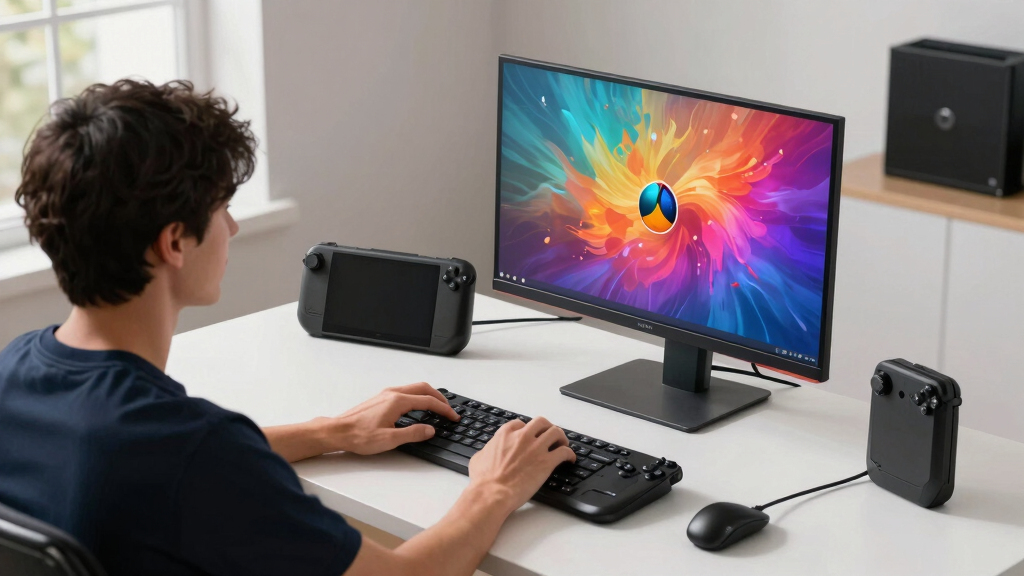

The best 1440p gaming monitors for Steam Deck docked should make the Deck feel sharper on a desk without forcing buyers to pay for performance the handheld cannot fully use. My best overall pick is the ASUS ROG Strix XG27ACS because its 27-inch QHD Fast IPS panel, 180Hz ceiling, ergonomic stand, and broad adaptive sync support hit the cleanest balance for docked play. The ASUS TUF VG27AQ3A is the value pick for buyers who want much of that same practical experience for less, while the Samsung Odyssey OLED G6 is the premium choice for richer contrast and faster pixel response. The main tradeoff is between sensible IPS monitors that match the Steam Deck’s needs well and OLED models that look better but cost more and ask for more care. Keep reading for the full breakdown of which monitor fits each buyer type.

Play games on Amazon Luna for your game nights, included with Prime
- A rotating selection of games, no download needed
- Play on TV, laptop or phone
- Fast, free delivery for your gear, too
Key Takeaways
- The ASUS ROG Strix XG27ACS earns the top spot because it gives docked Steam Deck owners the most balanced mix of 1440p clarity, 180Hz headroom, Fast IPS motion, and adjustability without OLED pricing.
- OLED picks such as the Samsung Odyssey OLED G6, ASUS ROG Strix XG27AQDMGR, ASUS ROG Strix XG27ACDNG, and AOC QD-OLED are visually stronger than the IPS models, but their premium is easier to justify for PC plus Steam Deck setups than for Steam Deck-only desks.
- The 27-inch IPS monitors make the most sense for most buyers because 1440p stays crisp, desk placement is easy, and adaptive sync support helps with the Steam Deck’s variable frame rates.
- The Samsung 32-inch Odyssey G55C is the outlier: it gives a larger, more console-like view, but its size and curve make it less ideal for close desktop use than the 27-inch options.
- Refresh rates above 180Hz are less valuable for docked Steam Deck use than panel quality, HDMI behavior, stand adjustment, and variable refresh support, since many Deck games target 40 to 60 fps at 1440p or use upscaling.
| Samsung 27″ Odyssey G5 (G51F) Gaming Monitor |  | Best Overall for Most Docked Steam Deck Setups | Screen Size: 27 inches | Resolution: 2560 x 1440 QHD | Refresh Rate: 180Hz | VIEW LATEST PRICE | See Our Full Breakdown |
| Samsung 27″ Odyssey OLED G6 Gaming Monitor |  | Best Premium OLED Pick | Display Size: 27 inches | Resolution: QHD 1440p | Refresh Rate: 240Hz | VIEW LATEST PRICE | See Our Full Breakdown |
| ASUS ROG Strix 27″ QHD HDR400 Gaming Monitor (XG27ACS) | 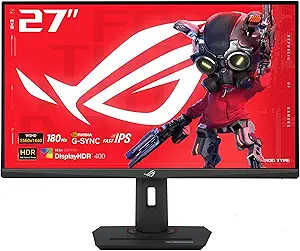 | Best USB-C Friendly Pick | Display Size: 27 inches | Resolution: 2560 x 1440 QHD | Refresh Rate: 180Hz | VIEW LATEST PRICE | See Our Full Breakdown |
| ASUS ROG Strix 27″ OLED Gaming Monitor (XG27AQDMGR) |  | Best OLED for HDR Gaming | Display Size: 27 inches | Resolution: 2560 x 1440 QHD | Refresh Rate: 240Hz | VIEW LATEST PRICE | See Our Full Breakdown |
| Samsung 32″ Odyssey G55C Series QHD Curved Gaming Monitor |  | Best Big-Screen Curved Pick | Screen Size: 32 inches | Resolution: 2560 x 1440 QHD | Refresh Rate: 165Hz | VIEW LATEST PRICE | See Our Full Breakdown |
| ASUS TUF Gaming VG27AQ3A |  | Best Mainstream 1440p Pick | Screen size: 27 inches | Resolution: 2560 x 1440 QHD | Panel type: Fast IPS | VIEW LATEST PRICE | See Our Full Breakdown |
| Acer Nitro KG271U |  | Best Value for Color-Conscious Players | Screen size: 27 inches | Resolution: 2560 x 1440 QHD | Panel type: IPS | VIEW LATEST PRICE | See Our Full Breakdown |
| ASUS ROG Strix XG27ACDNG |  | Best Premium Esports OLED | Screen size: 26.5 inches | Resolution: 2560 x 1440 QHD | Display type: QD-OLED | VIEW LATEST PRICE | See Our Full Breakdown |
| AOC 27 Inch OLED Gaming Monitor |  | Best OLED Sweet Spot | Screen size: 27 inches | Resolution: 2560 x 1440 QHD | Display technology: QD-OLED | VIEW LATEST PRICE | See Our Full Breakdown |
| Alienware AW2725DM |  | Best Polished IPS Upgrade | Screen size: 27 inches | Resolution: 2560 x 1440 QHD | Panel technology: IPS | VIEW LATEST PRICE | See Our Full Breakdown |
More Details on Our Top Picks
Samsung 27″ Odyssey G5 (G51F) Gaming Monitor
I’d rank the Samsung Odyssey G5 G51F first because it hits the most useful middle ground for a docked Steam Deck: 27-inch QHD sharpness, a fast 180Hz panel, and an adjustable stand without jumping into OLED pricing. Compared with the Samsung Odyssey OLED G6 and ASUS ROG Strix XG27AQDMGR, it gives up OLED contrast and instant pixel response, but that tradeoff makes sense if the Steam Deck is your main source and many games will run well below 240Hz. Against the larger Samsung Odyssey G55C, this 27-inch size keeps 1440p looking cleaner on a desk. HDR10 is a nice bonus, though I would treat it as light HDR support rather than a reason to buy it alone.
Pros:- 180Hz refresh rate gives plenty of headroom for lighter Steam Deck games and other gaming devices
- 27-inch QHD size keeps 1440p crisp without taking over a desk
- Height, tilt, and pivot adjustments make docked play easier to set up
- AMD FreeSync helps reduce tearing when frame rates vary
Cons:- HDR10 support is limited by content and panel capability
- No listed built-in speakers, so audio likely needs headphones or external speakers
- Lacks the deeper blacks and near-instant response of the OLED picks
Best for: Steam Deck owners who want a sharp, balanced 27-inch 1440p monitor for docked play, PC use, and desk-friendly ergonomics.
Not ideal for: Players who want OLED-level blacks or a larger cinematic screen, since the 27-inch LCD panel is more practical than dramatic.
- Screen Size:27 inches
- Resolution:2560 x 1440 QHD
- Refresh Rate:180Hz
- Response Time:1ms
- Adaptive Sync:AMD FreeSync
- HDR:HDR10
- Stand Adjustments:Height, tilt, pivot
- Color:Black
Bottom line: This is the 1440p Steam Deck monitor I’d point most buyers toward when they want speed, clarity, and value in one sensible screen.
Samsung 27″ Odyssey OLED G6 Gaming Monitor
The Samsung Odyssey OLED G6 is the pick I’d choose for buyers who care more about image depth than bargain pricing. Its QD-OLED panel gives docked Steam Deck games richer contrast and stronger color separation than the Samsung Odyssey G5 G51F, while the 240Hz refresh rate and 0.03ms response time leave room for a gaming PC or console alongside the Deck. Compared with the ASUS ROG Strix XG27AQDMGR, Samsung’s Glare-Free treatment and Pantone validation make it feel especially appealing for mixed gaming and media use. The catch is value: a Steam Deck alone will rarely make full use of 240Hz, and OLED ownership brings burn-in awareness. I’d buy this when picture quality is the main reason for upgrading.
Pros:- QD-OLED panel delivers deep blacks and vibrant color for docked gaming
- 240Hz refresh rate and 0.03ms response suit fast games and higher-end secondary systems
- Glare-Free Technology helps in brighter rooms
- OLED Safeguard and 3-year warranty add reassurance for long-term use
Cons:- Premium price is harder to justify for Steam Deck-only use
- OLED panels still need care to reduce burn-in risk
- Feature set may take setup time for buyers who want plug-and-play simplicity
Best for: Steam Deck users who also connect a stronger PC or console and want QD-OLED contrast for games, streaming, and desktop use.
Not ideal for: Budget-focused Deck owners who mainly play slower games, since much of the 240Hz OLED hardware may sit unused.
- Display Size:27 inches
- Resolution:QHD 1440p
- Refresh Rate:240Hz
- Response Time:0.03ms
- Panel Technology:QD-OLED
- HDR:HDR10
- Adaptive Sync:AMD FreeSync Premium
- Stand Features:Height, pivot, tilt, swivel
- Warranty:3 years
Bottom line: This is the premium pick I’d make for a Steam Deck dock that doubles as a high-end gaming and media display.
ASUS ROG Strix 27″ QHD HDR400 Gaming Monitor (XG27ACS)
The ASUS ROG Strix XG27ACS earns its spot because it is one of the more practical 1440p choices for a clean docked setup. The key draw is USB-C connectivity, which can simplify cable clutter compared with the Samsung Odyssey G5 G51F, while its Fast IPS panel should suit players who prefer wider viewing angles over the wraparound feel of the Samsung Odyssey G55C. It also brings HDR400 and 400-nit brightness, so it has a clearer spec story than basic HDR10-only LCD picks. The tradeoff is that it does not chase OLED contrast like the Samsung Odyssey OLED G6, and the listed 400:1 contrast ratio is a reminder that dark scenes may look less punchy. I’d pick it for tidy desks, not home-theater drama.
Pros:- USB-C support can simplify a docked desk setup
- 180Hz Fast IPS panel balances speed with broad viewing angles
- HDR400 and 400-nit brightness are useful upgrades over basic HDR labels
- G-Sync Compatible support adds flexibility for PC gaming
Cons:- Contrast is weaker than OLED and may limit dark-scene depth
- No listed built-in speakers or clear height adjustment detail
- May cost more than simpler 180Hz LCD competitors
Best for: Desk users who want a 27-inch 1440p Steam Deck display with USB-C convenience and sharp IPS motion.
Not ideal for: Players who mostly play dark cinematic games and want rich black levels, since OLED models have a clear contrast advantage.
- Display Size:27 inches
- Resolution:2560 x 1440 QHD
- Refresh Rate:180Hz
- Response Time:1ms
- Panel Type:Fast IPS
- Brightness:400 nits
- HDR:HDR400
- Connectivity:USB-C, HDMI
- Viewing Angle:178 degrees
Bottom line: This is the one I’d choose for a neat Steam Deck desk setup where USB-C matters as much as raw gaming specs.
ASUS ROG Strix 27″ OLED Gaming Monitor (XG27AQDMGR)
The ASUS ROG Strix XG27AQDMGR is the OLED pick I’d favor for buyers focused on HDR impact and color depth. Its DisplayHDR 400 True Black support, 99% DCI-P3 color, and very high listed brightness give it a more image-quality-first profile than the Samsung Odyssey G5 G51F or ASUS ROG Strix XG27ACS. Compared with the Samsung Odyssey OLED G6, this ASUS leans harder into panel protection, with OLED Care Pro and a Neo Proximity Sensor for longer sessions at a desk. The downside is familiar but real: a Steam Deck will not fully exploit 240Hz in many modern games, and OLED requires more mindful use than LCD. I’d reserve this for players who want 1440p to look lush, not merely sharp.
Pros:- OLED panel delivers deep contrast and fast pixel response
- DisplayHDR 400 True Black support suits HDR-focused buyers
- 99% DCI-P3 coverage gives games and video a richer color range
- OLED Care Pro and Neo Proximity Sensor help manage panel longevity
Cons:- High price makes less sense for Steam Deck-only performance
- Burn-in risk requires more care than LCD monitors
- 27-inch size may feel small for couch-distance docked play
Best for: Steam Deck players who want strong HDR contrast and rich color, especially for atmospheric games and media playback.
Not ideal for: Hands-off users who leave static desktop elements on screen for long periods, since OLED care still matters.
- Display Size:27 inches
- Resolution:2560 x 1440 QHD
- Refresh Rate:240Hz
- Response Time:0.03ms
- Panel Technology:OLED
- Color Gamut:99% DCI-P3
- Brightness:1300 cd/m²
- Contrast Ratio:1,500,000:1
- VESA Mount:Yes
Bottom line: This is the monitor I’d pick when the Steam Deck dock is part of a premium HDR gaming corner rather than a budget setup.
Samsung 32″ Odyssey G55C Series QHD Curved Gaming Monitor
The Samsung Odyssey G55C is the outlier in this group, and that is exactly why it belongs here. Its 32-inch 1000R curved panel makes docked Steam Deck games feel larger and more enveloping than on the 27-inch Samsung Odyssey G5 G51F or ASUS ROG Strix XG27ACS. That size is great for controller play from a little farther back, while 165Hz FreeSync still gives smoother motion headroom than a basic office display. The compromise is pixel density: 1440p looks cleaner at 27 inches, so text and fine UI elements may look softer here. It also lacks the OLED punch of the Samsung Odyssey OLED G6. I’d treat this as the fun, immersive pick, not the sharpest desk monitor.
Pros:- 32-inch screen gives docked Steam Deck play a bigger, more console-like feel
- 1000R curve adds immersion for racing, action, and exploration games
- 165Hz refresh rate and 1ms MPRT support smooth motion
- Eye care features help during longer sessions
Cons:- Lower pixel density than 27-inch QHD monitors
- Curved 32-inch design takes more desk space
- Less suited to color-sensitive creative work than premium OLED or IPS picks
Best for: Controller-first Steam Deck players who want a larger curved 1440p screen for immersive docked sessions.
Not ideal for: Users who sit close and read lots of small text, since 32-inch QHD is less crisp than 27-inch QHD.
- Screen Size:32 inches
- Resolution:2560 x 1440 QHD
- Refresh Rate:165Hz
- Response Time:1ms MPRT
- Curvature:1000R
- HDR:HDR10
- Adaptive Sync:AMD Radeon FreeSync
- Eye Care:Blue light reduction, flicker-free technology
Bottom line: This is the one I’d choose for a bigger, more immersive Steam Deck setup where screen size matters more than maximum sharpness.
ASUS TUF Gaming VG27AQ3A
I’d rank the ASUS TUF Gaming VG27AQ3A as the safest mainstream choice because it balances 27-inch QHD clarity, 180Hz headroom, and adaptive sync without pushing into OLED pricing. For a docked Steam Deck, the 180Hz ceiling will outpace what many heavier games can deliver, but it still helps lighter titles, emulation, and desktop use feel smoother. Compared with the AOC 27 Inch OLED, it cannot match true blacks or instant OLED response, yet it avoids the same burn-in concern and should make more sense for long static menus or desktop sessions. Against the Acer Nitro KG271U, the ASUS leans more gaming-focused with G-SYNC compatibility and a wide sRGB claim. The tradeoff is practicality: no speakers, only one USB port, and a heavier build than some simple dock setups need.
Pros:- 180Hz refresh rate gives extra smoothness for lighter Steam Deck titles and future PC use
- Fast IPS panel keeps motion clear without OLED burn-in worries
- 130% sRGB and HDR-10 support add richer color than basic 1440p displays
- FreeSync Premium and G-SYNC compatibility widen its usefulness beyond the Deck
Cons:- No built-in speakers, so docked play needs headphones or external audio
- Only one USB port limits accessory convenience
- 4.6 kg weight may be more than a simple arm or compact desk should handle
Best for: Steam Deck owners who want a dependable 27-inch 1440p monitor for mixed docked gaming, desktop mode, and occasional PC use without paying OLED prices.
Not ideal for: Buyers building a minimal cable-light desk setup, since it lacks speakers and has only one USB port.
- Screen size:27 inches
- Resolution:2560 x 1440 QHD
- Panel type:Fast IPS
- Refresh rate:180Hz
- Response time:1ms
- Color gamut:130% sRGB
- HDR:HDR-10
- Ports:2 HDMI, 1 USB, 3 component outputs
Bottom line: This is the pick I’d choose for a practical 1440p Steam Deck docked setup that also has room to grow with a gaming PC.
Acer Nitro KG271U
The Acer Nitro KG271U earns its spot by pairing 180Hz gaming speed with 95% DCI-P3 color coverage, which makes it more appealing than a plain budget QHD screen for Steam Deck users who also edit screenshots, video clips, or artwork. Compared with the ASUS TUF VG27AQ3A, the Acer has the sharper response-time claim at 0.5ms and broader cinema-style color coverage, while the ASUS feels like the more rounded gaming package thanks to FreeSync Premium and G-SYNC branding. The Nitro is also far less extravagant than the ASUS ROG Strix XG27ACDNG; its panel will not deliver OLED blacks, but it asks less from the buyer. I’d treat it as a value-minded dual-purpose pick, with the main compromise being basic connectivity and no built-in speakers.
Pros:- 95% DCI-P3 coverage gives it stronger color credentials than many value IPS gaming monitors
- 180Hz refresh rate leaves plenty of overhead for lighter games and PC upgrades
- 0.5ms GTG response time targets cleaner motion in fast games
- IPS viewing angles suit shared couch-distance docked play better than narrow-view panels
Cons:- Connectivity is basic for users juggling a Steam Deck dock, console, and PC
- No built-in speakers means extra audio hardware is needed
- Casual Steam Deck users may not benefit enough from 180Hz to justify the spend
Best for: Docked Steam Deck players who also want a 1440p screen for light creative work, streaming layouts, or color-rich single-player games.
Not ideal for: Console-heavy desks or multi-device workstations, because its DisplayPort 1.2 and HDMI 2.0 inputs are fairly limited.
- Screen size:27 inches
- Resolution:2560 x 1440 QHD
- Panel type:IPS
- Refresh rate:180Hz
- Response time:0.5ms GTG
- Color coverage:95% DCI-P3
- HDR:HDR 10
- Inputs:DisplayPort 1.2, HDMI 2.0
Bottom line: This is the value pick I’d choose when color quality matters almost as much as gaming smoothness.
ASUS ROG Strix XG27ACDNG
The ASUS ROG Strix XG27ACDNG is the most performance-heavy option here, built around QD-OLED contrast, a 360Hz refresh rate, and a near-instant 0.03ms response time. For Steam Deck docked play alone, that speed is far beyond what most games will use, so I’d only rank it this high for buyers who also connect a powerful PC. Compared with the AOC 27 Inch OLED, the ASUS chases even higher refresh performance, while the AOC offers the more sensible OLED setup for a Deck-first desk thanks to HDMI 2.1, DisplayPort, stand adjustments, and a USB hub. The ASUS also has OLED Care+ and cooling features, which matter for a monitor that may show static game libraries or desktop UI. The drawbacks are price, no USB-C, and a footprint that may feel excessive beside a compact dock.
Pros:- 360Hz refresh rate gives the most headroom in this batch for esports PC gaming
- QD-OLED panel offers deep contrast and rich color for cinematic games
- 0.03ms response time is far quicker than IPS alternatives like the ASUS TUF VG27AQ3A
- OLED Care+ and advanced cooling help address long-session OLED concerns
Cons:- Premium pricing is hard to justify for Steam Deck docked use alone
- No USB-C input limits single-cable dock flexibility
- OLED burn-in risk still matters for static desktop mode and launcher screens
Best for: Competitive players who dock a Steam Deck but also own a high-end gaming PC that can make real use of 360Hz at 1440p.
Not ideal for: Deck-only buyers focused on indie games, RPGs, or emulation, since most of the refresh-rate advantage would sit unused.
- Screen size:26.5 inches
- Resolution:2560 x 1440 QHD
- Display type:QD-OLED
- Refresh rate:360Hz
- Response time:0.03ms
- Contrast ratio:4000:1
- Color coverage:99% DCI-P3 / 135% color gamut
- Ports:2 HDMI, 2 USB 3.0, 3 component outputs
- Warranty:3 years
Bottom line: This is the indulgent pick I’d reserve for a Steam Deck plus high-end PC setup, not a Deck-only desk.
AOC 27 Inch OLED Gaming Monitor
The AOC 27 Inch OLED Gaming Monitor feels like the OLED pick that best matches a docked Steam Deck without going fully overboard. Its QD-OLED panel gives black levels and pixel response that IPS models like the Alienware AW2725DM and ASUS TUF VG27AQ3A cannot match, while the 240Hz refresh rate is still more realistic than the 360Hz ASUS ROG Strix XG27ACDNG for buyers who split time between Deck and PC. HDMI 2.1 and DisplayPort 1.4 make it friendlier for a multi-device desk, and the height, tilt, swivel, and pivot stand help when the Deck dock is not placed at eye level. The catch is the usual OLED tradeoff: higher cost and possible burn-in over time, especially if desktop mode or static HUD-heavy games stay on screen for long sessions.
Pros:- QD-OLED delivers true blacks and stronger contrast than IPS monitors in this lineup
- 240Hz refresh rate is a strong middle ground between 180Hz IPS and 360Hz premium OLED
- HDMI 2.1 and DisplayPort 1.4 support a flexible Deck, PC, and console desk
- Adjustable stand and USB hub make it easier to live with than many gaming-only displays
Cons:- Costs more than IPS choices like the Acer Nitro KG271U
- OLED burn-in risk makes static desktop use less carefree
- 240Hz is still more than most Steam Deck games will reach at 1440p
Best for: Steam Deck owners who want OLED contrast for docked play and also connect a PC or console to the same 1440p display.
Not ideal for: Users who leave desktop mode, launchers, or static game HUDs on screen for hours every day, since OLED wear is a real risk.
- Screen size:27 inches
- Resolution:2560 x 1440 QHD
- Display technology:QD-OLED
- Refresh rate:240Hz
- Response time:0.03ms
- HDR:True Black
- Connectivity:HDMI 2.1, DisplayPort 1.4
- Stand adjustments:Height, tilt, swivel, pivot
- USB hub:Yes
Bottom line: This is the OLED I’d pick when the Steam Deck is part of a broader gaming desk rather than the only device.
Alienware AW2725DM
The Alienware AW2725DM is the IPS pick for buyers who want a more polished gaming monitor than the bare-value choices without moving into OLED. It matches the ASUS TUF VG27AQ3A on 27-inch QHD, 180Hz, and 1ms response, but its 95% DCI-P3 coverage, DisplayHDR 400 rating, NVIDIA G-SYNC, AMD FreeSync, and VESA AdaptiveSync support make it feel broader for mixed hardware. Compared with the AOC 27 Inch OLED, it loses the rich black levels and 0.03ms response, yet it should be easier to live with for Steam Deck desktop mode, static launchers, and long strategy sessions. The main hesitation is value: if the price lands close to OLED territory, the AOC becomes tempting. Stand-adjustment details are also thin, and there is no speaker mention.
Pros:- 180Hz Fast IPS performance suits docked gaming and later PC upgrades
- 95% DCI-P3 and DisplayHDR 400 give it stronger color credentials than basic IPS screens
- NVIDIA G-SYNC, AMD FreeSync, and VESA AdaptiveSync cover a wide range of devices
- Three USB ports add more desk convenience than the ASUS TUF VG27AQ3A
Cons:- May cost enough to make OLED alternatives feel close
- No built-in speaker details for simple docked audio
- Stand adjustment information is limited compared with the AOC OLED
Best for: Steam Deck users who want a premium-feeling IPS monitor for docked play, desktop mode, and a second gaming system without OLED care routines.
Not ideal for: Buyers chasing the strongest HDR contrast or true black levels, since the AOC OLED and ASUS ROG OLED models are better fits.
- Screen size:27 inches
- Resolution:2560 x 1440 QHD
- Panel technology:IPS
- Refresh rate:180Hz
- Response time:1ms
- Color coverage:95% DCI-P3
- Brightness:400 cd/m²
- Ports:2 HDMI, 3 USB, 3 component outputs
- Weight:14.48 pounds
Bottom line: This is the IPS upgrade I’d choose for a refined Steam Deck docked setup where OLED care feels like more trouble than it is worth.
How We Picked
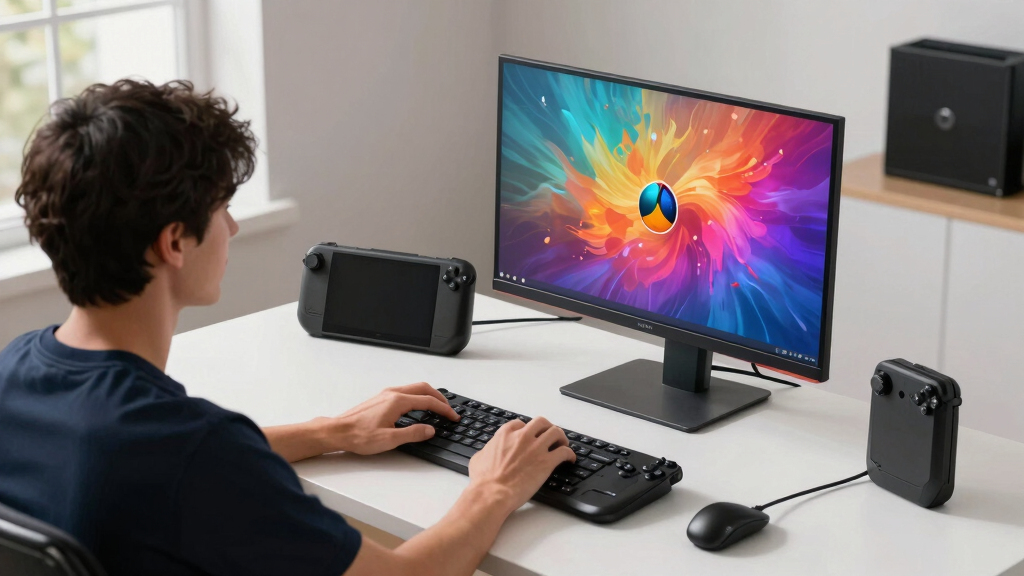
I ranked these monitors around docked Steam Deck usefulness, not spec-sheet bragging rights. The strongest picks had to make 1440p gaming feel clean at typical desk distance, handle variable frame rates gracefully, offer practical HDMI connectivity through a dock, and avoid wasting too much budget on refresh rates the Deck will rarely reach. I gave extra weight to 27-inch QHD panels, adaptive sync support, stand adjustability, and panel types that suit mixed gaming, desktop browsing, and launcher use.
The order also reflects value relative to the Steam Deck. A premium OLED can look beautiful, but it only ranks above cheaper IPS models when its contrast, response time, HDR handling, and feature set create a clear benefit beyond the handheld’s limits. Monitors with weaker ergonomics, awkward size choices, or narrower appeal moved down even when their raw gaming specs looked strong. My goal was to separate the best fit for most docked setups from the models that make sense only for a specific desk, budget, or dual-use gaming PC setup.
Factors to Consider When Choosing Best 1440p Gaming Monitors For Steam Deck Docked
Choosing a 1440p monitor for a docked Steam Deck is different from choosing one for a high-end gaming PC. The Deck can output to QHD, but game performance, dock bandwidth, scaling, and controller distance all shape what feels good day to day. I would focus less on chasing the highest refresh number and more on the mix of panel quality, size, comfort, and connection behavior.
Match 1440p Ambition To Steam Deck Performance
A 1440p monitor gives the Steam Deck a much sharper desktop and game image than a basic 1080p screen, but not every game will run natively at QHD. Many demanding titles will feel better at 720p, 800p, 900p, or 1080p upscaled to the monitor, especially if the goal is steady frame pacing. That is why I favor monitors with clean scaling and adaptive sync over models that only win on refresh rate. The ASUS ROG Strix XG27ACS and ASUS TUF VG27AQ3A fit this balance well because they give the Deck room to breathe without making the monitor feel wasteful. OLED models still look richer, but they do not magically make the Deck render modern games at 1440p and high frame rates. Buyers who expect every game to run at native QHD may end up paying for a screen that exposes the handheld’s limits more than it hides them.
Pick 27 Inches Unless You Want A Bigger Couch-Style Setup
For most desks, 27 inches is the sweet spot for 1440p Steam Deck use because text looks sharp, games feel immersive, and the monitor does not dominate a small setup. This is why the 27-inch ASUS, Samsung, Acer, AOC, and Alienware options make up most of the stronger picks. A 32-inch monitor like the Samsung Odyssey G55C can be more appealing from farther away, especially with a controller and a relaxed seating position. The tradeoff is that 1440p spreads across more screen area, so it looks less crisp up close than it does on a 27-inch panel. The curve can also be a mixed fit if the same monitor is used for work, browsing, or two-player local play. I would only move up to 32 inches if the setup is built around distance and screen size rather than desk precision.
Do Not Overpay For Refresh Rate Alone
The Steam Deck can benefit from a high-refresh display, but 180Hz and 240Hz are not equally useful for this specific use case. A 180Hz IPS monitor already leaves plenty of headroom for lighter games, emulation, indie titles, and a gaming PC connected to the same screen. A 240Hz OLED like the Samsung Odyssey OLED G6 or AOC QD-OLED is more about instant pixel response, contrast, and premium feel than about the Deck regularly reaching 240 fps. That makes the OLEDs easier to recommend for buyers who also own a desktop PC. If the monitor will mainly serve the Steam Deck, I would treat refresh rate as a bonus after panel quality, price, and ergonomics. Paying more for speed alone rarely beats buying a better-balanced 180Hz QHD display.
Choose IPS For Low-Fuss Use, OLED For Visual Punch
IPS monitors such as the ASUS ROG Strix XG27ACS, ASUS TUF VG27AQ3A, Acer Nitro, and Alienware AW2725DM are the safer everyday picks. They handle static SteamOS screens, launchers, web pages, and desktop use without the same long-term image retention concerns that come with OLED. OLED and QD-OLED monitors bring deeper blacks, faster response, and stronger contrast, which can make dark games and HDR-capable content look more dramatic. The cost is higher, brightness behavior can vary by scene, and buyers need to be more mindful about static UI elements. For a shared Steam Deck and PC gaming setup, OLED can feel worth the jump. For a simple docked Deck station, IPS usually delivers the easier ownership experience.
Check Dock Compatibility Before Blaming The Monitor
A good monitor can still feel disappointing if the dock or cable limits the signal. For 1440p at higher refresh rates, buyers should check whether their USB-C dock supports the needed HDMI or DisplayPort bandwidth, because some inexpensive docks cap output at lower refresh rates. HDMI 2.0 can be enough for many 1440p use cases, while HDMI 2.1 on models like the AOC QD-OLED adds more headroom for other devices. The Steam Deck’s settings also matter: resolution, refresh rate, scaling mode, and per-game performance caps can all change the result. If the image looks soft, the game may be rendering below 1440p rather than the monitor being poor. I would budget for a reliable dock and cable before spending extra on a premium panel.
Prioritize Stand Adjustment And Desk Comfort
Stand quality matters more for a docked Steam Deck monitor than many buyers expect. A handheld-to-monitor setup often sits beside a dock, charger, controller, keyboard, and headphones, so height adjustment and tilt help keep the desk usable. The strongest picks here offer better ergonomic flexibility than bare-bones budget screens, which makes longer play sessions and desktop mode less awkward. A monitor like the Samsung Odyssey G5 G51F gains appeal because its stand is more practical than many entry-level gaming displays. If the included stand is weak, a VESA arm can fix the problem, but that adds cost and setup effort. I would rather buy a slightly better monitor stand than save a little and fight the screen position every day.
Frequently Asked Questions
Is 1440p Too Much For The Steam Deck When Docked?
1440p is not too much for the Steam Deck as a display target, but buyers should separate output resolution from game render resolution. SteamOS menus, indie games, older titles, and desktop mode can look very sharp on a QHD monitor. More demanding games may need lower internal resolutions, FSR, or a 40 to 60 fps target to feel smooth. That is why a balanced 1440p monitor like the ASUS ROG Strix XG27ACS makes more sense than chasing extreme specs. The monitor gives room for flexible settings without making the entire setup feel overbuilt.
Should I Buy OLED For A Docked Steam Deck Setup?
OLED is worth it if image quality is the main goal and the monitor will also serve a gaming PC, console, or media setup. Models like the Samsung Odyssey OLED G6, ASUS ROG Strix XG27ACDNG, and AOC QD-OLED deliver stronger contrast and faster pixel response than the IPS picks. For Steam Deck-only use, though, the price jump is harder to justify because the handheld will not always feed those panels with high-frame-rate 1440p gameplay. OLED also asks for more care around static screens and desktop use. I would pick OLED for a premium shared setup, not as the default budget-friendly Deck monitor.
Is 27 Inches Or 32 Inches Better For Steam Deck Docked?
27 inches is the better default for a docked Steam Deck at 1440p because the pixel density feels sharper from normal desk distance. It also fits smaller setups more easily and works better for desktop mode, web browsing, and quick keyboard use. A 32-inch option like the Samsung Odyssey G55C makes sense for buyers who sit farther back or want a more TV-like gaming feel. The compromise is lower perceived sharpness and a larger footprint. I would choose 32 inches only if the monitor will be used more like a small living-room display than a close desktop screen.
Do I Need 240Hz For Steam Deck Games?
No, 240Hz is not needed for most Steam Deck games. The Deck is more often limited by GPU power, game settings, and resolution than by monitor refresh rate, especially at 1440p. A 180Hz monitor such as the ASUS ROG Strix XG27ACS, ASUS TUF VG27AQ3A, or Acer Nitro 27-inch QHD already gives ample headroom for lighter titles and other devices. A 240Hz OLED can still be desirable because motion clarity and response time are excellent. I would pay for 240Hz only when the monitor will also be used with a faster gaming PC.
Which Monitor Type Is Easiest For A Beginner Steam Deck Dock Setup?
The easiest path is a 27-inch 1440p IPS monitor with adaptive sync, HDMI support, and a height-adjustable stand. IPS avoids OLED care concerns, keeps text clear in desktop mode, and usually costs less. The ASUS TUF VG27AQ3A is the beginner-friendly pick in this lineup because it focuses on the features that matter without pushing buyers into premium pricing. The ASUS ROG Strix XG27ACS is the better all-around step-up if the budget allows. Beginners should also save room in the budget for a reliable dock and cable, since those parts can affect the experience as much as the display.
Conclusion
For most buyers, my recommendation is the ASUS ROG Strix XG27ACS as the best overall 1440p gaming monitor for Steam Deck docked because it balances sharpness, speed, adaptive sync, and desk comfort better than the rest. The ASUS TUF VG27AQ3A is the best value and the easiest beginner pick, while the Samsung Odyssey OLED G6 is the premium choice for buyers who want OLED contrast and also plan to use a stronger PC. The Samsung Odyssey G55C is the specific-needs pick for anyone who wants a larger, more relaxed controller-first setup, and the AOC QD-OLED is a strong choice for buyers who want premium OLED features with broader connectivity. If I were building a Steam Deck-first desk, I would start with a balanced 27-inch IPS model and move to OLED only when visual quality matters more than price.
Fall Picks
fall essentials
As an affiliate, we earn on qualifying purchases.