
TL;DR

Play games on Amazon Luna for your game nights, included with Prime
- A rotating selection of games, no download needed
- Play on TV, laptop or phone
- Fast, free delivery for your gear, too
Steam uses both genres and tags to classify games, but they serve different jobs: genres name the broad type of game, while tags describe its mechanics, mood, perspective, setting, and play modes. Genres help you choose a shelf; ordered tags help Steam and its users identify the exact experience on that shelf.
A game labeled Action could be a neon arena shooter, a slow medieval duel, or a rain-soaked survival story where every bullet matters. The genre gives you a neighborhood, but it does not give you the street address. That missing detail comes from Steam tags, the smaller labels clustered around a store page like clues on a detective’s corkboard.
You might see Action and RPG listed beside tags such as Souls-like, Dark Fantasy, and Character Customization. Those labels reveal that you will probably dodge heavy attacks, shape a character build, and wander through a bleak world rather than sprint through a bright military campaign. Steam uses both systems because one broad label cannot describe modern hybrid games without turning into organized chaos.
This guide shows you what each classification means, how community input works, and why tag order can shape discovery. You will also learn how to read a store page before buying and how developers can build an honest tag profile. The payoff is practical: fewer mismatched purchases, clearer expectations, and a better chance of finding the exact game that fits your next free evening.
Use genres for broad browsing, then read the leading tags to identify the game’s actual mechanics, mood, structure, and perspective.
Check categories separately because a Co-op tag does not confirm whether play is local, online, split-screen, or supported on your setup.
Treat tag order as meaningful: the first visible labels communicate a game’s identity more strongly than minor tags buried deeper in the profile.
Developers should prioritize the finished game’s defining loop, not popular labels or small mechanics added mainly for extra exposure.
When a community tag looks strange, compare it with trailers, categories, screenshots, and repeated review language before trusting or dismissing it.
Steam Tags vs Genres Explained
Genres name the broad kind of game. Tags reveal its mechanics, mood, structure, perspective, and setting. The genre gives you a neighborhood; ordered tags provide the street address.
Shelf, flavor, and feature label
Steam’s classification systems answer different questions. Read them together instead of treating the labels as interchangeable.
What family is it in?
Action, RPG, Strategy, Simulation, Racing. Genres provide a stable starting point for wide browsing.
What will it feel like?
Souls-like, Cozy, Deckbuilding, Pixel Graphics. Tags expose the experience hidden beneath a broad label.
What does it support?
Single-player, Online Co-op, Achievements, VR. Categories confirm modes, functions, and compatibility.
Four labels, four jobs
A tag can describe co-op interest, but only the relevant category confirms whether that means local, online, or another supported configuration.
| Classification | Primary purpose | Typical examples | Best use | Discovery signal |
|---|---|---|---|---|
| Genre | Broad creative classification | Action, RPG, Strategy, Racing | Start a wide browse | ~Broad |
| Tag | Detailed description and relevance signal | Automation, Cozy, Souls-like | Find a particular experience | ✓Strong |
| Category | Supported function or play mode | Online Co-op, Achievements, VR | Check features and compatibility | ~Limited |
| Content descriptor | Sensitive-material disclosure | Violence, nudity, mature themes | Make age and content choices | ✗Not its job |
Tags describe almost every layer of play
A single genre can contain radically different games. Tag combinations separate the slow tactical crawl from the loud, fast power fantasy.
The order communicates identity
Only a small group of prominent tags appears immediately. The leading labels function like the largest words on a film poster: higher placement means stronger emphasis.
Find better-matched games
Move from broad classification to concrete evidence. This quick sequence turns a crowded store page into a practical buying decision.
Find the genre
Use Action, RPG, Strategy, or another broad family to enter the right neighborhood.
Scan leading tags
Identify the core loop, pace, mood, perspective, structure, and setting.
Check categories
Confirm local or online co-op, controller support, VR, and other required features.
Inspect live evidence
Compare trailers, screenshots, categories, and repeated review language before buying.
Descriptions become signals
Tags are influenced by developers and the Steam community. Collective usage, relevance, developer prioritization, and Steam’s systems shape which labels become prominent.
Use genres for broad browsing, then read leading tags for the actual experience.
Check categories separately whenever a mode or hardware feature matters.
Treat tag order as meaningful; prominent labels define identity most strongly.
Developers should tag the finished game’s defining loop, not chase popularity.
Validate strange community tags against trailers, screenshots, and reviews.
What You Learn from Genres, Tags, and Categories
Steam Tags vs Genres Explained comes down to three separate questions: a genre tells you the game’s broad design family, a tag describes the experience in finer detail, and a category confirms a supported feature or mode. Think shelf, flavor, and hardware label rather than three interchangeable names.
| Classification | What it tells you | Typical examples | Best use |
|---|---|---|---|
| Genre | The broad creative and mechanical family | Action, RPG, Strategy, Racing | Starting a wide browse |
| Tag | Mechanics, structure, mood, style, setting, or audience | Deckbuilding, Cozy, Souls-like, Pixel Graphics | Finding a particular experience |
| Category | A supported function or play mode | Single-player, Online Co-op, Achievements, VR Support | Checking compatibility and features |
| Content descriptor | Potentially sensitive material or an age-related disclosure | Violence, nudity, mature themes | Making age and content choices |
Genres are broad, relatively stable classifications describing a game’s foundation. An RPG normally involves character growth or role-based progression, while a strategy game asks you to plan and manage decisions. Yet calling Stardew Valley a Simulation and RPG still misses the warm routine of watering crops, meeting neighbors, and hearing soft rain tap against the farmhouse roof.
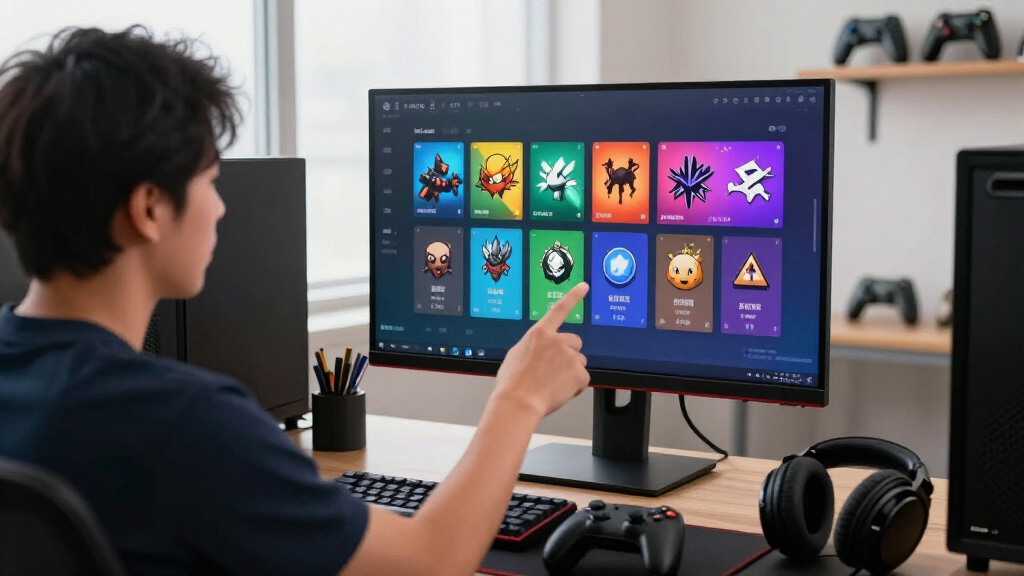
Tags fill that gap with labels such as Farming Sim, Life Sim, Relaxing, and Pixel Graphics. Steam uses both genres and tags to classify games, but they serve different levels of detail. A genre answers what broad kind of game this is; tags answer what playing it may actually feel like on a quiet Sunday afternoon.
Categories solve a different problem. If two games both carry the Co-op tag, one may support couch play while the other requires an online connection, so you still need to check Local Co-op or Online Co-op among the listed features. Likewise, tags never replace an official age rating; parents should check the relevant ESRB, PEGI, or regional rating for the specific platform and version.
As an affiliate, we earn on qualifying purchases.
Why Tags Reveal More About the Game You Will Actually Play
Steam Tags vs Genres Explained becomes useful when two games share a genre but create completely different nights on the sofa. Tags expose the mechanics, pace, viewpoint, mood, and structure hidden beneath a broad genre label, helping you separate a tense tactical crawl from a loud, fast power fantasy.
Imagine browsing the Strategy genre. One game carries Automation, Base Building, and Resource Management; another carries Turn-Based Tactics, Permadeath, and Difficult. The first may surround you with humming conveyor belts and expanding production lines, while the second can make one bad move feel like knocking over the final piece of a glass chess set.
Tags can describe almost every layer of play. First-Person names the camera, Procedural Generation describes how levels appear, and Psychological Horror signals a mood built from uneasy silence rather than constant gunfire. A single label may cross boundaries: Roguelike can describe a subgenre, a bundle of mechanics, and the identity players use when searching.
- Mechanics: Deckbuilding, Crafting, Stealth, Turn-Based Combat
- Structure: Open World, Linear, Procedural Generation
- Setting: Cyberpunk, Medieval, Space, Post-apocalyptic
- Mood: Cozy, Atmospheric, Relaxing, Psychological Horror
- Presentation: Isometric, Side Scroller, Hand-drawn, Pixel Graphics
The nuance matters because a tag can be present without defining the game. A survival adventure might let you craft three tools during a 20-hour campaign, but that small system does not make Crafting its core identity. Read the leading tags like the largest words on a movie poster: prominence signals emphasis, even when dozens of smaller labels sit behind them.
As an affiliate, we earn on qualifying purchases.
How Tag Order Can Shape What Steam Recommends to You
Steam Tags vs Genres Explained also means understanding that tags do more than decorate a store page. Steam can use their relevance and order when comparing games, organizing tag pages, supporting filtered searches, and deciding which titles may fit a player’s tastes alongside behavioral and commercial signals [1].
According to Steamworks documentation, developers can use tagging tools to select, prioritize, and organize the labels that best represent a game [1]. Only a small group of prominent tags appears at first glance, though the title may carry many more. Those early labels act like a shop window: they set expectations before you open the door.
Suppose you play several games tagged Deckbuilding, Turn-Based Combat, and Roguelike. Steam now has a stronger description of your taste than the word Strategy alone provides, so another card-driven run with randomized rewards may surface in a personalized area. That does not mean one tag flips a hidden switch; it supplies another thread in a much larger web.
Tags can contribute to tag-specific store pages, Discovery Queue relevance, personalized recommendations, search filters, and More Like This associations. Steam can also weigh customer interest, sales performance, player behavior, language, region, release timing, and your individual history. Accurate tags help the system introduce a game to a fitting audience, but they cannot turn a weak store page into a crowd magnet.
Tags are signposts, not rocket fuel. They can point the right players toward a game, but they cannot make those players click, buy, or stay.
This distinction protects you from a common myth: tags are not conventional web search keywords. Repeating a popular term or attaching it to a weak match does not create dependable exposure. Relevance beats raw popularity because the wrong audience may ignore the game, leave quickly, or discover that the polished label promised an experience the game never delivers.
As an affiliate, we earn on qualifying purchases.
What Community Tags Can Tell You—and When to Be Skeptical
Community tags can capture player language quickly, but they are not individual verdicts carved into a store page. Players may suggest labels, while Steam aggregates usage and applies internal moderation and relevance systems; a lone user generally cannot redefine a game’s public classification with one sarcastic click [2].
This shared vocabulary can move faster than a fixed genre menu. Labels such as Souls-like, Boomer Shooter, Cozy, and Survivors-like spread because players needed sharper language for recognizable play patterns. Calling a game Action says little; calling it a Boomer Shooter suggests fast strafing, oversized weapons, maze-like levels, and the crack of enemies bursting into pixelated debris.
The same openness creates a useful mess. Community tags can reflect jokes, frustration, review campaigns, or disagreements about where a game belongs. A humorous label may flash like graffiti on a clean shop wall, yet low-volume or inappropriate suggestions may remain obscure or face moderation rather than becoming a defining public tag.
Developers still have meaningful input. They can shape an intended profile, prioritize accurate labels, and report problematic tags, but they do not own every legitimate description players apply. According to Steam’s user-defined tag guidance, community activity contributes to how tags appear, while aggregation limits the power of isolated submissions [2].
As a player, treat a strange tag as a reason to check the wider pattern. Look at the leading tags, trailer, screenshots, feature categories, and recent user reviews before drawing a conclusion. If one joke label clashes with ten consistent descriptions and the gameplay footage, the larger pattern usually provides the cleaner signal.
As an affiliate, we earn on qualifying purchases.
Find Better-Matched Games with This Four-Step Store-Page Check
You can read a Steam page more accurately by moving from the broad genre to the leading tags, then checking feature categories and live gameplay. This four-step check takes about two minutes and helps you spot the difference between a game that merely contains a mechanic and one built around it.
- Start with the genre. Use Action, RPG, Strategy, or Simulation to set the broad frame. If you want deliberate planning rather than twitch reactions, this first cut removes a large amount of noise.
- Read the first five or so visible tags as a sentence. Action, Roguelike, Bullet Hell, Pixel Graphics, and Difficult paints a far clearer scene than Action alone. Ask whether those words describe the loop you want tonight.
- Verify categories and content details. Check whether Co-op means local or online play, whether controller support meets your setup, and whether the listed language covers interface, subtitles, or audio. Check the current store page for platform-specific compatibility claims because support status can change.
- Watch unbroken gameplay. A trailer can turn slow resource gathering into a fireworks show. Thirty seconds of ordinary movement, menus, combat, or dialogue often tells you more about pace than a two-minute montage.
Say you and a friend want a couch game for Friday night. The Co-op tag catches your eye, but the categories list only Online Co-op, while your setup has one screen and no second PC. That small difference can turn an easy purchase into a silent loading screen and two untouched controllers.
You can also use negative evidence. If a game calls itself an RPG but its leading tags emphasize Visual Novel, Choices Matter, and Story Rich, expect more reading than combat. Before, you had a vague shelf label; after this check, you have a rough sketch of the evening—the pace, the social setup, and even the sort of sounds likely to fill the room.
When tags conflict, favor repeated evidence across the page. A central mechanic usually appears in screenshots, trailers, reviews, and several related tags. One lonely label is a whisper; a matching cluster is a chorus.
Build a Tag Profile That Attracts the Right Players
Steam Tags vs Genres Explained gives developers a simple rule: describe the finished experience, not the audience you hope to borrow. A strong profile leads with the core genre, defining loop, and distinctive mechanics, then adds perspective, structure, setting, mood, and supported player modes in honest order.
Begin by describing what players do every few minutes. If they place machines, connect belts, and balance inputs, Automation and Resource Management deserve more weight than a minor story choice. If crafting appears only during a short tutorial, pushing Crafting near the front paints a bright target on the wrong wall.
Next, inspect the games shown around yours. The More Like This area does not reveal a simple tag-only formula, yet wildly mismatched neighbors can expose a muddy profile. If your quiet colony builder sits beside frantic competitive shooters, revisit whether broad labels are drowning out Colony Sim, Base Building, and Single-player.
- Lead with the dominant genre and subgenre.
- Prioritize the main gameplay loop over incidental systems.
- Add perspective, structure, theme, visual style, and modes where they truly shape play.
- Compare similar-game associations with titles your buyers would genuinely view as alternatives.
- Revisit tags after a major design change or repeated player feedback about mismatched expectations.
Aspirational tagging can produce a bittersweet win: extra impressions paired with poor interest. Imagine labeling a linear action game Open World because it contains one large hub. Players expecting distant mountains and free exploration may arrive, hit invisible boundaries, and leave feeling that the store page sold them a painted doorway.
Do not rely only on mood and art labels. Cozy, Hand-drawn, and Atmospheric describe tone, but they do not tell a buyer whether the game involves farming, puzzles, dialogue, or real-time combat. Pair emotional color with concrete gameplay information so the profile works as both an invitation and an honest map.
Avoid the Tagging Myths That Lead to Bad Matches
The most damaging Steam tag myths treat popularity, quantity, or developer control as shortcuts to visibility. In practice, broad but weak labels can blur a game’s identity, community input can alter the public picture, and a pile of tags cannot replace a clear, accurate match between game and audience.
The first myth says the biggest tag brings the biggest reward. A small stealth tactics game might chase Action because the audience is huge, yet that audience may expect fast movement and constant combat. A smaller relevant crowd often carries more value than a stadium full of people waiting for a different band.
The second myth treats Indie as gameplay. Indie usually speaks to production or publishing context, not what your hands do on the keyboard or controller. Pair it with labels such as Metroidvania, Farming Sim, Narrative Adventure, or Extraction Shooter so players can connect the business context to a real play pattern.
The third myth says developers or players have total control. Developers can select and prioritize tags, while community activity also shapes the visible result; Steam aggregates and filters that activity [1][2]. The public profile is a shared signal, neither a locked developer billboard nor an open wall where one person’s joke instantly becomes law.
The final myth says more is always better. A game can carry dozens of descriptive labels, but the leading ordered tags communicate its identity most loudly. Adding every mechanic is like pouring every spice in the cupboard into one pot: you get more ingredients, yet less recognizable flavor.
Use a blunt test before prioritizing any label: would a player choose this game mainly because of that feature? If the answer is no, move the tag down or leave it out of the defining cluster. Accuracy builds trust, and trust starts before the player presses Buy.
Frequently Asked Questions
Can developers choose their own Steam tags?
Yes. Developers use Steamworks tagging tools to choose, prioritize, and organize relevant tags [1]. Community-applied tags may also affect the public profile, so developers have strong input without holding absolute control over every visible label.
Do Steam tags affect recommendations and search results?
Yes. Tags can contribute to filtered search, tagged store pages, personalized recommendations, Discovery Queues, and similar-game associations. Steam also uses customer interest, player behavior, sales, language, region, timing, and personal preferences, so tags are one signal rather than the whole formula.
Can one player add a joke tag and change a game’s classification?
A player can suggest a tag on an eligible page, but one isolated submission does not normally redefine the public profile. Steam uses aggregation, relevance checks, and moderation, which give widely supported descriptions more weight than a lone joke or protest label [2].
How many Steam tags should a game have?
Steam does not offer one perfect number for every game. Use enough accurate labels to cover the genre, core mechanics, structure, perspective, setting, and modes, then give extra care to the leading order. A tight identity beats a long list of weak connections.
Is Indie a genre on Steam?
Steam commonly displays Indie beside genre labels, but the word mostly describes production or publishing context rather than gameplay. Pair it with concrete tags such as Platformer, Colony Sim, Deckbuilding, or Story Rich so players know what they will do.
Are Steam tags the same as age ratings or content warnings?
No. Tags may describe Violent, Gore, Horror, or Mature themes, but they do not replace an official ESRB, PEGI, or regional age rating. Check the rating and content disclosures for the specific platform and version, especially when buying for a child.
Can Steam tags change after a game launches?
Yes. Tag prominence can change when developers revise the profile, more players participate, the game receives major updates, or new community language becomes common. A label that fit an early-access build may move after the finished game adds co-op, a new campaign structure, or different core mechanics.
Conclusion
Remember one clean distinction: genres provide the shelf, while tags describe what is sitting on it. Before you buy, read the first tag cluster, verify the feature categories, and watch a slice of ordinary gameplay. Those two minutes can separate a perfect Friday-night find from a game that gathers digital dust.
For developers, the same rule runs in reverse: label the experience players will actually receive. For players, follow the specific words rather than the broad banner. When genre, tags, categories, and footage all point in the same direction, the store page stops feeling like fog and starts working like a well-lit trail.
Fall Picks
fall essentials
As an affiliate, we earn on qualifying purchases.