
TL;DR

Play games on Amazon Luna for your game nights, included with Prime
- A rotating selection of games, no download needed
- Play on TV, laptop or phone
- Fast, free delivery for your gear, too
Steam demo festivals, especially Steam Next Fest, are major discovery events where players try unreleased games and add promising titles to their wishlists. The best results come from a polished demo, an honest store page, a clear wishlist prompt, careful measurement, and enough time after the event to act on player feedback.
A festival can send thousands of players toward a game, yet leave its developer with little more than a swollen download count. The difference lies in what happens after the click: whether players reach the fun, understand the full game’s promise, and press the wishlist button before moving on.
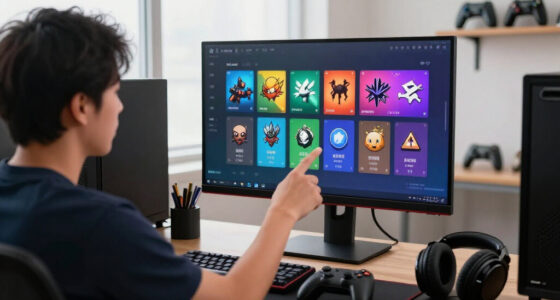
Steam demo festivals, especially Steam Next Fest, gather unreleased games beneath bright capsule art, autoplaying trailers, genre filters, and developer broadcasts. These are major discovery events where players can try unreleased games within minutes, compare dozens of projects, and save the ones they want to follow.
You will learn how the festival funnel works, when a game should participate, what an effective demo needs, and which numbers reveal real interest. You will also see why 500 well-matched players can be more valuable than 5,000 curious visitors who expected another kind of game. The goal is not empty reach. It is a wishlist audience that remembers the game when launch day arrives.
Treat Steam demo festivals as conversion funnels: impressions, store visits, demo play, wishlists, and purchases are separate stages.
A game can generally join only one Steam Next Fest, so choose a window where the demo and store page are ready.
Measure unique players, meaningful play, completion, and wishlists per player instead of celebrating downloads alone.
Match the capsule, trailer, tags, screenshots, and demo so every asset attracts the same target audience.
Leave time after the festival to repair repeated problems, communicate with players, and connect wishlist gains to launch purchases.
Wishlist planning field guide
Steam Demo Festivals Explained
A festival can send thousands of players toward a game and still produce little more than a swollen download count. The real opportunity is converting well-matched players into wishlisters who understand the full game’s promise and remember it when launch day arrives.
The goal is not empty reach. It is a qualified wishlist audience.
Every link can snap
Steam concentrates attention through dedicated browsing pages, genre filters, recommendations, broadcasts, trailers, and capsule art. That creates opportunity—not guaranteed placement, downloads, or sales.
A beautiful capsule can earn the visit while a slow trailer loses it. A polished demo can delight a player while an invisible wishlist prompt allows that player to disappear.
Five moves that earn qualified wishlists
The demo is a promise in playable form. It should reveal the game’s identity quickly, run reliably, represent the paid experience honestly, and end with a clear next action.
Reach the hook early
Reduce exposition and setup before the player encounters the game’s distinctive decision, sensation, or challenge.
Protect the first session
Fix crashes, save failures, control confusion, and severe performance issues before concentrated traffic arrives.
Sell one true promise
Match the capsule, trailer, tags, screenshots, tone, and playable build to the same target audience.
End with appetite
Offer a satisfying arc, then reveal how the full game expands without disguising the demo’s limits.
Ask for the wishlist
Place a visible, well-timed route to the full game after players understand why they should care.
Why 500 right players can beat 5,000 downloads
Reach measures exposure. Fit measures whether those people understand the genre, enjoy the pace, and want the product you are actually building.
The strongest wishlist comes from a player whose expectations already match the game.
Qualified wishlist / working definitionRead signals, not vanity numbers
Downloads are useful context, but they do not prove launch, engagement, understanding, or intent. Combine funnel metrics with observed behavior and repeated feedback.
| Festival signal | What it tells you | Planning value | What can mislead you |
|---|---|---|---|
| Demo downloads | How many accounts claimed or installed the build. | ~Reach context | A download does not prove the player launched the demo. |
| Unique players | How many people entered the playable experience. | ✓Real entry | Some players may leave before reaching the core loop. |
| Median playtime | How long a typical player remained active. | ✓Engagement | Idle time and genre differences can distort comparisons. |
| Completion rate | How many players reached the intended demo ending. | ✓Flow quality | A very short demo can complete well without creating desire. |
| Wishlists per player | How often hands-on play was followed by future interest. | ✓Intent signal | Existing wishlisters complicate a simple ratio. |
| Repeated feedback | Where multiple players encounter the same promise or friction. | ✓Action priority | Loud isolated opinions can outweigh quieter patterns. |
Valve publishes no universal wishlist threshold that guarantees Popular Upcoming placement or launch success. Claims about a fixed secret number or fully decoded recommendation formula remain speculation.
Protect the one big festival shot
The best event is not automatically the earliest eligible event. Enter when the demo, store page, support capacity, and release schedule can convert attention—and when feedback can still change the game.
Choose the window
Confirm eligibility, define demo boundaries, record baseline traffic, plan localization, and begin creator or press outreach.
Observe real players
Watch uncoached sessions. Fix crashes, onboarding friction, misleading assets, and delays before the distinctive fun.
Lock the campaign
Validate store assets, calls to action, analytics, broadcasts, support coverage, and the release-ready build.
Turn evidence into action
Repair repeated problems, communicate changes, sustain relevant outreach, and connect wishlist gains to launch behavior.
A title can generally participate in only one Steam Next Fest. The full game must remain unreleased and satisfy Steam’s current registration and eligibility requirements. Event schedules and rules change, so verify the latest Steamworks documentation before committing.
Enter only when the promise holds together
A festival magnifies both strengths and friction. Readiness means the experience, positioning, operations, and post-event runway all support the same launch plan.
The store page is convincing
Capsule, trailer, screenshots, tags, languages, and description attract the same audience the demo serves.
The demo is representative
Players reach the core loop quickly, performance is dependable, and the experience honestly previews the paid game.
The team has runway
There is time and capacity to support players, fix repeated issues, explain changes, and retain attention before launch.
Plan for conversion and learning
Treat the festival as both a marketing funnel and a validation event. The useful outcome is a clearer product and an audience that knows what it is waiting for.
Separate every funnel stage
Track impressions, visits, installs, players, meaningful play, wishlists, and purchases as distinct decisions.
Choose readiness over urgency
Use the event where the demo and store page are prepared to benefit from concentrated attention.
Measure meaningful behavior
Prioritize unique players, core-loop reach, completion, feedback patterns, and wishlists per player.
Keep the promise aligned
Make every discovery asset and every playable minute attract the same intended audience.
Leave room to respond
Reserve enough time after the festival to fix recurring problems, communicate progress, and carry informed wishlisters toward launch.
See What a Steam Demo Festival Can Actually Do for Your Wishlist
Steam Demo Festivals Explained for Wishlist Planning begins with one practical definition: a Steam demo festival is a focused discovery event that places unreleased games, playable demos, broadcasts, and wishlist buttons in the same busy storefront. It gives a game access to concentrated attention, but it does not promise placement, downloads, or sales.
Steam Next Fest grew from the earlier Steam Game Festival format. During the event, you can move from a cozy farming game to a neon roguelike in the time it takes to make tea. Developers gain dedicated browsing pages, genre filters, recommendations, and broadcast surfaces that would be difficult for a small team to recreate alone.
That concentration creates a clear path: festival impression to store-page visit, then demo installation, meaningful play, wishlist, and eventual purchase. Every link can snap. A gorgeous purple-and-gold capsule might earn the visit, while a slow trailer or a ten-minute text crawl sends the player back to the festival grid.
- Players get low-risk discovery: they can test controls, pacing, performance, and tone before buying.
- Developers get qualified signals: playtime, completion, feedback, wishlists, and follows reveal more than social-media likes.
- Both sides get clearer expectations: the demo shows what the game feels like rather than relying on a polished trailer alone.
Wishlists matter because Steam can notify eligible users when the full game releases and during qualifying discounts. According to Steamworks demo documentation [2], installing a demo does not automatically wishlist the paid game. A player can spend an hour with your demo, close it smiling, and still disappear unless you present a clear route to the full store page.
As an affiliate, we earn on qualifying purchases.
Why 500 Right Players Can Beat 5,000 Casual Downloads
Steam Demo Festivals Explained for Wishlist Planning works best when you value audience fit over raw volume. A smaller group that understands the genre, finishes the demo, and wants the full experience can create stronger launch demand than a huge crowd attracted by misleading art or an unrelated creator clip.
Imagine two strategy games leaving the same festival. Game A records 5,000 demo players, but many expected fast combat and quit during the opening tutorial. Game B reaches only 500 players, yet those players build several settlements, discuss tactics, and wishlist the full game. The second audience carries a much stronger buying signal.
| Festival signal | What it tells you | What can mislead you |
|---|---|---|
| Demo downloads | How many accounts claimed or installed the demo | A download does not prove the player launched it |
| Unique players | How many people entered the playable build | Some may leave before reaching the core loop |
| Median playtime | How long a typical player stayed | Idle time and genre differences can distort comparisons |
| Completion rate | How many players reached the planned ending | A short demo can post a high rate without creating desire |
| Wishlists per player | How often hands-on play led to future interest | Existing wishlisters can complicate simple ratios |
Qualified wishlist is a useful working term for a wishlist created by someone whose expectations match the product. That person knows the game is turn-based, understands its visual style, and has tested its basic pace. The number still does not guarantee a sale, but it carries more meaning than a click born from confusion.
Treat the festival as a conversion and validation event, not a contest for the loudest download number.
Valve publishes no universal wishlist threshold that guarantees placement in Popular Upcoming or success at launch. Claims about a secret fixed number or a fully decoded recommendation formula remain unconfirmed speculation. Your cleanest comparison comes from your own traffic sources, time periods, genres, and store-page versions.
As an affiliate, we earn on qualifying purchases.
Pick the Festival Window That Protects Your One Big Shot
Steam Demo Festivals Explained for Wishlist Planning turns timing into a product decision because a game can generally join only one Steam Next Fest. The best edition is the one where the demo, store page, support plan, and release schedule are ready to convert attention without wasting valuable feedback time.
According to Steamworks Next Fest documentation [1], the full game must remain unreleased during the festival and meet the published registration and eligibility rules. Steam adjusts schedules and event details, so check the current documentation before committing. Treat remembered dates from an old forum post as stale until Valve confirms them.
Suppose your survival game qualifies for a February event, but its first public build still crashes when players fill an inventory. Waiting for a later eligible festival may protect the game’s first impression. Joining early could expose the bug to streamers, discussion boards, and hundreds of players at once, leaving a trail of clipped footage that outlives the repaired build.
- Several months before: choose the event, define the demo’s boundaries, record baseline traffic, and begin creator outreach.
- Four to eight weeks before: watch new players without coaching them, fix crashes and onboarding problems, and finish store assets.
- One to two weeks before: freeze risky features, test the release candidate, schedule broadcasts, and prepare support coverage.
- After the festival: leave enough space to study feedback, repair repeated problems, and keep communicating before launch.
Release proximity involves a real tradeoff. Launching soon can preserve fresh player memory, while waiting gives you time to repair controls, performance, localization, or unclear objectives. A June festival followed by a release the next morning leaves almost no room to use what thousands of players just taught you.
Reference [1] means Valve’s current Steamworks Next Fest documentation, while reference [2] means Valve’s current Steamworks Demos documentation. Both are living rules pages. Check their latest versions for deadlines, participation limits, notification behavior, and store configuration before registering or releasing a build.
As an affiliate, we earn on qualifying purchases.
Use These 5 Demo Moves to Earn More Qualified Wishlists
An effective festival demo reaches the distinctive fun quickly, runs reliably, represents the paid game honestly, and ends with a visible next step. Its job is not to cram in every feature. It should give players enough texture, tension, and control to decide whether the full experience belongs on their wishlist.
- Reach the core loop early. If the game is about slicing through clockwork monsters, let the player swing a blade before delivering ten minutes of royal history. Teach controls inside the action rather than placing a lecture in front of it.
- Show the defining difference. A deck builder with cards that physically tear should feature that mechanic during the demo, not hide it behind an hour of standard battles. Players need one clean memory they can describe to a friend.
- Test the actual target hardware. A stable Windows 11 build does not prove Linux or Steam Deck performance. Record the tested build and platform, and remember that Steam Deck compatibility status can change after updates.
- End on satisfaction plus curiosity. Let the player defeat a boss, solve a case, or complete a production chain, then tease the next location. A hard cutoff during an ordinary tutorial feels like the power cord was pulled.
- Ask for the wishlist. Place the full game’s name, store link, and wishlist prompt on the ending screen. Keep the prompt visible without turning the final moment into a flashing billboard.
There is no official perfect length. A focused 20-minute action demo can communicate more than a wandering two-hour build, while a city builder may need longer before its systems start humming. Watch where real newcomers reach the core loop, stop playing, restart, or ask for help.
For example, a mystery game may need a specially edited case instead of the full game’s slow opening chapter. That vertical slice can work if it preserves the real writing, investigation rules, and difficulty. Honest editing builds trust; a custom sequence that suggests features absent from the paid game creates wishlists based on the wrong promise.
If the game contains graphic violence, sexual content, gambling-like mechanics, or other mature material, match the demo and store disclosures to the applicable regional content and age-rating rules. A cheerful capsule paired with an unexpectedly graphic scene does more than surprise players. It damages trust at the exact moment you want commitment.
As an affiliate, we earn on qualifying purchases.
Make Your Store Page Sell the Same Game Your Demo Delivers
Your store page converts festival attention when its capsule, opening trailer seconds, screenshots, description, and tags make one consistent promise. Players should understand the genre and distinguishing feature before installing anything, then feel that the demo delivers what the page advertised.
During a festival, your capsule may appear as a thumbnail among rows of glowing spaceships, painted forests, and snarling monsters. Test it at that small size. If the title turns into gray dust or the hero disappears into the background, your detailed full-resolution artwork will not rescue the click.
- Lead the trailer with play: show movement, choices, combat, building, or dialogue within the opening seconds.
- Use gameplay screenshots: players need to see the interface, camera angle, visual density, and moment-to-moment action.
- Choose accurate tags: a tactical game labeled like a frantic shooter attracts the wrong crowd and weakens conversion.
- State language support precisely: separate interface, subtitles, and full audio rather than making a broad localization claim.
- Connect demo and full game: make the store relationship and wishlist action easy to spot.
Imagine a slow, thoughtful colony simulator presented with a trailer cut like an action movie: pounding drums, explosions, half-second edits. It may earn clicks, but many visitors will leave when they discover careful resource planning. A quieter trailer showing conveyor belts, weather pressure, and a settlement growing through winter brings fewer mismatched visitors and more credible wishlists.
Review the release window, system requirements, controller information, and supported platforms before the event. Performance statements should name the tested build and platform; smooth play on a desktop RTX system says little about an older laptop or Steam Deck. Clear limits feel less glamorous, but they prevent frustration and refund-shaped expectations.
Demo reviews, where enabled, remain separate from the paid game’s review score. That separation does not make them harmless. A page full of reports about crashes, tiny text, or misleading screenshots can still influence visitors, creators, and search results while the festival is active.
Track the Numbers That Reveal Where Players Drop Away
Wishlist planning needs funnel measurements rather than one headline total. Track impressions, visits, demo players, meaningful play, completion, wishlists, and later purchases as connected stages. When one stage falls sharply, you gain a practical clue about which asset or game moment needs work.
| Pattern you observe | Likely weak point | Useful next check |
|---|---|---|
| High impressions, few page visits | Capsule or positioning | Test readability, genre clarity, and visual contrast |
| Many visits, few demo installs | Trailer, screenshots, description, or requirements | Compare the first ten trailer seconds with actual play |
| Many installs, few unique players | Download size, timing, or weak intent | Separate claimed licenses from launched sessions |
| Short playtime and early exits | Performance, onboarding, pacing, or expectation mismatch | Watch fresh players attempt the opening without help |
| Strong completion, few wishlists | Weak full-game promise or hidden call to action | Review the ending screen and remaining-content message |
Suppose daily traffic triples after a creator streams your demo, yet wishlists per store-page visitor fall. The stream may have reached viewers who enjoyed watching but did not want to play that genre. Separate festival traffic from attributable creator links where possible before blaming the store page.
Track crash rate, hardware failures, language distribution, and recurring confusion alongside commercial signals. If Polish players stay twice as long after a localization update, that pattern can guide later language work. If Steam Deck users repeatedly report unreadable text, record the demo version and device context instead of making a broad performance claim.
Do not copy another game’s public numbers and treat them as your benchmark. A $5 arcade game, a $30 strategy title, and a narrative game with a two-hour demo attract different behavior. Your best baseline is your own pre-festival traffic, followed by comparisons across page versions, campaigns, countries, and days.
Wishlists can also be removed, forgotten, or held until reviews and discounts arrive. Connect the festival data to event-to-launch conversion and purchases from pre-release wishlists when those reports become available. A sharp festival spike looks exciting; the launch relationship tells you what that excitement was worth.
Keep Festival Momentum Alive Without Rushing Your Launch
Festival momentum lasts when you respond during the event, study repeated feedback, and keep communicating afterward. You do not need to rebuild the game around every comment. Fix observable friction, preserve the game’s identity, and give interested players a clear reason to remember the project.
- Monitor daily signals. Read crash reports, discussion threads, demo reviews, playtime changes, and repeated questions. A dozen players missing the same door is a design clue, not twelve unrelated mistakes.
- Patch carefully. Ship small, tested fixes for crashes, broken saves, blocked progress, or severe control problems. Festival week is a poor moment for a giant inventory rewrite that could break every existing save.
- Support discovery surfaces. Promote scheduled broadcasts, creator coverage, and useful community posts. Recorded gameplay may support rebroadcasting under Steam’s current rules, which can reduce the need for continuous live appearances.
- Close the feedback loop. Tell players which recurring issues you repaired and which suggestions do not match the intended game. Specific replies feel more credible than a vague promise to listen.
- Choose the demo’s future. Keep it public for long-tail discovery, update it, or deactivate it when maintenance costs and outdated content outweigh the benefits.
Imagine your festival build ends with players reporting that controller prompts vanish after rebinding. Fixing that fault during the week can rescue hundreds of sessions. Replacing the entire control system on day three may introduce new bugs across keyboard, gamepad, and Steam Deck, turning a contained problem into a smoky pile of support tickets.
A persistent demo supports creator coverage, later themed festivals, and slow organic discovery. A limited-time demo can create urgency and avoid leaving an old build beside a much-improved full game. Whichever path you choose, state availability clearly so players do not mistake a scheduled closure for a technical failure.
Do not vanish until release. Share a short update about the most common feedback, a repaired feature, or the next public milestone. When the launch announcement finally arrives in a player’s inbox, that steady trail of updates helps the game feel familiar rather than like a forgotten thumbnail from festival week.
Frequently Asked Questions
Does Steam Next Fest guarantee more wishlists?
No festival guarantees a wishlist result. Next Fest provides discovery surfaces, but placement and conversion still depend on presentation, competition, demo quality, targeting, language support, engagement, and external traffic. Treat participation as an opportunity to earn attention, not promised visibility.
How many times can one game join Steam Next Fest?
A game may generally participate in one Steam Next Fest edition. Because Valve can revise eligibility details, confirm the current Steamworks Next Fest documentation [1] before selecting an event. Spending that single opportunity on an unstable demo can limit your strongest chance at concentrated Steam discovery.
Should the demo appear before or during the festival?
Either schedule can work. An early demo gives you time for testing, creator previews, and bug repairs, while a festival-timed release concentrates attention and may use current Steam demo-notification features for eligible wishlisters. Choose based on build stability and campaign timing, not novelty alone.
Does downloading a demo automatically wishlist the full game?
No, the player must wishlist the paid game separately. Add a visible full-game link and wishlist prompt to the demo menu or ending screen. Without that step, someone can play for an hour, enjoy every minute, and leave without joining your release-notification audience.
What is the ideal length for a festival demo?
There is no official ideal demo length. The build should reach the core loop quickly, prove what makes the game different, and stop after a satisfying beat. A 20-minute action demo may work beautifully, while a simulation game may need longer to reveal its interlocking systems and long-term choices.
Can the demo remain available after the festival?
Yes, developers can usually keep it public, update it, or deactivate it. A persistent demo supports long-tail discovery and creator coverage, while a limited release creates urgency and reduces maintenance for an aging build. Base the choice on future usefulness, support cost, and accuracy.
Conclusion
Your crisp takeaway is simple: plan Steam demo festivals around qualified desire, not the biggest possible download count. Choose the event when your demo can prove its core experience, your page tells the truth, your measurements expose weak links, and your schedule leaves room to use what players reveal.
Before registration, sit one new player in front of the build and stay quiet. Watch the pauses, the wrong turns, the first grin, and the moment their hand reaches for the mouse to quit. Repair that journey, then place the wishlist button beside a game they genuinely want.
Fall Picks
fall essentials
As an affiliate, we earn on qualifying purchases.