
TL;DR

Get games and gaming gear delivered free — and shop member deals
- Fast, free delivery on millions of items
- Access to Prime Big Deal Days deals on October 6–7
- Prime Video, Amazon Music and more included
For competitive gaming, a proprietary 2.4 GHz wireless connection is usually the safest choice because it tends to deliver lower, more consistent latency than Bluetooth. Bluetooth remains an excellent option for casual play, portable devices, and broad compatibility, but you should judge either mode using tests from the exact controller, firmware, and platform you plan to use.
A button press can travel through your controller in a few milliseconds, then sit waiting for the next game frame like a passenger watching the train doors close. That is why controller latency rarely comes down to one radio specification. The full trip includes button scanning, wireless transmission, game processing, rendering, and your display.
You will often hear that 2.4 GHz is faster and Bluetooth is more convenient. That rule works as a starting point, but it hides large differences between controllers, firmware versions, operating systems, and receiver setups. A polished Bluetooth implementation can beat a poor proprietary receiver, while a well-tuned dongle can feel steadier than Bluetooth during a tense final round.
This guide shows you where delay enters the chain, why consistency matters more than one impressive number, and how to improve your setup without buying new hardware. You will also learn when Bluetooth makes perfect sense, when a dedicated 2.4 GHz link earns its USB port, and why a cable does not automatically settle the argument.
Use a proven proprietary 2.4 GHz receiver for competitive play when independent tests show low jitter on your exact platform.
Do not treat 1,000 Hz as a promise of 1-millisecond response; it describes report spacing, not end-to-end latency.
Move a wireless receiver into clear view with a short USB extension before blaming the controller for random delay spikes.
Compare average latency with jitter and 95th or 99th-percentile results, since rare 25-millisecond spikes can matter more than a fast average.
Choose Bluetooth for portability and broad compatibility when a few milliseconds are less important than easy pairing and longer battery life.
Controller latency field guide
Bluetooth vs 2.4 GHz Controllers
A dedicated 2.4 GHz link is usually the safer competitive choice, but the radio is only one stop between your thumb and the screen. Firmware, report timing, frame scheduling, rendering, and display processing all shape what you actually feel.
01 / The complete journey
Where a button press loses time
Wireless transmission is only one stage. A fast link can still miss the game’s next input window and wait almost another frame before the result appears.
Saving two milliseconds may produce no visible change on one press, then push the next press across a frame-sampling boundary and make it appear nearly a full frame earlier. Latency improvements are measurable, but not always linear.
02 / Connection tradeoffs
Same radio band, different priorities
Both modes commonly operate in the crowded 2.4 GHz band. The advantage of a proprietary link comes from controlled scheduling, firmware, buffering, and receiver design—not a magical frequency.
Broad access
Bluetooth
Designed for interoperability across phones, tablets, computers, handhelds, televisions, and other hosts.
- Usually requires no dedicated USB receiver
- Often offers excellent battery efficiency
- Easy to move between portable devices
- Timing varies with adapters, drivers, and power policies
Controlled performance
Proprietary 2.4 GHz
Built around a controller-specific receiver that can prioritize fast, regular input reports on supported platforms.
- Usually delivers lower and steadier latency
- Can use vendor-optimized report scheduling
- May support audio, haptics, and configuration tools
- Consumes a USB port and depends on receiver support
| What matters | Bluetooth | Proprietary 2.4 GHz | Practical edge |
|---|---|---|---|
| Compatibility | Broad support across device categories | Limited to receiver-supported systems | ✓ Bluetooth |
| Latency consistency | Can vary by host, profile, and driver | Usually more tightly controlled | ✓ 2.4 GHz |
| Receiver | Commonly built into the host | Usually requires a dedicated dongle | ✓ Bluetooth |
| Battery use | Often highly efficient | Higher report rates may use more power | ~ Model dependent |
| Advanced features | Bandwidth or platform restrictions may apply | More likely to support proprietary extras | ✓ 2.4 GHz |
| Host variability | Adapter and operating system can change results | Dedicated receiver reduces variables | ✗ Bluetooth risk |
03 / Read the measurements
Frame timing can dwarf the link gap
A controller benchmark should report more than an average. Look for jitter, percentile results, firmware details, connection mode, and the exact test platform.
Timing windows in context
Relative scale: 20 milliseconds. The 2 ms bar is an illustrative link improvement, not a universal Bluetooth-to-dongle result.
At 60 Hz, frame scheduling alone can add far more delay than the small gap between two well-designed controller connections.
A trustworthy test reports
Fast averages can hide unstable timing.
A 1,000 Hz polling rate means reports can be spaced one millisecond apart. It does not guarantee a one-millisecond button-to-screen response. Scanning, processing, scheduling, rendering, and display delay still remain.
04 / Improve before you replace
Fix the largest bottleneck first
Random delay spikes may come from placement, congestion, software, or display processing. Several high-impact fixes cost nothing.
Signal path
Bring the receiver into view
Use a short USB extension to move the dongle away from the rear of a metal case and closer to the controller.
Display
Enable Game Mode
Television image processing can add more delay than the difference between Bluetooth and a well-tuned receiver.
Software
Update firmware and drivers
Controller firmware, receiver firmware, Bluetooth drivers, and operating-system behavior can materially change timing.
Radio traffic
Reduce local congestion
Move busy USB 3 devices, Wi-Fi hardware, and unnecessary Bluetooth accessories away from the receiver.
Validation
Test the exact platform
The same controller can behave differently across computers, consoles, adapters, games, and connection modes.
Perspective
Do not assume wired wins
Some controllers use slower USB report schedules or different wired firmware paths. Measure before declaring a winner.
Choose Bluetooth
Best for travel, casual play, portable devices, broad compatibility, efficient battery use, and dongle-free setups.
Choose 2.4 GHz
Best for competitive play and fixed setups when independent tests confirm low jitter on your controller, firmware, and platform.
Choose evidence
Compare average latency, jitter, P95, and P99 results. Connection labels alone cannot predict the complete experience.
See Where Your Button Press Actually Loses Time
Bluetooth vs 2.4 GHz controllers explained for latency starts with one fact: wireless transmission is only one stop between your thumb and the screen. The controller must scan the button, build a report, send it, pass it through the operating system, reach the game, trigger a new frame, and wait for the display to show that frame.
Think of the process like ordering food through a busy kitchen. Your button press is the order, the wireless link carries the ticket, the game cooks the frame, and the display brings it to your table. Making the ticket travel 2 milliseconds faster helps, but a slow kitchen can still leave you waiting. More importantly, delays at different stages can overlap or accumulate, so the radio’s contribution cannot be understood by looking at it in isolation.
- The controller scans its buttons, triggers, and sticks. A press that occurs just after a scan must wait for the next one, making scan frequency and consistency important.
- Its processor packages the latest state into an input report. Filtering, debounce logic, and stick processing can add delay before the radio transmits anything.
- Bluetooth, a proprietary receiver, or USB carries that report to the host. This is the stage connection comparisons measure most often, even though it represents only part of the journey.
- The operating system and game process the input during their next available update. A report arriving just after the game’s input window may wait through another update cycle.
- The graphics system renders a frame, and the display presents it. Frame queues, synchronization settings, and television processing can add more time than the controller connection itself.
At 60 frames per second, a fresh frame arrives about every 16.7 milliseconds. At 120 fps, the interval falls to roughly 8.3 milliseconds. If you press jump just after a game samples its inputs, you may wait nearly another frame even when the controller link itself is fast. This is why a two-millisecond improvement can be measurable without always being visible: it matters most when it moves an input across a frame-sampling boundary.
The implication is that latency improvements are not perfectly linear. Saving two milliseconds might produce no visible change on one press, then allow the next press to reach an earlier frame and appear roughly a full frame sooner. Higher and steadier frame rates narrow those timing windows, making controller differences easier to isolate and reducing the amount of delay caused by unlucky scheduling.
Imagine playing a platformer on a television with heavy image processing. Switching from a decent Bluetooth connection to a receiver might trim a few milliseconds, but enabling the TV’s Game Mode could remove far more. Your connection matters, yet the whole input chain decides what your hands feel. Optimize the largest bottleneck first, then compare connection modes once the display and game are no longer masking their differences.
competitive gaming wireless controller
As an affiliate, we earn on qualifying purchases.
As an affiliate, we earn on qualifying purchases.
Compare Bluetooth and 2.4 GHz Without the Marketing Fog
Bluetooth vs 2.4 GHz controllers comes down to flexibility versus tighter control. Bluetooth works with many phones, tablets, computers, handhelds, and televisions, while a proprietary 2.4 GHz receiver lets its manufacturer tune report timing, buffering, and retransmissions for a smaller group of supported systems.
| What you care about | Bluetooth | Proprietary 2.4 GHz |
|---|---|---|
| Typical advantage | Compatibility and convenience | Stable, low-delay performance |
| Receiver | Usually built into the device | Usually needs a USB dongle |
| Timing | Can vary by host, driver, and profile | Often tuned for predictable reports |
| Battery use | Often very efficient | May use more power at high report rates |
| Extra features | Platform restrictions are common | May support audio, haptics, or configuration tools |
| Best fit | Travel, casual play, and device switching | Competitive play and fixed setups |
Both connections normally use the crowded 2.4 GHz radio band. The difference is not a magical frequency. Bluetooth follows a shared standard, while a proprietary link can use vendor-controlled scheduling and a dedicated receiver designed around that controller’s traffic. That control lets the manufacturer prioritize rapid, regular input reports, but it also creates dependence on a specific dongle, driver, and support policy.
For competitive gaming, a proprietary 2.4 GHz wireless connection is usually the safest choice because it tends to offer more consistent latency. Consistency is the real prize. A connection that delivers nearly every report on time feels cleaner than one with the same average delay but occasional sharp spikes. Those spikes are especially costly in games with narrow timing windows because the player cannot adapt to a delay that appears unpredictably.
Bluetooth’s broader compatibility transfers some control from the controller maker to the host. The same gamepad may therefore behave differently on two laptops because their adapters, antennas, drivers, and power-management policies differ. The tradeoff is worthwhile when you value simple pairing and fewer accessories, but it makes performance harder to predict from the controller specification alone.
A proprietary receiver reduces that variability by giving the vendor control over both ends of the link. The cost is practical rather than purely technical: it occupies a port, can be lost or damaged, may require an adapter on thin devices, and can become useless if future platforms are unsupported. Faster timing is less valuable if the receiver does not work with the device where you want to play.
Say you use one controller with a gaming PC, an Android tablet, and a hotel television. Bluetooth saves you from carrying and repeatedly moving a tiny dongle. If that same controller stays beside a desktop for ranked matches every night, its dedicated receiver may offer steadier timing and access to vendor-specific features. The better mode is therefore the one whose compromises match your routine, not the one with the stronger label on the package.
2.4 GHz gaming controller receiver
As an affiliate, we earn on qualifying purchases.
As an affiliate, we earn on qualifying purchases.
Why a 2.4 GHz Receiver Often Feels More Immediate
Bluetooth vs 2.4 GHz controllers explained for latency favors a good proprietary receiver when you want predictable reports. The manufacturer can shorten transmission intervals, reduce protocol overhead, control retransmissions, and tune both ends of the connection together, producing fewer timing spikes even when average results look similar.
A dedicated receiver works like a private checkout lane. Your controller sends a small, repeated package, and the receiver knows exactly how to handle it. Bluetooth is closer to a shared counter that serves several device types under common rules; it remains efficient, but host scheduling can add variation. Shared standards provide compatibility, while private links exchange some of that flexibility for tighter control over when each report is sent and acknowledged.
The practical benefit is not simply that reports can leave more often. A vendor can decide how quickly to retry a missed packet, whether to favor fresh input over an older delayed report, and how aggressively the controller should save power between transmissions. Favoring speed and frequent radio activity may reduce battery life, while favoring efficiency can lengthen the gaps between opportunities to deliver input.
The phrase 2.4 GHz does not name one universal protocol. Two controllers carrying the same label may use different report rates, radio hardware, firmware, antennas, and buffering rules. A low-cost dongle hidden behind a steel desktop case can perform worse than a polished Bluetooth setup with a clear antenna path. The label identifies the band and broad connection category, not the quality of the implementation.
The main advantage is often consistency, not a dramatic drop in average latency. A stable 7-millisecond link can feel more dependable than a 5-millisecond link that sometimes jumps to 25 milliseconds.
That difference becomes easy to feel in a fighting game. Most inputs land normally, but one delayed report can turn a planned block into a hit during a tight exchange. In a slower role-playing game, the same spike may disappear beneath a long animation and never bother you. This means the value of lower jitter rises with the cost of a mistimed action: competitive players benefit more than someone navigating menus or exploring at a relaxed pace.
Extra features can also favor the receiver. Some controllers reserve wireless headset audio, advanced vibration, motion data, rear-button settings, or reliable multi-controller support for their proprietary mode. These features compete for bandwidth and power, so a vendor-controlled link can schedule them alongside input reports instead of relying on a generic host implementation.
Check the exact platform, though: a receiver that works on Windows may offer reduced features or no support on a console, phone, or handheld. A technically faster mode that removes motion controls, audio, or native button prompts may make the total experience worse. Latency should be treated as one requirement among compatibility, features, battery life, and reliability.
As an affiliate, we earn on qualifying purchases.
Why Bluetooth Version Numbers Do Not Predict Speed
Bluetooth vs 2.4 GHz controllers cannot be judged by comparing Bluetooth 5.3 with Bluetooth 5.0 on a box. Controller firmware, the Bluetooth input profile, connection scheduling, radio drivers, power-saving rules, and the host’s input stack have a larger effect on real controller latency than the version number alone.
According to the Bluetooth SIG’s Core Specification, newer Bluetooth generations add capabilities covering range, efficiency, reliability, and Low Energy communication [1]. Those capabilities do not force every gamepad to send reports faster. The controller maker and host device still decide how those tools are implemented. A newer specification expands the available toolbox; it does not guarantee that a product uses the tools in a latency-focused way.
This distinction matters because controller design involves competing goals. Frequent communication can reduce the wait for the next report, but it may consume more energy. More filtering can smooth noisy stick input, but it may delay sudden movement. Aggressive retries can protect reliability in a busy room, but waiting for an old packet may be less useful than sending the newest controller state. Manufacturers choose different balances even when their products support the same Bluetooth version.
Imagine pairing the same controller with a modern phone and an older desktop. The phone’s antenna sits near the edge of a thin case with current drivers, while the desktop’s antenna is trapped behind a metal tower under the desk. Even with the same controller firmware, the desktop may show more missed or delayed reports. The host is half of the wireless system, so replacing or repositioning its adapter can matter more than the version printed on the controller.
Other Bluetooth devices can change the experience as well. A mouse sends tiny bursts, while wireless audio moves a steadier stream of data. Add earbuds, a keyboard, and a controller to a weak adapter, and you may hear a crackle or feel a brief hitch even though the average latency number still looks respectable. The problem is often contention or poor radio placement rather than Bluetooth being uniformly slow.
- Controller firmware controls scanning, filtering, and report scheduling, determining how soon a physical movement becomes data ready for transmission.
- Host drivers decide how smoothly the operating system handles those reports and whether power-saving behavior interrupts regular delivery.
- Local congestion can cause retries, missed reports, or short disconnects, increasing jitter even when normal reports arrive quickly.
- Native game support can affect button mapping, prompts, and input handling, so a fast connection may still create a poor experience if the software treats the device awkwardly.
Bluetooth remains a sensible choice for adventure games, turn-based strategy, and portable play. You gain dongle-free convenience and often strong battery life. Just treat the version printed on the package as a feature label, not a stopwatch. For speed, look for measurements made with the same controller mode and host platform you intend to use.
As an affiliate, we earn on qualifying purchases.
Read Polling-Rate Claims Without Falling for the 1 ms Myth
Bluetooth vs 2.4 GHz controllers explained for latency requires separating polling rate from total response time. A 1,000 Hz report rate allows one report every millisecond, but it does not promise that your button press will appear on screen one millisecond after you make it.
Polling rate describes how often reports can travel, much like the schedule printed at a bus stop. It says nothing about how long you waited before reaching the stop, whether the bus pauses in traffic, or how far you must walk afterward. Controller scanning, firmware buffering, game updates, rendering, and display processing remain part of the ride.
| Advertised report rate | Time between reports | What it does not prove |
|---|---|---|
| 125 Hz | 8 milliseconds | That every input takes exactly 8 milliseconds |
| 250 Hz | 4 milliseconds | That the controller scans buttons at 250 Hz |
| 500 Hz | 2 milliseconds | That the game reads every report |
| 1,000 Hz | 1 millisecond | That end-to-end latency is 1 millisecond |
The interval in the table is the maximum spacing between report opportunities under ideal scheduling, not a fixed delay applied to every press. On average, an input occurring at a random point between reports waits roughly half an interval for the next opportunity. Moving from 125 Hz to 250 Hz can therefore remove more potential waiting than moving from 500 Hz to 1,000 Hz, which illustrates the diminishing returns of ever-higher rates.
The USB Human Interface Device framework defines how compatible input devices exchange reports with a host [2], but the surrounding implementation still shapes performance. A controller may send duplicate reports, scan its buttons less often than it reports, or apply stick filtering before transmission. In those cases, the host receives data frequently without receiving genuinely newer information at the same rate.
Suppose a 1,000 Hz controller feeds a game running at 60 fps. The game may receive many reports during one 16.7-millisecond frame, yet only the newest state influences the next image. The faster report stream can reduce waiting at one stage, but it cannot erase the frame schedule. Its greatest benefit appears when the newer report arrives just before the game’s sampling cutoff and an older, slower link would have missed it.
High rates also have costs. They can increase controller power consumption and create more processing work for the host, while delivering progressively smaller latency gains. Those costs may be trivial on a desktop and more relevant on a battery-powered handheld or controller. A stable 500 Hz implementation can therefore be a better practical design than an unstable or power-hungry 1,000 Hz mode.
Look for tests reporting average delay, jitter, and slow outliers. Those numbers tell you whether performance stays smooth during a full session. A single peak polling-rate reading is like judging a motorway by its speed-limit sign while ignoring the traffic jam around the corner. The useful question is not how often reports could arrive, but how reliably fresh input reaches the game.
Fix Wireless Spikes Before You Replace Your Controller
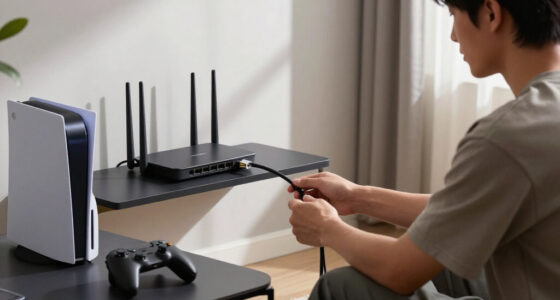
You can often improve controller latency by moving the receiver, reducing nearby 2.4 GHz traffic, and updating firmware. A short USB extension cable that brings the dongle into clear view may help more than a new controller, especially when a metal PC case or busy USB hardware blocks the radio path.
- Move the receiver closer. Place it on the desk within a clear line of sight instead of behind the computer. A shorter, unobstructed path gives the radio more margin to tolerate interference without retransmitting packets.
- Create space around the dongle. Keep it away from crowded USB 3.x ports, external drives, and poorly shielded cables. Separation reduces the chance that nearby electrical noise overwhelms the receiver’s weak incoming signal.
- Shift Wi-Fi traffic. Use 5 GHz or 6 GHz Wi-Fi where your router and gaming device support it. This does not remove every source of interference, but it can reduce heavy traffic in the band used by the controller.
- Update every link. Check controller, receiver, Bluetooth adapter, chipset, and operating-system updates. A controller update alone may not help if the host driver or receiver firmware is the source of irregular scheduling.
- Test one change at a time. Play the same repeatable scene after each adjustment so you can identify what helped. Changing several variables together may improve the result without teaching you which problem to avoid later.
USB 3.x hardware can produce radio noise near the 2.4 GHz band, particularly around connectors and cables. You might notice it as a delayed button, a stuttering stick, or a half-second disconnect rather than a constant slowdown. That sharp, random hiccup is why average latency can hide interference. Most reports may arrive normally while a small number require retries, producing the outliers that feel worst during play.
Here is a common desktop scenario: the receiver sits in a rear port, pressed against the case and surrounded by an external SSD, Wi-Fi antenna cables, and a headset dongle. Moving it to a one-meter extension on the desk gives the signal open air. A normal, standards-compliant extension of reasonable length should not add meaningful controller delay because electrical travel through the extra cable is negligible beside controller scanning, reporting, and frame timing.
The extension also improves the signal in two ways: it moves the receiver beyond the shielding effect of the metal case and increases its distance from noisy electronics. That added radio margin can prevent retries, so the setup may become more consistent even if its fastest individual report does not change.
If Bluetooth behaves badly, remove unused pairings and temporarily disconnect wireless audio. Then test from the same chair at the same distance. If the controller suddenly feels smooth, you have found a radio or adapter bottleneck, not proof that every Bluetooth controller is slow. You can then decide whether keeping audio on another connection is preferable to buying a dedicated controller receiver.
Very low battery charge can also cause instability or trigger aggressive power-saving behavior on some devices. Charge fully before comparing modes. Otherwise, you may blame the connection while a fading battery quietly weakens the test. Use several minutes of repeated play rather than one successful button press, because interference problems reveal themselves through variation over time.
Choose the Right Mode for the Games You Actually Play
The best connection is the mode with the lowest verified delay and jitter on your controller, firmware, and platform. Choose proprietary 2.4 GHz for competition, Bluetooth for flexible everyday use, or wired USB when interference, charging needs, or tournament rules make a cable the practical answer.
For a fighting game or rhythm game, timing spikes can punish you even when the average looks fast. A proven receiver or a tested wired mode usually makes sense. These games repeatedly ask for actions inside narrow windows, so predictable timing helps you build muscle memory. For a turn-based strategy game on a tablet, Bluetooth convenience matters far more than trimming two or three milliseconds because the game rarely converts that difference into a missed action.
Competitive shooters sit between those extremes. Lower delay can help, but frame rate, display latency, network conditions, and the game’s own input processing may have larger effects. A receiver is sensible when it is proven stable, yet replacing a good Bluetooth setup will not compensate for a television outside Game Mode or an unstable frame rate.
Wired does not always win. Some controllers use a low USB report rate or add internal processing delay, while a well-designed wireless receiver can match or beat them. Some models also keep sending input wirelessly when plugged in and use the cable only for charging, so confirm how your controller behaves. A cable removes radio interference only when the controller actually switches its data path to USB.
- Choose proprietary 2.4 GHz when stable timing, advanced features, or wireless audio matter most, and when dedicating a USB port is an acceptable cost.
- Choose Bluetooth when you switch among laptops, phones, tablets, handhelds, and smart TVs, and can accept performance that depends more heavily on each host.
- Choose wired USB when radio congestion is severe, you need to charge, or event rules require it, provided the controller’s wired mode has been tested rather than assumed faster.
Platform details can overturn a broad recommendation. Results measured on Windows may not match the same controller on a console, phone, or handheld because each host uses different drivers, input APIs, and scheduling behavior. Steam Deck support and Verified status can change with game, operating-system, and compatibility updates, so check the current listing and recent tests rather than relying on an old badge.
Age ratings do not change with controller mode, but platform features sometimes do. Bluetooth may expose a different button layout, disable headset audio, or omit motion controls. Before game night, test the exact mode with the features you plan to use; discovering missing audio after four friends arrive is a poor kind of latency.
If two modes feel equally responsive, choose based on the inconvenience you will encounter every day. A theoretical advantage that requires moving a dongle between devices or charging twice as often may be less valuable than Bluetooth’s simplicity. Conversely, a fixed competitive setup benefits from removing variables, making a dedicated receiver easier to justify.
Find Latency Tests That Tell You More Than the Box
A useful controller test names the exact model, firmware, connection mode, and platform, then reports averages alongside jitter and slow outliers. Measurements from a different console, operating system, receiver, or firmware build cannot reliably predict how the same controller will behave in your setup.
Look for mean or median results plus the 95th or 99th percentile. Those higher percentiles show the unusually slow events that averages smooth away. If one link averages 5 milliseconds but regularly reaches 25, it may feel less trustworthy than another holding close to 7 milliseconds. The mean describes overall speed, the median describes a typical press, and the higher percentiles reveal how bad the slower minority becomes.
Percentiles need context, however. A 99th-percentile result based on only a small number of presses may represent too little data to characterize rare behavior. Strong tests collect enough samples for outliers to recur, disclose the sample size, and avoid presenting one unusually fast run as the controller’s normal performance.
Good testing also separates Bluetooth, proprietary receiver, and USB results. It uses multiple trials, records the operating-system version, and explains whether the measurement covers button-to-system delay or the full trip to the display. Those are different measurements, so comparing them directly can create a false winner. Button-to-system tests isolate the controller more effectively, while button-to-photon tests better describe what a player sees but include the game, graphics pipeline, and display.
A phone camera can reveal a large gap. For example, if one mode repeatedly shows an action a full 60 Hz frame later, the difference is easy to spot. It lacks the precision needed to rank controllers separated by only two or three milliseconds, especially when camera frames, game frames, and button timing drift apart. Repeating the test can reduce random error, but it cannot create timing resolution the camera never captured.
High-speed-camera or automated electrical testing carries more weight when the method is disclosed. Electrical tests can trigger a button contact and detect the resulting report precisely, removing human timing error. High-speed video can include more of the visible response chain. Neither method is automatically superior; the right one depends on whether you want to isolate the controller or evaluate the full playing experience.
Still, no laboratory number captures every room. Your Wi-Fi traffic, USB layout, display mode, and distance from the receiver can turn a clean chart into a messy evening at home. Treat controlled results as evidence of the hardware’s potential, then verify that your environment allows it to behave similarly.
Trust measurements that expose variation, not just the fastest result. Controller latency is not one number; it is the shape of hundreds or thousands of button presses.
Firmware updates can change scanning, dead zones, filtering, report scheduling, and radio stability after launch. Read the test date and version before applying its result. A review made at release may no longer describe the controller you use today. The most useful comparison is recent, repeatable, and matched closely enough to your platform that its remaining differences are understood rather than ignored.
Frequently Asked Questions
Is 2.4 GHz noticeably better than Bluetooth for gaming?
It can feel better in fighting games, rhythm games, and competitive shooters when the receiver provides lower jitter and fewer delay spikes. The difference may be hard to notice in slower games, and a strong Bluetooth implementation can outperform a weak proprietary link.
Does Bluetooth add a full frame of input delay?
No, Bluetooth does not inherently add a full frame. A good implementation may add only a few milliseconds, while poor firmware, buffering, radio congestion, or host scheduling can create a larger delay. At 60 Hz, one full frame lasts about 16.7 milliseconds.
Is a wired controller always faster than wireless?
No. A wired controller can still scan slowly, buffer input, or use a modest USB report rate. A fast proprietary receiver may match or beat a poorly implemented wired mode, and some controllers use a connected cable only for charging.
Can Wi-Fi interfere with Bluetooth and 2.4 GHz controllers?
Yes, 2.4 GHz Wi-Fi shares radio space with Bluetooth and many proprietary controller links. Moving Wi-Fi traffic to 5 GHz or 6 GHz, bringing the receiver closer, and separating it from USB 3.x hardware can reduce random spikes and disconnects.
Do Hall-effect sticks reduce controller latency?
Hall-effect sensors do not automatically reduce latency. They measure stick position without the same physical contact used by traditional potentiometers, which can improve durability. Response time still depends on scanning speed, filtering, firmware, report scheduling, and the connection mode.
Conclusion
Your best connection is not the one with the boldest number on the package. It is the mode that delivers steady, measured performance on your controller, current firmware, and chosen platform. Start with a proven 2.4 GHz receiver for competitive games, use Bluetooth when flexibility matters more, and keep wired USB available when radio traffic turns messy.
Test the full setup before spending money: update the firmware, enable your display’s low-latency game mode, move the receiver into open air, and play a repeatable scene. The goal is not to chase one microscopic benchmark. You want every button press to land with the same clean rhythm, like drumsticks striking a tight snare exactly when your hands expect the sound.
Halloween Picks
halloween
As an affiliate, we earn on qualifying purchases.