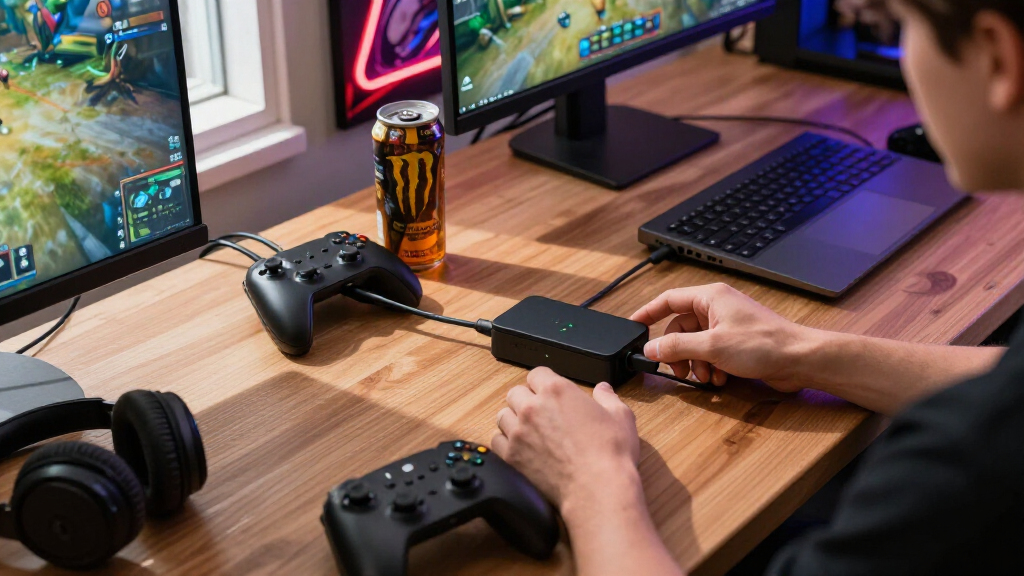

Finding the right USB-C charging station for a gaming room involves balancing power, number of ports, and ease of use. The Anker Prime Charging Station stands out for its reliable 250W output and sleek design, ideal for charging multiple devices simultaneously. The 1000W USB Charging Station offers an impressive 12 ports and dual 100W PD charging, perfect for high-demand setups. However, buyers face tradeoffs between maximum power, port variety, and price. Continue reading for a detailed breakdown of these top options and what makes each unique.
Complete the kit


Key Takeaways
- Top picks vary in power capacity, from 100W to 250W, affecting how quickly devices charge.
- Number of ports is a key factor—more ports provide flexibility but often come with larger footprints or higher prices.
- GaN technology allows for compact designs without sacrificing power, as seen in the Anker Prime and 245W models.
- Additional features like LCD displays and retractable cables improve usability, especially in gaming setups.
- Price points reflect build quality and feature sets; higher-cost options tend to offer more robust power delivery and durability.
| Anker Prime Charging Station, 250W 6-Port GaN USB C Charger |  | Best Overall for Desktop Power and Monitoring | Power Output: 250W | Ports: 4 USB-C, 2 USB-A | Display: 2.26-inch LCD | VIEW LATEST PRICE | See Our Full Breakdown |
| 1000W USB Charging Station, 12-Port USB C & A Charger with Dual 100W PD |  | Best for High-Speed, Bulk Charging for Multiple Devices | Number of USB C ports: 8 | Number of USB A ports: 4 | Total power output: 1000W | VIEW LATEST PRICE | See Our Full Breakdown |
| USB C Charging Station 10 Port with 4 Cables, 245W GaN Charger Block |  | Best Compact and Portable Multi-Device Charger | Number of Ports: 10 | USB-C Ports: 6 (1 PD 3.0 65W, 5 PD 3.0 20W) | USB-A Ports: 4 (20W max each) | VIEW LATEST PRICE | See Our Full Breakdown |
| SABRENT VoltIk Charging Station, 252W, 8-Port USB-C & USB-A with LCD Display |  | Best for Monitoring and Safety in a Stationary Setup | Power Output: 252W | Ports: 8 (4 USB-C, 4 USB-A) | Fast Charging Standards: PD 3.0, PPS, QC 4.0, QC 3.0 | VIEW LATEST PRICE | See Our Full Breakdown |
| Anker Nano Charging Station 100W 7-in-1 Power Strip with Retractable Cables |  | Best Compact, Organized Charging with Flexibility | Ports: 3 USB-C, 1 USB-A, 3 AC outlets | Max USB-C Power: 100W per port | Cable Length: 2.3 ft (70 cm) | VIEW LATEST PRICE | See Our Full Breakdown |
| Anker 9-in-1 Desktop Charger with Surge Protector and Multiple Ports |  | Best for Versatile Desktop Power and Device Safety | Number of AC outlets: 3 | USB-C ports: 4 | USB-A ports: 2 | VIEW LATEST PRICE | See Our Full Breakdown |
| USB-C charging stations for gaming room | Weight | Ports | Dimensions |
|---|---|---|---|
| Anker Prime Charging Station | 22.58 oz | 4 USB-C, 2 USB-A | 4.18 × 1.58 × 3.64 inches |
| 1000W USB Charging Station | 0.9 lb | — | 3.5"L x 1.7"W x 4.1"H |
| USB C Charging Station 10 Port | — | — | — |
| SABRENT VoltIk Charging Statio | — | 8 (4 USB-C, 4 USB-A) | — |
| Anker Nano Charging Station 10 | 21.69 oz | 3 USB-C, 1 USB-A, 3 AC outlets | 4.76 × 2.86 × 2.09 inches |
| Anker 9-in-1 Desktop Charger w | 19.75 oz (560 g) | — | — |
More Details on Our Top Picks
Anker Prime Charging Station, 250W 6-Port GaN USB C Charger
The Anker Prime Charging Station stands out for its high 250W output, capable of handling multiple gaming peripherals and devices simultaneously, which makes it ideal for a busy gaming room setup. Its built-in 2.26-inch LCD display provides real-time monitoring, allowing me to keep track of power usage and ensure optimal charging, a feature absent in the smaller Anker Nano. The smart control dial adds a layer of customization that’s perfect for users who want to fine-tune their charging experience. Compared to larger multi-port stations like the 1000W USB Charging Station, this model is more desktop-friendly and easier to integrate into a gaming space. However, its size limits portability, and it only supports 2.4 GHz Wi-Fi, which might be a drawback for those relying on fast network connections nearby. Overall, this pick makes the most sense for gamers who need reliable, high-capacity charging with monitoring on their desktop.
Pros:- High-capacity 250W output for multiple devices
- Real-time charging monitoring via LCD display
- Smart control dial for personalized adjustments
- Compact, desktop-friendly design
Cons:- Not suitable for travel due to size
- Supports only 2.4 GHz Wi-Fi, limiting network flexibility
Best for: Power users who want to charge multiple devices efficiently while maintaining visibility of power metrics
Not ideal for: Travelers or those with limited desk space, due to its size and desktop-only design
- Power Output:250W
- Ports:4 USB-C, 2 USB-A
- Display:2.26-inch LCD
- Dimensions:4.18 × 1.58 × 3.64 inches
- Weight:22.58 oz
- Technology:GaN
Our verdict“This station is perfect for gamers who prioritize high power capacity and real-time monitoring on their desktop setup.”
1000W USB Charging Station, 12-Port USB C & A Charger with Dual 100W PD
The 1000W USB Charging Station is designed for users who need to charge many devices at once, making it well-suited for gaming rooms with multiple peripherals. Its 8 USB-C ports, including 2 with 100W fast charging, surpass the capacity of the Anker Prime and make quick work of charging laptops, smartphones, and tablets simultaneously. Its sleek leather texture gives it a premium look, ideal for a stylish gaming environment. Compared to the smaller Anker Nano, this station offers significantly more ports and higher total power, but its larger footprint makes it less portable and more suited to a fixed setup. It isn’t ideal for travel or small spaces, and its bulkiness could be a concern for users with limited desk real estate. This model makes the most sense for gamers who prioritize supporting multiple high-powered devices in a dedicated charging station.
Pros:- Supports multiple devices with high-speed charging
- Supports dual 100W PD ports for laptops
- Sleek leather design adds a premium look
- Universal compatibility across devices
Cons:- Relatively large and not portable
- Designed for stationary use, not travel
Best for: Gamers with multiple high-demand devices needing fast, simultaneous charging in a fixed space
Not ideal for: Travelers or those with limited desk space, due to its size and weight
- Number of USB C ports:8
- Number of USB A ports:4
- Total power output:1000W
- Fast charging ports:2 x 100W, 2 x 65W
- Dimensions:3.5″L x 1.7″W x 4.1″H
- Weight:0.9 lb
Our verdict“Ideal for dedicated gaming rooms where multiple high-power devices require simultaneous fast charging.”
USB C Charging Station 10 Port with 4 Cables, 245W GaN Charger Block
The USB C Charging Station 10 Port offers a versatile solution for gamers who need to charge various devices without clutter. Its 6 USB-C ports, including one with 65W PD support, and four USB-A ports, support a broad range of gadgets simultaneously, making it comparable to larger stations like the 1000W but with a focus on portability. The included cables and compact design make it easy to incorporate into a gaming setup without sacrificing space or mobility. Compared to the Anker Prime, this station emphasizes portability and simplicity, but only the first port supports laptops, limiting some high-demand use cases. Its safety features are not detailed, which might concern users with sensitive electronics. Overall, it’s best for gamers who want a multi-device charger that’s easy to move around and includes everything they need in one package.
Pros:- Supports multiple devices with 245W total power
- Includes three high-quality cables for immediate use
- Compact and portable design
- Supports a wide range of devices
Cons:- Only the first USB-C port supports laptops
- Limited detailed safety protections listed
Best for: Gamers who need portable, multi-device charging with included cables for flexibility
Not ideal for: Users requiring dedicated high-power laptop charging or detailed safety features
- Number of Ports:10
- USB-C Ports:6 (1 PD 3.0 65W, 5 PD 3.0 20W)
- USB-A Ports:4 (20W max each)
- Total Power Output:245W
- Cable Lengths:6.6ft, 3.3ft, 5ft
- Power Cord:5ft detachable
Our verdict“Best for gamers seeking a portable, all-in-one charging solution with included cables.”
SABRENT VoltIk Charging Station, 252W, 8-Port USB-C & USB-A with LCD Display
The SABRENT VoltIk Charging Station excels at providing detailed real-time data, with an LCD display showing wattage, voltage, amperage, and temperature for each port—features that appeal to gamers who want to fine-tune their charging experience. Its 8 ports, split evenly between USB-C and USB-A, support fast charging standards like PD 3.0 and QC 4.0, matching or exceeding the capabilities of other stations like the Anker Prime. Its UL certification and safety protections make it a secure choice for a dedicated gaming area. The inclusion of mounting options enhances flexibility, but its desktop-only design means it’s not suited for travel or small spaces. The high wattage might be more than needed for small accessories, making it less cost-effective unless you’re powering multiple high-demand devices regularly. This station is perfect for gamers who value detailed monitoring and safety in a fixed setup.
Pros:- Supports fast charging for multiple devices
- Real-time LCD display for detailed port monitoring
- UL safety certified with protections
- Includes mounting options for flexible placement
Cons:- Designed for desktop use, not portable
- High wattage may be unnecessary for small accessories
Best for: Gamers who want detailed port performance data and enhanced safety features in a stationary setup
Not ideal for: Portable gamers or those with limited desk space, due to its size and mounting options
- Power Output:252W
- Ports:8 (4 USB-C, 4 USB-A)
- Fast Charging Standards:PD 3.0, PPS, QC 4.0, QC 3.0
- Certifications:UL
- Included:Wall/desk mounting kit, removable power cord, Kensington lock
- Warranty:2 years, 3 with registration
Our verdict“Ideal for gamers seeking detailed device monitoring and safety in a fixed charging station.”
Anker Nano Charging Station 100W 7-in-1 Power Strip with Retractable Cables
The Anker Nano Charging Station offers a balanced mix of power and portability, making it a smart choice for gamers who need to keep multiple devices charged without clutter. Its 3 USB-C ports, including one with 100W PD support, combined with a USB-A port and three AC outlets, cover most device types in a compact form. The retractable USB-C cables add a layer of organization and flexibility, especially useful for gaming setups where space is limited. Compared with larger stations like the 1000W USB Charging Station, this model sacrifices some port capacity for convenience and size. The main downside is that its power cord isn’t retractable, and it’s limited to desktop use within a few feet of an outlet. This pick is best for gamers who prioritize a clean, organized setup over maximum port capacity.
Pros:- Multiple ports including USB-C and AC outlets
- Retractable USB-C cables for flexible use
- Compact, organized design
- Supports up to 100W per USB-C port
Cons:- Power cord is not retractable
- Limited to desktop use within 3 feet of outlet
Best for: Gamers who want a versatile, space-efficient charging hub with retractable cables for tidy organization
Not ideal for: Users needing extensive high-power charging or portable solutions for travel
- Ports:3 USB-C, 1 USB-A, 3 AC outlets
- Max USB-C Power:100W per port
- Cable Length:2.3 ft (70 cm)
- Dimensions:4.76 × 2.86 × 2.09 inches
- Weight:21.69 oz
Our verdict“Best suited for gamers seeking a compact, organized charging station with retractable cables for desktop use.”
Anker 9-in-1 Desktop Charger with Surge Protector and Multiple Ports
This 9-in-1 desktop charger from Anker stands out for its impressive combination of multiple ports and high power output, making it ideal for powering a gaming setup with several devices simultaneously. Compared to the USB C Charging Station 10 Port, it offers fewer total ports but emphasizes safety with its 8-point system, which is crucial in a gaming environment where protecting expensive equipment matters. Its 100W maximum on USB-C ports ensures fast charging for gaming accessories and consoles, but the device’s bulk and desktop-only design limit flexibility for those seeking a more portable or integrated solution. The absence of international plug compatibility could be a concern for gamers with global setups. Overall, this pick is perfect for those who prioritize safety, multiple device support, and a stable desktop station over portability or international use.
Pros:- Supports up to 100W per USB-C port for fast charging
- Includes 3 AC outlets for high-power devices
- Robust 8-point safety system ensures device protection
- Multiple ports reduce cable clutter
Cons:- Limited to desktop use, reducing portability
- No international plug compatibility, limiting global usability
- Bulkier design may not suit small or minimalist setups
Best for: Gamers who need a reliable, multi-device desktop station with high power support and safety features
Not ideal for: Travelers or gamers with limited desk space who require a more compact or portable charging solution
- Number of AC outlets:3
- USB-C ports:4
- USB-A ports:2
- Maximum USB-C power:100W
- Surge protector:Yes
- Weight:19.75 oz (560 g)
Our verdict“This charger is best suited for gamers who prioritize safety, high power, and multiple device support on a dedicated desktop station.”
How We Picked
The products were evaluated based on performance, build quality, versatility, and overall value. Priority was given to charging capacity, port variety, and adaptability to gaming room environments. We also considered ease of use, safety features, and the inclusion of useful extras like cables or displays. The ranking reflects a balance between power, convenience, and affordability, aiming to recommend options suited to different types of gamers and setups.Factors to Consider When Choosing Best USB-C Charging Stations For Gaming Rooms
Choosing the best USB-C charging station for a gaming room requires understanding a few key factors. Power output determines how fast devices charge, especially for power-hungry gaming peripherals. Port variety and types impact compatibility with multiple devices, while size and design influence how easily the station fits into your gaming space. Additional features like LCD displays or retractable cables can enhance usability but often come at a higher price. Considering these factors helps ensure you select a station that not only meets your current needs but also adapts to future upgrades.Power Output and Charging Speed
High wattage is essential for fast charging, especially if you have power-hungry devices like gaming laptops or tablets. A station with at least 100W total output can handle multiple devices efficiently, but for larger setups or faster charging, 200W or more is preferable. Keep in mind that higher wattage often means a larger or more expensive unit. Balancing your needs with available power capacity prevents underpowered charging or unnecessary overspending.
Number and Types of Ports
More ports provide flexibility in charging multiple devices simultaneously—important in a gaming room with several peripherals. USB-C ports are vital for modern devices, but including USB-A ports adds compatibility with older gear. Consider whether you need dedicated high-power PD ports for laptops or just standard ports for controllers, headsets, and phones. Overloading with too many ports can lead to clutter or reduced power per port, so prioritize your device lineup.
Size, Design, and Usability
In a gaming environment, space efficiency matters. Compact, GaN-based models like the Anker Prime save space without sacrificing power. Features like LCD displays can help monitor power usage, while retractable cables reduce clutter. A sturdy build with a non-slip base prevents accidents during intense gaming sessions. Think about how the station integrates into your setup—ease of access and cable management are worth extra consideration.
Additional Features and Safety
Extras like surge protection safeguard your devices during power fluctuations—a critical feature in gaming rooms with expensive gear. LCD screens displaying real-time info can enhance usability, especially when managing multiple devices. Retractable or modular cables help keep the area tidy. However, more features often mean higher costs, so evaluate if these extras align with your setup and budget.
Price and Future-Proofing
Price varies widely depending on power, features, and build quality. Investing more in a premium station can provide faster charging, better durability, and additional features, but may be unnecessary for casual users. Consider your current device lineup and potential future upgrades; a more powerful or versatile station could save money long-term. Avoid models that are underpowered or have limited ports if your setup grows, ensuring your investment remains relevant.
Frequently Asked Questions
Can a USB-C charging station power a gaming laptop?
Yes, some USB-C stations with high wattage output (typically 100W or more) are capable of charging gaming laptops that support USB-C power delivery. However, it’s important to verify your laptop’s specific charging requirements and ensure the station provides compatible power levels. Using a station with insufficient wattage may result in slow charging or no charging at all, especially during intensive gaming sessions. Always check the device’s manual for recommended charging specifications.
Are multi-port USB-C charging stations safe for gaming equipment?
When chosen from reputable brands with built-in safety features like surge protection and overcurrent safeguards, multi-port USB-C stations are generally safe for gaming gear. These features prevent damage caused by power fluctuations or overloads, which is crucial in environments with expensive peripherals. Avoid cheaper, unbranded options that lack proper safety certifications, as they could pose risks to your equipment or cause electrical issues during intense gaming marathons.
How many devices can I realistically charge at once with these stations?
The number of devices depends on the station’s port count and total power output. High-capacity models with 10 or more ports can handle multiple smartphones, controllers, headsets, and even laptops simultaneously. However, as you add more devices, the available wattage per port decreases, potentially slowing charge times. For optimal performance, prioritize stations with dedicated high-power ports for your most demanding devices.
Should I pay more for a station with an LCD display or retractable cables?
Extras like LCD displays and retractable cables enhance usability and organization, making daily management easier. An LCD can help monitor power consumption and troubleshoot issues quickly, while retractable cables reduce clutter. However, these features typically come at a higher price, so consider whether they align with your needs and budget. For most gaming setups, a well-designed, basic station may suffice unless you value convenience highly.
Is GaN technology worth paying extra for in a charging station?
GaN (Gallium Nitride) technology allows for smaller, lighter, and more efficient chargers without sacrificing power. This means you can get a compact station with high wattage output, ideal for gaming rooms with limited space. While GaN units tend to be more expensive upfront, their enhanced efficiency and portability often justify the cost, especially if you plan to use the station across multiple setups or travel frequently. For dedicated gaming rooms, the space savings and performance benefits often make GaN a worthwhile investment.
Conclusion
For most gamers seeking a reliable, versatile solution, the Anker Prime Charging Station offers excellent power and build quality, making it the best overall choice. Those on a budget or with simpler setups will find the Anker Nano Charging Station provides solid value, while the 1000W USB Charging Station suits users with extensive device requirements. If you want premium features and maximum capacity, investing in models with LCD displays or advanced safety features makes sense. Ultimately, your ideal choice depends on your device count, charging speed needs, and budget constraints.