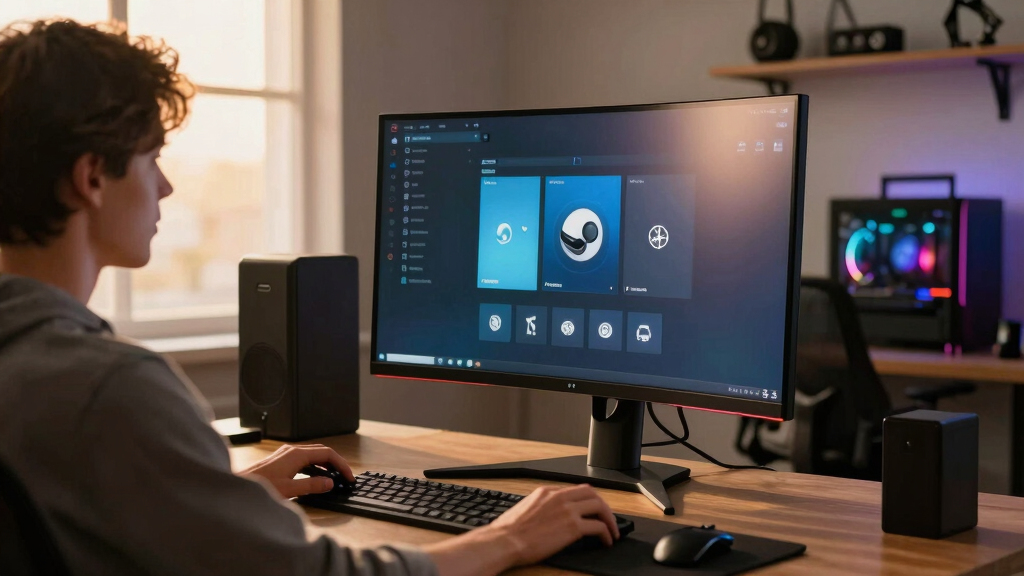

The ASUS TUF Gaming VG34VQ3B is my best overall pick among the best curved gaming monitors for Steam libraries because its 34-inch ultrawide format, fast refresh rate, and practical price fit the widest mix of Steam genres. The Samsung 49-inch Odyssey G93SC is the premium choice for players who want a huge QD-OLED canvas, while the Samsung 32-inch Odyssey G55C is easier to recommend for smaller desks and simpler setups. The main tradeoffs are screen width, GPU demand, panel quality, refresh rate, and whether a monitor is better for cinematic single-player games or fast competitive play. I ranked these picks by how well they make large Steam libraries feel flexible, not just by raw specs. Continue reading for the full breakdown of which monitor fits each kind of player.

Play games on Amazon Luna for your game nights, included with Prime
- A rotating selection of games, no download needed
- Play on TV, laptop or phone
- Fast, free delivery for your gear, too
Key Takeaways
- The ASUS TUF Gaming VG34VQ3B ranks first because it gives Steam players the strongest blend of ultrawide immersion, speed, and everyday usability without pushing into premium pricing.
- The Samsung 49-inch Odyssey G93SC is the most dramatic pick, but its size, OLED care needs, and high GPU demand make it a specialist choice rather than the safest default.
- The 34-inch ultrawide models are the sweet spot for mixed Steam libraries because they suit RPGs, racing games, sims, strategy titles, and shooters better than most 32-inch options.
- The Dell S3425DW is more work-and-play friendly than the faster gaming-focused models, but its 120Hz ceiling makes it less appealing for players who spend most of their time in competitive titles.
- The compact 32-inch QHD monitors are easier to drive and place on a desk, yet they lose the cinematic width that separates the strongest Steam-library picks from ordinary gaming displays.
| ASUS TUF Gaming 34” Ultra-Wide Curved Monitor (VG34VQ3B) |  | Best Overall for Most Steam Libraries | Size: 34 inches | Resolution: 3440×1440 QHD | Curve Radius: 1500R | VIEW LATEST PRICE | See Our Full Breakdown |
| Samsung 37” Odyssey G7 (G75F) 4K UHD Curved Gaming Monitor |  | Best 4K Pick | Display Size: 37 inches | Resolution: 4K UHD | Refresh Rate: 165Hz | VIEW LATEST PRICE | See Our Full Breakdown |
| Samsung 34-Inch Odyssey G5 Ultra-Wide Gaming Monitor |  | Best Value Ultrawide | Screen Size: 34 inches | Curvature: 1000R | Resolution: WQHD | VIEW LATEST PRICE | See Our Full Breakdown |
| Samsung 49″ Odyssey G93SC Series Curved Gaming Monitor |  | Best Premium Super Ultrawide | Screen Size: 49 inches | Display Type: QD-OLED | Resolution: Dual QHD 5120×1440 | VIEW LATEST PRICE | See Our Full Breakdown |
| Alienware 34 Curved Gaming Monitor AW3425DWM |  | Best Design-Minded 34-Inch Pick | Display Size: 34 inches | Resolution: 3440 x 1440 | Refresh Rate: 180Hz | VIEW LATEST PRICE | See Our Full Breakdown |
| LG 34G630A-B 34-Inch Ultragear WQHD Curved Gaming Monitor |  | Best High-Speed Ultrawide | Screen size: 34 inches | Resolution: 3440 x 1440 WQHD | Refresh rate: 240Hz | VIEW LATEST PRICE | See Our Full Breakdown |
| Dell 34 Plus USB-C Curved Monitor S3425DW |  | Best Work-and-Steam Hybrid | Screen size: 34 inches | Resolution: 3440 x 1440 | Aspect ratio: 21:9 | VIEW LATEST PRICE | See Our Full Breakdown |
| LG 32GS60QC-B Ultragear 32-Inch Curved Gaming Monitor |  | Best 32-Inch Performance Pick | Screen size: 32 inches | Resolution: 2560 x 1440 QHD | Refresh rate: 180Hz | VIEW LATEST PRICE | See Our Full Breakdown |
| SANSUI 34-Inch Curved Gaming Monitor UWQHD |  | Best Value Ultrawide Speed | Screen size: 34 inches | Resolution: 3440 x 1440 UWQHD | Refresh rate: Up to 200Hz | VIEW LATEST PRICE | See Our Full Breakdown |
| Samsung 32-Inch Odyssey G55C Series QHD Curved Gaming Monitor |  | Best Curved Starter Monitor | Screen size: 32 inches | Resolution: 2560 x 1440 QHD | Refresh rate: 165Hz | VIEW LATEST PRICE | See Our Full Breakdown |
| curved gaming monitors for Steam librarie | Resolution | Refresh Rate | Response Time | HDR |
|---|---|---|---|---|
| ASUS TUF Gaming 34” Ultra-Wide | 3440×1440 QHD | 180Hz | 1ms | Yes |
| Samsung 37” Odyssey G7 | 4K UHD | 165Hz | 1ms GtG | VESA DisplayHDR 600 |
| Samsung 34-Inch Odyssey G5 Ult | WQHD | 165Hz | 1ms | HDR10 |
| Samsung 49" Odyssey G93SC Seri | Dual QHD 5120×1440 | 240Hz | 0.03ms GTG | DisplayHDR True Black 400 |
| Alienware 34 Curved Gaming Mon | 3440 x 1440 | 180Hz | 1ms | — |
| LG 34G630A-B 34-Inch Ultragear | 3440 x 1440 WQHD | 240Hz | 1ms GtG | DisplayHDR 400 |
| Dell 34 Plus USB-C Curved Moni | 3440 x 1440 | 120Hz | — | — |
| LG 32GS60QC-B Ultragear 32-Inc | 2560 x 1440 QHD | 180Hz | 1ms | HDR10 |
| SANSUI 34-Inch Curved Gaming M | 3440 x 1440 UWQHD | Up to 200Hz | 1ms | — |
| Samsung 32-Inch Odyssey G55C S | 2560 x 1440 QHD | 165Hz | 1ms MPRT | HDR10 |
More Details on Our Top Picks
ASUS TUF Gaming 34” Ultra-Wide Curved Monitor (VG34VQ3B)
I rank the ASUS TUF Gaming VG34VQ3B highest because it hits the Steam-library sweet spot: 3440×1440 ultrawide, 180Hz, and a 34-inch size that suits RPGs, shooters, strategy games, and sim titles without demanding the desk space of the Samsung Odyssey G93SC. Compared with the Samsung 34-Inch Odyssey G5, the ASUS adds a slightly faster refresh rate and wider listed color coverage, which makes it a stronger all-rounder for players who jump between genres. The tradeoff is that it is still a gaming-first monitor; casual players may not use the speed, HDR, and FreeSync Premium enough to justify the cost. I would also skip it for shallow desks where the 1500R curve could feel too close.
Pros:- Balanced 34-inch ultrawide size works across many Steam genres
- 180Hz refresh rate and 1ms response suit fast competitive play
- 3440×1440 resolution gives more workspace and stronger immersion than standard QHD
- FreeSync Premium, HDR support, and built-in speakers add useful gaming convenience
Cons:- Costs more than simpler 34-inch curved options
- 1500R curve and ultrawide footprint may not suit compact desks
- Gaming-first feature set is less appealing for buyers focused on office use
Best for: Steam players with mixed libraries who want one ultrawide monitor for shooters, RPGs, racing games, and strategy titles.
Not ideal for: Casual players on a tight budget or shallow-desk users who may not benefit from a large 34-inch curved panel.
- Size:34 inches
- Resolution:3440×1440 QHD
- Curve Radius:1500R
- Refresh Rate:180Hz
- Response Time:1ms
- Color Gamut:90% DCI-P3
- HDR:Yes
- Warranty:3 years
Our verdict“This is my top pick for Steam players who want the broadest mix of speed, immersion, and everyday usability.”
Samsung 37” Odyssey G7 (G75F) 4K UHD Curved Gaming Monitor
The Samsung 37” Odyssey G7 is the pick I would aim at Steam users who care more about image detail than maximum screen width. Its 4K UHD panel makes cinematic games, modded RPGs, and richly textured worlds look sharper than they will on the ASUS TUF VG34VQ3B or Alienware AW3425DWM, both of which use 3440×1440 panels. The DisplayHDR 600 rating also gives it a stronger brightness and contrast story than HDR400-class alternatives. The catch is performance cost: 4K at 165Hz asks much more from a GPU than WQHD ultrawide. It is also less wide than the Samsung Odyssey G93SC, so simulation and multitasking fans may prefer the 49-inch layout despite the G7’s cleaner pixel density.
Pros:- 4K UHD resolution gives sharper detail than the 34-inch WQHD picks
- 165Hz refresh rate keeps it viable for action games
- DisplayHDR 600 is stronger than basic HDR support
- 1000R curve creates a more wrapped-in view than gentler curved displays
Cons:- 4K gaming at high refresh rates demands a strong GPU
- Large 37-inch size can overwhelm smaller desks
- Premium positioning makes it less value-focused than 34-inch WQHD models
Best for: Steam players with powerful gaming PCs who prioritize sharp 4K visuals in cinematic, open-world, and single-player games.
Not ideal for: Midrange GPU owners who would rather push high frame rates at ultrawide WQHD than tune settings for 4K.
- Display Size:37 inches
- Resolution:4K UHD
- Refresh Rate:165Hz
- Response Time:1ms GtG
- Curvature:1000R
- HDR:VESA DisplayHDR 600
- Adaptive Sync:AMD FreeSync Premium Pro
Our verdict“This is the right curved monitor if visual sharpness matters more to you than ultrawide width or budget restraint.”
Samsung 34-Inch Odyssey G5 Ultra-Wide Gaming Monitor
The Samsung 34-Inch Odyssey G5 earns its place as my value-minded ultrawide because it keeps the core Steam-gaming formula intact: 34-inch WQHD, 165Hz, 1ms response, FreeSync Premium, and a dramatic 1000R curve. Compared with the ASUS TUF VG34VQ3B, it gives up a little refresh-rate headroom and the ASUS lists stronger color coverage, but the G5 still covers the basics that matter for most big Steam backlogs. It is especially appealing for players moving from a flat 16:9 display who want a bigger jump in immersion without going all the way to the Samsung Odyssey G93SC. The drawback is versatility: the tight curve and gaming-focused design are less friendly for general productivity, creative work, or shared viewing.
Pros:- Strong mix of 34-inch ultrawide size, WQHD resolution, and 165Hz speed
- 1000R curvature gives a more enveloping feel than 1500R and 1800R options
- FreeSync Premium helps smooth out variable frame rates
- HDR10 support adds extra visual punch in compatible games
Cons:- 165Hz trails the faster ASUS TUF VG34VQ3B and 240Hz Odyssey G93SC
- Tight curve is less comfortable for some productivity layouts
- Less versatile than premium or USB-C-focused alternatives
Best for: Budget-conscious Steam players upgrading from a flat 1080p or 1440p monitor to their first ultrawide curved setup.
Not ideal for: Users who split time between gaming, color-sensitive creative work, and office tasks where a tight 1000R curve may feel restrictive.
- Screen Size:34 inches
- Curvature:1000R
- Resolution:WQHD
- Refresh Rate:165Hz
- Response Time:1ms
- Adaptive Sync:AMD FreeSync Premium
- HDR:HDR10
- Color:Black
Our verdict“This is my value pick for players who want ultrawide immersion before they pay for premium panel tech.”
Samsung 49″ Odyssey G93SC Series Curved Gaming Monitor
The Samsung Odyssey G93SC is the most specialized monitor in this group, and that is why I rank it as the premium pick rather than the default recommendation. Its 49-inch Dual QHD canvas is built for Steam libraries packed with racing sims, flight sims, MMOs, and strategy games where peripheral space changes how much information you can see at once. Compared with the ASUS TUF VG34VQ3B and Alienware AW3425DWM, it feels far more expansive, while QD-OLED, 240Hz, and 0.03ms response give it a higher-end motion and contrast profile. The compromises are just as large: it needs a wide desk, a powerful PC, and careful ownership habits around OLED. Some games also handle super ultrawide formats better than others.
Pros:- Huge 49-inch Dual QHD panel creates the widest view in this batch
- QD-OLED delivers richer blacks and color contrast than LED-based picks
- 240Hz refresh rate and 0.03ms response are excellent for fast motion
- Supports both G-Sync compatibility and FreeSync Premium Pro
Cons:- Takes far more desk space than 34-inch and 37-inch options
- Premium price and OLED care make it a higher-commitment purchase
- Super ultrawide support varies by game
Best for: Simulation, racing, MMO, and multitasking-heavy Steam players who want a panoramic display and have the desk space for it.
Not ideal for: Small-desk gamers, OLED-wary buyers, or players whose favorite games have weak super ultrawide support.
- Screen Size:49 inches
- Display Type:QD-OLED
- Resolution:Dual QHD 5120×1440
- Refresh Rate:240Hz
- Response Time:0.03ms GTG
- Curvature:1800R
- HDR:DisplayHDR True Black 400
- Adaptive Sync:G-Sync Compatible, FreeSync Premium Pro
- Inputs:HDMI 2.1, DisplayPort, USB Hub
Our verdict“This is the splurge pick for Steam players who want maximum wraparound immersion and can live with the size and cost.”
Alienware 34 Curved Gaming Monitor AW3425DWM
The Alienware AW3425DWM makes the most sense for buyers who want a polished 34-inch ultrawide without jumping to the massive Samsung Odyssey G93SC. On paper, it sits close to the ASUS TUF VG34VQ3B: both offer 3440 x 1440, 180Hz, 1ms response, and a 1500R curve. The Alienware pulls ahead on listed color coverage at 95% DCI-P3 and adds DisplayHDR 400, making it a good fit for visually varied Steam libraries that include RPGs, sci-fi games, and stylized indies. The ASUS still has the clearer value case because it includes a longer listed warranty and built-in speakers. The Alienware also has limited stand-detail information here, so buyers who need ergonomic flexibility should check the setup carefully before choosing it.
Pros:- 180Hz refresh rate and 1ms response match strong 34-inch gaming picks
- 95% DCI-P3 color coverage suits visually rich Steam titles
- 3440 x 1440 ultrawide resolution balances immersion and GPU load
- Multiple USB ports add useful desktop connectivity
Cons:- Stand adjustability details are limited in the provided data
- No listed price makes value harder to judge against the ASUS TUF VG34VQ3B
- LED panel lacks the contrast advantage of the QD-OLED Samsung Odyssey G93SC
Best for: Players who want a sleek 34-inch ultrawide for visually rich Steam games and care about color coverage as much as speed.
Not ideal for: Buyers who need confirmed stand adjustability, built-in speakers, or the clearest value against similar 34-inch competitors.
- Display Size:34 inches
- Resolution:3440 x 1440
- Refresh Rate:180Hz
- Response Time:1ms
- Contrast Ratio:3,000:1
- Brightness:400 cd/m²
- Color Gamut:95% DCI-P3
- Aspect Ratio:21:9
- Curvature:1500R
Our verdict“This is my choice for buyers who want a refined 34-inch ultrawide with strong color specs and familiar gaming speed.”
LG 34G630A-B 34-Inch Ultragear WQHD Curved Gaming Monitor
I’d rank the LG 34G630A-B highest in this batch for Steam players who split time between fast shooters, racing games, and cinematic RPGs. Its 3440 x 1440 ultrawide panel gives more horizontal view than the LG 32GS60QC-B or Samsung Odyssey G55C, while the 240Hz refresh rate beats the SANSUI 34-inch model on raw speed. That makes it better for large Steam libraries where one night is Apex and the next is Cyberpunk. The tradeoff is value: HDR400 is still modest HDR, USB-C power delivery is only 15W, and the VA panel may not satisfy buyers chasing OLED-level contrast. I’d pick this over the Dell S3425DW for gaming first, but not for a quieter work-and-play desk setup.
Pros:- 240Hz refresh rate is the fastest in this five-product batch
- 3440 x 1440 ultrawide format suits both competitive and cinematic Steam games
- USB-C, HDMI, and DisplayPort give it more flexible connectivity than simpler gaming-only picks
- Height, tilt, and swivel adjustments make long sessions easier to set up
Cons:- HDR400 support is limited compared with true high-end HDR displays
- No built-in speakers, so audio needs a separate setup
- 34-inch ultrawide size can overwhelm shallow desks
Best for: I’d recommend it to Steam players with mixed libraries who want ultrawide immersion without giving up esports-grade refresh rates.
Not ideal for: I’d skip it for small desks, console-first setups, or buyers who mainly want built-in audio and strong HDR impact.
- Screen size:34 inches
- Resolution:3440 x 1440 WQHD
- Refresh rate:240Hz
- Response time:1ms GtG
- Panel type:VA
- HDR:DisplayHDR 400
- Color gamut:95% DCI-P3
- Connectivity:HDMI, DisplayPort, USB-C with 15W power delivery
- Stand adjustments:Height, tilt, swivel
Our verdict“This is my pick for Steam players who want the best speed-and-width balance in this group.”
Dell 34 Plus USB-C Curved Monitor S3425DW
The Dell S3425DW earns its place because not every Steam setup is a pure battlestation. Compared with the LG 34G630A-B, it gives up a lot of refresh rate, but its USB-C-centered design, built-in speakers, eye-comfort tuning, and 34-inch 21:9 workspace make it easier to justify on a desk used all day. I’d see it fitting players who launch strategy games, RPGs, indies, and single-player adventures after work rather than grinding ranked shooters nightly. The 120Hz refresh rate is still a clear step above office monitors, but the 300-nit brightness and basic speakers keep it from feeling like a dedicated gaming display. It is more practical than the SANSUI 34-inch for mixed use, yet less exciting for speed-focused Steam libraries.
Pros:- USB-C setup keeps laptop desks cleaner than HDMI-only gaming monitors
- 34-inch 3440 x 1440 panel gives plenty of room for work and ultrawide games
- 120Hz with AMD FreeSync Premium is smoother than a standard productivity display
- Built-in speakers add convenience for casual use
Cons:- 120Hz refresh rate trails every gaming-first model in this batch
- 300-nit brightness can feel limited in bright rooms
- Speakers are convenient but not a substitute for a gaming headset or dedicated speakers
Best for: I’d point hybrid workers and casual Steam players toward this if one ultrawide needs to handle spreadsheets, browsing, and slower-paced games.
Not ideal for: I’d skip it for competitive FPS players who will notice the gap between 120Hz and the faster LG or SANSUI options.
- Screen size:34 inches
- Resolution:3440 x 1440
- Aspect ratio:21:9
- Refresh rate:120Hz
- Panel type:VA
- Brightness:300 nits
- Contrast ratio:3000:1
- Color gamut:99% sRGB
- Ports:2 HDMI, 4 USB
Our verdict“This is the sensible pick if my Steam monitor also has to be my weekday productivity screen.”
LG 32GS60QC-B Ultragear 32-Inch Curved Gaming Monitor
The LG 32GS60QC-B makes sense when I want a focused Steam gaming screen without committing to ultrawide. Its 2560 x 1440 resolution is easier to drive than the 3440 x 1440 LG 34G630A-B or SANSUI 34-inch, so midrange GPUs have a better shot at high frame rates. Compared with the Samsung Odyssey G55C, this LG pushes faster at 180Hz and adds handy gaming overlays like Black Stabilizer and an FPS counter. The 1000R curve also feels more enveloping than the SANSUI’s gentler 1500R arc. The compromise is versatility: it lacks USB-C, built-in speakers are not listed, and the 16:9 shape does not show as much of ultrawide-supported Steam worlds.
Pros:- 180Hz refresh rate is faster than the Samsung Odyssey G55C while staying easier to drive than ultrawide
- QHD resolution pairs well with many midrange gaming PCs
- 1000R curve creates a more wrapped-in feel than gentler curved monitors
- Black Stabilizer and FPS Counter suit competitive Steam titles
Cons:- No USB-C connection, unlike the LG 34G630A-B and Dell S3425DW
- 16:9 panel lacks the extra width that makes ultrawide games more cinematic
- Built-in speakers are not specified
Best for: I’d buy this for PC players using midrange GPUs who want fast QHD gaming without the extra GPU load of ultrawide.
Not ideal for: I’d skip it for simulation, racing, and open-world fans who specifically want a wider 21:9 field of view.
- Screen size:32 inches
- Resolution:2560 x 1440 QHD
- Refresh rate:180Hz
- Response time:1ms
- Curvature:1000R
- Panel type:VA
- Brightness:300 nits
- HDR:HDR10
- Connectivity:2 HDMI, DisplayPort
Our verdict“This is my 32-inch pick for Steam players who care more about frame rate than ultrawide scale.”
SANSUI 34-Inch Curved Gaming Monitor UWQHD
The SANSUI 34-inch UWQHD is the aggressive value play: it chases much of the LG 34G630A-B’s speed-and-width appeal, but with a slightly lower up to 200Hz refresh rate and fewer ergonomic comforts. I’d choose it over the Dell S3425DW for a Steam library heavy on shooters, racing, and action games because the 3440 x 1440 ultrawide canvas and HDMI 2.1 inputs feel more gaming-forward. It also claims strong color coverage, which helps fantasy worlds and neon-heavy games look richer than basic sRGB screens. The catch is polish. The stand only tilts, there are no speakers, and the AI extras may matter less than core panel quality. Compared with the LG, this is the budget-minded speed pick, not the refinement pick.
Pros:- Up to 200Hz refresh rate gives it strong gaming speed for an ultrawide
- 3440 x 1440 UWQHD resolution suits supported Steam games and multitasking
- HDMI 2.1 and DisplayPort 1.4 make it more current than many budget ultrawides
- PIP and PBP modes add flexibility for multi-source setups
Cons:- Stand only offers tilt, so height and swivel need a VESA mount solution
- No built-in speakers
- Brand support and calibration confidence may not match LG, Dell, or Samsung
Best for: I’d recommend it to budget-conscious PC players who want a fast 34-inch ultrawide for a large, varied Steam backlog.
Not ideal for: I’d avoid it for buyers who need strong ergonomic adjustment without buying a VESA arm.
- Screen size:34 inches
- Resolution:3440 x 1440 UWQHD
- Refresh rate:Up to 200Hz
- Response time:1ms
- Curvature:1500R
- Brightness:300 nits
- Color coverage:130% sRGB, 97% DCI-P3
- Inputs:2 HDMI 2.1, DisplayPort 1.4
- Stand adjustments:Tilt -5° to 15°, VESA compatible
Our verdict“This is the value pick I’d shortlist when ultrawide speed matters more than stand quality or brand polish.”
Samsung 32-Inch Odyssey G55C Series QHD Curved Gaming Monitor
The Samsung Odyssey G55C is the pick I’d place in front of newer PC gamers who want a recognizable curved gaming monitor without jumping straight to a 34-inch ultrawide. Against the LG 32GS60QC-B, it is a little slower at 165Hz, but still fast enough for most Steam libraries and likely easier to shop for around sales. The 1000R curve is the main draw over flatter budget QHD displays, giving RPGs, horror games, and racers a stronger wraparound feel at a manageable desk size. Compared with the Dell S3425DW, this is clearly gaming-first rather than work-friendly. The drawbacks are real: HDR10 is basic, the specs are thinner on connectivity, and professional color work is not the reason to buy it.
Pros:- 165Hz refresh rate is a strong starting point for QHD PC gaming
- 1000R curve gives more immersion than gentler curved panels
- QHD resolution is sharper than 1080p without the GPU demand of 4K
- AMD FreeSync helps reduce tearing in supported setups
Cons:- Slower than the LG 32GS60QC-B and far behind the LG 34G630A-B
- HDR10 support is basic and should not be treated like premium HDR
- Less suitable for professional work than the Dell S3425DW
Best for: I’d steer first-time gaming monitor buyers toward this if they want QHD, a strong curve, and smooth Steam performance at 32 inches.
Not ideal for: I’d skip it for ultrawide fans, content creators, or anyone needing USB-C docking and richer productivity features.
- Screen size:32 inches
- Resolution:2560 x 1440 QHD
- Refresh rate:165Hz
- Response time:1ms MPRT
- Curvature:1000R
- HDR:HDR10
- Adaptive sync:AMD Radeon FreeSync
- Eye care:Yes
Our verdict“This is the curved QHD starter pick I’d choose for a Steam-first desk that does not need ultrawide.”
How We Picked
I ranked these monitors around how well they serve a large, varied Steam library, where one player might bounce from Cyberpunk 2077 to Counter-Strike 2, then to Hades, Forza, Baldur’s Gate 3, or a city builder. I weighted screen shape and resolution heavily because ultrawide space changes how open-world games, sims, racers, and strategy titles feel, while still checking refresh rate, response time, adaptive sync, stand adjustment, port flexibility, and likely desk fit. A monitor moved higher when it balanced immersion and practicality instead of chasing one headline spec.
The final order favors models that make the fewest buyers compromise. That is why the ASUS TUF Gaming VG34VQ3B sits above flashier options: it fits more Steam players than the massive Samsung Odyssey G93SC or the sharper but more demanding Samsung 37-inch Odyssey G7. Value mattered as well, but not at the cost of the experience; a cheaper monitor that feels limiting across many game types ranked below a slightly pricier one with better long-term flexibility.
| curved gaming monitors for Steam librarie | HDR |
|---|---|
| ASUS TUF Gaming 34” Ultra-Wide | Yes |
| Samsung 37” Odyssey G7 | VESA DisplayHDR 600 |
| Samsung 34-Inch Odyssey G5 Ult | HDR10 |
| Samsung 49" Odyssey G93SC Seri | DisplayHDR True Black 400 |
| Alienware 34 Curved Gaming Mon | — |
| LG 34G630A-B 34-Inch Ultragear | DisplayHDR 400 |
| Dell 34 Plus USB-C Curved Moni | — |
| LG 32GS60QC-B Ultragear 32-Inc | HDR10 |
| SANSUI 34-Inch Curved Gaming M | — |
| Samsung 32-Inch Odyssey G55C S | HDR10 |
Factors to Consider When Choosing Best Curved Gaming Monitors For Steam Libraries
Choosing among the best curved gaming monitors for Steam libraries is less about buying the biggest screen and more about matching the display to the games you actually rotate through. I focus on how the monitor changes play across genres, how hard it is to drive, and whether its strengths will still matter after the first week.
Match Screen Width To Your Steam Habits
A 34-inch ultrawide is the safest upgrade for many Steam libraries because it adds immersion without turning the setup into a desk project. It gives racing games, RPGs, flight sims, and strategy titles more horizontal room, while still feeling manageable for shooters and everyday use. The 49-inch Odyssey G93SC goes much further, but that size works best for players who already know they want a cockpit-like view or a multitasking display. A 32-inch QHD curve such as the Samsung G55C or LG 32GS60QC-B is easier to place, yet it feels closer to a standard monitor upgrade than a full Steam-library showcase. I would pick wider only when the games benefit from it, not just because the spec sheet looks more dramatic.
Do Not Ignore GPU Demand
Higher resolution and wider aspect ratios make games look richer, but they also ask more from the graphics card. A 3440 x 1440 ultrawide is a sensible middle ground because it feels more expansive than 16:9 QHD while staying easier to drive than 4K or dual-QHD. The Samsung 37-inch Odyssey G7 4K can look sharper, but players with midrange GPUs may need lower settings to keep demanding Steam games smooth. The G93SC is even more demanding because its DQHD canvas pushes a huge number of pixels. For a library full of new AAA games, I would rather choose a monitor my GPU can feed consistently than buy extra resolution I will keep dialing down.
Refresh Rate Matters Most By Genre
A fast refresh rate is most valuable if a large part of the library includes shooters, racers, roguelikes, fighting games, or fast action titles. Models like the LG 34G630A-B and Samsung Odyssey G93SC stand out for players who can use very high frame rates, while 165Hz and 180Hz options still feel quick for most mixed libraries. The Dell S3425DW is less gaming-first at 120Hz, but it may be enough for slower RPGs, strategy games, and players who split the monitor with productivity work. Chasing 240Hz makes less sense if the GPU rarely reaches those frame rates. I would pay for speed when the games and hardware can turn it into visible smoothness.
Panel Type Changes The Mood Of Games
Panel choice affects dark scenes, color depth, motion clarity, and long-session comfort. QD-OLED on the Samsung G93SC gives the richest contrast in this group, making horror, sci-fi, and cinematic Steam games feel more dramatic. VA-based curved monitors can deliver strong contrast for less money, which suits single-player play, but some models may show more dark-scene smearing than faster premium panels. IPS-style gaming monitors often handle motion and viewing angles well, though they may not match OLED black levels. The right choice depends on whether the library leans toward atmosphere, speed, or general-purpose play.
Desk Fit And Ergonomics Are Part Of Performance
A monitor that dominates the desk can become annoying even when the image is excellent. Wide models need enough distance so the curve feels natural rather than crowded, and the stand should allow height and tilt adjustments for long sessions. The Samsung 49-inch Odyssey G93SC demands the most space, while the LG 32GS60QC-B and Samsung G55C are friendlier for smaller rooms. USB-C on the Dell S3425DW also matters if the same desk handles a gaming PC and laptop. Before paying more, I would check viewing distance, desk depth, and whether a monitor arm is part of the real cost.
Value Is About Longevity, Not Just Price
The best value pick is not always the cheapest model; it is the monitor that stays useful as the Steam library grows. A budget ultrawide such as the SANSUI 34-inch UWQHD can make sense for players who want width and high refresh on a tighter spend, but brand support, stand quality, and tuning may lag behind better-known options. The ASUS TUF VG34VQ3B earns its higher placement because it hits a more dependable balance. Paying more for OLED, 4K, or 240Hz is worthwhile only when those traits match the games played most often. I would rather buy the monitor that fits 80 percent of my library well than the one that wins one spec category.
Frequently Asked Questions
Is A 34-Inch Ultrawide The Best Size For A Steam Library?
For many players, 34-inch ultrawide is the best balance because it makes open-world, racing, sim, and strategy games feel wider without overwhelming the desk. It also avoids some of the setup friction that comes with a 49-inch super ultrawide. Compared with 32-inch QHD models, it feels more special for games that support 21:9. The downside is that some older Steam games may need tweaks or may show black bars. I would choose 34 inches if the library is broad and the goal is immersion without extreme hardware demands.
Should I Buy The Samsung 49-Inch Odyssey G93SC For Steam Games?
The Samsung 49-inch Odyssey G93SC is worth it for players who want the most immersive screen in this lineup and have the desk, GPU, and budget to support it. Its QD-OLED panel, 240Hz refresh rate, and huge DQHD format make it excellent for racing, flight, space, and cinematic games. It is less practical for buyers who mainly play competitive shooters, older games with poor ultrawide support, or anything with static HUDs for very long sessions. OLED care and possible burn-in risk also make it less carefree than the ASUS or LG ultrawide picks. I see it as the premium specialist pick, not the default recommendation.
Is 4K Better Than Ultrawide For A Mixed Steam Library?
4K gives sharper image detail, while ultrawide changes the shape and feel of supported games. For a Steam library filled with visually dense single-player titles, the Samsung 37-inch Odyssey G7 can be attractive because sharpness matters in scenery, text, and distant detail. For racing, RPGs, sims, and strategy games, a 34-inch ultrawide may feel more transformative because it expands the field of view. The tradeoff is performance: 4K and super ultrawide resolutions can both stress the GPU more than standard QHD. I would choose 4K for clarity-first players and ultrawide for players who want a more enveloping view.
Are Curved Monitors Good For Competitive Steam Games?
Curved monitors can work well for competitive Steam games, especially at 165Hz, 180Hz, or 240Hz, but bigger is not always better. A 32-inch or 34-inch curved screen keeps the action readable without forcing too much eye movement. A 49-inch display can feel excessive for esports because the far edges may sit outside the area where players focus during fast matches. Response time, input feel, and frame-rate stability matter more than size for competitive play. For that reason, I would favor the LG 34G630A-B, Alienware AW3425DWM, or LG 32GS60QC-B over the giant G93SC for shooter-heavy libraries.
Which Pick Makes The Most Sense If I Also Use The Monitor For Work?
The Dell S3425DW is the most work-friendly option here because its 34-inch ultrawide shape and USB-C support suit laptop use, side-by-side windows, and calmer daily tasks. It is not the strongest pure gaming pick because 120Hz trails the faster ASUS, LG, Alienware, and Samsung gaming models. For players who split time between Steam, documents, browser tabs, and video calls, that tradeoff may be reasonable. If gaming performance matters more than desk simplicity, the ASUS TUF VG34VQ3B is the stronger all-around gaming choice. I would pick Dell for hybrid use and ASUS for a gaming-first setup that still handles everyday work well.
Conclusion
For most Steam players, my best overall recommendation is the ASUS TUF Gaming VG34VQ3B because it offers the right mix of ultrawide immersion, speed, and sane pricing. The SANSUI 34-inch UWQHD is the best value route for buyers who want width and high refresh without stretching the budget too far, while the Samsung 49-inch Odyssey G93SC is the best premium pick for players who want a huge OLED showcase. For beginners or smaller desks, the Samsung 32-inch Odyssey G55C is easier to live with, and the Dell S3425DW is the best fit for work-and-play setups. Competitive players should lean toward the LG 34G630A-B or Alienware AW3425DWM, while clarity-first buyers should keep the Samsung 37-inch Odyssey G7 on the shortlist.
Fall Picks
fall essentials
As an affiliate, we earn on qualifying purchases.