
Prime deals are the best time to grab gaming accessories that normally feel overpriced — but the discounts are uneven, and some ‘deals’ are just cheap gear at a slightly lower price. After comparing nine discounted accessories, the KAFRI RGB Gaming Headphone Stand stands out as the best overall pick because it doubles as a charging hub with two AC outlets and four USB-C ports, replacing a desk power strip entirely. For pure value, the KDD Foldable Controller Hanger delivers the RGB aesthetic for under fifteen dollars, while the AOC Wireless Gaming Headset is the strongest audio pick if sound quality matters more than desk flair. The main tradeoff in this category is simple: most Prime ‘gaming accessory’ deals are organization gear, not performance gear, so knowing whether you need a headset, a mouse, or a cleaner desk is step one. Keep reading for the full breakdown of which deals are actually worth the click.
Open a free Amazon Business account
Business pricing, bulk buying and tax-exempt orders.
Create a free accountAs an affiliate, we earn on qualifying purchases.
Complete the kit


Key Takeaways
- Five of the nine discounted accessories are headset stands, so the real decision in this category is which stand layout fits your desk — foldable, rotatable, hub-style, or storage-based — not whether to buy one at all.
- The KAFRI stand justified its higher deal price by replacing a power strip: its two AC outlets and four USB-C ports give it a function no other stand in the lineup has.
- The wired multi-platform headset undercuts every wireless option by a wide margin, but the price gap reflects real tradeoffs in mic quality and cable clutter rather than pure markup.
- The wireless mouse was the only accessory in the roundup that improves input performance rather than desk organization — buyers chasing better gameplay should prioritize it over RGB stands.
- Cheap stands with light modes all use similar RGB strips, so paying more only makes sense when the extra cost buys ports, outlets, or sturdier build — not additional lighting effects.
| KDD RGB Headphone & Controller Stand with 9 Light Modes |  | Best Value Desk Organizer | Light Modes: 9 | Color Options: Red, Green, Blue, Purple, Light Blue, Yellow, White | Material: Plastic with rubber pads | VIEW LATEST PRICE | See Our Full Breakdown |
| Gaming Headset and Controller Stand with Storage Base |  | Best Minimalist Alternative | Material: Wood and metal | Compatibility: PS4, PS5, Xbox One, Xbox Series X/S, Nintendo Switch | Color: Black | VIEW LATEST PRICE | See Our Full Breakdown |
| Gaming Headset for Xbox Series X|S, Xbox One, PS5, PS4, PC, Switch, Mac (Wired) |  | Best Budget Wired Headset | Audio Technology: Virtual 7.1 | Drivers: 50mm | Microphone: Directional noise-reducing, flip-to-mute, 120° flexible boom | VIEW LATEST PRICE | See Our Full Breakdown |
| AOC Wireless Gaming Headset for PS5, PS4, Nintendo Switch, PC |  | Best Premium Wireless Pick | Connectivity: 2.4 GHz, Bluetooth 5.4, wired 3.5mm | Battery Life: 45 hours | Charging Time: 2 hours | VIEW LATEST PRICE | See Our Full Breakdown |
| Wireless Gaming Headset with Mic for PS5, PS4, PC, and GameCube |  | Best Battery Life Value | Connectivity: 3-mode: Wireless 2.4GHz, Bluetooth 5, Wired | Wireless Range: 10 meters | Battery Life: Up to 48 hours | VIEW LATEST PRICE | See Our Full Breakdown |
| Melogaga Wireless Gaming Mouse Bluetooth/2.4G RGB Rechargeable – Black |  | Best Budget Wireless Mouse | Connectivity: Bluetooth and 2.4G wireless | DPI: 1600/1200/800 | Buttons: 6 | VIEW LATEST PRICE | See Our Full Breakdown |
| KAFRI RGB Gaming Headphone Stand with Controller Holder, Charger Cable, 2 AC Outlets & 4 USB-C Ports |  | Best Charging Hub Stand | Controller Capacity: 4 controllers | Headset Stand: Yes, dedicated slot | RGB Lighting: 8 modes | VIEW LATEST PRICE | See Our Full Breakdown |
| KDD RGB Headset Stand with 9 Light Modes – Controller Holder for Desk – Rotatable Headphone Stand & Detachable Controller Hook |  | Best Value Organizer | Light Modes: 9 | Color Options: Red, Green, Blue, Purple, Light Blue, Yellow, White | Rotation: 360° | VIEW LATEST PRICE | See Our Full Breakdown |
| KDD RGB Gaming Headphone and Controller Stand with 2 Type-C and 1 USB Ports |  | Best Middle-Ground Pick | Number of Ports: 2 Type-C, 1 USB | Lighting Effects: 9 modes (7 flashing, 2 solid colors) | Rotation: 360° | VIEW LATEST PRICE | See Our Full Breakdown |
| gaming accessories for Prime deal | Compatibility |
|---|---|
| KDD RGB Headphone & Controller | Most controllers and headsets |
| Gaming Headset and Controller | PS4, PS5, Xbox One, Xbox Series X/S, Nintendo Switch |
| Gaming Headset for Xbox Series | Xbox Series X|S, Xbox One, PS5, PS4, PC, Switch, Mac |
| AOC Wireless Gaming Headset fo | PS5, PS4, Nintendo Switch, PC; Xbox wired only |
| Wireless Gaming Headset with M | PS5, PS4, PC, Switch, GameCube |
| Melogaga Wireless Gaming Mouse | Windows 8/10, Mac OS, iPadOS 13+, iOS 13+ |
| KAFRI RGB Gaming Headphone Sta | — |
| KDD RGB Headset Stand with 9 L | WinXP/7/8/10, Linux, Mac |
| KDD RGB Gaming Headphone and C | — |
More Details on Our Top Picks
KDD RGB Headphone & Controller Stand with 9 Light Modes
For a Prime Day impulse buy that actually improves your setup, this stand makes the most sense for budget-conscious gamers. Compared with the KAFRI RGB Gaming Headphone Stand, it skips the built-in AC outlets and USB charging ports, which is the main reason it costs less — but the core job of holding a headset and controller is handled just as well. The 9 RGB light modes give it more visual variety than the wooden Gaming Headset and Controller Stand with Storage Base, which trades lighting entirely for a cleaner aesthetic. Assembly takes about 30 seconds, and the rubber-padded base keeps it from sliding around or scratching a desk.
The tradeoff is durability: the plastic build won’t feel as premium as wood-and-metal alternatives, and there’s no passthrough charging for controllers that need USB-C top-ups.
Pros:- Nine RGB lighting modes for a colorful setup on a budget
- Anti-slip, rubber-padded base that protects the desk
- Stores a headset and controller together to reduce clutter
- Assembles in roughly 30 seconds with no tools
Cons:- No charging ports, unlike competing stands in this roundup
- Plastic construction feels less durable than wood-and-metal options
Best for: Gamers on a tight budget who want RGB flair and desk organization without paying for charging features
Not ideal for: Owners of controllers with built-in rechargeable batteries who want a stand that charges while it stores — there’s no passthrough power here
- Light Modes:9
- Color Options:Red, Green, Blue, Purple, Light Blue, Yellow, White
- Material:Plastic with rubber pads
- Compatibility:Most controllers and headsets
- Assembly Time:30 seconds
- Charging Ports:None
Our verdict“A cheap, colorful organizer that earns its spot on price alone — just don’t expect charging or premium materials.”
Gaming Headset and Controller Stand with Storage Base
Not every desk needs to glow. This wood-and-metal stand is the pick for gamers who find the KDD RGB Headphone & Controller Stand and its nine flashing modes distracting rather than appealing. The wood and metal construction reads as furniture rather than plastic gamer gear, and the storage base doubles as a catch-all for cables and small accessories — something the KDD’s lighter build doesn’t match in sturdiness. Compatibility is broad, covering PS4, PS5, Xbox One, Series X/S, and Switch controllers.
The honest tradeoff: the listing doesn’t publish dimensions, so buyers with oversized headsets or wide controllers are rolling the dice on fit. And with black as the only stated color, it won’t suit lighter-toned desks. Compared with the KDD RGB Gaming Headphone and Controller Stand with 2 Type-C ports, it gives up convenience features in exchange for a calmer, more grown-up look.
Pros:- Eco-friendly wood and metal build that looks at home on a work desk
- Broad controller compatibility across all major consoles
- Storage base adds practical clutter control
- Solid construction that won’t wobble under a heavy headset
Cons:- No published dimensions, making fit a gamble before purchase
- No charging ports or lighting features found on cheaper RGB rivals
Best for: Adult gamers and gift-buyers who prefer a warm, understated wood aesthetic over RGB lighting
Not ideal for: Anyone who needs guaranteed sizing — the missing dimensions make it risky for large headsets or compact desks
- Material:Wood and metal
- Compatibility:PS4, PS5, Xbox One, Xbox Series X/S, Nintendo Switch
- Color:Black
- Lighting:None
- Charging Ports:None
- Storage:Integrated base compartment
Our verdict“The choice for gamers who want organization without the light show, provided the unknown dimensions work for your gear.”
Gaming Headset for Xbox Series X|S, Xbox One, PS5, PS4, PC, Switch, Mac (Wired)
At Prime Deal prices, this wired headset is the low-risk entry point for gamers who mainly play at a desk. The 50mm drivers with virtual 7.1 audio deliver positional sound that cheaper earbuds can’t touch, and unlike the AOC Wireless Gaming Headset, the 3.5mm connection works natively with Xbox controllers — no dongles, no mode-switching, no battery to forget to charge. The memory foam cushions and self-adjusting headband are comfort features that matter for marathon sessions, and the flip-to-mute boom mic is faster to use than an in-line mute button.
The obvious cost of the wired design is mobility: a 2.4-meter braided cable tethers you to the screen. The RGB lighting only activates over USB, so console players on a pure 3.5mm connection lose the visual flair entirely. Compared with the Wireless Gaming Headset with Mic (B0C9HKYXSH), you’re trading freedom for guaranteed compatibility and a lower price.
Pros:- True universal compatibility including Xbox via 3.5mm
- 50mm drivers with virtual 7.1 positional audio
- Memory foam cushions and self-adjusting headband for long sessions
- Flip-to-mute, 120° flexible noise-reducing mic
Cons:- Wired cable limits mobility and can snag during play
- RGB lighting only works when connected via USB
Best for: Desk-bound PC and Xbox players who want plug-and-play 7.1 sound without battery management
Not ideal for: Couch and living-room console players — the fixed cable makes distance from the screen a real problem
- Audio Technology:Virtual 7.1
- Drivers:50mm
- Microphone:Directional noise-reducing, flip-to-mute, 120° flexible boom
- Comfort:Memory foam ear cushions, self-adjusting headband
- Cable:2.4-meter braided, tangle-resistant
- Connectivity:3.5mm audio jack, USB for RGB
- Lighting:RGB via USB
- Compatibility:Xbox Series X|S, Xbox One, PS5, PS4, PC, Switch, Mac
Our verdict“The cheapest reliable way into surround-sound gaming audio, ideal if you never play far from your machine.”
AOC Wireless Gaming Headset for PS5, PS4, Nintendo Switch, PC
Brand-name reliability is what separates this headset from the crowd, and it’s the pick where build confidence matters most. The 45-hour battery with 2-hour charging beats the wired Gaming Headset for Xbox Series X|S (B0GY8H6N33) on convenience by eliminating cable management entirely, and at 239g it’s lighter than most surround-sound competitors. The triple-mode connectivity — 2.4GHz dongle, Bluetooth 5.4, and 3.5mm — means it can double as a work-from-home headset for calls and music, which the cheaper options in this roundup don’t handle as gracefully.
But the caveats are real: Bluetooth doesn’t work on PS5 or PS4, so console players must use the dongle, and Xbox only works in wired mode. Buyer reviews on sound quality are mixed, which is unusual for the price bracket — the Wireless Gaming Headset with Mic (B0C9HKYXSH) offers a similar spec sheet for less if you’re willing to gamble on a lesser-known brand.
Pros:- 45-hour battery life with fast 2-hour recharging
- Triple connectivity: 2.4GHz, Bluetooth 5.4, and 3.5mm wired
- Lightweight 239g build suited to long sessions
- Triple-stage noise-cancelling microphone for clear comms
Cons:- Bluetooth mode incompatible with PS5 and PS4
- No wireless Xbox support
- Mixed buyer feedback on sound quality at this price
Best for: PlayStation and Switch players who value a known brand, long battery life, and a headset that transitions to everyday Bluetooth use
Not ideal for: Xbox-first gamers — wireless mode doesn’t support Xbox at all, making the premium price pointless for them
- Connectivity:2.4 GHz, Bluetooth 5.4, wired 3.5mm
- Battery Life:45 hours
- Charging Time:2 hours
- Weight:239 g
- Microphone:Triple-stage noise cancelling
- Sound:High-resolution 7.1 virtual surround
- Compatibility:PS5, PS4, Nintendo Switch, PC; Xbox wired only
Our verdict“The safest wireless buy for PlayStation and Switch owners who also want a Bluetooth headset for daily life — Xbox players should look elsewhere.”
Wireless Gaming Headset with Mic for PS5, PS4, PC, and GameCube
This is the headset for players who hate charging things. Its 48-hour battery edges out even the AOC Wireless Gaming Headset by three hours while typically costing less, and the three-mode connectivity (2.4GHz wireless, Bluetooth 5, and wired) covers PS5, PS4, PC, Switch — and oddly, GameCube, a compatibility claim almost nothing else on Amazon makes. The 50mm drivers with spatial audio match the wired budget headset (B0GY8H6N33) on sound hardware while cutting the cord, and the 120° adjustable noise-cancelling mic handles party chat well.
The tradeoffs mirror the AOC’s: Bluetooth won’t connect to PS5 or PS4, so console players live on the dongle. The unspecified weight is a genuine gap — comfort-focused buyers can’t verify it before ordering, and an unknown brand carries more quality risk than AOC’s established support network.
Pros:- Up to 48 hours of battery life — the longest in this roundup
- Three connectivity modes covering PS5, PS4, PC, Switch, and GameCube
- 50mm drivers with spatial audio and noise isolation
- 120° adjustable noise-cancelling microphone
Cons:- Bluetooth incompatible with PS5 and PS4
- Weight not published, so comfort claims can’t be verified
- Lesser-known brand means weaker long-term support
Best for: Multi-platform gamers and retro collectors who want maximum battery runtime and GameCube support at a mid-range price
Not ideal for: Buyers who prioritize brand support and verified comfort specs — the unknown weight and unproven brand add risk
- Connectivity:3-mode: Wireless 2.4GHz, Bluetooth 5, Wired
- Wireless Range:10 meters
- Battery Life:Up to 48 hours
- Charge Time:2.5 hours
- Drivers:50mm
- Microphone:Noise-cancelling, 120° adjustable
- Compatibility:PS5, PS4, PC, Switch, GameCube
Our verdict“The value play for battery-obsessed, multi-console households — accept some brand risk in exchange for top-tier runtime and GameCube compatibility.”
Melogaga Wireless Gaming Mouse Bluetooth/2.4G RGB Rechargeable – Black
Among the accessories in this roundup, the Melogaga wireless mouse is the only one that changes how you play rather than how your desk looks. Its dual-mode connectivity — Bluetooth plus a 2.4G dongle — lets a single mouse hop between a gaming PC, an iPad, and a work laptop, which is rare at this price. Silent buttons and a rechargeable battery make it a quiet, cable-free option for shared spaces. The honest limitation: 1600 DPI tops out well below what competitive FPS or MOBA players expect, so this is a comfort-and-convenience pick, not a precision one. Compared with the desk-organization products like the KAFRI RGB stand, this delivers function first, with the 7-color RGB breathing as a bonus rather than the main event. Fast chargers can also degrade the battery, so plan on slow charging it.
Pros:- Dual Bluetooth and 2.4G modes work across PC, Mac, iPad, and iPhone
- Silent buttons suit shared rooms and late-night sessions
- Rechargeable battery with power-saving mode avoids constant AA swaps
- Ergonomic shape holds up during long gaming and work sessions
Cons:- 1600 DPI maximum is too low for high-precision or competitive gaming
- Fast chargers and phone chargers can shorten battery lifespan
Best for: Casual and multi-device gamers who want one quiet wireless mouse for a PC, iPad, and laptop without spending much
Not ideal for: Competitive FPS or MOBA players who need high-DPI precision tracking and fast response sensors
- Connectivity:Bluetooth and 2.4G wireless
- DPI:1600/1200/800
- Buttons:6
- Backlit:RGB 7-color breathing
- Battery:Rechargeable, built-in
- Compatibility:Windows 8/10, Mac OS, iPadOS 13+, iOS 13+
- Charging Time:2 hours
Our verdict“A sensible Prime Day add-on for casual, multi-device gamers — as long as you don’t need tournament-grade precision.”
KAFRI RGB Gaming Headphone Stand with Controller Holder, Charger Cable, 2 AC Outlets & 4 USB-C Ports
The KAFRI stand earns its place by being the most capable power station in this lineup. With 2 AC outlets and 4 USB-C ports plus a retractable charging cable, it can genuinely replace a power strip on a gaming desk — something neither the KDD RGB stand nor the KAFRI’s simpler rivals can do. It holds four controllers and a headset at once, making it the right pick for households with multiple consoles or a Switch plus a PlayStation. The tradeoff is footprint: all that charging hardware makes it the bulkiest option here, and buyers with compact desks will feel it. The RGB is tasteful but secondary — you’re paying for outlets and organization, not light shows. If your controllers keep dying mid-session, this solves that problem outright.
Pros:- 2 AC outlets and 4 USB-C ports replace a separate power strip
- Holds up to 4 controllers plus a headset in one place
- Retractable charging cable keeps the desk clutter-free
- Fire-resistant materials and non-slip base add safety and stability
Cons:- Bulky footprint crowds small desks
- Focused on gaming accessories rather than general desk use
Best for: Multi-console households and streamers who need to charge four controllers, a headset, and other devices from one desk hub
Not ideal for: Small-desk or minimalist setups where the large footprint outweighs the charging benefits
- Controller Capacity:4 controllers
- Headset Stand:Yes, dedicated slot
- RGB Lighting:8 modes
- Retractable Charging Cable:Yes
- Power Outlets:2 AC outlets
- USB-C Ports:4
- Material:High-density fire-resistant materials
- Base:Non-slip
Our verdict“The pick for gamers whose real problem is dead controllers and tangled chargers — not lack of RGB.”
KDD RGB Headset Stand with 9 Light Modes – Controller Holder for Desk – Rotatable Headphone Stand & Detachable Controller Hook
This KDD headset stand is the lightest, cheapest way to get your headphones off the desk and add some color. Unlike the KAFRI stand, it doesn’t charge anything — but it also doesn’t hog desk space or an outlet. The 360° rotatable holder and detachable controller hook give it more flexibility than a fixed stand, and the 9 lighting modes with memory mean it powers back on in your preferred color instead of resetting. Assembly takes minutes from three parts, and rubber pads keep it planted. Be realistic about build quality: hardened plastic keeps the price down but won’t survive being knocked around, and the lighting needs manual cycling rather than app control. As a first organizing step — or a gift for a younger gamer — it hits a sweet spot the pricier options skip.
Pros:- 9 lighting modes with memory function restore your preferred setting
- 360° rotation and detachable controller hook adapt to any desk layout
- 3-part quick assembly and portable design
- Rubber-padded base and soft hooks protect both desk and gear
Cons:- Plastic construction is less durable than metal alternatives
- No charging capability — lighting modes also require manual switching
Best for: First-time setup builders and younger gamers who want an affordable, portable way to organize a headset and controller
Not ideal for: Buyers who want charging ports or premium metal construction — this stand does neither
- Light Modes:9
- Color Options:Red, Green, Blue, Purple, Light Blue, Yellow, White
- Rotation:360°
- Material:Hardened plastic
- Compatibility:WinXP/7/8/10, Linux, Mac
- Assembly:Quick, 3 parts
- Base:Stable with rubber pads
Our verdict“The budget-friendly entry point for a tidier, more colorful gaming desk without paying for charging features.”
KDD RGB Gaming Headphone and Controller Stand with 2 Type-C and 1 USB Ports
This stand sits deliberately between the two others in this roundup: more capable than the basic KDD RGB stand, less imposing than the KAFRI charging hub. Its 2 Type-C and 1 USB ports handle phone and controller charging without the AC outlets — a sensible compromise if you want powered organization but lack desk real estate. The 9 lighting effects and 360° rotation match the cheaper KDD model, and a 180-day warranty adds a little purchase confidence. Two caveats matter: the USB port won’t charge iPhones, and the lighting cycles through modes rather than showing a smooth rainbow gradient — a letdown if a continuous color flow is what you’re after. For a mid-size desk that needs light charging plus tidy storage, this is the balanced choice in the lineup.
Pros:- 2 Type-C and 1 USB ports charge controllers and most phones
- 9 lighting effects with 360° rotatable holder match pricier stands
- Quick assembly with anti-slip base for stability
- 180-day warranty provides peace of mind
Cons:- USB port is not compatible with iPhone charging
- Lighting cycles modes but never displays a rainbow gradient
Best for: Desk-bound gamers who want light device charging and headset storage without the bulk of a full charging hub
Not ideal for: iPhone owners relying on USB-A charging, or RGB enthusiasts who want a true rainbow gradient effect
- Number of Ports:2 Type-C, 1 USB
- Lighting Effects:9 modes (7 flashing, 2 solid colors)
- Rotation:360°
- Base Material:Plastic
- Warranty:180 days
Our verdict“The balanced pick — enough charging and lighting for a mid-size desk, without the KAFRI’s footprint or the basic KDD’s bare features.”
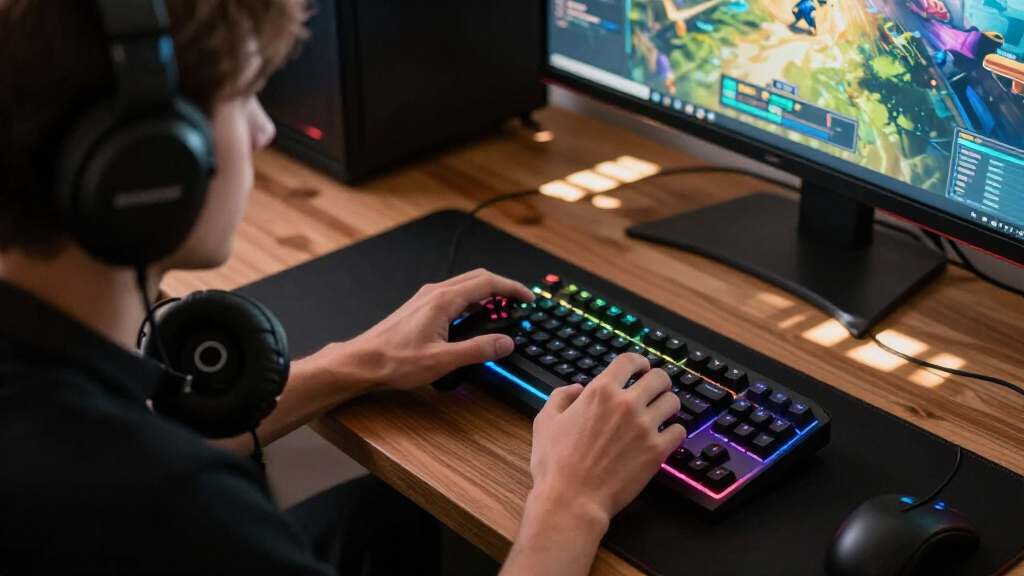
How We Picked
Since every product here is evaluated through the lens of a Prime deal, I ranked them by value at the discounted price, not the original list price. That meant checking whether the sale price reflected the build quality — a $12 stand with flimsy plastic earned a lower rank than a $25 stand with a metal frame and powered USB hub, even though both look similar in listing photos. I also weighted functional overlap: three of the KDD stands do nearly the same job, so I separated them by which specific layout (foldable, rotatable, or hub-based) serves the most common desk setups.
The second filter was platform compatibility and everyday utility. Headsets were compared on multi-platform support, wired versus wireless convenience, and mic quality — the wired universal model and the AOC wireless earned their spots by covering more systems than the competition. Finally, I favored accessories that solve an actual problem (dead desk outlets, tangled cables, missing controller storage) over ones that only add RGB lighting, because pure-decoration gear tends to feel like wasted money once the deal excitement fades.
Factors to Consider When Choosing Gaming Accessories For Prime Deals
Buying gaming accessories during Prime deals rewards preparation and punishes impulse clicks. Before you add anything to your cart, these are the factors that actually separate a good deal from a regrettable one.
Know What Problem You’re Solving Before Browsing
The biggest mistake during Prime events is buying accessories because they’re cheap, not because they fix something. A headset stand is genuinely useful if your headphones currently live on the floor, but it’s clutter if your desk already has a spot for them. Start by listing your actual annoyances — dead outlets, tangled cables, a headset with a broken mic — and match deals to that list. Shoppers who browse without a list end up with three RGB stands and no working mouse. The discount percentages on these events are also frequently inflated against rarely-charged ‘original’ prices, so compare the sale price against what the item costs in ordinary weeks. If the everyday price is nearly identical to the deal price, the urgency is manufactured.
Ports and Outlets Are Worth More Than RGB
Lighting effects are the most-advertised feature on budget gaming stands and the least valuable one. Nearly every stand under $30 uses similar LED strips with comparable color cycling, so the differentiator is what the stand does when the lights are off. Models with powered USB-C ports, pass-through charging, or AC outlets effectively add infrastructure to your desk, and that function outlasts any novelty lighting. A stand with a built-in hub can charge your controller and phone while holding your headset, eliminating two other devices from your setup. When comparing two lit stands at similar prices, pick the one with more ports every time. The lighting will feel ordinary within a week; the charging convenience won’t.
Wireless Convenience Versus Wired Reliability in Headsets
Wireless headsets dominate Prime deals because they carry higher list prices, giving sellers more room to advertise big discounts. But wireless adds real costs beyond the sticker: you’re managing battery life, dealing with dongles that occupy USB ports, and occasionally troubleshooting dropouts mid-match. Wired headsets are heavier on cable clutter yet deliver consistent audio with zero latency on every platform, including older consoles and budget laptops without Bluetooth. If you game in one spot at a desk, wired is usually the smarter value. If you move between rooms or play from a couch across the room, wireless earns its premium. Match the format to your actual play space rather than assuming wireless is an upgrade.
Platform Compatibility Checklists Save Returns
Nothing is worse than a deal-priced headset that won’t fully work with your console. Compatibility issues hide in the details: a headset may support PS5 audio but not PS5 chat, or connect to Switch only in docked mode. Check the listing for explicit mention of every platform you own, including mic support, not just audio output. Retro and niche platforms like GameCube support are rare and worth confirming twice before buying, since adapters and workarounds are often needed. Cross-check buyer reviews for your specific console rather than trusting the compatibility chart alone — that’s where mismatch complaints surface. Returns during Prime events are easy, but the hassle is avoidable with two minutes of reading.
Build Quality Clues in Budget Accessories
Photos of gaming accessories are shot to hide weaknesses, so read the materials section instead of trusting the images. Metal frames and weighted bases matter most on headset stands, because a tall stand with a light base tips over the first time you grab the headphones in the dark. On controllers and hooks, check whether the hooks are padded — bare plastic scratches controller grips over months of daily use. For mice, the switch lifespan rating (usually listed in millions of clicks) tells you more about longevity than DPI numbers ever will. Reviews mentioning breakage within six months are a stronger warning than any spec sheet. A cheap accessory that fails in half a year wasn’t a deal at any price.
When to Pay More During a Sale
Sales flatten price differences, which changes the value math. A $40 accessory at 30% off and a $20 accessory at 50% off may cost nearly the same, but the pricier one often keeps better components — real drivers in headsets, stronger hinges on stands, bigger batteries in wireless gear. Pay more when the upgrade affects daily use: charging speed, comfort during long sessions, or physical stability. Skip the premium when the difference is cosmetic, like extra lighting modes or a slightly different colorway. Accessories you touch every session justify quality spending; accessories you look at once a month don’t. The deals that feel least exciting — modest discounts on well-built gear — are frequently the ones worth taking.
Frequently Asked Questions
Are Prime deal prices on gaming accessories actually the lowest they get?
Often, but not always. Many accessory sellers run the same ‘deal’ price multiple times per year, and some inflate the list price beforehand so the discount looks bigger. A quick check with a price-tracking tool on the product’s history tells you whether the current deal is a genuine low or a routine markdown. Headset stands and RGB accessories in particular cycle through similar discounts every few months, so there’s rarely pressure to buy immediately. Headsets and mice tend to see their real lows during the major July and October events. If the current price matches the historical low, buy; if it’s within a few dollars, waiting rarely saves you much.
Is a headset stand with a built-in charging hub worth the extra cost over a basic one?
It depends entirely on your desk’s power situation. If you currently run a power strip up to your desk or constantly swap chargers between your controller, phone, and headset, a stand with built-in outlets and USB-C ports eliminates that clutter in one purchase — the KAFRI in this lineup is essentially a power strip disguised as a stand. But if your desk already has accessible charging, you’re paying a premium for ports you won’t use, and a basic stand does the same job for less than half the price. Check the port specs too: some budget hubs only pass data or charge slowly, which limits their usefulness. The hub makes sense when it replaces at least one other device you own.
Should I buy a wired or wireless headset during a Prime sale?
Let your play setup decide, not the discount. Wireless headsets get the flashier deals, but they introduce battery management, dongles occupying USB slots, and occasional audio dropouts that wired models never have. If you play seated at a desk within arm’s reach of your console or PC, a wired headset delivers identical-or-better sound for noticeably less money with zero maintenance. Wireless earns its price when you play from a couch, move between rooms, or simply hate cable drag on your shoulders. Also verify mic support on your specific console for whichever format you choose — some budget wireless models handle game audio but not chat on certain systems, which is a dealbreaker for multiplayer.
Do cheap RGB accessories from Prime deals last, or do they break quickly?
The lighting itself usually outlives the hardware around it. LED strips are cheap and reliable; what fails on budget accessories is the mechanical parts — plastic joints, lightweight bases, and low-grade charging ports. Stands that tip over easily develop stress cracks, and hub ports on the cheapest models can loosen within months of daily plugging. Read reviews specifically for mentions of breakage timelines rather than overall star ratings, which are often written in the first week of ownership. Weighted bases and metal frames are the two features most correlated with longevity at this price tier. Spending an extra ten dollars on a sturdier build routinely doubles the usable lifespan of these accessories.
Which single accessory gives the most noticeable improvement to a gaming setup?
For most players, an input device — a responsive mouse or a comfortable headset — changes how games feel, while stands and organizers only change how the desk looks. If your current mouse is laggy or your headset muffles footsteps and teammate callouts, those upgrades translate directly into better performance, and no RGB stand can compete with that. Organization accessories shine only when your setup is already functional but chaotic — a stand that consolidates charging and headset storage genuinely reduces daily friction. The honest priority order is: audio and input first, storage and lighting second. If both categories are already covered, then a hub-style stand that adds charging capacity is the most functional third purchase.
Conclusion
For best overall, the KAFRI RGB Gaming Headphone Stand earns the top spot because it combines organization with real utility — two AC outlets and four USB-C ports make it the only accessory here that replaces other gear rather than adding to it. For best value, the KDD Foldable Controller Hanger delivers the core RGB stand experience at the lowest price in the lineup, ideal for first-time buyers who want the look without commitment. The best premium pick is the AOC Wireless Gaming Headset, which trades desk aesthetics for genuinely better audio and cable-free convenience. Beginners building a first setup should start with the multi-platform wired headset — it works on nearly everything, costs the least of the audio options, and teaches you what you actually want from a headset before you spend more. For specific needs, the wireless mouse is the pick for performance-focused players, the GameCube-compatible wireless headset covers retro setups, and the rotatable KDD stand suits cramped desks where foldability and a small footprint matter more than extra ports. Whatever you choose, buy the accessory that solves a problem you already have — that’s what separates a Prime deal from a Prime regret.
Fall Picks
fall essentials
As an affiliate, we earn on qualifying purchases.