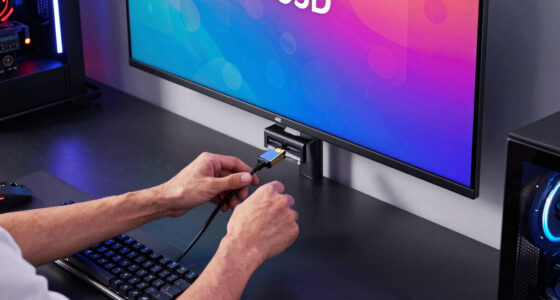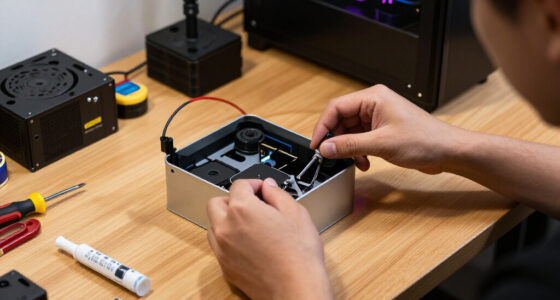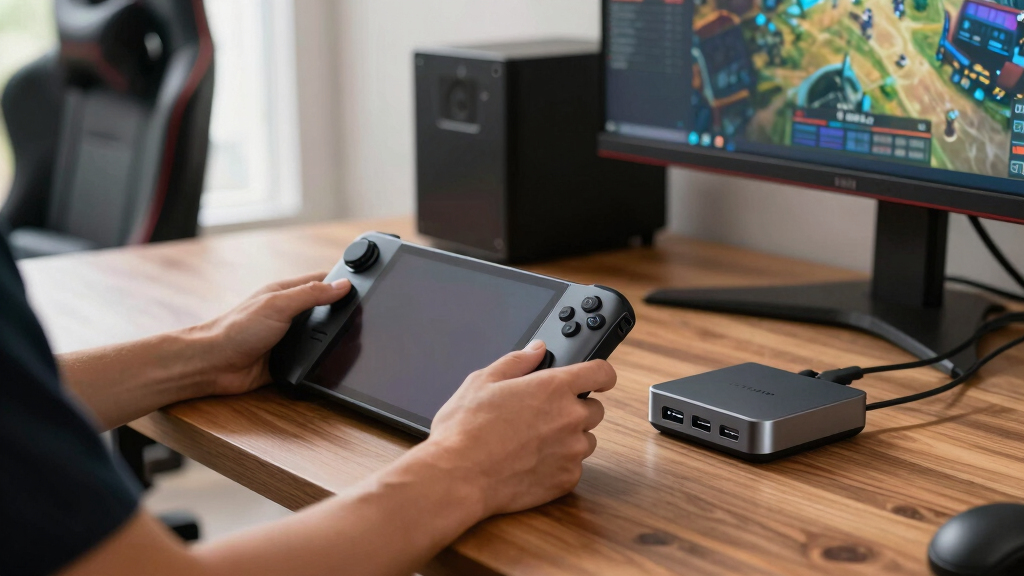

If I were choosing among the best premium Steam Deck docks in 2026, I would put the BenQ GR10 HDMI 2.1 Steam Deck Dock at the top because it makes the strongest all-around case for a big-screen setup with a modern HDMI focus. The WAVLINK 6-in-1 Docking Station is the sharper pick for buyers who care more about 4K@144Hz output and fast 10Gbps USB ports, while the Razer Handheld Dock Chroma has the clearest appeal for a polished, RGB-friendly desk setup. The main tradeoff is not simply price; it is whether you need high-refresh video, fast USB storage support, stronger wired networking, a better stand, or just a clean way to charge and connect. Some docks in this list feel premium because of bandwidth, while others earn their place through design, portability, or brand-backed simplicity. Keep reading for the full breakdown of which dock fits each type of Steam Deck setup.
Key Takeaways
- HDMI 2.1 separates the top tier: BenQ, WAVLINK, iVANKY, UGREEN 6-in-1, and JSAUX HB0603 make stronger premium cases than 4K@60Hz-only docks when paired with a modern TV or monitor.
- USB speed changes the daily feel: WAVLINK’s three 10Gbps USB 3.2 ports and UGREEN 9-in-1’s 10Gbps I/O are better fits for external SSDs and capture accessories than JSAUX HB0602’s USB 2.0 ports.
- Ethernet quality is a real divider: the models listed with gigabit Ethernet feel more future-ready, while the 100Mbps JSAUX HB0602 is easier to outgrow.
- Razer is the design-first splurge: it competes less on raw port count than WAVLINK or iVANKY and more on desk polish, device flexibility, and Chroma lighting.
- Beginner-friendly does not always mean fastest: Anker and Baseus are easier recommendations for straightforward 4K@60Hz setups, while high-refresh buyers should move toward BenQ, WAVLINK, iVANKY, UGREEN 6-in-1, or JSAUX HB0603.
| BenQ GR10 HDMI 2.1 Steam Deck Dock |  | Best Overall | HDMI Version: HDMI 2.1 | Max Display Output: 4K@120Hz, 8K@60Hz | Power Delivery: 100W PD | VIEW LATEST PRICE | See Our Full Breakdown |
| WAVLINK 6-in-1 Docking Station for Steam Deck |  | Best for High-Refresh Monitors | Dock Type: 6-in-1 docking station | HDMI Version: HDMI 2.1 | Max Display Output: 4K@144Hz under DP1.4 and DSC | VIEW LATEST PRICE | See Our Full Breakdown |
| UGREEN Steam Deck Dock 6-in-1 4K@120Hz HDMI 2.1 |  | Best Foldable Premium Dock | Dock Type: 6-in-1 docking station | HDMI Version: HDMI 2.1 | Max Display Output: Up to 4K@120Hz | VIEW LATEST PRICE | See Our Full Breakdown |
| JSAUX HB0603 Upgraded 6-in-1 Docking Station |  | Best Established Pick | Dock Type: 6-in-1 docking station | Model: HB0603 | HDMI Version: HDMI 2.1 | VIEW LATEST PRICE | See Our Full Breakdown |
| Baseus 6-in-1 Docking Station for Steam Deck |  | Best Value Pick | Dock Type: 6-in-1 docking station | HDMI Version: HDMI 2.0 | Max Display Output: 4K@60Hz | VIEW LATEST PRICE | See Our Full Breakdown |
| UGREEN Steam Deck Dock 9-in-1 USB C Docking Station Foldable Stand |  | Best Multi-Port Pick | Dock Type: 9-in-1 USB-C docking station with foldable stand | Video Output: HDMI up to 4K@60Hz | High-Refresh Support: 2K@144Hz, 2K@120Hz, 1080p@240Hz, and 1080p@144Hz supported | VIEW LATEST PRICE | See Our Full Breakdown |
| Razer Handheld Dock Chroma |  | Best Portable Premium Dock | Dock Type: 6-port handheld dock and charging hub | Video Output: HDMI 2.0 | USB Ports: 3x USB-A | VIEW LATEST PRICE | See Our Full Breakdown |
| JSAUX Upgraded Docking Station 4K@120Hz HB0602 |  | Best Lean 4K@120Hz Pick | Dock Type: 5-in-1 USB-C docking station | Video Output: HDMI 2.1 up to 4K@120Hz | USB Ports: 2x USB-A 2.0 | VIEW LATEST PRICE | See Our Full Breakdown |
| iVANKY 4K@144Hz Steam Deck Dock |  | Best High-Refresh Dock | Dock Type: 8-in-1 handheld gaming docking station | Video Output: HDMI 2.1 up to 4K@144Hz | USB Ports: 3x USB-A 3.0 | VIEW LATEST PRICE | See Our Full Breakdown |
| Anker Steam Deck Docking Station 6-in-1 USB-C Hub |  | Best Brand-Trust Pick | Dock Type: 6-in-1 USB-C handheld docking station | Video Output: 1x HDMI up to 4K@60Hz | USB-A Ports: 2x USB-A at 5Gbps | VIEW LATEST PRICE | See Our Full Breakdown |
More Details on Our Top Picks
BenQ GR10 HDMI 2.1 Steam Deck Dock
I rank the BenQ GR10 first because its spec mix is the most genuinely premium here: 4K 120Hz plus 8K 60Hz, 100W charging, fast USB-A ports, and 2.5Gb Ethernet. Compared with the WAVLINK 6-in-1, it gives up the headline 4K 144Hz monitor claim, but its faster wired networking makes more sense for a living-room Steam Deck dock that may pull large downloads or stream from a local server. It also looks more purpose-built than the Baseus 6-in-1 thanks to the aluminum body and flip stand. The catch is control convenience: no HDMI CEC means TV integration is less polished, and the separate adapter requirement adds friction. I see this as the premium TV-first setup, not the simplest plug-and-play pick.
Pros:- HDMI 2.1 output supports 4K@120Hz and 8K@60Hz displays
- 2.5Gb Ethernet gives more wired headroom than gigabit docks
- 10Gbps USB-A ports are better for fast accessories and storage
- Aluminum alloy body and flip stand suit a permanent TV setup
Cons:- No HDMI CEC support limits TV remote integration
- Requires a separate adapter for best performance
- Fewer USB-A ports than Baseus and JSAUX
Best for: I’d point this at Steam Deck owners building a premium TV setup with a 4K120 display, fast wired network storage, or big local game downloads.
Not ideal for: I’d skip it for shoppers who want TV remote CEC control or who do not want to source the right adapter separately.
- HDMI Version:HDMI 2.1
- Max Display Output:4K@120Hz, 8K@60Hz
- Power Delivery:100W PD
- USB Ports:2 x USB-A up to 10Gbps; 1 x USB-C
- Ethernet:2.5Gb Ethernet
- Material:Aluminum alloy
- Stand Design:Flip stand for TV placement
- HDMI CEC:Not supported
Bottom line: I’d choose the BenQ GR10 when premium means stronger networking and 4K120 living-room output more than the lowest price.
WAVLINK 6-in-1 Docking Station for Steam Deck
I put the WAVLINK 6-in-1 right behind BenQ because its display ceiling is the most aggressive here: 4K 144Hz over HDMI 2.1 with DP1.4 and DSC support. That makes it the sharper choice than the JSAUX HB0603 for buyers building around a high-refresh monitor, and its three 10Gbps USB 3.2 Gen 2 ports are better for fast drives than UGREEN’s 5Gbps layout. The tradeoff is that the spec is more condition-dependent; the source, cable, display, and DSC path all need to line up. It also sticks with Gigabit Ethernet, while the BenQ GR10 steps up to 2.5Gb. I see this as the monitor-performance pick, with a bit more setup sensitivity.
Pros:- Highest refresh target in this set at 4K@144Hz over HDMI 2.1
- Three 10Gbps USB 3.2 Gen 2 data ports
- Compact and light at 145g
- 100W input with 85W output for the host device
Cons:- Needs DP1.4 and DSC support to reach 4K@144Hz
- Gigabit Ethernet trails BenQ’s 2.5Gb port
- Charger and charging cable are not included
Best for: I’d point this at monitor-focused players with a 4K high-refresh display and 10Gbps external storage.
Not ideal for: I’d skip it for buyers who want the least fussy setup, since 4K144 depends on DP1.4, DSC, cable, and display support.
- Dock Type:6-in-1 docking station
- HDMI Version:HDMI 2.1
- Max Display Output:4K@144Hz under DP1.4 and DSC
- Power Delivery:100W input, 85W output
- USB Data Ports:2 x USB-A 3.2 Gen 2; 1 x USB-C 3.2 Gen 2
- USB Speed:Up to 10Gbps
- Ethernet:Gigabit RJ45
- Dimensions:5.11 x 2.95 x 1.38 inches
- Weight:145g / 5.1oz
Bottom line: I’d choose the WAVLINK if a high-refresh monitor and fast USB storage matter more than 2.5Gb networking.
UGREEN Steam Deck Dock 6-in-1 4K@120Hz HDMI 2.1
The UGREEN Steam Deck Dock 6-in-1 earns its spot because it balances premium display support with a travel-friendly body. Compared with the JSAUX HB0603, it adds VRR, FreeSync, and G-Sync support around its 4K 120Hz HDMI 2.1 output, which matters if the external display supports variable refresh behavior. It also gives buyers a foldable stand and a USB-C data port, making it more flexible than the Baseus 6-in-1 for modern accessories. I rank it below BenQ and WAVLINK because its USB data rate tops out at 5Gbps and the Ethernet is standard Gigabit. This is the portable premium pick for a cleaner desk or bag, not the fastest dock in the lineup.
Pros:- 4K@120Hz HDMI 2.1 with VRR, FreeSync, and G-Sync support
- Foldable stand reduces desk footprint and travels better
- USB-A plus USB-C data ports support a flexible accessory layout
- 100W PD 3.0 with built-in power protections
Cons:- 5Gbps USB is slower than BenQ and WAVLINK 10Gbps ports
- Gigabit Ethernet is less premium than BenQ’s 2.5GbE
- Not compatible with Nintendo Switch 2
Best for: I’d point this at Steam Deck or ROG Ally owners who dock in more than one place and want VRR-friendly 4K120 output.
Not ideal for: I’d skip it for external SSD-heavy desks where 10Gbps USB or 2.5Gb Ethernet matters more than portability.
- Dock Type:6-in-1 docking station
- HDMI Version:HDMI 2.1
- Max Display Output:Up to 4K@120Hz
- Variable Refresh Support:VRR, FreeSync, G-Sync
- Power Delivery:100W PD 3.0 input, up to 85W host output
- USB Data Ports:2 x USB-A 3.0; 1 x USB-C 3.0
- USB Speed:Up to 5Gbps
- Ethernet:Gigabit Ethernet
- Material:Aluminum alloy plus PC+ABS
Bottom line: I’d choose the UGREEN for a foldable 4K120 dock that favors display smoothness and portability over raw USB speed.
JSAUX HB0603 Upgraded 6-in-1 Docking Station
I place the JSAUX HB0603 as the safest mainstream premium choice rather than the spec leader. It matches the BenQ GR10 and UGREEN on 4K 120Hz HDMI 2.1 and keeps the practical basics: 100W charging, Gigabit Ethernet, and three USB-A 3.0 ports. Compared with the WAVLINK 6-in-1, though, it lacks a USB-C data port and 10Gbps USB, so fast external storage users give up headroom. The supplied review count and category rank make it easier to trust as a widely bought option, but the compatibility note matters: it is not for ROG XBOX Ally models. I see it as the proven all-rounder for multi-handheld homes, not the flashiest dock.
Pros:- HDMI 2.1 4K@120Hz brings the key premium display spec
- Three USB-A 3.0 ports suit controller and accessory-heavy desks
- Broad handheld support across Steam Deck, ROG Ally, Legion Go, and MSI Claw
- Large review base and strong category rank from supplied data
Cons:- No USB-C data port listed, unlike WAVLINK and UGREEN
- Not for ROG XBOX Ally or XBOX Ally X
- Gigabit Ethernet lacks BenQ’s 2.5GbE headroom
Best for: I’d point this at households with several handheld PCs that want a well-known 4K120 dock with lots of USB-A room.
Not ideal for: I’d skip it for ROG XBOX Ally owners or users who need USB-C data from the dock.
- Dock Type:6-in-1 docking station
- Model:HB0603
- HDMI Version:HDMI 2.1
- Max Display Output:4K@120Hz
- Power Delivery:100W PD charging
- USB Ports:3 x USB-A 3.0
- Ethernet:Gigabit Ethernet
- Dimensions:1.26 x 4.29 x 6.02 inches
- Weight:170g
Bottom line: I’d choose the JSAUX HB0603 for a familiar 4K120 setup across several handhelds, as long as USB-C data is not needed.
Baseus 6-in-1 Docking Station for Steam Deck
The Baseus 6-in-1 Docking Station is my value pick because it covers the core premium dock jobs without chasing the highest display numbers. Compared with the BenQ GR10, WAVLINK 6-in-1, and JSAUX HB0603, its HDMI 2.0 4K 60Hz output is the clear limit; high-refresh TV and monitor owners should move up the list. For many Steam Deck setups, though, 4K60 is still enough for a couch display, and the adjustable case-friendly stand is more forgiving than fixed cradles. Three USB-A 3.0 ports, Gigabit Ethernet, and 100W PD cover controllers, wired internet, and charging. The missing adapter and cable keep it from feeling fully premium out of the box. I see it as the practical budget-premium choice.
Pros:- 4K@60Hz HDMI output is enough for many Steam Deck TV setups
- Adjustable stand works better with protective cases
- Three USB-A 3.0 ports support controllers, keyboard, and storage
- 100W PD and Gigabit Ethernet cover core dock needs
Cons:- HDMI 2.0 lacks the 4K@120Hz or 4K@144Hz headroom of pricier picks
- Power adapter and input cable are not included
- No USB-C data port listed for newer accessories
Best for: I’d point this at Steam Deck owners with a protective case who want a neater 4K60 TV dock without paying for high-refresh specs.
Not ideal for: I’d skip it for 4K120 TV owners, high-refresh monitor users, or anyone who expects the charger and input cable in the box.
- Dock Type:6-in-1 docking station
- HDMI Version:HDMI 2.0
- Max Display Output:4K@60Hz
- Other Display Modes:2K@60Hz, 1080p@120Hz
- Power Delivery:100W USB-C PD
- USB Ports:3 x USB-A 3.0
- Ethernet:Gigabit RJ45, up to 1000Mb/s
- Stand Design:Adjustable stand, case-friendly
- Included Power Gear:Power adapter and input cable not included
Bottom line: I’d choose the Baseus when 4K60, case support, and three USB-A ports are enough for a polished Steam Deck TV setup.
UGREEN Steam Deck Dock 9-in-1 USB C Docking Station Foldable Stand
I would rank the UGREEN 9-in-1 Foldable Dock highest for buyers who want a premium dock to act like a small desk hub, not just a TV adapter. Compared with the JSAUX HB0602, it gives me more useful expansion: 10Gbps USB-A and USB-C, extra USB-A 2.0 ports, SD and TF readers, and Gigabit Ethernet. That matters if game transfers, external storage, controllers, and keyboard input all share the same setup. The foldable two-panel stand is also more flexible than fixed cradle designs, with less chance of covering handheld exhaust vents. The tradeoff is focus: it tops out at 4K@60Hz, while the iVANKY and JSAUX options chase higher-refresh display output. I see this as the practical premium dock for cluttered setups rather than the pure monitor-performance pick.
Pros:- Broad 9-in-1 port selection for desk-style setups
- 10Gbps USB-A and USB-C ports help with faster file transfers
- Foldable stand design keeps console vents less blocked
- Wide handheld and USB-C device compatibility
Cons:- 4K output is limited to 60Hz
- Extra ports make it less simple than a basic TV dock
- Not compatible with Switch 2
Best for: Steam Deck or ROG Ally owners who want one dock for storage, controllers, SD cards, Ethernet, and desktop-style accessories.
Not ideal for: Buyers building around a 4K high-refresh monitor, since this dock favors port variety over 4K@120Hz or 4K@144Hz output.
- Dock Type:9-in-1 USB-C docking station with foldable stand
- Video Output:HDMI up to 4K@60Hz
- High-Refresh Support:2K@144Hz, 2K@120Hz, 1080p@240Hz, and 1080p@144Hz supported
- USB Ports:1x USB-A 3.2 Gen 2, 1x USB-C 3.2 Gen 2, 2x USB-A 2.0
- USB Speed:Up to 10Gbps on USB 3.2 Gen 2 ports
- Networking:Gigabit Ethernet
- Charging:Up to 100W USB-C power delivery
- Card Readers:TF and SD card slots
- Compatibility:Steam Deck, ROG Ally, ROG Ally X, ROG Xbox Ally, Legion Go, MSI Claw A1M, iPad Pro/Air, Surface Pro 8, Surface Go 3
Bottom line: Pick this if I wanted the most useful port mix in this batch and cared more about expansion than 4K high-refresh output.
Razer Handheld Dock Chroma
The Razer Handheld Dock Chroma makes the most sense when the dock itself has to feel like premium gear. Its aluminum chassis, collapsible body, and 45/75-degree adjustable hinge make it more travel-ready than the iVANKY dock, which is heavier and more desk-bound. Compared with the UGREEN 9-in-1, though, Razer is less about maximum connectivity and more about a polished, portable setup for handhelds, phones, and tablets. The three USB-A ports, HDMI 2.0, Gigabit Ethernet, and 100W passthrough charging cover the basics well. The Chroma RGB lighting adds personality, but it also signals the biggest tradeoff: part of the price is going toward style, not faster HDMI 2.1 output, USB-C data expansion, or card readers.
Pros:- Collapsible aluminum design is well suited to travel
- Adjustable hinge works for handhelds, smartphones, and tablets
- Three USB-A ports give room for controllers and accessories
- 100W power passthrough supports long play sessions
Cons:- HDMI 2.0 is less future-facing than HDMI 2.1 docks
- No SD or TF card reader
- Chroma RGB adds appeal but not core docking performance
Best for: Traveling handheld gamers who want a durable, collapsible dock that also works neatly with phones and tablets.
Not ideal for: Spec-first monitor users who want HDMI 2.1, card readers, or USB-C data ports instead of RGB lighting.
- Dock Type:6-port handheld dock and charging hub
- Video Output:HDMI 2.0
- USB Ports:3x USB-A
- Networking:1Gbps Ethernet
- Charging:100W USB-C power passthrough
- Stand Angle:Adjustable 45-degree or 75-degree hinge
- Build:Lightweight collapsible aluminum chassis
- Lighting:Razer Chroma RGB with dedicated control button
- Warranty:2-year manufacturer warranty
Bottom line: Choose this if I wanted the most polished portable dock here and accepted paying for design as much as raw specs.
JSAUX Upgraded Docking Station 4K@120Hz HB0602
I see the JSAUX HB0602 as the leanest way to get a premium display feature without paying for a pile of extra ports. Its HDMI 2.1 4K@120Hz output gives it a smoother big-screen pitch than the Anker 6-in-1 or UGREEN 9-in-1, both of which list 4K@60Hz as their main ceiling. That said, JSAUX trims hard around the edges: the 100Mbps Ethernet is a clear step down from the Gigabit ports on UGREEN, Razer, iVANKY, and Anker, and the two USB-A ports are only USB 2.0. The small 141-gram body and simple 5-in-1 layout are easy to live with, but I would treat this as a display-first dock, not a serious desktop hub.
Pros:- HDMI 2.1 supports 4K@120Hz output
- Compact 141-gram body is easy to place or pack
- 100W charging support suits demanding handhelds
- Works with several major handheld gaming PCs
Cons:- Ethernet is limited to 100Mbps
- USB-A ports are USB 2.0 only
- Not compatible with ROG Xbox Ally or ROG Xbox Ally X
Best for: Steam Deck OLED, ROG Ally X, or Legion Go users who mainly want 4K@120Hz HDMI output in a compact, simple dock.
Not ideal for: Competitive online players or desktop-mode users who need Gigabit Ethernet and faster USB ports for storage and peripherals.
- Dock Type:5-in-1 USB-C docking station
- Video Output:HDMI 2.1 up to 4K@120Hz
- USB Ports:2x USB-A 2.0
- Networking:100Mbps Ethernet
- Charging:Up to 100W USB-C power delivery
- Compatible Devices:Steam Deck LCD/OLED, ROG Ally / Ally X, Legion Go / Go S, MSI Claw
- Dimensions:4.45 x 2.64 x 1.1 inches
- Weight:141 grams
- Warranty:18-month warranty
Bottom line: This is the one I would pick for a compact 4K@120Hz TV setup, not for a full wired gaming desk.
iVANKY 4K@144Hz Steam Deck Dock
The iVANKY 4K@144Hz Dock is the pick I would move up the list for buyers pairing a handheld with a fast external monitor. Its HDMI 2.1 4K@144Hz output gives it the clearest performance angle against the JSAUX HB0602, which reaches 4K@120Hz, and the Anker dock, which stays at 4K@60Hz. The three 5Gbps USB-A 3.0 ports also make it more useful for accessories than JSAUX’s USB 2.0 pair. There are catches: at 0.33 kilograms, it is not the lightest option, and iVANKY calls out firmware and BIOS updates for the best ROG Ally behavior. I also wish the port list included USB-C data or card readers like UGREEN. For monitor-focused setups, though, this has the sharpest spec case.
Pros:- HDMI 2.1 supports up to 4K@144Hz
- Three USB-A 3.0 ports offer 5Gbps accessory connections
- Gigabit Ethernet is better for wired online play than 100Mbps docks
- 100W power delivery supports full-speed handheld charging
Cons:- Heavier than smaller docks in this batch
- ROG Ally users may need BIOS and dock firmware updates
- No USB-C data port or SD card reader
Best for: Handheld PC owners with a 4K high-refresh monitor who want smoother external-display play from a desk setup.
Not ideal for: Travel-first buyers or anyone who wants card readers, USB-C data expansion, or the simplest plug-and-play ROG Ally setup.
- Dock Type:8-in-1 handheld gaming docking station
- Video Output:HDMI 2.1 up to 4K@144Hz
- USB Ports:3x USB-A 3.0
- USB Speed:Up to 5Gbps
- Networking:1Gbps Ethernet
- Charging:Up to 100W power delivery
- Weight:0.33 kilograms
- Compatibility:Steam Deck OLED, ROG Ally, ROG Ally X, Legion Go, MSI Claw
- Warranty:18-month warranty
Bottom line: This is my high-refresh choice for a fixed monitor setup where 4K@144Hz matters more than travel size.
Anker Steam Deck Docking Station 6-in-1 USB-C Hub
The Anker Steam Deck Docking Station earns its spot by being the safe, restrained premium choice from a familiar accessory brand. I would pick it over the JSAUX HB0602 if wired networking and faster USB matter more than chasing 4K@120Hz, since Anker gives me 1Gbps Ethernet, two 5Gbps USB-A ports, and a 5Gbps USB-C port. Against the UGREEN 9-in-1, though, it feels narrower: no card readers, fewer ports, and 90W PD-IN rather than 100W. The built-in 8.66-inch USB-C cable helps desk placement, and 4K@60Hz HDMI is fine for most Steam Deck TV use. The real limitation is compatibility: Anker lists support for Steam Deck OLED, ROG Ally, and Legion Go, but not ROG Ally X.
Pros:- Trusted brand positioning with a clean 6-in-1 feature set
- 1Gbps Ethernet supports steadier wired play
- 5Gbps USB-A and USB-C ports are useful for peripherals and storage
- Built-in 8.66-inch USB-C cable helps with placement
Cons:- Not compatible with ROG Ally X
- HDMI output is limited to 4K@60Hz
- USB-C port does not support screen mirroring
Best for: Buyers who value Anker’s accessory ecosystem and want a straightforward dock for Steam Deck OLED, ROG Ally, or Legion Go.
Not ideal for: ROG Ally X owners or high-refresh monitor users who need 4K@120Hz or 4K@144Hz output.
- Dock Type:6-in-1 USB-C handheld docking station
- Video Output:1x HDMI up to 4K@60Hz
- USB-A Ports:2x USB-A at 5Gbps
- USB-C Port:1x USB-C at 5Gbps; no screen mirroring
- Networking:1x Ethernet at 1Gbps
- Charging:90W PD-IN
- Cable:8.66-inch built-in USB-C cable
- Compatibility:Steam Deck OLED, ROG Ally, Legion Go; not for ROG Ally X
Bottom line: Choose Anker if I wanted a simple, familiar-brand dock and did not need ROG Ally X support or high-refresh 4K output.
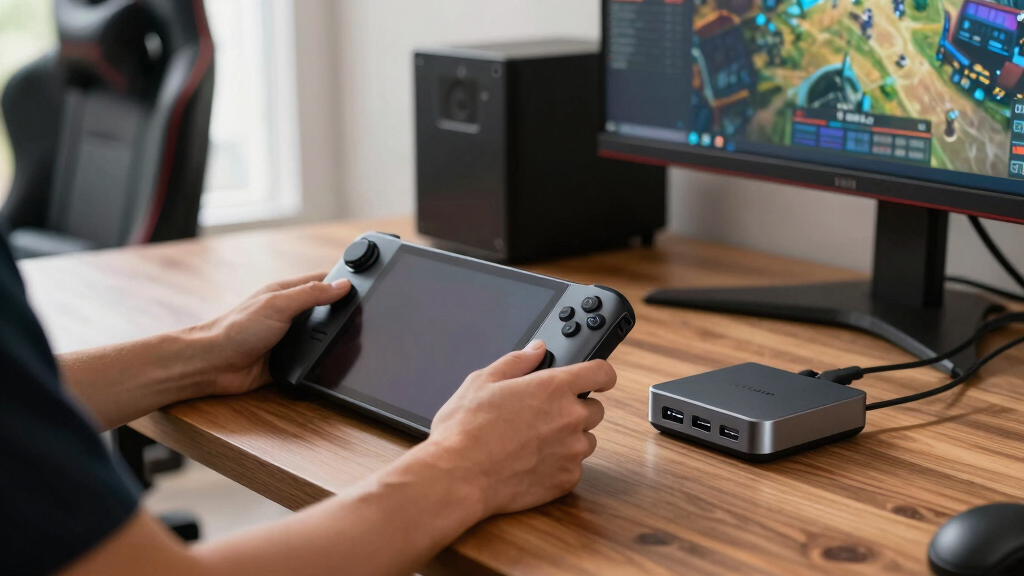
How We Picked
I ranked these docks around premium buyer outcomes, not spec-sheet length alone. Display output came first because a dock that caps out at 4K@60Hz serves a different buyer than one built around HDMI 2.1, 4K@120Hz, or 4K@144Hz. I then weighed USB bandwidth, Ethernet speed, 100W power delivery, stand design, handheld compatibility, and how cleanly each dock fits a desk or TV cabinet. Docks moved up when they combined high-refresh video with fast data and gigabit networking; they moved down when one weak link, such as 100Mbps Ethernet or USB 2.0, limited the premium feel. That is why BenQ, WAVLINK, iVANKY, and the stronger UGREEN and JSAUX HDMI 2.1 options sit above simpler 4K@60Hz hubs, even when those simpler hubs still make sense for some buyers.
I also gave weight to role clarity. A dock ranks higher when I can explain exactly why it belongs in a premium roundup: BenQ as the best overall balance, WAVLINK and iVANKY for high-refresh performance, Razer for the most polished desk presence, Baseus for value, Anker for simple setup, and UGREEN 9-in-1 for expansion. I was less generous with products that ask buyers to accept slower networking or older USB speeds unless they also bring a lower price or a very clear use case. My final order favors fewer bottlenecks, better upgrade room, and a clearer match between the dock and the type of Steam Deck owner who should buy it.
Factors to Consider When Choosing Best Premium Steam Deck Docks
My buying guide starts from the same question I use for ranking: what will this dock actually change about the way a Steam Deck feels on a desk, monitor, or TV? The best premium Steam Deck docks are not the ones with the longest names; they are the ones where video output, USB speed, power delivery, and physical design match the buyer’s setup. A dock for a 4K TV is a different purchase than a dock for an external SSD, keyboard, mouse, and wired downloads. Use the sections below to narrow the list before paying extra for ports you may never use.
Match The HDMI Ceiling To Your Screen
I would start with your display’s real refresh rate, because that decides whether HDMI 2.1 is meaningful or just a nice label. A 4K@60Hz TV does not need the same dock as a 4K@120Hz gaming TV or high-refresh monitor. If your screen supports 120Hz or 144Hz, the BenQ GR10, WAVLINK, iVANKY, UGREEN 6-in-1, and JSAUX HB0603 make more sense than Baseus, Anker, or UGREEN 9-in-1. The catch is that the Steam Deck will not run every game at high frame rates on an external 4K display, so high-refresh support is often about lighter games, menus, desktop mode, and future handhelds too. Buyers who only want couch play at 1080p or 4K@60Hz can save money without losing much. I would pay more for HDMI 2.1 only when the screen and use case can actually benefit from it.
Do Not Treat Every USB Port As Equal
Port count can hide the bigger issue: USB generation. Three USB ports sound generous, but USB 2.0 is a poor match for fast external storage, capture devices, or accessory-heavy desktop play. WAVLINK stands out because its three 10Gbps USB 3.2 ports give it more room for high-bandwidth extras than JSAUX HB0602. UGREEN 9-in-1 also deserves attention here because its 10Gbps USB-A and USB-C ports pair well with SD and TF card slots. If your setup is only a controller dongle, keyboard, and mouse, faster USB may not change much. If you plan to move game files or use SSD storage, 10Gbps USB matters more than an extra slow port.
Pick Wired Networking By Use, Not Habit
Ethernet is easy to overlook because every dock with a network jack can sound similar. For large downloads, remote play, cloud saves, and lower-latency multiplayer, gigabit Ethernet is the premium baseline I would want. That favors Baseus, WAVLINK, UGREEN, JSAUX HB0603, Razer, and iVANKY over the JSAUX HB0602, which lists 100Mbps Ethernet. The slower port can still work for basic online play, but it will feel out of place next to HDMI 2.1 branding. If the Steam Deck lives near a router or TV cabinet, wired speed is one of the easiest upgrades to feel. If you mostly play offline in handheld mode, network speed should fall behind display, charging, and stand design.
Check Charging Headroom And Cable Layout
Most of these premium docks advertise 100W power delivery input, but that does not mean the Steam Deck needs 100W by itself. The extra headroom helps because the dock, USB accessories, and other handheld PCs share the incoming power budget. If you may also connect a ROG Ally X, Legion Go, or MSI Claw, I would avoid buying a dock that feels narrowly built around one device. Cable angle and port placement matter as much as wattage, since a stiff USB-C lead can make a desk setup awkward. A dock with a stable stand, short cable path, and rear-facing ports usually feels cleaner under a monitor than a loose hub. For buyers who swap devices often, 100W PD plus broad handheld support is the safer premium combination.
Choose A Stand Style That Fits Your Desk
The dock’s shape changes how the Steam Deck fits into daily use, and this is where Baseus and UGREEN 9-in-1 separate themselves from fixed block-style docks. An adjustable or foldable stand helps if you switch between desk play, travel, and storage, while a heavier fixed dock can look cleaner in a permanent TV setup. Razer’s appeal is different: it is less about a built-in card-reader setup and more about a polished hub that can sit beside phones, tablets, and handhelds. BenQ and the performance-focused docks make more sense when the priority is video output and reliable cabling rather than bag-friendly folding. The mistake I would avoid is paying for a compact dock and then leaving it permanently buried under a TV, where portability has no value. Choose form factor based on where the dock will live most of the week.
Know When Paying More Makes Sense
I would pay a premium when the dock removes a real bottleneck, not just because the chassis looks nicer. High-refresh HDMI, 10Gbps USB, gigabit Ethernet, and a stable stand are the upgrades most likely to change daily use. Razer is the exception in this list because its value is tied partly to design polish and Chroma lighting rather than raw spec dominance. Baseus is the smarter value buy when 4K@60Hz is enough, while WAVLINK and iVANKY justify the spend for monitors that can show 144Hz. JSAUX HB0602 is the reminder that an HDMI 2.1 label cannot carry a dock if Ethernet and USB are cut back too far. The right premium pick is the one where the extra cost matches your actual bottleneck.
Frequently Asked Questions
Do I Need HDMI 2.1 For A Steam Deck Dock?
You do not need HDMI 2.1 if your display tops out at 1080p or 4K@60Hz. For that setup, Baseus, Anker, and UGREEN 9-in-1 can make more sense because they focus on practical docking rather than maximum video headroom. HDMI 2.1 becomes more useful with a 4K@120Hz TV, a high-refresh monitor, or another handheld that can push higher frame rates. I would treat it as upgrade room, not a magic performance boost for every Steam Deck game. If the dock will stay with one basic TV, a less expensive 4K@60Hz model is usually enough.
Which Dock Is Best For A 4K 120Hz Or 144Hz Monitor?
For a high-refresh display, I would start with BenQ GR10, WAVLINK, iVANKY, UGREEN 6-in-1, and JSAUX HB0603. BenQ is my best overall pick because it has the cleanest premium positioning around HDMI 2.1, while WAVLINK and iVANKY are stronger if 4K@144Hz is the spec you care about most. UGREEN 6-in-1 and JSAUX HB0603 are good alternatives when 4K@120Hz is enough and you still want gigabit Ethernet. I would skip the JSAUX HB0602 for this buyer unless the lower price matters more than fast wired networking and USB speed. High-refresh buyers should treat display output plus data speed as a package, not separate boxes.
Is The Razer Handheld Dock Chroma Worth Paying Extra For?
Razer Handheld Dock Chroma makes sense if the dock is part of a polished desktop setup and you value RGB lighting, brand design, and broad device support. It is less compelling if you only want the most ports per dollar, because WAVLINK, iVANKY, and UGREEN 9-in-1 make stronger spec-per-price arguments. I would pick Razer for a visible desk, a multi-device gaming area, or a setup where the dock’s look matters alongside function. For a TV cabinet or hidden cable run, that premium styling loses much of its value. This is the best premium design pick, not the automatic performance winner.
Are Cheaper 5-In-1 Steam Deck Docks Still Worth Buying?
A cheaper 5-in-1 dock can still be a sensible buy, but it is harder to call it premium when obvious bottlenecks appear. The JSAUX HB0602 is the clearest example in this list: it offers HDMI 2.1 branding and 100W charging, yet its 100Mbps Ethernet and USB 2.0 ports hold it back. That may be acceptable for a simple TV setup with a controller and charger. It is a weak fit for buyers who want fast downloads, external SSD use, or a cleaner desktop replacement. I would choose it only when price matters more than expansion quality.
Should I Buy A Steam Deck Dock Or A General USB-C Hub?
A general USB-C hub can work, but a Steam Deck dock usually gives you a more stable place to rest the handheld and cleaner cable routing. That is why models like Baseus, UGREEN 9-in-1, and JSAUX’s stand-style docks feel more purpose-built than a loose travel hub. A generic hub may be fine if the Steam Deck stays flat on a table or you already own a stand. I would buy a dock-shaped model when the setup includes a monitor, wired Ethernet, power, and multiple peripherals every day. For portable use, a compact USB-C hub can still win, but it gives up the neatness that makes a real dock appealing.
Conclusion
If I had to choose one dock for most premium Steam Deck setups, I would buy the BenQ GR10 because it gives the strongest mix of modern HDMI focus, desk-ready intent, and upgrade room. For value, I would choose the Baseus 6-in-1 if 4K@60Hz is enough, or the JSAUX HB0603 if HDMI 2.1 and gigabit Ethernet matter more than saving every dollar. For beginners, Anker is the least fussy pick because its 6-in-1 layout is simple and familiar, while UGREEN 9-in-1 is better for buyers who want SD/TF card support and a foldable stand. For high-refresh monitors, WAVLINK and iVANKY are the targeted choices, with 4K@144Hz support and stronger expansion than slower hubs. For the best premium design, I would choose the Razer Handheld Dock Chroma, but I would skip it if raw bandwidth per dollar is the goal. My shortest decision path is this: BenQ for best overall, Baseus for value, Anker for beginners, Razer for design, WAVLINK or iVANKY for high-refresh screens, and UGREEN 9-in-1 for expansion.