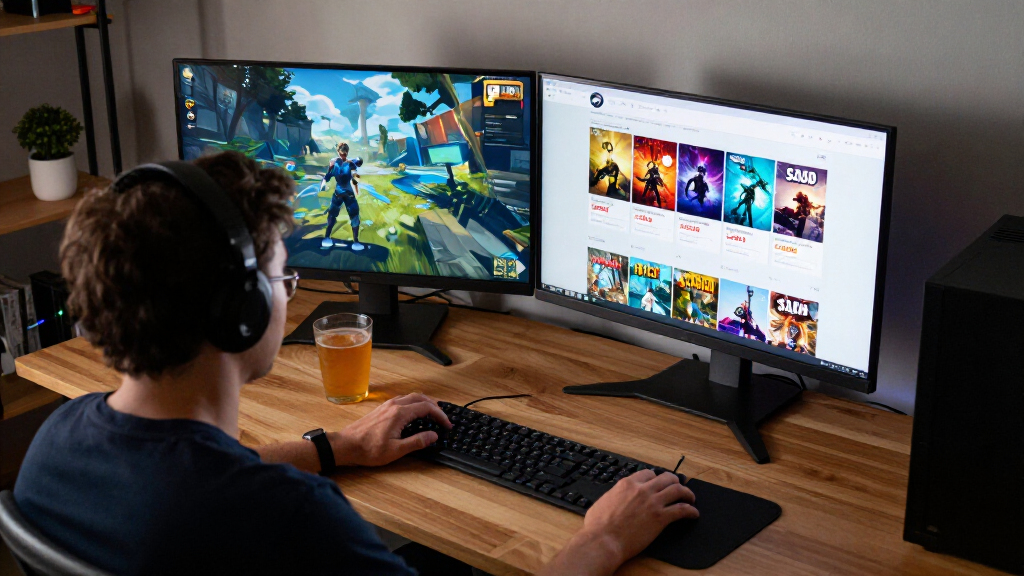

TL;DR
The listed deals range from PEAK at $4.95, down 38% from $7.99, to Mortal Shell II at $37.49, down 25% from $49.99. Those prices and offers are unverified for November 11, 2026, and Steam prices and sale timing can vary by region and change over time. Check each Steam store page and a price history before buying, especially if you play on Steam Deck.
A game marked down to $4.95 can still be the wrong buy if the sale has ended, the price differs in your country, or the game does not suit your setup. That’s why this Skeldrift briefing looks beyond the bright discount badge and asks what you actually get for your money.

Play games on Amazon Luna for your game nights, included with Prime
- A rotating selection of games, no download needed
- Play on TV, laptop or phone
- Fast, free delivery for your gear, too
The listed deals span co-op, action, strategy, horror, and simulation, from PEAK at $4.95 to Mortal Shell II at $37.49. Treat these as a shortlist to verify, not confirmed live offers: Steam discounts change frequently by region and time, and we can’t verify which offers are live on November 11, 2026.
You’ll find the listed prices, a few picks worth checking first, and practical steps for confirming the sale end date, price history, and Steam Deck status. The goal is simple: help you decide whether to buy now, wishlist a game, or wait for a better fit.
PEAK has the lowest supplied sale price at $4.95 and the largest listed discount at 38%, but its live status and price history need checking.
The listed prices use US dollars; your local Steam page may show a different price, currency, availability, or sale end time.
Compare price history and your interest in a game before treating a discount percentage as good value.
Steam Deck status, controller support, offline play, and performance can change; check current details for the platform you use.
Wishlist games you’re unsure about, and read Steam’s current refund rules before relying on a refund.
- PEAK — 38% off, now $4.95 (was $7.99)
- Booster Pack Heroes — 30% off, now $6.99 (was $9.99)
- Mortal Shell II — 25% off, now $37.49 (was $49.99)
- Never Sort By Color — 20% off, now $7.99 (was $9.99)
- Casualties: Unknown — 15% off, now $19.54 (was $22.99)
- Warhammer Survivors — 10% off, now $7.19 (was $7.99)
- Probably Stolen – Cyberpunk Shopkeeper Sim — 10% off, now $17.99 (was $19.99)
- DREADMOOR — 10% off, now $17.99 (was $19.99)
- Potato Please — 10% off, now $8.99 (was $9.99)
- Annihilated — 10% off, now $15.29 (was $16.99)
Prices via the Steam store (US), as of 2026-11-11. Discounts change frequently.
Start with these three deals across different budgets
The best Steam deals in this shortlist depend on your budget and the kind of evening you want: PEAK is the cheapest listed pick at $4.95, Warhammer Survivors costs $7.19, and Mortal Shell II is the premium option at $37.49. These are supplied prices, not verified live offers, so check each store page before you open your wallet.
PEAK has the largest listed discount, 38% off its usual $7.99 price. Its low entry price makes it an easy candidate to investigate if you want a modest spend, but a percentage alone says nothing about whether its multiplayer style suits your group. For a friend who regularly gathers a few people for a quick session, a low-cost co-op game could earn its place faster than a pricier solo adventure.
Warhammer Survivors is listed at $7.19, down 10% from $7.99. The markdown is smaller, but the final cost stays under eight dollars; that may matter more to a player who enjoys action runs than the discount badge does. Mortal Shell II, by contrast, saves $12.50 from a $49.99 list price. If you already want that game, the dollar saving is concrete. If you’re unsure, $37.49 is still a substantial purchase.
- Lowest listed price: PEAK, $4.95.
- Small-budget action pick: Warhammer Survivors, $7.19.
- Biggest listed dollar saving: Mortal Shell II, $12.50 off.
Think of the three like seats at different tables: the right one depends on who’s playing and what you want to spend. Confirm the game’s genre, multiplayer options, and current price before you decide.
Popular right now

iRobot Roomba 105 Robot Vacuum with LiDAR Navigation

De'Longhi La Specialista Touch Semi-Automatic Espresso Machine with Grinder

Ninja Foodi 7-Qt MegaZone FlexBasket Air Fryer, 6-in-1, Black, DZ071
As an affiliate, we earn on qualifying purchases.
Compare all 10 listed prices before you pick
The listed Steam deal prices run from $4.95 to $37.49, but the biggest percentage discount does not automatically make a game the strongest value. This table records the supplied original and sale prices so you can compare actual costs; it does not confirm that the discounts remain live or apply in your region.
| Game | Listed sale price | Listed discount | Listed usual price |
|---|---|---|---|
| PEAK | $4.95 | 38% | $7.99 |
| Booster Pack Heroes | $6.99 | 30% | $9.99 |
| Mortal Shell II | $37.49 | 25% | $49.99 |
| Never Sort By Color | $7.99 | 20% | $9.99 |
| Casualties: Unknown | $19.54 | 15% | $22.99 |
| Warhammer Survivors | $7.19 | 10% | $7.99 |
| Probably Stolen – Cyberpunk Shopkeeper Sim | $17.99 | 10% | $19.99 |
| DREADMOOR | $17.99 | 10% | $19.99 |
| Potato Please | $8.99 | 10% | $9.99 |
| Annihilated | $15.29 | 10% | $16.99 |
A table helps you spot the tradeoff quickly. Booster Pack Heroes is listed at $6.99 after 30% off, while Warhammer Survivors costs $7.19 after only 10% off. For a player choosing between them, a two-dollar difference from their listed usual prices may matter less than which game they’ll actually play. The sale price is the amount leaving your budget today; the discount percentage mainly describes how it compares with the reference price. Neither tells you how much enjoyment or playtime you will get.
Check current store listings for each game’s genre, single-player or multiplayer focus, approximate playtime, and Early Access status. Those details are not established by the price list alone. They affect the value calculation: a short game you finish and enjoy may be a better fit than a longer one that goes untouched, while a multiplayer title can depend on friends being available. If you usually play in short bursts on a handheld, a game that fits a ten-minute break may suit you better than a long session—even if the longer game shows a larger discount.
Check price history before trusting a discount badge
A Steam discount tells you how a sale price compares with a displayed usual price; a price history helps you judge whether that sale price is unusual. A 38% cut can look bold, while a smaller discount may still beat the price you have seen before. Without verified history, none of these ten listings should be called an all-time low.
Say you’re eyeing Never Sort By Color at the listed $7.99, down 20% from $9.99. If you have wanted it for months and a price tracker shows previous sales stopped at $8.49, today’s listed amount would be a better deal than those earlier drops—if it is live and the history is accurate for your region. If it often fell to $5.99, you might prefer to add it to your wishlist and wait.
Use this quick check before buying:
- Open the game’s Steam store page and confirm the current price and discount in your account’s region.
- Review a price-history tool for past sale prices and dates. Check that it tracks the same country or currency where possible.
- Compare the saving with your interest: would you still want the game at full price, or are you reacting to the badge?
- Wishlist it if the offer isn’t compelling; Steam can notify you when a wishlisted game goes on sale.
The list price is a reference point, not a promise of value. A $12.50 saving on Mortal Shell II sounds substantial, but a player who is unsure about the game saves more by waiting than by buying something they won’t launch. Price history gives you context; your own backlog supplies the final reality check.
Confirm the sale end time and your local price
Steam deals can change frequently by region and time, so the date in this briefing does not confirm that an offer will still be live when you read it. We can’t verify which offers are live on November 11, 2026, or reliably name an end date for any game in this list. Check the game’s store page on the day you plan to buy.
Look for the displayed sale end date and time on that page, then read it in your local time zone if Steam provides that information. A sale closing late at night in one region may already have ended elsewhere. For example, if you plan to buy DREADMOOR after work, don’t rely on a screenshot showing $17.99; refresh the page and confirm that the discount still appears in your own currency.
Regional pricing can also change the number you see. The supplied prices use US dollars, but your checkout may show another currency or a different local amount. Taxes, bundles, and availability can affect the total too, so check the final price before placing an order. A game that appears to save $2 in one market may show a much smaller saving—or no active discount—in another.
Before you buy: confirm the price, sale end time, currency, and any bundle requirements on the current Steam page. The listed discount is a useful lead; the live store page is the purchase-day check.
If you’re on the fence, wishlist the game instead of racing a countdown. A notification gives you another chance to evaluate the offer when it returns, and you avoid turning a fuzzy deadline into a rushed decision.
Make a separate Steam Deck check before you buy
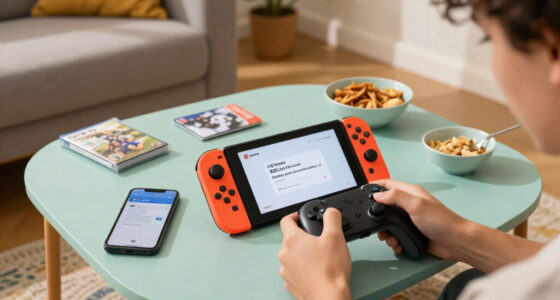
A PC discount does not tell you whether a game will feel good on Steam Deck. Before buying a handheld game, check its Steam Deck compatibility status, controller support, text readability, and any connection requirements on the current store page. Those details are not confirmed for the ten listed titles here.
Imagine you’re planning a train ride with patchy Wi-Fi and a small screen. A game with tiny menu text or a launcher that expects a mouse can turn a cheap purchase into a frustrating hour of tapping. A clear controller layout and readable interface matter more in that moment than whether the discount is 10% or 38%.
Steam Deck status can change as developers update a game or Valve revises its rating. Treat a status label as a useful snapshot, not a permanent guarantee. Check recent player reports alongside the store label, especially if performance matters to you. Battery life, resolution, frame rate, and game updates can all affect how a title runs on your particular device.
- Check the current Deck rating on the game’s Steam page.
- Look for controller support and readable text in recent reviews or screenshots.
- Confirm offline play if you expect to play away from a reliable connection.
- Review recent reports for problems after updates or on the Deck specifically.
For a couch session, a title that works well with a controller may be an easy fit; for a commute, offline support can decide the purchase. Don’t assume a verified label or performance claim applies to every version forever—check the current status on your platform.
Choose by the game you’ll play, not the biggest markdown
The right deal is the game you’ll actually open, at a price you’re comfortable paying. A 10% discount on something that fits your taste may be better value than a 38% discount on a title that sits untouched in your library. The supplied list includes several price points, but it does not provide verified playtime, detailed genres, or player counts for every game.
Start by matching a title to a real moment. If you want a low-cost game to try with friends, investigate PEAK at its listed $4.95 and confirm its multiplayer setup. If you want a short action session, look up Warhammer Survivors at $7.19. If you’re ready to spend more on Mortal Shell II, first check its current reviews, system requirements, and whether its style is what you want to play next.
Genre labels and screenshots can help, but a few recent player reviews often reveal practical details: whether a game has a smooth controller experience, how long a typical run lasts, or whether Early Access means features are still changing. Read reviews from players using the platform you own. A PC player’s performance report may not tell a Steam Deck owner much.
For example, someone with three unfinished action games may get more joy from a small puzzle or co-op purchase than another discounted combat game. That choice won’t produce the biggest headline percentage. It can produce the best evening. Check the store page for the game’s current genre, mode, playtime clues, and Early Access status rather than guessing from its title.
Age ratings also vary by game and region. If you’re buying for a younger player or a shared family PC, check the rating shown for your country and the game’s content details before checkout. A sale badge won’t tell you whether a title suits the person who will play it.
Use wishlists and refunds to keep the decision low-pressure
Steam’s wishlist is useful when a deal looks interesting but doesn’t quite earn an immediate purchase. Add the game, wait for a sale notification, then compare the new price with its history and your available time. This works well for a title such as Casualties: Unknown, listed at $19.54 after 15% off: if you’re unsure, a wishlist gives you room to decide without treating today’s listing as your only chance.
Check Steam’s current refund policy before relying on a refund as your safety net. Eligibility and timing rules apply, and a refund is not a substitute for checking system requirements or whether a game suits you. If you buy a title and it fails to run well, stop playing and review the current policy promptly rather than assuming every purchase qualifies.
Bundles and editions deserve their own check. Confirm whether a price covers the base game, a bundle, or downloadable content, and whether you need another product to use it. The listed deals don’t identify edition requirements, so read the product description before checkout. A discounted add-on can look like a bargain while leaving out the game it depends on.
A practical example: you spot Potato Please for $8.99, but you’re not sure you’ll play it. Wishlist it, check the current store page for platform and edition details, and revisit the price history when Steam sends an alert. If the price is still appealing and the game fits your next free evening, buy it then. If not, your money stays available for a game you’re more excited to launch.
Frequently Asked Questions
Are these Steam deals confirmed live on November 11, 2026?
No. The listed prices and discounts are unverified for that date, and Steam offers can change by region and time. Open each game’s current store page before buying to confirm the price and whether the offer is still active.
Is any game here at its all-time low?
The supplied deal list does not include verified price history, so none of the discounts can be confirmed as an all-time low. Compare a price-history chart for your region with the live Steam price; the displayed percentage alone cannot answer that question.
When do the listed offers end?
No sale end dates are confirmed here. Check the current store page for the end time and account for your local time zone, since the displayed timing can vary by region.
Will I pay the same price in my country?
Not necessarily. The listed amounts are in US dollars, while Steam pricing, discounts, and availability can vary by region. Check the price shown in your account and confirm the checkout total before placing the order.
Will these games run well on Steam Deck?
The deal list does not confirm Steam Deck compatibility or performance for any title. Check each current store page’s Deck status, then look for recent reports about controller support, readability, offline play, and performance on the device.
Should I buy now or wait for another Steam sale?
Buy now if the current verified price fits your budget and you expect to play the game soon. If you’re uncertain, add it to your wishlist and use a price-history tool to compare future offers; a discount is only useful when the game is worth playing for you.
Conclusion
Use these ten listings as a shortlist to verify, not a reason to rush. Check the live Steam page, compare its regional price with price history, and pick the game that matches the time and setup you have.
A good deal should leave you looking forward to your next session—not staring at another icon in an untouched library.