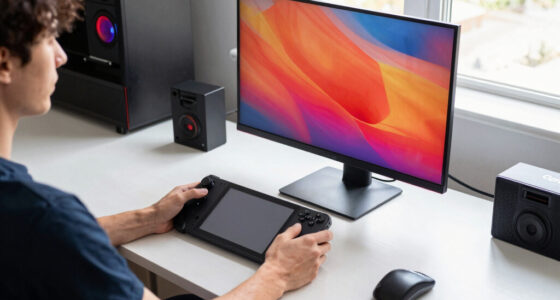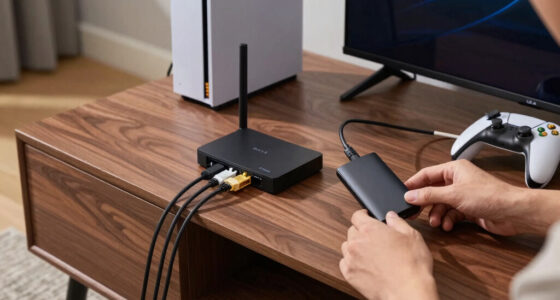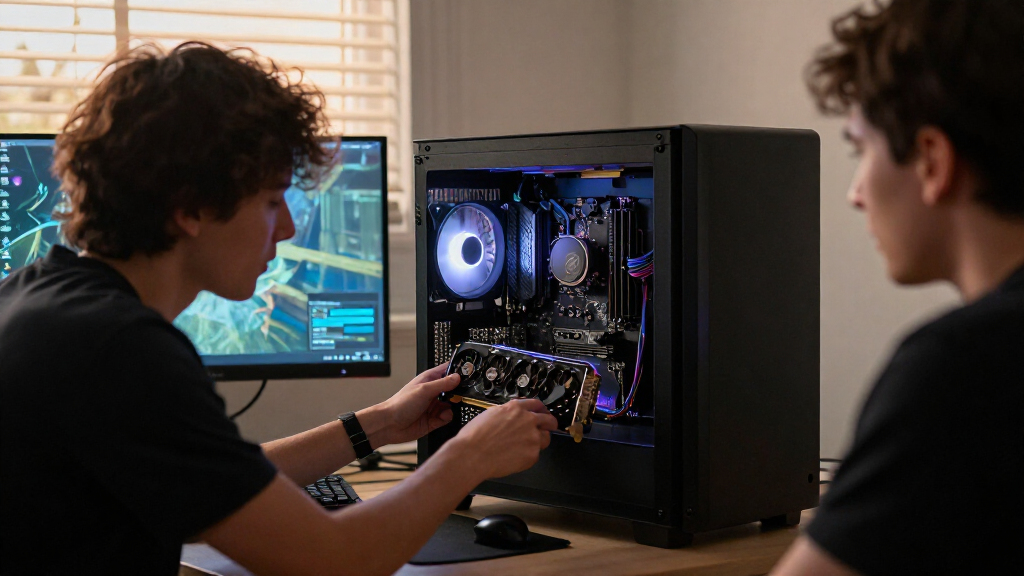

The best PCIe Gen devices depend on whether you need a single SSD or a card that adds several NVMe drives. I rank the Samsung 990 PRO 2TB as the best overall balance for a fast, roomy PCIe 4.0 setup, while the Samsung 9100 PRO stands out for buyers with a PCIe 5.0 system and the ASUS Hyper M.2 x16 Gen5 Card for multi-drive builds. The main tradeoffs are generation compatibility, real system support, cooling, capacity, and whether an expansion card can use all its slots at once. A newer generation does not automatically make sense if your motherboard or workload cannot take advantage of it. Continue reading for the full breakdown and help matching a device to your setup.

Play games on Amazon Luna for your game nights, included with Prime
- A rotating selection of games, no download needed
- Play on TV, laptop or phone
- Fast, free delivery for your gear, too
Complete the kit



Key Takeaways
- The 990 PRO 2TB is the most balanced single-drive pick: it pairs PCIe 4.0 performance with useful capacity, while the 9100 PRO is a better fit when a compatible PCIe 5.0 platform is the priority.
- Expansion cards solve a different problem from SSDs: the ASUS and HighPoint cards target multi-drive installations, while the LinksTek card offers a PCIe 3.0-based route to adding four M.2 drives.
- Generation labels are not a guarantee of system speed: a PCIe 5.0 SSD or card needs suitable motherboard slots, lane allocation, and firmware support to deliver its intended benefit.
- Cooling and included heatsinks distinguish several Gen 4 options: the FANXIANG S880ER and Lexar NM790 include heatsinks, while case airflow and motherboard clearance still matter.
- Capacity and use case separate the single-drive choices: the Patriot P320 is a Gen 3 512GB option, while 1TB and 2TB models offer more room for larger libraries and sustained workloads.
| Patriot P320 512GB PCIe Gen 3 x4 M.2 2280 SSD |  | Best Entry-Level PCIe Gen 3 SSD | Capacity: 512GB | Interface: PCIe Gen 3 x4 | Form factor: M.2 2280 | VIEW LATEST PRICE | See Our Full Breakdown |
| ASUS Hyper M.2 x16 Gen5 Card for Four NVMe SSDs |  | Best for Four-Drive Expansion | Interface: PCIe x16 | PCIe compatibility: PCIe 5.0 and PCIe 4.0 | Supported drives: Up to four M.2 NVMe SSDs | VIEW LATEST PRICE | See Our Full Breakdown |
| Samsung 990 1TB PCIe 4.0 NVMe Internal SSD |  | Best for Fast Everyday PCIe 4.0 Storage | Storage capacity: 1TB | Interface: PCIe x4 | PCIe standard: PCI Express 4.0 | VIEW LATEST PRICE | See Our Full Breakdown |
| HighPoint Rocket 1604L PCIe Gen5 x16 4-Port M.2 NVMe Add-In Card |  | Best Compact Gen 5 Server Expansion Card | Interface: PCIe 5.0 x16 | Ports: 4 x M.2, dedicated x4 lanes per port | Supported drive sizes: 2242, 2260, 2280 | VIEW LATEST PRICE | See Our Full Breakdown |
| Samsung 990 EVO 2TB M.2 NVMe SSD |  | Best High-Capacity PCIe 4.0/5.0 Pick | Capacity: 2TB | Form factor: M.2 2280 | Interface: PCIe 4.0 x4, PCIe 5.0 x2 | VIEW LATEST PRICE | See Our Full Breakdown |
| Samsung 990 PRO 2TB PCIe 4.0 M.2 2280 SSD |  | Best Overall | Capacity: 2 TB | Interface: PCIe 4.0 x4 | Form factor: M.2 2280 | VIEW LATEST PRICE | See Our Full Breakdown |
| WD_BLACK SN7100 1TB NVMe SSD, PCIe Gen4 M.2 2280 |  | Best for Laptops and Handheld Gaming | Capacity: 1 TB | Interface: PCIe Gen4 NVMe | Form factor: M.2 2280 | VIEW LATEST PRICE | See Our Full Breakdown |
| FANXIANG S880ER 1TB PCIe 4.0 NVMe M.2 SSD with Heatsink |  | Best for PS5 Cooling on a Budget | Capacity: 1 TB | Interface: PCIe Gen 4 x4 | Protocol: NVMe 2.0 | VIEW LATEST PRICE | See Our Full Breakdown |
| Lexar NM790 1TB NVMe SSD with Heatsink, PCIe Gen 4×4, M.2 2280 |  | Best Heatsink-Equipped All-Rounder | Capacity: 1 TB | Interface: NVMe, PCIe Gen 4×4 | Form factor: M.2 2280 | VIEW LATEST PRICE | See Our Full Breakdown |
| Crucial P310 1TB PCIe Gen4 NVMe M.2 2280 SSD |  | Best for Straightforward Upgrades | Capacity: 1 TB | Interface: PCIe Gen4 x4 NVMe | Form factor: M.2 2280 | VIEW LATEST PRICE | See Our Full Breakdown |
| LinksTek PCIe 3.0 x4 to 4-Port NVMe M.2 SSD Expansion Card |  | Best for Four-Drive Expansion Without Bifurcation | Host interface: PCIe 3.0 x4 | M.2 slots: 4x NVMe M.2 Key-M | PCIe switch: Broadcom PLX PEX8747 | VIEW LATEST PRICE | See Our Full Breakdown |
| Samsung 9100 PRO 2TB PCIe 5.0 M.2 2280 NVMe SSD |  | Best for PCIe 5.0 Performance | Capacity: 2TB | Interface: PCIe 5.0 x4 | Form factor: M.2 2280 | VIEW LATEST PRICE | See Our Full Breakdown |
| PCIe Gen device | Interface | Form factor | Capacity | Sequential read speed |
|---|---|---|---|---|
| Patriot P320 512GB PCIe Gen 3 | PCIe Gen 3 x4 | M.2 2280 | 512GB | Up to 3,000MB/s (CDM) |
| ASUS Hyper M.2 x16 Gen5 Card f | PCIe x16 | — | — | — |
| Samsung 990 1TB PCIe 4.0 NVMe | PCIe x4 | M.2 | — | Up to 7,150MB/s |
| HighPoint Rocket 1604L PCIe Ge | PCIe 5.0 x16 | — | — | — |
| Samsung 990 EVO 2TB M.2 NVMe S | PCIe 4.0 x4, PCIe 5.0 x2 | M.2 2280 | 2TB | Up to 5,000MB/s |
| Samsung 990 PRO 2TB PCIe 4.0 M | PCIe 4.0 x4 | M.2 2280 | 2 TB | Up to 7,450 MB/s |
| WD_BLACK SN7100 1TB NVMe SSD | PCIe Gen4 NVMe | M.2 2280 | 1 TB | — |
| FANXIANG S880ER 1TB PCIe 4.0 N | PCIe Gen 4 x4 | M.2 2280 | 1 TB | Up to 7,000 MB/s |
| Lexar NM790 1TB NVMe SSD with | NVMe, PCIe Gen 4×4 | M.2 2280 | 1 TB | — |
| Crucial P310 1TB PCIe Gen4 NVM | PCIe Gen4 x4 NVMe | M.2 2280 | 1 TB | Up to 7,100 MB/s |
| LinksTek PCIe 3.0 x4 to 4-Port | — | — | — | — |
| Samsung 9100 PRO 2TB PCIe 5.0 | PCIe 5.0 x4 | M.2 2280 | 2TB | Up to 14,700 MB/s |
More Details on Our Top Picks
Patriot P320 512GB PCIe Gen 3 x4 M.2 2280 SSD
The Patriot P320 is the straightforward pick for a system that needs an M.2 NVMe upgrade without requiring newer PCIe hardware. Its PCIe Gen 3 x4 interface reaches sequential speeds up to 3,000MB/s read and 2,200MB/s write, a clear step up from slower storage while remaining a generation behind the PCIe 4.0 Samsung 990 EVO. The main compromise is capacity: 512GB can suit an operating system, applications, and a modest game library, but fills faster than the 1TB and 2TB drives elsewhere in this roundup. Its M.2 2280 format is common, though buyers still need to check their device’s slot and operating-system compatibility. Choose it for a basic Gen 3 system; skip it if you want more room or newer-generation bandwidth.
Pros:- PCIe Gen 3 x4 and NVMe 1.3 support
- Sequential read speeds up to 3,000MB/s
- Sequential write speeds up to 2,200MB/s
- M.2 2280 form factor fits many compatible systems
Cons:- 512GB capacity leaves less room than the 1TB and 2TB options in this roundup
- PCIe Gen 3 interface is older than the Gen 4 Samsung 990 EVO
- Listed operating-system support is limited to Windows
Best for: Desktop or laptop owners with a compatible M.2 2280 PCIe Gen 3 slot who want a modest-capacity NVMe drive for an OS and everyday applications.
Not ideal for: Buyers storing a large game or media library, or anyone with a Gen 4 or Gen 5 system seeking the faster interface speeds available from the Samsung 990 EVO or other newer-generation drives.
- Capacity:512GB
- Interface:PCIe Gen 3 x4
- Form factor:M.2 2280
- Protocol:NVMe 1.3
- Sequential read speed:Up to 3,000MB/s (CDM)
- Sequential write speed:Up to 2,200MB/s (CDM)
- Operating system support:Windows
Our verdict“Choose the P320 for a compatible Gen 3 system and a basic 512GB NVMe upgrade, but pick a larger Gen 4 drive for more capacity or newer-interface performance.”
ASUS Hyper M.2 x16 Gen5 Card for Four NVMe SSDs
The ASUS Hyper M.2 x16 Gen5 Card turns one compatible PCIe x16 slot into a mount for up to four M.2 NVMe drives, making it a different kind of PCIe Gen device from the single-drive SSDs in this roundup. Support for PCIe 5.0 and 4.0, several M.2 lengths, and RAID on AMD and Intel platforms suits storage-heavy builds that need multiple drives in one card. Its heatsink, thermal pads, and active fan address heat across the installed drives, though that adds a moving part and the card needs a 6-pin PCIe power connection. Compared with the HighPoint Rocket 1604L, this card lists broader M.2 size support, including 22110, while the Rocket is positioned for compact server use. Check motherboard lane and slot compatibility before buying.
Pros:- Supports up to four M.2 NVMe SSDs
- Compatible with PCIe 5.0 and PCIe 4.0
- Supports 2242, 2260, 2280, and 22110 M.2 drives
- Heatsink, thermal pads, active fan, and RAID support for AMD and Intel platforms
Cons:- Requires a compatible PCIe x16 slot and a 6-pin PCIe power connection
- Active fan adds a moving component to the cooling system
- The expansion-card design is unnecessary for users adding only one drive
Best for: Workstation builders with a compatible PCIe x16 slot who need to add several NVMe drives for storage pools or RAID configurations.
Not ideal for: Laptop owners, compact PC builders without a suitable x16 slot, or users who only need one M.2 drive and do not want an actively cooled expansion card.
- Interface:PCIe x16
- PCIe compatibility:PCIe 5.0 and PCIe 4.0
- Supported drives:Up to four M.2 NVMe SSDs
- Supported M.2 sizes:2242, 2260, 2280, 22110
- Maximum combined bandwidth:512 Gbps
- Power connector:1 x 6-pin PCIe
- Cooling:Heatsink, top and bottom thermal pads, active fan
- RAID support:AMD and Intel platforms
- Warranty:3 years
Our verdict“Pick the ASUS card when a workstation needs up to four NVMe drives in one PCIe x16 slot; a single M.2 SSD is simpler for ordinary upgrades.”
Samsung 990 1TB PCIe 4.0 NVMe Internal SSD
The Samsung 990 1TB is a balanced choice for a Gen 4 system where fast file transfers and responsive application or game loading matter more than maximum capacity. Its listed sequential speeds—up to 7,150MB/s read and 6,450MB/s write—put it ahead of the 2TB Samsung 990 EVO on stated throughput, while the EVO offers twice the capacity and supports PCIe 5.0 x2 as well as PCIe 4.0 x4. Hardware encryption, TRIM, and tools for drive health and firmware updates add useful management features, and desktop and laptop compatibility broadens its fit. This is still a single 1TB drive, and the stated performance can vary with system configuration and firmware. I’d favor it for speed-focused Gen 4 use, not for buyers who need the EVO’s extra room.
Pros:- Sequential read speeds up to 7,150MB/s
- Sequential write speeds up to 6,450MB/s
- Hardware encryption and TRIM support
- Drive-health monitoring and firmware-update tools
Cons:- 1TB capacity is half that of the Samsung 990 EVO 2TB
- Performance can vary with system hardware, configuration, and firmware
- Intelligent TurboWrite performance applies only within a specific transfer size
Best for: Desktop and laptop owners with a PCIe 4.0-compatible M.2 slot who prioritize high stated sequential speeds, drive-health tools, and hardware encryption over maximum capacity.
Not ideal for: Buyers needing 2TB on one drive, or owners of older systems unable to use its PCIe 4.0 interface.
- Storage capacity:1TB
- Interface:PCIe x4
- PCIe standard:PCI Express 4.0
- Form factor:M.2
- Sequential read speed:Up to 7,150MB/s
- Sequential write speed:Up to 6,450MB/s
- Random read IOPS:Up to 700K
- Random write IOPS:Up to 1,100K
- Features:Hardware encryption and TRIM support
Our verdict“Choose the Samsung 990 1TB for high stated Gen 4 speeds and drive-management features, or the 990 EVO if capacity matters more.”
HighPoint Rocket 1604L PCIe Gen5 x16 4-Port M.2 NVMe Add-In Card
The HighPoint Rocket 1604L is aimed at dense storage systems, not at someone adding a single SSD to a home PC. Its four dedicated x4 M.2 ports give each drive its own stated lane allocation, and the compact card targets high-density AI server platforms. Native compatibility across x86 Intel and AMD, ARM, and Windows, Linux, and macOS makes it more platform-flexible on paper than a narrowly targeted add-in card. Compared with the ASUS Hyper M.2 x16 Gen5 Card, the Rocket’s listed M.2 support stops at 2280 rather than extending to 22110, and the ASUS specifies active cooling and RAID support. The Rocket’s specialized Gen 5 x16 requirement and server focus make it excessive for many consumer builds; verify slot availability and drive-management needs before selecting it.
Pros:- Four M.2 ports with dedicated x4 lanes per port
- Compact design suited to high-density server builds
- Supports x86 Intel/AMD and ARM platforms
- Native support for Windows, Linux, and macOS
Cons:- Requires a PCIe Gen 5 x16 slot that older or consumer-grade motherboards may lack
- Supports M.2 sizes only through 2280, while the ASUS card also lists 22110
- Specialized server and AI focus can exceed ordinary consumer needs
Best for: AI and server builders with a PCIe Gen 5 x16 slot who need four M.2 NVMe connections in a compact card across x86 or ARM platforms.
Not ideal for: Mainstream desktop users adding one SSD, or owners of older motherboards without a PCIe Gen 5 x16 slot.
- Interface:PCIe 5.0 x16
- Ports:4 x M.2, dedicated x4 lanes per port
- Supported drive sizes:2242, 2260, 2280
- Compatibility:x86 Intel/AMD and ARM platforms
- Operating systems:Windows, Linux, macOS
- Weight:12.64 ounces
- Warranty:2 years
Our verdict“Choose the Rocket 1604L for compact, four-drive Gen 5 server expansion; a single M.2 SSD or the more broadly sized ASUS card may suit other builds better.”
Samsung 990 EVO 2TB M.2 NVMe SSD
The Samsung 990 EVO is the capacity-first choice among the single-drive SSDs here: its 2TB capacity leaves more room for large games and creative projects than the 1TB Samsung 990, while its listed read and write speeds reach 5,000MB/s and 4,200MB/s. It supports PCIe 4.0 x4 or PCIe 5.0 x2, giving it a fit across systems using either connection, though those link modes do not make it faster than the 990’s listed Gen 4 sequential speeds. Thermal control and Samsung Magician software add temperature management and drive-health tools. The tradeoff is straightforward: prioritize space and flexible PCIe support over peak throughput. Maximum performance depends on system configuration, and Intelligent Turbo Write behavior varies with transfer size and activation.
Pros:- 2TB capacity provides more storage than the 1TB Samsung 990
- Supports PCIe 4.0 x4 and PCIe 5.0 x2
- Thermal control helps manage drive temperatures
- Magician Software offers firmware updates and drive-health monitoring
Cons:- Listed sequential speeds are lower than the Samsung 990 1TB
- Maximum performance depends on system hardware and configuration
- Intelligent Turbo Write performance depends on transfer size and activation
Best for: PC and laptop owners who want a 2TB M.2 2280 drive for a large game library or creative files and need compatibility with PCIe 4.0 x4 or PCIe 5.0 x2.
Not ideal for: Buyers who prioritize the highest stated sequential speeds over capacity, such as those comparing it with the Samsung 990 1TB.
- Capacity:2TB
- Form factor:M.2 2280
- Interface:PCIe 4.0 x4, PCIe 5.0 x2
- Sequential read speed:Up to 5,000MB/s
- Sequential write speed:Up to 4,200MB/s
- Encryption:256-bit AES hardware encryption
- Installation type:Internal
- Compatible devices:Laptop, Mac, PC
Our verdict“Pick the 990 EVO when 2TB capacity and flexible PCIe support matter more than the higher stated speeds of the Samsung 990 1TB.”
Samsung 990 PRO 2TB PCIe 4.0 M.2 2280 SSD
The Samsung 990 PRO is the most balanced high-performance choice here: its 2TB capacity gives game libraries and work files more room than the 1TB options, while read speeds reach 7,450 MB/s. Its 6,900 MB/s write ceiling also exceeds the Lexar NM790’s listed 6,500 MB/s, making it a stronger fit for frequent large transfers on a compatible PCIe 4.0 system. Samsung specifies improved power efficiency per watt compared with the 980 PRO and a controller designed to manage heat. The tradeoff is that this version has no included heatsink, which matters for PS5 installation, and older PCIe generations cannot deliver its full speed. Choose it over the more capacity-focused Samsung 990 EVO when peak Gen4 performance is the priority.
Pros:- 2TB capacity is double that of the other reviewed 1TB drives.
- Up to 7,450 MB/s read and 6,900 MB/s write speeds.
- Controller is designed to manage heat and power use.
- Compatible with desktops, laptops, and PlayStation 5.
Cons:- Heatsink may need to be purchased separately for PS5 installation.
- Full performance requires a PCIe 4.0-capable system.
- Its high performance may be unnecessary for everyday workloads.
Best for: PC and PS5 owners who want a fast 2TB Gen4 drive for a large game library, demanding applications, and frequent file transfers.
Not ideal for: Buyers who need an included PS5 heatsink, use only a PCIe 3.0 system, or want the lowest-capacity-cost route to basic storage.
- Capacity:2 TB
- Interface:PCIe 4.0 x4
- Form factor:M.2 2280
- Sequential read speed:Up to 7,450 MB/s
- Sequential write speed:Up to 6,900 MB/s
- Compatible devices:Desktop, laptop
- Compatible console:PlayStation 5
- Weight:9.07 g
Our verdict“Choose the 990 PRO if you want a roomy, fast Gen4 SSD and can provide suitable cooling for your installation.”
WD_BLACK SN7100 1TB NVMe SSD, PCIe Gen4 M.2 2280
The WD_BLACK SN7100 suits compact gaming systems where power use and physical fit matter alongside speed. Its M.2 2280 drive is designed for laptops and handheld gaming devices, and its 7,250 MB/s read and 6,900 MB/s write figures put it close to the Samsung 990 PRO’s listed write speed. The key compromise is 1TB of capacity: the Samsung offers twice as much space, while the SN7100’s focus is a portable setup rather than a large desktop library. TLC 3D NAND and stated efficiency improvements over the previous generation support its laptop-oriented role. WD_BLACK Dashboard adds drive monitoring and optimization, but it is Windows-only, so it is less useful for owners who manage their systems through another operating system.
Pros:- Designed for laptops and handheld gaming devices.
- Up to 7,250 MB/s read and 6,900 MB/s write speeds.
- Uses TLC 3D NAND.
- WD_BLACK Dashboard for Windows provides drive monitoring and optimization.
Cons:- 1TB capacity is half the Samsung 990 PRO’s 2TB.
- WD_BLACK Dashboard is available for Windows only.
- Listed speed figures apply to the 1TB and 2TB models.
Best for: Laptop and handheld gaming owners who want a fast Gen4 M.2 drive and value a design aimed at portable systems.
Not ideal for: Buyers who need 2TB of storage, want an included heatsink, or rely on WD_BLACK Dashboard outside Windows.
- Capacity:1 TB
- Interface:PCIe Gen4 NVMe
- Form factor:M.2 2280
- Read speed:Up to 7,250 MB/s
- Write speed:Up to 6,900 MB/s
- NAND type:TLC 3D NAND
- Compatible devices:Desktop, handheld gaming console, laptop
- Software:WD_BLACK Dashboard for Windows
Our verdict“Pick the SN7100 for a portable Gen4 gaming system when its 1TB capacity and Windows software suit your setup.”
FANXIANG S880ER 1TB PCIe 4.0 NVMe M.2 SSD with Heatsink
The FANXIANG S880ER makes its case with an included heatsink and stated PS5 compatibility, avoiding the separate cooling accessory that may be needed with the Samsung 990 PRO. Its read speed reaches 7,000 MB/s, but its 3,900 MB/s write figure is well below the WD_BLACK SN7100 and Lexar NM790, so it is a better match for game loading and general use than repeated large writes. The drive uses PCIe Gen 4 x4 and NVMe 2.0, with 3D NAND and support for DirectStorage. That mix makes it a practical console-oriented option, but buyers should check the physical fit of the heatsink in their system. Mac OS is not supported, which is a sharper compatibility limit than the other drives reviewed here.
Pros:- Included heatsink helps manage heat during sustained gaming.
- Listed as compatible with PS5 and DirectStorage.
- Up to 7,000 MB/s sequential read speed.
- NVMe 2.0 and 3D NAND flash.
Cons:- 3,900 MB/s write speed is lower than the SN7100 and Lexar NM790 figures.
- Not compatible with Mac OS.
- Heatsink dimensions may affect fit in some devices.
Best for: PS5 owners and PC gamers seeking a 1TB Gen4 SSD with a heatsink already included for gaming workloads.
Not ideal for: Mac users, frequent large-file writers, or buyers whose system cannot accommodate the drive’s heatsink.
- Capacity:1 TB
- Interface:PCIe Gen 4 x4
- Protocol:NVMe 2.0
- Form factor:M.2 2280
- Sequential read speed:Up to 7,000 MB/s
- Sequential write speed:Up to 3,900 MB/s
- Cooling:Heatsink included
- Operating system limitation:Not compatible with Mac OS
Our verdict“Choose the S880ER if you want an included heatsink for PS5 or PC gaming and do not need fast sustained writes or Mac support.”
Lexar NM790 1TB NVMe SSD with Heatsink, PCIe Gen 4×4, M.2 2280
The Lexar NM790 combines strong Gen4 speeds with a heatsink and a single-sided layout, a useful pairing for installations where clearance matters. Its read speed of up to 7,400 MB/s nearly matches the Samsung 990 PRO’s 7,450 MB/s figure, while its 6,500 MB/s write speed is lower than both that drive and the WD_BLACK SN7100. Compared with the FANXIANG S880ER, the Lexar has a much higher listed write ceiling, making it the more compelling choice for larger transfers as well as game loading. Its HMB 3.0 and Dynamic SLC Cache provide cache support without onboard DRAM, which is a tradeoff for sustained workloads. A compatible PCIe Gen4 x4 slot is needed to reach the stated speeds.
Pros:- Up to 7,400 MB/s read and 6,500 MB/s write speeds.
- Heatsink is included for cooling.
- Single-sided design can help with clearance in compatible systems.
- Compatible with desktops, laptops, and PlayStation 5.
Cons:- Uses HMB rather than an onboard DRAM cache.
- Full stated speed requires a compatible PCIe Gen 4 x4 slot.
- 1TB capacity is limited for large game libraries.
Best for: PC and PS5 owners who want a fast 1TB Gen4 drive with an included heatsink and a single-sided design.
Not ideal for: Buyers who prioritize onboard DRAM or need more than 1TB; the Samsung 990 PRO offers twice the capacity.
- Capacity:1 TB
- Interface:NVMe, PCIe Gen 4×4
- Form factor:M.2 2280
- Read speed:Up to 7,400 MB/s
- Write speed:Up to 6,500 MB/s
- Endurance:1,000 TBW
- Cache technology:HMB 3.0, Dynamic SLC Cache
- Cooling:Heatsink
- Warranty:Five-year limited warranty
Our verdict“Choose the NM790 if you want a quick 1TB Gen4 drive with a heatsink and do not require onboard DRAM.”
Crucial P310 1TB PCIe Gen4 NVMe M.2 2280 SSD
The Crucial P310 is a straightforward Gen4 upgrade for buyers who want one fast M.2 drive for booting, games, and everyday files. Its read speed reaches 7,100 MB/s and write speed reaches 6,000 MB/s—below the Lexar NM790’s 7,400 and 6,500 MB/s figures, but still a strong specification for compatible systems. Unlike the Lexar and FANXIANG drives, the listed package does not include a heatsink, so cooling depends on the computer or console setup. The P310’s useful extra is an Acronis True Image software offer for cloning, backup, or data transfer, which can simplify replacing an existing drive. It also supports PCIe Gen3, though performance depends on the host system and select handheld compatibility is not universal.
Pros:- Up to 7,100 MB/s read and 6,000 MB/s write speeds.
- Acronis True Image offer supports cloning, backup, and data transfer.
- M.2 2280 drive is compatible with desktops, laptops, and select gaming consoles.
- Backward compatible with PCIe Gen3.
Cons:- Handheld console compatibility is limited to select models.
- Full Gen4 performance requires a compatible PCIe Gen4 system.
- No heatsink is listed as included.
Best for: PC upgraders moving to a 1TB Gen4 drive who want cloning and backup software and may install it in a PCIe Gen3 system.
Not ideal for: Buyers needing an included heatsink, 2TB capacity, or guaranteed compatibility across all handheld gaming consoles.
- Capacity:1 TB
- Interface:PCIe Gen4 x4 NVMe
- Form factor:M.2 2280
- Sequential read speed:Up to 7,100 MB/s
- Sequential write speed:Up to 6,000 MB/s
- Compatible devices:Desktop, laptop, workstation, and select gaming consoles
- Backward compatibility:PCIe Gen3
- Included software:Acronis True Image offer
Our verdict“Pick the P310 for an uncomplicated 1TB upgrade when its software offer and broad PC compatibility matter more than an included heatsink.”
LinksTek PCIe 3.0 x4 to 4-Port NVMe M.2 SSD Expansion Card
The LinksTek card is the lineup’s fit for a system that needs four NVMe drives on one PCIe 3.0 x4 slot, especially when the motherboard does not support PCIe bifurcation. Its Broadcom PLX PEX8747 switch handles the lane allocation, so installation is less dependent on motherboard-specific slot settings than the ASUS Hyper M.2 x16 Gen5 Card. That flexibility comes with a bandwidth ceiling: the card has 32 Gb/s total upstream, shared across the four drives, so it is better for added capacity, software RAID, or bootable storage than for running four drives at full speed at once. It supports UEFI boot and several M.2 lengths, but provides no hardware RAID. Plan for SSD cooling, and skip it if you need SATA M.2 support or a high-bandwidth PCIe 5.0 storage card.
Pros:- Connects four NVMe M.2 drives through one PCIe 3.0 x4 slot without bifurcation support
- Supports UEFI boot from NVMe drives as well as storage expansion
- Accepts M.2 lengths from 2230 through 22110
- Works with software RAID and a range of operating systems and hypervisors
Cons:- The 32 Gb/s upstream bandwidth is shared across all four drives
- Does not support M.2 Key-B SATA SSDs or hardware RAID
- Adequate chassis airflow or separate SSD heatsinks may be needed
Best for: Workstation and server owners who need to add up to four NVMe drives through a PCIe 3.0 x4 slot without motherboard bifurcation support.
Not ideal for: Buyers seeking maximum combined throughput from several fast SSDs, hardware RAID, SATA M.2 compatibility, or a PCIe 5.0 add-in card.
- Host interface:PCIe 3.0 x4
- M.2 slots:4x NVMe M.2 Key-M
- PCIe switch:Broadcom PLX PEX8747
- M.2 form factors:2230, 2242, 2260, 2280, 22110
- Upstream bandwidth:32 Gb/s total
- NVMe protocols:1.3, 1.4, 2.0
- RAID:Software RAID supported; no hardware RAID
- Boot support:UEFI (GPT) boot from NVMe SSDs
- Warranty:One year
Our verdict“Choose the LinksTek when four-drive NVMe capacity and bypassing motherboard bifurcation matter more than high shared bandwidth or hardware RAID.”
Samsung 9100 PRO 2TB PCIe 5.0 M.2 2280 NVMe SSD
The Samsung 9100 PRO is the clearest choice here for buyers with a PCIe 5.0 x4 M.2 slot who want a single drive built for demanding creative work, gaming, and heavy multitasking. Its stated sequential speeds—up to 14,700 MB/s read and 13,400 MB/s write—put it in a different performance tier from the PCIe 4.0 Samsung 990 PRO, but that advantage depends on a PCIe 5.0-capable system and workloads that can use the extra throughput. The 2TB capacity and high random IOPS also suit large projects and frequent access to many files. Samsung Magician adds firmware and drive-health tools. The tradeoff is platform dependence: in an older system, it cannot reach its advertised PCIe 5.0 speeds. Buyers installing it in a PS5 should also account for the separately sold heatsink requirement for suitable thermal performance.
Pros:- High stated sequential read and write speeds for demanding workloads
- 2TB capacity provides room for games, media, and active project files
- High random read and write IOPS suit multitasking and frequent file access
- Samsung Magician supports firmware updates, encryption, and drive-health monitoring
Cons:- Requires a PCIe 5.0-capable system to reach its advertised interface speeds
- A separately sold heatsink may be needed for suitable PS5 thermal performance
Best for: PC builders, gamers, and creative professionals with a PCIe 5.0 x4 M.2 slot who move large files or run storage-intensive workloads.
Not ideal for: Owners of PCIe 3.0 or 4.0 systems seeking a practical upgrade, or PS5 buyers who want a drive with an included heatsink.
- Capacity:2TB
- Interface:PCIe 5.0 x4
- Form factor:M.2 2280
- Sequential read speed:Up to 14,700 MB/s
- Sequential write speed:Up to 13,400 MB/s
- Random read:Up to 1,850K IOPS
- Random write:Up to 2,600K IOPS
- Controller:5nm
- Software:Samsung Magician
Our verdict“Pick the 9100 PRO for a PCIe 5.0 system and demanding storage work; choose the Samsung 990 PRO instead if your platform is PCIe 4.0.”
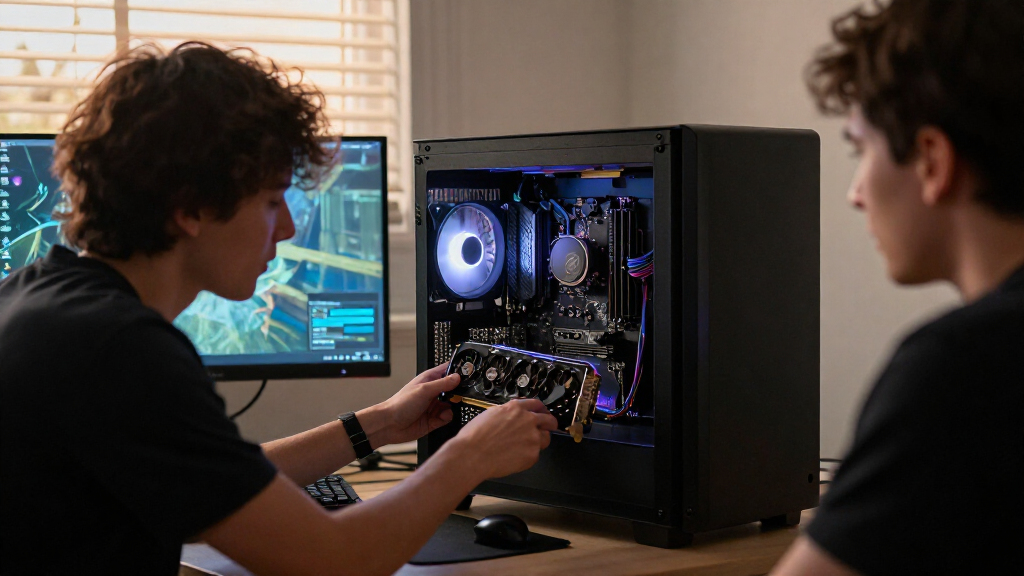
How We Picked
I compared these devices by the job they are designed to do: single-drive storage or multi-drive expansion. For SSDs, the ranking weighs PCIe generation, stated capacity, form factor, cooling provisions, and whether the feature set suits everyday upgrades, gaming libraries, or higher-performance builds. A newer generation earns a higher place only when the likely system benefit justifies the added platform requirements.
For expansion cards, I put compatibility and lane requirements ahead of slot count alone. A four-drive card can be a poor fit if a motherboard lacks the required PCIe lanes, bifurcation support, or cooling space. The order favors versatile choices first, then options aimed at narrower needs, such as a budget Gen 3 drive, a specific heatsink arrangement, or high-density NVMe expansion. Product claims alone do not establish performance in every computer, so buyers should verify motherboard and system support before choosing.
| PCIe Gen device | Form factor |
|---|---|
| Patriot P320 512GB PCIe Gen 3 | M.2 2280 |
| ASUS Hyper M.2 x16 Gen5 Card f | — |
| Samsung 990 1TB PCIe 4.0 NVMe | M.2 |
| HighPoint Rocket 1604L PCIe Ge | — |
| Samsung 990 EVO 2TB M.2 NVMe S | M.2 2280 |
| Samsung 990 PRO 2TB PCIe 4.0 M | M.2 2280 |
| WD_BLACK SN7100 1TB NVMe SSD | M.2 2280 |
| FANXIANG S880ER 1TB PCIe 4.0 N | M.2 2280 |
| Lexar NM790 1TB NVMe SSD with | M.2 2280 |
| Crucial P310 1TB PCIe Gen4 NVM | M.2 2280 |
| LinksTek PCIe 3.0 x4 to 4-Port | — |
| Samsung 9100 PRO 2TB PCIe 5.0 | M.2 2280 |
Factors to Consider When Choosing Best PCIe Gen Devices
Before choosing among these PCIe Gen devices, match the device to your system and workload rather than buying by generation number alone. The right decision often depends on lane sharing, thermals, capacity needs, and whether you are adding one drive or several.
Match the PCIe generation to your platform
Check the generation supported by the exact motherboard slot and processor combination, not just the motherboard product name. A PCIe 5.0 SSD can operate in a compatible lower-generation slot, but it will be limited by that connection. Paying for a newer drive makes more sense if you expect to move it to a newer system or run work that benefits from higher transfer rates. For routine desktop use, a well-matched Gen 4 model may be a more sensible choice than a Gen 5 drive. Also check whether installing the SSD changes the speed or availability of other slots. These details can matter more than the generation printed on the box.
Check lane sharing and bifurcation before buying an expansion card
A multi-M.2 card needs more than a physically compatible PCIe slot: the system must provide enough lanes and route them in a way the card can use. Some cards rely on PCIe bifurcation, a motherboard setting that splits lanes among multiple drives, while other designs may include their own controller approach. Look up the card’s requirements alongside the motherboard manual and confirm support for the number of drives you plan to install. Do not assume that four sockets mean four drives will work at full capability in every PC. A card can also use lanes that would otherwise serve a graphics card or another add-in device. If you only need one extra SSD, a simpler adapter or onboard M.2 slot may avoid this complexity.
Choose capacity around your real storage habits
Think about what will live on the drive and how often you want to manage free space. A 512GB drive can suit an operating system and a modest set of applications, but large games, media projects, and work files can fill it quickly. A 1TB model is a flexible middle ground; 2TB options reduce the need to move files or uninstall programs. Larger capacity can also help when a workload writes substantial data, though the exact benefit depends on the drive design. Avoid paying for space you will not use if the same budget could improve capacity elsewhere in your system. For multi-drive cards, plan the total capacity and backup approach before filling every slot.
Plan for heat, airflow, and physical clearance
Fast NVMe drives can produce heat under sustained transfers, and restricted airflow can affect their operating behavior. An included heatsink may simplify installation, but it can conflict with a motherboard’s M.2 cover, a graphics card, or a compact case. Check drive height and the space around the slot before ordering a heatsink-equipped model. Expansion cards add another thermal question because several drives may sit close together, sometimes behind a graphics card or in a low-airflow area. A short burst of file activity is different from long rendering, copying, or scratch-disk workloads. Prioritize cooling based on the way you use the drive, not the assumption that every installation needs the largest heatsink.
Compare sustained workloads, not only headline speed
Advertised maximum transfer rates describe ideal conditions and do not predict every task. Game loading, operating-system responsiveness, and small file operations may show less difference between generations than large sequential transfers. For video work, repeated backups, or other long writes, sustained behavior and thermal management deserve more attention. Check independent measurements for the exact capacity when available, since versions within one product family can differ. Consider the source and destination drives too: a fast SSD cannot maintain its peak transfer rate when another device or network is the bottleneck. Choose based on the work you actually do, rather than paying extra for a number your setup rarely reaches.
Account for installation, warranty, and data protection
Confirm the drive’s M.2 length and keying, then check whether your motherboard has a screw, standoff, or heatsink ready for it. Expansion cards may need a full-length slot, an open bracket position, and access to a fan header or power connection depending on their design. Before changing a system drive, plan how you will clone or reinstall the operating system and verify that the new device appears in firmware. Review the manufacturer’s warranty and support terms for the exact model and region rather than assuming every product family shares the same coverage. No SSD replaces a backup: keep another copy of important files on a separate device or service. That safeguard matters especially when several drives are combined in one workstation or card.
Frequently Asked Questions
Will a PCIe 5.0 SSD work in a PCIe 4.0 M.2 slot?
In many compatible systems, a PCIe 5.0 NVMe drive can run in a PCIe 4.0 slot, but the connection limits it to the lower generation’s capabilities. Check the motherboard manual for M.2 slot support, drive length, and any restrictions tied to the processor. A Gen 5 model may still make sense if you plan to reuse it in a newer system, but it may not justify its requirements for a Gen 4-only computer. Also confirm that the drive’s cooling arrangement fits the slot. Compatibility should be verified for the exact motherboard and drive rather than assumed from the connector shape.
Can a four-drive M.2 expansion card run all four SSDs on my motherboard?
Not automatically. The motherboard needs to provide enough PCIe lanes, and some cards require PCIe bifurcation support so the slot can split lanes among multiple drives. Check the expansion card documentation and motherboard manual for supported slot configuration, processor lane availability, and drive-count limits. A physical x16 connector does not prove that sixteen usable lanes are connected or that the system can address four SSDs through the card. Also account for space, airflow, and lanes shared with graphics or other expansion devices. If the system cannot meet those conditions, a card with several sockets may still support fewer drives than its layout suggests.
Should I choose a PCIe 4.0 SSD or pay for PCIe 5.0?
Choose based on your workload and platform rather than the generation label alone. PCIe 5.0 is most compelling when the computer supports it and your work involves transfers that can use higher sequential bandwidth. For everyday applications and many gaming tasks, a suitable PCIe 4.0 SSD may offer a better balance of capacity, cooling needs, and system fit. Gen 5 drives can demand more attention to heat and may not reach their full potential in older systems. If you expect a platform upgrade soon, a Gen 5 model can be a forward-looking purchase; otherwise, spend only when the workload supports it.
Is an SSD with an included heatsink a better choice than a bare M.2 drive?
An included heatsink can be convenient when the motherboard has no M.2 cover or the drive will face sustained heavy transfers. It is not automatically better if the motherboard already provides an effective heatsink, since two cooling covers may not fit together. Measure available space near the M.2 slot, especially under a graphics card or in a compact case. Also consider airflow: a heatsink cannot compensate for every poorly ventilated installation. For ordinary use, fit and compatibility may matter more than adding another cooling component.
Is a multi-drive expansion card worthwhile if I only need one more SSD?
Usually, start by checking whether your motherboard has a free M.2 slot or whether a simpler single-drive adapter will meet the need. A multi-drive card earns its place when the system supports its lane requirements and you plan to add several NVMe drives for storage or a specific workflow. It can otherwise add cost, installation work, cooling concerns, and possible lane conflicts without helping a single-drive setup. Check whether the card requires bifurcation and whether the intended slot remains available after installing a graphics card. For one additional SSD, a direct motherboard slot is often the less complicated route.
Conclusion
For most buyers building a capable single-drive setup, I recommend the Samsung 990 PRO 2TB as the best overall pick because it combines PCIe 4.0 support with room for a substantial library. The Patriot P320 512GB is the best value-oriented choice for a basic Gen 3 upgrade where modest capacity is enough, while the Samsung 9100 PRO 2TB is the premium pick for a compatible PCIe 5.0 platform. Beginners who want a straightforward M.2 drive should start with a single SSD such as the Crucial P310 and check slot fit before installation. For specific needs, choose the ASUS Hyper M.2 x16 Gen5 Card for a supported multi-drive Gen 5 build, the HighPoint Rocket 1604L for a four-port Gen 5 add-in option, or the LinksTek card when a PCIe 3.0 expansion route fits the system. If your main concern is cooling, compare the heatsink-equipped FANXIANG S880ER and Lexar NM790 against your motherboard’s cover and case clearance before deciding.
Evergreen bestsellers Picks

KitchenAid Classic Series 4.5-Quart Tilt-Head Stand Mixer, Onyx Black

Apple AirPods Pro 3 Wireless Earbuds with Active Noise Cancellation

Sony WH-1000XM6 Wireless Noise-Canceling Headphones, Black
As an affiliate, we earn on qualifying purchases.