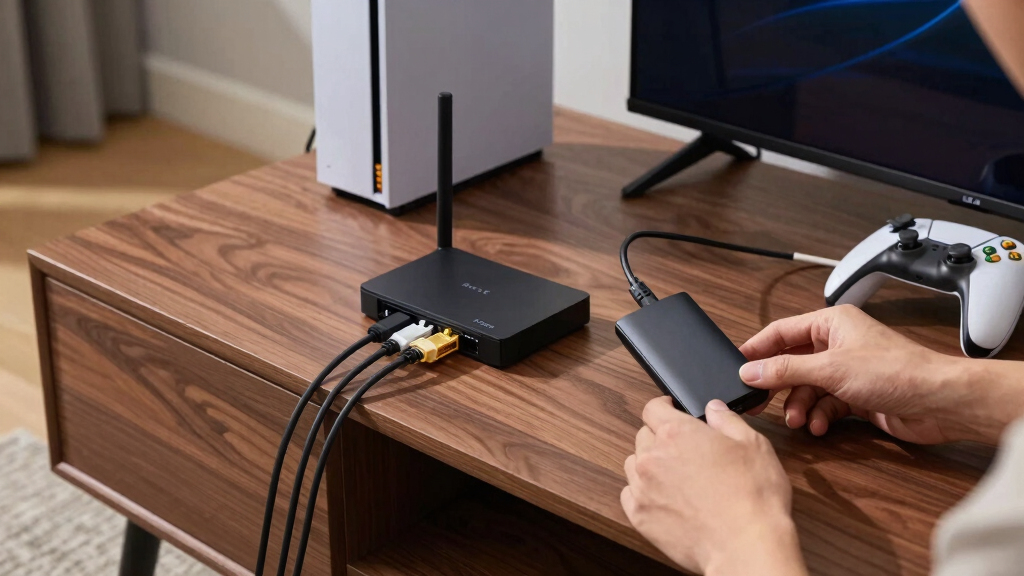

The goCoax MoCA 2.5 Adapter is my best overall pick for gaming networks because its 2.5GbE port offers ample headroom for fast internet plans, local transfers, and wired backhaul. The Hitron MoCA 2.5 two-pack stands out for value, while the ScreenBeam MoCA 2.5 Starter Kit is the easier choice for buyers who want a matched pair from an established networking brand. The main tradeoffs are Ethernet port speed, the number of adapters included, setup support, and whether a home has suitable coax wiring. Multi-gig hardware costs more, but it will not automatically lower game latency compared with a stable gigabit MoCA link. Continue reading for the full breakdown and buyer-specific recommendations.

Play games on Amazon Luna for your game nights, included with Prime
- A rotating selection of games, no download needed
- Play on TV, laptop or phone
- Fast, free delivery for your gear, too
Complete the kit



Key Takeaways
- goCoax takes the top position because its MoCA 2.5 connection and 2.5GbE port provide a stronger balance of gaming performance, network headroom, and price than the other multi-gig choices.
- The Hitron MoCA 2.5 two-pack offers the clearest value advantage because a complete point-to-point link requires two MoCA nodes, making kit pricing more meaningful than a low single-adapter price.
- The ScreenBeam MoCA 2.5 Starter Kit is the beginner-friendly choice, but buyers comfortable assembling their own setup may get better port flexibility from goCoax or Kiwee.
- Kiwee’s dual 2.5GbE ports are most useful for gaming rooms with multiple wired devices; a single console rarely benefits enough to justify its premium by itself.
- The TP-Link TL-PA9020P KIT is a powerline product, not a MoCA adapter, and ranks behind the coax-based picks because electrical wiring can produce less predictable latency and throughput.
| ScreenBeam Bonded MoCA 2.0 Network Adapter for High-Speed Internet |  | Best for Expanding an Existing MoCA Network | MoCA Standard: Bonded MoCA 2.0 | Network Speed: Up to 1Gbps | Nodes Supported: Up to 16 | VIEW LATEST PRICE | See Our Full Breakdown |
| Hitron MoCA 2.5 Network Adapter (2-Pack) |  | Best for First-Time Installers | MoCA Standard: MoCA 2.5 | Number of Adapters: 2 | Ethernet Ports: 1 per adapter | VIEW LATEST PRICE | See Our Full Breakdown |
| TP-Link AV2000 Powerline Ethernet Adapter TL-PA9020P KIT |  | Best Coax-Free Fallback | Model: TL-PA9020P KIT | Network Technology: AV2000 powerline | Advertised Powerline Speed: Up to 2000Mbps | VIEW LATEST PRICE | See Our Full Breakdown |
| goCoax MoCA 2.5 Adapter with 2.5GbE Ethernet Port |  | Best Overall | Model: MA2500D | MoCA Standard: MoCA 2.5 | Ethernet Interface: 2.5GbE | VIEW LATEST PRICE | See Our Full Breakdown |
| ScreenBeam MoCA 2.5 Network Adapter Starter Kit |  | Best Complete Starter Kit | MoCA Standard: MoCA 2.5 | MoCA Link Speed: Up to 2.5Gbps | Ethernet Port Speed: 1Gbps | VIEW LATEST PRICE | See Our Full Breakdown |
| Hitron HTEM5 MoCA 2.5 Network Adapter (2-Pack) |  | Best Ready-to-Install Kit | Technology: MoCA 2.5 | Maximum Ethernet Speed: 2.5 Gbps | Number of Adapters: 2 | VIEW LATEST PRICE | See Our Full Breakdown |
| Kiwee MoCA 2.5 Adapter with Dual 2.5GbE Ports (2-Pack) |  | Best for Multi-Device Gaming | Technology: MoCA 2.5 | Maximum Speed: Up to 2.5 Gbps | Ethernet Ports: 2 x 2.5GbE per adapter | VIEW LATEST PRICE | See Our Full Breakdown |
| MoCA adapters for gaming network | MoCA Standard | Number of Adapters |
|---|---|---|
| ScreenBeam Bonded MoCA 2.0 Net | Bonded MoCA 2.0 | — |
| Hitron MoCA 2.5 Network Adapte | MoCA 2.5 | 2 |
| TP-Link AV2000 Powerline Ether | — | — |
| goCoax MoCA 2.5 Adapter with 2 | MoCA 2.5 | — |
| ScreenBeam MoCA 2.5 Network Ad | MoCA 2.5 | 2 |
| Hitron HTEM5 MoCA 2.5 Network | — | 2 |
| Kiwee MoCA 2.5 Adapter with Du | — | 2 |
More Details on Our Top Picks
ScreenBeam Bonded MoCA 2.0 Network Adapter for High-Speed Internet
I rank the ScreenBeam Bonded MoCA 2.0 Adapter as the practical expansion pick for a home that already has MoCA hardware. Its 16-node support leaves room for adding wired gaming setups in several rooms, while the 1Gbps ceiling is ample for online play, downloads, and game streaming. Unlike the Hitron MoCA 2.5 two-pack, this package contains only one adapter and assumes another MoCA endpoint already exists. That makes it less useful for building a network from scratch. Bonded MoCA 2.0 also gives it less bandwidth headroom than newer 2.5 models, especially when several devices transfer large files at once. I would choose it for straightforward Gigabit expansion, but its DOCSIS 3.1 conflict risk and satellite-network exclusions call for a wiring check before purchase.
Pros:- Up to 1Gbps is sufficient for gaming, streaming, and large downloads
- Support for 16 nodes suits multiroom wired networks
- Broad compatibility with Ethernet-equipped routers and devices
- Ethernet and coax cables are included
Cons:- A single adapter cannot create a complete MoCA link by itself
- MoCA 2.0 offers less bandwidth headroom than MoCA 2.5 alternatives
- Satellite, AT&T coax, and some DOCSIS 3.1 configurations are incompatible
Best for: I recommend this to gamers who already have a MoCA-enabled router or adapter and want to add one more Gigabit wired connection.
Not ideal for: I would skip it for first-time MoCA installations, satellite-TV homes, and networks where a DOCSIS 3.1 modem may share conflicting coax frequencies.
- MoCA Standard:Bonded MoCA 2.0
- Network Speed:Up to 1Gbps
- Nodes Supported:Up to 16
- Router Compatibility:Most routers with Ethernet ports
- Network Requirement:Existing MoCA network and connected coax jack
- Excluded Networks:DirecTV, Dish, and AT&T coax networks
- Included Cables:Ethernet cable and coax cable
- Other Included Items:Adapter, power adapter, and quick-start guide
Our verdict“I would buy this as a single-node upgrade to an existing MoCA network, not as the foundation of a new one.”
Hitron MoCA 2.5 Network Adapter (2-Pack)
I place the Hitron MoCA 2.5 two-pack ahead of single-adapter packages for buyers starting without MoCA equipment. Both endpoints, power supplies, Ethernet cables, and coax cables arrive together, while free technical support gives less experienced installers somewhere to turn when the coax layout is unclear. Its 1Gbps Ethernet ports provide plenty of capacity for console or PC gaming, though they cannot expose the full multi-gigabit potential associated with MoCA 2.5. Compared with the ScreenBeam MoCA 2.5 Starter Kit, Hitron omits the two coax splitters that may be needed when a wall outlet also serves a modem or television. The larger limitation is wiring dependence: isolated outlets cannot communicate, and U-verse or satellite coax is unsupported. I favor this as the approachable two-room package, provided the home has interconnected cable coax.
Pros:- Two adapters create a complete point-to-point MoCA connection
- All primary Ethernet, coax, and power cables are supplied
- 1Gbps Ethernet supports stable gaming and streaming
- Free technical support can help with installation problems
Cons:- Gigabit Ethernet ports cap device-facing throughput below 2.5Gbps
- Interconnected coax outlets are mandatory
- No compatibility with AT&T U-verse or satellite-TV wiring
Best for: I recommend this to first-time MoCA buyers who want two ready-to-connect endpoints and access to setup support.
Not ideal for: I would avoid it in homes with isolated coax runs, U-verse wiring, satellite television, or a need for faster-than-Gigabit Ethernet.
- MoCA Standard:MoCA 2.5
- Number of Adapters:2
- Ethernet Ports:1 per adapter
- Ethernet Speed:Up to 1Gbps
- Internet Service Compatibility:Cable, fiber, and DSL
- Coax Requirement:Interconnected coax outlets
- Excluded Networks:AT&T U-verse and satellite-TV wiring
- Package Contents:2 adapters, 2 Ethernet cables, 2 coax cables, 2 power adapters, and setup guide
Our verdict“I see this as the easiest entry point for gamers who have connected cable coax and want a complete two-adapter package.”
TP-Link AV2000 Powerline Ethernet Adapter TL-PA9020P KIT
The TP-Link TL-PA9020P KIT is not a MoCA adapter, so I rank it as a fallback for gamers whose rooms lack usable coax. It sends network traffic through electrical wiring and adds two Gigabit ports per adapter, making it convenient for a console and television or PC sharing one location. The passthrough socket also avoids permanently sacrificing a wall outlet. Against the goCoax MoCA 2.5 Adapter, however, TP-Link has a less predictable path: electrical noise, wiring quality, and circuit layout can reduce speed or stability. The AV2000 figure describes the powerline link class rather than guaranteed application throughput, and the adapters cannot be placed behind surge protectors. I would reserve this kit for homes where coax is unavailable; for latency-sensitive gaming with suitable coax already installed, MoCA remains the stronger choice.
Pros:- Uses existing electrical wiring when coax is unavailable
- Two Gigabit ports connect multiple gaming and entertainment devices
- Integrated passthrough socket preserves access to the wall outlet
- Plug-and-play pairing keeps initial setup simple
Cons:- Real throughput and latency vary with wiring quality and electrical interference
- Adapters must operate on the same electrical circuit
- Surge protectors are unsupported and can block or degrade the connection
Best for: I recommend this to gamers without connected coax who need Ethernet in another room on the same electrical circuit.
Not ideal for: I would skip it for buyers with usable coax, noisy or divided electrical wiring, or wall outlets located behind surge protectors.
- Model:TL-PA9020P KIT
- Network Technology:AV2000 powerline
- Advertised Powerline Speed:Up to 2000Mbps
- Ethernet Ports:2 Gigabit ports per adapter
- MIMO:2×2 MIMO with beamforming
- Power Outlet:Integrated socket with noise filtering
- Circuit Requirement:Same electrical circuit
- Surge Protector Compatibility:Not compatible
- Setup:Plug and play
Our verdict“I would choose this only when coax cannot support MoCA and both gaming locations share suitable electrical wiring.”
goCoax MoCA 2.5 Adapter with 2.5GbE Ethernet Port
I give the goCoax MA2500D the top position because its 2.5GbE port lets a capable PC, switch, or router access more of the MoCA 2.5 link than Gigabit-only models allow. That extra capacity matters when game downloads, backups, and household streaming share the coax network, even though online play itself needs far less bandwidth. Compared with the ScreenBeam MoCA 2.5 Starter Kit, goCoax has the faster device-facing port but supplies only one adapter, so a new installation needs a second unit. It also has just one Ethernet connection, while the Kiwee MoCA 2.5 model offers dual 2.5GbE ports. I still favor goCoax for its blend of multi-gigabit throughput and low-latency positioning. Buyers must account for satellite incompatibility and the separately recommended MoCA PoE filter.
Pros:- 2.5GbE port avoids the Gigabit bottleneck found on several competing adapters
- MoCA 2.5 supports up to 2.5Gbps data transfer
- Low-latency wired networking is well matched to gaming
- Plug-and-play operation reduces setup work on compatible coax
Cons:- Only one adapter is included, so many buyers need a second unit
- Single Ethernet port limits direct device connections
- Satellite systems are unsupported, and a PoE filter may add cost
Best for: I recommend this to PC gamers and multi-gigabit broadband users who already have another MoCA endpoint or plan to buy a matching second adapter.
Not ideal for: I would skip it for buyers wanting a complete two-unit kit, dual Ethernet ports, or compatibility with DirecTV or Dish coax.
- Model:MA2500D
- MoCA Standard:MoCA 2.5
- Ethernet Interface:2.5GbE
- Data Transfer Rate:2500Mbps
- Compatible Device Type:Desktop
- Dimensions:5.47 x 2.76 x 0.71 inches
- Weight:320 grams
- Color:White
- Setup:Plug and play
Our verdict“I rate this as the best choice for gamers who want a 2.5GbE endpoint and are comfortable assembling the rest of the MoCA network.”
ScreenBeam MoCA 2.5 Network Adapter Starter Kit
I rank the ScreenBeam MoCA 2.5 Starter Kit as the most complete package for creating a gaming connection between two coax-equipped rooms. Along with two adapters and the expected cables, it supplies two coax splitters, which can prevent an extra shopping trip when a modem or television shares an outlet. Support for 16 nodes also gives this system a clearer expansion path than a basic two-room installation suggests. The catch is its 1Gbps Ethernet port: although the coax link is rated up to 2.5Gbps, a single attached device cannot receive that full rate. The goCoax MA2500D is better for a multi-gigabit PC or switch, while ScreenBeam wins on package completeness. I recommend it for convenience and scale, but DOCSIS 3.1 conflicts and coax quality may require troubleshooting.
Pros:- Two adapters provide the endpoints needed for a new MoCA network
- Included coax splitters make the package more complete than many rival kits
- Support for up to 16 nodes leaves room for later expansion
- MoCA 2.5 supplies shared link capacity for busy households
Cons:- 1Gbps Ethernet port prevents one device from reaching the full 2.5Gbps link rating
- Performance can vary with coax condition and splitter quality
- Some satellite, AT&T, and DOCSIS 3.1 configurations are problematic
Best for: I recommend this to households building their first multiroom MoCA gaming network and wanting adapters, cables, and splitters in one box.
Not ideal for: I would skip it for multi-gigabit device connections, satellite or AT&T coax networks, and DOCSIS 3.1 layouts with unresolved frequency conflicts.
- MoCA Standard:MoCA 2.5
- MoCA Link Speed:Up to 2.5Gbps
- Ethernet Port Speed:1Gbps
- Nodes Supported:Up to 16
- Number of Adapters:2
- Device Compatibility:Most devices and routers with Ethernet ports
- Included Cables:2 Ethernet cables and 2 coax cables
- Other Included Items:2 power adapters, 2 coax splitters, and quick-start guide
Our verdict“I would choose this kit for a convenient, expandable first MoCA installation where Gigabit device speed is enough.”
Hitron HTEM5 MoCA 2.5 Network Adapter (2-Pack)
I rank the Hitron HTEM5 as the Best Ready-to-Install Kit because its box includes two adapters, coax leads, Ethernet cables, and power supplies. A gamer gets the core parts needed to carry a wired link from the router room to a distant console or PC. Its 2.5GbE ceiling provides more headroom than the ScreenBeam Bonded MoCA 2.0 adapter, particularly for large local transfers or multi-gig internet service. The Kiwee model explicitly offers dual Ethernet ports, while the Hitron lacks that multi-device advantage. I also rank it below more flexible picks for mixed-provider homes: AT&T Fiber and satellite-TV coax are excluded, and high-split DOCSIS layouts may require a separately purchased POE filter. This package makes sense when active coax already reaches the gaming room, but uncertain wiring or splitter layouts make it a risky purchase.
Pros:- 2.5GbE connectivity provides headroom for multi-gig internet and large game transfers
- Two-adapter package includes the coax, Ethernet, and power accessories needed for installation
- Uses existing coax to reach gaming rooms where Wi-Fi performance is inconsistent
- Supports cable internet and most fiber services
Cons:- Does not work with AT&T Fiber or satellite-TV coax wiring
- Requires an active coax path through the home’s main splitter
- High-split DOCSIS systems may need a separately sold POE filter
Best for: Cable or compatible fiber customers who want a fully accessorized two-adapter link between their router and a distant gaming room
Not ideal for: AT&T Fiber users, satellite-TV households, or renters who cannot verify that both rooms connect through active coax
- Technology:MoCA 2.5
- Maximum Ethernet Speed:2.5 Gbps
- Number of Adapters:2
- Coax Cables Included:2
- Ethernet Cables Included:2
- Power Adapters Included:2
- Service Compatibility:Cable internet and most fiber services
- Wiring Requirement:Active coax connected to the main splitter
- Excluded Systems:Satellite TV wiring and AT&T Fiber
Our verdict“Choose the HTEM5 when you want a well-equipped 2.5GbE starter pair and have already confirmed that your provider and coax layout are compatible.”
Kiwee MoCA 2.5 Adapter with Dual 2.5GbE Ports (2-Pack)
I assign the Kiwee MoCA 2.5 Adapter the Best for Multi-Device Gaming role because two 2.5GbE jacks per unit let a console and PC use the same coax endpoint without an added Ethernet switch. That is its clearest advantage over the Hitron HTEM5 and the single-port goCoax MoCA 2.5 adapter. The tradeoff is price: buyers connecting only one console pay extra for ports they may never use. Two ports do not create 5 Gbps of coax bandwidth, either; connected devices share the MoCA 2.5 link, so simultaneous downloads can divide available capacity. Like the other coax-dependent picks, it cannot serve a room without a working coax run. I place it behind simpler kits for one-device setups, but it earns its spot for a console-and-PC pairing or a gaming station paired with a mesh node.
Pros:- Two 2.5GbE ports per adapter can connect multiple gaming devices without a separate switch
- MoCA 2.5 supports up to 2.5 Gbps over existing coax
- Two-pack supplies both ends of a complete coax network link
- Works with most routers, mesh Wi-Fi systems, and Ethernet-equipped devices
Cons:- Costs more than comparable single-port adapters
- Both Ethernet ports share the MoCA link rather than providing 2.5 Gbps independently
- Cannot operate in rooms without connected coaxial wiring
Best for: Gamers who need to connect two wired devices, such as a console and PC or console and mesh node, at the same coax outlet
Not ideal for: Single-console setups and homes without active coax, since the added port cost provides little benefit in either case
- Technology:MoCA 2.5
- Maximum Speed:Up to 2.5 Gbps
- Ethernet Ports:2 x 2.5GbE per adapter
- Number of Adapters:2
- Network Medium:Existing coaxial wiring
- Included Cables:Coaxial and Ethernet cables
- Setup:Plug-and-play
- Device Compatibility:Most routers, mesh Wi-Fi systems, and Ethernet devices
Our verdict“Choose the Kiwee pair when two wired gaming devices must share each endpoint and the convenience of built-in dual ports justifies the added cost.”
How We Picked
I ranked these products around the needs of a latency-sensitive gaming network, giving priority to MoCA generation, Ethernet port capacity, kit completeness, and suitability for wired backhaul. I treated advertised throughput as a shared network ceiling rather than a promise of real application speed. Products with MoCA 2.5 and multi-gig Ethernet moved higher when their added capacity could benefit fast broadband, game downloads, or traffic from several devices. I also weighed setup simplicity, port count, brand support, and the cost of building a usable two-node connection.
The ranking rewards a balanced gaming setup rather than the largest number on the box. A dual-port premium model has more flexibility, for example, but it offers limited extra value to a player connecting only one console. Older MoCA 2.0 hardware remains useful for an existing network, yet its lower ceiling makes it harder to recommend for a new installation. I placed the TP-Link kit last because powerline performance depends heavily on electrical wiring and does not deliver the same category fit as a coax-based adapter. These judgments are based on published specifications, connection design, and buyer value, not claimed hands-on testing.
| MoCA adapters for gaming network | MoCA Standard |
|---|---|
| ScreenBeam Bonded MoCA 2.0 Net | Bonded MoCA 2.0 |
| Hitron MoCA 2.5 Network Adapte | MoCA 2.5 |
| TP-Link AV2000 Powerline Ether | — |
| goCoax MoCA 2.5 Adapter with 2 | MoCA 2.5 |
| ScreenBeam MoCA 2.5 Network Ad | MoCA 2.5 |
| Hitron HTEM5 MoCA 2.5 Network | — |
| Kiwee MoCA 2.5 Adapter with Du | — |
Factors to Consider When Choosing Best MoCA Adapters For Gaming Networks
Choosing a MoCA adapter for gaming starts with the home’s wiring and network layout, not the fastest advertised rate. I would match the adapter to the internet plan, router ports, coax path, and number of devices sharing the link. The sections below explain where extra spending pays off and where it adds little to actual play.
Match MoCA and Ethernet Speeds
MoCA 2.5 capacity is shared among active nodes, while the Ethernet port controls how much one connected device can send or receive. A 2.5GbE port makes sense for multi-gig broadband, a fast NAS, or a MoCA link carrying traffic from an entire room. For a single console on a sub-gigabit internet plan, Gigabit Ethernet is usually sufficient because online games use modest bandwidth. Faster ports can still shorten large downloads when the internet service, router, and destination server support higher rates. I would not pay a large premium for 2.5GbE solely in hopes of reducing ping. Port speed removes a throughput bottleneck, but routing, server distance, congestion, and connection stability have a greater effect on gaming latency.
Check the Coax Path Before Buying
A MoCA link depends on a continuous coax route between rooms, and wall jacks do not always connect to the same splitter. Old splitters may block the frequencies used by MoCA or add unnecessary signal loss. I would map the coax runs, inspect splitter ratings, and remove unused branches before blaming an adapter for a weak link. Homes with cable service may also need a point-of-entry filter to keep MoCA signals inside the property and improve network isolation. Satellite television systems can use overlapping frequencies, so compatibility must be checked before combining them on the same coax. A premium adapter cannot compensate for disconnected jacks, damaged cable, or an incompatible distribution layout.
Prioritize Stability Over Headline Throughput
Competitive gaming benefits most from consistent latency and low packet loss, not a multi-gigabit benchmark. MoCA usually has an advantage over Wi-Fi and powerline because shielded coax provides a more controlled path through the home. Even so, traffic from backups, streaming devices, and wireless access points can share the MoCA channel. Router queue management may help when a busy internet uplink causes lag, while a faster adapter alone may not. I would judge a setup by latency under load as well as an idle speed test. This distinction explains why the TP-Link powerline kit ranks below every true MoCA option despite its AV2000 label.
Choose Between a Starter Kit and Single Adapters
A new MoCA connection normally needs two compatible nodes: one near the router and another near the gaming device. Some cable gateways already contain MoCA hardware, which can reduce that requirement to one adapter if the built-in version is enabled and compatible. Starter kits remove uncertainty by supplying a matched pair, making ScreenBeam and Hitron packages appealing to new buyers. Single adapters are better when expanding an existing network or mixing models around a shared MoCA standard. I would compare the cost of the complete link, not the price shown for one box. Also check whether Ethernet cables, coax accessories, or required filters are included, since those extras can erase a small price advantage.
Pay for Extra Ports Only When They Replace Hardware
Dual Ethernet ports can connect a console and gaming PC without a separate switch, which gives the Kiwee kit a clear role. They are also handy when one room contains a television, access point, or network storage device. A basic unmanaged switch can perform the same expansion for relatively little money, though it adds another box and power cable. I would choose a dual-port adapter when compact installation and multi-gigabit links for multiple devices justify the added cost. Buyers connecting one console can save money with a single-port model and see little difference during play. Count the required wired devices before treating port quantity as a reason to upgrade.
Frequently Asked Questions
Is MoCA Better Than Powerline for Online Gaming?
I would choose MoCA over powerline whenever connected coax is available. Coax is shielded and purpose-built for high-frequency signals, while powerline networking shares electrical circuits with appliances, chargers, and other noise sources. That makes powerline speed and latency more dependent on the specific home. The TP-Link TL-PA9020P KIT remains useful where no coax path exists, but its AV2000 rating should not be compared directly with MoCA link rates. A stable powerline connection can still beat weak Wi-Fi, yet it is the fallback in this lineup rather than a direct MoCA rival.
Do I Need Two MoCA Adapters for One Gaming Console?
Most buyers need two MoCA nodes, with one connected to the router and another connected to the console’s room. A cable gateway with built-in, enabled MoCA can act as the first node, allowing the purchase of one standalone adapter. Compatibility depends on the gateway’s MoCA version, settings, and provider restrictions. I favor a two-adapter starter kit for first-time installations because it avoids relying on undocumented gateway features. Additional rooms usually require one more adapter per coax location rather than another complete pair.
Will MoCA Interfere With Cable Internet or DOCSIS 3.1?
MoCA and cable internet can often share coax, but the frequency layout and splitter hardware must support both services. Some DOCSIS 3.1 deployments use frequencies that can conflict with part of the MoCA range. A compatible point-of-entry filter and properly rated splitters may be required, and filter placement matters. I would check the modem, gateway, and provider’s frequency plan before changing coax components. If dropouts appear after installation, coax topology and frequency overlap deserve attention before replacing the adapters.
Will a 2.5GbE MoCA Adapter Lower My Gaming Ping?
A 2.5GbE port does not inherently lower ping compared with a clean Gigabit Ethernet link. Online games use far less than one gigabit, so raw port capacity is rarely the limiting factor. Multi-gig hardware is valuable for faster downloads, local file transfers, and links shared by several devices. It can also prevent a bottleneck when MoCA carries traffic from a whole switch or wireless access point. For one console, I would prioritize stable coax, good routing, and controlled network congestion before paying extra for port speed.
Can I Mix MoCA Adapters From Different Brands?
Adapters built to the same MoCA standard are generally designed to interoperate, so mixed-brand networks can work. The network may operate around the capabilities of its older nodes, and brand-specific configuration tools may not manage every device. Security settings, channel choices, and firmware behavior can also make a mixed setup harder to troubleshoot. I prefer matched adapters for a first installation, especially when simple setup is the goal. Mixing models makes more sense when expanding an established MoCA network or when a particular room needs a different Ethernet port arrangement.
Conclusion
For most gaming networks, I recommend the goCoax MoCA 2.5 Adapter as the best overall choice because its 2.5GbE connection offers useful headroom without making dual ports the main selling point. The Hitron MoCA 2.5 two-pack is my best-value pick when its kit price undercuts buying two comparable single adapters. Beginners should choose the ScreenBeam MoCA 2.5 Starter Kit for a straightforward matched-pair setup, while buyers building a premium multi-device gaming room should choose the Kiwee dual-2.5GbE kit. The Hitron HTEM5 two-pack is a sensible alternate kit when its warranty, availability, or seller support is better than the other Hitron package. I would reserve the ScreenBeam Bonded MoCA 2.0 model for extending an older MoCA network or meeting a tighter budget. The TP-Link TL-PA9020P KIT fits homes without usable coax, but I would treat it as a powerline fallback rather than a MoCA recommendation.
Halloween Picks
halloween
As an affiliate, we earn on qualifying purchases.