
The MSI Codex Z2 is my best overall Steam gaming PC because its RTX 5070, 32GB of DDR5 memory, and 2TB SSD form the most balanced configuration in this lineup. I rank the CyberPowerPC Gamer Xtreme as the best value for buyers who can accept 16GB of RAM and an RTX 5060, while the Skytech Azure 3 is my premium choice for demanding games and high-refresh play. The Valve Steam Deck and GMKtec K12 serve very different buyers who value portability or a small footprint more than maximum frame rates. Your main tradeoffs are graphics power, storage capacity, upgrade flexibility, physical size, and the price of hardware you may not need. Continue reading for my full breakdown of which configuration fits each type of Steam player.

Play games on Amazon Luna for your game nights, included with Prime
- A rotating selection of games, no download needed
- Play on TV, laptop or phone
- Fast, free delivery for your gear, too
Complete the kit



Key Takeaways
- MSI Codex Z2 takes first place because it is the only RTX 5070 system here that pairs 32GB of DDR5 memory with a 2TB SSD, reducing the need for an early storage upgrade.
- Skytech Azure 3 is the performance leader, but its Ryzen 7 9850X3D and RX 9070 XT make more sense for high-refresh or high-resolution gaming than for a standard 1080p setup.
- CyberPowerPC Gamer Xtreme is my value pick, though its 16GB memory and 8GB RTX 5060 place firmer limits on demanding games than the RTX 5070 systems.
- Valve Steam Deck and GMKtec K12 trade speed for flexibility: the Deck is the handheld choice, while the K12 suits compact desktop setups and lighter games through Radeon 780M integrated graphics.
- KOTIN offers the most unusual feature set with a secondary display, Wi-Fi 7, an 850W Gold power supply, and liquid cooling, but MSI offers twice the listed storage in a less elaborate package.
| Alienware Aurora ACT1250 |  | Best Brand-Backed Gaming PC | Processor: Intel Core Ultra 7 265F | Graphics: NVIDIA GeForce RTX 5070 | Memory: 32GB DDR5 | VIEW LATEST PRICE | See Our Full Breakdown |
| KOTIN Prebuilt Gaming PC |  | Best for a Streaming Battlestation | Processor: AMD Ryzen 7 9700X | Graphics: NVIDIA GeForce RTX 5070 12GB | Memory: 32GB DDR5-6000 | VIEW LATEST PRICE | See Our Full Breakdown |
| MSI Codex Z2 Gaming Desktop |  | Best for Large Steam Libraries | Processor: AMD Ryzen 7 8700F | Graphics: NVIDIA GeForce RTX 5070 | Memory: 32GB DDR5 | VIEW LATEST PRICE | See Our Full Breakdown |
| Skytech Gaming Azure 3 |  | Best Overall | Processor: AMD Ryzen 7 9850X3D, 4.7GHz base and up to 5.6GHz turbo | Graphics: AMD Radeon RX 9070 XT 16GB GDDR6 | Memory: 32GB DDR5-5600 | VIEW LATEST PRICE | See Our Full Breakdown |
| Valve Steam Deck 64GB |  | Best Portable Pick | Brand: Valve | Model: Steam Deck | Device Type: Portable gaming device | VIEW LATEST PRICE | See Our Full Breakdown |
| GMKtec K12 Gaming Mini PC |  | Best Compact Steam PC | Processor: AMD Ryzen 7 H 255 | Graphics: AMD Radeon 780M integrated graphics | Memory: 32GB DDR5-5600 | VIEW LATEST PRICE | See Our Full Breakdown |
| CyberPowerPC Gamer Xtreme |  | Best Mainstream 1080p Pick | Processor: Intel Core i5-14400F, 2.5GHz, 10 cores | Graphics: NVIDIA GeForce RTX 5060 8GB | Memory: 16GB DDR5 | VIEW LATEST PRICE | See Our Full Breakdown |
| iBUYPOWER Element Gaming PC |  | Best for Gaming and Creation | Processor: AMD Ryzen 9 7900X | Graphics: NVIDIA GeForce RTX 5070 12GB | Memory: 32GB DDR5-4800 | VIEW LATEST PRICE | See Our Full Breakdown |
| YAWYORE Gaming PC |  | Best High-Memory Value | Processor: AMD Ryzen 7 5700X, up to 4.6GHz | Graphics: GeForce RTX 5060 8GB GDDR7 | Memory: 32GB DDR4-3200 | VIEW LATEST PRICE | See Our Full Breakdown |
| CyberPowerPC Ryzen 7 Gaming PC |  | Best Balanced 1440p Pick | Processor: AMD Ryzen 7 8700F, 4.1GHz, 8 cores | Graphics: NVIDIA GeForce RTX 5060 Ti 8GB | Memory: 16GB DDR5 | VIEW LATEST PRICE | See Our Full Breakdown |
| Steam gaming PC | Storage | Processor | Graphics | Memory |
|---|---|---|---|---|
| Alienware Aurora ACT1250 | 1TB SSD | Intel Core Ultra 7 265F | NVIDIA GeForce RTX 5070 | 32GB DDR5 |
| KOTIN Prebuilt Gaming PC | 1TB NVMe SSD | AMD Ryzen 7 9700X | NVIDIA GeForce RTX 5070 12GB | 32GB DDR5-6000 |
| MSI Codex Z2 Gaming Desktop | 2TB NVMe SSD | AMD Ryzen 7 8700F | NVIDIA GeForce RTX 5070 | 32GB DDR5 |
| Skytech Gaming Azure 3 | 2TB Gen4 NVMe SSD | AMD Ryzen 7 9850X3D, 4.7GHz base and up to 5.6GHz turbo | AMD Radeon RX 9070 XT 16GB GDDR6 | 32GB DDR5-5600 |
| Valve Steam Deck 64GB | 64GB | — | — | — |
| GMKtec K12 Gaming Mini PC | 512GB PCIe 4.0 SSD, expandable up to 24TB | AMD Ryzen 7 H 255 | AMD Radeon 780M integrated graphics | 32GB DDR5-5600 |
| CyberPowerPC Gamer Xtreme | 1TB PCIe 4.0 NVMe SSD | Intel Core i5-14400F, 2.5GHz, 10 cores | NVIDIA GeForce RTX 5060 8GB | 16GB DDR5 |
| iBUYPOWER Element Gaming PC | 1TB NVMe SSD | AMD Ryzen 9 7900X | NVIDIA GeForce RTX 5070 12GB | 32GB DDR5-4800 |
| YAWYORE Gaming PC | 1TB M.2 NVMe PCIe SSD | AMD Ryzen 7 5700X, up to 4.6GHz | GeForce RTX 5060 8GB GDDR7 | 32GB DDR4-3200 |
| CyberPowerPC Ryzen 7 Gaming PC | 1TB PCIe 4.0 NVMe SSD | AMD Ryzen 7 8700F, 4.1GHz, 8 cores | NVIDIA GeForce RTX 5060 Ti 8GB | 16GB DDR5 |
More Details on Our Top Picks
Alienware Aurora ACT1250
I rank the Alienware Aurora ACT1250 as the strongest choice for buyers who value established support alongside fast Steam performance. Its RTX 5070 and 32GB of DDR5 suit demanding games, streaming, and background apps, while the 1000W Platinum-rated power supply provides ample capacity for its current hardware. Compared with the MSI Codex Z2, the Aurora offers half the storage and may command a higher brand premium, but Dell’s included onsite support makes troubleshooting less burdensome. The large chassis and AlienFX lighting also give it more visual presence than compact alternatives such as the GMKtec K12. I would skip it if desk space or storage-per-dollar leads the decision; I would choose it when support and polished presentation matter nearly as much as frame rates.
Pros:- RTX 5070 graphics are well matched to demanding Steam games
- 32GB DDR5 supports gaming, streaming, and heavy multitasking
- 1000W Platinum-rated power supply offers generous power capacity
- One year of Dell onsite support adds practical service value
Cons:- 1TB storage is less generous than the MSI Codex Z2 and Skytech Azure 3
- Large chassis needs substantial floor or desk space
- Alienware branding and design may carry a price premium
Best for: Steam players who want RTX 5070 performance, abundant memory, and onsite support from an established PC brand
Not ideal for: Space-limited buyers or large-library collectors who need a compact chassis or more than 1TB of included storage
- Processor:Intel Core Ultra 7 265F
- Graphics:NVIDIA GeForce RTX 5070
- Memory:32GB DDR5
- Storage:1TB SSD
- Power Supply:1000W Platinum Rated
- Operating System:Windows 11 Home
- Chassis Color:Matte basalt black
Our verdict“I recommend the Aurora ACT1250 to buyers willing to trade storage value and compactness for strong gaming hardware and more accessible support.”
KOTIN Prebuilt Gaming PC
The KOTIN Prebuilt Gaming PC earns its place through a feature the other desktops lack: an 11.3-inch secondary display for system monitoring or stream information. Its Ryzen 7 9700X, RTX 5070, and fast DDR5-6000 memory form a capable foundation for high-refresh 1440p play, streaming, and selected 4K workloads. Compared with the Alienware Aurora ACT1250, KOTIN adds Wi-Fi 7 and a 360mm liquid cooler but comes from a less established system brand and provides less clarity about future upgrades. The MSI Codex Z2 also doubles its storage to 2TB, which matters when modern Steam installations regularly consume tens of gigabytes. I see this as the lineup’s showpiece multitasking option, but its price and one-year warranty weaken the case for buyers who only want dependable gaming performance.
Pros:- Built-in 11.3-inch display can show monitoring or streaming information
- Ryzen 7 9700X and RTX 5070 support demanding gaming and content workloads
- 32GB DDR5-6000 memory provides ample multitasking headroom
- Wi-Fi 7 and a 360mm liquid cooler exceed the connectivity and cooling of many prebuilts
Cons:- 1TB SSD is restrictive beside the 2TB MSI and Skytech systems
- Upgrade paths and internal component details are not clearly specified
- One-year warranty is modest for a premium-priced desktop
Best for: Streamers and enthusiast players who want an integrated monitoring screen, fast wireless networking, and strong 1440p hardware
Not ideal for: Value-focused buyers who would rather spend on extra game storage or choose a system with clearer upgrade documentation
- Processor:AMD Ryzen 7 9700X
- Graphics:NVIDIA GeForce RTX 5070 12GB
- Memory:32GB DDR5-6000
- Storage:1TB NVMe SSD
- Secondary Display:11.3 inches
- Cooling:360mm liquid cooler
- Power Supply:850W 80+ Gold
- Wireless:Wi-Fi 7
- Operating System:Windows 11 Home
Our verdict“I would choose the KOTIN for a visually distinctive streaming setup, not for the lowest cost or clearest long-term upgrade path.”
MSI Codex Z2 Gaming Desktop
I place the MSI Codex Z2 ahead of the other RTX 5070 desktops for players who keep many large games installed. Its 2TB NVMe SSD provides twice the listed capacity of the Alienware Aurora ACT1250 and KOTIN PC, reducing the need to uninstall titles or add storage immediately. The Ryzen 7 8700F and 32GB DDR5 give it enough muscle for demanding Steam releases and simultaneous voice chat, browsers, or recording software. Four ARGB fans provide visible airflow, though a fan-based setup may lack the thermal reserve and quieter appearance of KOTIN’s 360mm liquid cooler. MSI also lists USB-C and VR readiness, but detailed power-supply and motherboard information is absent. For me, its balanced capacity and performance make more sense than flashy extras, provided the buyer verifies internal component details before purchase.
Pros:- 2TB NVMe SSD accommodates substantially more installed games than 1TB competitors
- RTX 5070 provides strong graphics capability for modern Steam releases
- 32GB DDR5 leaves room for gaming alongside communication and recording apps
- USB-C connectivity and listed VR readiness broaden peripheral support
Cons:- Power-supply specifications are not provided
- Motherboard and upgrade details remain unclear
- Four-fan air cooling may be less appealing than the 360mm liquid-cooled alternatives
Best for: Players with broad Steam libraries who want RTX 5070 performance and 2TB of storage without adding a drive immediately
Not ideal for: Hardware enthusiasts who require detailed motherboard, power-supply, and expansion information before buying
- Processor:AMD Ryzen 7 8700F
- Graphics:NVIDIA GeForce RTX 5070
- Memory:32GB DDR5
- Storage:2TB NVMe SSD
- Cooling:Four fans with ARGB lighting
- Connectivity:USB Type-C
- VR Support:VR-ready
- Operating System:Windows 11 Home
Our verdict“I favor the MSI Codex Z2 for buyers who want a spacious Steam library and strong graphics without paying for a secondary screen or brand-focused styling.”
Skytech Gaming Azure 3
The Skytech Gaming Azure 3 takes my overall spot because its gaming-focused Ryzen 7 9850X3D, RX 9070 XT with 16GB of graphics memory, and 2TB Gen4 SSD form the most ambitious performance package here. Compared with the MSI Codex Z2 and Alienware Aurora ACT1250, it supplies more listed graphics memory and pairs its hardware with a 360mm AIO cooler, making it better suited to high-resolution textures and sustained gaming loads. That strength comes with caveats: the graphics-card brand may vary, the motherboard model is unspecified, and Wi-Fi 5 trails KOTIN’s Wi-Fi 7 connection. Buyers tied to NVIDIA-specific features may also prefer an RTX 5070 system. I rank Skytech first for its gaming power and generous storage, not for component transparency or wireless technology.
Pros:- Ryzen 7 9850X3D is positioned for demanding gaming workloads
- RX 9070 XT includes 16GB GDDR6 for high-resolution assets
- 2TB Gen4 NVMe SSD balances speed with useful game-library capacity
- 360mm AIO cooler supports sustained loads from the high-performance hardware
Cons:- Graphics-card brand may vary between units
- Specific motherboard model is not disclosed
- Wi-Fi 5 is dated beside the KOTIN system’s Wi-Fi 7
Best for: Performance-focused Steam players who want a gaming-oriented X3D processor, 16GB graphics card, and room for a large installed library
Not ideal for: Buyers committed to NVIDIA features or those who demand named motherboard and graphics-card models before purchase
- Processor:AMD Ryzen 7 9850X3D, 4.7GHz base and up to 5.6GHz turbo
- Graphics:AMD Radeon RX 9070 XT 16GB GDDR6
- Memory:32GB DDR5-5600
- Storage:2TB Gen4 NVMe SSD
- Cooling:360mm AIO liquid cooler with ARGB fans
- Power Supply:850W Gold ATX 3.0
- Wireless:Wi-Fi 5 802.11ac
- Operating System:Windows 11 Home
- Warranty:One year parts and labor
Our verdict“I rank the Azure 3 first for buyers seeking the strongest gaming-centered specification set, provided they accept variable component branding and older Wi-Fi.”
Valve Steam Deck 64GB
The Valve Steam Deck 64GB is the only option here built around portable Steam play, so I give it a role no desktop can fill. It lets buyers carry compatible games between rooms or on trips, and the included case supports that travel-first purpose. Compared with the Alienware Aurora ACT1250 or MSI Codex Z2, however, this model trades desktop-class performance, upgrade flexibility, and display choices for mobility. Its 64GB storage is the defining limitation: that capacity can fill after only a small number of modern games, making library management or added storage a likely part of ownership. The supplied data also omits detailed processor, display, and performance information, which makes direct capability comparisons difficult. I would choose it as a portable companion for lighter titles, not as a direct replacement for the ranked desktops.
Pros:- Portable form factor enables Steam play away from a desk
- Integrated controls remove the need to carry a separate gamepad
- Included carrying case supports travel and storage
- Direct Steam focus makes it a natural companion to a desktop library
Cons:- 64GB built-in storage is highly restrictive for modern game sizes
- Cannot match the performance or display flexibility of the desktop picks
- Provided product data lacks detailed processor, display, and battery specifications
Best for: Steam users who prioritize handheld play and mainly keep a small rotation of lighter or storage-efficient games installed
Not ideal for: Players seeking desktop-class frame rates or enough built-in storage for several large modern releases
- Brand:Valve
- Model:Steam Deck
- Device Type:Portable gaming device
- Storage:64GB
- Color:Black
- Included Accessory:Carrying case
Our verdict“I recommend the 64GB Steam Deck only when portability outweighs storage and desktop-level performance.”
GMKtec K12 Gaming Mini PC
I rank the GMKtec K12 as the compact pick because its 32GB of fast DDR5 memory and Radeon 780M graphics fit a capable Steam setup into far less space than the tower desktops here. It is best matched with indie games, older releases, emulation, and less demanding games at restrained settings. The Oculink connection also leaves a path to external graphics hardware. Compared with the CyberPowerPC Gamer Xtreme, though, its integrated GPU provides much less gaming headroom, while the smaller 512GB SSD will fill quickly once large Steam titles are installed. Support for four displays and dual 2.5GbE ports gives it broader workstation utility than the other picks. I place it here for space efficiency and flexibility, not maximum frame rates, and the unclear operating-system details make it less beginner-friendly.
Pros:- Compact chassis suits crowded desks and living-room installations
- 32GB DDR5 memory supports gaming alongside heavy multitasking
- Oculink port provides an external-GPU expansion route
- Four-display support and dual 2.5GbE networking add workstation versatility
Cons:- Radeon 780M integrated graphics trail every discrete GPU in this batch
- 512GB storage is restrictive for a large Steam library
- Supplied data does not confirm which operating system is installed
Best for: Apartment dwellers and desk-space-conscious players whose Steam libraries favor indie, retro, strategy, and lighter esports games
Not ideal for: Players seeking high-detail performance in demanding new releases without buying an external GPU
- Processor:AMD Ryzen 7 H 255
- Graphics:AMD Radeon 780M integrated graphics
- Memory:32GB DDR5-5600
- Storage:512GB PCIe 4.0 SSD, expandable up to 24TB
- Display Support:Up to four displays with 8K/4K output
- External GPU Interface:Oculink PCIe x4
- Networking:Dual 2.5GbE, Wi-Fi 6E, Bluetooth 5.2
- Cooling:Dual fans with RGB lighting
- Warranty:1-year limited warranty
Our verdict“I recommend the GMKtec K12 for compact, lighter-duty Steam gaming, provided discrete-GPU performance is not the priority.”
CyberPowerPC Gamer Xtreme
The CyberPowerPC Gamer Xtreme earns my mainstream role by pairing a 10-core Core i5-14400F with an RTX 5060 and a practical 1TB SSD. That combination is much better suited to modern Steam releases than the GMKtec K12’s integrated graphics, while avoiding the higher-end hardware of the iBUYPOWER Element. I see it as a sensible route to 1080p gaming with ray-tracing and upscaling support, though the 8GB graphics memory can become restrictive in demanding games with large texture packs. Its 16GB of RAM is adequate for gaming, but both the YAWYORE and iBUYPOWER systems supply 32GB for heavier multitasking. Windows 11, Wi-Fi 6, and lifetime technical support lower setup friction. The aging mix of six USB 2.0 ports and absent USB-C keeps this from being the most forward-looking desktop in the group.
Pros:- RTX 5060 offers a major gaming advantage over integrated-graphics mini PCs
- Core i5-14400F provides 10 cores for gaming and everyday workloads
- 1TB PCIe 4.0 SSD offers a useful starting capacity for Steam games
- Windows 11 and lifetime technical support simplify ownership
Cons:- 16GB RAM is less generous than several competing desktops
- 8GB graphics memory may limit high-resolution textures in newer games
- Port selection lacks USB-C and includes six slower USB 2.0 connections
Best for: First-time desktop buyers who want a ready-to-run Windows Steam system for mainstream 1080p gaming
Not ideal for: Texture-mod users and heavy multitaskers who want more than 8GB of VRAM or 16GB of system memory
- Processor:Intel Core i5-14400F, 2.5GHz, 10 cores
- Graphics:NVIDIA GeForce RTX 5060 8GB
- Memory:16GB DDR5
- Storage:1TB PCIe 4.0 NVMe SSD
- Motherboard:Intel B760 chipset
- Operating System:Windows 11 Home
- Wireless:Wi-Fi 6 and Bluetooth 5.3
- Display Outputs:1 HDMI and 2 DisplayPort
- Warranty:1 year parts and labor with lifetime technical support
Our verdict“I would choose the Gamer Xtreme as a straightforward 1080p Steam desktop, but memory-hungry buyers should budget for a RAM upgrade.”
iBUYPOWER Element Gaming PC
I give the iBUYPOWER Element the gaming-and-creation role because its Ryzen 9 7900X, RTX 5070, and 32GB of DDR5 can handle a demanding Steam session while leaving ample CPU resources for streaming, rendering, or editing. Compared with the CyberPowerPC Gamer Xtreme, it offers more graphics performance, more VRAM, and twice the memory, making it the stronger choice for higher settings and mixed workloads. Its 1TB SSD feels modest beside the 2TB MSI Codex Z2 elsewhere in the roundup, especially when current games can consume well over 100GB each. The included keyboard and mouse reduce the number of extras needed at setup, but they do not offset the older 802.11ac wireless specification. I rank this below more specialized flagship configurations because the powerful processor carries added heat and power demands that gaming-only buyers may not need.
Pros:- Ryzen 9 7900X provides substantial multithreaded performance
- RTX 5070 12GB is suited to higher settings and resolutions than RTX 5060 systems
- 32GB DDR5 memory supports streaming and creative workloads
- Gaming keyboard and mouse are included
Cons:- 1TB storage is modest for a high-end Steam library
- 802.11ac Wi-Fi trails the newer wireless standards offered by rivals
- High-performance CPU can bring greater cooling and power demands
Best for: Steam players who also stream, edit video, render, or run other heavily threaded creative applications
Not ideal for: Gaming-only buyers who would rather put their budget toward storage or a stronger graphics card than a 12-core processor
- Processor:AMD Ryzen 9 7900X
- Graphics:NVIDIA GeForce RTX 5070 12GB
- Memory:32GB DDR5-4800
- Storage:1TB NVMe SSD
- Operating System:Windows 11 Home
- Wireless:802.11ac Wi-Fi
- USB Connectivity:6 USB 3.1 ports
- Case:Tempered glass with RGB lighting
Our verdict“I favor the iBUYPOWER Element for buyers who divide their PC time between demanding Steam games and serious creative work.”
YAWYORE Gaming PC
The YAWYORE Gaming PC takes my high-memory value slot by combining an RTX 5060 with 32GB of RAM and a 1TB NVMe SSD. It offers twice the system memory of the similarly equipped CyberPowerPC Gamer Xtreme, which makes background applications, large simulation games, and content-heavy mods less likely to crowd available RAM. The compromise is its older AM4 platform and DDR4 memory; buyers seeking a longer CPU-upgrade path should favor a newer DDR5 system such as the CyberPowerPC Ryzen 7 model. The Ryzen 7 5700X remains a useful eight-core partner for mainstream Steam gaming, and the named MSI B550M-A PRO motherboard is more informative than an unspecified board. Still, variable GPU branding introduces uncertainty around cooler design and noise. I place it below the larger-brand systems because component consistency and support details are less clearly documented.
Pros:- 32GB RAM provides more multitasking room than comparable 16GB RTX 5060 systems
- RTX 5060 8GB supports current NVIDIA gaming features
- Ryzen 7 5700X supplies eight cores for games and background tasks
- 1TB NVMe SSD offers a practical starting game-library capacity
Cons:- AM4 platform and DDR4 memory leave a narrower upgrade path
- Graphics-card brand may vary between units
- Included shipping foam must be removed from inside the chassis before startup
Best for: Mod-heavy, simulation, and multitasking players who value 32GB of memory more than having the newest processor platform
Not ideal for: Buyers planning several future CPU upgrades or those who want a guaranteed graphics-card brand and cooler design
- Processor:AMD Ryzen 7 5700X, up to 4.6GHz
- Graphics:GeForce RTX 5060 8GB GDDR7
- Memory:32GB DDR4-3200
- Storage:1TB M.2 NVMe PCIe SSD
- Motherboard:MSI B550M-A PRO
- Power Supply:650W 80 Plus Bronze
- Wireless:Wi-Fi and Bluetooth
Our verdict“I see the YAWYORE as the memory-focused value choice for Steam multitaskers who accept an older platform and less component certainty.”
CyberPowerPC Ryzen 7 Gaming PC
I rank this CyberPowerPC Ryzen 7 system as the balanced 1440p pick because the RTX 5060 Ti provides more graphics headroom than the standard RTX 5060 in the Gamer Xtreme without moving up to the costlier RTX 5070 class. Its Ryzen 7 8700F and B850 chipset also create a newer DDR5 foundation than the AM4-based YAWYORE. That makes this the more appealing long-term platform of the two, although CyberPowerPC supplies only 16GB of memory rather than YAWYORE’s 32GB. The GPU’s 8GB frame buffer remains the main restraint for high-resolution texture packs and especially demanding future releases. Two USB-C ports, Wi-Fi 6, and Bluetooth 5.3 give it the strongest modern connectivity in this batch. I place it between mainstream and premium systems: faster than the RTX 5060 choices, but behind the iBUYPOWER Element’s RTX 5070 and 32GB configuration.
Pros:- RTX 5060 Ti offers more gaming headroom than standard RTX 5060 desktops
- Ryzen 7 8700F supplies eight modern CPU cores
- B850 and DDR5 platform provides a newer base than AM4 alternatives
- Two USB-C ports, Wi-Fi 6, and Bluetooth 5.3 provide modern connectivity
Cons:- 16GB RAM is lean beside 32GB competitors
- 8GB graphics memory can constrain demanding textures and mods
- Supplied data gives limited detail about internal expansion options
Best for: Players targeting 1440p Steam gaming who want stronger performance than an RTX 5060 desktop without paying for an RTX 5070 system
Not ideal for: Heavy modders and creators who need more than 8GB of VRAM or want 32GB of RAM from day one
- Processor:AMD Ryzen 7 8700F, 4.1GHz, 8 cores
- Graphics:NVIDIA GeForce RTX 5060 Ti 8GB
- Memory:16GB DDR5
- Storage:1TB PCIe 4.0 NVMe SSD
- Motherboard:AMD B850 chipset
- Operating System:Windows 11 Home
- Wireless:Wi-Fi 6 and Bluetooth 5.3
- USB Connectivity:2 USB-C 3.2, 4 USB-A 3.2, 2 USB-A 2.0
- Warranty:1 year parts and labor with lifetime technical support
Our verdict“I recommend this CyberPowerPC to 1440p-focused Steam players who want a balanced step above RTX 5060 performance and can upgrade the RAM later.”
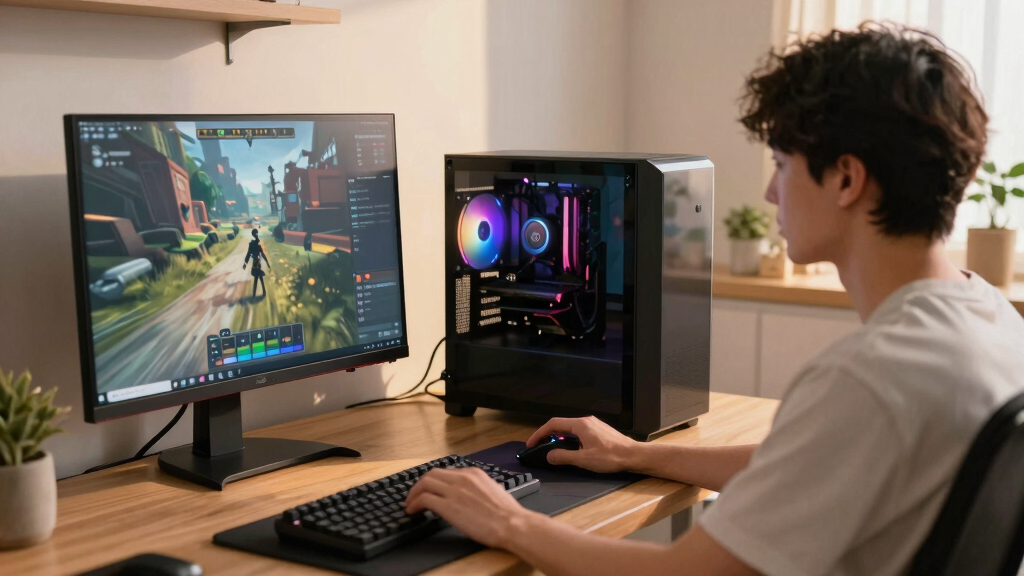
How We Picked
I compared the listed configurations through the needs of a Steam buyer, weighting gaming performance, hardware balance, and usable storage most heavily. GPU class shaped the broad ranking because it has the largest effect on resolution, visual settings, and frame rates in modern games. I then examined whether the processor, memory, and cooling hardware supported that GPU without adding expensive capacity that many players would rarely use. Storage received extra weight because large Steam libraries can fill a 1TB drive quickly, and a 64GB handheld requires much more active file management.
I placed the MSI Codex Z2 first for its balanced RTX 5070 configuration, while the Skytech Azure 3 ranked as the premium performance choice rather than the default recommendation. The CyberPowerPC Gamer Xtreme earned the value role through a leaner specification that still targets current PC games, although I factored its 16GB memory and 8GB graphics card into the tradeoff. I ranked specialized machines by how well they serve their intended use: the Steam Deck for handheld play, the GMKtec K12 for compact and lighter workloads, and the KOTIN for buyers who want advanced cooling and an integrated secondary screen. I also accounted for likely maintenance, upgrade access, power demands, and whether each configuration may prompt an early memory or storage purchase. These rankings reflect the supplied hardware rather than hands-on benchmark results, so I recommend checking current pricing and the exact component list before ordering.
Factors to Consider When Choosing Best Steam Gaming PCs
I would start by matching the hardware to the games, display, and physical setup you already have. A faster graphics card matters more than decorative extras for most Steam libraries, but paying for flagship hardware can be wasteful on a basic monitor. Storage and upgrade access also shape long-term ownership because games are growing while some compact systems leave little room for expansion. The sections below explain where extra spending pays off and where a simpler machine remains the smarter purchase.
Match the Graphics Card to Your Display
I see the largest dividing line in this roundup between integrated Radeon 780M graphics, the RTX 5060 class, and the faster RTX 5070 or RX 9070 XT systems. Integrated graphics suit indie titles, older releases, emulation, and reduced settings, but they are a poor match for buyers expecting high-detail performance in demanding new games. An RTX 5060 is a more practical target for 1080p gaming, although its 8GB allocation can require texture or ray-tracing compromises in heavier releases. RTX 5070 systems offer more room for 1440p, higher refresh rates, and visual features without moving straight to the most expensive tier. The RX 9070 XT configuration is better aligned with buyers who already own a fast 1440p or 4K display. I would avoid paying for the fastest GPU here if your monitor, game choices, or frame-rate target cannot show the difference.
Avoid Paying for More Processor Than Gaming Requires
A gaming-focused processor such as the Ryzen 7 9850X3D can help high-refresh play, especially in simulation, strategy, and competitive titles that lean heavily on the CPU. The Ryzen 9 7900X in the iBUYPOWER system has added appeal for rendering, compiling, streaming, or other multicore work, but many Steam players will not use all of that capability. At higher resolutions, the graphics card often becomes the limit before a modern Ryzen 7 or Core i5 does. This means a balanced CPU and stronger GPU can produce a better gaming purchase than a workstation-class processor paired with lesser graphics. Cooling also matters because high-power chips can add fan noise, heat, and maintenance demands. I would pay extra for a premium CPU only when high frame rates or mixed gaming and production workloads are part of the plan.
Plan Storage Around the Games You Actually Keep Installed
I regard 1TB as a practical starting point for a general Steam desktop, while the MSI Codex Z2’s 2TB SSD reduces early file juggling. A drive’s advertised capacity is not fully available after Windows, recovery files, applications, and updates take their share. Players who rotate between a few competitive or indie games can live comfortably with less space than buyers who keep several large releases installed. The Steam Deck’s 64GB internal drive is especially restrictive, making compatible removable storage or a replacement drive part of the real ownership cost. Before buying, I would check for a free M.2 slot and whether reaching it affects warranty coverage or requires removing other components. Spending more on accessible, expandable storage is usually more useful than paying for cosmetic lighting or a secondary case display.
Choose a Form Factor With Its Limits in Mind
A full-size tower provides the easiest path to graphics, storage, memory, and cooling upgrades, but it demands desk or floor space. The GMKtec K12 fits far smaller work areas and can serve a living-room setup, though its integrated graphics cannot match even the RTX 5060 desktops. Valve’s Steam Deck goes farther toward mobility by combining the display, controls, and computer in one device, at the cost of reduced performance and a much smaller internal drive. Compact cases may also run warmer or use laptop-style parts with fewer replacement choices. With any prebuilt tower, I would check motherboard dimensions, power connectors, case clearance, and whether standard retail components are used. Buyers who expect to replace the GPU later should favor accessible towers over sealed or tightly packed designs.
Decide Between SteamOS Convenience and Windows Breadth
The Steam Deck offers a console-like Steam interface, suspend-and-resume convenience, and built-in controls, making it the easiest choice for portable play. Its Linux-based software relies on game compatibility layers, so certain multiplayer titles, anti-cheat systems, launchers, and mods may require research or may not work as expected. The Windows 11 desktops provide broader launcher and peripheral support, but they bring driver updates, background applications, and more setup work. Big Picture mode can make a Windows PC friendlier from a sofa, yet it does not turn a tower into a fully integrated handheld. I would check the five or ten games you play most often rather than judging compatibility from the size of the entire Steam catalog. Beginners who want maximum software coverage may prefer a Windows prebuilt, while portable players with a compatible library may value the Deck’s simpler interface.
Frequently Asked Questions
Is an RTX 5060 Enough, or Should I Buy an RTX 5070 Steam PC?
I would choose an RTX 5060 for 1080p gaming when price matters more than maximum settings, ray tracing, or long-term graphics headroom. The RTX 5070 is a better fit for 1440p and higher refresh rates, particularly if you want to keep the computer for several years. Its 12GB allocation also offers more flexibility than the 8GB RTX 5060 configurations when games use large texture packs. The upgrade is less compelling for indie games, older releases, or a 60Hz 1080p monitor. If the price gap is small, I favor the RTX 5070; if it forces cuts to storage, memory, or monitor quality, the RTX 5060 can deliver a better complete setup.
Should I Buy a Steam Deck Instead of a Gaming Desktop?
I would buy the Steam Deck for handheld convenience, not as a direct performance substitute for an RTX-equipped desktop. It fits commuting, travel, sofa play, and lighter games far better than any tower in this list. A desktop is the stronger choice for high-resolution monitors, keyboard-and-mouse games, upgrades, and demanding releases. The listed 64GB Deck also needs careful storage planning, and some anti-cheat or launcher-dependent games can create compatibility problems. Buyers who split time between portable and desk play may find the Deck useful as a companion device rather than their only Steam machine.
Do I Need 32GB of RAM for Steam Gaming in 2026?
I view 16GB as the workable entry point and 32GB as the better long-term target for a new gaming desktop. Many games still run within 16GB, but browsers, voice chat, launchers, mods, and background tools reduce the remaining margin. Systems with 32GB are better suited to heavy mod packs, simulation games, streaming, and multitasking. Memory is often one of the easiest desktop upgrades, so a 16GB value system is not automatically a poor purchase. I would check whether it uses one or two memory modules and whether open slots remain before deciding how much the lower starting capacity matters.
Is a 1TB SSD Large Enough for a Steam Library?
A 1TB SSD is enough for a curated library, but it can feel tight when several large games stay installed at once. Windows and applications reduce the usable space before any games are downloaded, while patches may temporarily need additional room. The MSI Codex Z2’s 2TB drive is a meaningful advantage for buyers who dislike uninstalling and redownloading titles. Adding a second internal SSD later can be economical if the motherboard has a free slot and the case is easy to open. I would compare expansion access and drive pricing rather than treating the factory capacity as permanent.
What Should I Check Before Upgrading a Prebuilt Gaming PC?
I would verify the power supply wattage and connectors, case clearance, motherboard layout, cooler dimensions, and available storage slots. A high wattage label alone does not show component quality, so efficiency certification and the exact power supply model also matter. Proprietary cases, motherboards, or front-panel connectors can make future changes harder than they appear. Liquid cooling, such as the KOTIN system’s 360mm setup, adds thermal capacity but also introduces more parts than a basic air cooler. Buyers planning major upgrades should favor standard components and accessible interiors, even when a smaller or more stylized machine looks attractive.
Conclusion
For most buyers, I recommend the MSI Codex Z2 as the best overall choice because its RTX 5070, 32GB of memory, and 2TB SSD create the strongest balance without obvious early upgrades. The CyberPowerPC Gamer Xtreme is my value pick for 1080p players willing to accept 16GB of RAM and an 8GB RTX 5060. Beginners who want more graphics headroom should choose the CyberPowerPC configuration with a Ryzen 7 8700F and RTX 5060 Ti, provided its price stays well below the RTX 5070 machines. For premium performance, I would take the Skytech Azure 3 and its Ryzen 7 9850X3D and RX 9070 XT combination.
The Valve Steam Deck is my handheld recommendation, while the GMKtec K12 fits compact spaces and lighter Steam libraries. KOTIN makes the most sense for buyers drawn to advanced cooling, Wi-Fi 7, and a built-in secondary display, though those features do not replace the benefit of MSI’s larger SSD. I would place the iBUYPOWER Element ahead for mixed gaming and processor-heavy work, while the Alienware Aurora suits buyers who favor a mainstream prebuilt package over unusual case features. The YAWYORE system is the budget-oriented alternative, but its older Ryzen 7 5700X platform gives it less future-facing appeal than the newer DDR5 systems.
Halloween Picks
halloween
As an affiliate, we earn on qualifying purchases.