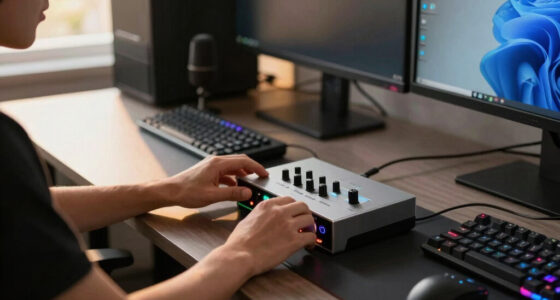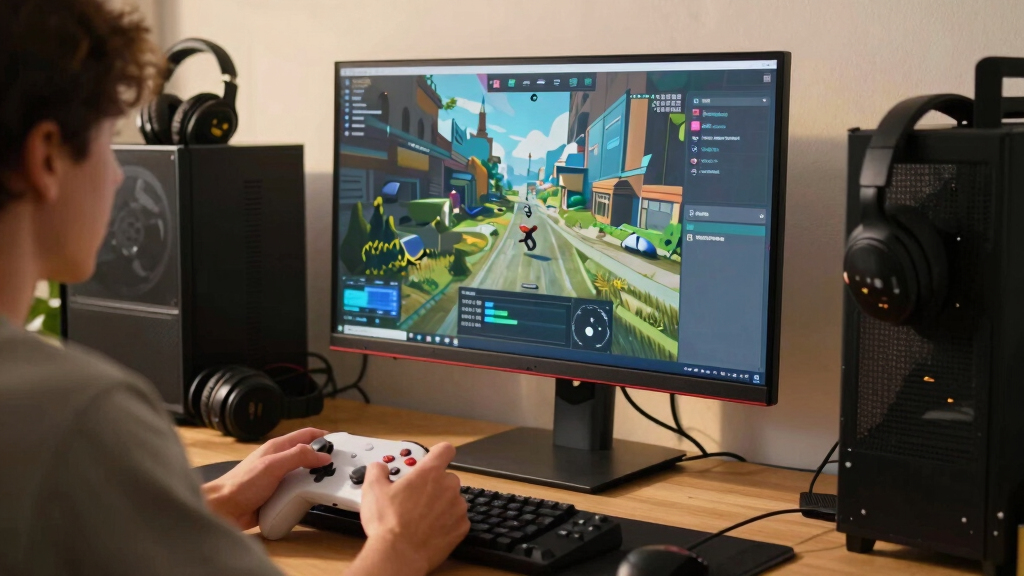

The best ultrawide monitor for Steam games in this lineup is the Alienware AW3425DW, because its 240Hz QD-OLED panel gives Steam players the strongest mix of speed, contrast, and cinematic 21:9 immersion. The ASUS TUF VG34WQML5A stands out for players who want very high refresh rates without paying OLED prices, while the LG 34G630A-B is a strong middle-ground pick with 240Hz, USB-C, and an adjustable stand. The main tradeoff is panel quality versus price: OLED looks richer, fast VA panels cost less, and IPS-style productivity models are easier to live with but less exciting for games. Steam players also need to weigh GPU demands, game support for ultrawide aspect ratios, and whether they play competitive shooters, RPGs, sims, or casual indies most often. Continue reading for the full breakdown of which monitor fits each type of Steam library.

Play games on Amazon Luna for your game nights, included with Prime
- A rotating selection of games, no download needed
- Play on TV, laptop or phone
- Fast, free delivery for your gear, too
Key Takeaways
- Alienware AW3425DW is the best overall pick because QD-OLED gives it the strongest image quality and motion clarity balance for modern Steam games.
- ASUS TUF VG34WQML5A is the speed-first value play, beating most non-OLED options here on refresh rate while staying more practical than premium OLED pricing.
- LG 34G630A-B is the most balanced LCD alternative thanks to 240Hz, WQHD resolution, USB-C, and a stand that better suits mixed gaming and desktop use.
- The productivity-focused LG 34U650A-B and LG 34U640B-B are weaker pure gaming buys, but they make sense for players who split time between Steam and work.
- The Samsung 40-inch Odyssey G7 G75F is the big-screen wildcard: its larger WUHD canvas is excellent for sims and strategy games, but it asks more from your GPU than the 34-inch WQHD picks.
| ASUS TUF Gaming VG34VQ3B |  | Best Overall Balance | Display size: 34 inches | Resolution: 3440 x 1440 QHD | Aspect ratio: 21:9 | VIEW LATEST PRICE | See Our Full Breakdown |
| ASUS TUF Gaming VG34WQML5A |  | Best High-Refresh Value | Screen size: 34 inches | Resolution: 3440 x 1440 WQHD | Refresh rate: 250Hz overclocked | VIEW LATEST PRICE | See Our Full Breakdown |
| LG 34G630A-B Ultragear |  | Best Connectivity Pick | Screen size: 34 inches | Resolution: 3440 x 1440 WQHD | Refresh rate: 240Hz | VIEW LATEST PRICE | See Our Full Breakdown |
| Alienware AW3425DW |  | Best Premium OLED | Display size: 34.2 inches | Resolution: 3440 x 1440 WQHD | Refresh rate: 240Hz | VIEW LATEST PRICE | See Our Full Breakdown |
| LG 34U650A-B |  | Best Work-and-Play Ultrawide | Display size: 34 inches | Resolution: 3440 x 1440 | Panel type: IPS | VIEW LATEST PRICE | See Our Full Breakdown |
| Alienware 34 Curved Gaming Monitor AW3425DWM |  | Best Balanced 180Hz Pick | Display Size: 34 inches | Resolution: WQHD | Refresh Rate: 180Hz | VIEW LATEST PRICE | See Our Full Breakdown |
| Samsung 40-inch Odyssey G7 G75F WUHD Curved Gaming Monitor |  | Best Big-Screen Immersion | Display Size: 40 inches | Resolution: WUHD 4K | Refresh Rate: 180Hz | VIEW LATEST PRICE | See Our Full Breakdown |
| LG 34U640B-B 34-Inch UltraWide QHD Curved Computer Monitor |  | Best Work-and-Steam Hybrid | Display Size: 34 inches | Resolution: 3440 x 1440 (QHD) | Aspect Ratio: 21:9 | VIEW LATEST PRICE | See Our Full Breakdown |
| LG 34GX90SA-W 34-inch Ultragear WQHD OLED Curved Gaming Monitor |  | Best Premium OLED Pick | Size: 34 inches | Resolution: WQHD (3440 x 1440) | Refresh Rate: 240Hz | VIEW LATEST PRICE | See Our Full Breakdown |
| ultrawide monitors for Steam game | Resolution | Refresh rate | HDR | Response time |
|---|---|---|---|---|
| ASUS TUF Gaming VG34VQ3B | 3440 x 1440 QHD | 180Hz | DisplayHDR 400 | 1ms MPRT |
| ASUS TUF Gaming VG34WQML5A | 3440 x 1440 WQHD | 250Hz overclocked | DisplayHDR 400 | 0.5ms |
| LG 34G630A-B Ultragear | 3440 x 1440 WQHD | 240Hz | DisplayHDR 400 | 1ms GtG |
| Alienware AW3425DW | 3440 x 1440 WQHD | 240Hz | DisplayHDR TrueBlack 400 | 0.03ms |
| LG 34U650A-B | 3440 x 1440 | 100Hz | HDR10 | — |
| Alienware 34 Curved Gaming Mon | WQHD | 180Hz | VESA DisplayHDR 400 | 1ms |
| Samsung 40-inch Odyssey G7 G75 | WUHD 4K | 180Hz | VESA DisplayHDR 600 | 1ms (GtG) |
| LG 34U640B-B 34-Inch UltraWide | 3440 x 1440 (QHD) | 144Hz | HDR10 | 5ms |
| LG 34GX90SA-W 34-inch Ultragea | WQHD (3440 x 1440) | 240Hz | DisplayHDR True Black 400 | 0.03ms |
More Details on Our Top Picks
ASUS TUF Gaming VG34VQ3B
ASUS TUF Gaming VG34VQ3B earns my overall slot because it sits in the sweet spot for Steam players who want 3440×1440 immersion without chasing the most expensive panel in the lineup. Compared with the ASUS TUF VG34WQML5A, it gives up the extreme 250Hz ceiling, but its 180Hz refresh rate is still fast enough for most racing, shooters, survival games, and RPGs. It also has stronger contrast than many IPS alternatives, which helps darker games feel richer. The tradeoff is that it is not as color-rich as the Alienware AW3425DW, and the stand setup may be fussier than buyers expect. For me, this is the most sensible all-rounder when speed, curve, resolution, and warranty all matter.
Pros:- 180Hz refresh rate keeps motion smooth across a wide mix of Steam games
- 3440 x 1440 resolution gives more immersion than a standard 16:9 monitor
- 4000:1 contrast helps dark scenes look deeper than many IPS displays
- Three-year warranty adds confidence for a main gaming display
Cons:- Not as fast as the 240Hz and 250Hz options in this lineup
- HDR400 is limited compared with the Alienware QD-OLED model
- Large curved design needs a roomy desk
Best for: Steam players who split time between cinematic single-player games and fast multiplayer titles on a midrange to high-end GPU
Not ideal for: Competitive players chasing the highest refresh rate available or OLED-level contrast
- Display size:34 inches
- Resolution:3440 x 1440 QHD
- Aspect ratio:21:9
- Refresh rate:180Hz
- Response time:1ms MPRT
- HDR:DisplayHDR 400
- Color gamut:90% DCI-P3
- Adaptive sync:FreeSync Premium
- Warranty:3 years
Our verdict“Pick this if you want the best mix of speed, immersion, and price logic for a broad Steam library.”
ASUS TUF Gaming VG34WQML5A
The ASUS TUF Gaming VG34WQML5A is the speed-first pick I would put ahead of the VG34VQ3B for players who care more about high-frame-rate Steam games than built-in extras. Its 250Hz overclocked refresh rate gives it a higher motion ceiling than the LG 34G630A-B and the Alienware AW3425DW, while the 0.5ms response time targets blur-sensitive play. That matters in shooters, esports titles, and fast action games where ultrawide can feel heavy if the panel is slow. The catch is GPU demand: 3440×1440 at very high frame rates is not easy to drive. It also lacks the OLED contrast and HDR punch of the Alienware. This model makes sense when speed per dollar matters more than luxury image quality.
Pros:- 250Hz overclocked refresh rate suits fast multiplayer games
- 0.5ms response time is aimed at reducing blur and ghosting
- 95% DCI-P3 coverage gives richer color than the VG34VQ3B
- 1500R curve pulls the edges into view for more focused play
Cons:- Needs a powerful GPU to make full use of the refresh rate
- HDR400 cannot match OLED HDR depth
- Curved 34-inch format may feel awkward for productivity-heavy setups
Best for: Competitive Steam players with a strong GPU who want ultrawide width without giving up very high refresh rates
Not ideal for: Buyers with entry-level graphics cards, since they may rarely reach frame rates that justify 250Hz
- Screen size:34 inches
- Resolution:3440 x 1440 WQHD
- Refresh rate:250Hz overclocked
- Response time:0.5ms
- Curvature:1500R
- HDR:DisplayHDR 400
- Color gamut:95% DCI-P3
- Adaptive sync:FreeSync Premium
Our verdict“Choose this when ultrawide Steam gaming speed is the priority and OLED pricing feels excessive.”
LG 34G630A-B Ultragear
LG 34G630A-B Ultragear is the monitor I would point to when a Steam setup also doubles as a laptop dock or shared desk. Compared with the ASUS TUF VG34WQML5A, it steps down from 250Hz to 240Hz, but adds USB-C with 15W power delivery and a more flexible stand. That makes it easier to live with if the monitor handles gaming by night and general work by day. Against the Alienware AW3425DW, it cannot match QD-OLED black levels or 0.03ms response, but it avoids OLED burn-in concerns and keeps the same 3440×1440 ultrawide footprint. The main limitation is HDR400, which is more about modest highlight lift than dramatic HDR gaming.
Pros:- 240Hz refresh rate is fast enough for serious multiplayer gaming
- USB-C input adds useful flexibility for laptop users
- Height, tilt, and swivel adjustments make the setup easier to tune
- 95% DCI-P3 color coverage suits games with vivid art direction
Cons:- 15W USB-C power delivery is too low for charging many gaming laptops
- HDR400 has limited impact compared with OLED HDR
- Curved 34-inch panel still needs generous desk depth
Best for: Steam players who want a fast ultrawide monitor that also connects cleanly to a laptop or multi-device desk
Not ideal for: OLED shoppers who want the deepest blacks and strongest HDR impact in story-heavy games
- Screen size:34 inches
- Resolution:3440 x 1440 WQHD
- Refresh rate:240Hz
- Response time:1ms GtG
- HDR:DisplayHDR 400
- Color gamut:95% DCI-P3
- Connectivity:HDMI, DisplayPort, USB-C
- Stand:Height, tilt, swivel
Our verdict“This is the practical high-speed pick for Steam gamers who want one monitor to handle more than a tower PC.”
Alienware AW3425DW
The Alienware AW3425DW is the most image-driven pick here, and it belongs at the premium end because QD-OLED contrast changes how many Steam games look. Compared with the ASUS TUF VG34VQ3B, it brings a faster 240Hz refresh rate, a much quicker 0.03ms response time, and far richer HDR behavior with DisplayHDR TrueBlack 400 plus 1000-nit peak HDR brightness. That combination suits horror, sci-fi, racing, and cinematic RPGs where black levels and highlights shape the mood. The reason it is not the default pick is cost and OLED care. Burn-in risk matters if static HUDs, desktop work, or long strategy sessions dominate. Still, for buyers who want the most dramatic ultrawide Steam image, this is the flagship choice.
Pros:- QD-OLED panel delivers much deeper contrast than LCD options
- 240Hz refresh rate keeps premium image quality paired with high speed
- 0.03ms response time is excellent for motion clarity
- 99.3% DCI-P3 coverage supports very rich color
Cons:- Higher price makes it harder to justify for budget-focused buyers
- OLED burn-in risk needs care with static content
- Large 34.2-inch curved body requires a spacious desk
Best for: Players who want premium image quality for cinematic Steam games and have the budget for an OLED ultrawide
Not ideal for: Users who leave static windows, HUD-heavy games, or desktop apps on screen for long sessions
- Display size:34.2 inches
- Resolution:3440 x 1440 WQHD
- Refresh rate:240Hz
- Response time:0.03ms
- Curve radius:1800R
- HDR:DisplayHDR TrueBlack 400
- Peak HDR brightness:1000 nits
- Color coverage:99.3% DCI-P3
- Adaptive sync:FreeSync Premium Pro, VESA AdaptiveSync, G-SYNC Compatible
Our verdict“Buy this if visual impact matters as much as speed and you are comfortable managing an OLED panel.”
LG 34U650A-B
LG 34U650A-B is the least hardcore gaming pick in this batch, but that is also its role. Compared with the LG 34G630A-B and ASUS TUF VG34WQML5A, its 100Hz refresh rate is much lower, so it is not the right choice for twitchy shooters or frame-rate chasing. The reason it still fits a Steam-focused roundup is balance: the IPS panel, 99% sRGB coverage, built-in speakers, ergonomic stand, and USB-C with 96W charging make it better for players who use the same desk for work, browsing, and relaxed games. Think management sims, RPGs, strategy games, and casual co-op rather than esports. Its drawback is clear: gaming performance is respectable, not aggressive.
Pros:- USB-C with 96W charging can power many laptops from one cable
- IPS panel with 99% sRGB coverage suits work and media as well as games
- 3440 x 1440 ultrawide space is useful for strategy games and multitasking
- Height, tilt, and swivel adjustments support a cleaner desk setup
Cons:- 100Hz refresh rate trails every gaming-first monitor in this group
- HDR10 support is limited next to DisplayHDR and OLED options
- Built-in speakers are convenient but not a replacement for gaming audio
Best for: Hybrid desk users who play slower-paced Steam games and want strong USB-C laptop support in the same monitor
Not ideal for: Competitive FPS players or sim racers who would benefit more from 180Hz, 240Hz, or 250Hz panels
- Display size:34 inches
- Resolution:3440 x 1440
- Panel type:IPS
- Refresh rate:100Hz
- HDR:HDR10
- Color coverage:99% sRGB
- Connectivity:USB-C, HDMI, DisplayPort
- USB-C power delivery:96W
- Speakers:Built-in
Our verdict“Choose this if Steam gaming shares desk time with serious laptop work and speed is not your main concern.”
Alienware 34 Curved Gaming Monitor AW3425DWM
Alienware AW3425DWM earns its place because it balances the Steam sweet spot well: 34-inch WQHD, 180Hz motion, and a 1500R curve without pushing into OLED pricing. Compared with the LG 34GX90SA-W, it gives up the richer blacks, 240Hz speed, and near-instant OLED response, but it also avoids the burn-in concern that can matter for players who leave launchers, HUDs, or strategy-game interfaces on screen for long sessions. Against the LG 34U640B-B, this Alienware is more gaming-focused thanks to its faster 1ms response and stronger adaptive-sync positioning. I would rank it ahead for competitive shooters and racing games, though buyers wanting USB-C docking or a work-first setup may find the LG more practical.
Pros:- 180Hz refresh rate and 1ms response suit fast Steam games
- 34-inch WQHD format hits a strong balance of immersion and GPU demand
- 95% DCI-P3 color coverage gives games a richer look than basic sRGB panels
- FreeSync Premium and VESA AdaptiveSync help smooth out variable frame rates
Cons:- Not as visually dramatic as the OLED LG 34GX90SA-W
- Large 34-inch curved footprint still needs a roomy desk
- HDR400 is useful but limited compared with stronger HDR displays
Best for: Steam players who want a fast 34-inch ultrawide for shooters, racers, and action games without paying OLED-tier prices.
Not ideal for: Laptop-first desk setups that need USB-C charging and hub features, since this model is more gaming-screen than docking monitor.
- Display Size:34 inches
- Resolution:WQHD
- Refresh Rate:180Hz
- Response Time:1ms
- Curve Radius:1500R
- Color Coverage:95% DCI-P3
- HDR:VESA DisplayHDR 400
- Adaptive Sync:AMD FreeSync Premium, VESA AdaptiveSync
Our verdict“Choose this if you want a fast, immersive ultrawide gaming monitor that feels focused without going all-in on premium OLED.”
Samsung 40-inch Odyssey G7 G75F WUHD Curved Gaming Monitor
I would point big-screen players toward the Samsung Odyssey G7 G75F when scale matters as much as speed. Its 40-inch 21:9 WUHD 4K panel gives open-world Steam games, sims, and RPGs more room to breathe than the 34-inch Alienware AW3425DWM or LG 34U640B-B. The 1000R curve also wraps more aggressively around the player, which can make cockpit and exploration games feel more enveloping. The tradeoff is commitment: this monitor needs far more desk space, more GPU power, and likely a bigger budget. Compared with the LG 34GX90SA-W, it lacks OLED black levels and 240Hz speed, but its larger canvas and DisplayHDR 600 rating make it the stronger pick for players who want size and spectacle over esports sharpness.
Pros:- 40-inch WUHD 4K ultrawide screen creates a larger play space than 34-inch options
- 180Hz refresh rate keeps motion smooth for a display this large
- 1000R curve adds stronger wraparound immersion
- DisplayHDR 600 gives brighter highlights than HDR400 monitors
Cons:- Requires substantial desk depth and width
- WUHD 4K resolution can be demanding in modern Steam games
- Connectivity details are less clear than on the LG 34GX90SA-W
Best for: Players with high-end gaming PCs who want a large ultrawide for open-world games, flight sims, racing, and cinematic Steam titles.
Not ideal for: Small-desk users or midrange GPU owners, because the 40-inch WUHD panel asks for space and serious graphics horsepower.
- Display Size:40 inches
- Resolution:WUHD 4K
- Refresh Rate:180Hz
- Response Time:1ms (GtG)
- Curvature:1000R
- Aspect Ratio:21:9
- HDR:VESA DisplayHDR 600
Our verdict“Pick this when you want the most expansive ultrawide view in this batch and have the desk and GPU to support it.”
LG 34U640B-B 34-Inch UltraWide QHD Curved Computer Monitor
LG 34U640B-B is the one I would rank for buyers who split time between Steam and everyday work. Its 3440 x 1440 QHD panel, 21:9 shape, and USB-C with 65W charging make it more desk-friendly for laptop users than the Alienware AW3425DWM or Samsung Odyssey G7 G75F. It still reaches 144Hz, so single-player games, RPGs, strategy titles, and casual shooters can feel fluid. The catch is that this is not the speed pick. The Alienware offers 180Hz and 1ms response, while the LG 34GX90SA-W jumps to 240Hz OLED. This model also uses 99% sRGB rather than wide DCI-P3 coverage, so it is more practical than punchy. I would choose it for versatility, not pure gaming aggression.
Pros:- USB-C with 65W charging works well for laptop-centered setups
- 34-inch QHD ultrawide format suits both games and multitasking
- 144Hz refresh rate is smooth enough for many Steam genres
- Height and tilt adjustment improve daily comfort
Cons:- 5ms response is slower than the Alienware and LG OLED gaming models
- 99% sRGB color is less wide than DCI-P3 gaming displays
- HDR10 support is modest rather than a major visual upgrade
Best for: Hybrid users who want one ultrawide for Steam gaming, productivity, USB-C laptop charging, and a cleaner desk setup.
Not ideal for: Competitive players chasing the fastest response and highest refresh rates, since 144Hz and 5ms trail the gaming-first picks here.
- Display Size:34 inches
- Resolution:3440 x 1440 (QHD)
- Aspect Ratio:21:9
- Refresh Rate:144Hz
- Response Time:5ms
- Color Coverage:99% sRGB
- HDR:HDR10
- Connectivity:USB Type-C, HDMI, DisplayPort, USB ports
- Curvature:1800R
Our verdict“Buy this if Steam gaming is part of a broader work-and-play desk rather than the only job the monitor has.”
LG 34GX90SA-W 34-inch Ultragear WQHD OLED Curved Gaming Monitor
The LG 34GX90SA-W is the premium choice in this batch because it pairs 240Hz OLED speed with a 0.03ms response time, deep blacks, and a tight 800R curve. Compared with the Alienware AW3425DWM, it is faster and more cinematic, especially for dark games, horror titles, and HDR-heavy single-player releases. Compared with the Samsung Odyssey G7 G75F, it gives up the huge 40-inch canvas but wins on contrast, pixel response, and gaming-specific polish. I also like that webOS, HDMI 2.1, DisplayPort 1.4, and USB-C make it more flexible than a simple display. The drawbacks are real: OLED burn-in risk, premium pricing, and a very aggressive curve. This is the indulgent pick, not the practical middle ground.
Pros:- 240Hz refresh rate and 0.03ms response are the fastest in this batch
- OLED panel delivers deep blacks and strong contrast for atmospheric games
- G-Sync Compatible and FreeSync Premium support help across different GPUs
- HDMI 2.1, DisplayPort 1.4, USB-C, and webOS add premium flexibility
Cons:- OLED burn-in risk requires more care than LCD ultrawides
- Premium price makes it harder to justify for casual players
- 800R curve may feel too aggressive for mixed productivity use
Best for: Enthusiast Steam players who want OLED contrast, ultra-fast motion, and built-in streaming or cloud-gaming features in one premium screen.
Not ideal for: Users who leave static desktop apps, HUD-heavy games, or launchers on screen for long periods and do not want to manage OLED care.
- Size:34 inches
- Resolution:WQHD (3440 x 1440)
- Refresh Rate:240Hz
- Response Time:0.03ms
- Panel Type:OLED
- Peak Brightness:1300 nits
- Color Coverage:98.5% DCI-P3
- HDR:DisplayHDR True Black 400
- Connectivity:HDMI 2.1, DisplayPort 1.4, USB Type-C (65W)
Our verdict“Choose this when image quality and motion speed matter more than price, panel-care habits, or a work-first desk setup.”
How We Picked
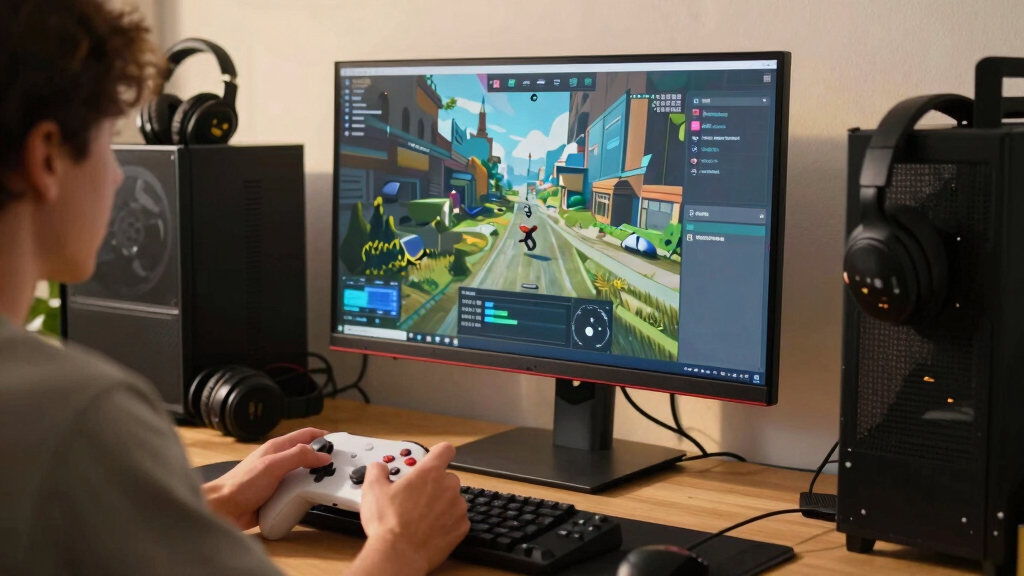
I ranked these monitors by how well they serve Steam gaming on an ultrawide screen, not by spec-sheet size alone. The highest spots went to models that combine 3440×1440 or wider resolution, fast refresh rates, low response times, adaptive sync, and panel tech that makes games feel more cinematic without adding too many ownership tradeoffs. OLED and QD-OLED models scored higher for contrast and motion, while fast LCD options gained ground when they offered stronger value, fewer burn-in worries, or better mixed-use practicality.
I also weighed how each monitor fits different Steam libraries. Competitive players benefit from 180Hz to 250Hz refresh rates, RPG and single-player players gain more from HDR and contrast, and sim or strategy fans may prefer extra width like the Samsung 40-inch Odyssey G7 G75F. The final order favors monitors that make the biggest visible difference in games while staying realistic about GPU load, desk space, warranty comfort, and long-session usability.
| ultrawide monitors for Steam game | HDR |
|---|---|
| ASUS TUF Gaming VG34VQ3B | DisplayHDR 400 |
| ASUS TUF Gaming VG34WQML5A | DisplayHDR 400 |
| LG 34G630A-B Ultragear | DisplayHDR 400 |
| Alienware AW3425DW | DisplayHDR TrueBlack 400 |
| LG 34U650A-B | HDR10 |
| Alienware 34 Curved Gaming Mon | VESA DisplayHDR 400 |
| Samsung 40-inch Odyssey G7 G75 | VESA DisplayHDR 600 |
| LG 34U640B-B 34-Inch UltraWide | HDR10 |
| LG 34GX90SA-W 34-inch Ultragea | DisplayHDR True Black 400 |
Factors to Consider When Choosing Best Ultrawide Monitors For Steam Games
Choosing between the best ultrawide monitors for Steam games is less about grabbing the largest curved screen and more about matching the panel to the way your game library behaves. I would start with the games you play most, then work backward through refresh rate, resolution, panel type, ports, and desk fit.
Match Refresh Rate To Your Steam Library
A 240Hz or 250Hz ultrawide sounds automatically better, but it only pays off when your PC can feed it enough frames. Competitive Steam games, racing titles, and fast shooters benefit most because smoother motion can make aiming and tracking feel cleaner. Story-heavy RPGs, strategy games, and slower indies often gain more from contrast, HDR, and screen space than from jumping past 180Hz. This is why the ASUS TUF VG34WQML5A makes more sense for speed-focused players, while the Alienware AW3425DW earns its spot through both speed and image depth. A common mistake is buying the fastest panel while using a GPU that mostly runs demanding games below 100 fps at ultrawide resolution. If your Steam library is mixed, a strong 180Hz to 240Hz model is usually the sweet spot.
Choose Panel Type By What Bothers You Most
OLED and QD-OLED monitors deliver the richest blacks, near-instant pixel response, and the strongest HDR feel in darker games. That makes models like the Alienware AW3425DW and LG 34GX90SA-W the most exciting options for cinematic Steam titles. The tradeoff is ownership anxiety: static HUDs, desktop use, and long strategy sessions can raise burn-in concerns, even with modern protection features. VA gaming monitors usually cost less and offer strong contrast, but they can show more motion smearing in dark scenes. IPS-style ultrawides are easier to recommend for mixed work and play, though they rarely feel as dramatic in horror games, space games, or night scenes. Pick the panel based on the flaw you are least willing to live with.
Do Not Ignore GPU Load
3440×1440 ultrawide is much easier to drive than 4K, but it is still a large jump from standard 2560×1440. A monitor like the Samsung 40-inch Odyssey G7 G75F adds even more pixels, which can make open-world games and sims look grand but can also drag frame rates down. If your GPU is midrange, a 34-inch WQHD model may feel faster and more balanced than a larger WUHD display. Steam players often forget that ultrawide support varies by game, so some older titles may need community fixes, pillarboxing, or UI scaling adjustments. Newer AAA games usually behave better, but cutscenes and menus can still fall back to 16:9. I would rather pair a monitor with a GPU that can keep it lively than buy extra pixels that force every game into lower settings.
Think About Desk Use, Not Just Game Use
An ultrawide monitor can become your main desktop, so stand quality, USB-C, speakers, and ergonomics matter more than they might on a console-only screen. The LG 34G630A-B has an advantage for mixed setups because USB-C and an adjustable stand reduce cable clutter and make daily use easier. The ASUS TUF VG34VQ3B includes speakers and a 3-year warranty, which can appeal to buyers who want a simpler setup. Premium OLED options may win for games but are not always the easiest choice for spreadsheets, static apps, or all-day desktop use. Curve also matters: a tighter curve can feel more immersive in racing and shooters, while a gentler curve is easier for work windows. I would measure desk depth before buying, since ultrawide comfort depends on viewing distance as much as screen size.
Know When Paying More Makes Sense
Paying more is sensible when the upgrade changes what you see every session, not just what the box advertises. QD-OLED contrast, high refresh, and strong HDR can justify a premium for players who spend most of their Steam time in visually rich games. For competitive players, a cheaper 250Hz LCD like the ASUS TUF VG34WQML5A may be the sharper purchase because it prioritizes speed over luxury image quality. Budget-minded buyers should watch for older 180Hz ultrawides, which often give a big-screen feel without the premium tax. The risky middle is paying near-OLED money for an LCD that lacks standout brightness, ports, or motion handling. A smart buy should have one clear reason to exist: best image, best speed, best value, best size, or best everyday usability.
Frequently Asked Questions
Is An Ultrawide Monitor Actually Better For Steam Games Than A 16:9 Monitor?
An ultrawide monitor can be better for Steam games when the game supports 21:9 or wider aspect ratios well. The extra horizontal view makes racing games, flight sims, RPGs, and open-world titles feel more expansive than a standard 16:9 display. Competitive shooters are more mixed, because some games limit field of view or have UI quirks to keep play fair. A 16:9 monitor is still simpler for esports, streaming, and older games. I would pick ultrawide if immersion and multitasking matter more than universal compatibility.
Should I Buy OLED Or A Fast LCD Ultrawide For Steam Gaming?
Choose OLED or QD-OLED if your priority is cinematic image quality, deep blacks, and very clean motion. That points toward the Alienware AW3425DW or LG 34GX90SA-W in this roundup. A fast LCD makes more sense if you play lots of HUD-heavy games, leave desktop apps open for hours, or want lower long-term worry. LCD models like the ASUS TUF VG34WQML5A can still feel extremely quick at high refresh rates. The better choice depends on whether you care more about visual drama or low-maintenance daily use.
Is 3440×1440 Still The Best Resolution For Ultrawide Steam Gaming?
For most players, 3440×1440 is still the most practical ultrawide resolution for Steam games. It gives a much wider view than 16:9 while staying manageable for modern midrange and upper-midrange graphics cards. Larger or wider screens like the Samsung 40-inch Odyssey G7 G75F can look more expansive, especially in sims and strategy games, but they demand more GPU power. Lower-resolution ultrawides can be easier to drive, though image sharpness suffers at 34 inches. I would treat 3440×1440 as the safest target unless your PC is built for heavier pixel loads.
Do All Steam Games Support Ultrawide Monitors Properly?
No, ultrawide support varies across Steam. Many modern PC games handle 21:9 well during gameplay, but menus, cutscenes, HUDs, and dialogue screens may still show black bars or stretched layouts. Older games are more likely to need community patches, launch options, or manual config tweaks. Competitive games may also restrict field of view or aspect ratio behavior. Before buying around one favorite title, I would check recent player reports for that exact game and resolution.
Which Monitor In This Roundup Makes The Most Sense For A Midrange Gaming PC?
For a midrange PC, I would lean toward a 34-inch WQHD ultrawide rather than the largest or most demanding option. The LG 34G630A-B is a strong fit because it pairs 240Hz capability with practical ports and adjustability, while the ASUS TUF VG34VQ3B is appealing if value and warranty comfort matter more. A premium OLED can still work, but you may not always drive it near its maximum refresh rate in newer AAA games. The Samsung 40-inch model is more demanding and better suited to stronger GPUs. A balanced monitor should let you raise settings without making frame rate feel fragile.
Conclusion
For most Steam players, I would choose the Alienware AW3425DW as the best overall ultrawide monitor because it combines QD-OLED image quality, 240Hz speed, and the strongest gaming-first profile in this group. The ASUS TUF VG34WQML5A is my best value for high-refresh gaming, while the LG 34G630A-B is the better pick for players who want speed plus USB-C and a more flexible desktop setup. For premium buyers who want OLED but prefer LG’s gaming style and white design, the LG 34GX90SA-W is the cleanest alternative. Beginners should start with the ASUS TUF VG34VQ3B because it keeps the core ultrawide gaming benefits simple, affordable, and warranty-backed. For sim, strategy, and big-canvas players, the Samsung 40-inch Odyssey G7 G75F is the specific-needs pick, while the LG 34U650A-B and LG 34U640B-B are better for buyers who split Steam gaming with everyday productivity.
Fall Picks
fall essentials
As an affiliate, we earn on qualifying purchases.