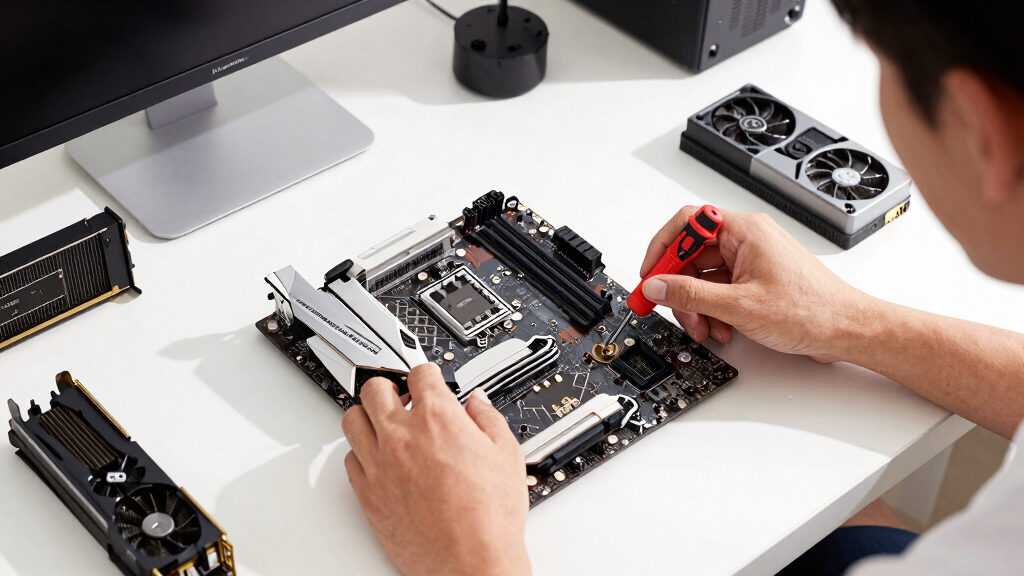

The best AM5 motherboard for gaming PCs in this lineup is the GIGABYTE B850 AORUS Elite WIFI7 because it gives most builders the right mix of modern I/O, upgrade room, Ryzen 9000 support, and sensible pricing. The GIGABYTE B650 Eagle AX is my value pick for gamers who want AM5 without paying for features they may never use, while the ASUS ROG Strix X870E-E Gaming WiFi is the premium choice for high-end builds with heavier storage, USB4, and PCIe 5.0 needs. The main tradeoff is whether to spend more on newer chipsets, WiFi 7, USB4, stronger power delivery, and extra M.2 slots, or save money for the GPU where gaming performance usually gains more. I also weighed ease of building, board size, future GPU and SSD support, and how well each model fits a realistic gaming PC rather than a spec-sheet showcase. Keep reading for the full breakdown by buyer type, budget, and build style.

Play games on Amazon Luna for your game nights, included with Prime
- A rotating selection of games, no download needed
- Play on TV, laptop or phone
- Fast, free delivery for your gear, too
Key Takeaways
- The GIGABYTE B850 AORUS Elite WIFI7 ranks first because it balances next-gen connectivity, Ryzen 9000 readiness, and gaming-focused value better than the more expensive X870 models.
- The GIGABYTE B650 Eagle AX shows that a cheaper AM5 board can still make sense for gaming when the money saved goes toward a better GPU.
- The ASUS ROG Strix X870E-E Gaming WiFi is the strongest premium pick, but its extra cost only pays off for builders who will use its richer PCIe, M.2, and high-speed USB layout.
- The Micro Center Ryzen 5 9600X bundle is the easiest path for a first AM5 gaming build, though it limits buyers who want to choose every part separately.
- Compact builders get a real option in the GIGABYTE B850M Gaming X WIFI6E, but its smaller mATX layout asks for more planning around expansion cards and storage.
| GIGABYTE X870 AORUS Elite WIFI7 AMD AM5 Motherboard |  | Best Overall | Socket: AM5 | Chipset: AMD X870 | Supported CPUs: AMD Ryzen 9000, 8000, and 7000 Series | VIEW LATEST PRICE | See Our Full Breakdown |
| ASUS ROG Strix X870-A Gaming WiFi AMD AM5 X870 ATX Motherboard |  | Best Premium White Build | Socket: AM5 | Chipset: AMD X870 | Supported CPUs: AMD Ryzen 9000, 8000, and 7000 Series | VIEW LATEST PRICE | See Our Full Breakdown |
| GIGABYTE B850 AORUS Elite WIFI7 AM5 Motherboard |  | Best Mainstream B850 Pick | Socket: AM5 | Supported CPUs: AMD Ryzen 9000, 8000, and 7000 Series | Memory: DDR5, 4 DIMMs | VIEW LATEST PRICE | See Our Full Breakdown |
| ASUS B650E MAX Gaming WiFi W AMD B650 AM5 ATX Motherboard |  | Best White Value Pick | Socket: AM5 | Chipset: AMD B650 | Supported CPUs: AMD Ryzen 9000, 8000, and 7000 Series | VIEW LATEST PRICE | See Our Full Breakdown |
| GIGABYTE B650 Eagle AX AM5 ATX Motherboard |  | Best Budget AM5 Gaming Board | Socket: AM5 / LGA 1718 | Chipset: AMD B650 | Supported CPUs: AMD Ryzen 9000, 8000, and 7000 Series | VIEW LATEST PRICE | See Our Full Breakdown |
| MICRO CENTER AMD Ryzen 5 9600X CPU Processor Bundle with ASUS B650E MAX Gaming WiFi AM5 ATX Motherboard |  | Best Starter Bundle | CPU Included: AMD Ryzen 5 9600X | CPU Cores / Threads: 6 cores / 12 threads | Socket: AM5 | VIEW LATEST PRICE | See Our Full Breakdown |
| MSI MAG B850 Tomahawk MAX WiFi Motherboard |  | Best Mainstream Gaming Board | Socket: AM5 | Chipset: AMD B850 | Processor Support: AMD Ryzen 9000 / 8000 / 7000 | VIEW LATEST PRICE | See Our Full Breakdown |
| ASUS ROG Strix X870E-E Gaming WiFi Motherboard |  | Best Premium Pick | Socket: AM5 | Processor Support: AMD Ryzen 9000 / 8000 / 7000 | Power Stages: 18+2+2, 110A per stage | VIEW LATEST PRICE | See Our Full Breakdown |
| ASUS ROG Strix B850-F Gaming WiFi Motherboard for AMD AM5 Processors | 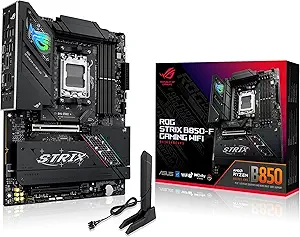 | Best Connectivity-Focused B850 | Socket: AM5 | Chipset: AMD B850 | Processor Support: AMD Ryzen 9000 / 8000 / 7000 | VIEW LATEST PRICE | See Our Full Breakdown |
| GIGABYTE B850M Gaming X WIFI6E AMD AM5 mATX Motherboard |  | Best Compact AM5 Pick | Socket: AM5 | Chipset: AMD B850 | Form Factor: micro-ATX, 9.6 x 9.6 inches | VIEW LATEST PRICE | See Our Full Breakdown |
More Details on Our Top Picks
GIGABYTE X870 AORUS Elite WIFI7 AMD AM5 Motherboard
I rank the GIGABYTE X870 AORUS Elite WIFI7 highest because it gives a gaming build the strongest balance of modern I/O, storage room, and power delivery without stepping into halo-board territory. Compared with the GIGABYTE B850 AORUS Elite WIFI7, this board adds the richer X870 feature set, including 4X M.2 slots and dual USB4, which matters if a gaming PC will also handle capture drives, fast external storage, or a long GPU upgrade cycle. It is less style-focused than the ASUS ROG Strix X870-A, but its 16+2+2 power design and 5-year warranty make it the steadier all-rounder. The tradeoff is that many gamers will not use every port, and the ATX layout asks for a normal mid-tower or larger case.
Pros:- Strong 16+2+2 power design for Ryzen 7000, 8000, and 9000 CPUs
- Four M.2 slots give more storage headroom than the B850 AORUS Elite WIFI7
- Dual USB4, front and rear USB-C, WiFi 7, and 2.5GbE suit modern gaming desks
- 5-year manufacturer warranty adds long-term appeal
Cons:- Higher feature level may be wasted on simple gaming-only builds
- ATX size is not suited to compact cases
- Buyers chasing ASUS tuning tools may prefer the ROG Strix X870-A
Best for: Gaming PC builders who want a high-end AM5 foundation with WiFi 7, USB4, and room for several fast SSDs without paying for an extreme flagship board.
Not ideal for: Budget-focused single-SSD builds, since the X870 connectivity and four M.2 slots may sit unused.
- Socket:AM5
- Chipset:AMD X870
- Supported CPUs:AMD Ryzen 9000, 8000, and 7000 Series
- Form Factor:ATX
- Memory:DDR5, 4 DIMMs, up to 256GB listed
- Power Design:16+2+2 phases
- Storage:4X M.2 slots and 4 SATA ports
- Connectivity:PCIe 5.0, USB4, WiFi 7, 2.5GbE LAN, front and rear USB-C
- Warranty:5-year manufacturer warranty
Bottom line: This is my first pick for a serious AM5 gaming PC when balanced features matter more than RGB flair or bargain pricing.
ASUS ROG Strix X870-A Gaming WiFi AMD AM5 X870 ATX Motherboard
The ASUS ROG Strix X870-A Gaming WiFi is the board I would point to for a polished white gaming build where tuning tools and connectivity carry extra weight. Against the GIGABYTE X870 AORUS Elite WIFI7, it leans harder into enthusiast controls with AI Overclocking, AI Cooling II, Dynamic OC Switcher, and Core Flex, which can make performance tweaking less manual for builders who want more than plug-and-play defaults. It also brings USB4, WiFi 7, 4X M.2, and PCIe 5.0, so it is not just a cosmetic choice. The downsides are price and complexity: many gaming rigs will not need ASUS’s deeper tuning stack, and the 3-year warranty trails GIGABYTE’s 5-year coverage on the AORUS models.
Pros:- White ROG Strix design fits showcase builds better than most black ATX boards
- 16+2+2 90A power stages are suited to high-core-count Ryzen CPUs
- AI Overclocking, AI Cooling II, Dynamic OC Switcher, and Core Flex add tuning depth
- USB4, WiFi 7, PCIe 5.0, and four M.2 slots create a very current feature set
Cons:- Costs more than value-focused B650 and B850 options
- Advanced tuning features may be unnecessary for a stock gaming build
- 3-year warranty is shorter than the 5-year coverage on the GIGABYTE AORUS picks
Best for: White-theme gaming PC builders using a high-end Ryzen CPU who want ASUS overclocking aids, USB4, WiFi 7, and a cleaner showcase build.
Not ideal for: Builders who want the longest warranty or the lowest cost per gaming frame, since the AORUS Elite boards make more sense there.
- Socket:AM5
- Chipset:AMD X870
- Supported CPUs:AMD Ryzen 9000, 8000, and 7000 Series
- Form Factor:ATX
- Memory:DDR5, 4 slots, up to 192GB listed
- Power Design:16+2+2 power stages rated at 90A
- Storage:4X M.2 slots and 2 SATA ports
- Connectivity:PCIe 5.0, USB4, WiFi 7, HDMI, optical S/PDIF
- Warranty:3 years
Bottom line: Choose this when the build has to look premium and offer deeper ASUS tuning, not when value is the main goal.
GIGABYTE B850 AORUS Elite WIFI7 AM5 Motherboard
The GIGABYTE B850 AORUS Elite WIFI7 earns its spot as the sensible middle ground for gaming PCs that need current AM5 support but do not need every X870 extra. Compared with the GIGABYTE B650 Eagle AX, it brings a stronger 14+2+2 power phase design, WiFi 7-class positioning, and PCIe 5.0 support, making it better matched to a Ryzen 9000 gaming build with a fast SSD. Compared with the X870 AORUS Elite WIFI7, it gives up the fourth M.2 slot and richer USB4-style feature set, which is why I would not rank it as the overall winner. Its appeal is balance: enough board for a powerful GPU and multiple NVMe drives, with a 5-year warranty, but less excess than X870.
Pros:- Supports Ryzen 9000, 8000, and 7000 Series CPUs on AM5
- 14+2+2 power phase design is stronger than many entry B650 boards
- Three M.2 slots and PCIe 5.0 support fit modern game libraries
- VRM and M.2 thermal guards help sustain SSD and CPU performance
Cons:- Fewer M.2 slots and less premium I/O than the X870 AORUS Elite WIFI7
- DDR5 platform costs can raise the total build price
- Thermal hardware may create clearance checks in tighter cases
Best for: Mainstream gamers building around Ryzen 7000, 8000, or 9000 who want WiFi 7, PCIe 5.0, and multiple NVMe slots without paying X870 prices.
Not ideal for: Creators or streamers who need four onboard M.2 slots, USB4, or the widest rear I/O selection.
- Socket:AM5
- Supported CPUs:AMD Ryzen 9000, 8000, and 7000 Series
- Memory:DDR5, 4 DIMMs
- Power Design:14+2+2 power phases
- Storage:3X M.2 slots
- Expansion:PCIe 5.0 connectivity
- Cooling:VRM and M.2 thermal guards
- Ports:USB-C support
- Warranty:5 years
Bottom line: This is my pick for buyers who want a current, well-equipped AM5 gaming board without moving all the way to X870.
ASUS B650E MAX Gaming WiFi W AMD B650 AM5 ATX Motherboard
The ASUS B650E MAX Gaming WiFi W is the value-minded route into a white AM5 gaming build. It is not as performance-heavy as the ASUS ROG Strix X870-A, which has a stronger 16+2+2 power design, WiFi 7, USB4, and deeper tuning tools, but the B650E MAX keeps the parts that matter most for many gamers: PCIe 5.0 x16, a PCIe 5.0 M.2 slot, Wi-Fi 6E, and 2.5Gb Ethernet. Compared with the GIGABYTE B650 Eagle AX, it is more style-forward and friendlier for first-time assembly thanks to BIOS FlashBack, Q-Antenna, Q-LED Core, and a pre-mounted I/O shield. The tradeoff is the lighter 8+2+1 power design, so I would pair it with mainstream Ryzen chips rather than a heavily pushed flagship CPU.
Pros:- White PCB and Aura Sync support suit coordinated gaming builds
- PCIe 5.0 x16 and PCIe 5.0 M.2 support give it strong upgrade footing
- BIOS FlashBack, Q-Antenna, Q-LED Core, and pre-mounted I/O shield help new builders
- Wi-Fi 6E and 2.5Gb LAN cover fast everyday gaming networking
Cons:- 8+2+1 power design is weaker than the X870 and B850 AORUS boards
- Wi-Fi 6E trails the WiFi 7 options in this lineup
- Only one PCIe 5.0 M.2 slot, so storage expansion is less premium than X870 boards
Best for: Builders who want a white ATX gaming PC with PCIe 5.0 graphics support, easy setup features, and a lower ceiling than X870 pricing.
Not ideal for: High-end overclocking builds around power-hungry Ryzen CPUs, since the ROG Strix X870-A has a much stronger VRM setup.
- Socket:AM5
- Chipset:AMD B650
- Supported CPUs:AMD Ryzen 9000, 8000, and 7000 Series
- Form Factor:ATX
- Memory:DDR5
- Power Design:8+2+1 phase power design with 6-layer PCB
- Storage:3X M.2 slots, including PCIe 5.0 M.2
- Networking:Wi-Fi 6E and Realtek 2.5Gb Ethernet
- Builder Features:BIOS FlashBack, Q-Antenna, Q-LED Core, pre-mounted I/O shield
Bottom line: Pick this for a clean white AM5 gaming build where setup ease and PCIe 5.0 matter more than extreme CPU tuning.
GIGABYTE B650 Eagle AX AM5 ATX Motherboard
The GIGABYTE B650 Eagle AX is the board I would put in front of buyers who want AM5 longevity without paying for premium chipset features. Compared with the GIGABYTE B850 AORUS Elite WIFI7, it gives up WiFi 7 positioning and a stronger 14+2+2 VRM, but it still covers the gaming essentials with Ryzen 9000/8000/7000 support, DDR5, a 12+2+2 digital VRM, and triple M.2 storage. Its mix of one PCIe 5.0 M.2 slot and two PCIe 4.0 M.2 slots is enough for a boot drive plus a large game library. I would skip it for premium GPU-and-SSD-heavy builds, where the X870 AORUS Elite WIFI7 has more room to grow, but for a cost-aware gaming PC, the feature set is hard to dismiss.
Pros:- Supports Ryzen 9000, 8000, and 7000 Series CPUs
- Triple M.2 layout includes one PCIe 5.0 slot and two PCIe 4.0 slots
- Wi-Fi 6E, GbE LAN, and USB 3.2 Gen 2×2 Type-C cover core connectivity
- Q-Flash and Smart Fan 6 add useful build and cooling controls
Cons:- GbE LAN is slower than the 2.5GbE ports on several higher-ranked boards
- Wi-Fi 6E trails the WiFi 7 boards in this roundup
- Less power and expansion headroom than the X870 AORUS Elite WIFI7
Best for: Budget AM5 gamers who want DDR5, Wi-Fi 6E, USB-C, and multiple M.2 slots while saving money for the GPU.
Not ideal for: Buyers planning a premium Ryzen 9 build with several PCIe 5.0 SSDs or WiFi 7 networking.
- Socket:AM5 / LGA 1718
- Chipset:AMD B650
- Supported CPUs:AMD Ryzen 9000, 8000, and 7000 Series
- Form Factor:ATX
- Memory:DDR5, 4 SMD DIMMs with AMD EXPO and Intel XMP support
- Power Design:12+2+2 phases digital VRM
- Storage:3X M.2 slots: 1X PCIe 5.0 and 2X PCIe 4.0
- Connectivity:USB 3.2 Gen 2×2 Type-C, Wi-Fi 6E, Realtek GbE LAN
- Utilities:Smart Fan 6 and Q-Flash
Bottom line: This is my value pick for AM5 gaming builds where the motherboard budget should leave more room for the graphics card.
MICRO CENTER AMD Ryzen 5 9600X CPU Processor Bundle with ASUS B650E MAX Gaming WiFi AM5 ATX Motherboard
I rank the Micro Center Ryzen 5 9600X and ASUS B650E MAX Gaming WiFi bundle as the easiest on-ramp for a new AM5 gaming build because it solves the CPU-and-board pairing in one purchase. The Ryzen 5 9600X is a sensible gaming-first chip, and the board still brings PCIe 5.0 graphics support, one PCIe 5.0 M.2 slot, Wi-Fi 6E, and BIOS FlashBack. Next to the MSI MAG B850 Tomahawk MAX WiFi, though, this is less of a long-haul enthusiast board: the 8+2+1 power design, three M.2 slots, and Wi-Fi 6E feel more practical than deluxe. It also lacks an included cooler, so the bundle is not a complete build kit. This pick makes the most sense when convenience and gaming value matter more than chasing every newer B850 or X870E feature.
Pros:- Includes both Ryzen 5 9600X CPU and AM5 motherboard
- PCIe 5.0 support for graphics and one M.2 slot
- BIOS FlashBack and Q-LED Core help simplify setup
- Wi-Fi 6E, Bluetooth 5.3, and USB-C cover mainstream gaming needs
Cons:- No CPU cooler included
- 8+2+1 power design is modest next to premium B850 and X870E boards
- Wi-Fi 6E trails the Wi-Fi 7 boards in this lineup
Best for: First-time AM5 builders who want a gaming-ready CPU and motherboard pairing without choosing those parts separately.
Not ideal for: Upgraders who already own an AM5 CPU or builders planning a power-hungry Ryzen 9 with heavy manual tuning.
- CPU Included:AMD Ryzen 5 9600X
- CPU Cores / Threads:6 cores / 12 threads
- Socket:AM5
- Chipset:AMD B650
- Memory Support:DDR5, up to 256GB
- Power Design:8+2+1 phase
- M.2 Slots:3 total: 1 PCIe 5.0 x4, 2 PCIe 4.0
- Wireless:Wi-Fi 6E, Bluetooth 5.3
- Form Factor:ATX
Bottom line: Buy this if I want a clean AM5 gaming starting point instead of a feature-stacked motherboard on its own.
MSI MAG B850 Tomahawk MAX WiFi Motherboard
The MSI MAG B850 Tomahawk MAX WiFi sits in the sweet spot I would point most gaming builders toward: newer chipset, strong power delivery, fast storage support, and less excess than the flagship boards. Its 14 Duet Rail 80A VRM gives it more headroom than the Micro Center B650E bundle board, while PCIe 5.0 x16, four M.2 Gen5/Gen4 slots, and Wi-Fi 7 make it feel current for a GPU-and-NVMe-heavy gaming PC. Against the ASUS ROG Strix X870E-E, it gives up luxury extras like USB4 and more aggressive power hardware, but that restraint is part of the appeal. The tradeoff is that this is still an enthusiast-leaning board, so budget builders may not use all four M.2 slots or DDR5-8400 overclocking support.
Pros:- Strong 14 Duet Rail 80A power system for higher-end Ryzen chips
- PCIe 5.0 x16 slot suits modern gaming GPU builds
- Four M.2 Gen5/Gen4 slots give plenty of fast storage room
- Wi-Fi 7 and Bluetooth 5.4 are more current than Wi-Fi 6E boards
Cons:- Costs more than simpler B650 and entry B850 options
- Advanced storage and memory support may require better case airflow
- No USB4 feature is listed, unlike the ASUS ROG Strix X870E-E
Best for: Gamers building a full-size AM5 tower around a Ryzen 7 or Ryzen 9 who want strong modern features without paying X870E money.
Not ideal for: Small-case builders or buyers who only need one SSD and basic Wi-Fi, since much of the feature set may sit unused.
- Socket:AM5
- Chipset:AMD B850
- Processor Support:AMD Ryzen 9000 / 8000 / 7000
- VRM:14 Duet Rail, 80A SPS
- Memory Support:DDR5 up to 8400+ MT/s OC
- PCIe Slot:PCIe 5.0 x16
- M.2 Slots:4 Gen5/Gen4 with thermal protection
- Wireless:Wi-Fi 7, Bluetooth 5.4
Bottom line: This is the board I would choose for a balanced high-performance AM5 gaming build that does not need full flagship extras.
ASUS ROG Strix X870E-E Gaming WiFi Motherboard
The ASUS ROG Strix X870E-E Gaming WiFi earns the premium slot because it is built for buyers who want the motherboard to outlast several GPU and SSD upgrades. Its 18+2+2 power stages rated at 110A are far beyond the Micro Center B650E bundle board, and the storage layout is stronger than the ASUS ROG Strix B850-F, with three PCIe 5.0 M.2 slots plus two PCIe 4.0 slots. Wi-Fi 7, 5Gb Ethernet, USB4 Type-C, and large heat-piped heatsinks make sense for a no-compromise gaming rig with fast external drives and multiple NVMe SSDs. The downside is cost and complexity: AI tuning, dense connectivity, and flagship-class firmware are more than a simple single-GPU build needs. I would only pay for it when the whole PC is equally ambitious.
Pros:- 18+2+2 110A power stages suit demanding Ryzen builds
- Three PCIe 5.0 M.2 slots plus two PCIe 4.0 slots support serious SSD expansion
- Wi-Fi 7, 5Gb Ethernet, and USB4 Type-C give flagship connectivity
- Large heatsinks with heat-pipe support sustained high-end hardware
Cons:- Expensive for a gaming build that only needs one GPU and one or two SSDs
- AI tuning and rich BIOS options can add setup time
- Large thermal hardware may feel excessive in simpler cases
Best for: High-end gaming PC builders using a premium Ryzen chip, multiple NVMe drives, fast networking, and USB4 peripherals.
Not ideal for: Value-focused gamers building around a Ryzen 5 or a single SSD, since the board can outprice the gains they will feel in games.
- Socket:AM5
- Processor Support:AMD Ryzen 9000 / 8000 / 7000
- Power Stages:18+2+2, 110A per stage
- Memory Support:DDR5 AEMP
- M.2 Slots:3 PCIe 5.0, 2 PCIe 4.0
- Networking:Wi-Fi 7 and Realtek 5Gb Ethernet
- USB:USB4 Type-C plus USB 20Gbps / 10Gbps ports
- Thermal Design:Large heatsinks with L-shaped heat-pipe
Bottom line: Choose this when I want a premium AM5 platform where storage, networking, and upgrade headroom matter as much as gaming frame rates.
ASUS ROG Strix B850-F Gaming WiFi Motherboard for AMD AM5 Processors
The ASUS ROG Strix B850-F Gaming WiFi is the B850 board I would favor when the build needs lots of ports and polished gaming-board extras, but the budget does not stretch to the X870E-E. Its 16+2+2 power solution, four M.2 slots, Wi-Fi 7, and 19 USB ports make it better suited to streamers, sim-racing setups, and desk setups with many peripherals than the MSI MAG B850 Tomahawk MAX WiFi. MSI still looks cleaner for raw value if DDR5-8400 support and four M.2 slots are the main draw. The ASUS pulls ahead through richer I/O, Aura Sync, and AI Networking II. The tradeoff is that the extras raise the price and can make setup feel busier than a straightforward gaming board needs.
Pros:- 16+2+2 power stages support strong Ryzen gaming CPUs
- 19 USB ports help with accessory-heavy setups
- Four M.2 slots give broad SSD expansion
- Wi-Fi 7 and AI Networking II suit fast modern networks
Cons:- Costs more than simpler B850 boards with similar gaming performance
- ROG software and tuning features may be more than casual builders want
- No USB4 is listed, so the X870E-E still has the stronger premium I/O
Best for: Gamers with many USB accessories, RGB gear, capture devices, or streaming peripherals who still want the newer B850 platform.
Not ideal for: Minimalist builders who want a quiet, low-cost board for one graphics card, one SSD, and no extra software layers.
- Socket:AM5
- Chipset:AMD B850
- Processor Support:AMD Ryzen 9000 / 8000 / 7000
- Power Solution:16+2+2 power stages
- Memory Support:DDR5, up to 192GB
- M.2 Slots:4
- USB Ports:19
- Wireless:Wi-Fi 7
- Thermal Design:Large heatsinks with integrated I/O cover
Bottom line: This is the B850 pick I would buy when peripheral support and ASUS gaming features matter more than shaving the motherboard budget.
GIGABYTE B850M Gaming X WIFI6E AMD AM5 mATX Motherboard
The GIGABYTE B850M Gaming X WIFI6E is the space-saving choice in this batch, and its appeal is different from the full-size B850 boards. At micro-ATX, it fits smaller gaming cases while still supporting Ryzen 9000, 8000, and 7000 CPUs, DDR5, PCIe 5.0, USB-C, 2.5GbE, and Wi-Fi 6E. Compared with the ASUS ROG Strix B850-F and MSI MAG B850 Tomahawk MAX WiFi, it gives up two M.2 slots, Wi-Fi 7, and some high-end power headroom. That is the point: this board is for compact, sane gaming builds rather than fully loaded workstations. The 10+2+2 power design and covered MOSFET heatsinks are welcome, but I would avoid it for multi-SSD builds or heavy Ryzen 9 overclocking.
Pros:- Micro-ATX size fits smaller gaming cases
- B850 chipset supports Ryzen 9000, 8000, and 7000 CPUs
- PCIe 5.0, USB-C, and 2.5GbE cover core gaming needs
- Five-year manufacturer warranty adds reassurance
Cons:- Only two M.2 slots, fewer than larger B850 options
- Wi-Fi 6E is behind the Wi-Fi 7 boards in this roundup
- 10+2+2 power design is less ambitious than premium ATX models
Best for: Gamers building a compact micro-ATX AM5 PC with one graphics card and one or two fast SSDs.
Not ideal for: Storage-heavy builders, Wi-Fi 7 buyers, or anyone planning a roomy flagship system with several add-in cards.
- Socket:AM5
- Chipset:AMD B850
- Form Factor:micro-ATX, 9.6 x 9.6 inches
- Processor Support:AMD Ryzen 9000 / 8000 / 7000
- Memory Support:DDR5, 4 DIMMs, up to 256GB
- Power Design:10+2+2 phase
- M.2 Slots:2
- Networking:Wi-Fi 6E and 2.5GbE LAN
- Warranty:5-year manufacturer warranty
Bottom line: Pick this when I want a smaller AM5 gaming PC and can live with fewer expansion slots.
How We Picked
I ranked these boards around gaming PC priorities, not raw motherboard bragging rights. That means I gave more weight to stable Ryzen support, PCIe layout, M.2 capacity, networking, BIOS recovery features, build friendliness, and price than to features that rarely change frame rates. A board moved up when it gave a gamer meaningful upgrade headroom without pulling too much budget away from the graphics card, CPU cooler, or SSD.
The order also reflects who gets the most value from each chipset tier. B650 and B650E models score well when they keep costs down without blocking a strong GPU and fast NVMe storage, while B850 boards rise when they add newer connectivity at a fair premium. X870 and X870E picks sit higher only when their USB4, WiFi 7, heavier power design, and storage flexibility match a buyer who can use them. I treated bundle value, mATX fit, white-build aesthetics, and beginner-friendly setup as separate strengths rather than letting every board compete on the same checklist.
Factors to Consider When Choosing Best AM5 Motherboards For Gaming PCs
Choosing the right AM5 motherboard for a gaming PC is mostly about matching the board to the rest of the build. I would start with the CPU and GPU budget, then work backward through chipset, expansion, storage, networking, and case size.
Chipset Choice Matters Less Than Fit
A common mistake is treating X870E as automatically better for gaming, when many players will see the same frame rates on a well-chosen B650, B650E, or B850 board. The chipset matters most when it changes what you can connect: more fast USB ports, more PCIe 5.0 lanes, more M.2 slots, or newer wireless. For a single-GPU gaming rig with one or two SSDs, the GIGABYTE B650 Eagle AX may be enough. For a newer build meant to last longer, a B850 board like the GIGABYTE B850 AORUS Elite WIFI7 or MSI MAG B850 Tomahawk MAX WiFi feels better balanced. I would only move to X870 or X870E when the build includes high-end storage, lots of peripherals, or a premium CPU that deserves the extra board quality.
Spend Where Gaming Gains Most
The motherboard rarely raises average FPS by itself, so overspending on the board can weaken the whole PC if it steals money from the graphics card. For most gaming builds, I would rather pair a sensible AM5 board with a stronger GPU than buy a flagship motherboard and step down on graphics. This is why the GIGABYTE B850 AORUS Elite WIFI7 sits above pricier X870 options for many buyers. Premium boards still have a place, especially for Ryzen 9 CPUs, multi-drive setups, and clean cable-heavy builds. The best buy is the one that supports the parts you will actually install, not the one with the longest feature list.
Plan Storage Before You Buy
Modern games are large, and AM5 boards vary a lot in M.2 slot count, PCIe generation, and heatsink coverage. A board with two M.2 slots can be fine for a focused gaming PC, but it may feel tight once a boot drive, game library drive, and capture or media drive enter the plan. The ASUS ROG Strix X870-A, GIGABYTE X870 AORUS Elite WIFI7, and ASUS ROG Strix X870E-E make more sense for builders who want several fast NVMe drives. Budget boards can still work well if you buy a larger primary SSD from the start. I would also check whether using certain M.2 slots changes PCIe lane behavior, since that can matter in upgrade-heavy builds.
Do Not Ignore Build Experience
For first-time builders, small conveniences can matter as much as headline specs. Features such as BIOS Flashback, GPU release buttons, labeled headers, preinstalled I/O shields, and tool-free M.2 latches reduce the chance of a frustrating build. This is where ASUS Q-Release features and GIGABYTE EZ-Latch designs have real value, especially in tighter cases. The Micro Center Ryzen 5 9600X bundle also stands out because it removes some compatibility guesswork for beginners. Advanced builders may care less about these touches, but I still rate them highly because they make upgrades and troubleshooting less painful later.
Networking Should Match Your Room
WiFi 7 sounds attractive, but it only pays off if the router and local network can use it. A board like the GIGABYTE B850 AORUS Elite WIFI7 or ASUS ROG Strix X870-A Gaming WiFi is better prepared for newer wireless setups, while WiFi 6E boards can still be excellent for many gaming rooms. Wired play remains the safest choice for latency-sensitive multiplayer, so 2.5Gb Ethernet is a meaningful baseline. I would not reject a strong board just because it lacks WiFi 7 if the PC will stay on Ethernet. On the other hand, dorm rooms, shared spaces, and desk setups far from the router make onboard wireless quality more valuable.
Size Changes Upgrade Room
ATX boards are the easiest recommendation for most gaming PCs because they give more room for headers, expansion cards, and M.2 spacing. The GIGABYTE B850M Gaming X WIFI6E earns a compact role because it brings AM5 into smaller builds without dropping every modern feature. The tradeoff is that mATX systems can get crowded once a large graphics card, WiFi antenna routing, front-panel USB, and multiple drives are involved. Compact builds also depend more on airflow planning, since high-end Ryzen CPUs and large GPUs can heat a small case quickly. I would choose mATX for a space-saving gaming PC, not for a build that expects frequent expansion.
Frequently Asked Questions
Is B850 Better Than B650 for an AM5 Gaming PC?
B850 is usually the better long-term choice if the price gap is modest because it tends to bring newer connectivity and a more current board platform. That said, B650 can still be the smarter gaming buy when the savings help fund a better GPU or larger SSD. The GIGABYTE B650 Eagle AX is a good example of a board that may be enough for a single-GPU gaming build. I would choose B850 for a fresh 2026 build with Ryzen 9000 in mind, but I would not dismiss B650 for budget-focused systems.
Should I Pay Extra for X870 or X870E?
I would pay extra for X870 or X870E only if the rest of the PC is already high-end. These boards make more sense with Ryzen 7 or Ryzen 9 CPUs, several NVMe drives, high-speed USB devices, and premium cases where the extra headers and layout quality matter. The ASUS ROG Strix X870E-E Gaming WiFi is the best fit here because it is built for a no-compromise system. For a midrange gaming PC, the extra money often works harder in the graphics card budget.
How Many M.2 Slots Do I Need for Gaming?
For most gaming PCs, two M.2 slots are workable: one for Windows and core apps, one for a game library. I prefer three or four slots when the build is meant to last several years, because modern games and media files consume storage quickly. Boards such as the GIGABYTE X870 AORUS Elite WIFI7 and ASUS ROG Strix X870-A are better for storage-heavy setups than compact or entry-level options. If the board has fewer slots, buying a larger first SSD is the cleaner move.
Is WiFi 7 Needed for Gaming?
WiFi 7 is nice to have, but it is not required for a strong gaming PC. Its value depends on owning a WiFi 7 router, having a clean signal path, and needing very fast wireless transfers. For competitive play, 2.5Gb Ethernet is still the connection I would favor when the desk setup allows it. WiFi 6E boards like the ASUS B650E MAX Gaming WiFi W can still be very capable, while WiFi 7 boards are better for buyers planning a longer upgrade cycle.
Which AM5 Motherboard Is Best for a First-Time Builder?
The Micro Center Ryzen 5 9600X bundle with ASUS B650E MAX Gaming WiFi is the easiest pick for many beginners because it pairs the CPU and motherboard from the start. That lowers compatibility anxiety and can create strong value if the bundle price is right. Outside the bundle, I would look for BIOS Flashback, clear labeling, good documentation, and simple M.2 or GPU release features. The GIGABYTE B850 AORUS Elite WIFI7 is a stronger standalone board, but the bundle is friendlier for someone building a gaming PC for the first time.
Conclusion
My best overall AM5 motherboard for gaming PCs is the GIGABYTE B850 AORUS Elite WIFI7 because it hits the best middle ground between modern features, upgrade room, and sensible cost. For value, I would pick the GIGABYTE B650 Eagle AX; for beginners, the Micro Center Ryzen 5 9600X and ASUS B650E MAX bundle is the cleanest starting point. The ASUS ROG Strix X870E-E Gaming WiFi is the premium choice for a high-end Ryzen build, while the GIGABYTE B850M Gaming X WIFI6E is the compact pick for smaller cases. For a white gaming PC, the ASUS B650E MAX Gaming WiFi W has the clearest visual fit, and for balanced X870 features without going fully flagship, the GIGABYTE X870 AORUS Elite WIFI7 is the better step-up choice.
Fall Picks
fall essentials
As an affiliate, we earn on qualifying purchases.