The ASUS TUF GAMING B760-PLUS WIFI is my best overall Intel motherboard for gaming PCs because it balances DDR5 support, PCIe 5.0 readiness, strong everyday connectivity, and a price that still makes sense for most LGA 1700 builds. For newer Core Ultra systems, the ASUS TUF Gaming Z890-PLUS WiFi is the cleaner forward-looking pick, while the MSI PRO B760-P WiFi DDR4 is the value choice for builders reusing DDR4 memory. The main tradeoff is platform direction: B760 and Z790 boards suit 12th, 13th, and 14th Gen Intel CPUs, while B860 and Z890 boards target LGA 1851 Core Ultra Series 2. Buyers also need to weigh DDR4 savings against DDR5 headroom, ATX expandability against compact Mini-ITX builds, and premium features against actual gaming gains. Continue reading for the full breakdown of which board fits each type of gaming PC.

Play games on Amazon Luna for your game nights, included with Prime
- A rotating selection of games, no download needed
- Play on TV, laptop or phone
- Fast, free delivery for your gear, too
Key Takeaways
- ASUS TUF GAMING B760-PLUS WIFI is the strongest all-around pick because it gives mainstream gamers DDR5, PCIe 5.0, three M.2 slots, and useful connectivity without jumping to Z-series pricing.
- Z890 boards make the most sense for new Core Ultra Series 2 builds, but they are not automatic upgrades for anyone already building around 12th, 13th, or 14th Gen Intel CPUs.
- DDR4 B760 boards, especially the MSI PRO B760-P WiFi DDR4 and GIGABYTE B760M Gaming Plus WiFi DDR4, are better value plays than luxury picks when the GPU budget matters more.
- ASUS ROG Strix Z890-E Gaming WiFi and ROG Maximus Z890 Hero sit at the premium end, but their extra M.2 capacity, power delivery, and tuning tools matter most for high-end CPUs, heavy storage, and enthusiast builds.
- ASUS ROG Strix B550-F Gaming WiFi II is not an Intel motherboard at all, so I would treat it as a wrong-platform listing rather than a real candidate for this roundup.
| ASUS TUF GAMING B760-PLUS WIFI |  | Best Overall Intel Gaming Board | Socket: LGA 1700 | Chipset: Intel B760 | CPU Support: 14th, 13th, and 12th Gen Intel Core, Pentium Gold, and Celeron processors | VIEW LATEST PRICE | See Our Full Breakdown |
| ASUS ROG Maximus Z890 Hero |  | Best Premium Core Ultra Board | Socket: Intel LGA 1851 | Chipset: Intel Z890 | CPU Support: Intel Core Ultra processors | VIEW LATEST PRICE | See Our Full Breakdown |
| MSI B760 Gaming Plus WiFi |  | Best Mainstream DDR5 Pick | Socket: LGA 1700 | Chipset: Intel B760 | CPU Support: 14th, 13th, and 12th Gen Intel Core, Pentium Gold, and Celeron processors | VIEW LATEST PRICE | See Our Full Breakdown |
| GIGABYTE B760M Gaming Plus WiFi DDR4 |  | Best DDR4 Value Board | Socket: LGA 1700 | Chipset: Intel B760 | CPU Support: 14th, 13th, and 12th Gen Intel Core processors | VIEW LATEST PRICE | See Our Full Breakdown |
| Asus ROG Strix B550-F Gaming WiFi II |  | Best AMD Alternative for Non-Intel Builds | Socket: AM4 | Chipset: AMD B550 | CPU Support: AMD Ryzen 3000 and 5000 series, plus 4000 and 5000 G-series processors | VIEW LATEST PRICE | See Our Full Breakdown |
| GIGABYTE Z790 AORUS Elite AX |  | Best LGA 1700 Performance Pick | Socket: Intel LGA 1700 | Chipset: Intel Z790 | CPU Support: 12th, 13th, and 14th Gen Intel Core | VIEW LATEST PRICE | See Our Full Breakdown |
| ASUS ROG STRIX B860-I GAMING WIFI |  | Best Compact Intel Gaming Board | Socket: Intel LGA 1851 | Chipset: Intel B860 | CPU Support: Intel Core Ultra Series 2 | VIEW LATEST PRICE | See Our Full Breakdown |
| MSI PRO B760-P WiFi DDR4 |  | Best Budget DDR4 Holdover | Socket: Intel LGA 1700 | Chipset: Intel B760 | CPU Support: 12th, 13th, and 14th Gen Intel Core, Pentium Gold, and Celeron | VIEW LATEST PRICE | See Our Full Breakdown |
| ASUS ROG Strix Z890-E Gaming WiFi |  | Best Premium Z890 Gaming Board | Socket: Intel LGA 1851 | Chipset: Intel Z890 | CPU Support: Intel Core Ultra Series 2 | VIEW LATEST PRICE | See Our Full Breakdown |
| ASUS TUF Gaming Z890-PLUS WiFi |  | Best Mainstream Z890 Pick | Socket: Intel LGA 1851 | Chipset: Intel Z890 | CPU Support: Intel Core Ultra Series 2 | VIEW LATEST PRICE | See Our Full Breakdown |
More Details on Our Top Picks
ASUS TUF GAMING B760-PLUS WIFI
I would put ASUS TUF GAMING B760-PLUS WIFI at the top for most Intel gaming PCs because it balances PCIe 5.0 graphics support, DDR5, three M.2 slots, and sturdy 12+1+1-stage power delivery without jumping to a pricier Z890 board. Against the MSI B760 Gaming Plus WiFi, it gives builders a more forward-looking graphics slot and more SSD room; against the ASUS ROG Maximus Z890 Hero, it keeps the platform simpler and much less extravagant. The compromise is clear: B760 is not the board family I would buy for heavy CPU tuning, and Wi-Fi 6 feels less current than Wi-Fi 7 on newer LGA 1851 models. For a high-frame-rate LGA 1700 build, though, this is the cleanest balance.
Pros:- PCIe 5.0 graphics slot gives more GPU headroom than cheaper B760 boards
- Three M.2 slots suit large game libraries without add-in cards
- 12+1+1 power stages and enlarged heatsinks fit long gaming sessions
- 2.5Gb Ethernet, Wi-Fi 6, and USB-C headers cover modern gaming setups
Cons:- B760 chipset is not aimed at CPU multiplier overclocking
- Wi-Fi 6 trails Wi-Fi 6E and Wi-Fi 7 options elsewhere in the roundup
- Needs DDR5, so it is not a drop-in board for older DDR4 kits
Best for: I would point this at LGA 1700 gamers building a DDR5 ATX PC with one powerful GPU, several NVMe drives, and no need for Z-series CPU tuning.
Not ideal for: I would skip it for builders set on Wi-Fi 7, LGA 1851 Core Ultra CPUs, or serious CPU overclocking.
- Socket:LGA 1700
- Chipset:Intel B760
- CPU Support:14th, 13th, and 12th Gen Intel Core, Pentium Gold, and Celeron processors
- Form Factor:ATX
- Memory:DDR5, 4 slots, up to 128GB
- Power Design:12+1+1 stages
- Expansion:PCIe 5.0 slot, 4 total PCIe ports
- Storage:3x M.2, 4 SATA 3 ports
- Networking and USB:Intel Wi-Fi 6, Realtek 2.5Gb Ethernet, USB 3.2 Gen 2×2 Type-C, Thunderbolt 4/USB4 header support
Bottom line: I would choose this as the safest all-around Intel gaming board when LGA 1700, DDR5, and sensible expansion matter more than luxury tuning.
ASUS ROG Maximus Z890 Hero
The ASUS ROG Maximus Z890 Hero is the board I would reserve for builders chasing a premium LGA 1851 gaming PC around Intel Core Ultra. Its 22+2+1+2 power stages, Wi-Fi 7, Thunderbolt 4, AI Overclocking, and three PCIe 5.0 M.2 slots push far beyond the ASUS TUF GAMING B760-PLUS WIFI and the MSI B760 Gaming Plus WiFi. That does not make it the best pick for everyone: it requires a newer CPU platform, costs far more than B760 options, and its AI and tuning tools may feel like excess for a simple single-GPU build. I rank it as the premium choice because it buys headroom, not value.
Pros:- Huge power-stage layout suits demanding Core Ultra builds
- Wi-Fi 7, Thunderbolt 4, and USB Type-C give it the fastest connectivity mix in this batch
- Three PCIe 5.0 M.2 slots are better for extreme SSD setups than B760 boards
- AI tuning tools can simplify fan, network, and overclock settings
Cons:- Premium pricing can crowd out GPU budget
- LGA 1851 socket will not work with 12th, 13th, or 14th Gen LGA 1700 CPUs
- Feature depth may be excessive for a basic single-GPU gaming tower
Best for: I would point this at enthusiasts building a Core Ultra gaming PC with multiple PCIe 5.0 SSDs, fast networking, and room for tuning.
Not ideal for: I would skip it for LGA 1700 owners or value-focused gamers who want the GPU to take most of the budget.
- Socket:Intel LGA 1851
- Chipset:Intel Z890
- CPU Support:Intel Core Ultra processors
- Form Factor:ATX
- Power Stages:22(110A)+2(90A)+1(90A)+2(80A)
- Memory:DDR5
- Storage:3x PCIe 5.0 M.2
- Connectivity:Wi-Fi 7, Thunderbolt 4, USB Type-C
- AI Features:ASUS AI Advisor, AI Overclocking, AI Cooling II, AI Networking II
Bottom line: I would buy this only for a no-compromise Core Ultra build where board features are part of the performance plan, not an afterthought.
MSI B760 Gaming Plus WiFi
The MSI B760 Gaming Plus WiFi earns its spot as my mainstream pick because it gives an LGA 1700 gaming build the pieces that matter most: DDR5 6800+ OC support, PCIe 4.0 graphics, Gen 4 M.2 storage, Wi-Fi 6E, and 2.5Gb LAN. Compared with the ASUS TUF GAMING B760-PLUS WIFI, it gives up PCIe 5.0 and the richer storage layout, so I would rank it a step lower for long-lived builds. Compared with the GIGABYTE B760M Gaming Plus WiFi DDR4, it feels better matched to a fresh DDR5 system and a full ATX case. The tradeoff is that it is still a B760 board, so CPU overclocking headroom and enthusiast extras are limited.
Pros:- DDR5 6800+ OC support gives new builds more memory runway than DDR4 boards
- Wi-Fi 6E, Bluetooth 5.3, and 2.5Gb LAN are strong for online play
- Extended heatsink and 7W/mK thermal pads suit sustained gaming loads
- Full ATX layout gives more expansion room than micro-ATX value boards
Cons:- No PCIe 5.0 support listed, unlike the ASUS TUF B760-PLUS WIFI
- B760 chipset limits CPU overclocking appeal
- Storage layout appears less expansive than three-M.2 or four-M.2 alternatives
Best for: I would point this at gamers building a new LGA 1700 DDR5 system who want strong networking without paying for premium Z-series extras.
Not ideal for: I would skip it for builders who want PCIe 5.0 graphics support, more high-speed M.2 expansion, or CPU overclocking.
- Socket:LGA 1700
- Chipset:Intel B760
- CPU Support:14th, 13th, and 12th Gen Intel Core, Pentium Gold, and Celeron processors
- Form Factor:ATX
- Memory:DDR5, 4 slots, up to 128GB, 6800+MHz OC
- Expansion:PCIe 4.0 graphics slot, 5 total PCIe ports
- Storage:Gen 4 x4 M.2, 4 SATA 3 ports
- Networking and Wireless:2.5Gb LAN, Wi-Fi 6E, Bluetooth 5.3
- Display and USB:HDMI, DisplayPort, USB 3.2 Gen 2, 12 total USB ports
Bottom line: I would choose this for a balanced DDR5 gaming PC when value matters but I still want modern networking and a full ATX layout.
GIGABYTE B760M Gaming Plus WiFi DDR4
I would choose GIGABYTE B760M Gaming Plus WiFi DDR4 when the goal is a cheaper Intel gaming build that keeps existing DDR4 memory. Its micro-ATX size, two PCIe 4.0 M.2 slots, Q-Flash Plus, and EZ-Latch design make it friendlier than many bare-budget boards, while the reinforced PCIe 4.0 x16 slot still suits a modern GPU. It sits below the MSI B760 Gaming Plus WiFi because DDR4 has less bandwidth runway than DDR5, and the 4+1+1 power phase design is less ambitious than the ASUS TUF GAMING B760-PLUS WIFI. That makes it a smart value board, not the one I would pair with a hot flagship CPU or a case packed with add-in cards.
Pros:- DDR4 support lowers upgrade cost for buyers with existing memory
- Micro-ATX format suits smaller gaming towers
- Two PCIe 4.0 M.2 slots are generous for a budget-focused board
- Q-Flash Plus and EZ-Latch reduce setup friction
Cons:- 4+1+1 power design is less robust than the ASUS TUF B760-PLUS WIFI
- DDR4 limits memory bandwidth compared with MSI and ASUS DDR5 picks
- Micro-ATX layout leaves less expansion room than ATX boards
Best for: I would point this at budget Intel builders reusing DDR4 memory in a compact case while still wanting two NVMe slots.
Not ideal for: I would skip it for DDR5-first builds, high-end unlocked CPUs, or users who need several PCIe add-in cards.
- Socket:LGA 1700
- Chipset:Intel B760
- CPU Support:14th, 13th, and 12th Gen Intel Core processors
- Form Factor:Micro-ATX
- Memory:DDR4, 4 DIMMs, Intel XMP support
- Power Design:Hybrid Digital 4+1+1 power phase
- Expansion:PCIe 4.0 x16 slot with reinforced PCIe UD Armor
- Storage:2x PCIe 4.0 M.2 slots
- Connectivity and Setup:Front USB 3.2 Gen 1 Type-C, 3x USB 3.2 Gen 1 Type-A, 6 GbE LAN, Q-Flash Plus, EZ-Latch
Bottom line: I would buy this for a cost-controlled Intel gaming PC where reusing DDR4 matters more than chasing the newest memory platform.
Asus ROG Strix B550-F Gaming WiFi II
I would treat the Asus ROG Strix B550-F Gaming WiFi II as an AMD alternative, not a true Intel motherboard pick. Compared with the MSI B760 Gaming Plus WiFi and ASUS TUF GAMING B760-PLUS WIFI, it cannot take LGA 1700 or LGA 1851 Intel processors, so it only belongs on the shortlist if a buyer is moving to Ryzen instead. On that path, Wi-Fi 6E and 2.5Gb Ethernet, BIOS FlashBack, PCIe 4.0, and dual M.2 slots still make a polished gaming base. The drawbacks are the older AM4 socket, DDR4-only memory, and weaker upgrade path versus the Intel boards here. For an Intel gaming PC, I would skip it.
Pros:- Wi-Fi 6E and 2.5Gb Ethernet are strong for an AM4 gaming board
- BIOS FlashBack makes CPU support updates easier
- Dual M.2 slots and PCIe 4.0 cover a practical Ryzen gaming build
- Mature DDR4 platform can lower total system cost
Cons:- Not compatible with Intel CPUs, which makes it a poor fit for this roundup title
- AM4 and DDR4 have a weaker forward upgrade path than LGA 1700 or LGA 1851
- Memory platform is older than the DDR5 Intel boards in this batch
Best for: I would point this at readers who decide to build a Ryzen 3000 or 5000 gaming PC instead of an Intel system.
Not ideal for: I would skip it for anyone buying Intel 12th, 13th, 14th Gen, or Core Ultra processors because the socket is incompatible.
- Socket:AM4
- Chipset:AMD B550
- CPU Support:AMD Ryzen 3000 and 5000 series, plus 4000 and 5000 G-series processors
- Form Factor:ATX
- Memory:DDR4, 4 slots, up to 128GB
- Expansion:PCIe 4.0 ready, 5 total PCIe ports
- Storage:Dual M.2 slots, 6 SATA 3 ports
- Networking:Wi-Fi 6E, Intel 2.5Gb Ethernet, Bluetooth 5.2
- Display and USB:HDMI 2.1, DisplayPort 1.2, USB 3.2 Gen 2 Type-C, 11 total USB ports
Bottom line: I would only keep this on the list as a Ryzen fallback, not as a motherboard for an Intel gaming PC.
GIGABYTE Z790 AORUS Elite AX
I rank the GIGABYTE Z790 AORUS Elite AX as the strongest pick here for gamers staying on 12th, 13th, or 14th Gen Intel Core. Compared with the MSI PRO B760-P WiFi DDR4, it gives me a richer gaming-board foundation: DDR5 support, a stronger 16+1+2 power design, four M.2 slots, and Z790 tuning headroom. It is also less extravagant than the ASUS ROG Strix Z890-E Gaming WiFi, which makes it a better fit when the goal is high frame rates rather than paying for every next-gen feature. The tradeoff is platform age: LGA 1700 is not the forward-looking route that LGA 1851 boards offer, and WiFi 6E trails WiFi 7. Still, for a mature Intel gaming build, this board has the most balanced mix.
Pros:- Strong 16+1+2 phase VRM suits higher-end LGA 1700 gaming CPUs
- Four PCIe 4.0 M.2 slots give plenty of fast game-storage room
- DDR5 support makes it more modern than DDR4 B760 boards
- Q-Flash and EZ-Latch features make building and updates easier
Cons:- LGA 1700 platform has less upgrade runway than newer LGA 1851 boards
- WiFi 6E is behind the WiFi 7 support on the Z890 options
- No listed PCIe 5.0 M.2 slot, so storage expansion is PCIe 4.0-focused
Best for: Gamers building around a 12th, 13th, or 14th Gen Intel Core CPU who want strong power delivery, DDR5, and multiple NVMe drives without moving to Core Ultra.
Not ideal for: Buyers starting a new Core Ultra Series 2 build, since this LGA 1700 board does not support Intel’s newer LGA 1851 processors.
- Socket:Intel LGA 1700
- Chipset:Intel Z790
- CPU Support:12th, 13th, and 14th Gen Intel Core
- Memory:DDR5, 4 DIMM slots
- Max Memory:128GB
- Power Design:16+1+2 digital VRM with 70A power stages
- Storage:4 x PCIe 4.0 x4 M.2, 6 SATA ports
- Networking:WiFi 6E and 2.5GbE
- Form Factor:ATX
Bottom line: This is my pick for a serious LGA 1700 gaming PC when I want Z790 features without jumping to a pricier Z890 build.
ASUS ROG STRIX B860-I GAMING WIFI
The ASUS ROG STRIX B860-I GAMING WIFI earns its place because it solves a different gaming problem than the ATX boards: it brings LGA 1851 and WiFi 7 into a Mini-ITX footprint. Compared with the ASUS TUF Gaming Z890-PLUS WiFi, it gives up expansion space, extra PCIe slots, and the roomier layout that makes full-tower builds easier. Compared with the GIGABYTE Z790 AORUS Elite AX, though, it is the better fit for a new Core Ultra Series 2 small-form-factor PC. The 10+1+2+1 power-stage layout and Thunderbolt 4 make sense for a compact premium gaming rig with fast external storage or a desk-friendly dock. The catch is simple: Mini-ITX asks buyers to plan cooling, cabling, and storage more carefully.
Pros:- Mini-ITX size fits compact gaming PCs where ATX boards will not
- LGA 1851 support suits new Intel Core Ultra Series 2 builds
- WiFi 7 and Thunderbolt 4 give it modern high-speed connectivity
- ASUS AI Advisor, AI Networking II, DIMM Fit, and AEMP III help simplify setup
Cons:- Limited physical expansion compared with ATX options
- Tighter layout can make cable routing and cooling harder
- B860 chipset is less enthusiast-focused than Z890 for tuning-heavy builds
Best for: Small-form-factor builders making a compact Core Ultra Series 2 gaming PC with modern wireless and Thunderbolt 4 connectivity.
Not ideal for: Gamers who want several add-in cards, many internal drives, or an easier first-time building layout, since Mini-ITX is tighter and less expandable.
- Socket:Intel LGA 1851
- Chipset:Intel B860
- CPU Support:Intel Core Ultra Series 2
- Form Factor:Mini-ITX
- Memory:DDR5
- Power Design:10+1+2+1 power stages rated at 80A
- Networking:WiFi 7 and 2.5G LAN
- Connectivity:Thunderbolt 4 and USB Type-C
Bottom line: This is the board I would choose for a compact Intel gaming PC when size matters more than maximum expansion.
MSI PRO B760-P WiFi DDR4
The MSI PRO B760-P WiFi DDR4 is the practical value play in this group, mainly because it lets me keep using DDR4 memory with 12th, 13th, or 14th Gen Intel chips. That matters for gamers upgrading from an older build where RAM reuse can leave more budget for the GPU. Compared with the GIGABYTE Z790 AORUS Elite AX, this MSI board is less exciting for performance tuning and storage expansion, but it can be the smarter buy for a locked CPU or a midrange graphics card. It also lacks the forward-looking appeal of the ASUS TUF Gaming Z890-PLUS WiFi. The upside is cost control; the downside is that DDR4 and B760 make it feel more like a sensible upgrade platform than a long-life enthusiast base.
Pros:- DDR4 support can lower upgrade cost for existing PC owners
- Supports 12th, 13th, and 14th Gen Intel processors
- 2.5Gbps LAN, WiFi 6E, and Bluetooth 5.3 cover modern networking needs
- Extended heatsink and M.2 Shield Frozr help with sustained gaming loads
Cons:- DDR4 limits memory bandwidth versus the DDR5 boards in this lineup
- B760 chipset is less appealing for overclocking-minded buyers
- Expansion and storage layout are less ambitious than Z790 and Z890 alternatives
Best for: Budget-focused gamers upgrading to an LGA 1700 Intel CPU while reusing DDR4 memory and prioritizing GPU spending.
Not ideal for: Builders buying all-new premium parts, since DDR5 Z790 or Z890 boards offer more headroom and a more current feature set.
- Socket:Intel LGA 1700
- Chipset:Intel B760
- CPU Support:12th, 13th, and 14th Gen Intel Core, Pentium Gold, and Celeron
- Memory:Dual-channel DDR4, up to 5333+MHz OC
- Power Design:12+1 Duet Rail Power System
- Storage:M.2 with Shield Frozr
- Networking:2.5Gbps LAN, WiFi 6E, Bluetooth 5.3
- Display Outputs:HDMI and DisplayPort
- Form Factor:ATX
Bottom line: This is my value pick for gamers who would rather reuse DDR4 and put the savings toward a faster graphics card.
ASUS ROG Strix Z890-E Gaming WiFi
The ASUS ROG Strix Z890-E Gaming WiFi sits near the top because it is built for buyers who want a flagship-style Intel gaming base without stepping up to the ROG Maximus Z890 Hero. Compared with the ASUS TUF Gaming Z890-PLUS WiFi, it offers more storage ambition with seven M.2 slots, stronger 18+2+1+2 power stages, and more ASUS automation around overclocking, cooling, and networking. Compared with the GIGABYTE Z790 AORUS Elite AX, it is the cleaner choice for a new Core Ultra Series 2 build. The tradeoff is that many gamers will not use everything they are paying for, especially if they run one GPU and two drives. It makes the most sense when the motherboard is part of a high-end, long-term build plan.
Pros:- Seven M.2 slots suit storage-heavy gaming and creator systems
- Robust 18+2+1+2 stage power design fits high-end Core Ultra builds
- WiFi 7, Thunderbolt 4, and USB-C give it premium connectivity
- AI Overclocking, AI Cooling II, and AI Networking II reduce manual setup work
Cons:- Likely more motherboard than many gaming PCs need
- ATX premium feature set can push budget away from the GPU
- Only makes sense with LGA 1851 CPUs, so older Intel chips are out
Best for: Enthusiast gamers building a premium Core Ultra Series 2 PC with several NVMe drives, WiFi 7, Thunderbolt 4, and advanced tuning features.
Not ideal for: Value-focused players with one GPU and one or two SSDs, since the ASUS TUF or GIGABYTE Z790 options cover gaming needs for less.
- Socket:Intel LGA 1851
- Chipset:Intel Z890
- CPU Support:Intel Core Ultra Series 2
- Memory:DDR5, 4 DIMM slots
- Max Memory:192GB
- Power Design:18+2+1+2 power stages
- Storage:7 x M.2 slots and 4 SATA ports
- Networking:WiFi 7 and 1 Ethernet port
- Connectivity:Thunderbolt 4, USB Type-C, HDMI
Bottom line: This is my premium pick for gamers who want a feature-rich Z890 board and will actually use its storage, tuning, and connectivity extras.
ASUS TUF Gaming Z890-PLUS WiFi
I see the ASUS TUF Gaming Z890-PLUS WiFi as the better mainstream Z890 choice: it keeps the important Core Ultra gaming upgrades while avoiding some of the excess of the ASUS ROG Strix Z890-E Gaming WiFi. You still get LGA 1851, DDR5, WiFi 7, PCIe 5.0, Thunderbolt 4 Type-C, and a sturdy 16+1+2+1 power design, which is plenty for most gaming builds. The ROG Strix Z890-E is stronger for storage-heavy users with seven M.2 slots, but this TUF board’s four M.2 slots are more realistic for most players. Compared with the MSI PRO B760-P WiFi DDR4, it feels much more current, though it costs more and requires newer memory and CPU choices. It is the sensible new-platform middle ground.
Pros:- Strong mix of Z890, LGA 1851, DDR5, and PCIe 5.0 for current Intel gaming builds
- 16+1+2+1 80A DrMOS power stages support demanding CPUs
- WiFi 7, 2.5Gb Ethernet, Thunderbolt 4 Type-C, and USB 20Gbps Type-C are useful for modern setups
- Four M.2 slots cover most gaming storage needs
Cons:- Less storage expansion than the ROG Strix Z890-E Gaming WiFi
- Requires a newer LGA 1851 CPU and DDR5 memory
- More expensive path than a DDR4 B760 upgrade board
Best for: Gamers building a new Core Ultra Series 2 ATX system who want modern Z890 features without paying for a luxury ROG board.
Not ideal for: Storage-heavy builders who want the most M.2 capacity possible, since the ROG Strix Z890-E offers seven M.2 slots instead of four.
- Socket:Intel LGA 1851
- Chipset:Intel Z890
- CPU Support:Intel Core Ultra Series 2
- Memory:DDR5, 4 DIMM slots
- Max Memory:192GB
- Power Design:16+1+2+1 80A DrMOS stages
- Storage:4 x M.2 slots including one PCIe 5.0 M.2, 4 SATA ports
- Networking:WiFi 7 and Intel 2.5Gb Ethernet
- Connectivity:Thunderbolt 4 Type-C, USB 20Gbps Type-C, DisplayPort, HDMI
Bottom line: This is the Z890 board I would steer most gamers toward when they want a current Intel platform without paying for rarely used extras.
How We Picked
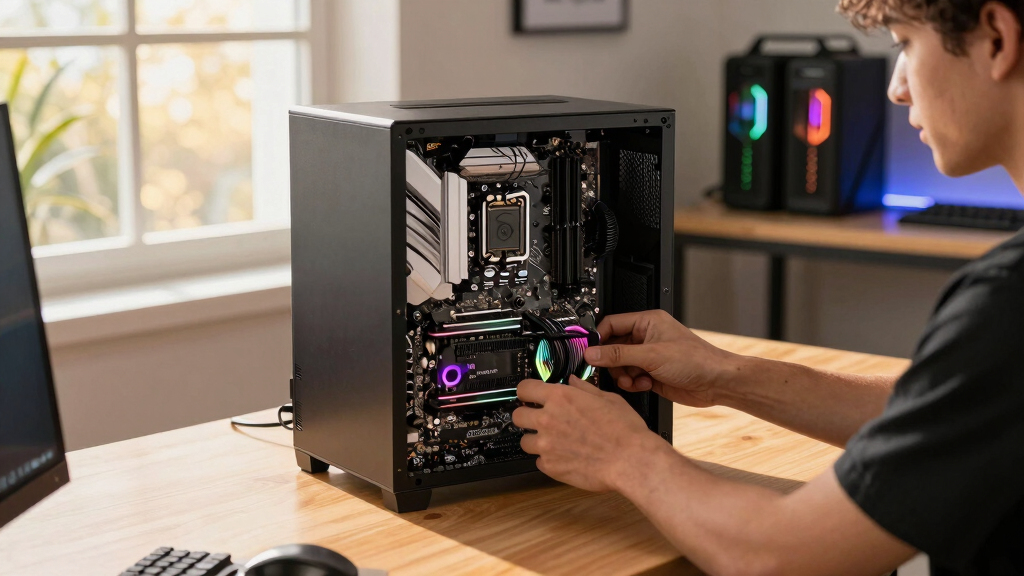
I ranked these boards by how well they serve a gaming PC rather than by raw spec-sheet size alone. The strongest picks pair CPU platform fit, stable power delivery, useful PCIe and M.2 support, modern networking, and fair pricing for the kind of build they target. I also gave more weight to boards that avoid awkward compromises, such as buying into DDR4 at premium prices or paying for extreme overclocking features that many gaming builds will never use.
The order favors boards that make a clear buying decision easier. B760 and Z790 models rank well for LGA 1700 gamers because they support a wide spread of Intel CPUs, while Z890 and B860 boards are judged as better fits for fresh Core Ultra Series 2 systems. Compact size, BIOS recovery tools, rear I/O, storage layout, and upgrade room all mattered, but I penalized mismatched products as well: the ASUS ROG Strix B550-F Gaming WiFi II belongs to AMD AM4 builds, so it does not belong near the top of an Intel gaming list.
Factors to Consider When Choosing Best Intel Motherboards For Gaming PCs
Choosing the best Intel motherboard for a gaming PC is less about buying the most expensive board and more about matching the board to the CPU, memory, graphics card, case, and upgrade path. I would start with the platform first, then decide how much storage, networking, and tuning control the build really needs.
Start With The Intel Socket
The first decision is LGA 1700 versus LGA 1851, because that choice decides which CPUs are even compatible. Boards like the MSI B760 Gaming Plus WiFi, ASUS TUF GAMING B760-PLUS WIFI, and GIGABYTE Z790 AORUS Elite AX fit 12th, 13th, and 14th Gen Intel Core processors. Boards like the ASUS TUF Gaming Z890-PLUS WiFi, ROG Strix Z890-E, Maximus Z890 Hero, and ROG Strix B860-I are for newer Core Ultra Series 2 builds. Mixing these platforms is the easiest expensive mistake in this category. If the CPU is already chosen, the motherboard list should shrink immediately. I would only pay for Z890 or B860 if the build is also moving to the newer Intel platform.
Decide Between DDR4 Savings And DDR5 Headroom
DDR4 boards can free up money for the graphics card, which usually matters more for gaming frame rates. That makes the MSI PRO B760-P WiFi DDR4 and GIGABYTE B760M Gaming Plus WiFi DDR4 sensible for budget-conscious LGA 1700 builds. DDR5 boards are the better match for a fresh higher-end system, especially if the buyer plans to keep the platform for several years. The trap is paying near-premium money for an older memory path when a DDR5 board is close in price. DDR4 is a smart reuse move, not a luxury feature. DDR5 is the cleaner choice when buying memory from scratch.
Match The Chipset To The Build, Not The Ego
B760 and B860 boards are often enough for gaming PCs because they cover the basics: fast storage, modern networking, stable CPU support, and enough USB for most setups. Z790 and Z890 boards become more appealing when the build includes a higher-power CPU, several NVMe drives, heavy USB use, or more tuning control. The GIGABYTE Z790 AORUS Elite AX is a strong middle ground for LGA 1700 enthusiasts, while the ROG Maximus Z890 Hero is aimed at buyers who want the premium platform experience. A gamer using one GPU and one or two SSDs may not feel the difference between a sensible B-series board and a costly Z-series model. The better buy is the board whose extra features will actually be used.
Plan Storage Before The Build Starts
Modern game libraries can fill a drive quickly, so M.2 slot count matters more than it used to. A board with two slots is fine for a simpler gaming PC, but three or four slots make upgrades cleaner without replacing existing drives. The ASUS ROG Strix Z890-E Gaming WiFi stands out for heavy storage needs, while the ASUS TUF GAMING B760-PLUS WIFI gives mainstream builders a more balanced three-slot setup. Buyers should also check whether using certain M.2 slots affects PCIe lane sharing or disables ports. More slots are useful only when the layout supports the actual GPU and drive plan. For most gaming PCs, I would rather have a clean three-drive path than a crowded board full of features that complicate airflow.
Do Not Overbuy Networking And Rear I/O
Wi-Fi 6E is already strong for many gaming setups, especially when the router also supports it. Wi-Fi 7 is more future-facing, and it helps the Z890 and B860 boards feel newer, but it should not outweigh CPU compatibility or board quality. A wired 2.5GbE LAN port is more relevant for stable online play if the PC sits near the router. Rear USB, front USB-C headers, Thunderbolt, and USB4 matter most for streamers, creators, and players with many peripherals. A board like the ASUS TUF Gaming Z890-PLUS WiFi earns its place by pairing newer networking with practical expansion. A budget gamer can skip some of that and put the savings toward the GPU.
Choose The Size Around The Case And Cooling
ATX motherboards are the easiest fit for most gaming builds because they leave more room for headers, M.2 slots, PCIe spacing, and cable routing. Micro-ATX boards can save space and money, but they may feel tighter once a large graphics card and several drives enter the build. Mini-ITX boards like the ASUS ROG STRIX B860-I GAMING WIFI are for small-form-factor systems where compactness is the goal, not an afterthought. The tradeoff is fewer slots, denser cabling, and less room for thermal comfort. I would only pick Mini-ITX when the case choice demands it. For a first gaming PC, ATX is usually the calmer path.
Frequently Asked Questions
Should I buy a B760 motherboard or spend more on Z790 for an Intel gaming PC?
For many gaming PCs, a B760 motherboard is the better buy because it covers the features that affect day-to-day play: stable CPU support, fast NVMe storage, Wi-Fi, 2.5GbE networking, and enough USB. A Z790 board makes more sense when pairing a higher-end unlocked CPU with stronger power delivery needs, more drives, or more tuning options. The GIGABYTE Z790 AORUS Elite AX is a stronger enthusiast pick than a basic B760 board, but it may not improve frame rates by itself. If the saved money can move the build to a better GPU, I would usually choose B760. If the build is already high-end everywhere else, Z790 becomes easier to justify.
Is Z890 worth buying for a gaming PC in 2026?
Z890 is worth buying when the build is based on Intel Core Ultra Series 2 and the buyer wants a newer platform with DDR5, Wi-Fi 7, Thunderbolt or USB4 options, and more premium board layouts. It is not a drop-in upgrade for older LGA 1700 CPUs, so it should not be chosen only because it sounds newer. The ASUS TUF Gaming Z890-PLUS WiFi is the more sensible Z890 pick for many gamers, while the ROG Strix Z890-E and Maximus Z890 Hero suit heavier storage, stronger tuning, and premium builds. For a 12th, 13th, or 14th Gen CPU, I would stay with B760 or Z790. Platform fit matters more than chipset prestige.
Is DDR4 still a smart choice for an Intel gaming motherboard?
DDR4 can still be smart when the goal is value, especially if the buyer already owns a good kit. The MSI PRO B760-P WiFi DDR4 and GIGABYTE B760M Gaming Plus WiFi DDR4 make sense for cost-controlled LGA 1700 builds where the graphics card deserves priority. The drawback is upgrade direction, since new premium Intel platforms are centered on DDR5. I would avoid buying expensive new DDR4 for a build that is meant to last many years. DDR4 is best as a savings tool, while DDR5 is the better fresh-build path.
Which Intel motherboard is best for a first-time gaming PC builder?
I would steer most first-time builders toward the ASUS TUF GAMING B760-PLUS WIFI because it has a friendly balance of features, expansion room, and modern support without premium-board complexity. It gives buyers DDR5, PCIe 5.0, multiple M.2 slots, and useful connectivity in a standard ATX layout. Compared with the compact ASUS ROG STRIX B860-I, it leaves more physical room to work and fewer small-case tradeoffs. Compared with high-end Z890 boards, it avoids paying for features a beginner may never touch. The main reason to skip it is if the build is already committed to Core Ultra Series 2, where a Z890 or B860 board is the correct platform.
Why is the ASUS ROG Strix B550-F Gaming WiFi II not a good pick here?
The ASUS ROG Strix B550-F Gaming WiFi II is a capable gaming motherboard, but it is built for AMD AM4 Ryzen processors, not Intel CPUs. That makes it the wrong platform for a roundup focused on the best Intel motherboards for gaming PCs. It can be a reasonable choice in an AMD build, but it does not compete directly with the MSI B760 Gaming Plus WiFi, GIGABYTE Z790 AORUS Elite AX, or ASUS TUF Gaming Z890-PLUS WiFi. The risk is simple: an Intel CPU will not fit or work. I would remove it from the shortlist unless the whole build is switching to AMD.
Conclusion
For most Intel gaming PCs, my best overall pick is the ASUS TUF GAMING B760-PLUS WIFI because it gives mainstream builders the right mix of DDR5 support, PCIe 5.0, storage room, and practical connectivity. The MSI PRO B760-P WiFi DDR4 is my best value pick for buyers reusing DDR4, while the GIGABYTE B760M Gaming Plus WiFi DDR4 is the better compact value option for Micro-ATX cases. For premium LGA 1700 builds, I would choose the GIGABYTE Z790 AORUS Elite AX; for newer Core Ultra Series 2 systems, the ASUS TUF Gaming Z890-PLUS WiFi is the cleaner high-end mainstream choice. The ASUS ROG Strix Z890-E Gaming WiFi is best for storage-heavy enthusiast builds, the ROG Maximus Z890 Hero is for buyers who want a luxury board, and the ROG STRIX B860-I GAMING WIFI is the specific pick for Mini-ITX Core Ultra gaming PCs. I would skip the ASUS ROG Strix B550-F Gaming WiFi II for this Intel-focused list because it belongs in an AMD AM4 build.
Fall Picks
fall essentials
As an affiliate, we earn on qualifying purchases.