TL;DR
Play games included with Prime
Start a Prime free trial and play with Amazon Luna on your devices.
Start playingAs an affiliate, we earn on qualifying purchases.
Foveated streaming is a way to stream sharper detail where your eyes are looking while sending less detail to the edges of your view. In good setups, it can cut bandwidth use by about 50-70%, but it needs fast eye tracking, low latency, and platform support to feel clean [1].
Your eyes cheat every second, and foveated streaming uses the same trick.
When you play a streamed game, you care most about the tiny spot you are staring at: the enemy doorway, the apex of a racing line, the text on a floating VR menu. The edges of your vision still matter, but they do not need the same razor-sharp detail.
This guide gives you foveated streaming explained in plain English, with the gaming parts left intact: bandwidth, latency, Steam setups, VR comfort, hardware limits, and the places where the tech still feels a little too clever for its own good.
Sharper where you look. Lighter everywhere else.
TL;DR: foveated streaming sends crisp detail to the tiny spot your eyes are focused on, then spends fewer bits on the edges of your view. In strong setups, that can cut bandwidth use by about 50-70%, but only when eye tracking, encoding, latency, and platform support all keep time.
The trick works because your fovea handles sharp detail while peripheral vision mainly tracks motion, light, and broad shapes.
Highest detail follows the place your eyes actually inspect.
Best-case range depends on headset, scene, encoder, and network.
Late gaze updates can make sharp zones visibly chase your eyes.
Steam labels and headset rumors are not the same as confirmed support.
What changes when the stream follows your eyes?
Foveated streaming is not magic upscaling or a secret graphics setting. It is a delivery shortcut: keep the gaze point clean, compress the edges harder, and make the whole stream feel richer without sending full detail everywhere.
The fovea gets priority
The doorway, racing apex, cockpit gauge, or VR menu under your eyes receives the cleanest edges and motion detail.
The edges get softer
Walls, skyboxes, guardrails, and background scenery can use heavier compression because you rarely inspect them directly.
Lag breaks the illusion
If eye tracking or encoding arrives late, you may see a soft smear snap into clarity, which is especially rough in VR.
Five steps from eye movement to saved bandwidth.
The useful version is invisible: fewer stutters, lower bitrate pressure, and a picture that still looks detailed exactly where your attention lands.
Track gaze
The headset or display estimates where your eyes are pointed.
Mark priority
The stream identifies a sharp center area around that gaze point.
Spend bits
The encoder preserves detail where you are most likely to notice it.
Compress edges
Peripheral regions get lower bitrate or reduced quality.
Refresh quickly
The sharp zone must move before your brain catches the delay.
Regular, fixed, and eye-tracked streaming compared.
The word “foveated” can mean different things. The important split is whether the system uses real eye tracking or simply assumes the center of the screen deserves the best pixels.
| Streaming method | What gets full detail | What you may notice | Best fit | Eye tracking |
|---|---|---|---|---|
| Regular game streaming | The whole frame | Stable quality, higher bandwidth pressure | TV play, monitor streaming, simple setups | ✕ |
| Fixed foveated streaming | A set center zone | Edges may look softer when you look around | Some VR games and displays without eye tracking | ~ |
| Eye-tracked foveated streaming | The spot you are looking at | Sharper focus area, possible artifacts if tracking lags | Modern VR and future cloud setups with gaze support | ✓ |
Where the savings actually come from.
A foveated stream spends fewer bits where you are least likely to inspect them. The center stays cleaner, while edges, skyboxes, walls, and fast peripheral motion can be compressed more aggressively.
Relative bitrate pressure
Why VR benefits most
Headsets need high frame rates and low latency, so every saved bit matters. The catch is that VR also punishes gaze lag more harshly than couch streaming to a TV.
Steam, Steam Deck, and platform claims need careful labels.
For PC players, separate the game, the streaming app, the headset or display, and the network. Every link has to support the feature before “foveated streaming” means anything practical.
Verified is not a foveation badge
Steam Deck Verified status does not confirm foveated streaming support, and labels can change after game or SteamOS updates.
Attach the test setup
A 50% bandwidth cut on a PC VR Wi-Fi 6 setup does not promise the same result on a handheld, dock, hotel network, or different encoder build.
Wait for store-page proof
Treat leaked headset support or future platform lists as unconfirmed until Valve, Meta, NVIDIA, Google, or a store page confirms the feature.
Five checks when the picture turns sharp, then smeared.
Foveated streaming depends on eyes, network, encoder, and frame pacing all staying synchronized. When one part slips, the image can feel like a clean window with fingerprints at the edge.
Device support
Confirm the headset or display has eye tracking and that the streaming app actually uses it.
Game mode
Some features work in VR mode but not in flat-screen streaming.
Network room
A wired PC plus strong Wi-Fi 6 or better gives the stream more breathing space.
Frame rate
If the game cannot hold target frames, foveation cannot rescue choppy pacing.
Comfort fast
If you feel eye strain, nausea, or swimming edges, stop and recalibrate.
The whole idea in one connected path.
The best implementation feels boring in the best possible way: you look, the sharp zone is already there, and the network quietly sends less data.
Bottom line: foveated streaming can make cloud gaming and VR more efficient, but it is not a universal switch. It needs confirmed platform support, fast eye tracking, low latency, stable encoding, and a setup that keeps menu text, HUD elements, and comfort intact.
Key Takeaways
- Foveated streaming sends the sharpest detail to the spot you are looking at and lowers detail around the edges.
- The strongest bandwidth savings land around 50-70%, but only in setups with fast eye tracking and stable encoding.
- Steam Deck Verified status does not confirm foveated streaming support, and platform labels can change after updates.
- VR gets the biggest upside because headsets need high frame rates, but VR also punishes tracking lag more harshly.
- Treat headset support rumors and leaked platform claims as unconfirmed until the platform owner or store page confirms them.
As an affiliate, we earn on qualifying purchases.
What You Actually Get When the Stream Follows Your Eyes
Foveated streaming explained simply: the video stream puts the sharpest image where your eyes are looking and uses softer detail around the edges. Foveated streaming is not magic upscaling or a secret graphics setting. It is a bandwidth trick based on how your eyes already work.
Think about aiming down a hallway in a shooter. You stare at the far doorway, so that patch needs clean edges, readable shadows, and crisp movement. The poster on the left wall can lose a little texture detail and you probably will not notice during the fight.
The system uses eye tracking to find your gaze, renders or encodes that spot at higher quality, then spends fewer bits on the blurrier outer view. According to skeldrift.com, strong implementations can cut bandwidth by 50-70%, depending on the device, scene, and encoder [1].
Plain version: your stream stops treating every pixel like it deserves front-row treatment.
As an affiliate, we earn on qualifying purchases.
Why Your Center Vision Gets the Good Pixels
Your center vision gets the good pixels because the fovea handles your sharpest detail. It covers only a small slice of what you see, while your peripheral vision catches motion, light, and broad shapes. That mismatch creates a useful shortcut for streamed games and VR.
You already feel this when you glance across a Steam library grid. The game tile under your eyes looks crisp, while the others fade into color blocks and familiar cover art. Your brain fills the room with confidence, even though the edges are softer than they seem.
Foveated streaming works by focusing on key detail at your gaze point. The tradeoff is timing. If the stream updates the sharp zone a beat late, you may see a soft smear snap into clarity, like a camera hunting for focus.
That is why VR matters so much here. A headset at 90 Hz or 120 Hz gives your brain less patience for lag than a couch stream to a TV. A tiny delay can feel fine on a monitor and queasy in a headset.
As an affiliate, we earn on qualifying purchases.
Where the Bandwidth Savings Come From
Foveated streaming explained as a data bill: the stream spends fewer bits where you are least likely to inspect them. High-motion edges, skyboxes, walls, and peripheral scenery can use heavier compression. The center gets cleaner frames, so the whole stream can feel sharper without sending full detail everywhere.
| Streaming method | What gets full detail | What you may notice | Best fit |
|---|---|---|---|
| Regular game streaming | The whole frame | Stable quality, higher bandwidth | TV play, monitor streaming, simple setups |
| Fixed foveated streaming | A set center zone | Edges may look softer when you look around | Some VR games, no eye tracker needed |
| Eye-tracked foveated streaming | The spot you are looking at | Sharper focus area, possible artifacts if tracking lags | Modern VR and future cloud setups with eye tracking |
Imagine a racing game streamed over a busy apartment Wi-Fi network. Regular streaming tries to keep the cockpit, trees, road, sky, and rear-view mirror all equally clean. A foveated stream can spend more data on the braking marker you are staring at and less on the guardrail streaking past.
That is the sweet spot: invisible savings. You do not want to see the trick. You want fewer stutters, lower bitrate pressure, and a picture that still looks rich where your attention lands.
As an affiliate, we earn on qualifying purchases.
What Changes for PC, Steam, and Steam Deck Players
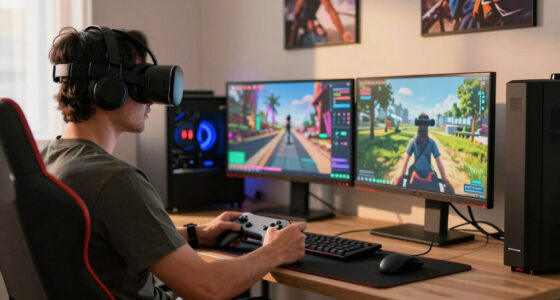
Foveated streaming explained for Steam players means separating three things: the game, the streaming app, and the display device. A PC may render the game, a headset may track your eyes, and the network may carry the stream. Each part has to support the feature.
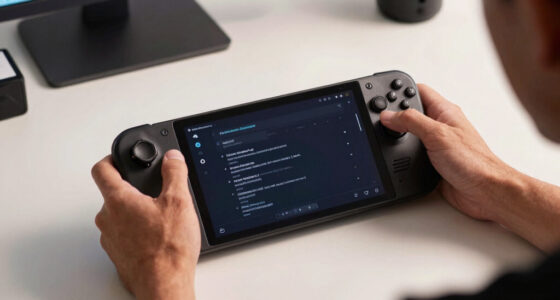
On a gaming PC, foveated streaming makes the most sense when you stream to a VR headset or another display that can report gaze fast enough. On Steam Deck, the story is narrower. A Steam Deck Verified label does not mean a game supports foveated streaming, and that label can change after game or SteamOS updates.
A performance claim also needs a platform and version attached. 50% less bandwidth on a tested PC VR setup over Wi-Fi 6 does not promise the same result on a handheld, a docked Deck, a hotel network, or a different encoder build.
Rumors about future headset support deserve plain labels: unconfirmed. Until Valve, Meta, NVIDIA, Google, or a store page confirms a feature, treat leaked feature lists as campfire smoke, not a spec sheet. Foveated streaming also does not change ESRB or PEGI age ratings; it changes delivery, not game content.
When It Feels Better, and When It Feels Weird
Foveated streaming feels better when it hides the savings and keeps your gaze area sharp before you notice the shift. It feels weird when the sharp zone trails your eyes, the edges crawl with compression, or menu text falls into the softer ring during quick glances.
The best case is a VR flight sim. You glance at the altimeter, the numbers stay clean, then you look back through the canopy and the horizon snaps into detail. The rest of the cockpit can soften a little, because your hands and instruments still read as solid shapes.
The awkward case is a fast arena shooter with tiny UI prompts on the side of the screen. You flick your eyes to the ammo counter and catch a mushy number for half a blink. That tiny delay can break trust faster than a lower resolution would.
- Good fit: seated VR, cockpit games, slower exploration, cloud demos, and scenes with clear focus points.
- Risky fit: twitch shooters, text-heavy games, strategy maps, and games with important HUD details near the edges.
- Hidden cost: the system needs calibration, clean lenses, and tracking that handles glasses, eyelashes, lighting changes, and quick saccades.
Use These Five Checks Before You Blame Your Internet
Use these checks when a streamed game looks sharp one second and smeared the next. Foveated streaming depends on your eyes, your network, your encoder, and the game frame rate all keeping time. If one part lags, the image can feel like a clean window with fingerprints around the edge.
- Check device support. Confirm the headset or display has eye tracking and that the streaming app actually uses it.
- Check the game mode. Some features work in VR mode but not flat-screen streaming.
- Check your network. A wired PC plus a strong Wi-Fi 6 or better headset connection gives the stream more room to breathe.
- Check the frame rate. If the game cannot hold its target, foveated streaming cannot rescue choppy frame pacing.
- Check comfort fast. If you feel eye strain, nausea, or a swimming edge effect, stop and recalibrate before pushing through.
A simple test helps: open a game with readable signs, cockpit gauges, or inventory text. Look at the center, then glance to the side. If the text clears almost instantly and the edges do not shimmer, the setup is doing its job.
What Needs to Improve Before Everyone Uses It
Foveated streaming needs cheaper eye tracking, faster gaze prediction, smarter compression, and clearer platform labels before it becomes normal. The idea is mature enough to take seriously, but the everyday experience still depends on hardware cost, app support, and calibration that does not annoy people.
Research and commercial trials from NVIDIA, Google, and Meta have pushed gaze-aware rendering and streaming closer to real products [2]. That does not mean every cloud gaming service or Steam device will support it tomorrow. Platform support arrives game by game, headset by headset, and sometimes update by update.
The toughest problem is the bittersweet math of latency. The stream saves data by guessing where quality matters, but the guess must land before your eyes ask for the next spot. Too slow, and the trick becomes visible.
A setup tailored for a high-end headset can feel smooth and almost invisible. A cheaper camera in dim room light may miss tiny eye movements. That is the gap between a lab demo and your Tuesday night raid after the router has been working all day.
Frequently Asked Questions
What is foveated streaming in plain English?
Foveated streaming is a way to stream high detail where you are looking and lower detail where you are not. It uses eye tracking or a fixed focus zone to reduce the amount of video data the system has to send.
Do you need eye tracking for foveated streaming?
You need eye tracking for the most responsive version. Fixed foveated methods can soften the outer image without tracking your gaze, but they cannot follow your eyes when you glance around the screen.
Will foveated streaming work on Steam Deck?
Only if the full setup supports it: the streaming app, the display or headset, and the game path. Steam Deck Verified status does not prove foveated streaming support, and performance claims should name the platform, software version, and network used.
Can foveated streaming make VR feel uncomfortable?
Yes, if gaze tracking lags or the sharp area moves too slowly. In VR, small timing errors can feel like the world is catching up with your eyes, which may cause eye strain or nausea for some players.
Where do the 50-70% savings claims come from?
According to skeldrift.com, well tuned foveated streaming can cut bandwidth by 50-70%, depending on the headset, encoder, scene, and network [1]. Trials and research by NVIDIA, Google, and Meta point in the same direction, but results depend on the platform and version tested [2].
Conclusion
Remember this: foveated streaming is not about making every pixel better. It is about spending quality where your eyes will actually cash the check.
When it works, the trick disappears. You look at a doorway, a gauge, a glowing spell effect, and the stream quietly sharpens the world right where your attention lands.
Fall Picks
fall essentials
As an affiliate, we earn on qualifying purchases.