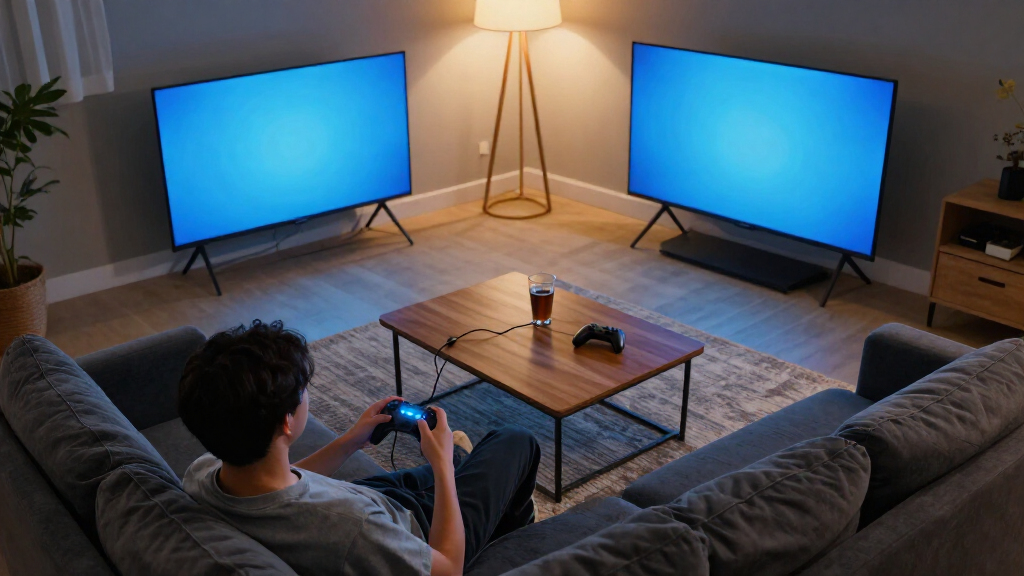
The best TVs for gaming balance responsive play, clear motion, strong picture quality, and the screen size that suits your room. I’d put the Samsung 65-inch S90H OLED forward as the best overall pick for players who want an OLED image and a premium gaming setup, while the TCL 55-inch QM6K Mini-LED is a compelling alternative for buyers seeking Mini-LED contrast and a mid-size screen. The VIZIO 50-inch Quantum Pro stands out for its stated 120Hz refresh rate, though its older model year makes feature checks especially important. The main tradeoffs are OLED picture quality versus Mini-LED brightness, large-screen immersion versus desk-friendly sizing, and gaming features versus simpler smart-TV value. Read on for the full breakdown and help matching a TV to your console, room, and budget.

Play games on Amazon Luna for your game nights, included with Prime
- A rotating selection of games, no download needed
- Play on TV, laptop or phone
- Fast, free delivery for your gear, too
Complete the kit



Key Takeaways
- Display type shapes the biggest picture tradeoff: the Samsung S90H OLED picks suit buyers who prize deep blacks, while Mini-LED options such as the TCL QM6K and Hisense U6 Pro offer a different brightness-and-contrast balance.
- Refresh-rate claims are not interchangeable: the VIZIO Quantum Pro explicitly lists 120Hz, so buyers comparing it with TVs whose listings omit a refresh rate should verify supported gaming modes before choosing.
- Screen size changes the recommendation: 42- to 55-inch models suit closer seating and smaller rooms, while the 75-inch TCL F8D and Hisense models prioritize large-screen play.
- Model names and bundles can obscure the actual TV: Samsung M70H listings appear in several sizes and bundle forms, so compare the television’s exact model and specifications rather than assuming accessories improve gaming performance.
- Smart platform and gaming performance are separate decisions: Fire TV, Google TV, Roku, and Samsung interfaces shape everyday navigation, but the display’s refresh rate, input support, and gaming functions matter more for play.
| VIZIO 50-inch Quantum Pro 4K 120Hz QLED Smart TV (M50QXM-K01, 2023) |  | Best for Console and PC Flexibility | Screen size: 50 inches | Resolution: 4K UHD | Refresh rate: 120Hz at 4K; up to 240Hz at 1080p | VIEW LATEST PRICE | See Our Full Breakdown |
| Samsung 42-Inch S90H OLED 4K Smart TV Bundle |  | Best Compact OLED for Gaming | Screen size: 42 inches | Resolution: 4K | Display technology: OLED | VIEW LATEST PRICE | See Our Full Breakdown |
| Samsung 50″ Mini LED M70H 4K Vision AI Smart TV (2026) Bundle with Protection Plan, HDMI Cable, and Guide |  | Best for Casual Gaming and Everyday TV | Screen size: 50 inches | Resolution: 4K (3840 x 2160) | Display technology: Mini LED | VIEW LATEST PRICE | See Our Full Breakdown |
| Samsung 55-Inch M80H Series Mini LED 4K Smart TV (2026) |  | Best Mid-Size Mini LED for High-Refresh Gaming | Screen size: 55 inches | Resolution: 4K | Display technology: Mini LED | VIEW LATEST PRICE | See Our Full Breakdown |
| TCL 75-Inch F8D Series 4K UHD QLED Smart Fire TV (2026) |  | Best Large-Screen Gaming Pick | Screen size: 75 inches | Resolution: 4K UHD | Display technology: QLED with Quantum Dot Color | VIEW LATEST PRICE | See Our Full Breakdown |
| Insignia 50-Inch F50 Series 4K UHD LED Smart Fire TV |  | Best Entry-Level Gaming Pick | Screen size: 50 inches | Display technology: LED | Resolution: 4K UHD (2160p) | VIEW LATEST PRICE | See Our Full Breakdown |
| TCL T7 Series 55-Inch 4K QLED Smart Google TV |  | Best Midrange High-Refresh Pick | Screen size: 55 inches | Display technology: 4K UHD QLED | Resolution: 4K | VIEW LATEST PRICE | See Our Full Breakdown |
| LG 65-Inch QNED73B Mini LED 4K Smart TV |  | Best for Big-Screen HDR Color | Screen size: 65 inches | Display technology: Mini LED, QNED (Quantum Dot + NanoCell) | Resolution: 4K UHD | VIEW LATEST PRICE | See Our Full Breakdown |
| Hisense 75″ U6 Pro Series Mini-LED ULED 4K UHD Smart Fire TV (75U6SF Pro) |  | Best Large-Screen Gaming Pick | Screen size: 75 inches | Resolution: 4K UHD | Display technology: Mini-LED, Hi-QLED, full-array local dimming | VIEW LATEST PRICE | See Our Full Breakdown |
| Samsung 65-Inch Class S90H Series OLED 4K Smart TV (2026 Model) |  | Best Premium Gaming TV | Screen size: 65 inches | Display technology: OLED | Resolution: 4K | VIEW LATEST PRICE | See Our Full Breakdown |
| Hisense 75″ E7 Cinema Series Hi-QLED Mini-LED 4K UHD Smart Fire TV (2026) |  | Best for Big-Screen 144Hz Gaming | Screen size: 75 inches | Resolution: 4K UHD | Panel technology: Hi-QLED Mini-LED LCD | VIEW LATEST PRICE | See Our Full Breakdown |
| Roku Select Series 55-Inch 4K QLED Smart TV |  | Best for Casual Gaming and Simple Setup | Screen size: 55 inches | Resolution: 4K UHD (2160p) | Display technology: QLED, Direct LED | VIEW LATEST PRICE | See Our Full Breakdown |
| TCL 55-Inch QM6K Series QLED Mini-LED 4K HDR Smart Google TV |  | Best Overall for 55-Inch Gaming | Screen size: 55 inches | Resolution: 4K UHD | Display technology: Mini-LED, QLED | VIEW LATEST PRICE | See Our Full Breakdown |
| Samsung 65-Inch M70H Series 4K Mini LED Smart TV (2026) |  | Best for Samsung Gaming Hub and Streaming | Screen size: 65 inches | Resolution: 4K | Display technology: Mini LED | VIEW LATEST PRICE | See Our Full Breakdown |
| TVs for gaming | Screen size | Resolution | Display technology | Refresh rate |
|---|---|---|---|---|
| VIZIO 50-inch Quantum Pro 4K 1 | 50 inches | 4K UHD | — | 120Hz at 4K; up to 240Hz at 1080p |
| Samsung 42-Inch S90H OLED 4K S | 42 inches | 4K | OLED | 165Hz |
| Samsung 50" Mini LED M70H 4K V | 50 inches | 4K (3840 x 2160) | Mini LED | 60Hz |
| Samsung 55-Inch M80H Series Mi | 55 inches | 4K | Mini LED | 144Hz |
| TCL 75-Inch F8D Series 4K UHD | 75 inches | 4K UHD | QLED with Quantum Dot Color | 144Hz native |
| Insignia 50-Inch F50 Series 4K | 50 inches | 4K UHD (2160p) | LED | 60 Hz |
| TCL T7 Series 55-Inch 4K QLED | 55 inches | 4K | 4K UHD QLED | — |
| LG 65-Inch QNED73B Mini LED 4K | 65 inches | 4K UHD | Mini LED, QNED (Quantum Dot + NanoCell) | — |
| Hisense 75" U6 Pro Series Mini | 75 inches | 4K UHD | Mini-LED, Hi-QLED, full-array local dimming | Native 144 Hz |
| Samsung 65-Inch Class S90H Ser | 65 inches | 4K | OLED | 165 Hz with compatible PC |
| Hisense 75" E7 Cinema Series H | 75 inches | 4K UHD | — | 144Hz native |
| Roku Select Series 55-Inch 4K | 55 inches | 4K UHD (2160p) | QLED, Direct LED | 60Hz |
| TCL 55-Inch QM6K Series QLED M | 55 inches | 4K UHD | Mini-LED, QLED | — |
| Samsung 65-Inch M70H Series 4K | 65 inches | 4K | Mini LED | 60Hz native; DLG up to 120Hz |
More Details on Our Top Picks
VIZIO 50-inch Quantum Pro 4K 120Hz QLED Smart TV (M50QXM-K01, 2023)
The VIZIO Quantum Pro earns this role through a useful mix of high-refresh gaming modes: it supports 4K at 120Hz and up to 240Hz at 1080p, with FreeSync Premium Pro to help reduce tearing when frame rates vary. Its 50-inch size also fits gaming setups where a 55- or 75-inch screen would dominate the room. Compared with the Samsung 50-inch M70H, this VIZIO is the more gaming-focused choice because the Samsung is limited to 60Hz, though that model uses Mini LED backlighting. The VIZIO’s full-array local dimming and 1000-nit peak brightness support punchier HDR, while Dolby Vision and HDR10+ give it broad format coverage. The tradeoffs are modest built-in audio and a VIZIO account requirement for full smart features and updates.
Pros:- Supports 4K at 120Hz and up to 240Hz at 1080p
- AMD FreeSync Premium Pro helps reduce screen tearing
- Full-array local dimming and up to 1000 nits support brighter, higher-contrast HDR
- Includes Dolby Vision, HDR10+, AirPlay, and Chromecast
Cons:- 10W-per-channel speakers are limited for immersive game audio
- Full smart TV functionality and updates require a VIZIO account
- Its 50-inch screen may feel small for viewers seeking a large shared-room display
Best for: Console and PC gamers who want a 50-inch screen with 4K 120Hz support, variable refresh rate, and flexible 1080p high-refresh play.
Not ideal for: Buyers who want strong built-in sound or prefer not to create a manufacturer account to access full smart TV functions.
- Screen size:50 inches
- Resolution:4K UHD
- Refresh rate:120Hz at 4K; up to 240Hz at 1080p
- Panel and backlight:QLED with Active Full Array backlight
- HDR formats:Dolby Vision, HDR10+
- Peak brightness:1000 nits
- Gaming sync:AMD FreeSync Premium Pro
- Connectivity:WiFi 6E, Bluetooth, Apple AirPlay, Chromecast Built-in
Our verdict“Choose the VIZIO Quantum Pro if gaming refresh-rate flexibility matters more to you than powerful built-in audio or a larger screen.”
Samsung 42-Inch S90H OLED 4K Smart TV Bundle
The Samsung 42-inch S90H is the compact pick for gamers who want OLED contrast and a fast refresh rate without placing a very large TV across a desk or small room. Its 165Hz refresh rate and support for G-SYNC and FreeSync Premium Pro suit compatible gaming PCs, while OLED’s individually lit pixels can produce deep blacks and crisp separation in dark scenes. Compared with the 50-inch VIZIO Quantum Pro, this Samsung gives up screen size and the VIZIO’s specified 240Hz 1080p mode, but offers an OLED panel and a higher listed 4K refresh ceiling. The bundle’s HDMI cables and protection plan add practical extras, though the included cables are HDMI 2.0 and should not be mistaken for a guaranteed path to every high-bandwidth gaming mode. Its two-channel speakers also leave room for a soundbar.
Pros:- 42-inch OLED panel is well suited to desks and compact rooms
- 165Hz refresh rate supports high-frame-rate gaming
- NVIDIA G-SYNC and AMD FreeSync Premium Pro are supported
- Bundle includes two HDMI cables and a one-year extended protection plan
Cons:- Glossy screen finish can reflect nearby lights
- 20W two-channel speakers may not deliver room-filling game audio
- Included HDMI 2.0 cables do not establish support for every high-bandwidth gaming mode
Best for: Desk-based PC gamers and small-room console players who want a compact OLED screen with high refresh and variable-refresh support.
Not ideal for: Living-room buyers who want a larger shared screen, or gamers who need strong built-in audio and a non-reflective viewing setup.
- Screen size:42 inches
- Resolution:4K
- Display technology:OLED
- Refresh rate:165Hz
- HDR formats:HDR10+, Hybrid Log Gamma
- Gaming sync:NVIDIA G-SYNC, AMD FreeSync Premium Pro
- Operating system:Tizen
- Audio:20W, 2-channel speakers; Dolby Atmos format
Our verdict“Pick the S90H if you want a compact OLED gaming display and have a compatible high-refresh gaming system.”
Samsung 50″ Mini LED M70H 4K Vision AI Smart TV (2026) Bundle with Protection Plan, HDMI Cable, and Guide
The Samsung M70H is best treated as an everyday 4K TV that can handle casual gaming, rather than a high-refresh gaming display. Its 60Hz native refresh rate is the key limitation: it suits standard-frame-rate console play, but cannot match the 144Hz Samsung M80H or the 120Hz VIZIO Quantum Pro for fast, high-frame-rate action. The upside is Mini LED backlighting, which can give games and films brighter highlights and stronger contrast than a basic LED set, plus Tizen smart features and a bundle with an HDMI cable and protection plan. Motion Xcelerator is listed, but it does not change the panel’s native 60Hz ceiling. This makes the M70H a sensible fit for mixed viewing and relaxed play; competitive gamers should choose a faster panel instead.
Pros:- Mini LED backlighting supports brighter highlights and stronger contrast
- 50-inch 4K screen works for mixed gaming and everyday viewing
- Tizen includes smart TV features and free content options
- Bundle includes a 6-foot HDMI cable and one-year extended protection plan
Cons:- Native 60Hz refresh rate falls short of the VIZIO Quantum Pro and Samsung M80H for high-frame-rate gaming
- No variable refresh rate support is specified in the supplied product data
- 20W two-channel audio may call for an external sound system
Best for: Casual console players and households that want a 50-inch 4K Mini LED TV for games, sports, and streaming without prioritizing high frame rates.
Not ideal for: Competitive console or PC gamers seeking 120Hz-or-higher gameplay, variable refresh rate, or smoother high-frame-rate motion.
- Screen size:50 inches
- Resolution:4K (3840 x 2160)
- Display technology:Mini LED
- Refresh rate:60Hz
- HDR formats:HDR10+, HLG
- Processor:Mini LED Processor 4K
- Operating system:Tizen
- Audio:20W, 2.0-channel
Our verdict“Choose the M70H for casual gaming and everyday viewing, but look to a 120Hz-or-faster model if smooth high-frame-rate play is a priority.”
Samsung 55-Inch M80H Series Mini LED 4K Smart TV (2026)
The Samsung M80H combines a room-friendly 55-inch size with a 144Hz refresh rate and VRR, making it a stronger gaming fit than the 60Hz Samsung M70H. Faster refresh can make supported PC games feel smoother, while variable refresh rate helps keep motion more consistent when frame rates fluctuate. Its Mini LED backlight and NQ4 AI Gen2 processor add a contrast-and-processing advantage over a straightforward LED display, and Auto HDR Remastering can give older SDR content a more HDR-like presentation. Compared with the 75-inch TCL F8D, the M80H takes up less wall space, but the TCL also lists 144Hz, VRR, and a 75-inch panel for a more cinematic setup. The M80H’s main caveat is that 4K at 144Hz is specified for compatible PC gaming; its 20W two-channel audio may also prompt a soundbar purchase.
Pros:- 144Hz refresh rate with Variable Refresh Rate supports smoother compatible gaming
- Mini LED backlighting provides brighter highlights and richer contrast than standard LED
- NQ4 AI Gen2 processing and Auto HDR Remastering enhance picture presentation
- 55-inch size is more manageable than the 75-inch TCL F8D
Cons:- 4K 144Hz performance is limited to compatible PC gaming setups
- 20W two-channel speakers may not suit viewers seeking immersive built-in sound
- Full smart and gaming features rely on high-speed internet and compatible subscriptions
Best for: PC gamers seeking a 55-inch Mini LED TV with 144Hz and VRR for a mid-size room, especially those with a compatible graphics card.
Not ideal for: Console-only buyers expecting 4K 144Hz gameplay, or viewers who want powerful built-in audio without adding external speakers.
- Screen size:55 inches
- Resolution:4K
- Display technology:Mini LED
- Refresh rate:144Hz
- Variable refresh rate:Supported
- Processor:NQ4 AI Gen2
- HDR format:HDR10+
- Audio:20W, 2-channel, Dolby Surround
Our verdict“Choose the M80H if you want a mid-size Mini LED TV with high-refresh PC gaming, and skip it if you need 4K 144Hz from a console.”
TCL 75-Inch F8D Series 4K UHD QLED Smart Fire TV (2026)
The TCL F8D is the clear choice here for gamers who want play to fill a large room: its 75-inch 4K QLED screen pairs a native 144Hz refresh rate with VRR and Game Accelerator 288. That combination gives compatible systems room for smooth high-frame-rate action, while Quantum Dot color and support for Dolby Vision and HDR10+ add vivid HDR presentation. Compared with the 55-inch Samsung M80H, the TCL offers a much bigger viewing area and lists the same 144Hz refresh tier, though its supplied specs do not identify a Mini LED backlight. The Fire TV platform, Alexa+ controls, and Dolby Atmos/DTS Virtual:X processing make it a flexible centerpiece for games and streaming. Its size is also the main drawback: plan for substantial wall or stand space, and note that it uses Wi-Fi 5 rather than Wi-Fi 6.
Pros:- 75-inch screen creates a more immersive large-room gaming setup
- Native 144Hz refresh rate, VRR, and Game Accelerator 288 support smooth compatible gameplay
- QLED Quantum Dot display supports vivid color with Dolby Vision and HDR10+
- Fire TV, Alexa+, AirPlay 2, Dolby Atmos, and DTS Virtual:X add useful entertainment options
Cons:- 75-inch dimensions require substantial space and careful mounting
- Uses Wi-Fi 5 rather than Wi-Fi 6
- At 39.7 pounds, it may be difficult for one person to mount safely
Best for: Console and PC gamers setting up a large living room who want a 75-inch screen, high refresh, VRR, and broad HDR format support.
Not ideal for: Small-room or desk-based gamers, and buyers who need a compact set or prefer newer Wi-Fi connectivity.
- Screen size:75 inches
- Resolution:4K UHD
- Display technology:QLED with Quantum Dot Color
- Refresh rate:144Hz native
- Gaming features:VRR, Game Accelerator 288
- HDR formats:Dolby Vision, HDR10+, HDR10, HLG
- Smart platform and connectivity:Fire TV with Alexa+; Wi-Fi 5, Bluetooth 5.4, AirPlay 2
- Audio:Dolby Atmos, DTS Virtual:X
Our verdict“Pick the TCL F8D if you want a large, high-refresh gaming screen for a spacious room and can accommodate its size.”
Insignia 50-Inch F50 Series 4K UHD LED Smart Fire TV
I’d choose the Insignia F50 for casual console gaming when a straightforward 50-inch 4K screen matters more than high-refresh motion. Its 60 Hz panel is suited to standard gaming, but it cannot match the faster response cadence offered by the TCL T7’s 120 Hz panel or the Hisense U6 Pro’s 144 Hz specification. HDR10 and 4K upscaling help games and older video sources look sharper, while Fire TV and Alexa make it easy to reach streaming apps between sessions. Three HDMI ports and eARC support give it useful connection flexibility for a basic console-and-soundbar setup. The tradeoff is a conventional LED picture with a listed 300-nit maximum brightness, plus modest built-in speaker output. I’d skip it for competitive play or a bright-room HDR showcase.
Pros:- 4K UHD resolution with HDR10 and upscaling for compatible content
- Fire TV interface with Alexa voice control
- Three HDMI ports and eARC support for connected equipment
- DTS Virtual:X audio and a broad range of connection types
Cons:- 60 Hz refresh rate falls behind the TCL T7 and Hisense U6 Pro for high-frame-rate gaming
- Listed maximum brightness of 300 nits limits HDR impact in bright rooms
- Built-in speaker output is limited to 10 watts
Best for: Casual console players who want a 50-inch 4K TV for standard-refresh gaming, streaming, and everyday viewing.
Not ideal for: Competitive players seeking 120 Hz or higher, or buyers who want especially bright HDR and strong built-in sound.
- Screen size:50 inches
- Display technology:LED
- Resolution:4K UHD (2160p)
- Refresh rate:60 Hz
- HDR format:HDR10
- Maximum display brightness:300 nits
- Smart platform:Fire OS
- HDMI ports:3
Our verdict“Choose the Insignia F50 for affordable, casual 4K gaming and streaming, but step up to the TCL T7 or Hisense U6 Pro if high-refresh play is a priority.”
TCL T7 Series 55-Inch 4K QLED Smart Google TV
The TCL T7 is the more balanced gaming choice here for players who want a larger screen and smoother motion without moving to the Samsung S90H’s premium OLED feature set. Its listed native 120 Hz refresh rate is a meaningful step above the Insignia F50’s 60 Hz panel, making supported fast-action games look smoother. QLED color and broad HDR support, including Dolby Vision, also give movies and compatible games more format flexibility. Four HDMI inputs, one with eARC, leave room for a console, streaming device, and audio gear. One specification caveat is that the product data gives both 120 Hz and 144 Hz figures, so I would verify the exact capability before buying for a particular gaming setup. It also lacks stated local dimming, and its stand details are not supplied.
Pros:- Listed native 120 Hz refresh rate supports smoother motion than 60 Hz models
- QLED display supports Dolby Vision, HDR10, HDR10+, and HLG
- Four HDMI ports, including one with eARC
- Google TV includes Chromecast and AirPlay 2
Cons:- Product information conflicts between 120 Hz and 144 Hz refresh-rate claims
- No local-dimming feature is specified, limiting its contrast advantage over basic LED designs
- Stand inclusion and dimensions are not specified
Best for: Console players who want a 55-inch QLED with a listed 120 Hz panel, broad HDR support, and several HDMI connections.
Not ideal for: Buyers who need confirmed 144 Hz performance, local-dimming contrast, or a clearly specified stand setup.
- Screen size:55 inches
- Display technology:4K UHD QLED
- Resolution:4K
- Native refresh rate:120 Hz
- HDR formats:Dolby Vision, HDR10, HDR10+, HLG, Open HDR
- Motion enhancement:Motion Rate 480 with MEMC
- Smart platform:Google TV
- HDMI ports:4, including one with eARC
Our verdict“Pick the TCL T7 for a feature-rich 55-inch gaming and streaming setup, after confirming the refresh rate your chosen model supports.”
LG 65-Inch QNED73B Mini LED 4K Smart TV
The LG QNED73B suits players who value a large, color-rich picture and gaming conveniences more than high-refresh competitive play. Its 65-inch Mini LED and QNED display combines local dimming with Quantum Dot and NanoCell color technologies, while the listed 100% Color Volume certification points to a wide range of vivid hues. AMD FreeSync Premium and ALLM are useful gaming features, but the native panel is 60 Hz, so it cannot offer the same motion headroom as the TCL T7 or Hisense U6 Pro. That makes it a better fit for story-driven games and mixed viewing than for players chasing high frame rates. The webOS platform and AI upscaling add flexibility for streaming and older content, though three HDMI ports may feel limiting in a setup with several devices.
Pros:- 65-inch Mini LED panel with local dimming
- Quantum Dot and NanoCell technologies with listed 100% Color Volume certification
- AMD FreeSync Premium and ALLM gaming features
- AI upscaling and webOS smart features
Cons:- Native 60 Hz refresh rate trails the TCL T7 and Hisense U6 Pro for fast gaming
- Three HDMI ports may constrain multi-device setups
- Two-channel built-in audio may not deliver a full sound experience
Best for: Players building a 65-inch setup for cinematic games, colorful HDR viewing, and regular streaming rather than high-refresh competition.
Not ideal for: Competitive gamers who prioritize 120 Hz or higher, or households connecting more than three HDMI devices.
- Screen size:65 inches
- Display technology:Mini LED, QNED (Quantum Dot + NanoCell)
- Resolution:4K UHD
- Native refresh rate:60 Hz
- HDR support:HDR10 Pro
- Gaming features:AMD FreeSync Premium, ALLM, TruMotion
- Smart platform:webOS with Google Gemini and Alexa compatibility
- HDMI ports:3
Our verdict“Choose the LG QNED73B for a large, vivid gaming screen with adaptive gaming features, not for high-refresh competitive play.”
Hisense 75″ U6 Pro Series Mini-LED ULED 4K UHD Smart Fire TV (75U6SF Pro)
For players who want gaming to fill a large room, the 75-inch Hisense U6 Pro combines screen size with a listed native 144 Hz refresh rate. That gives it more motion headroom on compatible sources than the LG QNED73B’s 60 Hz panel and the TCL T7’s listed 120 Hz rate. Its Mini-LED backlight and full-array local dimming are aimed at stronger contrast than a basic LED design, while Dolby Vision IQ and an anti-glare screen suit mixed movie and game use. A built-in subwoofer also gives this model an audio advantage over the Samsung S90H’s listed 2.1-channel system only on paper—the Samsung’s audio power is specified more clearly. The Hisense’s main compromise is its sheer size: it needs room to sit at a comfortable viewing distance, and Fire TV may not suit everyone.
Pros:- 75-inch screen with a listed native 144 Hz refresh rate
- Mini-LED backlight with full-array local dimming
- Anti-glare screen for brighter viewing environments
- Built-in subwoofer and Dolby Atmos support
Cons:- Large screen may overwhelm smaller rooms or short viewing distances
- Fire TV may not match buyers’ preferred smart-TV interface
- Gaming benefits depend on a compatible source and connection
Best for: Players with a spacious living room who want a large 4K screen, high-refresh motion, local dimming, and reduced reflections.
Not ideal for: Small-room buyers, viewers who prefer a different smart-TV platform, or anyone who cannot confirm their source supports the listed refresh rate.
- Screen size:75 inches
- Resolution:4K UHD
- Display technology:Mini-LED, Hi-QLED, full-array local dimming
- Refresh rate:Native 144 Hz
- HDR formats:Dolby Vision IQ, HDR10+, HDR10, HDR10+ Adaptive, HLG
- Audio:Dolby Atmos, built-in subwoofer
- Smart platform:Fire TV with Alexa+
- Model number:75U6SF Pro
Our verdict“Pick the Hisense U6 Pro for a roomy setup where a 75-inch Mini-LED picture and high-refresh gaming matter more than compact size or platform choice.”
Samsung 65-Inch Class S90H Series OLED 4K Smart TV (2026 Model)
The Samsung S90H is the premium gaming choice for buyers who want an OLED picture and the highest listed refresh rate in this group. Its self-lit pixels produce precise contrast and deep blacks, while 165 Hz gaming with NVIDIA G-SYNC and AMD FreeSync Premium Pro targets compatible PC setups. That is a more specialized advantage than the Hisense U6 Pro’s 144 Hz specification: the Samsung’s 165 Hz rate is stated to apply only with a compatible PC, not standard consoles or streaming devices. Glare Free technology is another differentiator for rooms with reflections, and the NQ4 AI Gen3 processor upscales lower-resolution content. Against the TCL T7, the S90H offers OLED contrast and PC-focused refresh headroom, but the TCL supplies four HDMI ports while this product data does not state the Samsung’s port count.
Pros:- OLED pixels deliver deep blacks and precise contrast
- Up to 165 Hz gaming with compatible PCs
- NVIDIA G-SYNC and AMD FreeSync Premium Pro support
- Glare Free technology and NQ4 AI Gen3 upscaling
Cons:- The 165 Hz refresh rate is limited to compatible PC connections
- Listed weight of 45 pounds calls for a suitable mounting solution
- HDMI port count is not provided in the product specifications
Best for: PC gamers seeking a 65-inch OLED with a high compatible-PC refresh rate, variable-refresh support, and reduced screen glare.
Not ideal for: Console-only players expecting 165 Hz, buyers who need a confirmed HDMI-port count, or anyone mounting a TV without support for its listed weight.
- Screen size:65 inches
- Display technology:OLED
- Resolution:4K
- Refresh rate:165 Hz with compatible PC
- Processor:NQ4 AI Gen3
- HDR formats:HDR10+, HLG, HDR10
- Audio:2.1-channel, 40 W, Dolby Atmos
- VESA mount pattern:300 × 200 mm
Our verdict“Choose the Samsung S90H for premium OLED gaming with a compatible PC, while console players should not count on its 165 Hz capability.”
Hisense 75″ E7 Cinema Series Hi-QLED Mini-LED 4K UHD Smart Fire TV (2026)
The 75-inch Hisense E7 pairs a large play area with a native 144Hz refresh rate, making it a stronger fit for fast games than the Roku Select Series, which is limited to 60Hz. Its Mini-LED backlight and full-array local dimming can improve contrast in darker scenes, while support for several HDR formats gives compatible games more options for highlights and color. This is the pick I’d favor for a spacious gaming room where scale and smooth motion matter more than a compact footprint. The tradeoffs are practical: at 54.7 pounds, mounting may take two people, and its 20W, 2.0-channel audio is modest for a screen this large. Fire TV may also suit some households less than Roku’s simpler interface.
Pros:- Native 144Hz refresh rate supports smoother motion than 60Hz models such as the Roku Select Series.
- Mini-LED backlighting and full-array local dimming help create stronger contrast in dark scenes.
- Supports Dolby Vision IQ, HDR10+, HDR10+ Adaptive, and HLG.
- AI picture and sports modes can adjust image settings for different content.
Cons:- The 75-inch screen and 54.7-pound weight make placement and wall mounting more demanding.
- Its 20W, 2.0-channel audio system may need a soundbar for fuller game audio.
- Fire TV’s interface may be less intuitive for viewers who prefer Roku’s simpler layout.
Best for: Gamers with a large room who want a 75-inch screen, native 144Hz motion, and Mini-LED contrast for console or PC play.
Not ideal for: Apartment gamers or solo installers who need a lightweight set, and players who want strong built-in sound without adding a speaker system.
- Screen size:75 inches
- Resolution:4K UHD
- Panel technology:Hi-QLED Mini-LED LCD
- Refresh rate:144Hz native
- HDR formats:Dolby Vision IQ, HDR10+, HDR10, HDR10+ Adaptive, HLG
- Audio:Dolby Atmos, 2.0 channel, 20W
- Smart platform:Fire TV
- Weight:54.7 lbs
Our verdict“Choose the Hisense E7 if you want a large gaming display with native 144Hz motion and can accommodate its size and limited built-in audio.”
Roku Select Series 55-Inch 4K QLED Smart TV
The Roku Select Series is the straightforward choice here for players who value easy setup and everyday streaming over high-refresh gaming. Its 60Hz panel is a clear step down from the TCL QM6K’s 144Hz native refresh rate, so fast competitive games won’t look as fluid. For slower-paced titles, family play, or a secondary-room console, its 55-inch 4K QLED screen and broad app support cover the basics. Roku’s simple interface, voice controls, AirPlay 2, and Bluetooth headphone support make it particularly convenient when different people use the TV in different ways. The limits are just as clear: listed brightness is only 250 nits, which can make the picture harder to see in a bright room, and there’s no advanced motion feature to offset the standard refresh rate.
Pros:- Roku OS offers a simple interface with fast app launching.
- QLED 4K display supports HDR10, HDR10+, and HLG.
- Bluetooth headphone connectivity and AirPlay 2 add flexible listening and sharing options.
- Four HDMI ports provide several connections for consoles and other devices.
Cons:- The 60Hz refresh rate is less suited to fast competitive games than the TCL QM6K’s 144Hz panel.
- Listed maximum brightness of 250 nits may struggle against strong room lighting.
- No advanced motion enhancement is listed.
Best for: Casual console players and households seeking an easy-to-use 55-inch TV for slower games, streaming, and shared family viewing.
Not ideal for: Competitive players who want high-refresh motion or anyone gaming in a sunlit room where the listed 250-nit brightness may be limiting.
- Screen size:55 inches
- Resolution:4K UHD (2160p)
- Display technology:QLED, Direct LED
- Refresh rate:60Hz
- HDR formats:HDR10, HDR10+, HLG
- Connectivity:Wi-Fi, Bluetooth 5.2, Ethernet, 4 HDMI, 2 USB
- Smart platform:Roku OS
- Weight:20.5 lbs
Our verdict“Pick the Roku Select Series for accessible casual gaming and uncomplicated streaming, not for high-refresh competitive play.”
TCL 55-Inch QM6K Series QLED Mini-LED 4K HDR Smart Google TV
For a mid-size gaming setup, the TCL QM6K brings the strongest mix of listed gaming features in this group: 144Hz native refresh, VRR, and Auto Game Mode. Those features make it better suited to responsive play than the Roku Select Series, whose panel is 60Hz, while its Mini-LED local dimming adds contrast for HDR scenes. The 55-inch size also avoids the room commitment of the 75-inch Hisense E7, yet still offers QLED color and support for Dolby Vision and HDR10+. The QM6K has a more complete built-in audio system than the Hisense’s 2.0-channel setup, with an ONKYO 2.1 system and subwoofer. Its glossy screen can reflect lamps or windows, though, and the listed Game Accelerator figure for this size is 240Hz, not the 288Hz cited for some other sizes.
Pros:- Native 144Hz refresh, VRR, and Auto Game Mode support smooth, responsive play.
- Mini-LED full-array local dimming combines with QLED color for HDR gaming.
- Supports Dolby Vision, HDR10+, HDR10, and HLG.
- ONKYO 2.1 speakers include a built-in subwoofer.
Cons:- The glossy screen finish may reflect room lights and windows.
- The 55-inch model lists Game Accelerator at 240Hz, below the 288Hz figure cited for some other sizes.
- Its 55-inch screen may feel small for players seeking a more cinematic, long-distance setup.
Best for: Console or PC gamers who want a 55-inch 4K display with native 144Hz, VRR, and local dimming in one set.
Not ideal for: Gamers placing a TV opposite bright windows or anyone choosing this model specifically for a 288Hz Game Accelerator figure.
- Screen size:55 inches
- Resolution:4K UHD
- Display technology:Mini-LED, QLED
- Native refresh rate:144Hz
- Gaming features:VRR, Auto Game Mode, Game Accelerator 240
- HDR formats:Dolby Vision, HDR10+, HDR10, HLG
- Smart platform:Google TV
- Audio system:ONKYO 2.1 speakers with built-in subwoofer
Our verdict“The QM6K is my best-balanced pick for gamers who want native 144Hz, VRR, and Mini-LED contrast in a 55-inch TV.”
Samsung 65-Inch M70H Series 4K Mini LED Smart TV (2026)
The Samsung M70H suits players who want a 65-inch screen and a built-in gaming hub, but its gaming claims need context. Although DLG mode can raise the listed refresh rate to up to 120Hz, the standard panel refresh rate is 60Hz and the boost reduces image sharpness. That makes the TCL QM6K a more compelling choice for players who prioritize native 144Hz motion and VRR. Samsung counters with a larger screen than the TCL, Mini LED dimming, HDR10+ support, and Gaming Hub for bringing gaming apps and services together. Its listed brightness is 350 nits, so it is not the pick I’d favor for a very bright room. The dimming is software-based rather than full-array hardware dimming, and its network-connected smart features require internet access and an account.
Pros:- 65-inch 4K Mini LED display offers a larger gaming view than the 55-inch TCL QM6K.
- Gaming Hub brings gaming apps and services together.
- Samsung TV Plus adds free streaming channels.
- HDR10+ support and color enhancement support vivid picture presentation.
Cons:- The native refresh rate is 60Hz; DLG mode reaches up to 120Hz with reduced image sharpness.
- Mini LED dimming is software-based rather than full-array hardware-based.
- Listed maximum brightness is 350 nits, and connected smart features require an account and internet access.
Best for: Samsung-focused households who want a 65-inch TV for casual gaming, streaming, and access to the built-in Gaming Hub.
Not ideal for: Competitive gamers seeking native high-refresh motion, VRR, or a sharp image while using a refresh-rate boost.
- Screen size:65 inches
- Resolution:4K
- Display technology:Mini LED
- Refresh rate:60Hz native; DLG up to 120Hz
- HDR format:HDR10+
- Maximum brightness:350 nits
- Connectivity:Bluetooth, HDMI, USB, Wi-Fi
- Weight:31.7 lbs
Our verdict“Choose the M70H if you value a 65-inch Samsung screen and Gaming Hub more than native high-refresh gaming performance.”
How We Picked
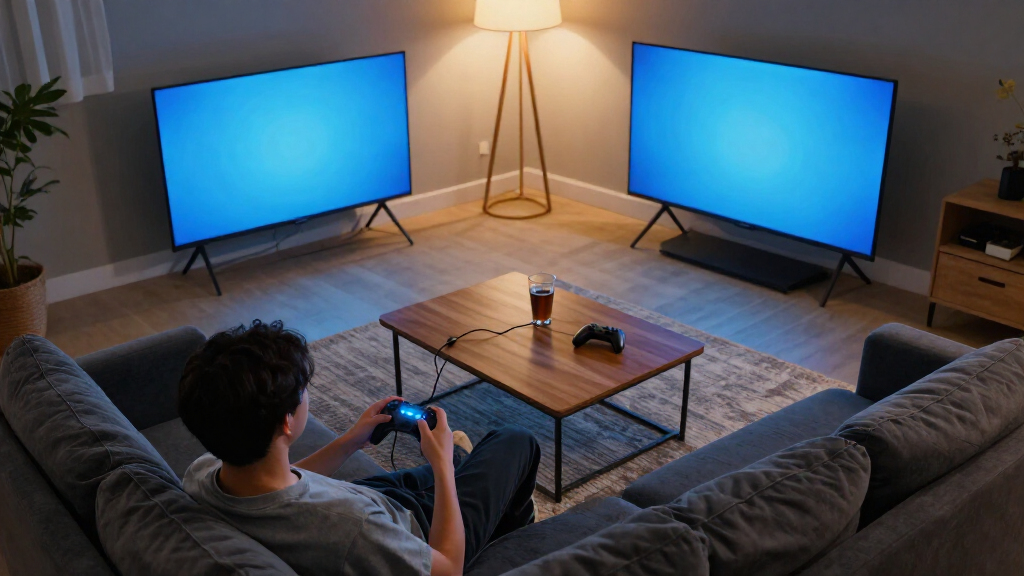
I ranked these TVs around the needs of console and PC players: motion handling and refresh-rate support, responsiveness-related gaming features where specifications are available, picture characteristics, screen size, and ease of setup. I also weighed whether a listing clearly identifies its model year and configuration, since similar names and bundles can make comparisons less reliable. Product titles alone do not confirm every gaming capability, so I avoid treating unlisted specifications as guaranteed features.
The order reflects how well each option appears suited to gaming as a whole, not just how large its screen is or how many features its name suggests. OLED and Mini-LED models rank ahead when their display technology offers a clearer gaming benefit, while the VIZIO’s stated 120Hz refresh rate gives it a distinct motion-focused role. More basic LED and value-focused sets remain relevant for casual players, but they rank lower when the available information does not establish the same gaming-specific strengths. Buyers should confirm refresh rate, HDMI capabilities, and supported console modes for the exact model before purchase.
| TVs for gaming | Smart platform |
|---|---|
| VIZIO 50-inch Quantum Pro 4K 1 | — |
| Samsung 42-Inch S90H OLED 4K S | — |
| Samsung 50" Mini LED M70H 4K V | — |
| Samsung 55-Inch M80H Series Mi | — |
| TCL 75-Inch F8D Series 4K UHD | — |
| Insignia 50-Inch F50 Series 4K | Fire OS |
| TCL T7 Series 55-Inch 4K QLED | Google TV |
| LG 65-Inch QNED73B Mini LED 4K | webOS with Google Gemini and Alexa compatibility |
| Hisense 75" U6 Pro Series Mini | Fire TV with Alexa+ |
| Samsung 65-Inch Class S90H Ser | — |
| Hisense 75" E7 Cinema Series H | Fire TV |
| Roku Select Series 55-Inch 4K | Roku OS |
| TCL 55-Inch QM6K Series QLED M | Google TV |
| Samsung 65-Inch M70H Series 4K | — |
Factors to Consider When Choosing Best TVs For Gaming
Choosing a gaming TV takes more than matching a screen size to your room. I’d start with the games you play and the devices you connect, then weigh picture technology against refresh-rate support, viewing distance, and the smart-TV features you’ll actually use.
Match Refresh Rate to Your Games and Hardware
A TV’s refresh rate matters most when your console or PC can output games at higher frame rates. Fast competitive games can benefit from a panel and connection that support higher refresh rates, while slower single-player games may gain more from contrast and image quality. Do not assume that a 4K label means a TV supports 4K gaming at 120Hz. Check the exact model’s supported resolutions and refresh rates, and confirm that the required HDMI ports provide them. Also check whether the capability applies to every port or only selected inputs. Paying for a feature your gaming device cannot use may bring little benefit, while overlooking it can limit a future console upgrade.
Choose OLED or Mini-LED for Your Room
OLED and Mini-LED can both make games look striking, but they suit different viewing conditions. OLED’s individually lit pixels can produce very deep blacks, which can help dark scenes look defined in a dim room. Mini-LED uses many small backlights and may suit a brighter space where screen visibility is a priority, though results vary by model. Think about your usual playing hours, windows, lamps, and whether the screen will display static interface elements for long sessions. A showroom-style picture comparison may not match your room’s lighting. Avoid paying extra for a display type based only on a technology label; compare its strengths against where and how you play.
Size the Screen for Seating Distance
A very large screen can make games feel more immersive, but it can also dominate a small room or require more head movement at close range. Measure the available width and viewing distance before choosing among the 42- to 75-inch options in this roundup. For desk use or a compact setup, a smaller screen may be easier to position and read without turning your head. For sofa gaming with multiple players, a larger display can make shared play more comfortable. Check the stand width and mounting pattern as well as the diagonal measurement. A screen that fits the wall but not the furniture or seating arrangement is a poor match.
Check Gaming Connections Before Buying
Port count and port capability can matter as much as the screen when you connect a console, PC, sound system, or streaming device. Look up the exact HDMI specifications and identify which inputs support the resolution and refresh rate you want. Some setups also benefit from features such as variable refresh rate or an automatic low-latency mode, but product titles do not establish that a TV includes them. Check the manufacturer’s model-specific specification page rather than relying on a series name or a general product description. Count the devices you plan to keep connected, including audio gear. That simple check can prevent a frustrating routine of swapping cables or giving up a high-performance input.
Separate the TV From the Bundle and Smart Platform
Bundles may add cables, protection plans, or guides, but those extras do not change the panel’s refresh rate or image quality. Compare the base television’s exact model number and gaming specifications first, then decide whether the included accessories match a real need. Smart platforms such as Fire TV, Google TV, Roku, and Samsung’s interface affect app access and everyday navigation, not the TV’s gaming response by themselves. Consider whether you already use an external streaming device or prefer a particular interface. Verify what the protection plan covers and for how long instead of treating its presence as proof of better hardware. This keeps bundle wording from distracting you from the TV you are actually buying.
Frequently Asked Questions
Is the VIZIO Quantum Pro a better gaming choice than a newer TV without a listed refresh rate?
The VIZIO listing explicitly identifies a 120Hz refresh rate, which gives it a useful advantage when comparing product descriptions that leave refresh-rate details unclear. That does not confirm every gaming feature or tell you which inputs support the highest modes. Check the exact model’s port specifications and compatibility with your console or PC. A newer model may offer other strengths, such as a different display technology or interface, but its gaming suitability depends on verified specifications. If motion performance is your priority, favor confirmed capabilities over assumptions based on model year.
Should I choose a 75-inch TV or a smaller screen for console gaming?
Choose based on seating distance and the way you play, not on screen size alone. A 75-inch TV can make shared, sofa-based games feel more immersive, but it may be uncomfortable at a short viewing distance or in a narrow room. A 42- to 55-inch model is often easier to fit into a compact space or a closer setup. Measure the viewing distance, wall or stand width, and the screen’s placement before deciding. If you mainly play competitive games, a screen that lets you see the full action comfortably may matter more than maximizing size.
Do I need OLED for gaming, or is Mini-LED a better fit?
You do not need OLED to enjoy games, and Mini-LED may suit a brighter room better depending on the model. OLED is appealing when deep blacks and dark-scene detail are high priorities, especially for evening play. Mini-LED can be a strong alternative for rooms with more ambient light, but picture performance varies between sets. Also weigh your typical game interface and how long static elements remain onscreen rather than choosing by technology name alone. Compare the TV’s gaming specifications and your room conditions together; the display type is only one part of the decision.
How can I tell whether a bundle is worth choosing for gaming?
First compare the television’s exact model number and core gaming features with the standalone version. A bundled HDMI cable or guide is useful only if it matches your setup, while a protection plan is a separate coverage decision rather than a performance upgrade. Read the plan’s terms, including what damage it covers and how claims work. Do not infer that a bundle has a better panel or more capable ports because it includes extra items. If the TV itself does not meet your refresh-rate, size, or connection needs, accessories will not fix that mismatch.
Which specifications should I verify before connecting a PS5, Xbox, or gaming PC?
Confirm the TV’s supported resolutions and refresh rates, then check which HDMI inputs support those modes. If you want features such as variable refresh rate or automatic low-latency mode, verify them for the exact model rather than relying on a series name. Match the TV’s capabilities to your device, since not every console or PC can output every mode in every game. Also consider how many ports your other equipment will occupy, especially if you use a sound system. The product listing may not spell out these details, so the manufacturer’s model-specific specifications are the safer reference.
Conclusion
For most players seeking a premium all-round setup, I’d start with the Samsung 65-inch S90H OLED as this roundup’s best overall pick, while confirming its exact gaming specifications before buying. The TCL 55-inch QM6K Mini-LED is my best value-style alternative for buyers drawn to Mini-LED in a mid-size screen, and the Samsung 42-inch S90H OLED is the better fit for compact rooms or closer seating. For a motion-focused choice with a clearly stated refresh rate, consider the VIZIO Quantum Pro, but verify its connections and supported modes. Beginners who want a simple large-screen smart TV can compare the Insignia F50 or Roku Select, accepting that the listings provide less evidence of gaming-focused performance. If big-screen play is your priority, look at the 75-inch TCL F8D and Hisense models; choose only after checking their gaming specifications against your console and room.