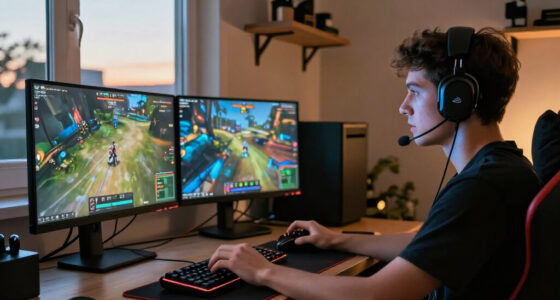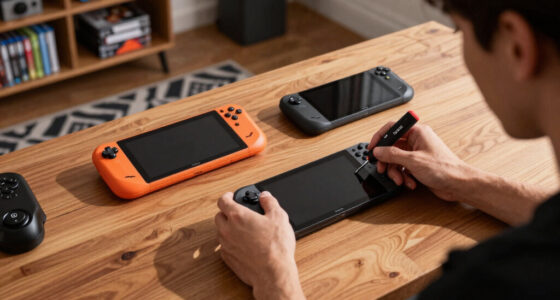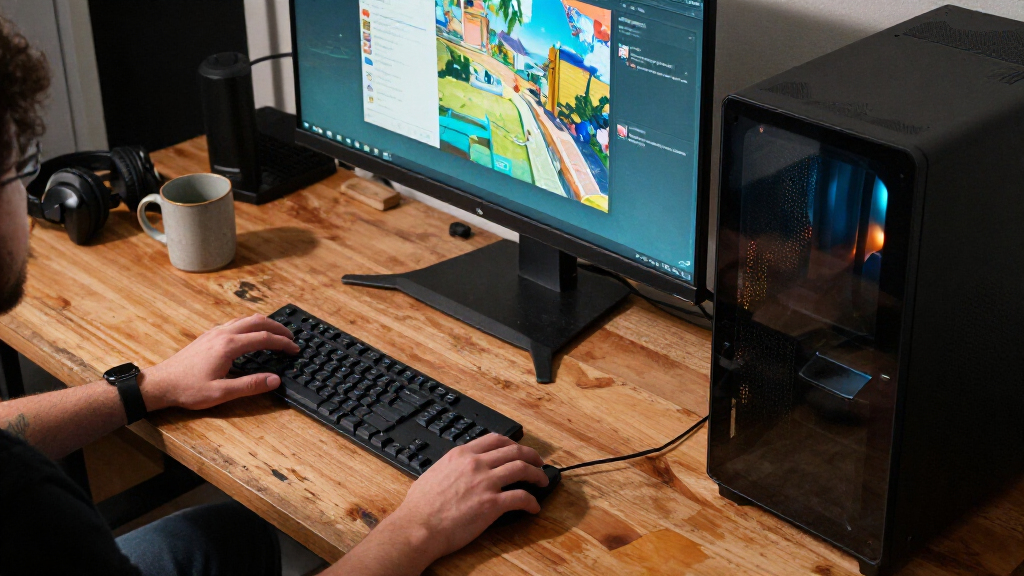

Choosing the best Steam gaming PCs requires balancing raw power with SteamOS compatibility and form factor preferences. My top recommendation is the MSI Vision ZS Gaming Desktop for those wanting uncompromised 4K performance and future-proofing, while the Valve Steam Machine 512GB Mini PC stands out as the definitive plug-and-play solution for living room gaming. Buyers face a distinct tradeoff between the convenience of pre-built Windows towers and the streamlined, controller-first experience of Valve’s dedicated hardware. This guide breaks down which rig suits your specific gaming habits, whether you prioritize portability, high-refresh-rate esports, or immersive single-player titles. Continue reading to see how these thirteen options stack up against each other in real-world scenarios.

Play games on Amazon Luna for your game nights, included with Prime
- A rotating selection of games, no download needed
- Play on TV, laptop or phone
- Fast, free delivery for your gear, too
Complete the kit



Key Takeaways
- The Valve Steam Machine offers the lowest friction entry to SteamOS on a desktop, eliminating driver conflicts common in Windows builds.
- High-end desktops with RTX 5070 graphics cards provide a massive leap in ray-tracing performance compared to the RTX 3050 and 3060 models.
- Budget options like the OKAMUS Prebuilt struggle with modern AAA titles, making them suitable only for older Steam library games or indie titles.
- The MSI Vision ZS and STORMCRAFT Falcon dominate the premium tier, but their price points reflect the cost of the new RTX 50-series architecture.
- Compact form factors like the Valve Steam Deck compromise on graphical fidelity for portability, whereas desktop towers offer superior thermal headroom.
| Valve Steam Deck 256GB Handheld Gaming Console (Renewed) |  | Best for Portable Steam Gaming | Processor: AMD Zen 2, 4 cores/8 threads, 2.4–3.5GHz | GPU: AMD RDNA 2, 8 CUs, 1.0–1.6GHz | RAM: 16GB LPDDR5, 5500 MT/s | VIEW LATEST PRICE | See Our Full Breakdown |
| ASUS TUF Gaming T500 Desktop PC (2025) – Intel Core i5-13420H, RTX 3050, 16GB DDR5, 512GB SSD, Windows 11 Pro |  | Best for a Rugged, Upgrade-Friendly Starter Desktop | Model: T500MV-DS553 | Processor: Intel Core i5-13420H | Graphics: NVIDIA GeForce RTX 3050 | VIEW LATEST PRICE | See Our Full Breakdown |
| Skytech Gaming Azure 3 Desktop PC with Intel Core i5-14400F and GeForce RTX 5060 Ti 8GB |  | Best Overall for Desktop Steam Gaming | Processor: Intel Core i5-14400F, 2.5GHz base, up to 4.7GHz | Graphics: NVIDIA GeForce RTX 5060 Ti, 8GB GDDR7; brand may vary | Memory: 16GB DDR4, 3200MHz | VIEW LATEST PRICE | See Our Full Breakdown |
| Valve Steam Machine 512GB Mini PC with Controller |  | Best Compact SteamOS Desktop | Processor: Modified AMD Zen 4, 6 cores/12 threads | Graphics: Modified AMD RDNA 3, 28 CUs | Graphics memory: 8GB GDDR6 | VIEW LATEST PRICE | See Our Full Breakdown |
| Byte Depot Gamer Xtreme Gaming Desktop PC, Intel Core i7 Quad-Core, 32GB RAM, 1TB NVMe SSD, NVIDIA GeForce RTX 3050, Windows 11 Pro |  | Best for Memory-Heavy Multitasking | Processor: Intel Core i7 quad-core, 3.4GHz base, up to 3.9GHz Turbo Boost | Graphics: NVIDIA GeForce RTX 3050 | Memory: 32GB | VIEW LATEST PRICE | See Our Full Breakdown |
| OKAMUS Prebuilt Desktop PC with Intel Core i5, 8 GB RAM, 256 GB M.2 Storage, and Integrated Graphics |  | Best for Steam’s Lightest Games | Processor: Intel Core i5, up to 3.6 GHz | Graphics: Integrated graphics; no dedicated GPU | Memory: 8GB DDR3, 1600 MHz | VIEW LATEST PRICE | See Our Full Breakdown |
| Prebuilt Gaming PC with Ryzen 7 4700LE, Radeon RX 580 8GB, 16GB RAM, and 512GB SSD |  | Best Value for 1080p Steam Gaming | Processor: AMD Ryzen 7 4700LE, 8 cores and 16 threads, up to 4.2 GHz | Graphics: AMD Radeon RX 580, 8GB GDDR5 | Memory: 16GB DDR4, 3200MHz | VIEW LATEST PRICE | See Our Full Breakdown |
| CyberPowerPC Gamer Master Gaming Desktop, AMD Ryzen 7 8700F, GeForce RTX 5060 Ti 8GB, 16GB DDR5, 1TB SSD |  | Best Overall for a Balanced Steam Desktop | Processor: AMD Ryzen 7 8700F, 8 cores, 4.1 GHz | Graphics: NVIDIA GeForce RTX 5060 Ti, 8GB | Memory: 16GB DDR5, 4800 MHz | VIEW LATEST PRICE | See Our Full Breakdown |
| Volt X3 V1.2 Gaming Desktop PC, Ryzen 5 2600, GTX 1070 8GB, 16GB DDR4, 512GB NVMe SSD, White |  | Best for a Feature-Rich Older-GPU Build | Processor: AMD Ryzen 5 2600, 6 cores and 12 threads, up to 3.9 GHz | Graphics: NVIDIA GTX 1070, 8GB GDDR5 | Memory: 16GB DDR4-3200, 2 × 8GB dual-channel | VIEW LATEST PRICE | See Our Full Breakdown |
| Skytech Shadow 5 Gaming Desktop, Ryzen 7 8700F, GeForce RTX 5060 Ti 8GB, 16GB DDR5, 1TB NVMe SSD |  | Best for a Fast-Memory RTX 5060 Ti Build | Processor: AMD Ryzen 7 8700F, 4.1 GHz, up to 5 GHz | Graphics: NVIDIA GeForce RTX 5060 Ti, 8GB GDDR7; brand may vary | Memory: 16GB DDR5-6000 | VIEW LATEST PRICE | See Our Full Breakdown |
| MSI Vision ZS Gaming Desktop |  | Best High-Performance All-Rounder | Processor: AMD Ryzen 7 9800X3D | Graphics: NVIDIA GeForce RTX 5070 (12GB GDDR7) | Memory: 32GB DDR5 6000 MHz | VIEW LATEST PRICE | See Our Full Breakdown |
| STORMCRAFT Falcon Gaming Desktop |  | Best Aesthetic & Upgrade Path | Processor: AMD Ryzen 7 7800X3D | Graphics: GeForce RTX 5070 (12GB) | Memory: 32GB DDR5 (Max 256GB) | VIEW LATEST PRICE | See Our Full Breakdown |
| MSI Codex Z2 Gaming Desktop |  | Best Compact Mid-Range Option | Processor: AMD Ryzen 7 8700F | Graphics: NVIDIA GeForce RTX 5070 | Memory: 32GB DDR5 | VIEW LATEST PRICE | See Our Full Breakdown |
| Steam gaming PC | Processor | Storage | Graphics | Memory |
|---|---|---|---|---|
| Valve Steam Deck 256GB Handhel | AMD Zen 2, 4 cores/8 threads, 2.4–3.5GHz | 256GB NVMe SSD | — | — |
| ASUS TUF Gaming T500 Desktop P | Intel Core i5-13420H | 512GB M.2 NVMe PCIe 4.0 SSD | NVIDIA GeForce RTX 3050 | 16GB DDR5, 4800 MHz |
| Skytech Gaming Azure 3 Desktop | Intel Core i5-14400F, 2.5GHz base, up to 4.7GHz | 1TB NVMe M.2 SSD | NVIDIA GeForce RTX 5060 Ti, 8GB GDDR7; brand may vary | 16GB DDR4, 3200MHz |
| Valve Steam Machine 512GB Mini | Modified AMD Zen 4, 6 cores/12 threads | 512GB NVMe SSD | Modified AMD RDNA 3, 28 CUs | — |
| Byte Depot Gamer Xtreme Gaming | Intel Core i7 quad-core, 3.4GHz base, up to 3.9GHz Turbo Boost | 1TB M.2 NVMe SSD | NVIDIA GeForce RTX 3050 | 32GB |
| OKAMUS Prebuilt Desktop PC wit | Intel Core i5, up to 3.6 GHz | 256GB M.2 | Integrated graphics; no dedicated GPU | 8GB DDR3, 1600 MHz |
| Prebuilt Gaming PC with Ryzen | AMD Ryzen 7 4700LE, 8 cores and 16 threads, up to 4.2 GHz | 512GB SSD | AMD Radeon RX 580, 8GB GDDR5 | 16GB DDR4, 3200MHz |
| CyberPowerPC Gamer Master Gami | AMD Ryzen 7 8700F, 8 cores, 4.1 GHz | 1TB PCIe 4.0 NVMe SSD | NVIDIA GeForce RTX 5060 Ti, 8GB | 16GB DDR5, 4800 MHz |
| Volt X3 V1.2 Gaming Desktop PC | AMD Ryzen 5 2600, 6 cores and 12 threads, up to 3.9 GHz | 512GB NVMe SSD | NVIDIA GTX 1070, 8GB GDDR5 | 16GB DDR4-3200, 2 × 8GB dual-channel |
| Skytech Shadow 5 Gaming Deskto | AMD Ryzen 7 8700F, 4.1 GHz, up to 5 GHz | 1TB NVMe M.2 SSD | NVIDIA GeForce RTX 5060 Ti, 8GB GDDR7; brand may vary | 16GB DDR5-6000 |
| MSI Vision ZS Gaming Desktop | AMD Ryzen 7 9800X3D | 2TB NVMe SSD | NVIDIA GeForce RTX 5070 (12GB GDDR7) | 32GB DDR5 6000 MHz |
| STORMCRAFT Falcon Gaming Deskt | AMD Ryzen 7 7800X3D | 1TB NVMe SSD | GeForce RTX 5070 (12GB) | 32GB DDR5 (Max 256GB) |
| MSI Codex Z2 Gaming Desktop | AMD Ryzen 7 8700F | 2TB M.2 NVMe SSD | NVIDIA GeForce RTX 5070 | 32GB DDR5 |
More Details on Our Top Picks
Valve Steam Deck 256GB Handheld Gaming Console (Renewed)
The Steam Deck 256GB is the clearest pick here for playing your Steam library away from a desk. Its built-in screen, controls, and SteamOS 3.0 make it a self-contained option; unlike the ASUS TUF Gaming T500, it needs no separate monitor or keyboard to get started. Dual trackpads and assignable grip buttons also give it more control flexibility than a conventional gamepad. That portability comes with limits: the 7-inch, 1280 × 800 display and handheld hardware are a different fit from the Skytech Azure 3’s desktop graphics and larger-screen potential. The listed 2–8-hour battery range varies with gameplay, and 256GB can fill quickly if you keep several large games installed. Its renewed condition is another reason to check the seller’s terms before choosing it.
Pros:- Portable design includes a 7-inch touchscreen and integrated controls.
- Dual trackpads and assignable grip buttons support flexible control layouts.
- SteamOS 3.0 is built around access to a Steam library.
- Wi-Fi, Bluetooth, USB-C, and microSD support give options for connectivity and storage.
Cons:- The listed 2–8-hour battery life varies with the game and play conditions.
- 256GB of built-in storage can restrict the number of large games kept installed.
- Renewed condition may not suit buyers who prefer a new device.
Best for: Steam players who want a self-contained handheld for travel, commuting, or gaming around the home.
Not ideal for: Buyers seeking a desktop setup for demanding games on a large, high-resolution display, or players who need extensive built-in storage.
- Processor:AMD Zen 2, 4 cores/8 threads, 2.4–3.5GHz
- GPU:AMD RDNA 2, 8 CUs, 1.0–1.6GHz
- RAM:16GB LPDDR5, 5500 MT/s
- Storage:256GB NVMe SSD
- Display:7-inch optically bonded IPS LCD touchscreen, 1280 × 800, 60Hz
- Connectivity:Dual-band Wi-Fi and Bluetooth 5.0
- Battery:40Wh; listed for 2–8 hours of gameplay
- Operating system:SteamOS 3.0 (Arch-based)
- Condition and weight:Renewed; 1.48 pounds
Our verdict“Choose the renewed Steam Deck if portable access to Steam matters more than desktop graphics, battery endurance, or a large internal drive.”
ASUS TUF Gaming T500 Desktop PC (2025) – Intel Core i5-13420H, RTX 3050, 16GB DDR5, 512GB SSD, Windows 11 Pro
The ASUS TUF Gaming T500 makes more sense as a practical starter desktop than as a high-settings gaming rig. Its RTX 3050 gives it dedicated graphics, while the Core i5-13420H and 16GB of DDR5 provide a straightforward Windows setup for Steam and everyday multitasking. Compared with the Byte Depot Gamer Xtreme, the T500 has less memory and storage, but its stated tool-less side panels make maintenance and upgrades more approachable. ASUS also lists a shock- and vibration-resistance standard and a copper-heatpipe cooling design, useful traits for a system meant to stay in service. The tradeoff is graphics headroom: the RTX 3050 is a weaker fit for demanding games at maximum settings than the Skytech Azure 3’s RTX 5060 Ti. Its 512GB SSD may also call for expansion as a Steam library grows.
Pros:- Dedicated RTX 3050 graphics provide a gaming-focused alternative to integrated graphics.
- 16GB DDR5 memory supports gaming and routine multitasking.
- Tool-less side panels simplify access for maintenance and upgrades.
- The listed MIL-STD-810H certification and copper-heatpipe cooling are practical build features.
Cons:- RTX 3050 graphics offer less headroom for demanding games than the Skytech Azure 3’s RTX 5060 Ti.
- 512GB storage can fill quickly with a large modern game library.
- The listed integrated-graphics native resolution may complicate expectations for high-resolution output.
Best for: First-time desktop buyers who want a Windows gaming PC with dedicated graphics and easier access for future maintenance or upgrades.
Not ideal for: Players targeting demanding modern games at maximum settings, or anyone who wants ample game storage without adding a drive.
- Model:T500MV-DS553
- Processor:Intel Core i5-13420H
- Graphics:NVIDIA GeForce RTX 3050
- Memory:16GB DDR5, 4800 MHz
- Storage:512GB M.2 NVMe PCIe 4.0 SSD
- Operating system:Windows 11 Pro
- Form factor and dimensions:Tower; 6.12 × 11.67 × 14.05 inches
- Connectivity:USB 3.0, HDMI, and DisplayPort
- Durability standard:MIL-STD-810H
Our verdict“Pick the TUF Gaming T500 for a serviceable starter desktop, not for the strongest graphics performance in this group.”
Skytech Gaming Azure 3 Desktop PC with Intel Core i5-14400F and GeForce RTX 5060 Ti 8GB
For buyers who want a conventional desktop with a stronger gaming focus, the Skytech Azure 3 has the best balance in this five-product group. Its RTX 5060 Ti 8GB gives it a clearer graphics advantage over the ASUS TUF Gaming T500 and Byte Depot Gamer Xtreme, both of which use an RTX 3050. The Core i5-14400F and 1TB NVMe SSD round out a practical setup for running games and keeping more of them installed than the T500’s 512GB drive allows. It also includes a keyboard and mouse, so buyers have basic peripherals from the outset. The tradeoffs are its 16GB DDR4 memory, rather than DDR5, and Wi-Fi 5 instead of the newer Wi-Fi 6 listed for the Byte Depot. Graphics-card brand and some ports may vary, so the configuration is not fully fixed.
Pros:- RTX 5060 Ti graphics provide more gaming headroom than the RTX 3050 options in this group.
- 1TB NVMe SSD offers more room for a Steam library than the ASUS TUF Gaming T500’s 512GB drive.
- Core i5-14400F pairs with dedicated graphics for a desktop gaming setup.
- Keyboard and mouse are included.
Cons:- 16GB DDR4 is a less current memory configuration than DDR5 systems such as the ASUS TUF Gaming T500.
- Wi-Fi 5 is older than the Wi-Fi 6 listed for the Byte Depot Gamer Xtreme.
- Graphics-card brand and some ports may vary by configuration.
Best for: Desktop Steam players who want a stronger dedicated GPU than the RTX 3050 systems here, along with a 1TB drive and included basic peripherals.
Not ideal for: Buyers who prioritize DDR5 memory, Wi-Fi 6, or a guaranteed fixed graphics-card brand and port configuration.
- Processor:Intel Core i5-14400F, 2.5GHz base, up to 4.7GHz
- Graphics:NVIDIA GeForce RTX 5060 Ti, 8GB GDDR7; brand may vary
- Memory:16GB DDR4, 3200MHz
- Storage:1TB NVMe M.2 SSD
- Operating system:Windows 11 Home 64-bit
- Wireless:Wi-Fi 5 (802.11ac) and Bluetooth
- Cooling and case:High-performance air cooler; black tempered-glass tower with ARGB fans
- Ports:HDMI, DisplayPort, USB 2.0, USB 3.0, and USB 3.2 Gen 1; configuration may vary
- Included accessories:Gaming keyboard and mouse
Our verdict“Choose the Azure 3 if desktop gaming performance and a 1TB SSD matter more to you than DDR5 memory or fixed component branding.”
Valve Steam Machine 512GB Mini PC with Controller
The Valve Steam Machine is the most direct fit for a buyer who wants SteamOS on a compact home gaming PC rather than a handheld. Its modified Zen 4 processor and RDNA 3 graphics give it a dedicated gaming-focused platform, while the included controller suits couch play better than the keyboard-and-mouse bundle with the Skytech Azure 3. The SteamOS install also makes its purpose clearer than the Windows-based ASUS TUF Gaming T500, though Windows may be the more familiar environment for players who use non-Steam apps. Its 512GB SSD is larger than the Steam Deck’s 256GB drive but still smaller than the Skytech’s 1TB. The listed 16GB of system memory and unspecified controller features leave less room for confidence about expandability and controls. Check the Type F, 2-pin plug before buying, since it may not suit every region.
Pros:- SteamOS is installed for a Steam-centered setup.
- Modified RDNA 3 graphics include 8GB of GDDR6 memory.
- Compact mini PC format takes less space than a conventional gaming tower.
- Includes a controller and a microSD card slot.
Cons:- 16GB of system memory may limit headroom for heavy multitasking.
- 512GB SSD provides less capacity than the Skytech Azure 3’s 1TB drive.
- Controller features are not specified, and the listed Type F, 2-pin plug may not suit all regions.
Best for: Steam-focused couch gamers who want a compact SteamOS desktop and a controller included in the package.
Not ideal for: Buyers who need a Windows PC, more than 512GB of internal storage, detailed controller specifications, or a plug suited to every region.
- Processor:Modified AMD Zen 4, 6 cores/12 threads
- Graphics:Modified AMD RDNA 3, 28 CUs
- Graphics memory:8GB GDDR6
- System memory:16GB DDR5
- Storage:512GB NVMe SSD
- Operating system:SteamOS
- Connectivity and video output:USB, Wi-Fi 802.11ax, and HDMI
- Dimensions and weight:12.99 × 9.76 × 9.76 inches; 3.5 kg
- Included accessory and plug:Controller; Type F, 2-pin power plug
Our verdict“Choose the Steam Machine for a compact SteamOS couch setup, but check its plug, controller details, and storage fit before committing.”
Byte Depot Gamer Xtreme Gaming Desktop PC, Intel Core i7 Quad-Core, 32GB RAM, 1TB NVMe SSD, NVIDIA GeForce RTX 3050, Windows 11 Pro
The Byte Depot Gamer Xtreme is the memory-and-storage pick, not the strongest gaming performer in this lineup. Its 32GB RAM and 1TB NVMe SSD give it more room for multitasking and installed games than the ASUS TUF Gaming T500, which has 16GB and a 512GB SSD. Wi-Fi 6, Bluetooth 5.2, and Gigabit Ethernet also offer flexible ways to connect, and a keyboard and mouse are included. The catch is that its RTX 3050 is the same entry-level graphics class called out for the T500, well behind the Skytech Azure 3’s RTX 5060 Ti for buyers prioritizing GPU capability. The listed Intel Core i7 is only a quad-core model, so its name alone should not be read as a guarantee of stronger gaming performance. Video outputs are limited to one HDMI and one DisplayPort.
Pros:- 32GB of memory gives more multitasking capacity than the 16GB systems in this batch.
- 1TB NVMe SSD offers more listed storage than the ASUS TUF Gaming T500.
- Wi-Fi 6, Bluetooth 5.2, and Gigabit Ethernet provide multiple connection options.
- Keyboard and mouse are included.
Cons:- RTX 3050 graphics have less headroom than the Skytech Azure 3’s RTX 5060 Ti.
- The listed Intel Core i7 processor is a quad-core model.
- Only one HDMI and one DisplayPort video output are listed.
Best for: Steam users who keep many applications open, want 32GB of memory and 1TB storage, and play games suited to RTX 3050 graphics.
Not ideal for: Players who prioritize graphics capability for demanding games, need several display outputs, or expect an i7 label to mean a high-core-count processor.
- Processor:Intel Core i7 quad-core, 3.4GHz base, up to 3.9GHz Turbo Boost
- Graphics:NVIDIA GeForce RTX 3050
- Memory:32GB
- Storage:1TB M.2 NVMe SSD
- Operating system:Windows 11 Pro
- Connectivity:Wi-Fi 6, Bluetooth 5.2, and Gigabit LAN
- Video outputs:1× HDMI and 1× DisplayPort
- Case and cooling:Black tempered-glass tower with airflow-focused cooling
- Included accessories:Gaming keyboard and mouse
Our verdict“Pick the Gamer Xtreme if memory capacity and a 1TB drive matter more than having a stronger gaming GPU.”
OKAMUS Prebuilt Desktop PC with Intel Core i5, 8 GB RAM, 256 GB M.2 Storage, and Integrated Graphics
I’d place the OKAMUS at the entry point of this lineup, but only for buyers focused on lighter Steam games, older titles, or everyday desktop use. Its integrated graphics are a major limit: unlike the dedicated Radeon RX 580 in the Prebuilt Gaming PC with Ryzen 7 4700LE, this system has no graphics card for more demanding gaming. The 8GB of DDR3 memory and 256GB drive also leave less room for multitasking and a growing game library than that Ryzen system’s 16GB and 512GB SSD. Wi-Fi 6, Bluetooth 5.3, and six USB ports make it convenient to connect, while three HDMI outputs offer flexibility for displays. I’d choose it only if the games are modest and the plan is to add a dedicated GPU and more memory later.
Pros:- Wi-Fi 6 and Bluetooth 5.3 are built in.
- Three HDMI outputs and six USB ports offer flexible connectivity.
- M.2 storage provides a compact 256GB boot drive.
- RGB air-cooling fans are included.
Cons:- Integrated graphics are a poor fit for demanding modern games.
- 8GB of DDR3 memory can constrain gaming and multitasking.
- 256GB storage leaves little room for a substantial Steam library.
Best for: Players focused on low-demand Steam games and general home computing who want Wi-Fi 6 and may upgrade the system later.
Not ideal for: Anyone expecting smooth performance in graphics-heavy games; integrated graphics and 8GB of DDR3 memory are significant constraints.
- Processor:Intel Core i5, up to 3.6 GHz
- Graphics:Integrated graphics; no dedicated GPU
- Memory:8GB DDR3, 1600 MHz
- Maximum memory:32GB
- Storage:256GB M.2
- Operating system:Windows 11 Home
- Wireless:Wi-Fi 6 and Bluetooth 5.3
- Ports:6 USB ports and 3 HDMI ports
Our verdict“Choose the OKAMUS for light Steam gaming and basic computing, not as a ready-to-play system for demanding titles.”
Prebuilt Gaming PC with Ryzen 7 4700LE, Radeon RX 580 8GB, 16GB RAM, and 512GB SSD
The Ryzen 7 4700LE system is a more credible starting point for PC gaming than the OKAMUS because it includes a dedicated Radeon RX 580 with 8GB of graphics memory, plus 16GB of DDR4 RAM. That combination makes it better suited to a broad selection of 1080p Steam games, though the product description itself recommends adjusting settings to balance image quality and frame rate. Its 8-core, 16-thread processor also gives it more room for schoolwork, office tasks, and light creative applications than a gaming-only build needs. Compared with the newer CyberPowerPC Gamer Master and Skytech Shadow 5, its graphics platform is the less compelling choice for buyers after newer hardware. The 512GB SSD is usable but can fill quickly; I’d pick this machine for budget-conscious 1080p play, not a large installed library.
Pros:- Dedicated Radeon RX 580 graphics with 8GB GDDR5.
- 16GB of 3200MHz DDR4 memory supports gaming and everyday multitasking.
- Eight-core, 16-thread processor suits productivity alongside gaming.
- Wi-Fi 6 and both HDMI and DisplayPort outputs are included.
Cons:- The description advises adjusting game settings to balance image quality and frame rate.
- 512GB SSD capacity may be limiting for a large game collection.
- Compared with the RTX 5060 Ti systems in this roundup, its graphics hardware is an older-class alternative.
Best for: Budget-conscious players who want a dedicated GPU for 1080p Steam games and also need a PC for school or office work.
Not ideal for: Players seeking newer graphics hardware, high settings across demanding games, or enough storage for a large installed library.
- Processor:AMD Ryzen 7 4700LE, 8 cores and 16 threads, up to 4.2 GHz
- Graphics:AMD Radeon RX 580, 8GB GDDR5
- Memory:16GB DDR4, 3200MHz
- Storage:512GB SSD
- Operating system:Windows
- Wireless:Wi-Fi 6
- Display outputs:DisplayPort and HDMI
- Motherboard:A520M-A PRO
Our verdict“Pick this Ryzen and RX 580 desktop for a practical 1080p Steam setup if newer graphics hardware is not your priority.”
CyberPowerPC Gamer Master Gaming Desktop, AMD Ryzen 7 8700F, GeForce RTX 5060 Ti 8GB, 16GB DDR5, 1TB SSD
Among these five, I’d put the CyberPowerPC Gamer Master first for buyers who want a modern, ready-to-use Steam desktop without stepping down to older graphics hardware. Its Ryzen 7 8700F and GeForce RTX 5060 Ti make a far stronger gaming foundation than the RX 580 in the Ryzen 7 4700LE PC or the GTX 1070 in the Volt X3. A 1TB PCIe 4.0 NVMe SSD also gives a game library more breathing room than either of those systems’ 512GB drives. The 16GB of DDR5 is a reasonable starting configuration, and the listed 192GB maximum leaves room to expand, though buyers should not confuse upgrade capacity with included memory. The RTX card has 8GB of VRAM, and this is a tower rather than a compact PC. Wi-Fi 6, Bluetooth, and included keyboard and mouse round out a convenient setup.
Pros:- Ryzen 7 8700F and GeForce RTX 5060 Ti provide a strong gaming-oriented foundation.
- 1TB PCIe 4.0 NVMe SSD offers more library space than the 512GB drives in several alternatives.
- 16GB DDR5 memory with a stated maximum capacity of 192GB.
- Wi-Fi 6, Bluetooth 5.3, and keyboard and mouse are included.
Cons:- The included 16GB of RAM may be a limiting starting point for heavier multitasking.
- The graphics card has 8GB of video memory.
- A tower case is less suited to buyers with limited desk space.
Best for: Players who want a current dedicated-GPU desktop for a varied Steam library, with a 1TB SSD and everyday accessories included.
Not ideal for: Buyers who need more than 16GB of RAM out of the box, want a compact computer, or require graphics hardware with more than 8GB of VRAM.
- Processor:AMD Ryzen 7 8700F, 8 cores, 4.1 GHz
- Graphics:NVIDIA GeForce RTX 5060 Ti, 8GB
- Memory:16GB DDR5, 4800 MHz
- Maximum memory:192GB
- Storage:1TB PCIe 4.0 NVMe SSD
- Operating system:Windows 11 Home
- Connectivity:Wi-Fi 6, Bluetooth 5.3, and Ethernet
- Video outputs:1 HDMI and 2 DisplayPort
Our verdict“Choose the CyberPowerPC Gamer Master for a balanced modern Steam desktop with a dedicated RTX GPU and 1TB of storage.”
Volt X3 V1.2 Gaming Desktop PC, Ryzen 5 2600, GTX 1070 8GB, 16GB DDR4, 512GB NVMe SSD, White
The Volt X3 stands apart from the RX 580-equipped Ryzen 7 4700LE desktop through its GTX 1070 with 8GB of GDDR5, while its LCD monitoring display adds a visible readout of CPU and GPU temperatures and utilization. Its six-core, 12-thread Ryzen 5 2600 and 16GB dual-channel memory make a workable base for Steam gaming and everyday multitasking. It is not the best match for buyers seeking the newer graphics generation found in the CyberPowerPC Gamer Master or Skytech Shadow 5; its older GPU is the defining tradeoff. The 512GB NVMe SSD can also restrict a large install list. Four ARGB fans and a 120mm CPU cooler give the white case a distinctive look, but lighting does not change the underlying performance tier. I’d choose it for players who value the display and presentation over newer hardware.
Pros:- Dedicated GTX 1070 graphics with 8GB GDDR5.
- 16GB dual-channel DDR4 memory and a 512GB NVMe SSD.
- LCD display shows CPU and GPU temperatures and utilization.
- Four synchronized ARGB fans, Wi-Fi, Bluetooth, and top-panel USB-C are included.
Cons:- GTX 1070 is an older graphics option than the RTX 5060 Ti systems in this roundup.
- The 512GB SSD may not fit a large collection of installed games.
- Graphics-card manufacturer may vary.
Best for: Players who want a distinctive white gaming PC with a system-monitoring display and a dedicated GPU for a modest Steam library.
Not ideal for: Buyers prioritizing newer graphics hardware, a large SSD, or predictable graphics-card sourcing, since the manufacturer may vary.
- Processor:AMD Ryzen 5 2600, 6 cores and 12 threads, up to 3.9 GHz
- Graphics:NVIDIA GTX 1070, 8GB GDDR5
- Memory:16GB DDR4-3200, 2 × 8GB dual-channel
- Storage:512GB NVMe SSD
- Operating system:Windows 11 Pro 25H2
- Cooling:120mm CPU cooler and 4 synchronized ARGB fans
- Display:LCD showing CPU and GPU temperatures and utilization
- Warranty:1-year limited hardware warranty with technical support
Our verdict“Choose the Volt X3 for its LCD monitoring and white ARGB presentation if you accept older graphics hardware and 512GB storage.”
Skytech Shadow 5 Gaming Desktop, Ryzen 7 8700F, GeForce RTX 5060 Ti 8GB, 16GB DDR5, 1TB NVMe SSD
The Skytech Shadow 5 shares its Ryzen 7 8700F, RTX 5060 Ti, and 1TB SSD with the CyberPowerPC Gamer Master, so the choice comes down to the rest of the configuration rather than a different graphics tier. Skytech lists 16GB of DDR5-6000, faster-rated memory than the CyberPowerPC’s DDR5-4800, and includes a gaming keyboard and mouse. It uses Wi-Fi 5, however, while CyberPowerPC specifies Wi-Fi 6 and Bluetooth 5.3. The RTX card has 8GB of VRAM, and the graphics-card brand and some ports may vary, which makes the exact configuration less settled. Its tempered-glass case and ARGB fans emphasize a gaming look, but buyers focused on connectivity details may prefer the CyberPowerPC’s clearer port and wireless listing. I’d pick Skytech for the listed memory speed and included peripherals, not as a substantial step up in GPU class.
Pros:- Ryzen 7 8700F and GeForce RTX 5060 Ti provide a modern dedicated-GPU configuration.
- 16GB DDR5-6000 memory is specified.
- 1TB NVMe M.2 SSD provides more room than the 512GB drives in the RX 580 and GTX 1070 alternatives.
- Tempered-glass case, ARGB fans, keyboard, and mouse are included.
Cons:- Wireless connectivity is Wi-Fi 5, unlike the CyberPowerPC Gamer Master’s Wi-Fi 6.
- Graphics-card brand and some ports may vary.
- The listed RTX 5060 Ti has 8GB of video memory.
Best for: Players choosing an RTX 5060 Ti desktop who value DDR5-6000 memory, a tempered-glass case, and included keyboard and mouse.
Not ideal for: Buyers who need Wi-Fi 6, predictable graphics-card and port specifications, or a graphics card with more than 8GB of VRAM.
- Processor:AMD Ryzen 7 8700F, 4.1 GHz, up to 5 GHz
- Graphics:NVIDIA GeForce RTX 5060 Ti, 8GB GDDR7; brand may vary
- Memory:16GB DDR5-6000
- Storage:1TB NVMe M.2 SSD
- Operating system:Windows 11 Home 64-bit
- Wireless:Wi-Fi 5 (802.11ac)
- Video outputs:1 HDMI and 1 DisplayPort; ports may vary
- Warranty:1 year parts and labor
Our verdict“Choose the Skytech Shadow 5 for its DDR5-6000 specification and included peripherals, but favor CyberPowerPC if Wi-Fi 6 and fixed port details matter more.”
MSI Vision ZS Gaming Desktop
This machine stands out for its Ryzen 7 9800X3D processor, which leverages 3D V-Cache to deliver exceptional frame rates in CPU-bound Steam titles. When compared to the STORMCRAFT Falcon, the MSI Vision ZS offers double the storage with a 2TB NVMe SSD, sparing you from immediate upgrade costs for large game libraries. The RTX 5070 graphics card handles high-resolution textures and ray tracing with ease, making it a future-proof choice. However, the tradeoff comes in physical bulk; at nearly 47 pounds, it demands significant floor space, unlike more compact alternatives. The 360mm liquid cooling keeps temperatures low during extended VR sessions or heavy multitasking, a distinct advantage over air-cooled systems in this lineup.
Pros:- Ryzen 7 9800X3D delivers elite gaming performance via 3D V-Cache
- 2TB NVMe SSD provides ample room for a large Steam library
- 360mm AIO liquid cooling ensures quiet, stable operation under load
- RTX 5070 supports DLSS 4 and high-end VR experiences
Cons:- Extremely heavy and bulky chassis limits placement flexibility
- Premium pricing is reflected in the high-end component selection
Best for: Serious gamers and content creators who need massive storage and top-tier CPU performance for VR and streaming.
Not ideal for: Users with limited desk or floor space, as the heavy, large tower requires significant room to operate safely.
- Processor:AMD Ryzen 7 9800X3D
- Graphics:NVIDIA GeForce RTX 5070 (12GB GDDR7)
- Memory:32GB DDR5 6000 MHz
- Storage:2TB NVMe SSD
- Cooling:360mm AIO Liquid Cooling
- Connectivity:Wi-Fi 6E, Bluetooth, Ethernet
- Weight:46.8 pounds
Our verdict“Choose this if you want maximum storage and CPU power and have the space to accommodate its massive tower.”
STORMCRAFT Falcon Gaming Desktop
The STORMCRAFT Falcon appeals to buyers who prioritize visual customization and long-term expandability. Its tempered glass case with RGB lighting creates a striking centerpiece, contrasting with the more utilitarian design of the MSI Codex Z2. While the Ryzen 7 7800X3D and RTX 5070 combo matches the gaming prowess of higher-priced rivals, the included keyboard and mouse add immediate value for first-time builders. The standout feature here is the 256GB maximum memory support, offering a clearer upgrade path than competitors capped at 96GB. The downside is the 1TB SSD, which may feel cramped quickly compared to the 2TB drives found in the MSI Vision ZS, necessitating early storage expansion.
Pros:- Tempered glass case with RGB lighting enhances visual appeal
- Supports up to 256GB DDR5 for extensive future upgrades
- Includes a keyboard and mouse to get started immediately
- 850W 80 Plus Gold PSU provides stable power headroom
Cons:- 1TB SSD fills up quickly with modern AAA Steam titles
- Large tower dimensions require ample desk or floor space
Best for: Enthusiasts who value customizable RGB aesthetics and plan to upgrade RAM significantly in the future.
Not ideal for: Users with large existing game libraries who do not want to immediately add secondary storage drives.
- Processor:AMD Ryzen 7 7800X3D
- Graphics:GeForce RTX 5070 (12GB)
- Memory:32GB DDR5 (Max 256GB)
- Storage:1TB NVMe SSD
- Cooling:360mm Liquid Cooler
- Power Supply:850W 80 Plus Gold
- Included Accessories:Keyboard and Mouse
Our verdict“Ideal for gamers who want a stylish, highly expandable system and don’t mind adding storage later.”
MSI Codex Z2 Gaming Desktop
This desktop offers a smarter balance of size and performance for those who find the MSI Vision ZS too bulky. The Ryzen 7 8700F is a capable 8-core chip that handles Steam gaming and multitasking without the premium cost of the X3D cache variants. It pairs this with the powerful RTX 5070, ensuring high frame rates in graphically intensive titles. The air cooling system with four fans keeps the unit compact at just 21.3 pounds, making it easier to fit on a standard desk. However, this compactness comes with tradeoffs; the air cooling may run louder under heavy loads than the liquid-cooled alternatives, and the lack of Wi-Fi 6E limits future wireless speeds compared to the STORMCRAFT Falcon.
Pros:- Compact 21.3-pound chassis fits easily on most desks
- RTX 5070 delivers high-end graphics performance
- Air cooling with four fans maintains adequate thermal performance
- Adjustable RGB via MSI Center software
Cons:- Air cooling is less effective and potentially louder than liquid cooling
- Only Wi-Fi 6 support, lacking the newer 6E standard
Best for: Gamers with limited space who still want RTX 5070 performance without the bulk of a full tower.
Not ideal for: Silent operation seekers or users who need the absolute highest CPU cache performance for competitive gaming.
- Processor:AMD Ryzen 7 8700F
- Graphics:NVIDIA GeForce RTX 5070
- Memory:32GB DDR5
- Storage:2TB M.2 NVMe SSD
- Cooling:Air Cooling with 4 Fans
- Weight:21.3 pounds
- Connectivity:Wi-Fi 6, Bluetooth, Ethernet
Our verdict“A practical choice for space-conscious gamers who prioritize GPU power over CPU cache and silence.”

How We Picked
I evaluated these systems based on their ability to run the current Steam library without bottlenecks, prioritizing GPUs that can handle modern API overheads like Vulkan and DirectX 12 Ultimate. I also weighed the ease of setup, specifically how well each machine integrates with Steam Big Picture mode or native SteamOS. Value was calculated not just by component cost, but by the longevity of the hardware in the face of upcoming game releases.
Rankings reflect a hierarchy of utility: dedicated SteamOS hardware ranks highest for pure Steam users, followed by high-performance Windows towers that offer flexibility for non-Steam applications. Mid-range and budget options were judged on their ability to maintain playable frame rates in competitive titles, with lower-ranked entries penalized for using outdated integrated graphics or insufficient RAM.
Factors to Consider When Choosing Best Steam Gaming PCs
Selecting the right hardware for your Steam library goes beyond checking spec sheets. You need to consider how the machine fits into your daily routine and what kind of games you intend to play.SteamOS vs. Windows Compatibility
The biggest decision is whether you want a dedicated SteamOS machine or a Windows PC. SteamOS offers a console-like experience with seamless controller support and automatic game optimization, which is ideal for living room setups. However, it restricts you to games compatible with Proton, which covers most of the library but not all. Windows 11 towers offer universal compatibility, allowing you to play non-Steam games, use mod managers, and run productivity software. If you only play Steam titles, the simplicity of SteamOS wins; if you need versatility, Windows is the safer bet.
GPU Tier and Ray Tracing Performance
Not all graphics cards are created equal for modern Steam titles. The RTX 50-series cards found in premium builds offer significantly better ray-tracing performance and DLSS 3.5 support than the older RTX 3050 or GTX 1070 models. For competitive shooters, a strong GPU ensures high frame rates at 1080p or 1440p. For single-player RPGs, the extra VRAM in higher-end cards prevents texture pop-in and stuttering. Avoid integrated graphics if you plan to play anything released in the last five years, as they simply lack the compute power to render complex scenes.
RAM and Storage Speeds
Modern Steam games are increasingly demanding on system memory. 16GB of DDR5 RAM is the new baseline for smooth multitasking and game loading, while older DDR4 configurations can sometimes create bottlenecks in CPU-heavy simulation games. Storage speed matters just as much as capacity; NVMe SSDs drastically reduce load times in open-world titles compared to SATA drives or HDDs. If you have a massive library, prioritize models with at least 1TB of storage, as adding drives later can sometimes void warranties on pre-builts.
Form Factor and Thermal Throttling
Smaller cases often suffer from thermal throttling, where the CPU or GPU slows down to prevent overheating. The Valve Steam Deck and compact mini PCs handle heat less efficiently than full-sized towers, which can lead to louder fan noise and lower sustained performance during long sessions. If you plan to play graphically intensive games for hours, a larger tower with better airflow is a better investment. Conversely, if you have limited desk space, a compact build is acceptable provided you accept some performance tradeoffs.
Upgrade Path and Future Proofing
Pre-built PCs vary wildly in how easy they are to upgrade. Some manufacturers use proprietary motherboards and power supplies, locking you into their ecosystem. Look for models that use standard ATX or Micro-ATX components, which allow you to swap out the GPU or add storage years down the line. The MSI Vision ZS and similar tower designs generally offer better upgrade paths than custom mini PCs or handhelds, where internal components are often soldered or tightly packed.
Frequently Asked Questions
Can I install SteamOS on any Windows gaming PC?
Yes, you can install SteamOS (specifically the community-driven Bazzite or HoloISO) on most x86-64 PCs, but it is not officially supported by Valve for generic desktops. This process requires technical knowledge to ensure drivers for your specific motherboard and GPU are compatible. For most users, buying a Valve Steam Machine or a dedicated pre-built is easier and avoids the risk of bricking your installation or losing warranty support. If you are not comfortable with Linux command lines, stick to Windows and use Steam Big Picture mode for a similar interface.
Is 8GB of VRAM enough for Steam gaming in 2027?
8GB of VRAM is becoming a limiting factor for AAA titles at 1440p resolution. While it suffices for 1080p gaming and older titles, newer releases often demand more video memory for high-resolution textures and ray tracing. If you plan to play the latest releases at max settings, I recommend targeting 12GB or more VRAM found in the RTX 5060 Ti and above. For esports titles like Counter-Strike 2 or Dota 2, 8GB remains perfectly adequate.
Do I need a high-refresh-rate monitor for these PCs?
A high-refresh-rate monitor (144Hz or higher) is only beneficial if your PC can sustain frame rates above 60 FPS in your favorite games. For competitive players using the ASUS TUF or Skytech Shadow, a 1440p 144Hz monitor is the sweet spot that balances visual clarity with responsiveness. For casual players using integrated graphics or entry-level discrete cards, a standard 60Hz 1080p monitor is a more sensible investment, as you will not see the benefit of higher refresh rates.
Which is better for Steam: the Steam Deck or a budget desktop?
This depends entirely on your use case. The Steam Deck offers unmatched portability and a curated experience that ‘just works’ out of the box, making it ideal for travel or couch gaming. A budget desktop like the Byte Depot Gamer Xtreme offers more raw power and upgradability but requires a desk, monitor, and peripheral setup. If you want to play at your desk with higher settings and have room for upgrades, the desktop is better. If you value convenience and portability, the Deck wins.
Are renewed Steam Decks worth buying in 2027?
Renewed Steam Decks can be a good value if you find them at a significant discount, but you must check the warranty terms carefully. Battery health is the primary concern with renewed handhelds, as lithium-ion cells degrade over time. If the seller guarantees a battery health of 80% or higher, it is a viable option for testing the platform without a full investment. However, for long-term use, the Valve Steam Machine or a new Deck offers better reliability and peace of mind.
Conclusion
Choosing the best Steam gaming PCs depends on where you play and how much you spend. For the ultimate SteamOS experience without the hassle of configuring Linux, the Valve Steam Machine is the definitive choice. If you need raw power for 4K ray-traced gaming and future-proofing, the MSI Vision ZS stands as the premium winner. For those balancing budget and performance, the Skytech Azure 3 offers the best value with its RTX 5060 Ti card. Beginners looking for a safe, pre-configured Windows experience should look at the ASUS TUF Gaming T500, while portability seekers should stick with the Steam Deck. Match your hardware to your library, and you will get years of enjoyment from your Steam account.