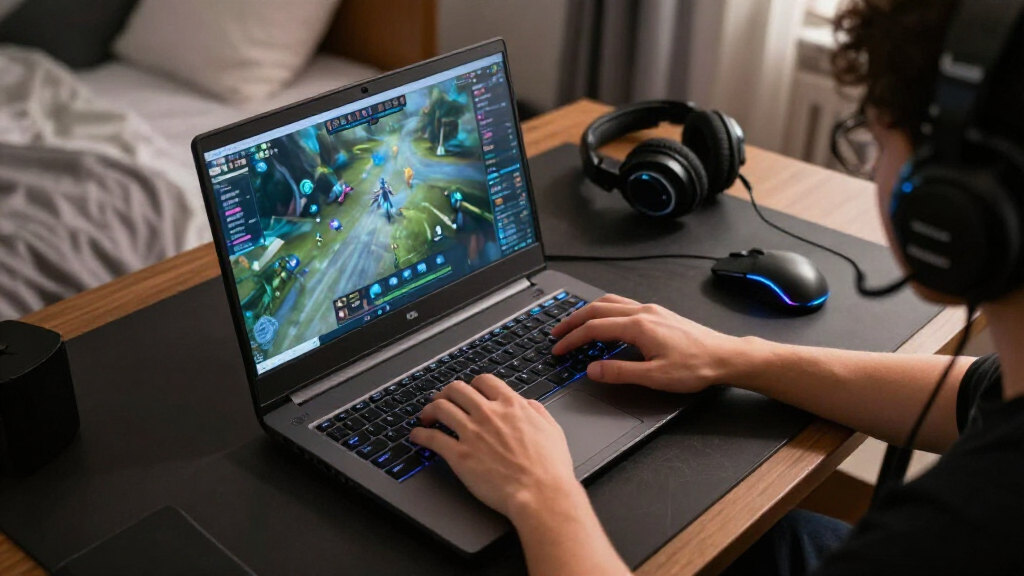
For most streamers, I’d start with the Lenovo Legion 5a: its RTX 5060, 32GB of RAM, and OLED screen make it a well-rounded choice for gaming, broadcasting, and content work. The MSI Crosshair A16 HX stands out for its RTX 5070 and strong multitasking headroom, while the Acer Nitro V 16S AI pairs an RTX 5060 with 32GB of memory for a more balanced setup. The main tradeoffs are GPU power, memory, screen size, portability, and how much performance you need for the games you stream. A more powerful laptop can help with demanding games and simultaneous tasks, but it may bring more weight, heat, and fan noise. Read on for my full comparison, including picks for different budgets, setups, and streaming priorities.

Play games on Amazon Luna for your game nights, included with Prime
- A rotating selection of games, no download needed
- Play on TV, laptop or phone
- Fast, free delivery for your gear, too
Complete the kit



Key Takeaways
- The Lenovo Legion 5a leads the balanced picks: its RTX 5060 and 32GB of RAM leave more room for a game, stream software, and browser tools to run together than 16GB configurations.
- The MSI Crosshair A16 HX is the performance step-up: its RTX 5070 and Ryzen 9 8940HX suit heavier gaming and multitasking, though extra power is less useful if your stream workload is modest.
- Memory separates several practical choices: the Acer Nitro V 16S AI offers 32GB alongside an RTX 5060, while the similarly equipped Acer Predator Helios Neo 14 AI has 16GB and a smaller, more portable format.
- Entry-level graphics call for realistic stream settings: the RTX 4050 Acer Nitro V 15 and Alienware 15 can suit lighter games or measured settings, but provide less headroom than the RTX 5060 models.
- The NIMO 17.3-inch model is the outlier: its Radeon 780M integrated graphics can fit light gaming and general streaming tasks, but it is not a like-for-like substitute for laptops with dedicated GeForce RTX graphics.
| Acer Predator Helios Neo 14 AI Gaming Laptop |  | Best Compact Streaming Rig | Processor: Intel Core Ultra 7 255H | Graphics: NVIDIA GeForce RTX 5060 Laptop GPU, 8GB GDDR7 | Memory: 16GB LPDDR5X onboard | VIEW LATEST PRICE | See Our Full Breakdown |
| ASUS ROG Strix G16 (2025) Gaming Laptop |  | Best for Upgrade-Friendly Streaming | Processor: Intel Core i7-14650HX | Graphics: NVIDIA GeForce RTX 5060 with 8GB VRAM | Memory: 16GB DDR5-5600 | VIEW LATEST PRICE | See Our Full Breakdown |
| Acer Nitro V 15 Gaming Laptop (ANV15-52-76NK) |  | Best Entry-Level Dedicated Graphics Pick | Processor: Intel Core i7-13620H | Graphics: NVIDIA GeForce RTX 4050 with 6GB GDDR6 | Memory: 16GB DDR5; maximum 32GB | VIEW LATEST PRICE | See Our Full Breakdown |
| Lenovo Legion 5a (2026) Gaming Laptop |  | Best for Multitasking and Stream Preview | Processor: AMD Ryzen 7 250 | Graphics: NVIDIA GeForce RTX 5060 with GDDR7 | Memory: 32GB DDR5; listed maximum 32GB | VIEW LATEST PRICE | See Our Full Breakdown |
| NIMO 17.3-inch FHD AI Laptop |  | Best for Casual Streaming and Everyday Content | Processor: AMD Ryzen 7 8745HS, 8 cores and 16 threads | Graphics: Integrated AMD Radeon 780M | Memory: 16GB DDR5, listed as 5600MHz | VIEW LATEST PRICE | See Our Full Breakdown |
| MSI Crosshair A16 HX 16-Inch QHD+ 240Hz Gaming Laptop |  | Best for High-Refresh Streaming | Processor: AMD Ryzen 9 8940HX | Graphics: NVIDIA GeForce RTX 5070, 8GB GDDR7 | Memory: 32GB DDR5 | VIEW LATEST PRICE | See Our Full Breakdown |
| Alienware 15 Gaming Laptop with RTX 4050 and Intel Core 7 240H |  | Best for New Streamers | Processor: Intel Core 7 240H, 10 cores | Graphics: NVIDIA GeForce RTX 4050 | Memory: 16GB DDR5-5600, expandable to 32GB | VIEW LATEST PRICE | See Our Full Breakdown |
| Alienware 16 Aurora Gaming Laptop with RTX 5050 and Intel Core 7 240H |  | Best for Balanced 16-Inch Streaming | Processor: Intel Core 7 240H | Graphics: NVIDIA GeForce RTX 5050 Laptop GPU | Memory: 16GB DDR5-5600, expandable to 32GB | VIEW LATEST PRICE | See Our Full Breakdown |
| Acer Nitro V 16S AI Gaming Laptop |  | Best Value Streaming Configuration | Processor: AMD Ryzen 7 260 | Graphics: NVIDIA GeForce RTX 5060 Laptop GPU, 8GB GDDR7 | Memory: 32GB DDR5-5600 | VIEW LATEST PRICE | See Our Full Breakdown |
| Alienware 16X Aurora Gaming Laptop |  | Best Premium Display | Processor: Intel Core Ultra 7 HX, 20 cores | Graphics: NVIDIA GeForce RTX 5060 Laptop GPU | Memory: 16GB DDR5-5600, expandable to 64GB | VIEW LATEST PRICE | See Our Full Breakdown |
| ASUS ROG Strix G16 Gaming Laptop, Ryzen 9 9955HX, NVIDIA GeForce RTX 5060 |  | Best for CPU-Heavy Streaming | Processor: AMD Ryzen 9 9955HX, 16 cores and 32 threads | Graphics: NVIDIA GeForce RTX 5060 Laptop GPU, 8GB GDDR7 | Display: 16-inch WUXGA (1920 x 1200) | VIEW LATEST PRICE | See Our Full Breakdown |
| Alienware Area-51 18-Inch Gaming Laptop with NVIDIA GeForce RTX 5080 |  | Best Premium Streaming Workstation | Processor: Intel Core Ultra 9 290HX | Graphics: NVIDIA GeForce RTX 5080, 16GB GDDR7 | Display: 18-inch, 2560 x 1600, matte | VIEW LATEST PRICE | See Our Full Breakdown |
| gaming laptops for streaming | Processor | Graphics | Storage | Display |
|---|---|---|---|---|
| Acer Predator Helios Neo 14 AI | Intel Core Ultra 7 255H | NVIDIA GeForce RTX 5060 Laptop GPU, 8GB GDDR7 | 1TB PCIe Gen 4 SSD; two M.2 slots, one available | 14.5-inch IPS, 2560 × 1600, 165Hz, 100% sRGB |
| ASUS ROG Strix G16 | Intel Core i7-14650HX | NVIDIA GeForce RTX 5060 with 8GB VRAM | 1TB PCIe Gen 4 SSD | 16-inch FHD+ (1920 × 1200), 165Hz, 3ms |
| Acer Nitro V 15 Gaming Laptop | Intel Core i7-13620H | NVIDIA GeForce RTX 4050 with 6GB GDDR6 | 1TB PCIe Gen 4 SSD | 15.6-inch FHD IPS, 1920 × 1080, 165Hz |
| Lenovo Legion 5a | AMD Ryzen 7 250 | NVIDIA GeForce RTX 5060 with GDDR7 | 1TB SSD | 15.3-inch OLED, 2560 × 1440, 165Hz |
| NIMO 17.3-inch FHD AI Laptop | AMD Ryzen 7 8745HS, 8 cores and 16 threads | Integrated AMD Radeon 780M | 512GB PCIe SSD | 17.3-inch FHD IPS |
| MSI Crosshair A16 HX 16-Inch Q | AMD Ryzen 9 8940HX | NVIDIA GeForce RTX 5070, 8GB GDDR7 | 1TB NVMe SSD | 16-inch, 2560 × 1600, 240Hz, matte |
| Alienware 15 Gaming Laptop wit | Intel Core 7 240H, 10 cores | NVIDIA GeForce RTX 4050 | 1TB SSD | 15.3-inch WUXGA, 1920 × 1200, 165Hz, 16:10 |
| Alienware 16 Aurora Gaming Lap | Intel Core 7 240H | NVIDIA GeForce RTX 5050 Laptop GPU | 1TB SSD | 16-inch WQXGA, 2560 × 1600, 120Hz, 300 nits |
| Acer Nitro V 16S AI Gaming Lap | AMD Ryzen 7 260 | NVIDIA GeForce RTX 5060 Laptop GPU, 8GB GDDR7 | 1TB PCIe Gen 4 SSD | 16-inch WUXGA IPS, 1920 × 1200, 180Hz, 100% sRGB |
| Alienware 16X Aurora Gaming La | Intel Core Ultra 7 HX, 20 cores | NVIDIA GeForce RTX 5060 Laptop GPU | SSD; capacity not specified | 16-inch WQXGA, 240Hz, 500 nits, anti-glare |
| ASUS ROG Strix G16 Gaming Lapt | AMD Ryzen 9 9955HX, 16 cores and 32 threads | NVIDIA GeForce RTX 5060 Laptop GPU, 8GB GDDR7 | PCIe Gen 4 NVMe SSD; 1TB or 2TB configurations | 16-inch WUXGA (1920 x 1200) |
| Alienware Area-51 18-Inch Gami | Intel Core Ultra 9 290HX | NVIDIA GeForce RTX 5080, 16GB GDDR7 | 2TB NVMe SSD | 18-inch, 2560 x 1600, matte |
More Details on Our Top Picks
Acer Predator Helios Neo 14 AI Gaming Laptop
The Predator Helios Neo 14 is the most portable performance-focused choice here: its RTX 5060 and Core Ultra 7 give a streamer dedicated graphics hardware for games and supported broadcast effects, while the 14.5-inch 2560 × 1600, 165Hz display keeps the system compact without settling for a basic Full HD panel. Its listed NPU-based background and audio features may also help with supported streaming tasks. Compared with the larger ASUS ROG Strix G16, this Acer is easier to carry, but its 16GB of onboard memory offers less headroom for running a game, broadcast software, and many browser sources together. The 1TB SSD and available M.2 slot help with game storage, though the small screen is less comfortable for arranging stream controls. Choose it for mobile streaming; skip it if upgradeable memory or a roomy workspace matters more.
Pros:- RTX 5060 dedicated graphics support gaming alongside GPU-assisted streaming features.
- 2560 × 1600, 165Hz G-SYNC display combines sharp detail with smooth gameplay.
- Compact 14.5-inch format weighs about 4.19 pounds.
- 1TB SSD and one available M.2 slot provide storage capacity and an expansion path.
Cons:- 16GB LPDDR5X memory is onboard, limiting memory upgrades.
- Smaller screen leaves less room for stream controls and game windows.
- A powerful gaming configuration in a compact chassis may require active cooling and fan management during long sessions.
Best for: Streamers who travel between locations and want a compact laptop with an RTX 5060, a high-resolution screen, and dedicated graphics.
Not ideal for: Creators who keep many overlays, browser tabs, and editing tools open while streaming, since the 16GB memory is onboard and the display gives less workspace than a 16- or 17-inch model.
- Processor:Intel Core Ultra 7 255H
- Graphics:NVIDIA GeForce RTX 5060 Laptop GPU, 8GB GDDR7
- Memory:16GB LPDDR5X onboard
- Storage:1TB PCIe Gen 4 SSD; two M.2 slots, one available
- Display:14.5-inch IPS, 2560 × 1600, 165Hz, 100% sRGB
- Wireless:Wi-Fi 6E and Bluetooth 5.4
- Ports:Thunderbolt 4, USB-C, two USB-A, HDMI 2.1, and headset jack
- Weight:4.19 pounds
Our verdict“Choose the Helios Neo 14 if carrying an RTX 5060 streaming setup matters more than a large screen or expandable memory.”
ASUS ROG Strix G16 (2025) Gaming Laptop
The ASUS ROG Strix G16 is a strong fit for streamers who want a large, straightforward gaming setup and the option to service core components later. Its Core i7-14650HX and RTX 5060 pair a high-performance CPU with dedicated graphics, while vapor-chamber cooling and a liquid-metal thermal interface are designed for sustained workloads. Tool-free RAM and SSD access distinguish it from the Acer Predator Helios Neo 14, whose memory is onboard; that makes the ASUS a more flexible base for a growing stream setup. The tradeoff is portability: at 5.84 pounds, it is heavier than the Acer, and its 1920 × 1200 display is less sharp than the Acer’s WQXGA panel or the Lenovo Legion 5a’s OLED. Its 16GB RAM is a sensible starting point, not a guarantee of abundant multitasking headroom.
Pros:- Core i7-14650HX and RTX 5060 provide dedicated gaming and graphics hardware.
- Vapor-chamber cooling and liquid-metal interface are designed for demanding sustained use.
- Tool-free RAM and SSD access make upgrades more approachable.
- Wi-Fi 7 and a 90Wh battery add useful connectivity and capacity.
Cons:- At 5.84 pounds, it is heavier than the Acer Predator Helios Neo 14 and Lenovo Legion 5a.
- 1920 × 1200 resolution is less detailed than the WQXGA Acer and OLED Lenovo screens.
- Only 16GB of RAM is listed, which can constrain simultaneous game, browser, and broadcast workloads until upgraded.
Best for: Streamers who mostly play at a desk, want an RTX 5060 system, and value tool-free access for future RAM or SSD upgrades.
Not ideal for: Frequent travelers or creators who prioritize a sharper, more color-rich built-in display; this model is relatively heavy and uses a Full HD+ panel.
- Processor:Intel Core i7-14650HX
- Graphics:NVIDIA GeForce RTX 5060 with 8GB VRAM
- Memory:16GB DDR5-5600
- Storage:1TB PCIe Gen 4 SSD
- Display:16-inch FHD+ (1920 × 1200), 165Hz, 3ms
- Cooling:Vapor chamber and liquid-metal thermal interface
- Connectivity:Wi-Fi 7, USB, and HDMI
- Battery:90Wh lithium-ion
- Weight:5.84 pounds
Our verdict“Pick the ROG Strix G16 if you want an upgrade-friendly desk-focused streaming laptop and can accept its weight and Full HD+ screen.”
Acer Nitro V 15 Gaming Laptop (ANV15-52-76NK)
The Acer Nitro V 15 is the practical choice for a new streamer who wants dedicated NVIDIA graphics without stepping up to the RTX 5060 models in this group. Its RTX 4050 and Core i7-13620H are a more modest pairing than the ASUS ROG Strix G16’s RTX 5060, so demanding games may call for lower graphics settings while streaming. The 165Hz Full HD screen still suits fast-paced play, and the 1TB SSD leaves room for games and recordings. For a broadcast desk, its Killer Ethernet and Thunderbolt 4 add useful wired-network and accessory options. The main limitation is the 16GB RAM, which can be upgraded to 32GB but leaves less out-of-box room for multitasking than the Lenovo Legion 5a’s 32GB. Its 300-nit display and 4.7-pound weight also make it less compelling for bright or highly mobile setups.
Pros:- RTX 4050 provides dedicated graphics rather than relying on integrated graphics.
- 165Hz Full HD IPS display supports smooth gameplay.
- Killer Ethernet and Thunderbolt 4 are useful for a stable desk setup and peripherals.
- Two DDR5 slots allow memory upgrades up to 32GB.
Cons:- RTX 4050 is a step below the RTX 5060 in the ASUS ROG Strix G16 and Acer Predator Helios Neo 14.
- 16GB installed RAM offers limited multitasking headroom until upgraded.
- 300-nit listed brightness may be restrictive in bright rooms, and the laptop weighs 4.7 pounds.
Best for: New streamers who want a dedicated-GPU gaming laptop, wired Ethernet, and upgradeable memory for a modest home streaming setup.
Not ideal for: Streamers targeting demanding games at high settings while running complex scenes, or anyone who needs a bright screen for outdoor use.
- Processor:Intel Core i7-13620H
- Graphics:NVIDIA GeForce RTX 4050 with 6GB GDDR6
- Memory:16GB DDR5; maximum 32GB
- Storage:1TB PCIe Gen 4 SSD
- Display:15.6-inch FHD IPS, 1920 × 1080, 165Hz
- Networking:Wi-Fi 6 and Killer Ethernet E2600
- Ports:Thunderbolt 4, HDMI, and four USB ports
- Weight:4.7 pounds
Our verdict“Choose the Nitro V 15 as a starting point for Full HD gaming streams if you are comfortable with RTX 4050 performance and may upgrade its RAM.”
Lenovo Legion 5a (2026) Gaming Laptop
For streamers who keep a game, broadcast software, chat, and browser sources open together, the Lenovo Legion 5a’s 32GB DDR5 memory is its clearest advantage. It doubles the listed memory of the Acer Predator Helios Neo 14 and ASUS ROG Strix G16, giving a busy setup more room before memory pressure becomes a concern. The 15.3-inch 2560 × 1440 OLED at 165Hz also makes game detail and stream previews more vivid than the Full HD+ screen on the ASUS. Its RTX 5060 supplies dedicated graphics for gaming and supported encoding workflows. The compromise is limited upgrade headroom: the listed maximum is 32GB, and the product data lists only three ports. At 4.1 pounds, it is lighter than the ROG Strix G16, but the modest port count may make a hub useful for a full streaming desk.
Pros:- 32GB DDR5 gives more multitasking headroom than the 16GB Acer and ASUS configurations.
- 2560 × 1440 OLED panel provides a sharp, high-contrast workspace for games and stream previews.
- 165Hz refresh rate suits fast-moving games.
- RTX 5060 provides dedicated graphics for gaming and supported streaming workflows.
Cons:- Memory is listed with a 32GB maximum, leaving no stated capacity to grow beyond the installed amount.
- Only three ports are listed, which may require a hub for a camera, capture gear, and other peripherals.
- The 4.1-pound chassis is less compact than the Acer Predator Helios Neo 14.
Best for: Streamers who run several apps and browser sources at once and want 32GB RAM plus a high-resolution OLED screen.
Not ideal for: Users who need extensive built-in connectivity or plan to expand beyond 32GB of memory; the listed port count is three and maximum memory is 32GB.
- Processor:AMD Ryzen 7 250
- Graphics:NVIDIA GeForce RTX 5060 with GDDR7
- Memory:32GB DDR5; listed maximum 32GB
- Storage:1TB SSD
- Display:15.3-inch OLED, 2560 × 1440, 165Hz
- Operating system:Windows 11 Home
- Ports:Three ports listed
- Weight:4.1 pounds
Our verdict“Choose the Legion 5a if multitasking capacity and an OLED preview screen matter more than extensive ports or future memory expansion.”
NIMO 17.3-inch FHD AI Laptop
The NIMO 17.3-inch is the outlier in this roundup: its Ryzen 7 8745HS and 16GB DDR5 are suited to everyday multitasking and light creative work, but its integrated Radeon 780M graphics are not a substitute for the dedicated RTX GPUs in the Acer Nitro V 15 or Lenovo Legion 5a. That makes it better for casual games, chatting, and simpler streams than for demanding titles at high settings. Its large Full HD screen gives chat and work windows more space than the compact Predator Helios Neo 14, while USB4, HDMI, and three USB-A ports help connect a desk setup. The 512GB SSD is smaller than the 1TB drives on the gaming-focused alternatives, and the product data gives conflicting battery-capacity figures. Choose it for general use with light gaming; skip it if game performance is the main streaming priority.
Pros:- Ryzen 7 8745HS has 8 cores and 16 threads for general multitasking and content work.
- 17.3-inch Full HD display offers more room for chat and work windows than compact laptops.
- USB4, HDMI, three USB-A ports, and an SD card reader support varied accessories.
- Physical camera shutter and fingerprint reader add practical privacy and sign-in features.
Cons:- Integrated Radeon 780M graphics are a major gaming limitation compared with the dedicated RTX 4050 and RTX 5060 options.
- 512GB SSD is half the listed capacity of the Acer Nitro V 15 and ASUS ROG Strix G16.
- Product details conflict on battery capacity, so the listed runtime and battery specifications are difficult to reconcile.
Best for: Students or home creators who mainly stream casual games or screen-based content and want a large display for everyday work.
Not ideal for: Gamers streaming demanding titles or users who need dedicated NVIDIA graphics, substantial game storage, or a clearly specified battery capacity.
- Processor:AMD Ryzen 7 8745HS, 8 cores and 16 threads
- Graphics:Integrated AMD Radeon 780M
- Memory:16GB DDR5, listed as 5600MHz
- Storage:512GB PCIe SSD
- Display:17.3-inch FHD IPS
- Wireless:Wi-Fi 6E and Bluetooth 5.2
- Ports:USB4, USB-C, HDMI 2.1 TMDS, three USB-A, SD card reader, and 3.5mm combo jack
- Weight:4.6 pounds
Our verdict“Pick the NIMO for a large-screen everyday laptop that can handle casual streaming, not as a replacement for a dedicated-GPU gaming rig.”
MSI Crosshair A16 HX 16-Inch QHD+ 240Hz Gaming Laptop
The MSI Crosshair A16 HX is the strongest fit here for streamers who want fast gameplay at a sharp 2560 × 1600 resolution without starting with a memory upgrade. Its Ryzen 9 8940HX, RTX 5070 and 32GB DDR5 give a demanding game and broadcast software more room to run together than the 16GB Alienware 16X Aurora or Alienware 15. The 240Hz display also gives competitive players a noticeably higher refresh ceiling than the Acer Nitro V 16S AI’s 180Hz panel. That screen resolution and refresh rate can ask a lot of the GPU, though, so the panel’s full potential depends on the game and settings. Cooler Boost 5’s dual fans address sustained load, but this is still a 5.5-pound laptop with no touchscreen. I’d pick it for performance headroom, not frequent travel.
Pros:- Ryzen 9 processor and RTX 5070 graphics provide strong hardware for gaming alongside a live broadcast.
- 32GB DDR5 memory gives streaming software and games more room than the 16GB Alienware options.
- 2560 × 1600 display combines sharp detail with a 240Hz refresh rate.
- Dual-fan Cooler Boost 5 design is built to manage heat during sustained sessions.
Cons:- At 5.5 pounds, it is a substantial choice for regular commuting.
- The high-resolution 240Hz panel can place a heavy demand on the GPU in demanding games.
- No touchscreen.
Best for: Streamers who play demanding games, keep broadcast tools open, and want 32GB of memory with a high-resolution, high-refresh display.
Not ideal for: Frequent travelers or buyers prioritizing a lighter laptop; its 5.5-pound weight makes it less convenient to carry, and the touchscreen-free display may not suit touch workflows.
- Processor:AMD Ryzen 9 8940HX
- Graphics:NVIDIA GeForce RTX 5070, 8GB GDDR7
- Memory:32GB DDR5
- Storage:1TB NVMe SSD
- Display:16-inch, 2560 × 1600, 240Hz, matte
- Wireless:Wi-Fi 6E, Bluetooth 5.3
- Weight:5.5 pounds
- Operating system:Windows 11 Home
Our verdict“Choose the Crosshair A16 HX if you want 32GB of memory, RTX 5070 graphics, and a 240Hz QHD+ panel for a demanding gaming-and-streaming setup.”
Alienware 15 Gaming Laptop with RTX 4050 and Intel Core 7 240H
The Alienware 15 suits a new streamer who wants a straightforward gaming laptop with a fast display and practical controls, rather than the highest graphics tier in this group. Its 165Hz 1920 × 1200 screen is a sensible match for the RTX 4050, while the Intel Core 7 240H, 16GB of DDR5, and 1TB SSD cover a typical game, broadcast app, and recordings. Alienware Command Center adds performance monitoring, and Stealth mode offers a quieter operating option. Compared with the more powerful MSI Crosshair A16 HX, this model has less graphics and memory headroom for demanding games or heavier multitasking. Its 4.9-pound weight is lighter than several 16-inch picks, but still substantial for daily travel. I’d treat it as an entry point, not a long-term choice for ambitious high-resolution streaming.
Pros:- 165Hz 1920 × 1200 display suits fast-paced play without the resolution burden of a QHD+ panel.
- 1TB SSD provides space for games and local recordings.
- Alienware Command Center supports performance monitoring and lighting customization.
- Stealth mode provides an option for quieter operation.
Cons:- RTX 4050 graphics provide less demanding-game headroom than the RTX 5060 and RTX 5070 models in this selection.
- 16GB memory is less comfortable for heavy streaming multitasking than the Crosshair A16 HX’s 32GB.
- At 4.9 pounds, it is not a particularly light travel laptop.
Best for: First-time streamers who want a 15-inch gaming laptop with a 165Hz screen, built-in performance controls, and 1TB of storage.
Not ideal for: Streamers aiming to play demanding titles at high settings while running multiple production tools; the RTX 4050 and 16GB memory offer less headroom than the MSI Crosshair A16 HX.
- Processor:Intel Core 7 240H, 10 cores
- Graphics:NVIDIA GeForce RTX 4050
- Memory:16GB DDR5-5600, expandable to 32GB
- Storage:1TB SSD
- Display:15.3-inch WUXGA, 1920 × 1200, 165Hz, 16:10
- Cooling:Alienware Cryo-tech
- Wireless:Wi-Fi 6
- Weight:4.9 pounds
Our verdict“Pick the Alienware 15 for a first streaming setup with a fast 15-inch screen and useful software controls, but choose a stronger GPU for more demanding broadcasts.”
Alienware 16 Aurora Gaming Laptop with RTX 5050 and Intel Core 7 240H
The Alienware 16 Aurora takes a more measured approach than the MSI Crosshair A16 HX: it pairs a 16-inch 2560 × 1600 screen with a 120Hz refresh rate and RTX 5050 graphics, rather than chasing a 240Hz panel and higher-tier GPU. For a streamer who values screen detail and a spacious work area over maximum frame rates, that can be a more sensible balance. Its Core 7 240H, 16GB DDR5, and 1TB SSD provide a usable starting point, while Wi-Fi 7 and Ethernet offer connection options for a home setup. Compared with the Acer Nitro V 16S AI, it trades a 180Hz screen and 32GB of memory for a higher display resolution and newer Wi-Fi. The 16GB memory is the main limit for heavier broadcasts, and its 5.5-pound chassis is not travel-friendly.
Pros:- 2560 × 1600 resolution provides a detailed 16-inch workspace for games and stream controls.
- Wi-Fi 7 and Ethernet give home streamers wireless and wired networking choices.
- 1TB SSD leaves room for a game library and recorded content.
- Cryo-Chamber airflow design is intended to direct cooling toward core components.
Cons:- 120Hz refresh rate is lower than the 180Hz Acer Nitro V 16S AI and 240Hz models in this roundup.
- 16GB memory leaves less room for demanding games and production software than the Acer Nitro V 16S AI’s 32GB.
- The 5.5-pound chassis is cumbersome for frequent travel.
Best for: Home streamers who prefer a high-resolution 16-inch display and flexible wired or wireless networking over a very high refresh rate.
Not ideal for: Competitive players or streamers running several demanding apps at once; its 120Hz screen and 16GB memory fall short of the faster Acer Nitro V 16S AI and MSI Crosshair A16 HX configurations.
- Processor:Intel Core 7 240H
- Graphics:NVIDIA GeForce RTX 5050 Laptop GPU
- Memory:16GB DDR5-5600, expandable to 32GB
- Storage:1TB SSD
- Display:16-inch WQXGA, 2560 × 1600, 120Hz, 300 nits
- Wireless:Wi-Fi 7, Bluetooth
- Ports:HDMI, USB-C, USB 3.2 Gen 1, USB 3.2 Gen 2, Ethernet
- Weight:5.5 pounds
Our verdict“Choose the Alienware 16 Aurora if you want a sharp 16-inch streaming-and-gaming screen and Wi-Fi 7, and can work within 16GB of memory and a 120Hz refresh rate.”
Acer Nitro V 16S AI Gaming Laptop
The Acer Nitro V 16S AI makes a strong case for streamers who would rather have usable memory capacity and a capable GPU than a premium display resolution. Its RTX 5060, Ryzen 7 260, 32GB DDR5, and 1TB Gen 4 SSD form a well-rounded base for gaming, broadcast software, and saved recordings. The 16-inch 1920 × 1200 panel runs at 180Hz and covers 100% sRGB, giving fast motion and a useful color range for content work. Compared with the Alienware 16 Aurora, Acer offers double the listed memory and a higher refresh rate, though the Alienware’s 2560 × 1600 screen is sharper. The tradeoff is a lower-resolution display and Wi-Fi 6 rather than Wi-Fi 7. Its 4.6-pound weight also makes it the most portable option among these five.
Pros:- 32GB DDR5 memory is well suited to keeping games and broadcast tools open together.
- RTX 5060 graphics and Ryzen 7 260 create a capable gaming-and-streaming foundation.
- 180Hz display with 100% sRGB coverage supports fluid gameplay and color-conscious content work.
- At 4.6 pounds, it is lighter than the other four laptops in this batch.
Cons:- The 1920 × 1200 panel is less sharp than the 2560 × 1600 displays on both Alienware 16 models and the MSI Crosshair A16 HX.
- Wi-Fi 6 is an older wireless standard than the Wi-Fi 7 offered by the Alienware 16 Aurora.
- The product data lists a maximum of 32GB memory, leaving no stated upgrade headroom beyond its included capacity.
Best for: Streamers who want an RTX 5060, 32GB of memory, a color-capable 180Hz screen, and a comparatively manageable carry weight.
Not ideal for: Buyers who prioritize sharp QHD+ detail or Wi-Fi 7; the Alienware 16 Aurora offers higher screen resolution and newer Wi-Fi, though with less memory and a lower refresh rate.
- Processor:AMD Ryzen 7 260
- Graphics:NVIDIA GeForce RTX 5060 Laptop GPU, 8GB GDDR7
- Memory:32GB DDR5-5600
- Storage:1TB PCIe Gen 4 SSD
- Display:16-inch WUXGA IPS, 1920 × 1200, 180Hz, 100% sRGB
- Wireless:Wi-Fi 6, Bluetooth
- Battery:65Wh
- Weight:4.6 pounds
Our verdict“Choose the Acer Nitro V 16S AI if your streaming priorities are 32GB of memory, RTX 5060 graphics, and a portable 180Hz display rather than QHD+ resolution.”
Alienware 16X Aurora Gaming Laptop
The Alienware 16X Aurora is aimed at streamers who put screen speed and brightness high on the list. Its 16-inch WQXGA, 240Hz, 500-nit anti-glare display is the standout here: compared with the Alienware 16 Aurora’s 120Hz panel, it offers a much higher refresh ceiling and more brightness for varied lighting. Intel Core Ultra 7 HX and RTX 5060 graphics give it a stronger platform than the RTX 4050 Alienware 15, while Cryo-tech cooling and Stealth Mode add useful operating options. The catch is the configuration: it has 16GB of memory, while the Acer Nitro V 16S AI includes 32GB, and the listing does not specify SSD capacity. At 5.9 pounds, it is also the heaviest laptop in this batch. I’d choose it for the screen, not portability or out-of-box storage certainty.
Pros:- 240Hz WQXGA display combines high refresh with a 500-nit brightness rating.
- RTX 5060 graphics and Intel Core Ultra 7 HX provide a more capable platform than the Alienware 15 with RTX 4050.
- Thunderbolt 4, HDMI, USB ports, and Ethernet support varied desk and capture setups.
- Stealth Mode and Alienware Cryo-tech provide quieter-operation and cooling options.
Cons:- The listed 16GB memory is half the Acer Nitro V 16S AI’s 32GB, limiting room for heavier streaming multitasking.
- SSD capacity is not specified, making it hard to judge space for games and local recordings.
- At 5.9 pounds, it is the heaviest laptop in this batch.
Best for: Streamers who want a bright, fast QHD+ display for competitive play and can verify storage needs before buying.
Not ideal for: Mobile streamers or buyers who need clearly stated, generous storage and 32GB of memory from the outset; the Acer Nitro V 16S AI is lighter and lists both 32GB RAM and a 1TB SSD.
- Processor:Intel Core Ultra 7 HX, 20 cores
- Graphics:NVIDIA GeForce RTX 5060 Laptop GPU
- Memory:16GB DDR5-5600, expandable to 64GB
- Storage:SSD; capacity not specified
- Display:16-inch WQXGA, 240Hz, 500 nits, anti-glare
- Ports:Ethernet, HDMI, Thunderbolt 4, USB 3.2 Gen 1, USB 3.2 Gen 2
- Cooling:Alienware Cryo-tech
- Weight:5.9 pounds
Our verdict“Pick the Alienware 16X Aurora for its bright 240Hz QHD+ screen, but favor the Acer Nitro V 16S AI if you need a specified 1TB SSD, 32GB of memory, or lower carry weight.”
ASUS ROG Strix G16 Gaming Laptop, Ryzen 9 9955HX, NVIDIA GeForce RTX 5060
I’d pick the ROG Strix G16 for streamers who want a powerful processor alongside capable gaming graphics. Its 16-core, 32-thread Ryzen 9 gives a streaming and creative-work setup substantial CPU headroom, while the RTX 5060 handles game rendering. Compared with the Acer Nitro V 16S AI, it stands out for its higher-core-count processor; the Acer lists 32GB of memory, however, while this model’s RAM configuration varies, so check the specific version before buying. The 165Hz WUXGA display prioritizes responsive play over extra pixel detail, and the 8GB graphics memory is less generous than the Alienware Area-51’s 16GB. At 7.5 pounds, it’s also better suited to a desk than frequent travel. I’d favor it over the Area-51 when a smaller footprint and strong CPU matter more than maximum graphics capacity.
Pros:- 16-core, 32-thread Ryzen 9 processor offers substantial capacity for gaming alongside CPU-heavy tasks.
- RTX 5060 with 8GB of GDDR7 graphics memory supports current gaming workloads.
- 165Hz refresh rate and 3ms response time suit fast-paced play.
- Five USB ports, HDMI, Wi-Fi 802.11be, and Dolby Atmos support a flexible desk setup.
Cons:- WUXGA resolution provides less image detail than the Alienware Area-51’s 2560 x 1600 panel.
- Memory and storage configurations vary, so buyers need to verify the exact tier.
- At 7.5 pounds, it is cumbersome for frequent commuting.
Best for: Streamers who play demanding games while running CPU-intensive broadcast or creative software and mainly use their laptop at a desk.
Not ideal for: Buyers who want a high-resolution streaming-and-gaming screen, confirmed memory capacity without checking configurations, or a lightweight laptop for regular travel.
- Processor:AMD Ryzen 9 9955HX, 16 cores and 32 threads
- Graphics:NVIDIA GeForce RTX 5060 Laptop GPU, 8GB GDDR7
- Display:16-inch WUXGA (1920 x 1200)
- Refresh rate:165Hz
- Response time:3ms
- Memory:DDR5-5600MHz; configurations listed at 16GB, 32GB, or 64GB
- Storage:PCIe Gen 4 NVMe SSD; 1TB or 2TB configurations
- Weight:7.5 pounds
- Operating system:Windows 11 Pro
Our verdict“Choose the ROG Strix G16 if you want a strong CPU for gaming and streaming tasks in a desk-oriented system, and can accept WUXGA resolution and configuration-dependent memory.”
Alienware Area-51 18-Inch Gaming Laptop with NVIDIA GeForce RTX 5080
The Alienware Area-51 is the lineup’s high-end choice for streamers who want a large, detailed screen and more graphics memory for demanding games and creative workloads. Its RTX 5080 with 16GB GDDR7 has twice the listed graphics memory of the ASUS ROG Strix G16’s RTX 5060, while the 18-inch, 2560 x 1600 display offers more room for game visuals and on-screen production tools. The 300Hz matte panel is unusually fast for this resolution, though streaming benefits more from a clear, workable screen than refresh rate alone. Cryo-Chamber cooling directs airflow toward core components, but the listed specs don’t provide memory capacity, which makes checking the sold configuration especially important. At 9.6 pounds, this is a stationary setup first; the lighter ROG is easier to move, while the Area-51 prioritizes screen size and graphics capacity.
Pros:- RTX 5080 with 16GB GDDR7 provides more listed graphics memory than the ASUS ROG Strix G16.
- 18-inch 2560 x 1600 matte display offers a spacious, detailed workspace.
- 300Hz refresh rate supports exceptionally responsive gameplay.
- Cryo-Chamber cooling, Wi-Fi 7, and two Thunderbolt 4 ports suit a performance-focused desk setup.
Cons:- At 9.6 pounds, it is a poor fit for regular travel.
- Memory capacity is not specified in the product data.
- Its large chassis takes more desk and carrying space than the 16-inch ASUS ROG Strix G16.
Best for: Desk-based streamers and creators who want a large high-resolution display, RTX 5080 graphics, and ample listed graphics memory for demanding workloads.
Not ideal for: Frequent travelers or buyers who need a confirmed RAM capacity before purchase; its 9.6-pound weight and unspecified memory may not suit either need.
- Processor:Intel Core Ultra 9 290HX
- Graphics:NVIDIA GeForce RTX 5080, 16GB GDDR7
- Display:18-inch, 2560 x 1600, matte
- Refresh rate:300Hz
- Storage:2TB NVMe SSD
- Connectivity:Wi-Fi 7 and Bluetooth 5.4
- Ports:5 USB ports, 2 Thunderbolt 4 ports, HDMI, and Ethernet
- Weight:9.6 pounds
- Operating system:Windows 11 Home
Our verdict“Choose the Area-51 for a mostly stationary streaming setup where a large high-resolution display and RTX 5080 graphics matter more than portability or clearly specified memory.”
How We Picked
I ranked these gaming laptops for streaming by how well their listed hardware can handle a game and common broadcast tasks at once. Graphics capability came first, followed by processor class and memory capacity, since those influence the range of games and multitasking loads a laptop can accommodate. I also weighed display size and resolution, storage, portability cues, and whether the configuration appears better suited to a desktop-style setup or travel.
The order favors balanced streaming performance over any single headline spec. Models with dedicated RTX 5060 or stronger graphics and 32GB of RAM generally rank ahead of lower-tier graphics or 16GB configurations, while the RTX 5080 Alienware Area-51 earns its place as a premium, less portable option. I treated the NIMO’s integrated graphics as a different fit for light gaming rather than comparing it directly with dedicated-GPU systems. Because exact cooling, noise, upgrade access, webcam quality, and encoder performance can vary by configuration, I avoid making claims that the supplied specifications do not establish.
| gaming laptops for streaming | Wireless |
|---|---|
| Acer Predator Helios Neo 14 AI | Wi-Fi 6E and Bluetooth 5.4 |
| ASUS ROG Strix G16 | — |
| Acer Nitro V 15 Gaming Laptop | — |
| Lenovo Legion 5a | — |
| NIMO 17.3-inch FHD AI Laptop | Wi-Fi 6E and Bluetooth 5.2 |
| MSI Crosshair A16 HX 16-Inch Q | Wi-Fi 6E, Bluetooth 5.3 |
| Alienware 15 Gaming Laptop wit | Wi-Fi 6 |
| Alienware 16 Aurora Gaming Lap | Wi-Fi 7, Bluetooth |
| Acer Nitro V 16S AI Gaming Lap | Wi-Fi 6, Bluetooth |
| Alienware 16X Aurora Gaming La | — |
| ASUS ROG Strix G16 Gaming Lapt | — |
| Alienware Area-51 18-Inch Gami | — |
Factors to Consider When Choosing Gaming Laptops For Streaming
Choosing a streaming laptop is about matching the whole workload, not just buying the fastest GPU on the list. I’d start with the games and stream settings you actually plan to use, then check whether the configuration leaves enough memory and storage for the rest of your setup.
Match GPU Headroom to the Games You Stream
Streaming adds a second workload to gaming, so a laptop that runs a game well on its own may have less room for broadcasting software, chat, and alerts at the same time. Dedicated RTX 5060 and RTX 5070 options in this roundup offer a stronger starting point for demanding games than the RTX 4050 models or the NIMO’s integrated Radeon graphics. That does not mean every streamer needs the highest-tier GPU: lighter esports titles and lower capture settings can call for less. A common mistake is to judge only by the game’s average frame rate and ignore what happens when streaming tools run alongside it. Match the GPU to the games and output quality you intend to use, rather than paying for headroom you will rarely draw on.
Treat 32GB of RAM as Workload Space
RAM is shared by the game, streaming application, browser tabs, chat tools, and other creator software. The 32GB configurations in this group—such as the Legion 5a, MSI Crosshair A16 HX, and Acer Nitro V 16S AI—offer more room for those tasks to coexist than the 16GB models. Sixteen gigabytes can still suit a simpler setup, particularly when you keep background applications under control. The mistake is assuming that a laptop’s graphics tier alone predicts how comfortable multitasking will feel. Before buying, check whether memory is upgradeable and whether the listed capacity is the configuration you will actually receive.
Choose a Screen for Your Setup, Not Only Its Refresh Rate
A high refresh rate can make games feel responsive, but streaming also benefits from a screen that gives you room to keep production tools visible. A 16- or 17.3-inch display may be easier for a single-screen setup, while a 14.5-inch laptop such as the Predator Helios Neo 14 AI trades workspace for a more compact footprint. Resolution affects sharpness and the amount of on-screen space, but it also adds work for the GPU when you play at the panel’s native resolution. If you plan to use an external monitor, the built-in panel may matter less than its ports and your desk arrangement. Avoid choosing by refresh rate alone; think about where chat, game capture, and control panels will sit.
Plan Around Heat, Fan Noise, and Placement
Streaming sessions can keep a laptop under sustained load, and heat management can affect comfort as well as performance. Larger, higher-powered systems may suit a desk where you can leave space around the chassis, while compact models are easier to carry but can make a tighter fit beside a microphone and camera. Fan noise can enter a microphone, so placement and noise control matter even when the laptop has enough raw power. The supplied specifications do not establish how loud or cool each model runs, so seek configuration-specific thermal and acoustic information before committing. A cooling pad or sensible mic positioning may help, but neither should be used to excuse a laptop that cannot handle your workload.
Set Storage Aside for Games and Recordings
A 1TB SSD gives more breathing room than a 512GB drive when a library of games shares space with captures, clips, and editing projects. Recorded footage can consume storage quickly, even if you regularly delete finished files or move them to an external drive. The NIMO’s listed 512GB capacity calls for a more deliberate storage plan than the 1TB options across much of this lineup. Check available drive bays or upgrade paths rather than assuming every laptop can accept another internal SSD. If you archive streams, include backup storage in your setup instead of treating the laptop drive as a long-term library.
Pay More Only for Headroom You Will Use
A premium graphics configuration makes the most sense when your games, stream settings, or creative workloads can use its added performance. The RTX 5080 Alienware Area-51 targets buyers who want the strongest listed graphics option and are willing to build around an 18-inch system; it is a less natural fit for frequent travel. At the other end, an integrated-graphics laptop may handle light gaming and general creator tasks, but it is a different proposition from a dedicated gaming machine. Compare the full configuration, including RAM and screen, rather than assuming a premium GPU fixes every bottleneck. If your stream is simple and your games are undemanding, a balanced midrange system can be a smarter use of your budget than maximum graphics power.
Frequently Asked Questions
Is 16GB of RAM enough for gaming and streaming at the same time?
It can be enough for a simpler setup, especially with less demanding games and few background applications. But a game, broadcast software, browser, chat, and alerts all compete for memory, so 16GB leaves less room when several are open together. In this roundup, the 32GB Legion 5a, MSI Crosshair A16 HX, and Acer Nitro V 16S AI are better suited to heavier multitasking on paper. If you choose 16GB, check whether the laptop allows a memory upgrade and confirm the exact configuration before purchase. Your game and stream settings matter as much as the capacity listed on the spec sheet.
Should I choose an RTX 5060 laptop or pay more for an RTX 5070 or RTX 5080?
I’d choose based on the games and workloads you plan to run, not the GPU name alone. The RTX 5060 models here offer a middle ground, while the MSI Crosshair A16 HX’s RTX 5070 and Alienware Area-51’s RTX 5080 provide a higher graphics tier for buyers who need more headroom. More graphics power can be wasted if you stream lighter games or use modest settings, and it does not replace enough RAM or suitable cooling. Also compare screen resolution, since driving a sharper panel can add to the workload. If you are unsure, favor a balanced configuration over paying for the highest listed GPU.
Can I stream games from a laptop with integrated graphics?
Yes, but the games and quality settings may need to be modest. The NIMO’s Radeon 780M is integrated graphics, so it is a different fit from the laptops in this roundup with dedicated GeForce RTX GPUs. It may suit light gaming, general streaming tasks, or a creator who values a large screen and everyday multitasking more than demanding game performance. For newer or graphically intensive games while broadcasting, a dedicated-GPU model gives you more room to work with. Check the requirements of the specific games you want to stream before choosing an integrated-graphics system.
Do I need a 240Hz screen for streaming?
No. A 240Hz panel can make motion look smoother in games that can produce high frame rates, but the refresh rate does not by itself improve a broadcast. The Crosshair A16 HX and Alienware 16X Aurora list 240Hz displays, while other models offer different refresh rates and resolutions. For streaming, a screen with enough space for your game and controls may be more useful than the highest refresh rate. Consider whether your games and GPU can make practical use of that refresh rate at the panel’s resolution. If you mainly stream from an external monitor, the laptop panel’s refresh rate may be a lower priority.
Is a 14- or 15-inch gaming laptop a good choice for a streaming setup?
It can be, particularly if you carry your laptop or use an external display and peripherals at your desk. Smaller screens reduce the built-in workspace available for chat and broadcast controls, so a single-screen streamer may prefer a 16- or 17.3-inch model. The Predator Helios Neo 14 AI is the compact option in this group, while the larger models put more screen area ahead of portability. Screen size alone does not tell you how easy a laptop is to carry, so check its full dimensions and weight for the exact configuration. Think about where you will place your microphone, camera, and controls before choosing.
Conclusion
For most buyers, I’d choose the Lenovo Legion 5a as the best overall: its RTX 5060 and 32GB of RAM make a compelling balance for gaming and broadcasting together. The Acer Nitro V 16S AI is my value-minded pick for shoppers who want that same graphics tier and 32GB memory in a straightforward configuration, while the MSI Crosshair A16 HX is the best premium step-up for heavier workloads that can use its RTX 5070. Beginners who want a dedicated gaming GPU without starting at the top of the lineup can look at the Acer Nitro V 15, with the caveat that its RTX 4050 and 16GB RAM call for realistic game and multitasking expectations. For portability, I’d pick the Predator Helios Neo 14 AI; for light gaming and broad everyday use, consider the NIMO; and for maximum listed graphics power in a large setup, the Alienware Area-51 is the specialist choice. My final decision rule: choose the strongest balanced configuration you will actually use, rather than paying for a larger GPU while overlooking memory, screen fit, or your streaming environment.