
The NVIDIA Shield Android TV Pro is my best overall game streaming device because its broad gaming support, wired networking, and flexible connectivity suit demanding setups. The Fire TV Stick 4K Max is the stronger value pick for Amazon Luna and compatible Xbox cloud gaming, while the Google TV Streamer 4K offers a friendlier interface for beginners. The main tradeoffs are gaming-app availability, network stability, controller compatibility, and how much extra hardware flexibility the higher price buys. Roku remains appealing for entertainment, but its limited cloud-gaming ecosystem places it behind the Android TV and Fire TV options here. Continue reading for the full ranking logic and guidance on matching each device to a gaming service, network, and budget.
Open a free Amazon Business account
Business pricing, bulk buying and tax-exempt orders.
Create a free accountAs an affiliate, we earn on qualifying purchases.
Complete the kit



Key Takeaways
- NVIDIA Shield Android TV Pro ranks first because it combines strong GeForce NOW support, Gigabit Ethernet, USB expansion, and better controller flexibility, though its premium price and aging hardware will deter casual players.
- Fire TV Stick 4K Max is the value leader for households interested in Amazon Luna or supported Xbox cloud gaming, but Amazon’s interface and platform restrictions make it less flexible than Shield TV Pro.
- NVIDIA Shield Streaming Media Player fills the compact-performance role, retaining strong game-streaming credentials while giving up the Pro model’s USB ports, extra memory, and broader expansion options.
- Google TV Streamer 4K is easier for beginners thanks to its approachable television interface and built-in Ethernet, yet its cloud-gaming choices are less dependable than those of the higher-ranked NVIDIA and Fire TV devices.
- Roku Ultra finishes sixth for game streaming: its premium remote, polished media experience, and wired connection are useful, but its gaming-app selection is too limited for it to serve as a primary cloud-gaming box.
| Google TV Streamer 4K with Voice Remote |  | Best for Google Smart Homes | Resolution: Up to 4K HDR | HDR Formats: HDR and Dolby Vision | Audio: Dolby Atmos | VIEW LATEST PRICE | See Our Full Breakdown |
| NVIDIA Shield Android TV Pro 4K HDR Streaming Media Player |  | Best Overall | Processor: NVIDIA Tegra X1+ | Memory: 3 GB RAM | Storage: 16 GB with expansion support | VIEW LATEST PRICE | See Our Full Breakdown |
| NVIDIA Shield Streaming Media Player |  | Best for PC-to-TV Game Streaming | GPU: Pascal GPU architecture | Streaming Resolution: Up to 4K HDR | Cloud Gaming: GeForce NOW | VIEW LATEST PRICE | See Our Full Breakdown |
| Fire TV Stick 4K Max (2026 Model) |  | Best Compact Gaming Pick | Model: Fire TV Stick 4K Max (2026) | Resolution: 4K Ultra HD | HDR Formats: Dolby Vision and HDR10+ | VIEW LATEST PRICE | See Our Full Breakdown |
| Amazon Fire TV Stick 4K Plus (Newest Model) with Alexa+ and Wi-Fi 6 |  | Best for Alexa Households | Streaming Resolution: 4K Ultra HD | HDR Formats: Dolby Vision and HDR10+ | Audio: Dolby Atmos | VIEW LATEST PRICE | See Our Full Breakdown |
| Roku Ultra |  | Best for TV-First Households | Maximum resolution: 4K | HDR format: HDR10+ | Premium video format: Dolby Vision | VIEW LATEST PRICE | See Our Full Breakdown |
| game streaming device | Remote | Audio | HDR Formats | Storage |
|---|---|---|---|---|
| Google TV Streamer 4K with Voi | Voice control, customizable button, and find-remote function | Dolby Atmos | HDR and Dolby Vision | 32 GB |
| NVIDIA Shield Android TV Pro 4 | Motion-activated backlight, voice control, customizable menu, Bluetooth, and IR | Dolby Atmos | — | 16 GB with expansion support |
| NVIDIA Shield Streaming Media | — | — | — | — |
| Fire TV Stick 4K Max | Enhanced voice remote with dedicated buttons | Dolby Atmos | Dolby Vision and HDR10+ | 16 GB |
| Amazon Fire TV Stick 4K Plus | Alexa Voice Remote with smart-home controls | Dolby Atmos | Dolby Vision and HDR10+ | — |
| Roku Ultra | Rechargeable Voice Remote Pro with backlit buttons and voice control | — | — | — |
More Details on Our Top Picks
Google TV Streamer 4K with Voice Remote
I place the Google TV Streamer 4K in this lineup for buyers who want gaming-adjacent streaming and smart-home control in one polished box. Its 32 GB of storage provides more app room than the Fire TV Stick 4K Max, while Dolby Vision and Dolby Atmos suit a premium TV setup. Google Cast also makes sharing from phones, tablets, and laptops straightforward. Yet I rank it below the NVIDIA Shield Android TV Pro for game streaming: it lacks the Shield’s USB expansion, wired-network flexibility, and stronger gaming focus. It is also less compact than either Fire TV Stick, and the separately sold HDMI 2.1 cable adds an extra expense. This pick makes sense when media, casting, and Google Home controls matter as much as games.
Pros:- Generous 32 GB storage provides more room for apps than either listed Fire TV Stick
- Dolby Vision, 4K HDR, and Dolby Atmos support a high-quality home-theater setup
- Voice remote includes a customizable button and find-remote function
- Built-in casting and smart-home controls reduce dependence on separate hubs
Cons:- Less gaming-focused than either NVIDIA Shield model
- HDMI 2.1 cable must be purchased separately
- No listed USB expansion for controllers or external storage
Best for: Google Home users who want 4K entertainment, casting, and smart-device controls from one interface
Not ideal for: Serious cloud or local-streaming players who need Ethernet flexibility, USB accessories, or expandable storage
- Resolution:Up to 4K HDR
- HDR Formats:HDR and Dolby Vision
- Audio:Dolby Atmos
- Storage:32 GB
- Processor:22% faster than previous generation
- Remote:Voice control, customizable button, and find-remote function
- Video Connection:HDMI 2.1 cable required and sold separately
- Smart Home Control:Supported
Our verdict“I recommend this to Google-centric households that divide their screen time between streaming, casting, smart-home control, and occasional gaming.”
NVIDIA Shield Android TV Pro 4K HDR Streaming Media Player
I rank the NVIDIA Shield Android TV Pro first because it offers the lineup’s best balance of cloud gaming, media quality, networking, and accessory support. The Tegra X1+ processor and AI-assisted 4K upscaling give lower-resolution video a sharper presentation, while Gigabit Ethernet offers a steadier path for game streaming than Wi-Fi-only setups. Two USB 3.0 ports and expandable storage also make it far more adaptable than the Google TV Streamer 4K or Fire TV Stick 4K Max. That flexibility carries costs: the Shield is pricier, its 16 GB built-in storage trails Google’s 32 GB, and game controllers are separate purchases. Setup can feel busy for someone who only wants Netflix and occasional Xbox Cloud Gaming. I see it as the strongest choice for buyers who will use its gaming and home-theater versatility.
Pros:- Tegra X1+ processor delivers fast navigation and capable game-streaming performance
- Gigabit Ethernet provides a stable alternative to wireless connections
- Two USB 3.0 ports support storage and compatible accessories
- AI upscaling, Dolby Vision, and Dolby Atmos strengthen home-theater performance
Cons:- Costs more than mainstream Google TV and Fire TV devices
- Only 16 GB of built-in storage
- Compatible game controller must be purchased separately
Best for: Enthusiasts who want dependable wired game streaming, premium video support, and room for USB accessories
Not ideal for: Casual viewers seeking a low-cost plug-in stick with minimal setup
- Processor:NVIDIA Tegra X1+
- Memory:3 GB RAM
- Storage:16 GB with expansion support
- Video Output:4K HDR with Dolby Vision
- Audio:Dolby Atmos
- Networking:Gigabit Ethernet and dual-band Wi-Fi
- Wireless Connectivity:Bluetooth 5.0 and Chromecast 4K
- USB Ports:2 USB 3.0 ports
- Remote:Motion-activated backlight, voice control, customizable menu, Bluetooth, and IR
Our verdict“I would choose the Shield TV Pro for the broadest mix of serious game streaming, wired connectivity, and high-end media playback.”
NVIDIA Shield Streaming Media Player
I keep the NVIDIA Shield Streaming Media Player on this list for a narrower reason than the Shield TV Pro: its GameStream feature is aimed at sending compatible GTX PC games to a television in up to 4K HDR. GeForce NOW adds cloud gaming, while Chromecast 4K and Google Assistant cover everyday entertainment. Compared with the newer Shield TV Pro, however, the supplied data gives less evidence of modern connectivity, storage expansion, or current remote features, making this the harder model to recommend broadly. The Fire TV Stick 4K Max is simpler for Xbox cloud players, and this Shield depends heavily on a stable network and compatible Google or NVIDIA hardware. I would reserve it for buyers specifically seeking its PC-streaming and GeForce NOW combination, rather than treating it as the default living-room streamer.
Pros:- GameStream supports local streaming from a compatible GTX computer
- GeForce NOW provides access to cloud gaming
- Outputs games and entertainment in up to 4K HDR
- Chromecast 4K and Google Assistant broaden its media functions
Cons:- Best results depend on a fast, stable home network
- Hardware compatibility requirements narrow its appeal
- Less versatile and less clearly specified than the newer Shield TV Pro
Best for: Owners of compatible GTX gaming PCs who want to stream their library to a 4K HDR television
Not ideal for: Xbox-focused players or buyers who want clearly documented current-generation ports, storage, and wireless standards
- GPU:Pascal GPU architecture
- Streaming Resolution:Up to 4K HDR
- Cloud Gaming:GeForce NOW
- PC Game Streaming:GameStream from a compatible GTX computer
- Casting:Chromecast 4K
- Voice Assistant:Google Assistant
Our verdict“I recommend this model mainly to compatible PC owners who value GameStream more than the newer Shield TV Pro’s broader hardware flexibility.”
Fire TV Stick 4K Max (2026 Model)
I rank the Fire TV Stick 4K Max as the strongest compact option because it combines Xbox Cloud Gaming support with Wi-Fi 6E, 4K Dolby Vision, HDR10+, and Dolby Atmos. Wi-Fi 6E can reduce wireless congestion on a compatible network, which matters when streamed games need consistent responsiveness. Its 16 GB of storage also gives apps more breathing room than many basic streaming sticks. Compared with the Fire TV Stick 4K Plus, the Max has the more capable wireless specification; compared with the NVIDIA Shield TV Pro, it is smaller and simpler but lacks Ethernet, USB expansion, and the same accessory flexibility. Xbox Game Pass and a compatible controller cost extra, while local storage remains modest beside the Google TV Streamer’s 32 GB. I favor it for convenient cloud play rather than console replacement.
Pros:- Wi-Fi 6E supports less congested wireless streaming with compatible routers
- Xbox Cloud Gaming access gives the stick a clear gaming purpose
- Dolby Vision, HDR10+, and Dolby Atmos cover major premium media formats
- Compact design avoids adding another box to the TV cabinet
Cons:- Xbox Game Pass and a compatible controller are separate expenses
- No listed Ethernet or USB expansion
- 16 GB storage can fill quickly with a large app collection
Best for: Xbox Game Pass subscribers who want cloud gaming and premium video from a compact device on a Wi-Fi 6E network
Not ideal for: Players who need wired Ethernet, local game storage, USB peripherals, or console-class gaming
- Model:Fire TV Stick 4K Max (2026)
- Resolution:4K Ultra HD
- HDR Formats:Dolby Vision and HDR10+
- Audio:Dolby Atmos
- Storage:16 GB
- Wi-Fi:Wi-Fi 6E
- Gaming:Xbox Cloud Gaming via Xbox Game Pass
- Remote:Enhanced voice remote with dedicated buttons
Our verdict“I would pick the Fire TV Stick 4K Max for compact Xbox cloud gaming when strong wireless performance matters more than ports or local storage.”
Amazon Fire TV Stick 4K Plus (Newest Model) with Alexa+ and Wi-Fi 6
I see the Fire TV Stick 4K Plus as the approachable choice for Alexa households that want occasional Xbox Cloud Gaming alongside everyday 4K streaming. Its Alexa Voice Remote can search for content and operate compatible smart-home devices, while Wi-Fi 6 is well suited to homes with several connected products. Dolby Vision, HDR10+, and Dolby Atmos put its movie support close to the Fire TV Stick 4K Max. The Max still earns the higher gaming rank because Wi-Fi 6E offers more headroom on compatible networks, while the NVIDIA Shield TV Pro supplies Ethernet and broader peripheral support. The Plus also requires Xbox Game Pass and a compatible controller, and it is a poor match for locally installed games. I recommend it when Alexa integration and straightforward cloud access outweigh the need for gaming-focused hardware.
Pros:- Alexa Voice Remote combines content search with compatible smart-home controls
- Wi-Fi 6 handles busy connected households better than older Wi-Fi standards
- Supports Xbox Cloud Gaming without requiring a console
- Dolby Vision, HDR10+, and Dolby Atmos provide broad premium-format support
Cons:- Wi-Fi 6 is less advanced than the 4K Max model’s Wi-Fi 6E
- Cloud gaming requires a separate subscription and compatible controller
- Gaming capability is narrow compared with either NVIDIA Shield
Best for: Alexa users who want one compact device for voice-controlled entertainment, smart-home commands, and casual Xbox cloud gaming
Not ideal for: Competitive players or home-theater enthusiasts who need Ethernet, expandable storage, or extensive controller and accessory support
- Streaming Resolution:4K Ultra HD
- HDR Formats:Dolby Vision and HDR10+
- Audio:Dolby Atmos
- Connectivity:Wi-Fi 6
- Remote:Alexa Voice Remote with smart-home controls
- Gaming:Compatible with Xbox Cloud Gaming
Our verdict“I recommend the Fire TV Stick 4K Plus to Alexa households seeking casual cloud gaming without paying for enthusiast-level hardware.”
Roku Ultra
I rank the Roku Ultra as the TV-first choice for buyers who want occasional game streaming within a polished entertainment setup. Its Wi-Fi 6 and Ethernet connections give cloud-based play a steadier foundation than Wi-Fi-only hardware, while 4K, Dolby Vision, and Dolby Atmos make movies and shows its strongest suit. Compared with the NVIDIA Shield Android TV Pro, however, Roku provides fewer gaming-focused capabilities and less flexibility for demanding players. The Fire TV Stick 4K Max is more compact, but the Ultra counters with wired networking and a rechargeable backlit remote that is easier to manage in a living room. I would choose it for mixed entertainment rather than gaming alone: the product data does not establish broad controller support or a rich cloud-gaming catalog, and the premium price is harder to justify if games are the main priority.
Pros:- Wi-Fi 6 and Ethernet provide flexible connections for steadier streaming
- Supports 4K, HDR10+, Dolby Vision, and Dolby Atmos
- Rechargeable Voice Remote Pro includes backlit buttons and voice control
- Lost remote finder suits shared family living rooms
Cons:- Less gaming-focused and customizable than the NVIDIA Shield Android TV Pro
- Premium pricing is difficult to justify for buyers mainly interested in games
- Rechargeable remote can become unavailable if charging is neglected
Best for: Households that prioritize 4K television and movie streaming but want stable connectivity for occasional cloud gaming.
Not ideal for: Dedicated cloud gamers who need broad controller compatibility, gaming-focused apps, or the flexibility offered by NVIDIA Shield hardware.
- Maximum resolution:4K
- HDR format:HDR10+
- Premium video format:Dolby Vision
- Audio format:Dolby Atmos
- Wireless networking:Wi-Fi 6
- Wired networking:Ethernet
- Additional connectivity:Bluetooth
- Remote:Rechargeable Voice Remote Pro with backlit buttons and voice control
- Remote charging:USB-C
Our verdict“I recommend the Roku Ultra for TV-first households seeking reliable occasional game streaming, but serious players should choose a more gaming-oriented platform.”
How We Picked
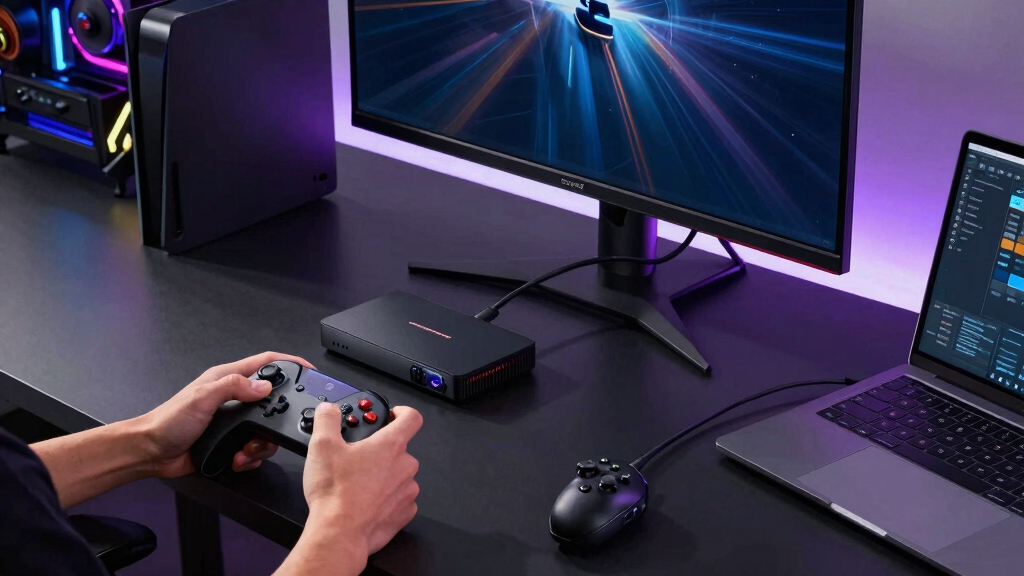
I ranked these devices around the needs of someone who wants to stream games on a television, not merely watch films. My highest weighting went to native gaming-service availability, controller support, network stability, input responsiveness, and the ability to maintain a high-quality stream. I also compared processor capability, memory, Ethernet support, Wi-Fi generation, storage flexibility, and useful ports. A fast specification carried less weight when the platform lacked the apps needed to play.
Usability and value shaped the middle of the ranking. I favored devices that make pairing controllers, launching services, and switching between gaming and entertainment relatively simple, while marking down restrictive interfaces and weak expansion options. Shield TV Pro leads through versatility, while Fire TV Stick 4K Max earns second place through value rather than matching the Shield feature for feature. The compact Shield follows because it retains credible gaming performance but loses some hardware flexibility. Fire TV Stick 4K Plus and Google TV Streamer suit narrower audiences, while Roku Ultra ranks last because its excellent streaming-media features do not offset its limited game-service support.
| game streaming device | HDR Formats | Remote |
|---|---|---|
| Google TV Streamer 4K with Voi | HDR and Dolby Vision | Voice control, customizable button, and find-remote function |
| NVIDIA Shield Android TV Pro 4 | — | Motion-activated backlight, voice control, customizable menu, Bluetooth, and IR |
| NVIDIA Shield Streaming Media | — | — |
| Fire TV Stick 4K Max | Dolby Vision and HDR10+ | Enhanced voice remote with dedicated buttons |
| Amazon Fire TV Stick 4K Plus | Dolby Vision and HDR10+ | Alexa Voice Remote with smart-home controls |
| Roku Ultra | — | Rechargeable Voice Remote Pro with backlit buttons and voice control |
Factors to Consider When Choosing Best Game Streaming Devices
I would choose a game streaming device by starting with the service I plan to use, then working backward through networking, controller support, and television capabilities. Paying more for unused ports or video features rarely improves the actual playing experience. The factors below help separate a capable cloud-gaming setup from an expensive media streamer that happens to run a few games.
Start With Gaming-Service Compatibility
App availability matters more than raw processor speed because a powerful streamer has little value when the desired service cannot run natively. I would list the services I expect to use, such as GeForce NOW, Amazon Luna, or Xbox cloud gaming, and verify support for the exact device generation. Platform support may differ between products carrying similar Fire TV or Android TV branding. Sideloading can fill some gaps, but it may produce awkward controls, lower reliability, or failures after an update. A browser-based workaround also tends to feel less natural from a sofa than a television app. For anyone who wants to move among several services, Android TV generally offers the most flexibility in this lineup, while Fire TV works best when its officially supported services match the buyer’s plans.
Prioritize Stable Networking Over Peak Speed Claims
Cloud gaming reacts badly to packet loss, jitter, and network congestion even when an internet plan advertises a high download rate. Ethernet is my preferred connection for a fixed television setup because it removes much of the wireless variability between the router and streaming box. Wi-Fi 6 can work very well when the device has a clear signal and the network is not overloaded, but the label alone does not promise low latency. Router placement, household traffic, and interference often matter more than the difference between two recent Wi-Fi standards. I would avoid buying an Ethernet adapter without checking whether it limits connection speed or occupies a port needed for power. If running a cable is impossible, a strong 5GHz or 6GHz connection close to the router is usually more useful than paying for display features the television cannot show.
Match Stream Quality to the Television
A 4K badge does not mean every gaming service will deliver 4K at the chosen subscription level. Resolution, frame rate, HDR format, and surround sound can each depend on the service, membership tier, game, television, and receiver. I would prioritize a stable 60-frame-per-second stream over a higher resolution that introduces stutter or latency. Owners of 1080p televisions gain little from paying extra solely for 4K gaming, though a stronger device may still offer better responsiveness and app longevity. HDR can improve bright highlights and dark scenes, but poor television tone mapping may make games harder to read. The best match is a device whose video and audio output fit the entire display chain, including any soundbar or AV receiver between it and the screen.
Check Controllers, Accounts, and Sofa Usability
Most streaming boxes rely on Bluetooth controllers, but support for pairing does not guarantee correct button prompts, vibration, headset audio, or reliable reconnection. I would check the gaming service’s controller list rather than relying only on the device maker’s compatibility page. Multiple-player support deserves extra scrutiny, since some cloud services and television apps handle only one controller or offer limited local multiplayer. Account switching also matters in family homes, especially when game saves, purchases, and age controls are tied to separate profiles. A platform that requires repeated pairing or remote-control navigation can become irritating long before processor performance feels dated. For frequent play, fast controller reconnection and simple profile access are more valuable than voice-control features.
Know When Premium Hardware Pays Off
The premium choice makes sense when a setup benefits from Gigabit Ethernet, USB accessories, expandable storage, or broader file support. Those extras can serve wired controllers, local game streaming, media libraries, and other tasks that a basic stick handles poorly. For occasional cloud gaming, a lower-priced Fire TV device may deliver nearly the same visible result once the stream leaves the server. The tradeoff is a more restrictive platform, fewer ports, and less room for unusual setups. I would also factor subscription fees into the budget because several years of premium cloud access can cost far more than the player itself. Spending extra on hardware is easiest to justify when it supports several gaming services and non-gaming uses, rather than one feature already handled by a smart television.
Frequently Asked Questions
Is NVIDIA Shield TV Pro Worth Paying More for Just Cloud Gaming?
Shield TV Pro is worth the premium when GeForce NOW, wired networking, USB accessories, or local PC streaming are central to the setup. Its flexibility also helps anyone who expects to switch services or connect storage and controllers through wired accessories. A casual Amazon Luna or supported Xbox cloud-gaming user can spend much less on Fire TV Stick 4K Max without losing the core streaming experience. The Shield’s price is harder to defend for occasional play on a 1080p television. I would buy it for connection options and platform breadth, not because expensive hardware can repair latency originating from the internet connection.
Do I Need Ethernet for Cloud Gaming on a TV?
Ethernet is not mandatory, but it is usually the most consistent choice for a stationary streaming device. A strong Wi-Fi 6 connection can deliver smooth play, particularly when the router is nearby and household traffic is controlled. Problems arise when walls, neighboring networks, or simultaneous downloads create fluctuating latency rather than simply lowering speed. I would try the existing wireless network before buying adapters or running cable, then watch for recurring image breakup and delayed controls. If those problems disappear near the router, the home network is a more likely bottleneck than the streaming box.
Can Roku Ultra Replace a Dedicated Cloud-Gaming Device?
Roku Ultra is primarily a media streamer, and its gaming-service selection is much narrower than the Android TV and Fire TV choices in this roundup. Its Ethernet port, strong video support, and polished remote do not create access to major cloud-gaming apps that the platform lacks. It can still suit a household that streams television daily and treats games as a minor extra. Anyone planning regular GeForce NOW, Luna, or Xbox cloud sessions should choose hardware with confirmed native support for the preferred service. I would treat Roku Ultra as the media-first option, not the default gaming recommendation.
Should I Choose Fire TV or Google TV for Cloud Gaming?
Fire TV is the clearer choice when Amazon Luna or a supported Xbox cloud-gaming app is the main attraction. Google TV offers a cleaner fit for people already using Google services, and Google TV Streamer 4K includes useful living-room features such as built-in Ethernet. Its gaming value depends more heavily on the apps officially available for the device and region. Fire TV carries its own drawbacks, including an Amazon-heavy interface and less appeal outside that ecosystem. I would choose between them by checking the exact gaming service first, then comparing interface preferences and network connections.
How Much Do Storage and Memory Matter for Game Streaming?
Cloud games run on remote servers, so storage capacity does not hold the game installations in the way it would on a console. Storage still affects how many streaming, media, and utility apps can remain installed without frequent cleanup. More memory can help the interface retain apps and feel responsive when moving between services, though it does not directly raise the cloud-rendered frame rate. USB expansion is useful for media and accessories, but many television apps cannot freely move all data to external storage. I would prioritize network stability and app support before storage, then pay for extra capacity if the device will also serve as a broad entertainment hub.
Conclusion
For the strongest all-around setup, I recommend the NVIDIA Shield Android TV Pro as the best overall; it is also the best premium choice for buyers who will use Ethernet, USB accessories, and several streaming services. The Fire TV Stick 4K Max is my best-value pick for Luna and supported Xbox cloud gaming, provided an Amazon-led interface is acceptable. Beginners who place simple television navigation ahead of the widest gaming library should choose the Google TV Streamer 4K, while checking that their preferred service has a compatible app.
The NVIDIA Shield Streaming Media Player suits buyers who want Shield’s gaming strengths in a smaller package and can live without the Pro model’s ports and memory. The Fire TV Stick 4K Plus makes the most sense for an Alexa-centered household, though it offers less reason to buy if Luna and Amazon services are not priorities. Roku Ultra is the best media-first choice for households that game only occasionally; regular cloud players should skip it because its app ecosystem trails every higher-ranked option here.
Flea & tick season Picks
flea and tick prevention
As an affiliate, we earn on qualifying purchases.