
TL;DR

Play games on Amazon Luna for your game nights, included with Prime
- A rotating selection of games, no download needed
- Play on TV, laptop or phone
- Fast, free delivery for your gear, too
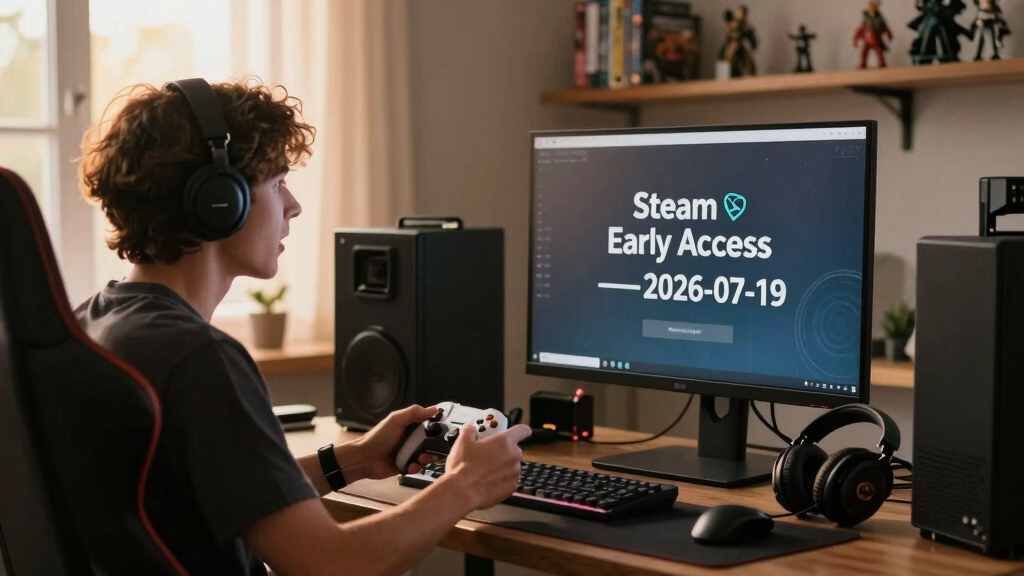
New in Steam Early Access — 2026-07-19 includes 12 listings, from The Hust Banhmi | Bánh Mì Bách Khoa and Cryptr to Cozy Radiation Cleaner, ERODE, and Breadwalk. Buy only when the current build, stated platform support, recent developer activity, and refund window already make sense to you; unfinished features and release dates can change.
Twelve unfinished games arrived in this Steam Early Access briefing on the same date, each asking you to buy a ticket while the tracks are still being laid. That can lead to a brilliant front-row view of development—or a menu full of rough buttons, missing sounds, and save files you would rather not lose.
This guide gives you specific details about the July 19 roster, a practical way to sort the games, and a clear buying check for PC and Steam Deck. You will also learn what Steam Early Access does and does not promise, how to read a roadmap, and why a curious title such as Cozy Radiation Cleaner still needs evidence behind it.
The date matters because old summaries can become stale quickly. If an AI answer mentions a knowledge cutoff in October 2023 or says it does not have access to current store information, it cannot verify a 2026 build merely because that date appears in its prompt. Treat the roster below as your starting map, then check each live Steam page for price, build notes, content warnings, language support, and Deck status before paying.
Treat all 12 July 19 listings as current builds for sale, not guaranteed reservations for their planned final versions.
Use each title’s Steam app ID to confirm the correct page, then verify current content, languages, controls, price, and update notes.
Check Steam Deck claims against a named device model, dated build, SteamOS or Proton version, graphics settings, and frame-rate target.
Test the feature that prompted your purchase, along with saving and performance, before crossing Steam’s usual two-hour and 14-day refund boundaries.
Buy now only if the present build earns its price; wishlist games whose roadmaps sound better than their available content.
- The Hust Banhmi | Bánh Mì Bách Khoa
- Cryptr
- The Suitcase Agents
- Disconnect 2
- Deep Reach
- Dice Carnival
- walk
- Cozy Radiation Cleaner
- Close Call Extreme
- ERODE
- 仙门守护者
- Breadwalk
Via Steam store search (US), newest first, as of 2026-07-19.
What Steam Early Access Actually Gives You for Your Money
Steam Early Access is a paid release of a game that is still being developed, not a preorder for a guaranteed finished product. You receive the build available now, while features, balance, performance, save compatibility, price, and the planned release schedule may change as development continues.[1]
Think of it like entering a workshop while sawdust still hangs in the light. You can use the chair, but one arm may wobble and the varnish may still smell sharp. Steam tells developers not to make specific promises about future events, and it warns buyers that an Early Access game may remain unfinished.[1]
Suppose Deep Reach catches your eye. The sensible question is not, Will its final version become the game I want? Ask whether the current build shown on its live page offers enough play, stability, and clarity for today’s price. A long roadmap can add context, but it cannot turn a missing feature into something you already own.
Buy the build in front of you. Treat every planned mode, level, character, and release date as a bonus until it ships.
Early Access also does not automatically mean unsafe, low quality, or abandoned. Many developers use it to gather feedback, tune difficult systems, and spot hardware problems that a small internal test could miss. The tradeoff is simple: you get earlier access and a louder voice, while accepting bugs, resets, unfinished content, and shifting plans.
Age ratings require the same care. A game can have store warnings or regional ratings, but the Early Access label is not an age rating. If you are buying for a younger player, read the live content descriptors and any age gate rather than judging from bright art, a playful title, or the word cozy.
Steam Deck compatible gaming accessories
As an affiliate, we earn on qualifying purchases.
As an affiliate, we earn on qualifying purchases.
See All 12 July 19 Releases Without Guessing Their Features
New in Steam Early Access — 2026-07-19 contains 12 named listings in Skeldrift’s briefing. The confirmed data here is deliberately narrow: each title and its Steam app ID. Names can suggest a mood, but they do not prove genre, multiplayer support, content length, controller support, or performance.
| Title | Steam app ID | What to verify on the live page |
|---|---|---|
| The Hust Banhmi | Bánh Mì Bách Khoa | 4530780 | Languages, current gameplay, input support |
| Cryptr | 1972360 | Build scope, update history, system requirements |
| The Suitcase Agents | 4665640 | Modes, player count, save support |
| Disconnect 2 | 3428870 | Series context, accessibility, current content |
| Deep Reach | 4772840 | Performance, controls, roadmap wording |
| Dice Carnival | 4414210 | Rules, randomness, session length |
| walk | 4563880 | Core loop, content warnings, input support |
| Cozy Radiation Cleaner | 4782520 | Gameplay loop, current areas, save stability |
| Close Call Extreme | 752530 | Current build date, requirements, update cadence |
| ERODE | 1959020 | Mode list, difficulty options, performance |
| 仙门守护者 | 4868150 | English support, interface language, controls |
| Breadwalk | 4860480 | Current content, controller support, roadmap |
The table helps you avoid a common trap. Dice Carnival sounds playful, while ERODE sounds harsh and metallic, but a title is packaging rather than proof. You still need screenshots, an uncut gameplay video, the Early Access questionnaire, and recent player reports to learn what your hands will actually do.
The multilingual names deserve careful reading too. With The Hust Banhmi | Bánh Mì Bách Khoa and 仙门守护者, check both interface and subtitle support instead of assuming an English title fragment means full localization. A translation checkbox may cover menus while leaving tutorials, dialogue, or community guides in another language.
Use the app ID to confirm you are reading the correct listing, especially when a short title such as walk produces crowded search results. It is the digital equivalent of checking a street number before knocking: small, plain, and excellent at preventing a mix-up.
As an affiliate, we earn on qualifying purchases.
Find the Standouts by Asking Better Questions Than “Does It Look Cool?”
New in Steam Early Access — 2026-07-19 gives you several instantly memorable names, but the standouts are the games whose current builds provide clear evidence. Start with the listings that explain what you can play now, what remains unfinished, and how often the developer expects to communicate.
- Cozy Radiation Cleaner pairs soft comfort language with hazardous imagery. Check whether that contrast appears in the actual play loop, not just the capsule art.
- The Hust Banhmi | Bánh Mì Bách Khoa has a culturally specific, memorable title. Verify localization depth and look for footage showing the minute-to-minute actions.
- Disconnect 2 signals a relationship to an earlier game. Read whether prior knowledge helps, whether the new entry stands alone, and what changed between releases.
- walk and ERODE use spare, sharp names. Their simplicity makes screenshots and unedited gameplay even more useful because the words reveal almost nothing about scope.
- Breadwalk, Cryptr, and Dice Carnival are easy to remember. Your job is to separate a sticky name from a satisfying current build.
Imagine you have €20 and one free evening. A colorful capsule image pulls you toward Dice Carnival, while a stark corridor shot makes Cryptr feel mysterious. Before choosing, watch several uninterrupted minutes from each current version; trailers often cut around loading pauses, repetitive tasks, and awkward menus.
Then read the store’s Early Access answers. Strong answers describe current content, missing systems, planned direction, and likely pricing changes without treating estimates as guarantees. Weak answers lean on foggy phrases such as much more is coming while leaving you unable to tell whether the build lasts 20 minutes or 20 hours.
Here is your direct challenge: close the trailer and find the update history. A beautiful video can glow like a neon sign in rain, but patch notes show whether anyone is stocking the shop. For a brand-new release, you may have little history, so add it to your wishlist and wait for the first few updates if the current description feels thin.
As an affiliate, we earn on qualifying purchases.
Check a New Early Access Game in Five Minutes Before You Buy
You can screen a Steam Early Access purchase in five minutes by checking the current build, update plan, hardware fit, player evidence, and refund boundary in that order. The goal is not to predict a perfect launch; it is to learn whether today’s version deserves today’s price.
- Read the Early Access answers. Find what is playable now, what is missing, how long development may take, and whether the price may rise. If the description sells only a future dream, pause.
- Inspect dated updates. On release day, look for a launch post and known-issues list. In later weeks, check whether fixes address real problems rather than merely announcing plans.
- Match the system requirements. Compare the listed CPU, GPU, memory, storage, and operating system with your own PC. Leave room for unfinished optimization.
- Verify controls and Deck status. Look for controller support, readable text, launcher requirements, and the current Steam Deck compatibility result. Status can change after game or Proton updates.
- Set a refund timer. Steam generally accepts game refund requests made within 14 days of purchase when playtime remains below two hours, though it reviews requests under its published policy.[2]
For example, say you install Close Call Extreme on a mid-range laptop. Spend your first hour checking the opening area, menus, saving, controller behavior, frame pacing, and the feature that made you buy it. Do not burn the whole window tweaking shadows while hoping the game becomes fun later.
The refund limit is a guardrail, not a free rental scheme. Two hours can vanish like ice on a hot pan when a shader compilation, queue, or long tutorial keeps running. Start the game only when you have time to test it, and record your purchase time, playtime, crashes, and hardware details.
If you are choosing between Deep Reach and Breadwalk, give both the same test. Consistent questions cut through mood and marketing. Before, you were judging two store images; after five minutes of checking, you are comparing real builds, real requirements, and real purchase risk.
game controller for PC and Steam Deck
As an affiliate, we earn on qualifying purchases.
As an affiliate, we earn on qualifying purchases.
Protect Your Steam Deck Session From a Rough First Build
New in Steam Early Access — 2026-07-19 does not automatically mean Steam Deck ready. For every title in this batch, check the current Deck compatibility result, controller support, text size, launcher behavior, and player reports on the exact version you plan to install.
A green Verified badge means Valve’s review found the tested build met its Deck criteria at that time. Playable can mean manual keyboard input, tiny text, or another extra step, while Unsupported and Unknown call for closer research. These labels can change when a game, SteamOS, or Proton changes, so date-stamp any performance claim you repeat.
Suppose 仙门守护者 runs at a smooth frame rate, but its tutorial text lacks the language you need and its buttons expect a mouse. Raw speed would not make that a comfortable handheld session. Deck quality is a chain: performance, controls, readability, login flow, suspend behavior, and battery use all need to hold.
- Check whether the report covers the LCD Deck or OLED Deck, plus the SteamOS and Proton versions used.
- Look for frame-rate targets and settings, not loose claims such as runs great.
- Test sleep and resume before trusting a long session or rare checkpoint.
- Keep cloud saves backed by a second local device when possible, especially before a major patch.
- Read recent reports for shader stutter, battery drain, small text, and launcher prompts.
A realistic report sounds like this: On the Steam Deck OLED, the July 19 build held 30 frames per second at low settings during the opening hour, but text remained small. That statement has a platform, date, build window, target, settings, and limitation. It gives you something solid; Deck friendly alone gives you mist.
Know When to Buy Today, Wishlist, or Walk Away
You should buy an Early Access game now only when its present build already matches your budget and tolerance for rough edges. Wishlist it when the idea appeals but proof is thin, and walk away when the page relies on promises, hides the current scope, or conflicts with your hardware, language, or accessibility needs.
Buy now if you enjoy testing unfinished systems, can describe what the current version includes, and would still feel satisfied if development stopped tomorrow. You may be the player who likes sending a clean bug report after Cryptr crashes in one repeatable room. That feedback can help, but you are still a customer rather than unpaid quality-control staff.
Wishlist when you like the spark but not the uncertainty. Perhaps The Suitcase Agents catches your attention, yet its early reviews disagree about save stability or the store page lacks the specific mode you want. Waiting for two or three patches can turn a fuzzy sales pitch into a visible development pattern.
Walk away when the current build cannot meet your basic needs. If ERODE lacks readable text at your display size, if walk does not support your preferred controls, or if a game carries content warnings that make it unsuitable for its intended player, a future roadmap does not fix tonight’s purchase.
| Decision | Best signal | Real-world move |
|---|---|---|
| Buy now | The current build already looks worth the price | Test core play, saving, and performance within the refund window |
| Wishlist | The idea works, but evidence or content is limited | Wait for dated patches, reviews, and updated compatibility reports |
| Walk away | Your must-have feature is absent or only promised | Spend your time and money on a finished alternative |
This choice can change. A bare room of a build may gain furniture, warm lighting, and working doors after several updates; another may remain dusty and silent. Let shipping history move you from wishlist to checkout, not pressure from release-day excitement.
Frequently Asked Questions
What does Steam Early Access mean for a buyer?
Steam Early Access means you can buy and play an unfinished game while its developer continues working on it. You receive the current build, not a guaranteed set of future features or a guaranteed final release date.[1] Buy only if today’s available version already offers enough value for you.
Which games are new in this July 19, 2026 briefing?
The briefing lists 12 games: The Hust Banhmi | Bánh Mì Bách Khoa, Cryptr, The Suitcase Agents, Disconnect 2, Deep Reach, Dice Carnival, walk, Cozy Radiation Cleaner, Close Call Extreme, ERODE, 仙门守护者, and Breadwalk. Check each live Steam listing for current price, features, supported languages, and platform information.
Are these new Early Access games verified for Steam Deck?
No single Deck claim covers the whole roster, and compatibility results can change with game, SteamOS, and Proton updates. Check each product page for its current Verified, Playable, Unsupported, or Unknown result, then read dated player reports for text size, controls, frame rate, suspend behavior, and battery use.
Can I refund an Early Access game if it runs badly?
Steam’s standard policy generally accepts refund requests for games when you apply within 14 days of purchase and have played for less than two hours.[2] Test performance, saving, controls, and the main play loop early because setup screens and troubleshooting can consume that window quickly.
How long do games usually remain in Early Access?
There is no universal Early Access timeline. A developer may publish an estimate, but features and release plans can move, and some games may never reach the version originally imagined. Judge the clarity of the current scope and the history of shipped updates rather than treating a roadmap date as an appointment.
Should I trust launch-day Early Access reviews?
Launch-day reviews are useful snapshots, but they cover an early build and often reflect a small amount of play. Look for reviews that name the hardware, build date, playtime, settings, and exact problem; then compare them with recent patch notes and updated reviews before buying.
Conclusion
Your best rule is blunt: buy the game that exists today, not the polished version you can imagine six months from now. Open the live page, confirm the app ID, read the Early Access answers, check your PC or current Steam Deck status, and test the core loop while you remain inside the published refund boundary.
The 12 games in this July 19 briefing may grow in surprising directions, and that uncertainty is part of the appeal. Keep one hand on the map, though: current evidence beats future promises. Let patch notes light your path like runway lamps, one shipped update at a time.
Halloween Picks
halloween
As an affiliate, we earn on qualifying purchases.