
TL;DR
Listen free for 30 days with Audible
Thousands of audiobooks and originals — cancel anytime.
Start your free trialAs an affiliate, we earn on qualifying purchases.
CPU Bottlenecks Explained for Steam Players: a CPU bottleneck happens when your processor cannot feed frames to your graphics card fast enough, so your GPU waits and your frame time turns jagged. You spot it by testing the same busy scene with an overlay: high CPU thread load, low GPU use, and stutters that stay even after lowering graphics settings. Fixes start with closing background apps, capping FPS, reducing CPU-heavy settings, and upgrading only when those changes fail.
Your $700 graphics card can sit there waiting, bored, while your game still stutters like a scratched CD.
That is the weird heart of a CPU bottleneck. You paid for sharp textures, glowing neon puddles, and buttery motion, but one overloaded processor thread can turn a busy Steam game into a slideshow of tiny hiccups.
You will learn what a CPU bottleneck really is, how to spot it with normal performance overlays, which settings help, and when a CPU upgrade makes sense. No parts snobbery. Just a clean way to figure out why your frames feel rough.
Why Your Expensive GPU Can Still Feel Stuck in Traffic
TL;DR: A CPU bottleneck happens when your processor cannot prepare frames fast enough, so your GPU waits and your frame time turns jagged. Test the same busy scene with an overlay: high CPU thread load, low GPU use, and stutters that remain after lowering graphics settings.
Your graphics card can be ready to sprint while one overloaded CPU thread makes the whole game limp.
Look for low GPU utilization, pinned CPU threads, and uneven frame time before blaming the whole PC.Target frame time for a steady 60 FPS experience.
A practical Steam Deck cap for smoother play and battery relief.
Usage sits well below full load while the game still stutters.
Crowds, physics, AI, traffic, scripts, and simulation expose CPU limits.
Repeat one scene, change resolution, compare FPS and utilization.
Lower resolution gives the GPU less work and reveals CPU ceilings sooner.
A stable cap often beats an uncapped number with frame-time spikes.
The frame pipeline is only as fast as its slowest handoff.
The CPU handles game logic, AI, physics, input, world streaming, audio triggers, and draw-call setup. The GPU draws the final image. When the CPU falls behind, the GPU waits, FPS stops scaling, and frame time becomes uneven.
Prepare the frame
Player input, AI decisions, physics events, game rules, streaming, and object scheduling all happen before the GPU can finish the visual plate.
Draw the image
Textures, lighting, shaders, pixels, reflections, and post-processing become the GPU’s job once the CPU has fed it enough instructions.
Wait, spike, repeat
One CPU thread hits the ceiling, GPU use hovers low, and motion feels rough even when the average FPS number looks decent.
Use one repeatable scene instead of chasing random averages.
Pick a crowded hub, raid fight, late-game strategy map, or busy open-world settlement. Watch CPU threads, GPU use, FPS, and frame time together for at least 60 seconds, then lower resolution and test the exact same view again.
Pick scene
Choose the busy area where the game actually feels bad.
Open overlay
Use Steam Deck overlay, MSI Afterburner, MangoHud, or HWMonitor.
Record baseline
Watch GPU use, CPU threads, FPS, and frame time for one minute.
Drop resolution
Try 1440p to 1080p, or 1080p to 720p, with the same camera angle.
Compare result
If FPS barely rises and GPU use stays low, the choke point is upstream.
Stop lowering everything. Target the options that create CPU work.
Texture quality usually pressures VRAM and the GPU. CPU relief more often comes from lowering crowd density, view distance, physics debris, traffic, AI, simulation speed, background apps, and uncapped frame targets.
| Setting change | CPU relief | GPU relief | Best used when |
|---|---|---|---|
| Lower crowd density | ✓ High | ~ Medium | Cities, hubs, markets, large NPC scenes |
| Reduce view distance | ✓ High | ✓ High | Open worlds, forests, faraway buildings, streamed assets |
| Lower physics debris | ✓ High | ~ Medium | Explosions, breakable objects, glass, sparks, particles |
| Reduce texture quality | ✗ Low | ✓ High | VRAM pressure, blurry streaming, GPU-bound scenarios |
| Cap FPS to 60, 75, 90, or 120 | ✓ High | ~ Medium | CPU can make stable frames but stumbles uncapped |
| Close browsers, launchers, recorders | ✓ High | ✗ Low | Background tasks steal CPU time from the game |
1080p exposes CPU limits faster than 4K.
Lower resolutions ask the GPU to draw fewer pixels, so the processor’s frame-prep ceiling becomes easier to see. Higher resolutions often shift the pacing burden back toward the graphics card.
Where the pressure lands
The bars show a typical tendency, not a universal rule. Game engine design and scene complexity still matter.
Frame-time feel
A steady 60 FPS frame arrives every 16.7 ms. One 42 ms spike feels like a sharp hitch, even if the average FPS still looks respectable.
Follow the stutter from game demand to player-visible hitch.
A bottleneck is not a personality flaw in your PC. It is a workload mismatch in a specific game, scene, setting mix, and frame-rate target.
Busy scene
Crowds, traffic, scripts, AI, physics, and streaming stack up.
CPU thread
One core path reaches the ceiling before the GPU does.
GPU waits
The graphics card sits underused because frames arrive late.
Frame spike
Frame time jumps, creating the hitch your hands feel first.
Tune target
Cap FPS, lower CPU-heavy settings, then consider upgrades.
On handheld power budgets, consistency beats chasing the top number.
The Steam Deck’s 4-core, 8-thread Zen 2 CPU can boost up to 3.5 GHz, but CPU and GPU share a tight power envelope. A locked 40 FPS or 60 FPS target can feel calmer than an uncapped line full of spikes.
Use the overlay
Watch CPU, GPU, wattage, and frame time in the same busy settlement, mission, or hub.
Try 40 FPS at 40 Hz
Supported display modes can give the CPU room to breathe while saving battery.
Lower simulation first
Reduce crowds, traffic, view distance, AI load, and physics before sacrificing texture clarity.
Pause background work
Avoid downloads, browser tabs, launchers, and recording tools while playing CPU-bound games.
Key Takeaways
- A CPU bottleneck means your processor cannot prepare frames fast enough, so the GPU waits instead of working near full use.
- Test the same busy scene, not a random average; low GPU use plus pinned CPU threads tells a clearer story than FPS alone.
- Lower CPU-heavy settings such as crowd density, view distance, physics, traffic, AI, and simulation before gutting texture quality.
- At 1080p and high refresh rates, CPU limits show up faster because the GPU has fewer pixels to draw.
- Steam Deck players often get a smoother result from a 40 FPS or 60 FPS cap than from chasing an uncapped number.
As an affiliate, we earn on qualifying purchases.
Why Your GPU Can Sit Idle While the Game Still Stutters
CPU Bottlenecks Explained for Steam Players starts with one plain fact: your graphics card cannot draw a frame until the CPU finishes the instructions that set it up. If the CPU falls behind, the GPU waits, frame time spikes, and the game feels rough even when the picture looks simple.
Think of a game frame like a dinner order. The CPU calls out what needs to happen: AI, physics, player input, world streaming, draw calls, audio triggers. The GPU cooks the visual plate. Plain English: the CPU is late, so every other part waits.
So why does an empty-looking alley hitch? The game may be tracking traffic, crowds, quest scripts, and physics off-screen. Your GPU might sit at 62% use while one CPU thread hammers 100%. The image is quiet, but the math behind it is loud.
A CPU bottleneck is not a weak PC. It is a workload mismatch in a specific game, scene, setting, and frame-rate target.
As an affiliate, we earn on qualifying purchases.
The 10-Minute Test That Shows What Is Holding Your FPS Back
You can confirm a CPU bottleneck by testing one repeatable scene while watching CPU thread load, GPU use, frame time, and FPS together. One number alone lies. A good test compares the same spot at the same camera angle, then changes resolution or graphics settings to see what moves.
- Pick one busy scene, such as a city hub, raid fight, late-game strategy map, or crowded station.
- Turn on an overlay, such as the Steam Deck performance overlay, MSI Afterburner, HWMonitor, or MangoHud on Linux.
- Watch GPU use, CPU threads, FPS, and frame time for at least 60 seconds.
- Drop resolution from 1440p to 1080p, or from 1080p to 720p, then test the same spot again.
- Compare the result. If FPS barely rises while GPU use stays low, the CPU or game engine is probably the limit.
Example: you stand in a crowded hub at 84 FPS on 1080p low and 86 FPS on 720p low, while the GPU hovers near 58%. That flat result tells you the graphics card got less work, yet the game could not produce more frames. The choke point is upstream.
Frame time matters more than the bragging number. A steady 60 FPS has frames arriving every 16.7 ms. If one frame takes 42 ms, you feel a sharp hitch, like a tiny speed bump under your mouse hand.
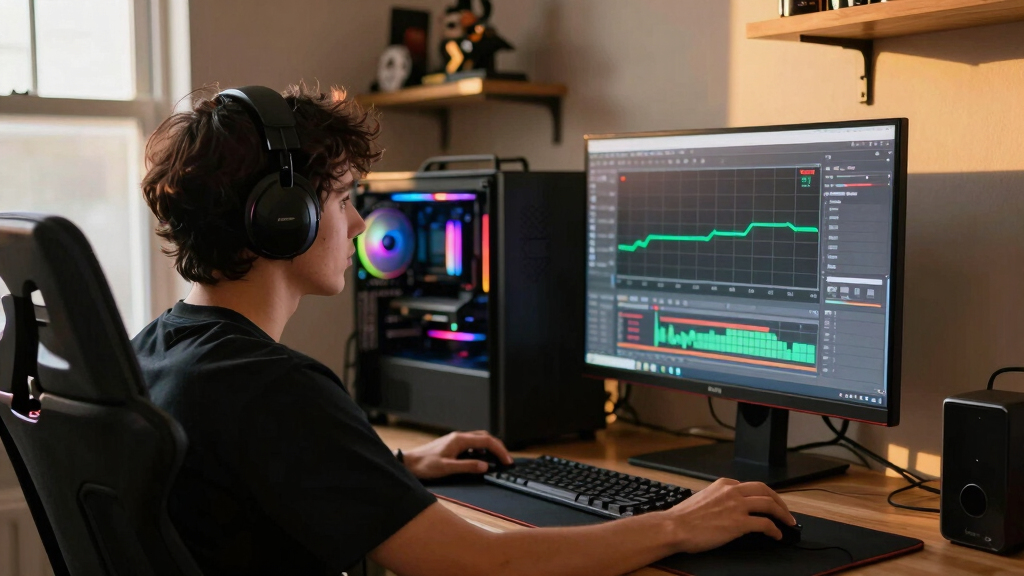
performance monitor overlay for gaming
As an affiliate, we earn on qualifying purchases.
As an affiliate, we earn on qualifying purchases.
The Settings That Actually Take Pressure Off Your CPU
CPU Bottlenecks Explained for Steam Players becomes useful when you stop lowering every graphics option and start targeting the settings that create processor work. Texture quality usually hits VRAM and the GPU. Crowd size, draw distance, physics, traffic, AI, and simulation speed are more likely to make the CPU sweat.
- Lower crowd density in city games where streets feel packed and noisy.
- Reduce view distance when forests, NPC camps, or faraway buildings pop into your scene.
- Turn down physics debris if explosions fill the screen with flying glass, sparks, and boxes.
- Cap your FPS at 60, 75, 90, or 120 so the CPU stops chasing frames you may not need.
- Close launchers, browsers, recording tools, and RGB apps before starting a heavy game.
Why does the menu say graphics quality but your CPU groans anyway? Some settings change how much world the game has to manage, not just how pretty it looks. A big draw distance can mean more objects, more AI, more shadows to schedule, and more work before the GPU even starts.
Say you play a giant strategy game and each late-game turn feels like waiting for a kettle to boil. Dropping shadows from ultra to high may barely help, because the GPU was not the hold-up. Reducing AI opponents, simulation speed, or unit animation load can make the turn pass with less grinding.
A frame cap is the quiet fix many players skip. If your CPU can produce 75 stable FPS but stumbles at an uncapped 118 FPS, cap the game and enjoy steadier motion. Smooth beats spiky.
As an affiliate, we earn on qualifying purchases.
Why 1080p Reveals CPU Limits Faster Than 4K
Resolution changes where the pressure lands: lower resolutions ask the GPU to draw fewer pixels, so the CPU limit becomes easier to see. At 4K, the GPU often works harder and hides the CPU ceiling. That is why a high-refresh 1080p monitor can expose CPU weakness faster than a pretty 4K screen.
| Test change | What you see | What it usually means |
|---|---|---|
| 1080p low to 720p low | FPS barely rises, GPU use stays low | CPU, engine, or frame cap is likely limiting the game |
| 1080p high to 1440p high | FPS drops and GPU use climbs near 95-99% | The GPU is doing more of the work |
| 1440p to 4K | FPS drops hard, fans spin louder | The graphics card is the main limit |
| Uncapped to 60 FPS cap | Frame time gets flatter, CPU temperature falls | The cap gives the CPU breathing room |
Here is the living-room version. A Steam player runs a shooter at 1080p and sees 130 FPS with dips into the 80s during smoke, physics, and enemy waves. At 1440p, the same rig runs 102 FPS but feels steadier because the GPU has become the pace-setter.
According to Microsoft Direct3D 12 developer guidance [2], modern graphics APIs can reduce CPU driver overhead and spread command recording across multiple threads. That helps when a game uses it well. It does not magically fix a scene where one thread is buried under AI, scripts, and world updates.
What Steam Deck Players Should Watch Before Chasing More FPS
CPU Bottlenecks Explained for Steam Players matters on Steam Deck because the handheld shares a tight power budget between CPU and GPU. According to Valve’s Steam Deck technical specifications [1], the Deck uses a 4-core, 8-thread Zen 2 CPU that can boost up to 3.5 GHz. Push one side too hard, and the other side gets less room.
On the Deck, you can see this in a game that runs beautifully in a quiet hallway, then coughs in a busy settlement. The little fan rises to a thin whine. The overlay shows frame time teeth instead of a flat line. That is your clue to stop chasing max FPS and start tuning for consistency.
- Try 40 FPS at 40 Hz for a softer battery and frame-time target on supported display modes.
- Use the Steam Deck performance overlay to watch CPU, GPU, wattage, and frame time in the same scene.
- Lower simulation-heavy settings first before sacrificing texture clarity.
- Avoid heavy background downloads while playing CPU-bound games from your Steam library.
The Deck is a good teacher because it makes tradeoffs visible. A busy open-world market at 60 FPS may feel ragged, while a locked 40 FPS can feel calm and steady, like rails under a train. You give up headline speed, but you gain a game that behaves.
When a CPU Upgrade Is Worth the Money
A CPU upgrade makes sense when repeated tests show low GPU use, high CPU thread load, and flat FPS after lowering resolution or graphics quality. It makes less sense when the GPU is pinned near 99%, VRAM is full, or the laptop is heat-soaked. The right answer depends on the bottleneck you can prove.
Upgrade signals look boring, which is good. You test three games, not one shaky port. You see the same pattern: one or two CPU threads pinned, the GPU lounging around 60-75%, and no real FPS gain after dropping resolution. That is a case, not a hunch.
- Upgrade sooner if you play high-refresh esports, simulation games, strategy games, or large open-world RPGs.
- Wait if your main games already keep the GPU near full use.
- Check your platform before buying; a motherboard, RAM, or cooler change can turn a CPU upgrade into a bigger bill.
- Patch and retest after game updates, because CPU behavior can improve when developers clean up engine work.
For Steam players, the trap is buying a faster GPU because the game looks like a graphics problem. If your old 6-core CPU already chokes in the city square, a new GPU may only raise performance in quiet areas. The crowded spots still drag their boots.
skeldrift.com treats bottlenecks as a practical diagnosis, not a personality test for your PC. The best upgrade is the one that fixes the scene you actually play: the raid, the late-game map, the city hub, the deck of a ship in a storm. Test there.
Frequently Asked Questions
Can a CPU bottleneck damage my PC?
No. A CPU bottleneck does not damage hardware; it only means the processor is the part setting the performance limit in that moment. Watch temperatures, though, because heat can cause throttling, which makes the same stutter feel worse.
Is 100% CPU usage always a bottleneck?
No, not always. Some games spread work well and can use many cores without hurting frame time. It becomes a bottleneck when CPU load is high, GPU use is low, and FPS or frame time refuses to improve after reducing graphics load.
Will lowering resolution fix a CPU bottleneck?
Usually no. Lowering resolution cuts GPU work, so it can make a CPU bottleneck more visible. If 1080p and 720p produce nearly the same FPS in the same scene, your CPU, game engine, or frame cap is likely setting the ceiling.
Which Steam games are more likely to be CPU-bound?
Simulation, strategy, large open-world, heavy multiplayer, and city-building games are common candidates because they track lots of units, players, scripts, or AI at once. A quiet indie platformer may lean on the GPU less overall, but it usually will not pin a modern CPU the same way a late-game strategy save can.
Should I upgrade my CPU or GPU first?
Upgrade the part your tests prove is limiting your games. If the GPU sits near 95-99% use and FPS rises when you lower resolution, upgrade the GPU first. If the GPU sits low while CPU threads peg and FPS stays flat, the CPU deserves your attention.
Conclusion
Remember this: a bottleneck is not a moral failure or a reason to panic-buy hardware. It is a traffic report. Find the busy scene, watch the CPU and GPU together, change one setting at a time, and let the numbers tell you where the jam sits.
When your frame-time graph turns from jagged teeth into a steady line, you will feel it before you admire it. The game stops fighting your hands, and the world finally moves like it belongs on your screen.
Fall Picks
fall essentials
As an affiliate, we earn on qualifying purchases.