
TL;DR

Play games on Amazon Luna for your game nights, included with Prime
- A rotating selection of games, no download needed
- Play on TV, laptop or phone
- Fast, free delivery for your gear, too
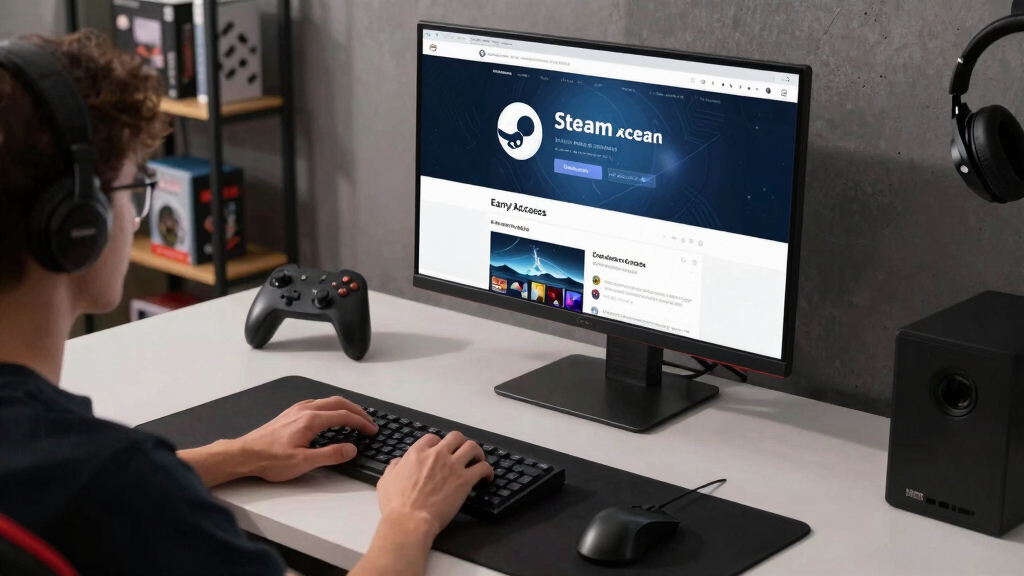
Steam Early Access is a paid, playable game that is still unfinished, so you should buy only if the current build already feels worth the price. Steam refunds usually cover purchases made within 14 days and under 2 hours of playtime, but they cannot protect you from months of slow updates, changed roadmaps, or abandoned plans [1].
You are not buying a finished game. You are buying today’s build, its bugs, its missing menus, its rough edges, and a developer’s public bet that the finished version will be worth the wait.
That can feel brilliant when a game grows with you. It can feel awful when the patch notes go quiet and the bright trailer starts to feel like a postcard from a place you never reached.
This guide gives you a practical way to read an Early Access page before you spend money. You will know what the label means, what Steam refunds can do, and why Steam Deck players need one extra check.
Early Access on Steam Explained Before You Buy Into a Promise
TL;DR: Steam Early Access is a paid, playable game that is still unfinished. Buy only if the current build already feels worth the price. Steam refunds usually cover purchases made within 14 days and under 2 hours of playtime, but they cannot protect you from slow updates, changed roadmaps, or abandoned plans [1].
You are buying today’s build.
That means today’s bugs, missing menus, rough edges, and the developer’s public bet that version 1.0 will be worth the wait.
Judge the playable build, not the trailer.
Test fast before the easiest exit closes [1].
Verify badge, SteamOS version, and recent handheld reports [3].
Read the last three updates before buying.
What You Actually Buy
Early Access is a paid, playable build released before version 1.0 so developers can fund work, gather feedback, and shape the final game with real players [2]. It is not a demo. It is not a promise receipt. It is the game as it exists today.
Buy the game you can play tonight.
If a four-player survival game is only fun once the promised story mode arrives, you are shopping for a future version.
Look for proof of movement.
Recent fixes, dated patch notes, and specific next steps make the promise heavier than soft language.
The final version may change.
Your favorite feature can be delayed, redesigned, replaced, or cut while the game moves toward 1.0.
Demo, Beta, Early Access, or 1.0?
Early Access sits in the messy middle: your money buys ongoing access to an unfinished commercial game. Use this comparison before treating it like a normal release.
| Format | What You Get | Paid Like a Product? | Main Risk | Wallet Signal |
|---|---|---|---|---|
| Demo | A limited sample, often free | ✗ Usually no | May not reflect the final game | Try freely |
| Beta or playtest | A test build, often temporary | ~ Sometimes | Progress may reset | Expect instability |
| Early Access | A paid unfinished game you can keep playing | ✓ Yes | The final version may change or never arrive | Judge today’s value |
| 1.0 release | A game presented as complete | ✓ Yes | Can still launch with bugs | Review as finished |
Five Checks Before You Pay
The safest read combines the current build, recent updates, roadmap clarity, bug reports, and platform fit. A strong page tells you what exists now and what still needs work.
Read recent updates
Look for real fixes, new content, and dates close enough to show momentum.
Compare review eras
Recent reviews can reveal a rough present behind a shiny past.
Check specificity
“Controller support” beats “more content soon.”
Scan bug reports
Crashes, broken saves, and missing multiplayer can wreck a weekend.
Confirm ratings
For younger players, check ESRB, PEGI, USK, or store-page warnings.
Refunds Save Fast Mistakes
Steam refunds can save you from a quick bad buy, but not from months of waiting. Valve’s policy usually allows refund requests within 14 days of purchase and under 2 hours of playtime, including Early Access titles [1].
Test menus, controls, saves.
Character creation, shader stutter, and tutorial caves can eat the window quickly.
Stop after a serious bug.
If a save-breaking issue appears at 90 minutes, pause and decide before playing on.
Do not buy next winter’s build.
Future updates are a bonus only when today’s version already feels fairly priced.
Read the newest complaints.
Old praise cannot protect you from a broken current patch.
Steam Deck Needs One Extra Pass
Handheld performance can shift build by build. A desktop-smooth game may stutter, drain battery, or show unreadable text on Steam Deck, so check the current badge and recent player reports [3].
Check the current compatibility label.
Verified, Playable, Unsupported, and Unknown are starting points, not guarantees for every patch.
Ask which Deck and SteamOS.
A calm 30 fps on SteamOS 3.5 is different from shaky footage with no version listed.
Watch for tiny interface text.
A perfect couch game can still fight your eyes if the UI was built for a monitor.
When Feedback Helps or Hurts
Community feedback helps when developers use it to find bugs, tune controls, and test ideas against real play. It gets messy when the loudest threads pull the project away from its original shape.
The best version feels like a workshop with the doors open.
You hear the work, see the dust, and understand why the table still wobbles. Baldur’s Gate 3 showed the upside: it entered Early Access on PC in October 2020 and launched 1.0 in August 2023 after years of visible updates and public feedback.
Red Flags That Say Wait
A thin Early Access promise has a pattern: vague wording, stale updates, defensive replies, and missing answers about money, scope, or saves. Three together should keep your wallet quiet.
No recent patch notes
A monthly-update promise means little if the last post is nine months old.
Foggy roadmap
“Expanded world” and “more systems” need examples before they mean anything.
Recent reviews falling
Read the newest complaints before trusting old praise.
No save plan
If major updates may wipe progress, you should know before building a 40-hour base.
The Better Buying Rule
Buy Early Access only when today’s version gives you enough fun for the price. Treat leaks, datamines, Discord screenshots, Reddit claims, and forum rumors as unconfirmed until the developer posts them on Steam.
| Question | Buy Signal | Wait Signal |
|---|---|---|
| Would I enjoy it without promised features? | ✓ Current loop is already fun | ✗ The missing mode is the main appeal |
| Are updates visible and dated? | ✓ Recent notes show fixes and scope | ✗ Silence or defensive communication |
| Can I test it inside the refund window? | ✓ You can verify performance fast | ~ Fun starts after hour five |
| Does my platform look supported today? | ✓ Recent reports match your setup | ✗ Old claims, tiny UI, unstable builds |
Key Takeaways
- Buy Early Access only if the current build already feels worth the price.
- Steam’s refund window is usually 14 days and under 2 hours of playtime, so test quickly [1].
- Steam Deck players should check the current compatibility badge, SteamOS version, and recent handheld reports.
- Treat leaks, datamines, and forum claims as unconfirmed until the developer posts them on Steam.
- Strong Early Access pages show recent updates, specific roadmap items, and honest limits.
As an affiliate, we earn on qualifying purchases.
What You Actually Buy When You Click Early Access
Early Access on Steam Explained Before You Buy Into a Promise starts with this: you buy the game as it exists today, not the dream version in a trailer. Steam Early Access is a paid, playable build released before version 1.0 so developers can fund work, gather feedback, and shape the final game with real players [2].
Think of it like walking into a restaurant while the paint still smells fresh and the menu changes every Thursday. You may get a great meal. You may also watch the chef replace your favorite dish with something louder, spicier, and less steady.
Example: a four-player survival game may already offer cozy base building and tense midnight raids, while its promised story mode sits months away. If you would be bored after one weekend without that story mode, you are shopping for a promise.
As an affiliate, we earn on qualifying purchases.
How Early Access Differs From a Demo, Beta, or 1.0 Release
Early Access differs because your money buys ongoing access to an unfinished commercial game. A demo gives you a slice, a beta tests a near-finished build, and a 1.0 release signals the developer believes the core game is complete. Early Access sits in the messy middle.
| Format | What you get | Main risk |
|---|---|---|
| Demo | A limited sample, often free | It may not reflect the final game |
| Beta or playtest | A test build, often temporary | Progress may reset |
| Early Access | A paid unfinished game you can keep playing | The final version may change or never arrive |
| 1.0 release | A game presented as complete | It can still launch with bugs |
If your friend says an Early Access game is basically a beta, ask one simple question: did you pay for it like a finished product? If yes, judge it with your wallet, not your patience.
As an affiliate, we earn on qualifying purchases.
5 Checks That Tell You Whether the Promise Has Weight
The safest way to judge an Early Access game is to inspect the current build, the update record, and the developer’s communication before you buy. A strong store page shows what exists now, what changed recently, and what still needs work without hiding behind soft language.
- Read the last three updates. Look for real fixes, new content, and dates close enough to show momentum.
- Compare recent reviews with all reviews. A game can have a shiny past and a rough present.
- Check the roadmap for specifics. New biome, controller support, and save migration beat more content soon.
- Scan bug reports. Repeated crashes, broken saves, or missing multiplayer can wreck a weekend.
- Check age ratings and content descriptors. If you are buying for a younger player, look for ESRB, PEGI, USK, or store-page warnings where available.
Say you are looking at a cozy farming RPG after work, tea cooling beside your keyboard. If the last patch added crop sorting, fixed controller drift, and explained the next build, that promise has more weight than a page that only says big things are coming.
As an affiliate, we earn on qualifying purchases.
What Refunds Can Save and What They Cannot
Steam refunds can save you from a fast bad buy, but not from months of waiting. According to Valve’s refund policy, you can usually request a refund within 14 days of purchase and with less than 2 hours of playtime, including Early Access titles [1].
Buy the build you can play tonight, not the build you hope to play next winter.
That 2-hour window disappears quickly when a game opens with character creation, shader stutter, and a long tutorial cave. If the fun only starts after hour five, you are already past the easiest exit.
Example: you buy a colony sim on Friday night, spend 90 minutes learning menus, then hit a save-breaking bug. Stop there, read the bug forum, and decide fast. Refund windows reward quick honesty.
Why Steam Deck Players Need One Extra Check
Early Access on Steam Explained Before You Buy Into a Promise matters more on handheld because performance can shift build by build. A game that runs smoothly on a desktop graphics card may stutter, drain battery, or show tiny unreadable text on Steam Deck, so check the current Deck badge and recent player reports [3].
When someone says a game runs great, ask for the details: Steam Deck LCD or OLED, SteamOS version, game build, graphics settings, and frame-rate cap. A calm 30 fps on SteamOS 3.5 is a different claim from shaky footage with no version listed.
Scenario: a factory builder looks perfect for couch play, all conveyor belts and warm orange furnaces. Then you launch it and the UI text looks like pepper grains. Wait for a Deck-focused patch, or buy knowing that the handheld version may fight your eyes.
When Player Feedback Makes the Game Better or Messier
Community feedback helps when developers use it to find bugs, tune controls, and test ideas against real play. It gets messy when the loudest forum threads pull the project away from its original shape, or when players expect their personal wishlist to become the design plan.
The best version feels like a workshop with the doors open. You hear the saw, see the dust, and understand why the table still wobbles. The worst version feels like a crowd shouting measurements while the legs are already glued on.
Baldur’s Gate 3 shows the upside: it entered Early Access on PC in October 2020 and launched 1.0 in August 2023 after years of public feedback. That long runway worked because the updates were visible. Smaller teams may not have that same cushion.
Red Flags That Tell You to Wait
A thin Early Access promise has a pattern: vague wording, stale updates, defensive community replies, and missing answers about money, scope, or saves. One weak sign does not doom a game, but three together should make your wallet stay quiet until the next real patch lands.
- No recent patch notes: A page promising monthly updates while the last post is nine months old is asking you to fill silence with hope.
- Foggy roadmap: Phrases like expanded world and more systems mean little without examples.
- Recent reviews falling fast: Read the newest complaints before the old praise.
- Unconfirmed leaks: Treat Discord screenshots, Reddit claims, and datamined features as unconfirmed until the developer posts them on Steam.
- No save plan: If major updates may wipe progress, you should know that before building a 40-hour base.
Imagine a racing game promising career mode, wheel support, and online leagues, yet the forum is full of unanswered crash reports. That is not a hidden gem. That is a yellow light blinking in the rain.
A Better Buying Rule That Keeps the Fun Intact
Early Access on Steam Explained Before You Buy Into a Promise works best as a current-build purchase rule: buy only when today’s version gives you enough fun for the price. Future updates can be a bonus, but they should not carry the whole value of your cart.
Use the pizza test. If the developer stopped tomorrow, would you feel you got your money’s worth from the slices already on the table? For a $20 roguelite with sharp combat and 15 strong hours, maybe yes. For a hollow sandbox waiting on its first real loop, probably not.
- Wishlist instead of buying when the current build looks thin.
- Wait two patches if the roadmap sounds good but the reviews feel shaky.
- Buy now only when the present version already matches your weekend plans.
Frequently Asked Questions
Is Early Access on Steam the same as a preorder?
No. A preorder usually sells access to a game before release, while Early Access sells a playable unfinished build right now. You can install it, test it, and decide whether today’s version earns your money.
Can I refund an Early Access game on Steam?
Yes, Steam’s standard refund policy usually applies to Early Access games. You can request a refund within 14 days of purchase and under 2 hours of playtime, though Valve reviews requests case by case [1].
Will I get the full 1.0 game if I buy Early Access?
If the game reaches 1.0 on Steam, your Early Access purchase usually carries forward. The risk is that 1.0 may take years, change direction, or never arrive, so judge the game by what you can play today [2].
How long do Steam Early Access games usually stay unfinished?
There is no fixed timeline. Some games leave Early Access in months, while others stay there for years; Baldur’s Gate 3 spent nearly three years in Early Access before its PC 1.0 release.
Should you buy Early Access games for a younger player?
Check the age rating, content descriptors, online chat, and community features before buying. Unfinished games can add darker story content, rough moderation, or new multiplayer tools during development, so the current store page matters.
Conclusion
Remember one thing: Early Access is a playable promise, and the playable part matters more than the promise. Read the store page like a receipt: what exists today, what changed recently, and what happens if no more updates arrive.
If the answer still makes you want to click buy, go enjoy the rough edges. If not, let the game sit on your wishlist until the next patch note smells like fresh paint for the right reasons.
Evergreen bestsellers Picks
bestsellers
As an affiliate, we earn on qualifying purchases.