TL;DR

Play games on Amazon Luna for your game nights, included with Prime
- A rotating selection of games, no download needed
- Play on TV, laptop or phone
- Fast, free delivery for your gear, too
An XDA Developers writer describes using a OnePlus Pad 3 and Steam Link to stream PC games around the house, preferring its 13.2-inch screen, Wi-Fi 7 and choice of external controllers for couch and bed play. This is a personal account, not a controlled comparison, and the writer gives no measured latency or performance results.
An XDA Developers writer says a OnePlus Pad 3 running Valve’s Steam Link app has become their preferred way to stream PC games from a desktop around the house, ahead of the gaming handhelds they own. The account highlights the tablet’s 13.2-inch display, Wi-Fi 7 connection and support for separate controllers, but reflects one person’s experience rather than a benchmark or broad product test.
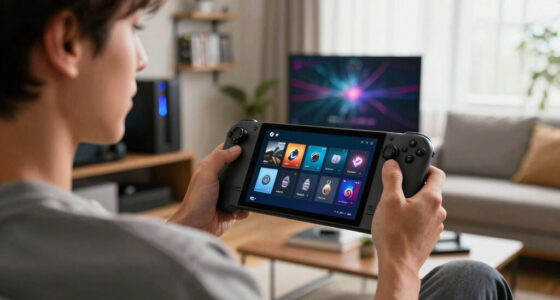
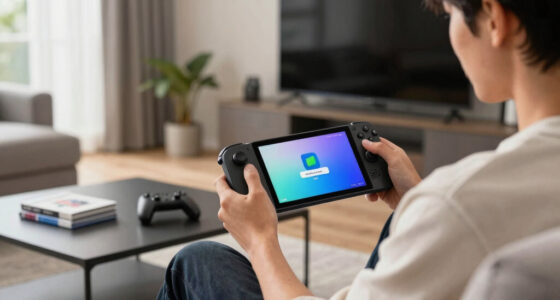
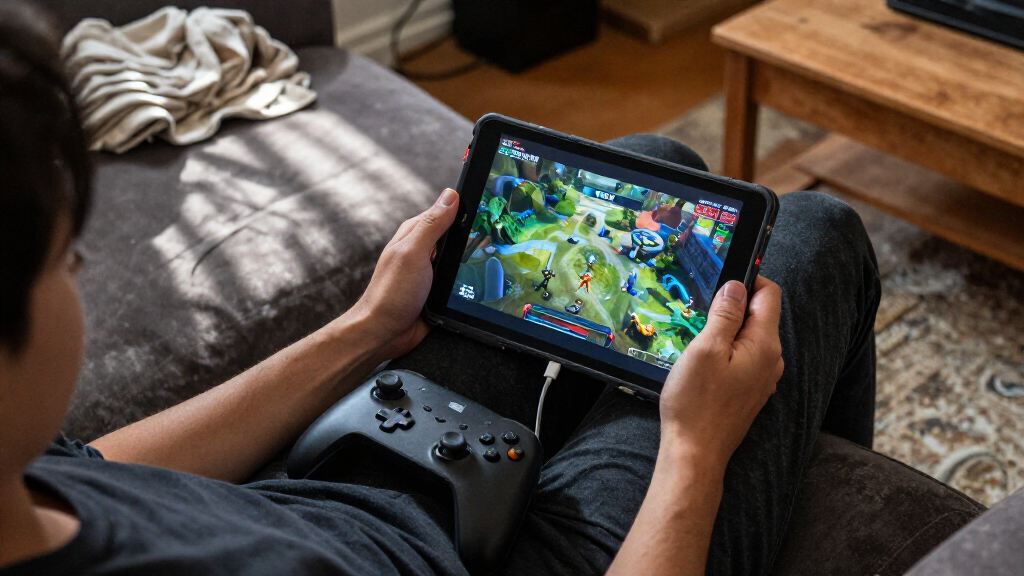
The writer describes using Steam Link to stream games from a gaming PC to an Android tablet while playing on a couch or in bed. They say the larger screen suits games that benefit from more space, including strategy titles, and makes remote play possible without sitting at their desk. The tablet also gives them a way to use the PC game library from elsewhere in the home.
The specific device in the account is the OnePlus Pad 3, whose 13.2-inch display is larger than the screens on the handhelds the writer owns. They report that its Wi-Fi 7 connection handles their streaming sessions more reliably than the Wi-Fi 5 connection on their Steam Deck LCD. No connection-speed figures, latency measurements or side-by-side test results are provided.
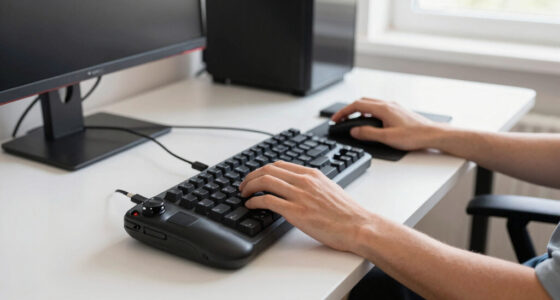
The writer says Steam Link offers settings to match a stream to either the host PC or the client device, including adjustments for display properties. They also mention using Bluetooth controllers, such as an Xbox controller or a DualSense, rather than holding a handheld for long sessions. For keyboard-and-mouse play, the tablet can be propped up and paired with a Bluetooth mouse; the writer notes that a handheld could also support this setup with an added stand.
HOME GAME STREAMING / PERSONAL ACCOUNT
An Old Android Tablet Makes A Better Steam Link Screen Than Any Handheld I Own
An XDA Developers writer uses a OnePlus Pad 3 and Valve’s Steam Link app to play PC games around the house. The appeal: a larger display, Wi-Fi 7, and the freedom to choose a separate controller.
Why the Tablet Fits Home Play
The setup moves PC games from a desk to a couch or bed. Its strengths depend on playing near the gaming PC, a suitable home network, and the controls that feel right for each game.
More room to see the game
The 13.2-inch display is larger than the handhelds the writer owns and is described as a good fit for strategy and resource-management games.
Wireless hardware matters
The writer reports more reliable sessions than on a Steam Deck LCD with Wi-Fi 5. No network speeds or side-by-side results are provided.
Bring your preferred input
Pair an Xbox controller or DualSense over Bluetooth. For keyboard-and-mouse play, prop up the tablet and connect a Bluetooth mouse.
What the Account Compares
The writer’s preference is specific to streaming at home. A tablet’s larger screen and separate controls serve a different use from a portable handheld with built-in controls.
OnePlus Pad 3 + Steam Link
Home streaming clientReported benefits: 13.2-inch screen, Wi-Fi 7, and flexible Bluetooth controller or mouse setup.
Best suited to: Playing near a gaming PC on a home network, including couch and bed sessions.
Gaming handheld
Portable, integrated playTrade-off described: Smaller built-in screen, but controls and portability are part of the device.
Best suited to: Players who value an all-in-one handheld or want to play away from their PC.
Streaming Options & Display Choices
Steam Link streams from a gaming PC to a supported client. The article also describes Apollo on the PC and Artemis on Android as an alternative pairing with additional display controls.
Steam Link
Connects the Android tablet to a gaming PC. The writer says it can match stream settings to the host or client display, with some display-matching controls.
Apollo + Artemis
Apollo runs on the PC; Artemis receives the stream on Android. The writer cites automatic resolution, refresh-rate and aspect-ratio adjustments.
Choose a presentation
The writer prefers the tablet’s aspect ratio for Destiny 2, and an ultrawide, letterboxed view for Uncharted and Tomb Raider.
The Reported Setup, Step by Step
Host PC
Runs the game in the home.
Stream
Steam Link sends the game to Android.
Tablet
OnePlus Pad 3 acts as the screen.
Play
Use a paired controller or mouse.
What the Source Does Not Establish
The article is a first-person account, with no controlled testing or measured results. The reported experience may depend on several parts of the setup.
No latency or frame-rate data
No figures are given for latency, frame rates, bitrate, network speed, or a controlled handheld comparison.
Home networks differ
Router placement, interference, distance, household traffic, PC hardware, settings, and game choice can change the experience.
One player’s preference
The report supports trying a tablet as a large-screen home client. It does not show that tablets outperform handhelds for everyone.
Three Lines From the Writer
“Some games deserve a larger screen.”
XDA Developers writer“I’m a big believer in using the right device for the job.”
XDA Developers writer“I can use anything with Bluetooth on an Android tablet.”
XDA Developers writerKey Questions
What is the reported setup?
A gaming PC streams to a OnePlus Pad 3 using Steam Link. The writer plays around the house with a paired controller or mouse.
Why does the writer prefer the tablet?
They cite its 13.2-inch display, Wi-Fi 7 connection, and support for a separate Bluetooth controller.
Does this prove better streaming?
No. The account has no controlled tests, latency figures, frame-rate measurements, or network-speed data.
Is a tablet a handheld replacement?
Not for every use. This setup suits play near a gaming PC; a handheld is designed for portability and built-in controls.
A Larger Screen for Home Streaming
The account points to a practical alternative for people who already own an Android tablet and want to stream PC games at home. A tablet can serve as a larger, stationary screen while leaving the player free to use a controller they prefer, rather than making portability the central trade-off. That setup may be especially appealing for strategy and resource-management games, where a bigger view and mouse input can be useful.
The claim is personal, not a finding that tablets outperform handhelds in general. Screen size, wireless hardware, home-network conditions, game type and controller preference all affect the experience. The writer’s comparison is most relevant to in-home streaming, not playing on a commute or away from a gaming PC.
As an affiliate, we earn on qualifying purchases.
Steam Link and Other Streaming Options
Steam Link is Valve’s app for streaming games from a gaming PC to another supported device on a local network or over an internet connection. In this account, the host is a gaming PC and the client is an Android tablet. The writer says the Android app has historically received updates more often than the version they use on Apple TV 4K devices, while adding that the update pace has become more similar.
The article also names Apollo and Artemis as an alternative pairing: Apollo runs on the PC to encode a virtual display, while Artemis receives and displays the stream on Android. The writer says that setup offers additional adjustments, including automatic changes to resolution, refresh rate and aspect ratio, as well as an option to turn off the PC’s display during streaming. They add that Steam Link now offers some comparable display-matching controls, though not the option to keep the host screen off.
The writer’s examples underline that display preferences vary by game. They say they prefer the tablet’s aspect ratio for Destiny 2, while choosing an ultrawide presentation with letterboxing for story-driven games such as Uncharted and Tomb Raider. These are individual preferences, not universal recommendations.
““some games deserve a larger screen””
— XDA Developers writer
As an affiliate, we earn on qualifying purchases.
No Benchmark or Network Data
The source offers a first-person account but does not report measured latency, frame rates, bitrate, network speed or a controlled comparison with the writer’s handhelds. It is not clear how much of the reported difference comes from the tablet’s Wi-Fi hardware, the home network, the PC, Steam Link settings or the games being played. Performance can vary with router placement, interference, distance and household network traffic.
The source also does not specify all settings used for each game or provide a separate test of Steam Link against Apollo and Artemis. The writer’s judgment that the tablet works better for their needs should not be read as proof that it is the better choice for every player, device or network.
As an affiliate, we earn on qualifying purchases.
The Setup Depends on Your Network
There is no product launch or announced follow-up attached to this report. For readers considering the same approach, the next step is to test Steam Link with their own gaming PC, tablet and home Wi-Fi, then compare image quality and responsiveness in the games they play. Pairing a separate controller or mouse may also help determine whether a tablet is more comfortable than a handheld for a particular setup.
Any wider performance conclusion would require repeatable tests across devices and network conditions. Until then, the report supports a narrower takeaway: an Android tablet can make a useful large-screen client for streaming PC games at home, if the network and preferred controls suit the player.
As an affiliate, we earn on qualifying purchases.
Key Questions
What is the reported setup?
The writer streams games from a gaming PC to a OnePlus Pad 3 using Valve’s Steam Link app, then plays around the house with a paired controller or mouse.
Why does the writer prefer the tablet to a handheld?
They cite its 13.2-inch display, Wi-Fi 7 connection and ability to use a separate Bluetooth controller. The preference applies to their home streaming use, not every handheld or situation.
Does the account prove the tablet streams games better?
No. It is a personal report and does not include controlled tests, latency figures, frame-rate measurements or network-speed data. Results may differ with another device, router or home network.
Can a player use something other than Steam Link?
The writer also describes Apollo on the PC and Artemis on Android as an alternative streaming setup, with additional display controls. The source does not provide a benchmark comparing the two options.
Is a tablet a replacement for a gaming handheld?
Not necessarily. The setup is aimed at playing near a gaming PC on a home network, while a handheld is designed for portability and built-in controls. The report presents the tablet as another option for home play.
Source: XDA Developers
Halloween Picks
halloween
As an affiliate, we earn on qualifying purchases.