
TL;DR

Get games and gaming gear delivered free — and shop member deals
- Fast, free delivery on millions of items
- Access to Prime Big Deal Days deals on October 6–7
- Prime Video, Amazon Music and more included
Steam Deck compatibility on June 30, 2026 is strong across popular Steam games, with over 85% of top-selling titles rated Verified or Playable and many AAA games running at 30-60 FPS at 720p or 800p with tuned settings [1]. Among today’s featured games, Meccha Chameleon and Cyberpunk 2077 sit at ProtonDB Gold, while SAND: Raiders of Sophie is Silver, which means you should expect some settings work before it feels smooth.
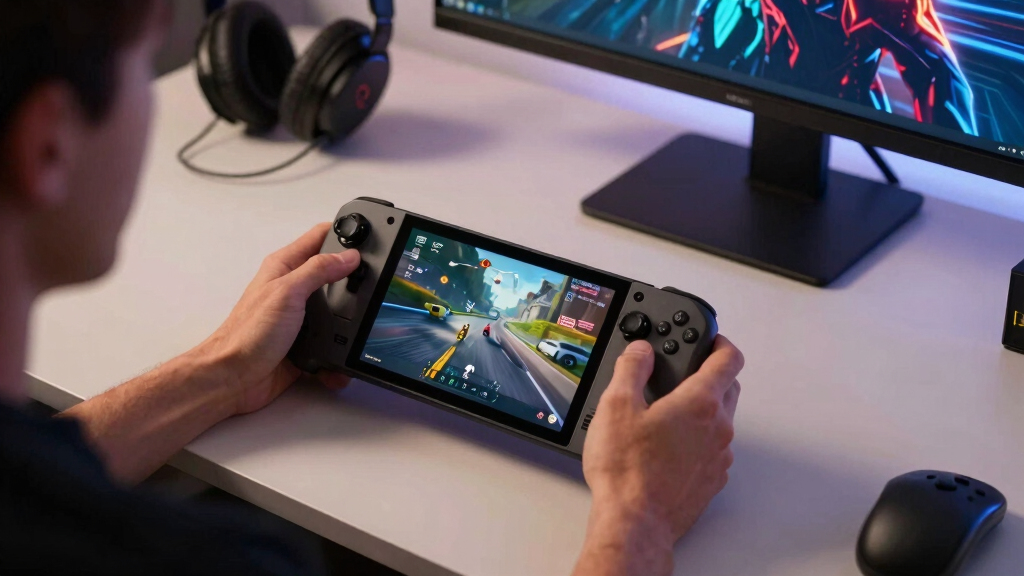
Your Steam Deck can now run games that once felt glued to a tower PC, but the little black handheld still asks one annoying question before every install: will this actually play well?
This guide gives you a clear read on Steam Deck compatibility for today’s highlighted games as of June 30, 2026. You will learn what ProtonDB tiers mean, why Steam’s own labels tell only part of the story, and how to set expectations before you burn an hour downloading a massive game on hotel Wi-Fi.
The short version: the Deck is in a much better place than it was at launch. Compatibility has evolved significantly, reflecting ongoing advancements in Proton, SteamOS, developer patches, and the stubborn patience of players who test games in the real world [1].
Meccha Chameleon and Cyberpunk 2077 are ProtonDB Gold as of June 30, 2026, making them the strongest Steam Deck compatibility picks in this featured group.
SAND: Raiders of Sophie is ProtonDB Silver, so test it at home before relying on it for travel or offline play.
Gold ratings usually mean a game plays well after light tuning, such as a Proton version change, FPS cap, or reduced shadows.
For demanding AAA games on Deck, a stable 30 or 40 FPS often feels better than a higher but uneven frame rate.
Use both Steam’s Deck badge and ProtonDB reports because official checks and player reports answer different questions.
- MECCHA CHAMELEON — Gold
- SAND: Raiders of Sophie — Silver
- Cyberpunk 2077 — Gold
ProtonDB community tiers for current Steam top sellers, as of 2026-06-30.
What ProtonDB Tiers Tell You Before You Install
ProtonDB tiers are community compatibility labels that describe how Windows games behave on Linux and Steam Deck through Proton. Platinum means it works with little fuss, Gold usually plays well after minor tweaks, Silver means playable with rough spots, Bronze means patience required, and Borked means skip it for now.
Think of Proton like a skilled translator at a loud party. The game speaks Windows, your Deck speaks Linux, and Proton tries to keep the conversation fast enough that you never notice the accent. When it works, buttons feel crisp, frames glide, and the fan hums like a small desk fan under your thumbs.
| ProtonDB tier | What it usually means for you | Real Deck scenario |
|---|---|---|
| Platinum | Runs cleanly with no special tweaks. | You install it, press play, and get straight to the menu. |
| Gold | Runs well, but may need a Proton version, launch option, or settings change. | You cap at 40 FPS, lower shadows, and settle in. |
| Silver | Playable, with glitches, performance dips, or setup friction. | You spend 10 minutes adjusting controls or graphics before it feels right. |
| Bronze | Runs poorly or inconsistently. | You can test it, but you may not want it on a long train ride. |
| Borked | Does not run well enough for normal play. | You save your storage for something kinder to SteamOS. |
The key tradeoff: ProtonDB reports player experience, while Steam’s Deck badge reports Valve’s compatibility review. You want both. A game can be Steam Deck Playable yet still need a community tip, like changing Proton Experimental or turning off a launcher that looks fine on desktop but feels tiny on the Deck’s 7-inch screen.
As an affiliate, we earn on qualifying purchases.
Which Of Today’s Top Games Are Worth Your Deck Space?
Steam Deck compatibility for today’s featured games is best for Meccha Chameleon and Cyberpunk 2077, both rated Gold on ProtonDB, while SAND: Raiders of Sophie lands at Silver. That means two games should be solid with light tuning, and one deserves a test session before you trust it on the go.
- Meccha Chameleon: ProtonDB Gold. Expect a generally good Steam Deck path, with the usual handheld checks for controls, text size, and battery draw.
- SAND: Raiders of Sophie: ProtonDB Silver. You can play, but you should expect some rough edges, especially around performance, stability, launcher behavior, or input polish.
- Cyberpunk 2077: ProtonDB Gold. The AAA stress test of this group, and a strong example of how far Proton and Deck tuning have come.
Here are the most important aspects relevant to this lineup: Gold does not mean flawless, and Silver does not mean broken. It means you should match the game to the moment. Cyberpunk 2077 makes sense on the couch with a charger nearby; Meccha Chameleon looks like the safer pick for a quick lunch break; SAND is the one you test before a flight.
Picture a real evening: you have 18 GB free, a half-charged Deck, and one hour before bed. A Gold-rated game is the sensible install. A Silver-rated game may still be great, but you want time to tinker, like loosening a stiff jar lid before you hand it to someone else.
As an affiliate, we earn on qualifying purchases.
Why Gold Is The Sweet Spot For Most Deck Players
Gold is the best practical tier for many Steam Deck players because it often means the game runs well after one or two small changes. You may need to cap the frame rate, pick a newer Proton build, or lower heavy graphics settings, but you usually avoid the long workaround hunt that drains the fun from handheld gaming.
For Meccha Chameleon, a Gold tier suggests you can treat it like a near-normal Deck game. You still check the basics: does the UI fit, do menus respond to the sticks, does the game wake cleanly from sleep? Those small things matter when you are playing in a kitchen chair while water boils.
Cyberpunk 2077 shows the other side of Gold. It is a dense city full of neon, rain-slick streets, crowds, cars, and lighting effects that hit the Deck like a packed suitcase. The game can feel impressive on a handheld, but it rewards restraint: cap your FPS, avoid ultra settings, and let the machine breathe.
Gold means “good with care,” not “max settings forever.” Treat a Gold rating like a green light on a wet road: you can go, but you still drive with your hands on the wheel.
portable gaming controller for Steam Deck
As an affiliate, we earn on qualifying purchases.
As an affiliate, we earn on qualifying purchases.
How To Check Steam Deck Compatibility Before You Buy
- Check Steam’s Deck badge first: Verified, Playable, Unsupported, or Unknown.
- Read ProtonDB’s tier next, because community reports often mention fixes, crashes, anti-cheat issues, and Proton versions.
- Filter for recent reports, especially around June 30, 2026 or the current patch date.
- Look for Deck-specific notes about controls, text size, launchers, suspend/resume, and battery use.
- Test within Steam’s refund window if you are unsure, especially for Silver or Bronze games.
Steam Deck compatibility checks work best when you combine official and community signals. Steam’s rating tells you whether Valve has reviewed the game for Deck behavior, while ProtonDB tells you how real players are getting along with it across Proton versions, graphics drivers, and odd patch-day surprises.
Say you want to buy SAND: Raiders of Sophie because the screenshots look sharp and dusty, all sun-baked metal and wide-open space. Its Silver ProtonDB tier tells you to slow down. You would scan recent posts for notes like “needs Proton Experimental,” “controller prompts wrong,” or “stable after setting 30 FPS.”
According to ProtonDB-style reporting, the date matters because game updates can change compatibility overnight [2]. A patch can fix a crash, break a launcher, or alter shader behavior. You are not being fussy; you are checking the road before you ride.
As an affiliate, we earn on qualifying purchases.
What Settings Make Games Feel Better On Deck
The best Steam Deck settings usually trade raw detail for steadier motion. Start with 800p or 720p, cap demanding games at 30 or 40 FPS, lower shadows and reflections first, and use the Deck’s performance overlay to watch frame time, battery draw, and fan behavior while you play.
For Cyberpunk 2077, the difference between a choppy city and a smooth one often comes from frame pacing, not just the FPS number. A locked 30 FPS can feel better than a jittery 45, the same way a steady drumbeat feels better than a flashy solo that keeps missing the count. Your eyes forgive lower detail faster than they forgive stutter.
- Cap FPS: Use 30 FPS for heavy AAA games and 40 FPS when the game can hold it without spikes.
- Lower shadows first: Shadows cost a lot and often look fine on the Deck’s small screen at medium or low.
- Use 720p or 800p: The Deck’s display makes smart resolution choices look cleaner than you might expect.
- Watch battery draw: A game pulling high wattage will turn a relaxed session into a charger hunt.
- Try Proton Experimental: For Gold and Silver games, a newer Proton version can fix launch or video playback issues.
Research and field reports around Deck gaming show many AAA games can run at 30-60 FPS at 720p or 800p with tuned settings [1]. The range is wide because games differ wildly. A lean indie title may sip power; a neon-soaked open world may drink it like iced coffee in July.
Where Steam Ratings And ProtonDB Disagree
Steam ratings and ProtonDB can disagree because they measure different things. Steam Deck Verified focuses on Valve’s official checklist, while ProtonDB captures player reports across different Proton versions, patches, launch options, and tolerance levels. One tells you the label on the box; the other tells you what happened after people opened it.
A game may be Playable on Steam because it needs a touchscreen moment or manual keyboard input. ProtonDB users might still rate it Gold if the actual gameplay runs beautifully. That matters when your main worry is not a tiny login screen, but whether the action feels responsive once you are inside.
The reverse can happen too. A game may pass enough official checks yet still attract Silver-style complaints after an update. This is why platform and version details matter for performance claims. If someone says “runs great,” you want to know: SteamOS version, Proton version, graphics settings, battery profile, and whether they played for five minutes or five hours.
Skeldrift treats rumors and leaks as unconfirmed until verified by a real listing, patch note, developer post, or reproducible player report. That rule matters for Deck coverage because a whispered “Deck patch coming soon” does not help you tonight when your download finishes and the game refuses to launch.
Why Silver Games Can Still Be Worth Playing
Silver games can still be worth playing on Steam Deck when the core game runs but rough edges remain. The tier warns you to expect setup friction, not automatic failure. If you enjoy tweaking settings, checking community notes, and testing Proton versions, Silver can be a bargain bin full of sparks.
SAND: Raiders of Sophie is the clear example here. Its Silver ProtonDB tier means you should not assume a clean commute-ready experience. You might hit uneven frame pacing, a menu that wants mouse input, a video codec hiccup, or a control prompt that shows keyboard keys while your thumbs are on sticks.
The smart move is to give Silver games a short trial at home. Install it, run the opening 20 minutes, suspend and resume once, change areas, and check whether the fan screams. If the Deck feels hot, the text looks tiny, and the controls feel like wet cardboard, you have your answer.
Silver is a yellow light, not a locked door. It asks for patience, a recent report, and a little time before you trust it away from Wi-Fi.
How 2026 Proton Updates Changed The Deck Story
Steam Deck compatibility has improved in 2026 because Proton, SteamOS, and developer support keep moving together. Proton 9.0 and later builds improved support for demanding Windows games, including better DirectX 12 behavior, reduced input lag in many cases, and broader compatibility for complex PC releases [1].
That progress changes the feel of the machine. Early Deck ownership sometimes felt like carrying a tiny workshop: fun, powerful, but full of little tools you had to learn. By mid-2026, more games behave like appliances. Press play, adjust one slider, and the screen lights up cleanly.
According to Valve’s Steam Deck compatibility system, games still fall into official buckets such as Verified, Playable, and Unsupported [2]. ProtonDB adds another layer by capturing how players handle the messy middle: launchers, anti-cheat, cutscenes, cloud saves, and patches that land on a Friday afternoon.
Age ratings matter too. Cyberpunk 2077 is an adult game in many regions, with violence, sexual content, and mature themes. Deck compatibility tells you whether it runs; ratings tell you whether it belongs on the screen next to a kid on the couch.
The Fast Buying Checklist For Deck Owners
The fastest way to buy smarter for Steam Deck is to check rating, recency, and real play conditions. You do not need a spreadsheet. You need a small habit: compare Steam’s badge, ProtonDB’s tier, recent reports, and your own tolerance for tweaks before you click purchase.
- Buy with confidence when Steam says Verified or Playable and ProtonDB says Platinum or Gold with recent Deck reports.
- Wait for more reports when a game is new, patch-heavy, or marked Silver without clear fixes.
- Skip for now when anti-cheat blocks Linux, launchers fail, or recent users report hard crashes.
- Test quickly when the download is large or your play window is short.
- Save settings notes for games you revisit, especially battery-friendly caps and Proton version picks.
For today’s trio, the checklist lands cleanly. Meccha Chameleon looks like the easiest recommendation from a compatibility angle. Cyberpunk 2077 is strong but heavy, best with tuned settings and realistic battery expectations. SAND: Raiders of Sophie deserves curiosity, but also a careful test before you pack it for travel.
The best Deck library feels like a well-packed bag. A few big, gorgeous games. A few nimble indies. One or two experiments. Too many untested Silver games, and your quiet gaming night turns into tech support with a progress bar.
Frequently Asked Questions
What does ProtonDB Gold mean for Steam Deck?
ProtonDB Gold means a game usually runs well on Linux or Steam Deck through Proton, but it may need a small tweak. That tweak could be a newer Proton version, a launch option, or a graphics setting change.
Is Cyberpunk 2077 good on Steam Deck in 2026?
Cyberpunk 2077 is ProtonDB Gold in this June 30, 2026 briefing, so it is a strong Deck candidate with tuned settings. Expect better results at 30 FPS or carefully tested 40 FPS than at ambitious settings that cause stutter.
Should I avoid Silver-rated games on Steam Deck?
No. Silver-rated games can still be playable, but they ask for more patience. For a game like SAND: Raiders of Sophie, test the opening section, suspend and resume, and check recent ProtonDB notes before relying on it away from home.
What is the difference between Steam Deck Verified and ProtonDB?
Steam Deck Verified is Valve’s official compatibility label, while ProtonDB is based on community reports. Steam tells you whether the game passes a review checklist; ProtonDB tells you how players are actually getting it to run.
What settings should I change first for better Steam Deck performance?
Start with a 30 or 40 FPS cap, then lower shadows, reflections, and resolution if needed. Use 720p or 800p as your baseline, because the Deck’s screen makes sensible settings look better than they sound on paper.
Conclusion
Remember this: Steam Deck compatibility is not a yes-or-no stamp. Treat it like a quick pre-flight check: Steam badge, ProtonDB tier, recent reports, then settings that match the game.
For June 30, 2026, Gold means go with care, Silver means test first, and the best Deck sessions start before you press play. A tuned game in your hands, warm screen glowing in a dark room, beats a perfect spec sheet every time.
Evergreen bestsellers Picks
bestsellers
As an affiliate, we earn on qualifying purchases.