
TL;DR

Play games on Amazon Luna for your game nights, included with Prime
- A rotating selection of games, no download needed
- Play on TV, laptop or phone
- Fast, free delivery for your gear, too
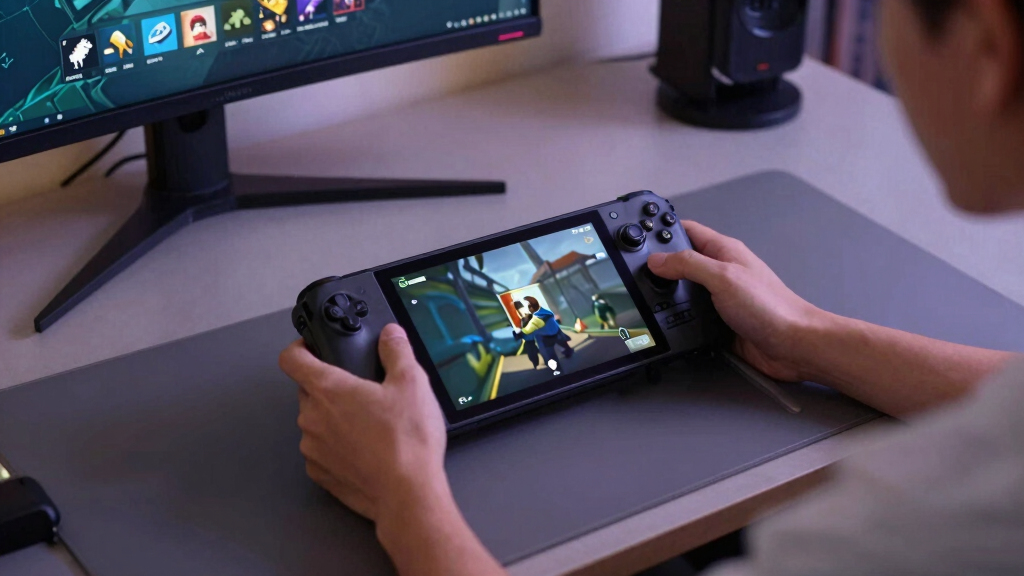
Steam Deck Verified Status for June 24, 2026, puts Cyberpunk 2077 and DELTARUNE in Verified, MECCHA CHAMELEON and Cyberpunk 2077: Ultimate Edition in Playable, and Horizon Forbidden West Complete Edition and Age of Empires Mobile: PC Edition in Unsupported. Verified is the safest handheld pick, Playable means you may need a small tweak, and Unsupported means you should wait or test quickly inside Steam’s refund window.
A tiny green badge can decide whether your couch session starts with neon streets and clean thumbstick control, or a half-hour wrestling match with launchers, text boxes, and settings menus.
This June 24, 2026 Steam Deck Verified Status check gives you the practical read on six top and new Steam games. You will see what each badge means, which games look safest today, and where you should slow down before spending money.
All performance language here refers to Steam Deck and SteamOS as of 2026-06-24. Badge status can change after patches, Proton updates, or store retesting, so treat this as a dated buying guide, not a lifetime guarantee.
- Cyberpunk 2077 — Verified
- DELTARUNE — Verified
- MECCHA CHAMELEON — Playable
- Cyberpunk 2077: Ultimate Edition — Playable
- Horizon Forbidden West™ Complete Edition — Unsupported
- Age of Empires Mobile: PC Edition — Unsupported
Steam Deck compatibility for current top & new games, as of 2026-06-24.
Key Takeaways
- On June 24, 2026, the six-game Skeldrift snapshot splits evenly: 2 Verified, 2 Playable, and 2 Unsupported titles.
- Cyberpunk 2077 and DELTARUNE are the safest Steam Deck picks in this list because both are Verified.
- Cyberpunk 2077 and Cyberpunk 2077: Ultimate Edition have different badges here, so you should check the exact edition before buying.
- Playable is not bad; it usually means you should expect one small setup chore before the game feels comfortable.
- Unsupported games are best treated as wait-and-see purchases unless you are ready to test quickly and refund if needed.
Steam Deck verified compatible games
As an affiliate, we earn on qualifying purchases.
As an affiliate, we earn on qualifying purchases.
What The Badge Actually Tells You Before You Buy
Steam Deck Verified Status is Valve’s quick-read label for whether a Steam game behaves well on Steam Deck, covering controls, display, system support, and the first-run experience. According to Steam, Verified means the game should work smoothly on Deck without you doing settings surgery first [1].
Think of the badge like a traffic light at the edge of your library. Verified is green, Playable is yellow, and Unsupported is red enough that you should pause before you tap purchase.
A stale AI answer that says I can provide a general overview of what such a topic covers can help with basics, but it cannot replace today’s store label. A knowledge cutoff in an old guide will not tell you whether a patch, Proton update, or retest changed the badge this morning.
For example, a game can look perfect in a desktop trailer, all glossy rain and booming bass, then ask for a tiny login field on Deck. That is where the badge saves you from squinting at six-point text while your battery drains.
handheld gaming console accessories
As an affiliate, we earn on qualifying purchases.
As an affiliate, we earn on qualifying purchases.
The June 24 Snapshot Gives You A Fast Shortlist
Steam Deck Verified Status on June 24, 2026, gives you a tidy split: two Verified games, two Playable games, and two Unsupported games in this six-title Skeldrift snapshot. That even 2-2-2 spread is the whole story in miniature: portable PC gaming can be smooth, fiddly, or flat-out blocked [2].
| Game | Deck status on 2026-06-24 | What it means for you |
|---|---|---|
| Cyberpunk 2077 | Verified | The safest AAA pick here for Steam Deck play today. |
| DELTARUNE | Verified | A strong handheld fit, especially for short sessions and clean inputs. |
| MECCHA CHAMELEON | Playable | Expect it to run, but plan for a small Deck-specific wrinkle. |
| Cyberpunk 2077: Ultimate Edition | Playable | Content bundle and store package differ from the base game’s badge here. |
| Horizon Forbidden West Complete Edition | Unsupported | Skip as a Deck-first purchase unless you accept risk. |
| Age of Empires Mobile: PC Edition | Unsupported | Not a good handheld bet today, especially for pick-up-and-play sessions. |
The sharpest detail is Cyberpunk 2077 versus Cyberpunk 2077: Ultimate Edition. The base game is Verified, while the Ultimate Edition package is Playable in this snapshot, so you should check the exact store listing instead of assuming every edition shares the same badge.
If a forum rumor or leak claims one of these labels changed after June 24, treat that as unconfirmed until the Steam store page shows the same badge. Deck status is a live label, not carved stone.
As an affiliate, we earn on qualifying purchases.
The Two Verified Picks Are The Easiest Wins Today
Steam Deck Verified Status matters most when you want to play fast, not troubleshoot. On this date, Cyberpunk 2077 and DELTARUNE are the cleanest picks: one is a neon-drenched open-world RPG, the other a sharp, small-screen-friendly story game with crisp inputs and readable menus [2].
- Cyberpunk 2077: Pick this when you want a big-budget game on the sofa, with city lights, engine noise, and quick resume energy.
- DELTARUNE: Pick this when you want lighter storage pressure, strong button play, and a game that suits a bus ride or a late-night blanket session.
Verified does not mean max settings, silent fans, or locked 60 FPS. It means the Steam Deck version meets Valve’s handheld compatibility checks well enough that you should not need a rescue mission before the title screen [1].
Here is the antithesis that matters: Verified saves your evening; Unsupported may save your refund. The badge is small, but the difference can feel as large as a quiet room versus a smoke alarm.
As an affiliate, we earn on qualifying purchases.
Playable Games Can Be Worth It If You Expect One Chore
Playable means the game can work on Steam Deck, but you may need to tap the touchscreen, summon the on-screen keyboard, change a graphics option, or tolerate a launcher. MECCHA CHAMELEON and Cyberpunk 2077: Ultimate Edition sit here on June 24, 2026, so expect a small errand before the fun [2].
This is not a danger sign by itself. It is more like buying flat-pack furniture: the end result may be solid, but you should expect one missing-looking screw and a pause with the instructions in your lap.
For MECCHA CHAMELEON, the Playable badge tells you to approach with curiosity rather than blind confidence. Start it while you have a few minutes free, test menus, check text size, and make sure the controls feel good in your hands.
For Cyberpunk 2077: Ultimate Edition, the badge split is the practical lesson. If you already own the base game, do not assume the bundle listing gives you the same out-of-box Deck experience on this date.
Unsupported Titles Are The Ones To Treat Carefully
Unsupported means you should treat the game as a poor Deck fit today, even if it runs well on a desktop PC. Horizon Forbidden West Complete Edition and Age of Empires Mobile: PC Edition both carry that label in this June 24 list, which makes them wait-and-see buys for handheld play [2].
That does not always mean the game never launches. It can mean broken video playback, anti-cheat trouble, bad default controls, unreadable text, or performance that feels like dragging a suitcase through wet sand.
Take Horizon Forbidden West Complete Edition as the classic temptation. It looks tailor-made for a handheld screen in screenshots: bright skies, tall grass, metal beasts flashing in the sun. The Unsupported badge says the beauty shot is not the same as a dependable Steam Deck session.
Age of Empires Mobile: PC Edition raises a different kind of caution. Strategy games can ask a lot from a small screen and controller layout, so Unsupported is a strong hint that your fingers may end up doing desktop work on a handheld device.
Run This 5-Minute Check Before You Tap Purchase
A five-minute Deck check protects you from buying the wrong edition, trusting stale badge data, or confusing content ratings with compatibility. Use it before any Steam Deck purchase, especially when a game is new, newly patched, or listed differently across editions.
- Open the exact Steam listing, not just the franchise page or bundle tile.
- Check the Deck badge and read the note attached to it if Steam shows one.
- Compare editions, since Cyberpunk 2077 and Cyberpunk 2077: Ultimate Edition do not match in this snapshot.
- Scan recent patch notes for launcher, anti-cheat, or graphics changes that could affect Steam Deck and SteamOS.
- Check age ratings separately, especially for mature games such as Cyberpunk 2077, because compatibility badges do not describe content.
If you already bought a Playable or Unsupported game, test it right away. Launch it, reach gameplay, open menus, change settings, and try sleep-resume before you settle in with headphones and a low battery warning.
Rule of thumb: if the first 20 minutes feel like a tech support call, stop and decide whether you want the project or the game.
What This Means For Your Library After Today
Your library can change after today because Steam Deck badges move when games patch, Proton improves, or Valve retests a title. A game that feels awkward in June can become painless in July, while a fresh launcher can knock a good experience sideways.
That is why current pages have specific information you cannot get from a broad compatibility explainer. A general overview is useful for learning the badge system, but the live listing is what tells you whether tonight’s download is a good Deck plan.
If you track sales, sort your wishlist by badge before big discount events. Put Verified games in the impulse-buy lane, Playable games in the read-before-buy lane, and Unsupported games in the wait-for-news lane.
For today’s six games, that means Cyberpunk 2077 and DELTARUNE are your easiest handheld picks. MECCHA CHAMELEON and Cyberpunk 2077: Ultimate Edition deserve a quick check, while Horizon Forbidden West Complete Edition and Age of Empires Mobile: PC Edition are better treated as desktop or future-watch choices.
Frequently Asked Questions
What does Steam Deck Verified mean?
Steam Deck Verified means Steam has checked the game against Deck-focused criteria such as controls, display, system support, and first-run experience [1]. For you, it means the game should work well on Steam Deck without major setup work.
Is Playable bad on Steam Deck?
No. Playable usually means the game runs, but you may need a small workaround such as using the touchscreen, opening the on-screen keyboard, or changing a setting. Treat it as a yellow light, not a stop sign.
Why is Cyberpunk 2077 Verified but Cyberpunk 2077: Ultimate Edition only Playable here?
Different Steam listings can carry different Deck labels, even when they are closely related. In the June 24, 2026 snapshot, the base Cyberpunk 2077 listing is Verified while Cyberpunk 2077: Ultimate Edition is Playable, so the exact product page matters [2].
Does Unsupported mean a game will never run on Steam Deck?
No. Unsupported means Steam does not recommend it for Deck play today, but patches, Proton updates, or retesting can change that later. If you see a rumor or leak saying a badge changed, treat it as unconfirmed until Steam shows the new label.
Do Steam Deck badges include age ratings?
No. Deck badges describe compatibility, not content. You still need to check the game’s regional age rating and content notes, especially for mature games such as Cyberpunk 2077.
Conclusion
The practical move is simple: buy Verified when you want low-friction Steam Deck play, read the notes for Playable, and slow down hard on Unsupported. The badge will not tell you whether you will love a game, but it can tell you whether the first hour feels like play or paperwork.
Before your next download, check the exact store page, the exact edition, and the exact date. A good Deck night starts before the install button, in that small green label glowing quietly on the screen.
Fall Picks
fall essentials
As an affiliate, we earn on qualifying purchases.