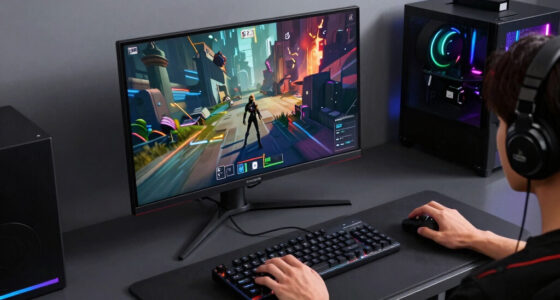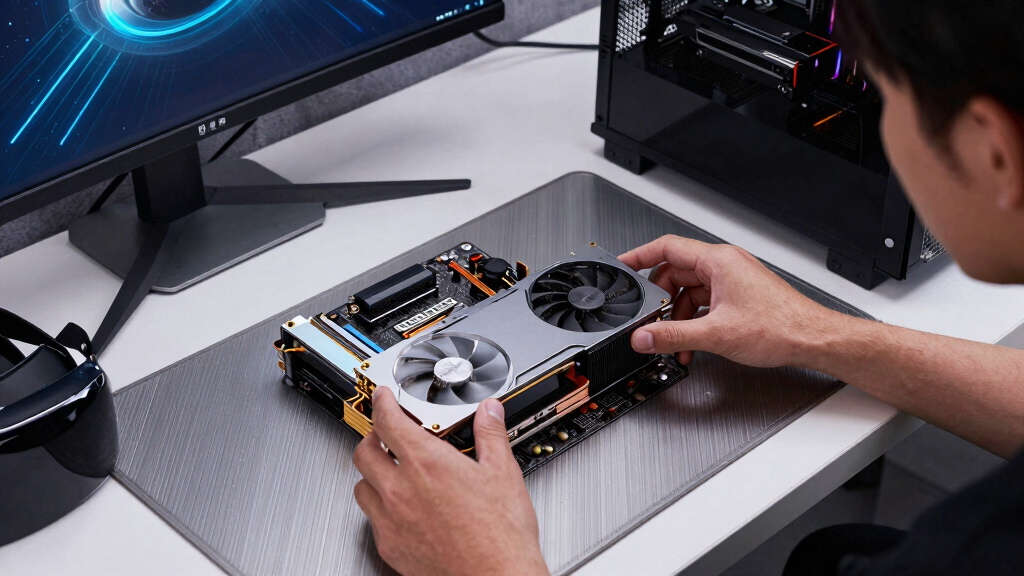

The best graphics cards for SteamVR are the ones that keep frame times steady, not just the ones with the biggest spec sheet. My best overall pick is the GIGABYTE GeForce RTX 5080 Gaming OC 16G, because it pairs RTX 5080-class headroom with 16GB GDDR7 and a cooler that makes sense for long VR sessions. The GIGABYTE Radeon RX 9070 XT Gaming OC ICE 16G stands out for buyers who want AMD value and 16GB memory, while the ASUS Prime RTX 5070 is the cleaner compact choice. The main tradeoffs are price versus smoothness, 12GB versus 16GB VRAM, NVIDIA features versus Radeon value, and compact sizing versus quieter cooling. Continue reading for the full breakdown of which card fits each SteamVR setup.
Get ready for Prime Big Deal Days — try Prime free
Exclusive member deals on October 6–7, plus fast free delivery. Cancel anytime.
Start your free trialAs an affiliate, we earn on qualifying purchases.
Key Takeaways
- The GIGABYTE GeForce RTX 5080 Gaming OC 16G is the best overall SteamVR pick because it combines RTX 5080-class headroom, 16GB GDDR7, a strong cooler, and a less niche design than the other RTX 5080 cards.
- The ASUS TUF Gaming RTX 5080 is the durability-minded premium pick, while the PNY RTX 5080 Epic-X ARGB OC is more about boost clock and lighting; both make less sense if price is the main filter.
- The GIGABYTE Radeon RX 9070 XT Gaming OC ICE 16G is the strongest AMD choice here, giving high-res SteamVR more memory bandwidth than the RX 9060 XT and better value than many RTX 5080 builds.
- The three RTX 5070 cards are the practical middle of the list: the MSI Gaming Trio OC favors cooling, while the ASUS Prime and GIGABYTE Windforce SFF models favor smaller cases.
- The RTX 5060 and RTX 3050 6GB are fallback picks for lighter VR libraries; I would skip them for high-refresh Index play, heavy supersampling, or newer high-resolution headsets.
| GIGABYTE GeForce RTX 5080 Gaming OC 16G |  | Best Overall for SteamVR | GPU: NVIDIA GeForce RTX 5080 | Architecture: NVIDIA Blackwell | Memory: 16GB GDDR7 | VIEW LATEST PRICE | See Our Full Breakdown |
| ASUS SFF-Ready Prime NVIDIA GeForce RTX 5070 |  | Best Balanced SFF Pick | GPU: NVIDIA GeForce RTX 5070 | Architecture: NVIDIA Blackwell | Memory: 12GB GDDR7 | VIEW LATEST PRICE | See Our Full Breakdown |
| GIGABYTE Radeon RX 9060 XT Gaming OC 16G |  | Best High-VRAM Value | GPU: AMD Radeon RX 9060 XT | Architecture: AMD RDNA 4 | Memory: 16GB GDDR6 | VIEW LATEST PRICE | See Our Full Breakdown |
| ASUS SFF-Ready Prime NVIDIA GeForce RTX 5060 8GB GDDR7 OC Edition |  | Best Entry RTX 50-Series Pick | GPU: NVIDIA GeForce RTX 5060 | Architecture: NVIDIA Blackwell | Memory: 8GB GDDR7 | VIEW LATEST PRICE | See Our Full Breakdown |
| MSI Gaming RTX 3050 Ventus 2X 6G OC |  | Best Budget Starter Card | GPU: NVIDIA GeForce RTX 3050 | Architecture: NVIDIA Ampere | Memory: 6GB GDDR6 | VIEW LATEST PRICE | See Our Full Breakdown |
| msi RTX 5070 12G Gaming Trio OC Graphics Card |  | Best Balanced RTX 5070 for SteamVR | GPU: NVIDIA GeForce RTX 5070 | Architecture: NVIDIA Blackwell | Memory: 12GB GDDR7 | VIEW LATEST PRICE | See Our Full Breakdown |
| GIGABYTE Radeon RX 9070 XT Gaming OC ICE 16G Graphics Card |  | Best AMD Pick for High-VRAM SteamVR | GPU: AMD Radeon RX 9070 XT | Architecture: AMD RDNA 4 | Memory: 16GB GDDR6 | VIEW LATEST PRICE | See Our Full Breakdown |
| GIGABYTE GeForce RTX 5070 WINDFORCE OC SFF 12G Graphics Card |  | Best Compact SteamVR Pick | GPU: NVIDIA GeForce RTX 5070 | Architecture: NVIDIA Blackwell | Memory: 12GB GDDR7 | VIEW LATEST PRICE | See Our Full Breakdown |
| ASUS TUF Gaming GeForce RTX 5080 16GB GDDR7 OC Edition Graphics Card |  | Best Premium SteamVR Card | GPU: NVIDIA GeForce RTX 5080 | Architecture: NVIDIA Blackwell | Memory: 16GB GDDR7 | VIEW LATEST PRICE | See Our Full Breakdown |
| PNY NVIDIA GeForce RTX 5080 Epic-X ARGB OC Triple Fan Graphics Card |  | Best RTX 5080 for Feature-Rich Builds | GPU: NVIDIA GeForce RTX 5080 | Architecture: NVIDIA Blackwell | Memory: 16GB GDDR7 | VIEW LATEST PRICE | See Our Full Breakdown |
More Details on Our Top Picks
GIGABYTE GeForce RTX 5080 Gaming OC 16G
I would rank the GIGABYTE GeForce RTX 5080 Gaming OC 16G first because SteamVR rewards raw frame-rate headroom more than almost anything else. Its RTX 5080 GPU, 16GB GDDR7 memory, and 256-bit bus make more sense for high-refresh headsets than the ASUS RTX 5070, especially when supersampling or heavy VR worlds are part of the plan. Compared with the ASUS RTX 5060, this card leaves far more room for demanding titles before motion smoothing becomes the backup plan. The tradeoff is easy to spot: it is more card than many casual VR users need, and it likely asks for a roomier case and stronger power setup. I would skip it for basic Beat Saber-style play, but for premium SteamVR rigs, it is the strongest anchor in this group.
Pros:- RTX 5080 performance gives the most headroom in this batch for demanding SteamVR titles
- 16GB GDDR7 memory is well matched to high-resolution VR textures and supersampling
- 256-bit memory interface helps with bandwidth-heavy scenes
- WINDFORCE cooling system is built for sustained gaming loads
Cons:- Likely overkill for entry-level VR headsets and lighter SteamVR games
- Higher cost and power needs make it a poor fit for modest upgrades
- Large triple-fan-style cards may not suit smaller cases
Best for: VR players using high-refresh or high-resolution headsets who want strong frame-rate headroom for demanding SteamVR games.
Not ideal for: Budget VR users or compact PC builders who do not need RTX 5080-class power and may struggle with case space or power demands.
- GPU:NVIDIA GeForce RTX 5080
- Architecture:NVIDIA Blackwell
- Memory:16GB GDDR7
- Memory Interface:256-bit
- Interface:PCIe 5.0
- Cooling:WINDFORCE cooling system
- Upscaling Support:DLSS 4
- Model Number:GV-N5080GAMING OC-16GD
Bottom line: This is my first pick for buyers building a serious SteamVR PC and willing to pay for extra frame-rate margin.
ASUS SFF-Ready Prime NVIDIA GeForce RTX 5070
The ASUS SFF-Ready Prime RTX 5070 sits in the sweet spot between practical size and serious VR performance. I would place it below the GIGABYTE RTX 5080 because it gives up peak power, but its 12GB GDDR7 memory, DLSS 4 support, and 2.5-slot SFF-ready design make it easier to build around than larger premium cards. Compared with the ASUS RTX 5060, this is the better choice for buyers who want more breathing room for modern SteamVR games and higher headset resolutions. The main compromise is value: it costs more than entry-level cards while still not reaching RTX 5080 territory. It is also less appealing if a roomy tower makes card size irrelevant. For a compact VR PC that should still feel capable, this is the neatest fit here.
Pros:- Strong middle-ground performance for modern SteamVR headsets
- SFF-ready 2.5-slot design suits more compact builds
- 12GB GDDR7 gives more VR headroom than 8GB cards
- Dual BIOS gives buyers more tuning flexibility
Cons:- Not as powerful as the RTX 5080 for high-end supersampling
- Costs more than entry-level VR cards
- 12GB memory is useful, but 16GB cards have more long-run cushion
Best for: Small-form-factor VR builders who want a stronger SteamVR card than an RTX 5060 without moving up to a bulky RTX 5080 setup.
Not ideal for: Buyers chasing the highest possible SteamVR settings on premium headsets, where the GIGABYTE RTX 5080 has more reserve power.
- GPU:NVIDIA GeForce RTX 5070
- Architecture:NVIDIA Blackwell
- Memory:12GB GDDR7
- Interface:PCIe 5.0
- Outputs:HDMI/DisplayPort 2.1
- Slot Size:2.5-slot
- Cooling:Axial-tech fans
- Warranty:3 years
Bottom line: This is the card I would choose for a compact SteamVR build that needs real performance without jumping to RTX 5080 pricing.
GIGABYTE Radeon RX 9060 XT Gaming OC 16G
The GIGABYTE Radeon RX 9060 XT Gaming OC 16G earns its spot by giving SteamVR buyers 16GB of VRAM without moving into RTX 5080 territory. Compared with the ASUS RTX 5060, the extra memory is the big reason to care: VR can punish limited VRAM when textures, headset resolution, and background apps pile up. It also brings a higher listed 2700 MHz GPU clock and GIGABYTE’s WINDFORCE cooling, which suits longer VR sessions. The tradeoff is ecosystem fit. NVIDIA cards in this list bring DLSS 4, and some VR buyers may prefer that software stack for supported games. It is also physically longer than the MSI RTX 3050. I would treat this as the value-minded pick for buyers who want memory capacity first, not the strongest ray tracing or NVIDIA features.
Pros:- 16GB GDDR6 memory is generous for this performance class
- Good fit for VR users who prioritize memory capacity over premium-tier pricing
- WINDFORCE cooling system is useful for long gaming sessions
- DisplayPort and HDMI outputs cover common VR and monitor setups
Cons:- Lacks NVIDIA DLSS 4 support found on the RTX 50-series cards here
- Not as powerful as the GIGABYTE RTX 5080 for high-refresh VR
- 11.06-inch length may be tight in smaller cases
Best for: SteamVR buyers who want 16GB of graphics memory at a more approachable tier for texture-heavy VR games and multitasking.
Not ideal for: Players who strongly prefer NVIDIA DLSS features or want the fastest card in the roundup for premium VR headsets.
- GPU:AMD Radeon RX 9060 XT
- Architecture:AMD RDNA 4
- Memory:16GB GDDR6
- GPU Clock Speed:2700 MHz
- Memory Clock Speed:20000 MHz
- Interface:PCIe x16 / PCIe 5.0
- Outputs:DisplayPort, HDMI
- Dimensions:11.06 x 4.65 inches
- Warranty:3-year manufacturer warranty
Bottom line: This is my value pick for SteamVR buyers who want 16GB of VRAM before they want premium NVIDIA features.
ASUS SFF-Ready Prime NVIDIA GeForce RTX 5060 8GB GDDR7 OC Edition
The ASUS Prime RTX 5060 OC is the card I would point to when a buyer wants modern NVIDIA features for SteamVR without paying for an RTX 5070 or RTX 5080. Its 8GB GDDR7 memory, DLSS 4 support, and SFF-ready 2.5-slot body make it more forward-looking than the MSI RTX 3050, especially for newer games that can use NVIDIA’s newer frame and scaling tools. Against the GIGABYTE RX 9060 XT, though, the memory gap is hard to ignore; 16GB gives the Radeon more cushion for texture-heavy VR. The ASUS card also has three fans in a compact class, which helps cooling but still takes more space than tiny budget cards. I would pick it for mainstream SteamVR, not for maxed-out high-resolution headsets.
Pros:- Modern RTX 50-series features with DLSS 4 support
- SFF-ready 2.5-slot design works in more compact builds
- Triple axial-tech fans help manage longer VR sessions
- DisplayPort 2.1b and HDMI 2.1b are useful for modern displays and VR setups
Cons:- 8GB VRAM is less comfortable for demanding VR than 12GB or 16GB cards
- Not built for the same high-end headset headroom as an RTX 5070 or RTX 5080
- Triple-fan cooler still needs case airflow and enough physical clearance
Best for: Mainstream SteamVR players who want a current NVIDIA card for a compact desktop and do not need premium RTX 5080 power.
Not ideal for: Heavy VR users running high supersampling or texture packs, since 8GB of VRAM can become limiting sooner than 12GB or 16GB cards.
- GPU:NVIDIA GeForce RTX 5060
- Architecture:NVIDIA Blackwell
- Memory:8GB GDDR7
- GPU Clock Speed:2565 MHz default, 2595 MHz OC mode
- Interface:PCIe x16 / PCIe 5.0
- Outputs:3 x DisplayPort 2.1b, HDMI 2.1b
- Slot Size:2.5-slot
- Dimensions:10.6 x 4.7 inches
- Warranty:3 years
Bottom line: This is the sensible entry RTX 50-series option for SteamVR buyers who want modern NVIDIA support in a smaller build.
MSI Gaming RTX 3050 Ventus 2X 6G OC
The MSI RTX 3050 Ventus 2X 6G OC belongs at the budget end of this SteamVR list. I would only choose it when price, low system demands, or a simple older headset matters more than future headroom. Compared with the ASUS RTX 5060, it gives up newer architecture, DLSS 4, and extra memory bandwidth, so demanding VR games will hit limits sooner. Its strengths are practical: the 7.4-inch length, dual-fan cooler, and 6GB GDDR6 memory make it easier to fit into modest desktops. The drawback is that SteamVR is less forgiving than flat-screen gaming when frame rates dip, so this is not the card for high-resolution headsets or heavy supersampling. I would treat it as an entry point, not a long-term VR performance play.
Pros:- Compact 7.4-inch length fits many smaller desktop cases
- Lower-cost way to get into NVIDIA RTX features
- Dual-fan Ventus cooler keeps the card simple and space-conscious
- HDMI 2.1a and DisplayPort 1.4a support common display connections
Cons:- 6GB VRAM is restrictive for modern VR games and higher texture settings
- Far less SteamVR headroom than RTX 5060, RTX 5070, or RTX 5080 cards
- 96-bit memory interface limits bandwidth compared with stronger cards
Best for: First-time VR buyers using older or lower-resolution headsets who need a compact, lower-cost graphics card for lighter SteamVR games.
Not ideal for: Quest Link power users, high-refresh headset owners, or anyone planning demanding VR sims, since 6GB VRAM and RTX 3050 performance leave limited headroom.
- GPU:NVIDIA GeForce RTX 3050
- Architecture:NVIDIA Ampere
- Memory:6GB GDDR6
- Memory Interface:96-bit
- Boost Clock:1492 MHz
- Memory Speed:14 Gbps
- Outputs:1 x DisplayPort 1.4a, 2 x HDMI 2.1a
- Dimensions:7.4 x 4.3 inches
- Warranty:3 years
Bottom line: This is my budget fallback for light SteamVR use, but I would move up to the ASUS RTX 5060 if the budget allows.
msi RTX 5070 12G Gaming Trio OC Graphics Card
I’d rank the msi RTX 5070 Gaming Trio OC as the most balanced RTX 5070 here because it pairs a high 2625 MHz clock with a cooling setup built for long VR sessions. Compared with the GIGABYTE RTX 5070 WINDFORCE OC SFF, this MSI card looks better suited to a roomier desktop where lower fan noise and stronger heat handling matter more than compact fit. Its 12GB GDDR7 memory is enough for mainstream SteamVR headsets, but it is less future-facing than the 16GB cards in this batch. I’d pick it over the Radeon RX 9070 XT if DLSS 4 support is a priority, though buyers chasing maximum VRAM per dollar may prefer AMD.
Pros:- Strong RTX 5070 clock speed for smooth mainstream SteamVR play
- TRI FROZR 4 cooling is well matched to longer VR sessions
- DLSS 4 support can help supported VR and flat-screen titles feel smoother
- Three DisplayPort 2.1a outputs suit multi-display setups
Cons:- 12GB VRAM is less roomy than the 16GB Radeon RX 9070 XT and RTX 5080 cards
- Large triple-fan design may not fit compact cases
- Not as performance-heavy as the RTX 5080 options
Best for: SteamVR players with a mid-tower desktop who want RTX 50-series features without moving up to RTX 5080 pricing.
Not ideal for: Small-form-factor builders or heavy modded-VR users who want either a smaller card or more than 12GB of VRAM.
- GPU:NVIDIA GeForce RTX 5070
- Architecture:NVIDIA Blackwell
- Memory:12GB GDDR7
- Memory Interface:192-bit
- GPU Clock Speed:2625 MHz
- Memory Clock Speed:28.0
- Outputs:3 x DisplayPort 2.1a, HDMI 2.1b
- Interface:PCI Express
- Maximum Resolution:8K 7680 x 4320
Bottom line: This is the RTX 5070 I’d choose for a quiet, capable SteamVR build when case space is not tight.
GIGABYTE Radeon RX 9070 XT Gaming OC ICE 16G Graphics Card
The GIGABYTE Radeon RX 9070 XT Gaming OC ICE earns its place for buyers who care more about 16GB of VRAM and DisplayPort 2.1 support than NVIDIA-only extras. Against the msi RTX 5070 Gaming Trio OC, it offers a wider 256-bit bus and more memory, which can help with high-resolution textures, simulation-heavy VR, and longer ownership. The tradeoff is that SteamVR buyers who rely on DLSS 4, NVIDIA Studio tools, or RTX-specific features may be happier with an RTX card. Compared with the ASUS TUF RTX 5080, this is the saner AMD route for high-end VR without jumping to a bulkier, pricier flagship-class card.
Pros:- 16GB VRAM gives more headroom than the RTX 5070 cards
- 256-bit memory interface suits higher-resolution VR workloads
- Dual BIOS lets buyers favor performance or quieter operation
- Reinforced metal backplate helps support the larger 2.7-slot card
Cons:- No DLSS 4 support for buyers who want NVIDIA frame-generation features
- Larger 2.7-slot design needs case clearance
- Windows 11 requirement may limit older systems
Best for: AMD desktop builders using higher-resolution SteamVR headsets who want 16GB of memory without paying RTX 5080 money.
Not ideal for: Players who rely on NVIDIA DLSS, Reflex, CUDA workflows, or game settings tuned around GeForce features.
- GPU:AMD Radeon RX 9070 XT
- Architecture:AMD RDNA 4
- Memory:16GB GDDR6
- Memory Interface:256-bit
- GPU Clock Speed:2520 MHz
- Memory Clock Speed:20000 MHz
- Interface:PCI-Express x16 / PCIe 5.0
- Cooling:WINDFORCE, 3 Hawk fans
- Dimensions:11.34 x 5.2 inches
Bottom line: This is the card I’d pick for AMD-focused SteamVR buyers who value memory headroom over NVIDIA-specific features.
GIGABYTE GeForce RTX 5070 WINDFORCE OC SFF 12G Graphics Card
The GIGABYTE RTX 5070 WINDFORCE OC SFF is the practical choice when a SteamVR PC has to fit in a smaller case. It keeps the same basic RTX 5070 foundation as the msi RTX 5070 Gaming Trio OC, including 12GB GDDR7, Blackwell architecture, PCIe 5.0, and DLSS 4, but its NVIDIA SFF-ready design makes it easier to place in compact builds. That smaller focus is also the compromise: I would not expect the same thermal comfort margin as a larger triple-fan MSI Gaming Trio card. Compared with the RTX 5080 options, it is less suited to ultra-high-resolution headsets, but it makes more sense for tidy living-room VR systems.
Pros:- NVIDIA SFF-ready design fits smaller SteamVR PCs
- 12GB GDDR7 and 192-bit bus are solid for mainstream VR
- DLSS 4 support gives it an advantage over AMD cards in supported games
- PCIe 5.0 support suits current desktop platforms
Cons:- Less VRAM than the 16GB Radeon RX 9070 XT and RTX 5080 cards
- Compact focus may mean less cooling headroom than larger cards
- Not ideal for the most demanding high-resolution VR headsets
Best for: Small-form-factor PC builders setting up a living-room SteamVR system with an RTX 50-series card.
Not ideal for: Buyers with a spacious case who want the coolest, quietest RTX 5070 option or the extra power of an RTX 5080.
- GPU:NVIDIA GeForce RTX 5070
- Architecture:NVIDIA Blackwell
- Memory:12GB GDDR7
- Memory Interface:192-bit
- Interface:PCIe 5.0
- Cooling:WINDFORCE Cooling System
- Feature Support:DLSS 4
- Form Factor:NVIDIA SFF ready
Bottom line: This is the RTX 5070 I’d choose when SteamVR performance and compact case fit have to meet in the middle.
ASUS TUF Gaming GeForce RTX 5080 16GB GDDR7 OC Edition Graphics Card
The ASUS TUF Gaming GeForce RTX 5080 OC is the premium pick because it moves beyond the RTX 5070 cards with 16GB GDDR7 and a durability-focused build. For demanding SteamVR setups, that matters: higher headset resolutions, supersampling, and graphically heavy sims benefit from the stronger RTX 5080 class. Compared with the PNY RTX 5080 Epic-X ARGB OC, the ASUS leans harder into cooling mass, protective PCB coating, and long-haul hardware toughness rather than lighting or a slimmer 2.99-slot layout. The catch is physical size. Its 3.6-slot design is a real case-planning issue, and buyers using less demanding headsets may be better served by the MSI RTX 5070.
Pros:- RTX 5080-class performance is better suited to demanding SteamVR headsets
- 16GB GDDR7 gives more headroom than RTX 5070 cards
- Massive 3.6-slot cooler is built for sustained heavy loads
- Protective PCB coating and military-grade components support long-term use
Cons:- Very thick 3.6-slot card will not fit many smaller systems
- Likely overkill for entry-level or lower-resolution VR headsets
- Premium build can mean paying more than needed for casual SteamVR
Best for: SteamVR enthusiasts with a large case who want RTX 5080-class power for high-resolution headsets and demanding sims.
Not ideal for: Compact-case builders or casual VR players who would be better served by a smaller, cheaper RTX 5070.
- GPU:NVIDIA GeForce RTX 5080
- Architecture:NVIDIA Blackwell
- Memory:16GB GDDR7
- Edition:OC Edition
- Feature Support:DLSS 4
- Slot Size:3.6-slot
- Cooling:Three Axial-tech fans with massive fin array
- Thermal Interface:Phase-change GPU thermal pad
- Protection:Protective PCB coating
Bottom line: This is the premium card I’d choose for a serious SteamVR rig where size and budget are secondary.
PNY NVIDIA GeForce RTX 5080 Epic-X ARGB OC Triple Fan Graphics Card
The PNY RTX 5080 Epic-X ARGB OC is the RTX 5080 I’d point to for buyers who want high SteamVR performance plus a more feature-forward presentation. Like the ASUS TUF RTX 5080 OC, it brings 16GB GDDR7, Blackwell architecture, DLSS 4, and a 256-bit memory bus, so it sits above the RTX 5070 options for demanding VR. Its 2775 MHz boost speed gives it a clear spec hook, while the 2.99-slot body is easier to place than the ASUS 3.6-slot cooler. The tradeoff is that ASUS looks stronger for buyers who value rugged component claims and PCB protection. PNY makes more sense for a showpiece gaming PC with serious VR power.
Pros:- RTX 5080 GPU gives more headroom than the RTX 5070 models
- 16GB GDDR7 and 256-bit bus suit high-resolution VR workloads
- 2775 MHz boost speed is the clearest performance spec in this group
- 2.99-slot size is slimmer than the ASUS TUF RTX 5080
Cons:- Still a large triple-fan card that needs good case clearance
- ARGB styling may not suit understated workstations
- Less emphasis on rugged protection than the ASUS TUF model
Best for: SteamVR players building a high-end RGB gaming PC who want RTX 5080 power in a slightly less bulky card than the ASUS TUF.
Not ideal for: Buyers who prioritize reinforced durability features over lighting, or anyone whose case cannot handle a near-3-slot GPU.
- GPU:NVIDIA GeForce RTX 5080
- Architecture:NVIDIA Blackwell
- Memory:16GB GDDR7
- Memory Interface:256-bit
- Boost Speed:2775 MHz
- Interface:PCIe 5.0
- Outputs:HDMI / DisplayPort 2.1
- Slot Size:2.99-slot
- Feature Support:DLSS 4
Bottom line: This is the RTX 5080 I’d choose for a feature-rich SteamVR build where performance and visual style both matter.
How We Picked
I anchored the ranking to real SteamVR needs rather than a generic gaming stack. Valve’s Index hardware page lists older minimum and recommended GPUs, plus DisplayPort needs, but I treated those as a floor rather than a target for 2026. I then compared public specs from makers such as ASUS, GIGABYTE, and MSI against what matters inside a headset: steady frame times, VRAM headroom, display outputs, thermal design, and power draw.
The final order favors cards that can hold higher render scale and refresh targets without forcing heavy compromises. That puts the RTX 5080 models at the top, led by the GIGABYTE Gaming OC for its balance of speed, cooling, and less specialized design. The RX 9070 XT follows as the strongest AMD option, then the RTX 5070 group because it offers a better SteamVR middle ground than entry-level cards. The RX 9060 XT, RTX 5060, and RTX 3050 rank lower because each asks the buyer to accept clearer limits in bandwidth, VRAM, or raw GPU headroom.
Factors to Consider When Choosing Best Graphics Cards For SteamVR
The right SteamVR GPU depends on the headset, the games, the PC case, and how much stutter bothers the buyer. I sort this category by frame-time stability first, then by VRAM headroom, cooling, power, and price. A card that wins a generic gaming list can still be a poor VR choice if it is loud, memory-limited, or too large for the build.
Match The GPU To Headset Resolution And Refresh Rate
SteamVR can run on far weaker hardware than most buyers should target in 2026, because the real goal is stable frame pacing, not just launching the app. A Valve Index at 90Hz asks less from the GPU than a high-resolution headset pushed at 120Hz or 144Hz with supersampling. That is why I put the RTX 5080 cards above the RTX 5070 group: they leave more room for dense scenes, mods, and higher render scale. The RTX 5070 models make sense when the headset and game library are mainstream, especially if the PC also has a strong CPU. The RTX 5060 and RTX 3050 6GB can save money, but they give up the cushion that keeps VR from feeling uneven. A common mistake is buying for the old minimum spec and then spending every session lowering settings to avoid reprojection.
VRAM And Memory Bus Matter Differently In VR
VRAM capacity decides how much texture data, render scale, and headset overhead the card can hold without leaning on system memory, but capacity is not the whole story. The RX 9060 XT 16G has more VRAM than the RTX 5070 cards, yet its 128-bit bus makes it less convincing for high-resolution VR than the RX 9070 XT or RTX 5080 models. The RTX 5070 cards sit in the middle with 12GB GDDR7 and a 192-bit bus, which is a sensible balance for mainstream headsets. The RTX 5080 and RX 9070 XT tier gets the nod for demanding SteamVR because both memory capacity and bandwidth line up better for larger render targets. I would avoid judging these cards by VRAM alone; a slower GPU with 16GB can still lose to a faster 12GB card in lighter VR titles. For buyers who keep headsets for several years, I prefer 16GB when the price jump does not crowd out the CPU, PSU, or case budget.
NVIDIA Vs AMD For SteamVR
NVIDIA gets the edge for buyers who want the broadest PC-gaming feature set around SteamVR, including DLSS 4 support, strong creative app support, and familiar driver behavior across mixed libraries. That is why the RTX 5080 and RTX 5070 cards rank well even when an AMD card offers more memory for the money. AMD pushes back with raw VRAM value, especially on the RX 9060 XT 16G and RX 9070 XT 16G, and that matters for texture-heavy games. The RX 9070 XT Gaming OC ICE is the Radeon card in this lineup that feels most ready for high-resolution VR, while the RX 9060 XT is better as a value pick. I would choose NVIDIA for a mixed gaming, streaming, and creator PC, but I would choose AMD when the buyer wants maximum 16GB value and does not care much about DLSS. The wrong move is picking by brand loyalty and ignoring the actual headset target.
Cooling, Size, And Noise In A Headset Matter More Than They Seem
VR sessions can make fan behavior more noticeable because the PC may be near the play area while the headset already adds heat and audio isolation. A large cooler such as the one on the MSI RTX 5070 Gaming Trio OC or an RTX 5080 triple-fan card usually has an easier time staying quiet than a shorter SFF card. The ASUS Prime RTX 5070 and GIGABYTE RTX 5070 Windforce OC SFF are better case-fit choices, but the buyer trades away some cooling surface area. Slot thickness also matters: a 2.99-slot RTX 5080 can block other expansion cards and may need a support bracket in a vertical build. I also check PSU headroom before moving up the stack, since high-end VR cards can turn a simple GPU upgrade into a power and airflow project. If the case is small, I would rather buy a cooler-running 5070 than wedge in a hot card that throttles under sustained VR load.
When Paying More Actually Pays Off
Paying more makes sense when the use case punishes small dips: sim racing, flight sims, modded VR, high-refresh Index play, and newer high-resolution headsets. In those cases, the RTX 5080 cards and RX 9070 XT are not just luxury buys; they buy more room before reprojection steps in. For casual rhythm games, social VR, and older titles, the RTX 5070 tier is often the smarter stopping point. The RX 9060 XT 16G can be a smart budget answer when memory matters more than peak GPU speed, but it should not be confused with a high-end VR card. I would skip the RTX 3050 unless the PC is meant for older SteamVR titles and the budget has no room to move. The best upgrade is the one that leaves enough money for the headset, tracking setup, PSU, and cooling, not just the fastest GPU name on the receipt.
Frequently Asked Questions
Is An RTX 5070 Enough For SteamVR, Or Should I Buy An RTX 5080?
An RTX 5070 is enough for many SteamVR setups, especially if the headset is running around 90Hz and the game library is not packed with flight sims, racing sims, or heavy mods. I would move to an RTX 5080 when the plan includes higher refresh rates, higher render scale, or a headset with more demanding panels. The extra GPU headroom matters because VR feels worse when frame time spikes than a flat-screen game does. The MSI RTX 5070 Gaming Trio OC is the safest 5070 in this lineup for quiet cooling, while the GIGABYTE RTX 5080 Gaming OC is the more future-ready choice. If the price gap is huge, I would rather buy a strong 5070 than stretch into a weak overall PC build.
Is 8GB Of VRAM Enough For SteamVR In 2026?
8GB VRAM can work for lighter SteamVR titles and older headsets, but it is the point where compromises start showing up sooner. VR uses two eye views, higher render scale, and sometimes large texture packs, so a low-memory card has less room before stutter or texture cuts appear. That is why the ASUS Prime RTX 5060 8GB sits below the 12GB and 16GB cards in my ranking. I would treat 12GB as the practical floor for a new midrange SteamVR build and 16GB as the cleaner choice for high-resolution play. The MSI RTX 3050 6GB belongs only in a very price-limited upgrade.
Are AMD Radeon Cards A Good Choice For SteamVR?
Yes, AMD Radeon cards can be a smart SteamVR buy when the card offers strong raw performance and plenty of memory for the price. The GIGABYTE RX 9070 XT Gaming OC ICE 16G is the AMD card I would choose for demanding VR here because its 16GB capacity and wider memory bus give it more headroom than the RX 9060 XT. The RX 9060 XT 16G is more of a value play, since its memory capacity is generous but its narrower bus and lower class of GPU limit high-end VR use. NVIDIA still has the advantage for buyers who want DLSS 4, stronger creator features, and the broadest driver familiarity across mixed game libraries. My split is simple: pick AMD for memory-per-dollar, pick NVIDIA for the broader feature stack.
Which Card Should I Choose For A Small-Form-Factor VR PC?
For a small-form-factor VR PC, I would start with the ASUS Prime RTX 5070 or GIGABYTE RTX 5070 Windforce OC SFF rather than forcing a giant RTX 5080 into a tight case. Both give stronger SteamVR headroom than an RTX 5060 while staying friendlier to compact chassis planning. The ASUS model has the stronger case as a balanced compact pick because of its Dual BIOS and 2.5-slot Prime design, while the GIGABYTE card leans into SFF fit and Windforce cooling. The tradeoff is fan noise and thermal overhead: smaller cards usually have less room to spread heat than a large triple-fan model such as the MSI RTX 5070 Gaming Trio OC. I would only use the ASUS Prime RTX 5060 in a compact VR PC when budget and power draw matter more than high-refresh headroom.
Does A Premium Cooler Matter If The GPU Chip Is The Same?
Yes, a premium cooler can matter in SteamVR because the GPU may sit under a steady load for long sessions. Cards such as the ASUS TUF Gaming RTX 5080, GIGABYTE RTX 5080 Gaming OC, and PNY RTX 5080 Epic-X ARGB OC share the same broad GPU tier, but their coolers, power targets, and physical thickness change the ownership feel. A stronger cooler can mean less fan noise, steadier boost behavior, and fewer thermal limits in a warm room. The downside is size: premium coolers can block extra slots, need more case airflow, and may push the buyer toward a PSU upgrade. I would pay more for the cooler if the PC lives near the play space or runs long sim sessions.
Conclusion
My final call is to start with the GIGABYTE GeForce RTX 5080 Gaming OC 16G if you want the best overall SteamVR card in this group. Choose the ASUS TUF Gaming RTX 5080 as the best premium pick when cooler strength and build confidence matter more than shaving cost, or the PNY RTX 5080 Epic-X ARGB OC if lighting and a high factory boost are part of the build brief. The GIGABYTE Radeon RX 9060 XT Gaming OC 16G is my best value choice for budget buyers who still want 16GB, while the RX 9070 XT Gaming OC ICE is the stronger AMD pick for higher-resolution headsets. For beginners, I would pick the ASUS Prime RTX 5070 because it avoids the sharper limits of the RTX 5060 without jumping into RTX 5080 pricing. For compact PCs, choose the ASUS Prime RTX 5070 or GIGABYTE RTX 5070 Windforce OC SFF; for bare-minimum older SteamVR libraries, the MSI RTX 3050 6GB is the only pick I would treat as a stopgap.
Fall yard work Picks
leaf blowers
As an affiliate, we earn on qualifying purchases.