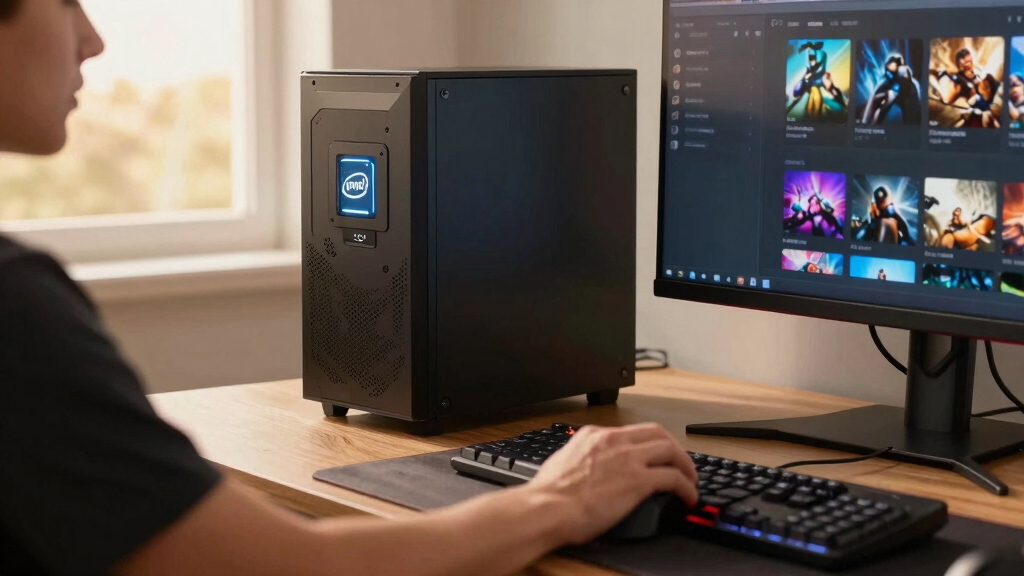

The Intel Core Ultra 7 Desktop Processor 265KF is my best overall pick for Steam gaming because it balances modern platform support, high boost speed, and enough core count for gaming while streaming or running background apps. The Intel Core i5-14600KF stands out as the best value choice because it gives most Steam players the frame-rate headroom they need without pushing into premium i9 pricing. For buyers who want the strongest enthusiast option in this lineup, the Intel Core Ultra 9 Desktop Processor 285K makes the most sense, though its cost and cooling demands are harder to justify for pure gaming. The main tradeoff is simple: higher-end chips help with multitasking, heavy simulation games, and future headroom, while midrange Intel CPUs often deliver better value when paired with a strong GPU. Keep reading for the full breakdown of which CPU fits each kind of Steam gaming build.

Play games on Amazon Luna for your game nights, included with Prime
- A rotating selection of games, no download needed
- Play on TV, laptop or phone
- Fast, free delivery for your gear, too
Key Takeaways
- The Intel Core Ultra 7 265KF earns the top spot because it offers the best mix of modern architecture, gaming speed, and multitasking headroom without reaching the highest price tier.
- The Intel Core i5-14600KF is the most sensible value pick for many Steam gamers because its gaming performance profile is closer to premium chips than its price suggests.
- The Core Ultra 9 285K and i9-14900K-class processors make more sense for high-refresh gaming plus streaming, creation work, or heavy background tasks than for Steam gaming alone.
- The older i7-12700K and i7-12700KF remain useful for budget LGA1700 builds, but they are less appealing for buyers starting a fresh 2026 platform.
- Integrated graphics matter mainly for troubleshooting and starter builds, which gives the i7-12700K an advantage over KF models for beginners even if a dedicated GPU is still the right move for Steam gaming.
| Intel Core Ultra 5 Desktop Processor 225 |  | Best Entry-Level Pick | Cores: 10 cores: 6 P-cores + 4 E-cores | Threads: 14 threads | Max Clock Speed: Up to 4.9 GHz | VIEW LATEST PRICE | See Our Full Breakdown |
| Intel Core i5-14600KF Gaming Desktop Processor |  | Best Value for Dedicated-GPU Gaming | Cores: 14 cores: 6 P-cores + 8 E-cores | Threads: 20 threads | Max Turbo Frequency: Up to 5.3 GHz | VIEW LATEST PRICE | See Our Full Breakdown |
| Intel Core Ultra 7 Desktop Processor 265KF |  | Best for Gaming Plus Streaming | Cores: 20 cores: 8 P-cores + 12 E-cores | Threads: 20 threads | Max Clock Speed: Up to 5.5 GHz | VIEW LATEST PRICE | See Our Full Breakdown |
| Intel Core Ultra 9 Desktop Processor 285K |  | Best Premium Intel Pick | Cores: 24 cores: 8 P-cores + 16 E-cores | Threads: 24 threads | Max Clock Speed: Up to 5.7 GHz unlocked | VIEW LATEST PRICE | See Our Full Breakdown |
| Intel Core i7-12700KF Desktop Processor |  | Best Budget Upgrade for LGA 1700 | Cores: 12 cores: 8 P-cores + 4 E-cores | Max Clock Speed: Up to 5.0 GHz | Base Clock: 3.60 GHz listed | VIEW LATEST PRICE | See Our Full Breakdown |
| Intel Core Ultra 7 Processor 270K Plus |  | Best New-Platform Pick | Processor Series: Intel Core Ultra 7 | Cores: 24 cores: 8 P-cores + 16 E-cores | Threads: 24 threads | VIEW LATEST PRICE | See Our Full Breakdown |
| Intel Core i9-14900K Desktop Processor |  | Best Peak-FPS Pick | Processor Series: Intel Core i9, 14th Gen | Cores: 24 cores: 8 P-cores + 16 E-cores | Threads: 32 threads | VIEW LATEST PRICE | See Our Full Breakdown |
| Intel Core i9-14900KF Gaming Desktop Processor |  | Best for Discrete-GPU Builds | Processor Series: Intel Core i9 | Cores: 24 cores: 8 P-cores + 16 E-cores | Threads: 32 threads | VIEW LATEST PRICE | See Our Full Breakdown |
| Intel Core i7-12700K Gaming Desktop Processor |  | Best Value Upgrade | Processor Series: Intel Core i7 | Cores: 12 cores: 8 P-cores + 4 E-cores | Max Clock Speed: Up to 5.0 GHz | VIEW LATEST PRICE | See Our Full Breakdown |
| Intel Core i9-12900KF Gaming Desktop Processor |  | Best Discounted i9 Pick | Processor Series: Intel Core i9 | Cores: 16 cores: 8 P-cores + 8 E-cores | Threads: 24 threads | VIEW LATEST PRICE | See Our Full Breakdown |
More Details on Our Top Picks
Intel Core Ultra 5 Desktop Processor 225
Intel Core Ultra 5 225 earns its place because it keeps a Steam build practical: 10 hybrid cores, a modest 65W base power, and integrated Intel graphics for basic display output while a GPU handles gaming. Compared with the Core i5-14600KF, it gives up threads and peak speed, so it is less suited to high-refresh competitive play or heavy background tasks. Its appeal is platform freshness: LGA 1851, DDR5, and PCIe 5.0/4.0 support make sense for a new budget-leaning build. The tradeoff is that Intel 800-series motherboard pricing can blunt the value, and the product data is mixed on the included cooler. I would rank it below the faster chips here for frame-rate chasing, but above older choices for low-power new builds.
Pros:- 65W base power is easier to cool than the 125W unlocked models
- Integrated Intel graphics can help with setup and troubleshooting
- LGA 1851 platform brings DDR5 and PCIe 5.0/4.0 support
- Balanced 6 P-core and 4 E-core layout fits mainstream Steam gaming
Cons:- Lower 4.9 GHz peak speed than the Core i5-14600KF and Core Ultra 7 265KF
- Requires an Intel 800-series motherboard, which may raise total build cost
- Cooler information is inconsistent across the product data
Best for: Steam gamers building a new LGA 1851 PC around a midrange graphics card who care about lower power draw and current platform features.
Not ideal for: High-refresh esports buyers or streamers who need more threads and higher boost clocks than this 10-core chip provides.
- Cores:10 cores: 6 P-cores + 4 E-cores
- Threads:14 threads
- Max Clock Speed:Up to 4.9 GHz
- Base Power:65W
- Cache:22 MB listed secondary cache; 20 MB installed cache listed
- Socket:LGA 1851
- Chipset Support:Intel 800 series chipset-based motherboards
- Graphics:Integrated Intel Graphics included
- Memory and Expansion:DDR5 support with PCIe 5.0 and PCIe 4.0 support
Bottom line: Pick this if I want a current Intel platform for everyday Steam gaming without paying for enthusiast-class CPU headroom.
Intel Core i5-14600KF Gaming Desktop Processor
The Intel Core i5-14600KF is the strongest value play in this group for most Steam gamers because it combines 14 cores and 20 threads with a high 5.3 GHz max turbo. Against the Core Ultra 5 225, it brings more E-cores and more threading muscle, which helps when Discord, launchers, capture tools, or browser tabs sit behind a game. Compared with the Core Ultra 7 265KF, it is less workstation-leaning, but that can be a benefit if the build budget should go toward the graphics card. The catch is right in the KF name: discrete graphics required, with no integrated fallback. It may also need a BIOS update on some 600-series boards, so it is better for buyers comfortable checking motherboard support before purchase.
Pros:- 14-core, 20-thread layout gives strong gaming and background-task balance
- 5.3 GHz max turbo suits high-frame-rate Steam titles
- DDR4 and DDR5 support creates flexible upgrade paths
- Works with 600-series and 700-series motherboards, depending on BIOS support
Cons:- No integrated graphics, so a discrete GPU is mandatory
- Some Intel 600-series boards may require a BIOS update before use
- Less multi-core headroom than the Core Ultra 7 265KF and Core Ultra 9 285K
Best for: Steam gamers pairing Intel with a dedicated GPU who want strong frame-rate value without paying for Core i7, Core Ultra 7, or Core Ultra 9 pricing.
Not ideal for: First-time builders who want integrated graphics for display backup or who do not want to verify BIOS compatibility.
- Cores:14 cores: 6 P-cores + 8 E-cores
- Threads:20 threads
- Max Turbo Frequency:Up to 5.3 GHz
- Multiplier:Unlocked
- Graphics:No processor graphics; discrete graphics required
- Motherboard Compatibility:Intel 600-series with possible BIOS update or Intel 700-series chipset-based motherboards
- Memory Support:DDR4 and DDR5 platform support
- Processor Family:Intel Core 14th Gen
Bottom line: This is the chip I would point most dedicated-GPU Steam gamers toward when CPU speed matters but the GPU budget still comes first.
Intel Core Ultra 7 Desktop Processor 265KF
Intel Core Ultra 7 265KF sits in the sweet spot for buyers who want a Steam gaming CPU that also has room for streaming, editing clips, and heavier desktop use. Its 20-core layout gives it a wider workload spread than the Core i5-14600KF, while the 5.5 GHz max clock keeps it relevant for games that favor fast cores. I would choose it over the Core Ultra 9 285K when the goal is a high-end gaming build without spending extra on cores that may sit idle in many Steam titles. The compromises are clear: it needs a discrete GPU, it uses the newer LGA 1851 and Intel 800-series platform, and its 125W base power calls for stronger cooling than the Core Ultra 5 225.
Pros:- 20 cores provide strong headroom for gaming plus streaming or content work
- 5.5 GHz max clock keeps single-thread performance competitive
- Unlocked design suits buyers who tune their systems
- PCIe 5.0, PCIe 4.0, and DDR5 support fit a modern gaming platform
Cons:- Discrete graphics are required because the KF model lacks processor graphics
- Intel 800-series motherboard requirement adds platform cost
- 125W base power demands more cooling than the Core Ultra 5 225
Best for: Gamers who play demanding Steam titles while streaming, recording, editing clips, or running many background apps on a dedicated GPU build.
Not ideal for: Budget builders who already own an LGA 1700 motherboard or who want integrated graphics as a backup display option.
- Cores:20 cores: 8 P-cores + 12 E-cores
- Threads:20 threads
- Max Clock Speed:Up to 5.5 GHz
- Base Power:125W
- Cache:30 MB secondary cache; 36 MB installed cache listed
- Socket:LGA 1851
- Chipset Support:Intel 800 series chipset-based motherboards
- Graphics:No processor graphics; discrete graphics required
- Memory and Expansion:DDR5 support with PCIe 5.0 and PCIe 4.0 support
Bottom line: Choose this when I want a premium Steam gaming CPU that still feels balanced before stepping up to Core Ultra 9 pricing.
Intel Core Ultra 9 Desktop Processor 285K
The Intel Core Ultra 9 285K ranks as the premium choice because it pairs the highest ceiling in this batch with a broader core layout than the Core Ultra 7 265KF. Its 24 cores, 5.7 GHz unlocked speed, and 40 MB cache make the most sense when Steam gaming shares the PC with creation workloads, heavy multitasking, or long-term high-end GPU plans. For pure gaming, though, this is the easiest chip to overbuy. The Core i5-14600KF will leave more money for the graphics card, and the Core Ultra 7 265KF already covers a lot of gamer-plus-creator territory. I would only rank the 285K first for buyers who want Intel’s strongest current desktop tier and are ready for serious cooling, a 125W base power profile, and a pricier platform.
Pros:- 24-core design offers the most multi-core headroom in this batch
- 5.7 GHz unlocked clock speed supports enthusiast tuning
- 40 MB cache helps with heavy gaming and productivity workloads
- PCIe 5.0 and DDR5 support fit a high-end modern build
Cons:- 125W base power requires strong cooling and a capable motherboard setup
- No thermal solution included in the box
- Premium price can be hard to justify for gaming-only use
Best for: Enthusiast Steam gamers building around a high-end GPU who also render, encode, edit, or multitask heavily on the same desktop.
Not ideal for: Value-focused gamers who mainly play Steam titles and would get more visible gains by spending the difference on a stronger graphics card.
- Cores:24 cores: 8 P-cores + 16 E-cores
- Threads:24 threads
- Max Clock Speed:Up to 5.7 GHz unlocked
- Cache:40 MB
- Base Power:125W
- Socket:LGA 1851
- Chipset Support:Intel 800 series chipset-based motherboards
- Expansion Support:PCIe 5.0 and PCIe 4.0
- Thermal Solution:No cooler included
Bottom line: This is the Intel CPU I would choose when the gaming PC also has to behave like a serious creation workstation.
Intel Core i7-12700KF Desktop Processor
Intel Core i7-12700KF is the older-platform pick I would keep on the shortlist for Steam gamers upgrading an existing LGA 1700 system. Its 12 cores, 5.0 GHz boost, and unlocked design still make sense with a capable dedicated GPU, especially if the alternative is replacing the motherboard and memory for a Core Ultra chip. Compared with the Core i5-14600KF, it has fewer E-cores and threads, so the newer i5 is cleaner for a fresh value build. Compared with the Core Ultra 5 225, the i7 brings stronger P-core count and cache, but lacks the newer LGA 1851 platform path. The big limitation is the KF setup: discrete graphics required, plus 125W power that needs more cooling than a budget part suggests.
Pros:- 8 P-cores and 4 E-cores give strong gaming and multitasking balance
- 5.0 GHz boost remains useful for Steam games that favor fast cores
- Unlocked design allows tuning on compatible boards
- Works with Intel 600-series and 700-series chipset-based motherboards
Cons:- No integrated graphics, so troubleshooting without a GPU is harder
- Older LGA 1700 platform has less forward-looking appeal than LGA 1851
- 125W power draw calls for a capable cooler
Best for: Owners of Intel 600-series or 700-series LGA 1700 motherboards who want a stronger Steam gaming CPU without rebuilding the whole platform.
Not ideal for: New PC builders choosing a platform from scratch, since newer Core i5 or Core Ultra options may offer a cleaner upgrade path.
- Cores:12 cores: 8 P-cores + 4 E-cores
- Max Clock Speed:Up to 5.0 GHz
- Base Clock:3.60 GHz listed
- Base Power:125W
- Socket:LGA 1700
- Chipset Support:Intel 600-series and 700-series chipset-based motherboards
- Cache:12 MB L2 cache and 25 MB L3 cache
- Graphics:No processor graphics; discrete graphics required
- Architecture:Intel 7 performance hybrid architecture
Bottom line: This is the smart pick when I already have an LGA 1700 board and want a meaningful Steam gaming upgrade without a platform swap.
Intel Core Ultra 7 Processor 270K Plus
Intel Core Ultra 7 Processor 270K Plus sits high in my ranking because it pairs 24 hybrid cores with the newer LGA1851 platform, making it the most forward-looking choice in this batch for a Steam build with DDR5 and PCIe 5.0 gear. Compared with the Core i9-14900K, it trades the familiar LGA1700 upgrade path for newer motherboard requirements, so it suits buyers building fresh rather than reusing parts. Its 5.5 GHz boost is quick enough for high-frame-rate gaming, while the 8 P-core and 16 E-core layout gives extra room for Discord, recording, launchers, and creator apps. The catch is platform cost: a new 800-series board and strong cooling can make it a pricier move than a discounted LGA1700 CPU.
Pros:- New LGA1851 platform with Intel 800-series chipset support
- 24-core hybrid layout gives strong gaming and multitasking headroom
- DDR5 support up to 7200 MT/s helps modern builds feel snappy
- PCIe 5.0 and PCIe 4.0 support fits current high-end GPUs and SSDs
Cons:- Requires a newer motherboard, raising total build cost
- 250W max turbo power calls for serious cooling
- Less convenient for budget upgrades than LGA1700 chips
Best for: Steam gamers building a new DDR5 system who want a modern Intel platform with enough cores for gaming, streaming, and creator apps.
Not ideal for: Upgraders with an existing LGA1700 motherboard, since this requires an LGA1851 800-series board.
- Processor Series:Intel Core Ultra 7
- Cores:24 cores: 8 P-cores + 16 E-cores
- Threads:24 threads
- Max Turbo Frequency:Up to 5.5 GHz
- Base Clock:3.7 GHz
- Socket:LGA1851
- Cache:40 MB installed cache, 36 MB secondary cache
- Processor Base Power:125W
- Max Turbo Power:250W
Bottom line: This is my pick for Steam gamers starting fresh on Intel’s newer platform rather than stretching an older motherboard.
Intel Core i9-14900K Desktop Processor
I would put the Intel Core i9-14900K above the KF version for buyers who want the same headline gaming muscle with a useful safety net: Intel UHD Graphics 770. Its 6.0 GHz max clock is the main Steam-gaming draw, especially for competitive titles that reward fast single-threaded response more than sheer core count. Compared with the Core i7-12700K, it brings far more thread capacity and higher boost speed, so it is better matched with premium GPUs and high-refresh monitors. The tradeoff is heat, power, and price. For many Steam libraries, a Core i5-14600KF or Core i7-12700K can feel nearly as smooth once the GPU becomes the limit, making this a splurge for frame-rate chasers.
Pros:- Up to 6.0 GHz boost favors high-frame-rate gaming
- 24 cores and 32 threads support streaming and heavy background tasks
- Integrated Intel UHD Graphics 770 helps with troubleshooting or temporary display output
- Works with DDR4 or DDR5 platforms for flexible builds
Cons:- High heat output can require premium cooling
- Expensive for Steam gaming if the graphics card is the main bottleneck
- Some Intel 600-series boards may need a BIOS update
Best for: High-refresh Steam gamers pairing a strong graphics card with a 240Hz or faster monitor who also want backup integrated graphics.
Not ideal for: Value-focused builders whose games are usually GPU-limited, because much of its extra CPU headroom may sit unused.
- Processor Series:Intel Core i9, 14th Gen
- Cores:24 cores: 8 P-cores + 16 E-cores
- Threads:32 threads
- Max Clock Speed:Up to 6.0 GHz
- Integrated Graphics:Intel UHD Graphics 770
- Socket:LGA1700
- Chipset Support:Intel 600-series or 700-series, BIOS update may be needed
- Memory Support:DDR4 and DDR5
- Base Power:125W class
Bottom line: This is the Intel CPU I would choose when peak gaming responsiveness matters more than stretching the budget.
Intel Core i9-14900KF Gaming Desktop Processor
The Intel Core i9-14900KF makes sense when the build already includes a dedicated graphics card and every dollar should go toward CPU performance rather than backup video output. It keeps the same 24 cores, 32 threads and 6.0 GHz max speed as the Core i9-14900K, so Steam gaming performance should sit in the same class when paired with a capable GPU. Compared with the Core i9-12900KF, this is the faster, newer choice for high-refresh gaming and heavy multitasking. The drawback is simple but real: no integrated graphics means a GPU issue can stop the system from displaying anything. It also needs strong cooling, and some 600-series motherboards may need firmware work before installation.
Pros:- Flagship-class 6.0 GHz max speed suits high-refresh Steam gaming
- 24 cores and 32 threads handle gaming plus recording or streaming
- DDR4 and DDR5 support gives motherboard flexibility
- Open multiplier design supports manual performance tuning
Cons:- No integrated graphics, so a discrete GPU is required
- High 125W power rating means cooling choice matters
- BIOS updates may be needed on some Intel 600-series boards
Best for: PC gamers building around a dedicated GPU who want flagship-class Intel gaming speed without paying for integrated graphics they will not use.
Not ideal for: Troubleshooters, first-time builders, or anyone who may run the PC before installing a graphics card.
- Processor Series:Intel Core i9
- Cores:24 cores: 8 P-cores + 16 E-cores
- Threads:32 threads
- Max Clock Speed:Up to 6.0 GHz
- Socket:FCLGA1700
- Cache:36 MB
- Graphics:No integrated graphics; discrete GPU required
- Power:125W
- Platform Support:DDR4, DDR5, PCIe 5.0 and PCIe 4.0
Bottom line: This is the i9 I would pick for a dedicated-GPU Steam rig where integrated graphics are unnecessary.
Intel Core i7-12700K Gaming Desktop Processor
The Intel Core i7-12700K earns its place as my value-minded Steam pick because it still has the traits that matter most for gaming: 8 performance cores, a 5.0 GHz boost, and enough thread support for everyday multitasking. Compared with the Core i9-14900K, it gives up the newer chip’s 6.0 GHz ceiling and heavier thread count, so it is not the same choice for extreme frame-rate targets or creator workloads. Against the Core i9-12900KF, though, it adds integrated Intel UHD 770 graphics, which is handy during setup or GPU troubleshooting. Its biggest appeal is balance: it can drive a strong Steam library without forcing a flagship CPU budget, but buyers chasing maximum esports FPS should move higher.
Pros:- 8 P-cores and 4 E-cores are still strong for gaming and daily multitasking
- Up to 5.0 GHz boost keeps many Steam games responsive
- Integrated Intel UHD 770 graphics helps with setup and diagnostics
- Compatible with Intel 600-series and 700-series motherboards
Cons:- Lower peak clock and fewer threads than Core i9-14900K
- 125W rating still asks for a capable cooler
- Older platform choice than LGA1851 Core Ultra options
Best for: Steam players upgrading an LGA1700 build who want strong gaming performance, integrated graphics, and lower total cost than a current i9.
Not ideal for: Buyers pairing the fastest GPUs with very high-refresh competitive monitors, where newer i9 chips have more CPU headroom.
- Processor Series:Intel Core i7
- Cores:12 cores: 8 P-cores + 4 E-cores
- Max Clock Speed:Up to 5.0 GHz
- Base Clock:3.60 GHz
- Socket:LGA1700
- Cache:25 MB L3 cache
- Integrated Graphics:Intel UHD Graphics 770
- Chipset Support:Intel 600-series and 700-series
- Power:125W
Bottom line: This is the sensible Intel gaming buy when strong Steam performance matters more than owning the newest silicon.
Intel Core i9-12900KF Gaming Desktop Processor
The Intel Core i9-12900KF is the older i9 I would keep on the shortlist when price drops make it meaningfully cheaper than the Core i9-14900KF. Its 16-core hybrid design and 5.2 GHz boost still suit a serious Steam gaming PC, especially with a modern graphics card doing most of the visual work. Compared with the Core i7-12700K, it adds more E-cores and more cache, which helps if games share the machine with launchers, chat, capture tools, and background apps. The tradeoffs are age and missing graphics. It requires a discrete GPU, lacks the 14900KF’s higher clock ceiling, and can still run hot enough that a basic cooler is the wrong match.
Pros:- 16 cores and 24 threads give strong gaming plus multitasking support
- Up to 5.2 GHz boost remains quick for many Steam games
- 30 MB L3 cache helps keep frequently used game data close to the CPU
- Compatible with Intel 600-series and 700-series motherboards
Cons:- No integrated graphics, so a discrete GPU is mandatory
- Slower peak clock than Core i9-14900K and Core i9-14900KF
- Older architecture makes it less appealing at similar prices to newer chips
Best for: Deal hunters building a discrete-GPU Steam PC who want i9-class multitasking without paying current flagship prices.
Not ideal for: Builders who need integrated graphics or want the fastest Intel gaming clocks available in this roundup.
- Processor Series:Intel Core i9
- Cores:16 cores: 8 P-cores + 8 E-cores
- Threads:24 threads
- Max Clock Speed:Up to 5.2 GHz
- Base Clock:3.2 GHz
- Socket:LGA1700
- Cache:30 MB L3 cache
- Graphics:Discrete graphics required
- Power:125W
Bottom line: This is the i9 to buy only when the discount is strong enough to beat newer alternatives on value.
How We Picked
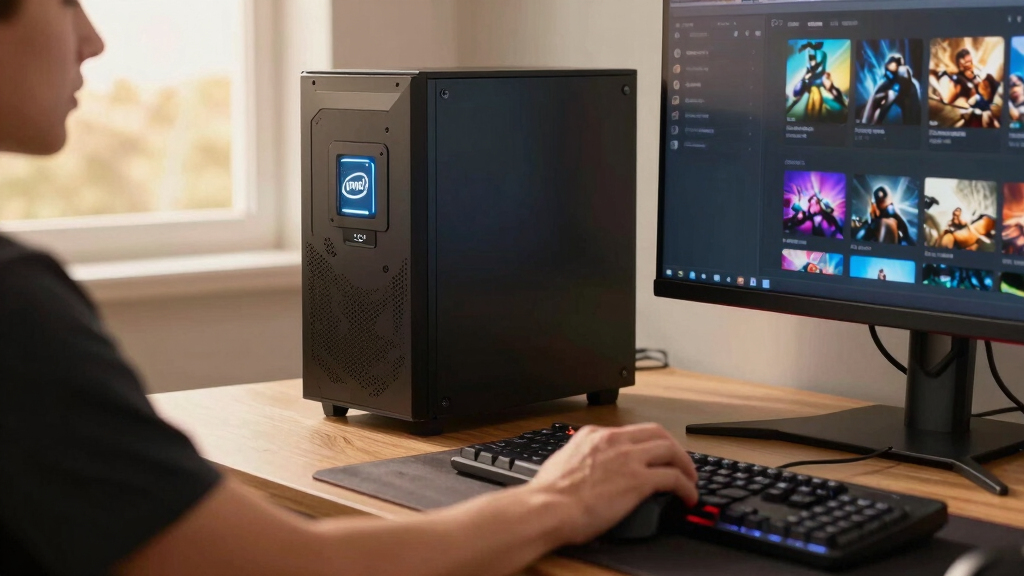
I ranked these Intel CPUs around the way Steam gamers actually choose parts: frame-rate headroom, GPU pairing, platform cost, thermals, multitasking ability, and how much of the price goes toward gaming rather than bragging rights. The strongest picks are not simply the most expensive models; I gave more weight to CPUs that make sense in real gaming PCs, especially builds targeting 1080p high refresh, 1440p, or mixed gaming and streaming.
The order also reflects upgrade practicality. Newer Core Ultra chips score well when they offer a cleaner path for a fresh build, while older LGA1700 options stay competitive when their pricing makes sense or when they help someone reuse a motherboard. KF chips gained points when they delivered strong value, but models with integrated graphics got extra credit for easier setup and troubleshooting.
Factors to Consider When Choosing Best Intel CPUs For Steam Gaming
Choosing the best Intel CPU for Steam gaming is less about buying the biggest number and more about matching the processor to your GPU, monitor, and the kind of games in your library.Match The CPU To Your GPU
A fast Intel CPU only pays off if the rest of the PC can use it. For a midrange graphics card, the Core i5-14600KF or Core Ultra 5 225 can make more sense than paying for an i9, because the GPU will often set the frame-rate limit first. With a high-end GPU, especially for competitive 1080p or 1440p high-refresh gaming, the Core Ultra 7 265KF gives more breathing room. The mistake I would avoid is pairing a premium CPU with a modest GPU and expecting a huge Steam library-wide jump. Simulation games, strategy titles, and CPU-heavy multiplayer games can still benefit from extra processor speed. For cinematic single-player games at high resolutions, the graphics card usually matters more.
Think About Platform Cost
The CPU price is only part of the build cost. A newer Core Ultra processor can require a different motherboard and memory plan than older LGA1700 chips such as the i7-12700K or i9-12900KF. That makes the older options more attractive when a buyer already owns compatible parts or finds a strong bundle. For a clean 2026 build, though, I would lean toward the newer platform if the budget allows it. Platform choice also affects future upgrades, resale value, and the number of years before the build feels dated. The cheapest CPU on paper can become less appealing if the surrounding parts are not priced well.
Do Not Overbuy Cores For Pure Gaming
Steam gaming does not scale evenly across every core in a processor. A chip like the Intel Core Ultra 9 285K or i9-14900K offers major multitasking power, but many games care more about strong per-core performance and cache behavior than sheer core count. That is why the Core Ultra 7 265KF sits higher for most buyers than some more extreme options. Extra cores are useful if you stream, record, run Discord, keep browser tabs open, or play demanding simulation titles. If the PC is mostly for launching games and nothing else, spending less on the CPU and more on the GPU is often the sharper move. The best gaming CPU is the one that keeps the graphics card fed without wasting the budget.
Cooling Changes The Real Cost
Higher-end Intel chips can pull serious power when allowed to boost aggressively. That means a premium processor may also call for a stronger cooler, better case airflow, and a motherboard with capable power delivery. The i9-14900KF and Core Ultra 9 285K can be excellent in the right build, but they are not casual drop-in choices for every tower. A cooler-running midrange chip may deliver a quieter, cheaper, and easier gaming PC. Noise matters during long Steam sessions, especially if the PC sits on the desk. I would treat cooling as part of the CPU budget, not an accessory to sort out later.
Integrated Graphics Can Still Matter
Many Steam gaming PCs use a dedicated graphics card, so integrated graphics may seem irrelevant. Still, the Intel Core i7-12700K has an advantage over the i7-12700KF for first-time builders because integrated graphics can help diagnose GPU, cable, or driver problems. KF models can be better values when the buyer is confident the dedicated GPU will be installed from day one. For a compact or troubleshooting-friendly build, having onboard graphics is a small but practical safety net. It will not replace a real gaming GPU for most Steam titles. It can, however, save a lot of frustration during setup.
Frequently Asked Questions
Is The Intel Core Ultra 7 265KF Better Than The i5-14600KF For Steam Gaming?
For most new builds, I would call the Core Ultra 7 265KF the stronger long-term gaming choice because it has more modern platform appeal and more multitasking headroom. The i5-14600KF, though, is the better value pick when the goal is high frame rates without spending premium money. If the budget difference lets you buy a better graphics card, the i5 route can produce the better gaming PC. The Ultra 7 makes more sense for high-refresh players, streamers, and buyers who keep background apps open. The i5 is the pick for a tighter, more focused Steam gaming build.
Should I Buy A Core Ultra 9 Or An i9 For Steam Gaming?
A Core Ultra 9 or Core i9 is worth it when Steam gaming is only one part of the workload. These chips fit buyers who also stream, edit video, run creation apps, or want an enthusiast PC with fewer compromises. For gaming alone, the extra money often brings smaller gains than a stronger GPU or monitor upgrade. The Core Ultra 9 285K is the premium pick in this lineup, while the i9-14900K and i9-14900KF remain powerful but more platform-dependent. I would avoid this tier for a basic 1080p build.
Are Older Intel CPUs Like The i7-12700K Still Good For Steam Gaming In 2026?
Yes, the i7-12700K and i7-12700KF can still make sense for Steam gaming, especially if the price is low or the buyer already owns an LGA1700 motherboard. They have enough performance for a wide range of Steam titles and pair well with midrange graphics cards. The tradeoff is that they are less appealing for someone building from scratch in 2026 because newer Core Ultra options offer a cleaner modern-platform story. The i7-12700K is also easier for beginners because it includes integrated graphics. I would choose it as a smart reuse or bargain-build option, not as the automatic first choice for a fresh premium PC.
Do I Need An Unlocked Intel CPU For Steam Gaming?
An unlocked Intel CPU is useful if you plan to tune power limits, memory settings, or overclock, but it is not required for a strong Steam gaming experience. Many buyers get better results from picking the right GPU, using fast memory, and keeping temperatures under control. Chips like the i5-14600KF and Core Ultra 7 265KF are attractive because they give room for enthusiasts without forcing every buyer to tweak settings. Overclocking can add heat, noise, and power draw, so the gain has to be worth the effort. I would treat unlocked support as a bonus rather than the main reason to buy.
Which Intel CPU Should A First-Time Steam Gaming PC Builder Choose?
For a first-time builder, I would start with either the Intel Core i5-14600KF for value or the Intel Core i7-12700K if integrated graphics would make setup less stressful. The i5-14600KF is stronger as a gaming value play, but it needs a dedicated GPU from the start. The i7-12700K gives a fallback display output, which can help when diagnosing a new build. A beginner should also check motherboard compatibility, cooler fit, and BIOS support before buying. The best starter choice is the one that reduces surprise costs while still leaving budget for the graphics card.
Conclusion
My best overall pick is the Intel Core Ultra 7 Desktop Processor 265KF because it gives Steam gamers the strongest balance of speed, modern platform appeal, and multitasking room. The Intel Core i5-14600KF is my best value choice for buyers who want high frame rates without overspending on cores they may not use. For a premium enthusiast build, I would choose the Intel Core Ultra 9 Desktop Processor 285K, while the Intel Core i7-12700K is the better beginner-friendly pick thanks to integrated graphics. The i9-14900KF fits buyers who want maximum LGA1700 gaming muscle and already plan for strong cooling. For most Steam players, the smartest choice is not the biggest CPU here; it is the one that leaves enough budget for the GPU, monitor, cooling, and games that complete the build.
Evergreen bestsellers Picks
bestsellers
As an affiliate, we earn on qualifying purchases.