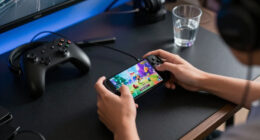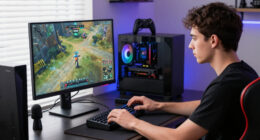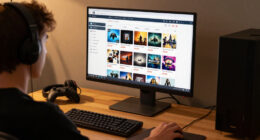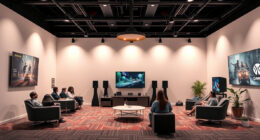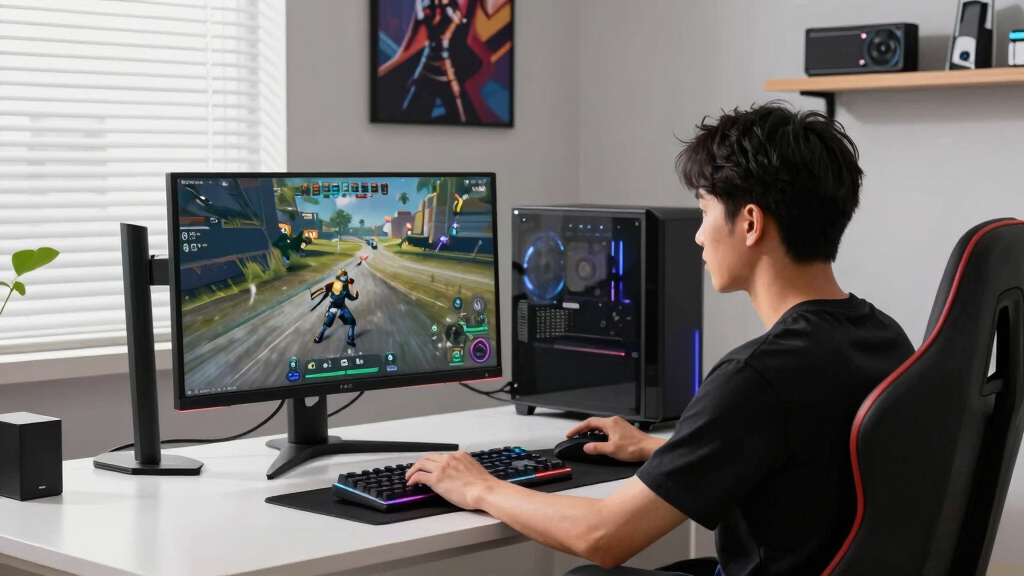
The best 120Hz TV for PC gaming in this lineup is the LG 65-Inch Class OLED evo AI 4K C5, because its OLED contrast, fast pixel response, and gaming-focused feature set make it the easiest pick for a high-end desktop or couch PC setup. The TCL 55-Inch QM7K Mini LED QLED is the stronger bright-room alternative, while the VIZIO 50-inch Quantum Pro makes more sense for buyers who want a smaller, lower-cost 4K gaming screen. The main tradeoffs are OLED black levels versus Mini LED brightness, 50- to 65-inch desk fit versus living-room scale, and premium gaming polish versus price. I rank these TVs by PC gaming usefulness first, then picture quality, size practicality, smart platform, and value. Read on for the full breakdown of which 120Hz TV fits each kind of PC gamer.

Play games on Amazon Luna for your game nights, included with Prime
- A rotating selection of games, no download needed
- Play on TV, laptop or phone
- Fast, free delivery for your gear, too
Key Takeaways
- The LG C5 OLED is the easiest overall recommendation because it pairs fast pixel response with the strongest contrast and the most polished gaming profile.
- The TCL QM7K is the bright-room counterpick, while the TCL QM6K makes more sense for buyers who want a larger 65-inch screen at a lower price.
- The VIZIO Quantum Pro earns the clearest value role because its 50-inch size is unusually practical for PC gaming desks and smaller rooms.
- The TCL T7 and Hisense U6 Pro fill the entry and budget Mini LED roles, but they suit casual PC gaming better than picky high-end setups.
- The LG QNED85A is the safer LCD-based mixed-use pick for OLED-wary households, but its gaming appeal is narrower than the C5 or QM7K.
| VIZIO 50-inch Quantum Pro 4K 120Hz QLED HDR10+ Smart TV |  | Best Compact Value Pick | Screen Size: 50 inches | Resolution: 4K | Refresh Rate: 120Hz at 4K, 240Hz at 1080p | VIEW LATEST PRICE | See Our Full Breakdown |
| TCL 65 Inch Class QM6K Series Mini LED QLED 4K HDR Smart Google TV |  | Best Big-Screen Value | Screen Size: 65 inches | Resolution: 4K HDR | Refresh Rate: 144Hz | VIEW LATEST PRICE | See Our Full Breakdown |
| TCL 55 Inch Class QM7K Series Mini LED QLED 4K HDR Smart Google TV |  | Best Bright-Room Gaming Pick | Screen Size: 55 inches | Resolution: 3840 x 2160 | Refresh Rate: 144Hz | VIEW LATEST PRICE | See Our Full Breakdown |
| LG 65-Inch Class OLED evo AI 4K C5 Series Smart TV |  | Best Premium OLED | Screen Size: 65 inches | Resolution: 4K | Display Technology: OLED evo | VIEW LATEST PRICE | See Our Full Breakdown |
| LG 55-Inch Class QNED evo AI QNED85A Series Mini LED 4K Smart TV |  | Best Balanced 55-Inch Pick | Screen Size: 55 inches | Resolution: 4K Ultra HD | Display Technology: Mini LED with Precision Dimming | VIEW LATEST PRICE | See Our Full Breakdown |
| TCL 55 Inch Class T7 Series 4K QLED HDR Smart Google TV |  | Best Midrange Google TV Pick | Screen size: 55 inches | Resolution: 4K Ultra HD | Panel refresh rate: 120Hz | VIEW LATEST PRICE | See Our Full Breakdown |
| Hisense 55″ U6 Pro Series Mini-LED ULED 4K UHD HDR Gaming AI Smart Fire TV |  | Best Bright-Room Gaming Pick | Screen size: 55 inches | Display technology: Mini-LED, Hi-QLED | Resolution: 4K UHD | VIEW LATEST PRICE | See Our Full Breakdown |
| 120Hz TVs for PC gaming | Screen Size | Resolution | Refresh Rate | HDR |
|---|---|---|---|---|
| VIZIO 50-inch Quantum Pro 4K 1 | 50 inches | 4K | 120Hz at 4K, 240Hz at 1080p | Dolby Vision, HDR10+ |
| TCL 65 Inch Class QM6K Series | 65 inches | 4K HDR | 144Hz | Dolby Vision, HDR10+, HDR10, HLG |
| TCL 55 Inch Class QM7K Series | 55 inches | 3840 x 2160 | 144Hz | Dolby Vision, HDR10+, HDR14, HLG |
| LG 65-Inch Class OLED evo AI 4 | 65 inches | 4K | 144Hz | Dolby Vision, HDR10 |
| LG 55-Inch Class QNED evo AI Q | 55 inches | 4K Ultra HD | 120Hz native, VRR 144Hz | HDR10 PRO |
| TCL 55 Inch Class T7 Series 4K | 55 inches | 4K Ultra HD | — | — |
| Hisense 55" U6 Pro Series Mini | 55 inches | 4K UHD | 144Hz native | — |
More Details on Our Top Picks
VIZIO 50-inch Quantum Pro 4K 120Hz QLED HDR10+ Smart TV
I would place the VIZIO Quantum Pro 50-inch high for PC gamers who want 4K at 120Hz without jumping to a huge screen. Compared with the TCL QM6K 65-inch, it is easier to fit on a desk or in a smaller gaming room, and its 240Hz mode at 1080p gives competitive players a faster option when resolution matters less than response feel. The QLED panel, local dimming, Dolby Vision, and 1,000-nit brightness make it more serious than a basic budget TV. The tradeoff is polish: VIZIO OS and account requirements may feel less flexible than Google TV or LG webOS, and audio details are thin. It also lacks the OLED contrast of the LG C5, so darker games will not look as precise.
Pros:- 4K 120Hz support suits modern PC gaming at high resolution
- 1080p 240Hz mode gives fast-paced players a speed-focused option
- QLED color, local dimming, Dolby Vision, and HDR10+ add visual punch
- WiFi 6E, AirPlay, and Chromecast make it flexible for streaming
Cons:- VIZIO account requirement may frustrate buyers who want simple smart TV access
- Audio performance is not well defined in the provided specs
- Not as strong for dark-room contrast as the LG OLED C5
Best for: PC gamers building a compact 4K setup who want 120Hz, strong color, and a lower-cost route into fast TV gaming.
Not ideal for: Home theater buyers who want premium built-in audio, OLED-level black levels, or a larger screen for couch-distance PC play.
- Screen Size:50 inches
- Resolution:4K
- Refresh Rate:120Hz at 4K, 240Hz at 1080p
- Display Type:QLED
- HDR:Dolby Vision, HDR10+
- Backlight:Active Full Array LED
- Peak Brightness:1,000 nits
- Gaming Support:AMD FreeSync Premium Pro
- Connectivity:WiFi 6E
Our verdict“This is my compact value pick for PC gamers who want real 120Hz performance without paying OLED money.”
TCL 65 Inch Class QM6K Series Mini LED QLED 4K HDR Smart Google TV
The TCL QM6K 65-inch earns its place as my big-screen value choice because it combines Mini LED contrast, QLED color, and a 144Hz panel at a size that works well for couch PC gaming. Compared with the smaller VIZIO Quantum Pro, this model is better for players who want a more cinematic field of view, while still keeping fast motion in play. It also gives audio more attention than many TVs here, with Dolby Atmos, DTS Virtual:X, and Onkyo speakers with a subwoofer. The compromise is complexity: PC gamers who want a simple plug-and-play screen may find the feature stack busy, and high-brightness Mini LED sets can draw more power. The LG C5 still wins for perfect blacks and response time.
Pros:- Large 65-inch size makes PC games feel more immersive from a sofa
- 144Hz refresh rate gives extra headroom above standard 120Hz sets
- Mini LED and QLED pairing improves brightness, contrast, and color
- Onkyo audio with Dolby Atmos is stronger than basic TV speakers
Cons:- Advanced settings may feel busy for buyers who want a simpler setup
- Likely higher power use than less bright LED or OLED alternatives
- OLED models like the LG C5 still deliver cleaner black levels
Best for: Couch PC gamers who want a large 65-inch screen with strong HDR impact, fast refresh, and better built-in sound.
Not ideal for: Desk gamers, small-room players, or buyers who would rather pay more for OLED precision than manage Mini LED settings.
- Screen Size:65 inches
- Resolution:4K HDR
- Refresh Rate:144Hz
- Display Technology:Mini LED QLED
- HDR:Dolby Vision, HDR10+, HDR10, HLG
- Audio:Dolby Atmos, DTS Virtual:X, Onkyo speakers with subwoofer
- Processor:AIPQ PRO
- Model Year:2025
Our verdict“This is the pick I would steer toward for a big 144Hz PC gaming screen that still keeps value in the conversation.”
TCL 55 Inch Class QM7K Series Mini LED QLED 4K HDR Smart Google TV
I rank the TCL QM7K 55-inch as the strongest bright-room option in this group because its 2,600-nit brightness, Mini LED backlight, and many dimming zones are built for HDR games that need impact under room light. Compared with the LG QNED85A, it pushes harder on brightness and dimming control, while its 144Hz refresh rate and Game Accelerator 240 VRR give PC players more motion flexibility. It is also more desk-friendly than the TCL QM6K 65-inch. The drawbacks are real: the glossy screen can reflect windows and lamps, and the spec sheet is packed enough to overwhelm buyers who only need a basic 120Hz display. The LG C5 remains the cleaner premium choice for dark rooms and instant pixel response.
Pros:- Very high 2,600-nit brightness helps HDR games look vivid in lit rooms
- 144Hz refresh rate and VRR support suit high-frame-rate PC play
- Up to LD2500 dimming zones improve black control for a Mini LED TV
- 55-inch size balances desktop-adjacent and living-room setups
Cons:- Glossy finish may show reflections in bright spaces
- Feature-heavy setup can feel excessive for casual PC gamers
- Premium Mini LED hardware may cost more than simpler 120Hz TVs
Best for: PC gamers in bright rooms who want a 55-inch Mini LED TV with strong HDR brightness and high-refresh flexibility.
Not ideal for: Players with lots of direct light facing the screen, or buyers who prefer OLED contrast over peak brightness.
- Screen Size:55 inches
- Resolution:3840 x 2160
- Refresh Rate:144Hz
- Display Technology:Mini LED, QLED, 4K UHD
- Peak Brightness:2,600 nits
- Local Dimming:Up to LD2500 Precise Dimming Zones
- Gaming:Motion Rate 480, Game Accelerator 240 VRR
- HDR:Dolby Vision, HDR10+, HDR14, HLG
- Screen Finish:Glossy
Our verdict“This is my pick for PC gamers who want bright HDR impact more than OLED-style black depth.”
LG 65-Inch Class OLED evo AI 4K C5 Series Smart TV
The LG C5 65-inch OLED evo is my premium pick because it targets the parts of PC gaming that LCD-based TVs still struggle with: perfect black levels, 0.1ms response time, and wide gaming compatibility through NVIDIA G-Sync, AMD FreeSync Premium, VRR, and four HDMI 2.1 ports. Compared with the TCL QM7K, it may not chase the same Mini LED brightness number, but it should look cleaner in dark games where blooming can distract. Against the TCL QM6K, it is the more refined gaming display, not just the bigger TV. The price is the catch, and buyers who mainly play static-interface games for long stretches may prefer Mini LED peace of mind. Setup can also take time if every gaming and AI feature is adjusted manually.
Pros:- OLED black levels give dark games cleaner depth than Mini LED sets
- 0.1ms response time helps fast motion look crisp
- 144Hz, G-Sync, FreeSync Premium, and VRR are excellent for PC gaming
- Four HDMI 2.1 ports make multi-device gaming setups easier
Cons:- Premium pricing puts it above value-focused QLED and Mini LED options
- Static PC interfaces may make some buyers more comfortable with Mini LED
- Feature-rich setup may take time to tune
Best for: PC gamers with high-end GPUs who want OLED contrast, ultra-fast response, and full HDMI 2.1 flexibility on a premium 65-inch screen.
Not ideal for: Budget buyers, very bright-room players, or anyone worried about long static HUDs during extended PC gaming sessions.
- Screen Size:65 inches
- Resolution:4K
- Display Technology:OLED evo
- Refresh Rate:144Hz
- Gaming Features:NVIDIA G-Sync, AMD FreeSync Premium, VRR, 0.1ms response time
- Inputs:4 HDMI 2.1 ports
- HDR:Dolby Vision, HDR10
- Processor:Alpha 9 AI Processor Gen8
- Audio:Dolby Atmos
Our verdict“This is the model I would pick for a premium PC gaming build where contrast, response, and HDMI flexibility matter most.”
LG 55-Inch Class QNED evo AI QNED85A Series Mini LED 4K Smart TV
The LG QNED85A 55-inch sits in the middle of the lineup in a useful way: it gives PC gamers native 120Hz, VRR up to 144Hz, Mini LED precision dimming, and LG’s Game Optimizer without reaching for the OLED price tier. Compared with the LG C5, it trades perfect blacks and 0.1ms response for a Mini LED design that may feel more comfortable for mixed PC use, streaming, and static desktop elements. Compared with the TCL QM7K, it looks less focused on raw HDR brightness, but webOS 25 and LG’s gaming menu may feel more approachable. The main weakness is value clarity: it is still a premium QNED model, and region-dependent smart features can make the final experience less predictable for some buyers.
Pros:- Native 120Hz with VRR up to 144Hz fits modern PC gaming well
- Mini LED with Precision Dimming improves contrast over basic LED TVs
- Game Optimizer and GeForce NOW support suit mixed gaming setups
- webOS 25 and AI picture tools make daily use easier
Cons:- Does not match the LG C5 for black levels or response time
- HDR10 PRO support is less broad than Dolby Vision-equipped rivals
- Some smart assistant features may vary by region
Best for: Mixed-use PC gamers who want a 55-inch TV for games, desktop use, cloud gaming, and streaming without moving to OLED.
Not ideal for: HDR-first gamers who want the brightest Mini LED specs, or OLED fans who want perfect black levels and the fastest response.
- Screen Size:55 inches
- Resolution:4K Ultra HD
- Display Technology:Mini LED with Precision Dimming
- Color Technology:Dynamic QNED with 100% Color Volume
- Refresh Rate:120Hz native, VRR 144Hz
- HDR:HDR10 PRO
- Processor:Alpha 8 AI Processor Gen2
- Smart Platform:webOS 25
- Sound:AI Sound, virtual 5.1 surround
Our verdict“This is my balanced LG pick for PC gamers who want Mini LED practicality with strong gaming tools in a 55-inch size.”
TCL 55 Inch Class T7 Series 4K QLED HDR Smart Google TV
I place the TCL 55T7 here as the sensible middle ground for PC gamers who want native 120Hz, broad HDR support, and a familiar Google TV interface without jumping to the costlier TCL QM7K or LG C5 OLED. Compared with the Hisense U6 Pro, it gives up the 144Hz ceiling and Mini-LED contrast, but its QLED panel, Dolby Vision, HDR10+, and AIPQ Pro processing still make it a strong fit for 4K desktop gaming, controller play, and streaming from the same screen. The tradeoff is that this is more feature-heavy than the VIZIO Quantum Pro, so setup may take more patience. I would pick it for balanced value, not for the darkest blacks or the fastest spec sheet.
Pros:- Strong 4K QLED color for games, streaming, and desktop use
- Native 120Hz panel suits modern PC and console gaming
- Dolby Vision, HDR10+, HDR10, and HLG give it wide HDR compatibility
- Google TV and voice control make it easy to use as an all-purpose screen
Cons:- Not as contrast-rich as the Mini-LED TCL QM7K or Hisense U6 Pro
- No 144Hz headroom for PC gamers who want frame rates above 120fps
- Advanced picture and motion settings may take time to tune
Best for: I would point this to PC gamers who want a 55-inch 4K 120Hz TV with Google TV, rich HDR format support, and a balanced price-to-feature mix.
Not ideal for: I would skip it for buyers chasing OLED-level contrast or a 144Hz-capable panel for higher-frame-rate PC gaming.
- Screen size:55 inches
- Resolution:4K Ultra HD
- Panel refresh rate:120Hz
- HDR formats:Dolby Vision, HDR10+, HDR10, HLG
- Audio:Dolby Atmos, DTS:X, DTS Virtual:X
- Processor:TCL AIPQ Pro Processor
- Connectivity:4 HDMI ports including eARC, Wi-Fi 5
- Smart platform:Google TV with voice control
- Model year:2025
Our verdict“I would choose the TCL 55T7 if 120Hz PC gaming, Google TV, and QLED color matter more than premium black levels.”
Hisense 55″ U6 Pro Series Mini-LED ULED 4K UHD HDR Gaming AI Smart Fire TV
I rank the Hisense U6 Pro as the brighter-room gaming choice because its Mini-LED and Hi-QLED panel, anti-reflection finish, and native 144Hz refresh rate give PC players more headroom than the TCL 55T7. It is also a better match for sunny rooms than the LG C5 OLED, where glare control and burn-in caution can matter for static desktop elements. Against the TCL QM7K, the Hisense leans into Fire TV, Alexa, and a built-in subwoofer, so it feels more like a living-room gaming hub. The weaker point is buying confidence: there is less detailed review coverage available, and the feature stack may push the price higher than shoppers expect from a U6-series model.
Pros:- Mini-LED and Hi-QLED hardware should deliver stronger contrast than basic QLED sets
- Native 144Hz refresh rate gives PC gamers extra frame-rate headroom
- Anti-reflection and glare-free features suit daylight-heavy rooms
- Built-in subwoofer adds more low-end weight than typical thin TV speakers
Cons:- May cost more than simpler 120Hz QLED options such as the TCL 55T7
- Fire TV will not appeal to buyers who prefer Google TV or webOS
- Limited detailed review information makes performance harder to judge
Best for: I would point this to PC gamers with bright rooms who want Mini-LED contrast, glare control, and refresh-rate headroom beyond 120Hz.
Not ideal for: I would skip it for buyers who prefer Google TV, want more established third-party review history, or do not need the extra 144Hz capability.
- Screen size:55 inches
- Display technology:Mini-LED, Hi-QLED
- Resolution:4K UHD
- Refresh rate:144Hz native
- HDR formats:Dolby Vision IQ, HDR10+, HDR10, HLG
- Smart platform:Fire TV with Alexa
- Audio:Dolby Atmos with built-in subwoofer
- Bright-room features:Anti-reflection, glare-free display
- Design and extras:Unibody Slim design, IMAX Enhanced
Our verdict“I would choose the Hisense U6 Pro for a bright gaming room where 144Hz support and Mini-LED contrast justify the added complexity.”
How We Picked
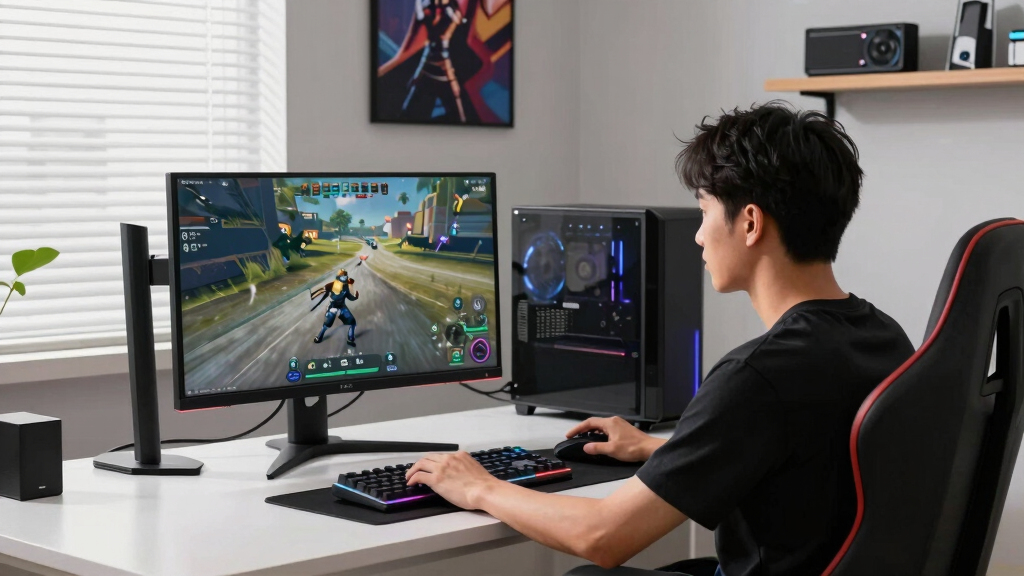
I evaluated the seven models around PC gaming fit first: 4K 120Hz support, HDMI bandwidth, VRR support, input lag expectations, text clarity, and whether the screen size makes sense at a desk or from a couch. I then weighed picture quality, including OLED response, Mini LED local dimming, HDR brightness, black levels, and how stable motion should look with a gaming PC. Value mattered, but I did not rank the cheapest TV highest just because it costs less. A strong PC gaming TV has to make 120Hz easy to use, keep Windows text readable, and avoid compromises that make a high-end GPU feel wasted. Smart TV software and audio counted as tie-breakers rather than the main reason to buy. That is why the ranking favors gaming behavior and display performance over feature lists.
The LG C5 OLED takes Best Overall because it offers the cleanest mix of fast response, contrast, and gaming polish. The TCL QM7K ranks next as the premium Mini LED choice for bright rooms, while the VIZIO Quantum Pro earns the value slot because its 50-inch size is unusually practical for PC gaming. The TCL QM6K is the big-screen value pick, the LG QNED85A is the OLED alternative for mixed-use homes, the Hisense U6 Pro is the Fire TV budget Mini LED pick, and the TCL T7 is the beginner-friendly QLED option. I placed the lower-cost models behind the leaders because they are more likely to involve tradeoffs in dimming, HDMI flexibility, processing, or gaming polish. The order is less about raw specs and more about which TV I would point a PC gamer toward first for each budget and room type.
| 120Hz TVs for PC gaming | HDR | Display Technology | Audio | Processor |
|---|---|---|---|---|
| VIZIO 50-inch Quantum Pro 4K 1 | Dolby Vision, HDR10+ | — | — | — |
| TCL 65 Inch Class QM6K Series | Dolby Vision, HDR10+, HDR10, HLG | Mini LED QLED | Dolby Atmos, DTS Virtual:X, Onkyo speakers with subwoofer | AIPQ PRO |
| TCL 55 Inch Class QM7K Series | Dolby Vision, HDR10+, HDR14, HLG | Mini LED, QLED, 4K UHD | — | — |
| LG 65-Inch Class OLED evo AI 4 | Dolby Vision, HDR10 | OLED evo | Dolby Atmos | Alpha 9 AI Processor Gen8 |
| LG 55-Inch Class QNED evo AI Q | HDR10 PRO | Mini LED with Precision Dimming | — | Alpha 8 AI Processor Gen2 |
| TCL 55 Inch Class T7 Series 4K | — | — | Dolby Atmos, DTS:X, DTS Virtual:X | TCL AIPQ Pro Processor |
| Hisense 55" U6 Pro Series Mini | — | Mini-LED, Hi-QLED | Dolby Atmos with built-in subwoofer | — |
Factors to Consider When Choosing Best 120Hz TVs For PC Gaming
Choosing among the best 120Hz TVs for PC gaming is less about finding the largest screen and more about matching the TV to your PC, room, and play style. I would start with screen size, panel type, and HDMI 2.1 support, then move to price. The best choice for a console-style couch setup may feel oversized on a desk, and the brightest Mini LED set may not beat OLED for dark-room single-player games. These are the buyer tradeoffs I would sort out before picking one model from this lineup.
Match Screen Size to Your Setup
A 65-inch TV can feel fantastic from a couch, but it can dominate a desk in a way that makes PC use tiring. For a monitor-like setup, I would treat 50 to 55 inches as the sweet spot unless the screen sits far back or is wall-mounted. This is why the VIZIO Quantum Pro and 55-inch TCL options matter: they fit smaller rooms better than the 65-inch LG C5 or TCL QM6K. Larger screens make racing games, RPGs, and couch co-op feel more cinematic, but they also magnify poor seating distance, lower pixel density, and UI scaling problems. Windows scaling can fix tiny text, but it cannot make a too-large display feel natural at arm’s length. I would buy 65 inches only if the TV is mainly for couch PC gaming or shared media use.
Choose OLED, Mini LED, or QNED Based on the Room
OLED gives PC games the strongest contrast and the fastest-looking pixel response, which helps dark scenes and quick camera movement feel cleaner. The tradeoff is that static desktop elements, bright HUDs, and long productivity sessions can make some buyers more cautious. Mini LED options such as the TCL QM7K, TCL QM6K, and Hisense U6 Pro make more sense in bright rooms because they can push higher brightness without the same burn-in anxiety. They may show blooming around bright objects on dark backgrounds, especially in menus and subtitles. The LG QNED85A sits between these camps as an LCD-based alternative for mixed-use homes. I would pick OLED for image quality first and Mini LED or QNED for bright-room flexibility.
Check the Full PC Gaming Feature Set
The spec line that matters most is not simply 120Hz; it is whether the TV accepts 4K at 120Hz cleanly from a PC. I would look for full-bandwidth HDMI ports, VRR, ALLM, clear Game Mode controls, and a layout that leaves enough high-speed inputs after a soundbar is connected. A common mistake is buying a TV with one good gaming port, then losing it to eARC. PC gamers should also care about chroma clarity because text, browser windows, and launchers expose softness faster than streaming video does. Low input lag matters for shooters and rhythm games, but clear motion and stable VRR are just as meaningful over a long session. The higher-ranked picks sit above entry models because they are more likely to make these features easier to use together.
Do Not Let the Smart Platform Lead the Decision
Smart TV software should not decide the whole purchase, but it can change how pleasant the TV feels day to day. Google TV models in this lineup, including several TCL sets, are easy to fold into app-heavy living rooms, while Fire TV on the Hisense U6 Pro suits Amazon-centered homes. For PC gaming, though, the fastest route is often booting straight to the HDMI input and letting the PC handle games, media, and chat. I would treat built-in apps, voice controls, and audio branding as secondary perks. The bigger issue is how quickly the TV wakes, remembers Game Mode, and avoids burying HDMI settings. A budget TV with a familiar interface can still feel clumsy if every gaming tweak is hidden behind menus.
Judge Value by the Whole Gaming Setup
The best value is not always the cheapest model, because a gaming TV sits inside a larger PC setup. If a high-end GPU is driving the screen, paying more for better motion handling, VRR stability, and stronger HDR can make the whole rig feel more balanced. This is why the VIZIO Quantum Pro earns a value role at 50 inches, while the TCL QM6K earns a different value role by offering a bigger 65-inch canvas. The TCL T7 and Hisense U6 Pro make more sense when price, smart platform preference, or casual play matters more than premium gaming polish. I would spend extra on the LG C5 or TCL QM7K only if the room and PC can show the benefit. Otherwise, a lower-priced 120Hz TV may be the smarter buy than stretching for specs that rarely get used.
Frequently Asked Questions
Is OLED or Mini LED Better for PC Gaming?
OLED is better for players who want instant-looking response, deep black levels, and strong contrast in darker rooms. Mini LED is better for brighter spaces or buyers worried about static desktop elements. In this lineup, the LG C5 is the cleanest OLED choice, while the TCL QM7K and QM6K trade some pixel-level control for higher full-screen brightness. If a TV will double as a productivity display for long sessions with taskbars and windows, I would lean Mini LED or QNED. If it is mostly for gaming and movies, OLED is the more polished pick.
Do I Need HDMI 2.1 for 4K 120Hz From a PC?
Yes, for 4K at 120Hz from a modern gaming PC, HDMI 2.1 bandwidth is the feature I would check first. Some TVs advertise 120Hz panels but limit which ports or modes support the full signal, so the port layout matters. A GPU with HDMI 2.1, a certified cable, and the right Windows refresh-rate setting all need to line up. VRR support also matters because PC frame rates rarely stay locked. This is one reason premium picks such as the LG C5 and TCL QM7K sit above cheaper options in the ranking.
Is a 65-Inch 120Hz TV Too Big for PC Gaming?
It can be too big if the TV sits on a normal desk, especially for keyboard-and-mouse play. A 65-inch screen works better when the seating distance is closer to a couch setup than a monitor setup. If the screen is too close, the corners sit outside your natural field of view, and HUD-heavy PC games can feel busy. The LG C5 and TCL QM6K make more sense in living rooms, while 50- and 55-inch models are easier for smaller spaces. I would choose 65 inches only when immersion matters more than desktop comfort.
Are Budget 120Hz TVs Good Enough for Competitive PC Gaming?
Yes, but the definition of good enough depends on the kind of PC gaming you do. A budget 120Hz TV such as the TCL T7 or Hisense U6 Pro can be a solid match for casual play, RPGs, sports games, and a living-room PC. More demanding players may notice weaker local dimming, fewer gaming controls, or less refined VRR behavior compared with the LG C5 or TCL QM7K. Budget models also tend to make you read the fine print on ports and supported refresh modes. I would save money for casual gaming, but spend more if competitive response or HDR quality is a priority.
Should I Buy a 120Hz TV Instead of a Gaming Monitor?
A gaming monitor is still better if you sit close, play competitive shooters, or want refresh rates far above 120Hz. A 120Hz TV is better when the PC also feeds movies, controller games, couch co-op, or a shared living-room setup. TVs give you larger sizes and stronger built-in media features, but they can be awkward for spreadsheets, small text, and desk ergonomics. In this lineup, the VIZIO and 55-inch TCL models are the closest to monitor replacements, while the 65-inch sets feel more like entertainment displays. I would choose a TV when immersion and versatility beat pure esports speed.
Conclusion
My final pick for most PC gamers is the LG 65-Inch Class OLED evo AI 4K C5, which earns Best Overall because it has the strongest blend of response, contrast, and gaming polish. For Best Value, I would choose the VIZIO 50-inch Quantum Pro for a desk-friendly setup, or the TCL 65-inch QM6K when size matters more than compact placement. The TCL 55-inch QM7K is my premium Mini LED recommendation for bright rooms and buyers who want high-end LCD performance instead of OLED.
For beginners, the TCL 55-inch T7 is the simplest QLED pick because it targets the core 120Hz gaming need without asking buyers to chase every premium feature. The Hisense 55-inch U6 Pro is the better specific-needs pick for Fire TV homes and budget Mini LED shoppers, while the LG 55-inch QNED85A fits mixed-use households that want an LCD alternative from LG. I would start with the C5 if budget allows, move to the QM7K for bright-room gaming, and pick the VIZIO when price and PC-friendly sizing matter most.
Fall Picks
fall essentials
As an affiliate, we earn on qualifying purchases.