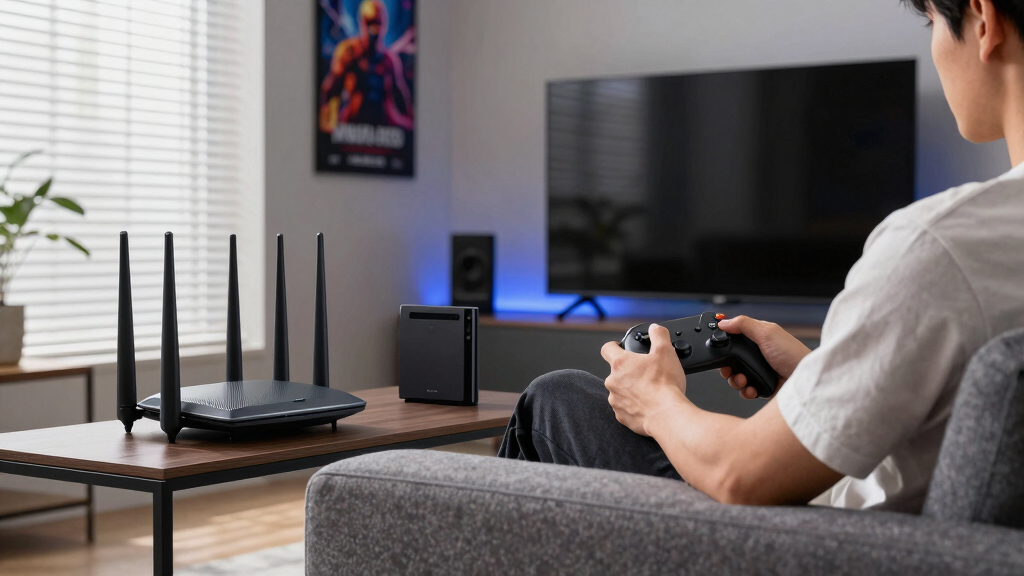

The TP-Link Deco BE25 is my best overall mesh Wi-Fi system for gaming because it combines Wi-Fi 7, multigigabit Ethernet, and flexible wired backhaul without reaching the price tier of the eero Pro 7. The eero Pro 7 is my premium choice for buyers who want tri-band Wi-Fi 7 and a polished app-led setup, while the Deco XE75 offers a stronger balance for homes that need wireless backhaul. The main tradeoffs are wired versus wireless node connections, dual-band versus tri-band designs, and whether faster hardware will benefit the internet plan and gaming devices already in the home. Older Wi-Fi 6 and Wi-Fi 5 kits can still cover dead zones, but they give busy households less capacity and fewer upgrade options. Continue reading for my full breakdown of which system fits each type of gamer, home, and budget.

Play games on Amazon Luna for your game nights, included with Prime
- A rotating selection of games, no download needed
- Play on TV, laptop or phone
- Fast, free delivery for your gear, too
Complete the kit



Key Takeaways
- The Deco BE25 ranks first because its Wi-Fi 7 radios and multigigabit Ethernet create the strongest mix of gaming performance, upgrade room, and price, especially with wired backhaul.
- The eero Pro 7 is the premium pick, but its tri-band design is most valuable in large, busy homes where nodes cannot all be connected by Ethernet.
- The Deco XE75 is the wireless-backhaul standout because its 6GHz band can reduce competition between node traffic and connected devices, even though it lacks the newer Wi-Fi 7 feature set.
- The eero 6+ offers the best value for sub-gigabit and gigabit households, while the cheaper eero 6 bundle is less gaming-friendly because its extender nodes limit wired connection options.
- The Deco M5 and Deco S4 sit at the bottom because their Wi-Fi 5 hardware saves money at purchase but leaves less capacity for modern gaming, streaming, and future internet upgrades.
| TP-Link Deco 7 BE25 Dual-Band WiFi 7 Mesh System |  | Best Overall | Wi-Fi Standard: Wi-Fi 7 | Maximum Speed: Up to 4.3 Gbps | Coverage: Up to 6,600 sq. ft. | VIEW LATEST PRICE | See Our Full Breakdown |
| eero Pro 7 Tri-Band Mesh Wi-Fi 7 Router |  | Best Premium | Wi-Fi Standard: Wi-Fi 7 | Bands: Tri-band | Wireless Speed: Up to 3.9 Gbps | VIEW LATEST PRICE | See Our Full Breakdown |
| TP-Link Archer AXE75 AXE5400 Tri-Band WiFi 6E Router |  | Best for Apartments | Wi-Fi Standard: Wi-Fi 6E | Combined Wi-Fi Speed: Up to 5,400 Mbps | Bands: 6 GHz, 5 GHz, and 2.4 GHz | VIEW LATEST PRICE | See Our Full Breakdown |
| TP-Link Deco X20 WiFi 6 Mesh System |  | Best Entry-Level Mesh | Wi-Fi Standard: Wi-Fi 6 | Speed Class: AX1800 | Bands: Dual-band | VIEW LATEST PRICE | See Our Full Breakdown |
| eero 7 Dual-Band Mesh Wi-Fi 7 Router |  | Best for Existing eero Homes | Wi-Fi Standard: Wi-Fi 7 | Bands: Dual-band | Wireless Speed: Up to 1.8 Gbps | VIEW LATEST PRICE | See Our Full Breakdown |
| TP-Link Deco M5 Mesh WiFi System |  | Best for Built-In Family Controls | Coverage: Up to 5,500 sq. ft. | Number of Units: 3 | Ethernet Ports per Unit: 2 Gigabit Ethernet ports | VIEW LATEST PRICE | See Our Full Breakdown |
| eero 6+ Mesh WiFi System |  | Best for Device-Heavy Homes | Supported Internet Plans: Up to 1 Gbps | Coverage: Up to 4,500 sq. ft. | Devices Supported: 75+ | VIEW LATEST PRICE | See Our Full Breakdown |
| TP-Link Deco XE75 AXE5400 Tri-Band WiFi 6E Mesh System |  | Best Wi-Fi 6E Gaming Pick | Wi-Fi Standard: Wi-Fi 6E | Bands: Tri-band | Coverage: Up to 7,200 sq. ft. | VIEW LATEST PRICE | See Our Full Breakdown |
| eero 6 Mesh WiFi System |  | Best for Smart-Home Simplicity | Coverage: Up to 4,500 sq. ft. | Supported Internet Plans: Up to 500 Mbps | Device Support: 75+ devices | VIEW LATEST PRICE | See Our Full Breakdown |
| TP-Link Deco S4 Mesh WiFi System |  | Best Budget Large-Home Coverage | Coverage: Up to 5,500 sq. ft. | Wi-Fi Standard: AC1900 | Number of Units: 3 | VIEW LATEST PRICE | See Our Full Breakdown |
| mesh Wi-Fi systems for gaming | Wi-Fi Standard | Coverage | Number of Units | Bands |
|---|---|---|---|---|
| TP-Link Deco 7 BE25 Dual-Band | Wi-Fi 7 | Up to 6,600 sq. ft. | 3 | — |
| eero Pro 7 Tri-Band Mesh Wi-Fi | Wi-Fi 7 | Up to 6,000 sq. ft. | 3 | Tri-band |
| TP-Link Archer AXE75 AXE5400 T | Wi-Fi 6E | — | — | 6 GHz, 5 GHz, and 2.4 GHz |
| TP-Link Deco X20 WiFi 6 Mesh S | Wi-Fi 6 | Up to 5,800 sq. ft. | 3 | Dual-band |
| eero 7 Dual-Band Mesh Wi-Fi 7 | Wi-Fi 7 | Up to 6,000 sq. ft. | 3 | Dual-band |
| TP-Link Deco M5 Mesh WiFi Syst | — | Up to 5,500 sq. ft. | 3 | — |
| eero 6+ Mesh WiFi System | Wi-Fi 6 | Up to 4,500 sq. ft. | 3 | — |
| TP-Link Deco XE75 AXE5400 Tri- | Wi-Fi 6E | Up to 7,200 sq. ft. | 3 | Tri-band |
| eero 6 Mesh WiFi System | Wi-Fi 6 | Up to 4,500 sq. ft. | — | — |
| TP-Link Deco S4 Mesh WiFi Syst | AC1900 | Up to 5,500 sq. ft. | 3 | — |
More Details on Our Top Picks
TP-Link Deco 7 BE25 Dual-Band WiFi 7 Mesh System
I rank the TP-Link Deco 7 BE25 first because it combines broad 6,600-square-foot coverage with Wi-Fi 7 and 2.5GbE connectivity, giving gaming households several ways to reduce bottlenecks. Wired backhaul can keep traffic between nodes away from the wireless bands, while AI-Roaming helps portable systems retain a stable connection when moving between rooms. Compared with the eero Pro 7, the BE25 advertises faster wireless throughput and slightly wider coverage, though eero supplies a dedicated third band and much greater stated device capacity. That makes this Deco the more balanced gaming pick, particularly for homes that can run Ethernet. Its dual-band design creates more potential contention under heavy wireless traffic, and the three-pack carries a higher upfront cost. I also account for the fact that layout and obstacles can reduce real coverage.
Pros:- Wi-Fi 7 throughput supports demanding gaming, streaming, and downloads
- Wired backhaul can reduce congestion between mesh nodes
- Three units cover up to 6,600 square feet
- AI-Roaming helps mobile gaming devices move between nodes smoothly
Cons:- Dual-band architecture can face more wireless contention than the tri-band eero Pro 7
- Three-pack pricing may be excessive for smaller homes
- Coverage and performance depend heavily on node placement and building materials
Best for: I would choose it for large, multi-floor homes with several gaming systems and the option to use Ethernet backhaul.
Not ideal for: I would skip it for buyers who need a dedicated third wireless band for backhaul or only have a small gaming area.
- Wi-Fi Standard:Wi-Fi 7
- Maximum Speed:Up to 4.3 Gbps
- Coverage:Up to 6,600 sq. ft.
- Number of Units:3
- Ethernet Ports:2 x 2.5GbE
- Backhaul:Wired and wireless
- Security:HomeShield and VPN support
- Management:TP-Link Deco app
Our verdict“I recommend the Deco 7 BE25 as the strongest all-around choice for gamers who want Wi-Fi 7, wide coverage, and flexible backhaul.”
eero Pro 7 Tri-Band Mesh Wi-Fi 7 Router
The eero Pro 7 earns my premium slot by pairing Wi-Fi 7 with a tri-band mesh architecture, which gives busy networks more capacity for node communication and client traffic. Its support for internet plans up to 5 Gbps and more than 600 connected devices suits households where gaming shares bandwidth with cameras, workstations, and 4K streams. Compared with the dual-band eero 7, this model is better prepared for sustained traffic across many rooms; compared with the Deco 7 BE25, it has slightly less stated coverage and lower advertised wireless speed. I would pay the extra cost for capacity rather than headline throughput. The drawbacks are substantial: the three-pack is expensive, and full security functionality requires a subscription. Most homes also will not come close to using its 600-device ceiling.
Pros:- Tri-band Wi-Fi 7 design provides extra capacity for dense networks
- Supports internet plans up to 5 Gbps
- Three units cover up to 6,000 square feet
- Stated capacity exceeds 600 connected devices
Cons:- High purchase price makes it difficult to justify for ordinary households
- Full security features require an optional subscription
- Advertised wireless speed trails the less elaborate Deco 7 BE25
Best for: I would choose it for high-budget smart homes or small businesses where gaming traffic competes with hundreds of connected devices.
Not ideal for: I would skip it for smaller households with sub-gigabit internet, since much of its capacity would sit unused.
- Wi-Fi Standard:Wi-Fi 7
- Bands:Tri-band
- Wireless Speed:Up to 3.9 Gbps
- Internet Plan Support:Up to 5 Gbps
- Coverage:Up to 6,000 sq. ft.
- Device Capacity:600+ devices
- Number of Units:3
- Warranty:3 years
Our verdict“I recommend the eero Pro 7 for gamers willing to pay for high device capacity and tri-band headroom in an exceptionally busy network.”
TP-Link Archer AXE75 AXE5400 Tri-Band WiFi 6E Router
I include the TP-Link Archer AXE75 for gamers who need one powerful router now and may expand later. Its 6 GHz band delivers up to 2,402 Mbps, giving compatible devices a less crowded path for low-latency play, while the 2.5Gbps WAN port avoids a gigabit ceiling on faster internet plans. Unlike the Deco X20 or Deco 7 BE25, this is not a ready-made multi-node kit; OneMesh coverage requires separate compatible hardware. That limitation makes it a weaker choice for large or difficult homes but a sharper fit for apartments where three nodes would be wasteful. The dual-core processor and 512 MB of memory support busy traffic, yet 6 GHz has shorter practical reach through walls. Setup is also less approachable than the Deco app experience, and some HomeShield capabilities may carry an added fee.
Pros:- Dedicated 6 GHz band offers a less congested channel for compatible gaming devices
- 2.5Gbps WAN port supports internet service above one gigabit
- OneMesh allows later coverage expansion
- WPA3 and VPN server/client support provide flexible network protection
Cons:- Not a complete mesh system without additional compatible hardware
- 6 GHz signals lose strength more quickly through walls
- Setup can be demanding for buyers unfamiliar with router configuration
Best for: I would choose it for apartment gamers with Wi-Fi 6E devices who want strong single-router performance and optional future expansion.
Not ideal for: I would skip it for large multi-floor homes because creating a full mesh requires separately purchased OneMesh hardware.
- Wi-Fi Standard:Wi-Fi 6E
- Combined Wi-Fi Speed:Up to 5,400 Mbps
- Bands:6 GHz, 5 GHz, and 2.4 GHz
- 6 GHz Speed:Up to 2,402 Mbps
- 5 GHz Speed:Up to 2,402 Mbps
- 2.4 GHz Speed:Up to 574 Mbps
- Processor and Memory:1.0GHz dual-core CPU, 512 MB memory
- WAN Port:2.5Gbps
- Mesh Feature:OneMesh
Our verdict“I recommend the Archer AXE75 for compact homes where a fast 6 GHz router makes more sense than buying a full three-node mesh kit.”
TP-Link Deco X20 WiFi 6 Mesh System
The TP-Link Deco X20 is my entry-level choice because it focuses on useful gaming fundamentals instead of newer wireless standards. Three nodes cover up to 5,800 square feet, and wired backhaul can stabilize traffic between rooms when Ethernet is available. That can matter more for consistent play than paying for Wi-Fi 7 speeds an older console or laptop cannot use. Compared with the Deco 7 BE25, the X20 has slower AX1800 wireless performance, no 6 GHz access, and lower multi-gigabit headroom. It still supports up to 150 devices and offers straightforward app management, making it better suited to moderately busy family homes than the single-router Archer AXE75. I rank it below the newer systems because dual-band congestion can raise latency, while device density and difficult layouts may reduce performance near distant nodes.
Pros:- Wired backhaul can provide steadier node-to-node performance
- Three-node kit covers up to 5,800 square feet
- Supports up to 150 connected devices
- Deco app simplifies setup and routine management
Cons:- AX1800 dual-band performance falls well behind the Wi-Fi 7 options
- No 6 GHz band for compatible gaming devices
- Wireless backhaul shares available band capacity with client traffic
Best for: I would choose it for families using Wi-Fi 5 or Wi-Fi 6 gaming hardware who can connect mesh nodes or consoles through Ethernet.
Not ideal for: I would skip it for multi-gigabit subscribers and owners of Wi-Fi 6E or Wi-Fi 7 gaming PCs who want to use newer bands.
- Wi-Fi Standard:Wi-Fi 6
- Speed Class:AX1800
- Bands:Dual-band
- Coverage:Up to 5,800 sq. ft.
- Number of Units:3
- Ethernet Ports:6 total
- Wired Backhaul:Supported
- Device Capacity:Up to 150 devices
Our verdict“I recommend the Deco X20 for practical whole-home gaming coverage when Wi-Fi 7 and multi-gigabit wireless speeds are unnecessary.”
eero 7 Dual-Band Mesh Wi-Fi 7 Router
I give the eero 7 a distinct place for households already invested in eero hardware. Its backward compatibility with earlier eero generations permits gradual expansion, while three units provide up to 6,000 square feet of coverage. Multi-link operation and two auto-sensing 2.5GbE ports add useful Wi-Fi 7 flexibility for gaming systems, backhaul, and faster internet service. Against the eero Pro 7, however, this model drops the third band, supports slower internet plans, and advertises only 1.8Gbps wireless speed. The Deco 7 BE25 also offers much higher stated wireless throughput. I see the eero 7 as an ecosystem upgrade, not the performance leader. Its dual-band ceiling may show under heavy traffic, and advanced security requires a subscription. Buyers building a complex network may also find setup less accommodating than expected.
Pros:- Backward compatibility supports gradual upgrades from older eero systems
- Two auto-sensing 2.5GbE ports accommodate fast wired links
- Three nodes cover up to 6,000 square feet
- Multi-link operation can improve connection flexibility for Wi-Fi 7 clients
Cons:- 1.8Gbps advertised wireless speed trails both the Deco 7 BE25 and eero Pro 7
- Dual-band design offers less traffic headroom than tri-band alternatives
- Advanced security features require a subscription
Best for: I would choose it for existing eero owners who want to add Wi-Fi 7 coverage without replacing every older node at once.
Not ideal for: I would skip it for competitive gamers seeking maximum wireless throughput or a dedicated third band for mesh traffic.
- Wi-Fi Standard:Wi-Fi 7
- Bands:Dual-band
- Wireless Speed:Up to 1.8 Gbps
- Internet Plan Support:Up to 2.5 Gbps
- Coverage:Up to 6,000 sq. ft.
- Number of Units:3
- Ethernet Ports:2 auto-sensing 2.5GbE ports
- Compatibility:Previous eero generations and compatible Amazon Echo devices
Our verdict“I recommend the eero 7 chiefly to current eero households seeking a compatible Wi-Fi 7 upgrade rather than the fastest gaming mesh available.”
TP-Link Deco M5 Mesh WiFi System
I rank the TP-Link Deco M5 as the family-focused gaming pick because it combines 5,500-square-foot coverage with antivirus and parental controls. Those tools help households manage younger players without adding another security service. Compared with the Deco S4, the M5 targets a similar home size while placing more emphasis on built-in protection. Its two Gigabit ports per unit also allow wired backhaul or direct console connections.
The compromise is its older wireless platform: Wi-Fi 6 support is not listed, making the Deco X20 better suited to newer phones, PCs, and busy networks. I would also expect wireless performance to trail the tri-band Deco XE75 when several players are active. A separate modem is normally required, and wired backhaul may be needed to deliver steadier gaming performance across all three nodes.
Pros:- Covers homes up to 5,500 square feet with three nodes
- Built-in antivirus and parental controls support family network management
- Two Gigabit Ethernet ports per unit support wired gaming and backhaul
- Single network name allows seamless roaming
Cons:- No listed Wi-Fi 6 support
- Wireless performance may fall behind newer systems under heavy gaming traffic
- Requires a separate modem for most ISP connections
Best for: Families with moderate-speed internet who want broad coverage, parental controls, and wired connections for consoles
Not ideal for: Competitive gamers with Wi-Fi 6 devices or gigabit-class plans, because the older wireless platform may become the limiting factor
- Coverage:Up to 5,500 sq. ft.
- Number of Units:3
- Ethernet Ports per Unit:2 Gigabit Ethernet ports
- Wired Backhaul Support:Yes
- Compatibility:Works with Alexa
- Setup:Deco mobile app
Our verdict“I recommend the Deco M5 to families prioritizing controls and coverage over the speed benefits of newer Wi-Fi standards.”
eero 6+ Mesh WiFi System
The eero 6+ earns my device-heavy gaming role by supporting 75-plus devices and internet plans up to 1 Gbps. That extra capacity makes it a better match than the standard eero 6 for homes where gaming PCs compete with streams, calls, and smart devices. TrueMesh manages connections across the three nodes, while Wi-Fi 6 gives compatible hardware a stronger foundation for handling congestion.
I also like the Zigbee and Thread hub for buyers building a connected home, though it does not improve gaming by itself. Coverage stops at 4,500 square feet, well below the Deco XE75’s 7,200-square-foot rating. Advanced security features require a subscription, and the higher purchase price is harder to justify for households with slower plans or only a handful of devices.
Pros:- Supports internet plans up to 1 Gbps
- Handles more than 75 connected devices
- Wi-Fi 6 and TrueMesh help manage busy household traffic
- Built-in Zigbee and Thread hub reduces smart-home hardware needs
Cons:- Advanced security features require a separate subscription
- Coverage is lower than the Deco XE75 and several TP-Link three-packs
- Costs more than basic mesh systems
Best for: Households with gigabit internet, multiple gamers, and dozens of connected or smart-home devices
Not ideal for: Budget buyers with slower broadband or homes larger than 4,500 square feet, since they would pay for capacity without gaining enough reach
- Supported Internet Plans:Up to 1 Gbps
- Coverage:Up to 4,500 sq. ft.
- Devices Supported:75+
- Number of Units:3
- Wi-Fi Standard:Wi-Fi 6
- Smart Home Hub:Built-in Zigbee and Thread support
Our verdict“I favor the eero 6+ for busy gigabit households that value easy management and smart-home integration alongside gaming capacity.”
TP-Link Deco XE75 AXE5400 Tri-Band WiFi 6E Mesh System
I place the TP-Link Deco XE75 highest among these five for gaming because its tri-band Wi-Fi 6E design adds a 6 GHz band that can reduce interference for compatible devices. The 5,400 Mbps combined rating and 7,200-square-foot reach also give it more headroom than the eero 6+ or Deco M5. For large homes with several gaming zones, that pairing makes node placement less restrictive.
The gains depend on Wi-Fi 6E-compatible hardware; older consoles and phones cannot use the 6 GHz band directly. Wi-Fi 7 options such as the Deco BE25 offer a newer standard, while the eero 6+ is a more restrained choice for smaller homes. I also count the likely HomeShield subscription for premium security and the separate-modem requirement as added ownership costs.
Pros:- Tri-band Wi-Fi 6E provides access to the less congested 6 GHz band
- Covers up to 7,200 square feet with three units
- 5,400 Mbps combined speed rating offers substantial multi-device headroom
- Deco app simplifies setup and mesh management
Cons:- Full benefit requires Wi-Fi 6E-compatible devices
- Premium HomeShield security features may require a subscription
- Requires a separate modem for most internet providers
Best for: Gamers in large or interference-heavy homes who own Wi-Fi 6E devices and need capacity across several rooms
Not ideal for: Buyers whose gaming hardware lacks 6 GHz support, because much of the system’s performance advantage would go unused
- Wi-Fi Standard:Wi-Fi 6E
- Bands:Tri-band
- Coverage:Up to 7,200 sq. ft.
- Total Speed:5,400 Mbps
- Number of Units:3
- 6 GHz Band:Yes
- Security:TP-Link HomeShield
- ISP Compatibility:All major ISPs
Our verdict“I recommend the Deco XE75 to gamers who want wide coverage and 6 GHz capacity without moving to a Wi-Fi 7 system.”
eero 6 Mesh WiFi System
I see the eero 6 as the simpler choice for a connected home that also supports casual gaming. Its app-led setup, automatic updates, and built-in Zigbee support reduce ongoing network management. Coverage reaches 4,500 square feet, and support for more than 75 devices helps when consoles share bandwidth with cameras, speakers, and appliances. Compared with the Deco S4, it also brings Wi-Fi 6.
The 500 Mbps plan limit defines its place below the eero 6+, which supports plans up to 1 Gbps. This pack also uses one router and two extenders, so buyers should choose it for convenience rather than peak gaming performance. I would skip it for gigabit service or demanding multi-player households, but its straightforward smart-home management remains appealing for moderate broadband connections.
Pros:- Wi-Fi 6 support suits current phones, laptops, and consoles
- Handles more than 75 connected devices
- Built-in Zigbee support simplifies compatible smart-home setups
- Automatic updates and app setup reduce maintenance
Cons:- Limited to internet plans up to 500 Mbps
- Offers less performance headroom than the eero 6+
- Full smart-home value depends on compatible Zigbee devices
Best for: Smart-home households with internet plans at or below 500 Mbps and one or two casual gaming setups
Not ideal for: Gigabit subscribers and competitive multi-gamer households, because the system is designed around internet plans up to 500 Mbps
- Coverage:Up to 4,500 sq. ft.
- Supported Internet Plans:Up to 500 Mbps
- Device Support:75+ devices
- Wi-Fi Standard:Wi-Fi 6
- Pack Configuration:1 router and 2 extenders
- Smart Home Support:Zigbee
Our verdict“I recommend the eero 6 for moderate-speed smart homes where simple management matters more than gigabit gaming performance.”
TP-Link Deco S4 Mesh WiFi System
The TP-Link Deco S4 is my coverage-first value pick, pairing three nodes with a 5,500-square-foot rating. Six total Ethernet ports and wired backhaul support give console and PC players ways to avoid an entirely wireless path. It covers 1,000 square feet more than the eero 6, while the familiar Deco app and single network name keep setup and roaming simple.
Its AC1900 wireless standard is the limiting factor. The Deco X20 offers Wi-Fi 6, and the Deco XE75 is far better equipped for crowded networks and newer gaming hardware. The S4 may also lose speed as device counts rise, making wired backhaul especially useful. I would choose it for broad, affordable coverage, but not for high-demand wireless gaming or buyers seeking a longer-lived platform.
Pros:- Three units cover up to 5,500 square feet
- Wired Ethernet backhaul can improve stability between nodes
- Six total Ethernet ports provide flexible wired connections
- Deco app and single-network roaming simplify management
Cons:- AC1900 is older than the Wi-Fi 6 and Wi-Fi 6E standards offered by other picks
- Wireless speeds may drop when many devices are active
- Requires a separate modem for most ISPs
Best for: Budget-conscious owners of large homes who can use Ethernet backhaul for consoles, PCs, or mesh nodes
Not ideal for: Device-heavy households and competitive wireless gamers, because AC1900 performance may drop as network traffic increases
- Coverage:Up to 5,500 sq. ft.
- Wi-Fi Standard:AC1900
- Number of Units:3
- Ethernet Ports per Unit:2
- Total Ethernet Ports:6
- Wired Ethernet Backhaul:Supported
- ISP Compatibility:All major ISPs
- Voice Control:Alexa compatible
Our verdict“I would pick the Deco S4 for inexpensive whole-home reach when wired backhaul can offset its older wireless technology.”
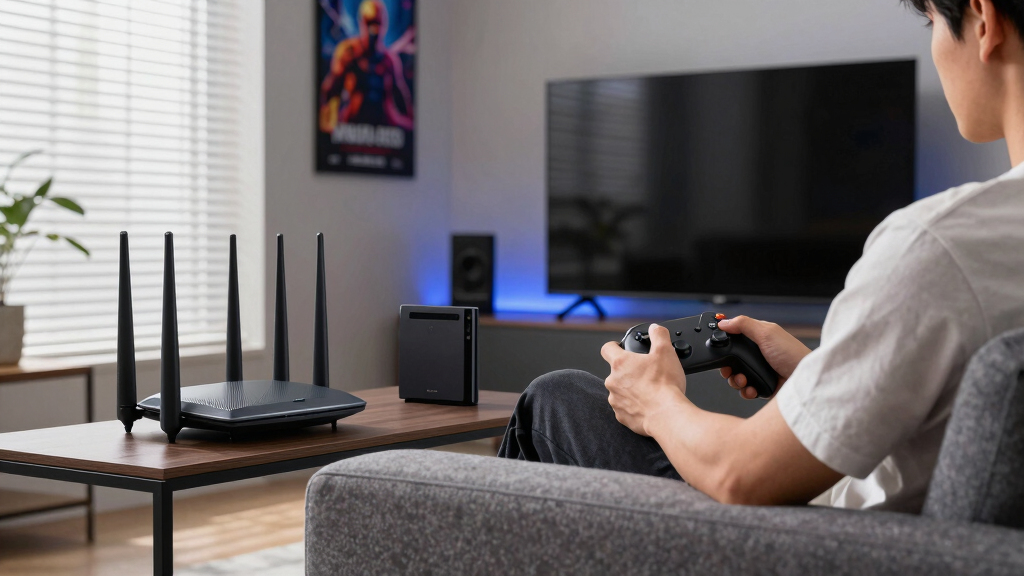
How We Picked
I compared each option using backhaul capacity, latency under household load, Ethernet connectivity, and wireless generation rather than relying on advertised coverage alone. For gaming, I gave more weight to stable delivery than peak laboratory-style speed because lag spikes usually matter more than a high headline throughput figure. I also examined whether each package supplies full router nodes or restricted extenders, since that difference affects where a console or PC can use Ethernet. Tri-band systems received an advantage for wireless backhaul, while dual-band models remained competitive when their nodes support wired backhaul. App usability, security policies, expansion cost, and value relative to the likely internet plan also shaped my order.
My ranking places the Deco BE25 first overall, followed by the eero Pro 7 for premium buyers and the Deco XE75 for wireless-backhaul value. The eero 7 follows as the beginner-friendly Wi-Fi 7 choice, while the eero 6+ leads the lower-cost group. I place the Deco X20 next for budget buyers who can run Ethernet, followed by the Archer AXE75 as a router-led alternative rather than a complete mesh package. The eero 6, Deco M5, and Deco S4 rank lower because their node design or older radios create clearer gaming compromises. This order favors systems that can preserve stable connections as more people stream, download, and play at the same time.
| mesh Wi-Fi systems for gaming | Wi-Fi Standard | Coverage |
|---|---|---|
| TP-Link Deco 7 BE25 Dual-Band | Wi-Fi 7 | Up to 6,600 sq. ft. |
| eero Pro 7 Tri-Band Mesh Wi-Fi | Wi-Fi 7 | Up to 6,000 sq. ft. |
| TP-Link Archer AXE75 AXE5400 T | Wi-Fi 6E | — |
| TP-Link Deco X20 WiFi 6 Mesh S | Wi-Fi 6 | Up to 5,800 sq. ft. |
| eero 7 Dual-Band Mesh Wi-Fi 7 | Wi-Fi 7 | Up to 6,000 sq. ft. |
| TP-Link Deco M5 Mesh WiFi Syst | — | Up to 5,500 sq. ft. |
| eero 6+ Mesh WiFi System | Wi-Fi 6 | Up to 4,500 sq. ft. |
| TP-Link Deco XE75 AXE5400 Tri- | Wi-Fi 6E | Up to 7,200 sq. ft. |
| eero 6 Mesh WiFi System | Wi-Fi 6 | Up to 4,500 sq. ft. |
| TP-Link Deco S4 Mesh WiFi Syst | AC1900 | Up to 5,500 sq. ft. |
Factors to Consider When Choosing Best Mesh Wi-Fi Systems For Gaming
I would choose a gaming mesh system by working backward from the home’s wiring, internet speed, room layout, and busiest usage periods. The newest Wi-Fi label alone does not predict the smoothest game session; backhaul design and node placement often have a larger effect. The following factors explain where paying more helps and where a lower-cost kit remains sensible.
Choose Wired or Wireless Backhaul First
I treat backhaul as the first buying decision because every satellite must pass traffic back to the main router. An Ethernet cable between nodes gives game packets a dedicated, predictable path and lets a capable dual-band kit compete with costlier tri-band hardware. That advantage becomes clearer when another person starts a large download or streams high-resolution video. Without cabling, a dual-band system may use the same radio resources for connected devices and communication between nodes. A tri-band system with 6GHz can provide more breathing room, though walls and floors weaken that higher-frequency signal faster. For this lineup, I favor the Deco BE25 with wired backhaul and the Deco XE75 or eero Pro 7 when the nodes must communicate wirelessly.
Judge Bands and Generations Separately
I do not rank a dual-band Wi-Fi 7 kit automatically above every tri-band Wi-Fi 6E system. Wi-Fi 7 features such as Multi-Link Operation can improve flexibility with compatible devices, but many current consoles and PCs cannot use the full feature set without a newer adapter. A 6GHz band adds clean spectrum, yet it performs best across short distances with limited obstruction. Dual-band hardware may cover farther through 5GHz while becoming busier when it also carries wireless backhaul traffic. Older clients will still connect to a new mesh, but they will operate within their own radio limits. I would compare client compatibility, home construction, and backhaul method before paying for the newest generation.
Match Ethernet Ports to the Gaming Setup
I look beyond wireless speed when a gaming PC, console, server, or network switch will sit near a satellite. Ethernet from the gaming device to a mesh node removes the device’s local wireless hop, even if that node still communicates wirelessly with the main router. Multigigabit ports become useful for internet service above 1Gbps, fast local transfers, or a wired backhaul that should not create a gigabit ceiling. A package containing restricted extender nodes may leave fewer places to plug in gaming hardware. That distinction makes the eero 6 bundle less flexible than systems whose units all provide wired connectivity. I would pay for the right number and speed of ports before spending extra on wireless capacity that no device can use.
Plan for Congestion, Not Just Speed Tests
I judge gaming performance by how the network behaves when the household is busy, not by an isolated download result. Latency spikes and packet loss can disrupt play even when average throughput looks fast. Traffic-priority controls may help when several devices compete for a limited internet connection, but they cannot repair poor node placement or an overloaded wireless backhaul. Fast broadband also does not remove congestion created inside the home. I would check what gaming or traffic-management controls are available in the app and whether any desired feature carries an ongoing fee. The better target is consistent response under load, which often favors wired backhaul or a capable tri-band system over a cheaper kit with an ambitious speed claim.
Use Fewer Well-Placed Nodes
I treat coverage figures as rough comparison points because open-floor testing does not match a home filled with masonry, metal, appliances, and neighboring networks. Adding too many nodes can create unnecessary overlap and make device roaming less predictable. I would start with the fewest nodes that remove the dead zones, then place each satellite where it still receives a strong connection from the main unit. A node inside the weak room may already be too far away; positioning it between that room and the router usually works better. Large homes with thick walls may benefit more from Ethernet runs than from a fourth wireless unit. Placement quality beats advertised square footage when the goal is stable gaming rather than a faint signal in every corner.
Frequently Asked Questions
Does a Gaming PC Still Need Ethernet If I Buy a Fast Mesh System?
I still favor Ethernet for a stationary gaming PC or console whenever the layout allows it. A direct cable to the main router provides the cleanest path, while a cable to a satellite removes only the final wireless hop. The latter can still improve stability because the device no longer competes for airtime, but performance remains tied to the satellite’s backhaul. If cabling the entire home is unrealistic, I would pair the gaming device with a nearby node and choose strong tri-band wireless backhaul. Mesh is most useful for mobility and coverage; it does not make every wireless path equal to end-to-end Ethernet.
Is Wi-Fi 7 Worth Paying For Specifically for Gaming?
I would pay for Wi-Fi 7 when buying for several years, especially with multigigabit internet, newer client devices, or plans to upgrade adapters. Its added capabilities can improve how compatible hardware uses multiple bands, but an older console will not gain those radio features merely because the router supports them. A well-placed Wi-Fi 6E system with a clean backhaul can outperform a poorly positioned Wi-Fi 7 kit. Buyers using sub-gigabit service and mostly Wi-Fi 6 clients may get better value from the eero 6+ or Deco XE75. For gaming alone, stable backhaul and low congestion come before the generation number.
Is Tri-Band Wi-Fi 6E Better Than Dual-Band Wi-Fi 7?
I prefer tri-band Wi-Fi 6E for some wireless mesh layouts because the extra 6GHz band gives the system another path for node and client traffic. Dual-band Wi-Fi 7 can be faster and more future-ready, particularly when Ethernet handles the backhaul. The result depends on whether devices support 6GHz or Wi-Fi 7 and how much signal must pass through walls. In this roundup, that is why the Deco XE75 remains competitive with newer dual-band kits. I would choose by backhaul needs rather than the newer badge.
How Many Mesh Nodes Do I Need for a Gaming Home?
I would not assume that a three-pack should always use all three units. A small or medium home may perform better with two well-spaced nodes because excessive overlap can complicate roaming and channel use. Large homes, detached gaming rooms, and multi-floor layouts may need three, but each wireless satellite still requires a strong upstream signal. I would place the main router centrally where possible, add one node, and check the remaining weak areas before installing another. Two strong links usually beat three weak ones, especially for latency-sensitive play.
Why Is the TP-Link Archer AXE75 Included If It Is Not a Complete Mesh Kit?
I include the Archer AXE75 as a router-led alternative, not as a direct three-node replacement for the Deco or eero packages. It may suit a smaller home where one strong tri-band Wi-Fi 6E router covers the gaming area and compatible expansion can be added later. Buyers expecting whole-home mesh from the box will need extra compatible hardware, which changes both cost and setup. Its centralized design can still make sense when most gaming devices sit near the router and remote rooms have lighter demands. I rank it below complete kits because the package does not solve multiple dead zones by itself.
Conclusion
For most gaming households, I recommend the TP-Link Deco BE25 as the best overall choice, particularly when Ethernet can connect the nodes. The eero 6+ is my best-value pick for internet plans around 1Gbps or below, while the eero Pro 7 is the premium choice for a busy home that needs stronger wireless capacity and simple management. Beginners who want Wi-Fi 7 with a straightforward app experience should choose the eero 7, though they pay more than buyers of the eero 6+. For wireless backhaul, I favor the Deco XE75; for a lower-cost wired setup, I would choose the Deco X20. The Archer AXE75 fits a smaller, router-centered home, while the eero 6, Deco M5, and Deco S4 make sense only when the discount outweighs their older hardware or connection limits.
Halloween Picks
halloween
As an affiliate, we earn on qualifying purchases.