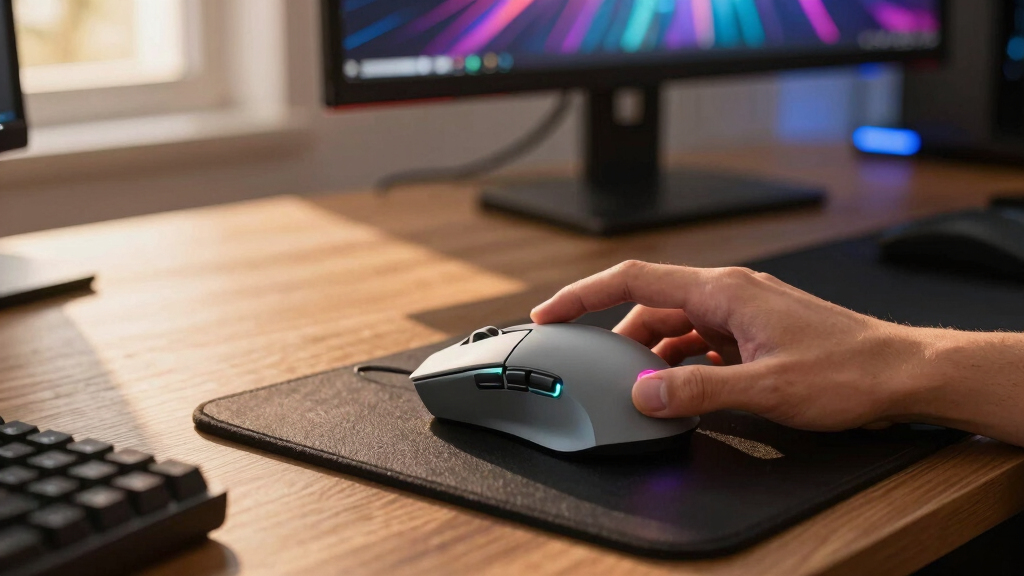

If I were choosing one gaming mouse with customizable buttons for most players, I would start with the Razer Basilisk V3 Customizable Ergonomic Gaming Mouse because it balances smart button placement, strong sensor performance, and everyday comfort better than the more specialized MMO-heavy options. The Logitech G502 Hero is the stronger value pick for wired buyers who want adjustable weight and onboard memory, while the Razer Naga V2 HyperSpeed is the better fit when raw button count matters most. The biggest tradeoffs are button quantity versus grip comfort, wired reliability versus wireless freedom, and polished software versus lower prices. I ranked these mice by how well their extra buttons help real play instead of simply counting macros. Keep reading for the full breakdown of which model fits MMO, FPS, MOBA, wireless, budget, and beginner setups.

Play games on Amazon Luna for your game nights, included with Prime
- A rotating selection of games, no download needed
- Play on TV, laptop or phone
- Fast, free delivery for your gear, too
Key Takeaways
- Razer Basilisk V3 is the best overall because its extra buttons are easy to use across genres, while fuller MMO grids ask for more thumb memory.
- Logitech G502 Hero is the value standout: it brings 11 programmable buttons, onboard memory, and adjustable weights without the premium wireless price.
- The most button-rich mice are not automatically the easiest picks; Naga V2 HyperSpeed, Scimitar RGB Elite, and Redragon M908 make the most sense for MMO-style rotations.
- Wireless models split into two groups: premium control mice like G502 X Plus and practical lighter picks like G305, with button count moving in opposite directions.
- Budget models such as Redragon Wireless 16-Button Mouse, SOLAKAKA SM809 Pro, and Theorem 2 win on macro count, but software polish and long-term feel are the likely compromises.
| Redragon Wireless Gaming Mouse M901P-KS |  | Best Wireless MMO Value | DPI: 16,000 | Buttons: 20 total, including 16 programmable | Side Buttons: 12 | VIEW LATEST PRICE | See Our Full Breakdown |
| Razer Basilisk V3 Customizable Ergonomic Gaming Mouse |  | Best Ergonomic Control Pick | Connectivity: USB wired | Programmable Buttons: 11 | Sensor: 26K DPI optical sensor | VIEW LATEST PRICE | See Our Full Breakdown |
| Womier G705 V2 USB Wired Gaming Mouse |  | Best Style-First Budget Pick | Connectivity: USB wired | Buttons: 7 programmable | Maximum Sensitivity: 12,000 DPI | VIEW LATEST PRICE | See Our Full Breakdown |
| Theorem 2 MMO Gaming Mouse |  | Best Adjustable Wired MMO Pick | Connectivity: USB wired | Buttons: 13 programmable | Maximum Sensitivity: 4,000 DPI | VIEW LATEST PRICE | See Our Full Breakdown |
| Logitech G502 Hero High Performance Wired Gaming Mouse |  | Best Precision Wired Classic | Sensor: HERO 25K | DPI: 25,600 | Programmable Buttons: 11 | VIEW LATEST PRICE | See Our Full Breakdown |
| Logitech G502 X Plus Wireless Gaming Mouse |  | Best Premium Wireless Pick | Switch Technology: Hybrid optical-mechanical LIGHTFORCE switches | Sensor: HERO 25K | Buttons: 13 programmable buttons | VIEW LATEST PRICE | See Our Full Breakdown |
| Razer Basilisk V3 X HyperSpeed Wireless Gaming Mouse |  | Best Wireless Value Pick | Sensor: Razer 5G Advanced 18K Optical Sensor | Switches: Razer Mechanical Switches Gen-2 | Controls: 9 programmable buttons | VIEW LATEST PRICE | See Our Full Breakdown |
| Corsair Nightsword RGB Gaming Mouse for FPS, MOBA |  | Best Weight-Tuning Pick | DPI: 18,000 | Sensor: Pixart PMW3391 | Programmable Buttons: 10 | VIEW LATEST PRICE | See Our Full Breakdown |
| SOLAKAKA SM809 Pro MMO Gaming Mouse |  | Best Multi-Device Macro Pick | DPI: 24,000 | Buttons: 16 programmable buttons | Connectivity: Bluetooth 5.0, USB-C wired, 2.4GHz wireless | VIEW LATEST PRICE | See Our Full Breakdown |
| Corsair Scimitar RGB Elite Wired Gaming Mouse |  | Best MMO Button Grid | DPI: 18,000 | Sensor: PixArt PMW3391 | Programmable Buttons: 17 | VIEW LATEST PRICE | See Our Full Breakdown |
| Redragon M908 Impact RGB LED MMO Gaming Mouse |  | Best Wired MMO Value | Max DPI: 12400 | DPI Levels: 5 levels: 500, 1000, 2000, 3000, 6200 | Sensor: Pixart PAW3327 | VIEW LATEST PRICE | See Our Full Breakdown |
| Razer Naga V2 HyperSpeed Wireless MMO Gaming Mouse | 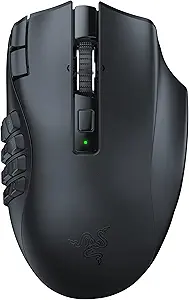 | Best Wireless MMO Control | Buttons: 19 programmable | Sensor: Focus Pro 30K optical sensor | Wireless Technology: Razer HyperSpeed 2.4 GHz and Bluetooth | VIEW LATEST PRICE | See Our Full Breakdown |
| Logitech G305 Lightspeed Wireless Gaming Mouse |  | Best Lightweight Wireless Simplicity | Sensor: HERO 12K optical sensor | DPI: Up to 12,000 | Wireless Technology: Lightspeed | VIEW LATEST PRICE | See Our Full Breakdown |
More Details on Our Top Picks
Redragon Wireless Gaming Mouse M901P-KS
I rank the Redragon M901P-KS highest for players who want a button-heavy wireless setup without moving into pricier MMO territory. Its 12-button side grid gives it more command space than the Razer Basilisk V3 or Logitech G502 Hero, so it makes more sense for MMO rotations, productivity macros, and games with layered hotkeys. Compared with the Theorem 2, it also adds wireless play and a much higher 16,000 DPI ceiling. The tradeoff is setup friction: the software and macro layout can feel busy, and the shape will not suit players who only need a few thumb actions. This is less of a pure FPS mouse and more of a control hub for players who want many bindings close at hand.
Pros:- 12 side buttons create room for dense MMO and productivity macros
- Wireless and wired modes give more desk flexibility than most budget MMO mice
- 70-hour battery life reduces frequent charging
- 16,000 DPI optical sensor offers wide sensitivity adjustment
Cons:- Macro setup depends on software and may feel busy for newer users
- Large button grid can be harder to learn than the Basilisk V3 or G502 Hero
- Windows-focused customization limits appeal for mixed-device users
Best for: MMO and MOBA players who want a wireless mouse with a full side-button grid for macros, skills, and profile-based controls.
Not ideal for: Minimalist FPS players who prefer a lighter, simpler mouse with only a few side buttons.
- DPI:16,000
- Buttons:20 total, including 16 programmable
- Side Buttons:12
- Lighting:RGB with 4 modes
- Battery Life:Up to 70 hours
- Battery Capacity:1000mAh
- Connectivity:Wireless or wired
- Movement Detection:Optical
Bottom line: Choose this if customizable buttons matter more than low weight or plug-and-play simplicity.
Razer Basilisk V3 Customizable Ergonomic Gaming Mouse
The Razer Basilisk V3 earns its place as my pick for players who want custom controls without an MMO keypad. Its 11 programmable buttons are fewer than the Redragon M901P-KS or Theorem 2, but the layout is easier to read mid-match, especially for shooters, action RPGs, and hybrid work-gaming setups. The dual-mode tilt scroll wheel gives it a practical advantage over the Logitech G502 Hero for players who use scroll inputs as extra commands. Its 26K optical sensor and optical switches favor fast response, while the thumb-rest shape supports longer sessions. The main downside is value: buyers paying mainly for button count can get more commands from Redragon, and beginners may find Razer Synapse deeper than they need.
Pros:- 11 programmable buttons are versatile without feeling overloaded
- Dual-mode tilt scroll wheel adds extra command options
- 26K DPI optical sensor supports precise sensitivity tuning
- Ergonomic thumb-rest design suits longer sessions
Cons:- Costs more than simpler wired mice with similar button counts
- Customization depth can feel excessive for casual players
- Wired-only design is less flexible than wireless alternatives
Best for: Right-handed players who want an ergonomic wired mouse with smart button placement rather than a full MMO side grid.
Not ideal for: Buyers who want the highest number of thumb buttons per dollar, since Redragon and Theorem offer denser layouts.
- Connectivity:USB wired
- Programmable Buttons:11
- Sensor:26K DPI optical sensor
- Lighting:Razer Chroma RGB, 16.8 million colors
- Scroll Wheel:Dual-mode tilt wheel
- Switch Type:Razer optical mouse switches Gen 2
- Design:Right-handed ergonomic shape with thumb rest
Bottom line: Pick the Basilisk V3 if you want premium-feeling control with a cleaner layout than an MMO mouse.
Womier G705 V2 USB Wired Gaming Mouse
The Womier G705 V2 sits lower in my ranking because its 7 programmable buttons cannot match the command depth of the Redragon M901P-KS, Theorem 2, or Logitech G502 Hero. Still, it has a clear role: it is the most sensible choice here for buyers who want a distinct Kanagawa-inspired look, wired reliability, and enough customization for everyday gaming. The 12,000 DPI ceiling is plenty for most players, and the wide OS compatibility helps if the same desk serves a PC, Mac, Linux, or Chrome OS machine. The catch is that advanced programmable functions are not supported on Mac, which weakens one of its main selling points. Compared with the Basilisk V3, this is less refined but easier to justify on price and style.
Pros:- Kanagawa-themed design gives it more visual personality than most plain black mice
- 7 programmable buttons cover basic gaming shortcuts and productivity actions
- 12,000 DPI range is enough for common sensitivity preferences
- Compatible with PC, Mac, Linux, and Chrome OS for basic use
Cons:- Advanced button programming is not supported on Mac
- Fewer programmable controls than the G502 Hero, Basilisk V3, or Redragon
- Wired connection may feel restrictive on compact desks
Best for: Casual PC gamers who want a visually distinctive wired mouse with basic macro control and adjustable DPI.
Not ideal for: Mac users who need full button programming, since programmable functions are limited outside Windows.
- Connectivity:USB wired
- Buttons:7 programmable
- Maximum Sensitivity:12,000 DPI
- Polling Rate:125-1000Hz
- Lighting:RGB with 12 modes
- Hand Orientation:Right-handed
- Compatibility:PC, Mac, Linux, Chrome OS
- Material:Plastic
Bottom line: Choose the Womier if you want affordable customization and standout styling, not maximum macro depth.
Theorem 2 MMO Gaming Mouse
The Theorem 2 is the practical middle ground for buyers who want MMO-style programmability but do not need wireless. Its 13 programmable buttons give it more direct command access than the Razer Basilisk V3 or Womier G705 V2, while the removable weight system lets players tune hand feel in a way the Redragon M901P-KS does not emphasize. The 5 profile support is useful for switching between game genres or work shortcuts. Its biggest limitation is sensor headroom: 4,000 DPI is far below the Logitech G502 Hero, Basilisk V3, and Redragon, so high-sensitivity players may outgrow it. The wired design also makes it less tidy than Redragon’s rechargeable setup, but it suits buyers who want predictable power and many bindings.
Pros:- 13 programmable buttons support MMO rotations and layered shortcuts
- 5 profiles make it easier to separate game and productivity layouts
- Removable weights allow a more personalized feel
- Quick fire button can help in fast-clicking game scenarios
Cons:- 4,000 DPI ceiling trails the other performance-focused mice in this group
- Software is needed for full customization
- Wired-only connection lacks the desk freedom of the Redragon M901P-KS
Best for: MMO players who want a wired mouse with many programmable buttons, profile switching, and adjustable weight.
Not ideal for: High-DPI FPS players who want a modern sensor ceiling above 20,000 DPI.
- Connectivity:USB wired
- Buttons:13 programmable
- Maximum Sensitivity:4,000 DPI
- DPI Levels:6
- Lighting:RGB
- Compatibility:Windows 7 or later
- Weight Tuning:Removable weights
- Profile Support:5 profiles
Bottom line: The Theorem 2 is for players who value wired consistency, profile control, and tunable weight over sensor extremes.
Logitech G502 Hero High Performance Wired Gaming Mouse
The Logitech G502 Hero ranks as my precision pick because it pairs 11 programmable buttons with a 25,600 DPI HERO sensor and onboard memory. Compared with the Razer Basilisk V3, it leans more into weight tuning and saved profiles, while the Basilisk counters with optical switches and a more advanced scroll wheel. Against the Redragon M901P-KS, the G502 Hero has fewer side commands, but its button layout is easier for FPS and general gaming where too many thumb buttons can slow reactions. The adjustable weights help buyers dial in glide and heft, which matters for aim consistency. Its drawbacks are familiar: it is wired, software setup is part of the full value, and buyers focused on MMO macros may want more side buttons.
Pros:- HERO 25K sensor gives a very high 25,600 DPI ceiling
- 11 programmable buttons cover gaming and productivity shortcuts
- Onboard memory helps carry settings between systems
- Adjustable weights let users change the mouse feel
Cons:- Wired connection is less flexible than modern wireless gaming mice
- Software setup is needed to get full value from profiles and lighting
- Fewer thumb-accessible buttons than dedicated MMO models
Best for: PC and Mac gamers who want a proven wired mouse with precision tracking, onboard profiles, and moderate button customization.
Not ideal for: MMO players who want a 12-button thumb grid for rotations and dense macro layers.
- Sensor:HERO 25K
- DPI:25,600
- Programmable Buttons:11
- Lighting:RGB LIGHTSYNC
- Weights:Up to five 3.6g weights
- Compatibility:PC and Mac
- Switch Type:Mechanical with tensioning system
- Connectivity:USB wired
Bottom line: Choose the G502 Hero if you want precise tracking and flexible controls without committing to an MMO button grid.
Logitech G502 X Plus Wireless Gaming Mouse
Logitech G502 X Plus earns my premium wireless slot because it balances 13 programmable buttons, a HERO 25K sensor, and a dual-mode wheel better than most button-rich mice. Compared with the Razer Basilisk V3 X HyperSpeed, it gives me more control inputs and a more advanced scroll wheel, so it suits players who bind weapons, abilities, push-to-talk, and productivity shortcuts to one mouse. The tradeoff is cost and setup: PowerPlay charging needs a separate mat, and the feature set takes more time to tune than simpler picks. I would choose it over the Corsair Nightsword for cable-free play, but not if wired reliability and lower price matter more than wireless polish.
Pros:- 13 programmable buttons give plenty of room for game commands and macros
- HERO 25K sensor supports precise tracking for fast shooters and hybrid workloads
- LIGHTSPEED wireless keeps the desk cleaner without giving up low-latency play
- Dual-mode scroll wheel is useful for both gaming inputs and long-page scrolling
Cons:- Higher price than most customizable-button gaming mice in this group
- PowerPlay wireless charging requires a separate mat
- The number of settings can feel heavy for casual players
Best for: I’d point this at competitive players who want a wireless mouse with many programmable controls, fast tracking, and a premium scroll wheel.
Not ideal for: I’d skip it for budget buyers or anyone who wants a simple plug-and-play mouse without software tuning or extra charging accessories.
- Switch Technology:Hybrid optical-mechanical LIGHTFORCE switches
- Sensor:HERO 25K
- Buttons:13 programmable buttons
- Connectivity:LIGHTSPEED wireless, USB-C
- Battery Life:Up to 130 hours
- Lighting:LIGHTSYNC RGB with 8 LEDs
- Scroll Wheel:Dual-mode hyper-fast free spin and ratcheting
- Power:Compatible with PowerPlay wireless charging
Bottom line: This is the pick I’d choose when wireless freedom, many controls, and premium feel matter more than price.
Razer Basilisk V3 X HyperSpeed Wireless Gaming Mouse
I rank the Razer Basilisk V3 X HyperSpeed as the value wireless choice because it keeps the layout approachable while still offering 9 programmable controls. Against the Logitech G502 X Plus, it gives up extra buttons, USB-C wired use, and the more advanced wheel, but it counters with much longer rated battery life and a cleaner learning curve. That makes it better for players who want useful remaps without feeling boxed into an MMO-style grid. Compared with the SOLAKAKA SM809 Pro, it has fewer macro inputs, yet the Basilisk shape is more familiar for FPS and everyday use. I’d call the missing wired mode its biggest weakness, especially for buyers who dislike relying on battery levels mid-session.
Pros:- 9 programmable controls cover common game commands without overwhelming the layout
- Very long rated battery life in both HyperSpeed Wireless and Bluetooth modes
- 18K optical sensor is strong enough for fast, precise aiming
- Ergonomic shape is easier to adapt to than many MMO-style mice
Cons:- Fewer programmable controls than Logitech G502 X Plus, SOLAKAKA SM809 Pro, and Corsair Scimitar RGB Elite
- No included wired mode for players who prefer cable backup
- Battery life drops with heavier wireless and lighting use
Best for: I’d recommend it to FPS and action-game players who want wireless comfort, long battery life, and a moderate number of custom buttons.
Not ideal for: I’d skip it for MMO players who need large side-button grids or anyone who wants a wired fallback in the box.
- Sensor:Razer 5G Advanced 18K Optical Sensor
- Switches:Razer Mechanical Switches Gen-2
- Controls:9 programmable buttons
- Connectivity:HyperSpeed Wireless, Bluetooth
- Battery Life:Up to 285 hours on HyperSpeed Wireless; up to 535 hours on Bluetooth
- Lighting:Chroma RGB with 16.8 million colors
- Color:Classic Black
Bottom line: This is my pick for buyers who want wireless customization without paying for a dense button grid.
Corsair Nightsword RGB Gaming Mouse for FPS, MOBA
The Corsair Nightsword RGB makes the list because it solves a different problem than the button-grid mice: it lets me tune weight and balance while still giving 10 programmable buttons. Compared with the Corsair Scimitar RGB Elite, it has fewer controls, so it is less attractive for MMO rotations, but its adjustable 119g-to-141g range gives FPS and MOBA players more control over how planted or quick the mouse feels. Against the Razer Basilisk V3 X, the Nightsword trades wireless convenience for a stable wired connection and a more involved setup. The catch is that the weight system and iCUE software ask for patience, and the cable limits desk movement for players who prefer a clean wireless setup.
Pros:- Adjustable weight range lets players tune the feel for slower control or quicker flicks
- 10 programmable buttons are enough for common FPS, MOBA, and desktop shortcuts
- Pixart PMW3391 sensor supports accurate 18,000 DPI tracking
- Ergonomic shell and textured grips suit longer sessions
Cons:- Wired design limits freedom compared with Logitech G502 X Plus and Razer Basilisk V3 X
- Full customization depends on Corsair iCUE software
- Weight tuning may feel fussy for players who want quick setup
Best for: I’d choose this for FPS and MOBA players who care about grip feel, balance, and a moderate set of programmable commands.
Not ideal for: I’d skip it for wireless-only setups or MMO players who need more than 10 buttons for ability chains.
- DPI:18,000
- Sensor:Pixart PMW3391
- Programmable Buttons:10
- Weight Range:119g to 141g
- Connectivity:Wired
- Compatibility:Windows 7, 8, 10
- Color:Black
Bottom line: This is the mouse I’d pick when feel and balance matter as much as button count.
SOLAKAKA SM809 Pro MMO Gaming Mouse
The SOLAKAKA SM809 Pro stands out for buyers who want a lot of inputs without being locked to one connection type. Its 16 programmable buttons put it much closer to the Corsair Scimitar RGB Elite than to the Razer Basilisk V3 X, while Bluetooth, 2.4GHz wireless, and USB-C wired modes make it the most flexible pick here for switching between systems. I also like that its broad compatibility reaches beyond Windows PCs. The compromise is polish: web-based configuration may feel less direct than iCUE or Razer software, and the AAA power setup is less elegant than rechargeable wireless options. Compared with the Logitech G502 X Plus, it offers more macro depth, but it lacks the same premium charging ecosystem and refined control wheel.
Pros:- 16 programmable buttons support complex MMO binds and productivity macros
- Triple-mode connectivity works across Bluetooth, 2.4GHz wireless, and USB-C wired use
- 24,000 DPI sensor gives plenty of sensitivity range for different games and screens
- Wide compatibility covers Windows, Mac OS, Linux, consoles, tablets, and smartphones
Cons:- AAA battery power is less convenient than built-in rechargeable designs
- Web-based configuration may not suit players who prefer dedicated software
- Brand ecosystem and accessory support are less established than Logitech, Razer, or Corsair
Best for: I’d recommend it to MMO and productivity users who move between PC, Mac, consoles, tablets, or phones and want many programmable inputs.
Not ideal for: I’d skip it for buyers who prefer rechargeable batteries, polished desktop software, or a known premium ecosystem.
- DPI:24,000
- Buttons:16 programmable buttons
- Connectivity:Bluetooth 5.0, USB-C wired, 2.4GHz wireless
- Battery Life:350 hours
- Power Source:1 AAA battery included
- Range:10 meters
- Compatibility:Windows, Mac OS, Linux, gaming consoles, tablets, smartphones
- Weight:Lightweight; exact weight not specified
Bottom line: This is my practical macro pick for players who want many buttons across more than one device type.
Corsair Scimitar RGB Elite Wired Gaming Mouse
I give the Corsair Scimitar RGB Elite the MMO button-grid role because its 17 programmable buttons beat every reviewed model here for raw command access. Compared with the SOLAKAKA SM809 Pro, it has one more programmable input and a more established iCUE setup, while the adjustable side-button position helps different thumb lengths reach the grid more naturally. Against the Logitech G502 X Plus, it is less versatile for mixed shooter and desktop use, but far better for players who want ability bars, mounts, consumables, and macros under one thumb. The wired cable keeps latency simple, though it also removes wireless freedom. Casual players may find the layout busy, and the price makes less sense if only a few remaps will be used.
Pros:- 17 programmable buttons give the most command capacity in this batch
- Adjustable side-button position helps tailor the thumb grid reach
- 18,000 DPI PixArt PMW3391 sensor supports accurate tracking
- 50-million-click switch rating and braided cable suit heavy use
Cons:- Dense side grid can feel crowded for casual players or FPS-only buyers
- Wired design lacks the desk freedom of Logitech G502 X Plus or Razer Basilisk V3 X
- Premium price is harder to justify if the full button grid goes unused
Best for: I’d pick it for MMO, RPG, and macro-heavy players who want maximum thumb-button access with a wired connection.
Not ideal for: I’d skip it for casual FPS players, small-hand users who dislike side grids, or anyone who wants wireless play.
- DPI:18,000
- Sensor:PixArt PMW3391
- Programmable Buttons:17
- Switch Rating:50 million clicks
- Compatibility:PC, Mac, PS5, PS4, Xbox
- Cable:Braided
- Connectivity:Wired
Bottom line: This is the one I’d choose for MMO players who want the most programmable controls in a wired mouse.
Redragon M908 Impact RGB LED MMO Gaming Mouse
I would rank the Redragon M908 Impact as the wired MMO value pick because it gives button-heavy players 18 programmable controls without pushing into premium wireless pricing. Its 12-button side grid makes more sense for ability bars, crafting shortcuts, and productivity macros than the Logitech G305, which is far simpler with 6 programmable buttons. Compared with the Razer Naga V2 HyperSpeed, the M908 trades cable-free play and a sharper 30K sensor for a lower-cost wired setup, weight tuning, and a full MMO layout. The main catch is friction: macro setup can feel busy, and the mouse can become heavy with the weights installed. I would point it at players who want maximum commands per dollar, not those chasing a light, cable-free feel.
Pros:- 18 programmable buttons give it strong macro capacity for MMOs and productivity
- 12 side buttons are better suited to ability bars than simpler 6-button mice
- Weight tuning lets buyers adjust the feel for longer sessions
- 12400 DPI Pixart sensor and 1000 Hz polling support responsive wired play
Cons:- Wired cable limits desk freedom compared with wireless options like the Razer Naga V2 HyperSpeed
- Macro setup can be intimidating for newer players
- Can feel heavy, especially with the tuning weights installed
Best for: MMO and strategy players who want a wired mouse with a full 12-button thumb grid and many macro slots without premium wireless pricing.
Not ideal for: Low-sensitivity FPS players or beginners who prefer a lighter mouse and simpler software; the weight set and 18 buttons add setup friction.
- Max DPI:12400
- DPI Levels:5 levels: 500, 1000, 2000, 3000, 6200
- Sensor:Pixart PAW3327
- Polling Rate:1000 Hz
- Buttons:18 programmable
- Side Buttons:12 MMO programmable
- Weight Tuning:8 pieces, 2.4g each
- Cable:6 ft braided-fiber USB
- Compatibility:Windows 2000/ME/XP/03/VISTA/7/8/10, Mac OS
Bottom line: This is the pick I would choose for budget-minded MMO players who want lots of programmable buttons and can live with a wired, heavier mouse.
Razer Naga V2 HyperSpeed Wireless MMO Gaming Mouse
The Razer Naga V2 HyperSpeed sits highest for wireless MMO control in this batch because it combines 19 programmable buttons with long battery life instead of asking macro-heavy players to stay wired. Against the Redragon M908 Impact, it asks buyers to accept a more advanced, more complex mouse, but removes the cable and adds the Focus Pro 30K sensor, which helps when one mouse needs to handle both skill rotations and precise camera movement. Compared with the Logitech G305, it is less portable and far more button-dense, so it suits players who map every thumb position rather than those who only need a few binds. The tradeoff is setup sensitivity: dongle placement can affect wireless reliability, and the button grid may slow down buyers who want a clean, small shell. I would choose it for wireless MMO depth.
Pros:- 19 programmable buttons support complex MMO rotations and layered macros
- Focus Pro 30K optical sensor gives it stronger tracking headroom than lower-DPI options
- HyperSpeed wireless and Bluetooth offer flexible connection choices
- Very long battery life reduces charging or battery-swap interruptions
Cons:- Dongle placement can affect wireless reliability
- The dense button layout can overwhelm players who only need a few shortcuts
- PC-only compatibility is narrower than mice that also list Mac support
Best for: MMO players who want a cable-free command center with lots of macros and long sessions between battery changes.
Not ideal for: Minimalist FPS players or travel users who want a small, low-distraction mouse; the 19-button layout is overbuilt for them.
- Buttons:19 programmable
- Sensor:Focus Pro 30K optical sensor
- Wireless Technology:Razer HyperSpeed 2.4 GHz and Bluetooth
- Battery Life:Up to 400 hours Bluetooth, 250 hours wireless
- Scroll Wheel:HyperScroll with free-spin and tactile modes
- Switches:Mechanical Mouse Switches Gen-2 with gold contacts
- Compatibility:PC
Bottom line: This is the one I would pick for wireless MMO players who want maximum command mapping without giving up long battery life.
Logitech G305 Lightspeed Wireless Gaming Mouse
The Logitech G305 Lightspeed earns the simple wireless role because its customization is deliberately restrained: 6 programmable buttons, a HERO 12K sensor, and a 99-gram body. That makes it much easier to live with than the Razer Naga V2 HyperSpeed or Redragon M908 Impact if the buyer only wants DPI controls, melee, push-to-talk, or a couple of macros. It cannot compete with those MMO mice for layered ability bars, and the AA battery design will not please anyone who wants USB recharging. Still, compared with the button-heavy models, the G305 is the cleaner choice for mixed FPS, laptop gaming, and small desks because it keeps 1 ms Lightspeed wireless without a bulky thumb grid. I would pick it for portable control, not maximal macro mapping.
Pros:- Light 99-gram body is easier to move quickly than bulkier MMO mice
- Lightspeed wireless gives fast 1 ms response for gaming
- HERO 12K sensor provides accurate tracking for everyday competitive play
- Built-in receiver storage makes it practical for laptop setups
Cons:- Only 6 programmable buttons, far fewer than the Redragon M908 Impact or Razer Naga V2 HyperSpeed
- Uses a AA battery rather than built-in USB charging
- No wired mode for players who want a backup connection
Best for: FPS and laptop players who want dependable wireless performance with a few programmable shortcuts rather than an MMO thumb grid.
Not ideal for: MMO raiders or macro-heavy creators who need 12 or more side buttons; 6 programmable buttons will feel limiting.
- Sensor:HERO 12K optical sensor
- DPI:Up to 12,000
- Wireless Technology:Lightspeed
- Response Time:1 ms wireless
- Battery Life:Up to 250 hours
- Weight:3.4 oz / 99 grams
- Programmable Buttons:6
- Compatibility:PC, Mac
Bottom line: This is the mouse I would choose for players who want a light wireless gaming mouse with basic customization, not a full MMO command panel.
How We Picked
I ranked this list around the promise of a gaming mouse with customizable buttons: extra controls should be fast to reach, easy to remember, and backed by software that makes profiles practical. Button count mattered, but it did not outrank layout quality, sensor capability, grip shape, weight tuning, wireless reliability, onboard memory, and price. That is why the Razer Basilisk V3 and Logitech G502 Hero sit above several mice with more total buttons; their controls are more useful across genres.
I gave extra credit to mice that serve a clear buyer type rather than chasing every spec at once. MMO models such as the Razer Naga V2 HyperSpeed, Corsair Scimitar RGB Elite, and Redragon M908 rise when macro density is the point, but they fall behind for players who need lighter, cleaner FPS movement. Budget picks had to prove their button layouts justify the savings, while premium wireless picks needed more than RGB and high DPI to rank well.
Factors to Consider When Choosing Gaming Mouse With Customizable Buttons
A programmable gaming mouse can solve two different problems: it can cut down keyboard reaches, or it can put repeated actions under one hand. I would decide which problem you actually have before chasing DPI or macro counts. The right pick comes from the mix of button layout, software depth, shape, and game genre.
Match Button Count To Your Game Library
I separate mice into three button tiers because more buttons is not always the same as more control. Six to eight programmable buttons, as seen on simpler options like Logitech G305 and Womier Kanagawa, work best for push-to-talk, melee, ping, DPI shift, and a few utility binds. Ten to thirteen buttons, where the Razer Basilisk V3, G502 Hero, and Theorem 2 land, give enough room for ability chains without forcing every command onto your thumb. Full MMO layouts such as Corsair Scimitar RGB Elite, Redragon M908, and Razer Naga V2 HyperSpeed are best when your rotation has many repeatable inputs. The common mistake is buying the largest grid because it looks more powerful, then leaving half the buttons unused. I would pay for a dense side pad only if your games reward muscle-memory macros more than quick flicks and low mouse weight.
Prioritize Layout Before Macro Count
A well-placed shortcut beats a crowded grid that slows your thumb down. Basilisk and G502-style shapes spread commands across side buttons, wheel inputs, and extra top controls, so they suit mixed libraries better than pure MMO blocks. A 12-button side grid shines when every square has a fixed job, but it can feel clumsy in shooters where grip pressure changes during aim. I would check whether the buttons are easy to identify by feel, because identical side buttons can cause misclicks until the layout becomes muscle memory. Adjustable side panels, like the Scimitar approach, help if your thumb length does not match a fixed grid. If you often swap between FPS and MMO games, a hybrid layout usually ages better than the most crowded mouse in the lineup.
Choose Software You Will Actually Use
Customization lives or dies in the software after the mouse leaves the box. Razer Synapse, Logitech G Hub, and Corsair iCUE usually give more mature profile tools than smaller-brand utilities, which matters if you want game-specific button maps. The tradeoff is that bigger software suites can feel heavier than a simple driver, and some players dislike accounts, background services, or frequent updates. Onboard memory is valuable when you use multiple PCs because your layout travels with the mouse instead of living only in one install. Budget MMO mice can still be strong buys if you only need a few saved macros, but I would be more cautious if you need per-game profiles and reliable import or export. The best software choice is the one you will keep tidy; a messy macro library turns extra buttons into clutter.
Pick Wired Or Wireless By Use Case
Wired mice still make sense when you want the lowest price, no charging cycle, and no battery weight. That keeps the G502 Hero, Basilisk V3, and Scimitar RGB Elite competitive even next to newer wireless options. Wireless models such as the G502 X Plus, Basilisk V3 X HyperSpeed, and Naga V2 HyperSpeed clean up the desk and suit low-sensitivity players who make wide arm movements. The catch is that wireless value varies a lot: a premium connection, good battery life, and strong software cost more than a basic receiver. I would choose wireless for a main competitive setup only when the button layout is already right, not as a reason to accept a weaker shape. If your desk is small or your cable drags against the mousepad, wireless can matter more than another two programmable buttons.
Balance Weight, Shape, And Fatigue
Custom buttons are only useful if the mouse remains comfortable during long sessions. Heavy adjustable mice such as the G502 Hero, Nightsword RGB, and G502 X Plus suit players who like a planted feel and do not rely on rapid lift-offs. Lighter or simpler shapes such as the G305 ask you to give up button density in exchange for easier movement. Large MMO bodies can reduce keyboard hand strain by moving commands to the thumb, but they may tire the mouse hand if your grip is small. I would choose shape before DPI because modern sensors in this group are already fast enough for most players. If two mice offer the same number of useful binds, pick the one that supports your grip instead of chasing the higher sensitivity number.
Frequently Asked Questions
How Many Programmable Buttons Do I Actually Need?
Most players are better served by 8 to 11 useful controls than by the highest possible count. That range covers core actions like ping, reload, melee, ability keys, push-to-talk, DPI shift, and a few macros without turning the thumb area into a memory test. If you play MMOs, ARPGs, or simulation-heavy games, a 12-button grid can replace awkward keyboard reaches and make rotations easier to repeat. For shooters, I would lean toward the Razer Basilisk V3 or Logitech G502 Hero style instead of a full MMO pad. Buy more buttons when you already know where those commands will go, not because the spec sheet looks bigger.
Is An MMO Gaming Mouse A Bad Choice For FPS Games?
An MMO mouse is not automatically bad for shooters, but it asks for a tradeoff. Models like the Razer Naga V2 HyperSpeed, Corsair Scimitar RGB Elite, and Redragon M908 give you many binds, yet their larger bodies and dense thumb pads can interfere with fast aim corrections. If you mainly play tactical shooters, I would rather have fewer buttons that are easy to hit under pressure. If you split time between MMOs and FPS games, the Naga or Scimitar makes sense only if the MMO side of your library gets more hours. Hybrid mice such as the Basilisk V3 and G502 Hero are safer for mixed play because they keep customization without making the side panel the whole identity.
Are Wireless Mice With Customizable Buttons Reliable Enough For Competitive Play?
Yes, the better wireless options in this group are viable for competitive play if their shape and button layout fit you. The Logitech G502 X Plus, Razer Basilisk V3 X HyperSpeed, and Razer Naga V2 HyperSpeed all target players who want cable-free movement without giving up programmable controls. The real decision is battery routine, receiver placement, and price, because wireless upgrades often cost more than their wired siblings. I would not choose wireless just for neatness if a wired mouse gives you a better grip and button map for less money. For low-sensitivity aim or a cluttered desk, though, wireless freedom can be worth the higher cost.
Is The Logitech G502 Hero Still Worth Buying In 2026?
The Logitech G502 Hero still makes sense because it gives 11 programmable buttons, onboard memory, a strong sensor, and adjustable weights at a price that often undercuts newer premium mice. Compared with the G502 X Plus, it lacks wireless convenience and the newer feel of Logitech’s updated design. Compared with budget MMO mice, though, its button placement and software ecosystem are easier to trust for mixed-game setups. I would pick it if value matters more than cable-free movement or maximum button count. Skip it if you want a lighter mouse, a clean wireless desk, or a full thumb keypad for MMO rotations.
Which Mouse Is Easiest To Learn If I Have Never Used Macros Before?
For a first macro mouse, I would avoid jumping straight to the densest MMO grid unless your favorite game demands it. The Razer Basilisk V3 is the easiest all-around starting point because it adds useful controls without burying your thumb under 12 similar buttons. The Logitech G305 is even simpler and works well if you only need a few custom actions, but its low button count limits how far you can grow. The Basilisk V3 X HyperSpeed is a good wireless middle ground for buyers who want fewer decisions and no cable. Start by mapping only three or four actions; adding every command at once slows learning and makes the mouse feel harder than it is.
Conclusion
My best overall pick is the Razer Basilisk V3 because it gives most players the best balance of useful buttons, comfort, and software control. For value, I would choose the Logitech G502 Hero; it costs less than many wireless models while still offering 11 programmable buttons, onboard memory, and weight tuning. The Logitech G502 X Plus is the premium pick for buyers who want that control style with a cleaner wireless setup, while the Logitech G305 is the beginner-friendly choice for simple remaps and lighter wireless play.
For MMO-specific needs, I would choose Razer Naga V2 HyperSpeed for wireless macro depth, Corsair Scimitar RGB Elite for a wired keypad, and Redragon M908 for budget MMO play. The Redragon Wireless 16-Button Mouse is the budget wireless macro pick, SOLAKAKA SM809 Pro is for buyers chasing macro count below premium pricing, and Theorem 2 is the entry MMO alternative. Corsair Nightsword RGB fits players who want weight tuning, Basilisk V3 X HyperSpeed is the practical wireless midrange pick, and Womier Kanagawa is the style-first casual choice. I would make the final call by deciding whether you need a few high-quality controls, a full thumb keypad, or a lighter wireless body.
Fall Picks
fall essentials
As an affiliate, we earn on qualifying purchases.