
The BOSGAME P3 is my best overall mini PC because its Ryzen 7 7840HS, 1TB SSD, dual Ethernet, and strong display support create the most balanced package here. For buyers seeking a lower price, the KAMRUI E3B pairs a capable Ryzen 7 chip with 1TB of storage, while the GEEKOM A9 Max leads the premium tier with newer Ryzen AI hardware and Wi-Fi 7. The main choices are between processor speed, graphics capability, upgrade flexibility, port selection, and the amount of fan noise a small enclosure produces. Paying more can bring faster creative performance and newer connectivity, but office users may gain little from those extras. Continue reading for my full breakdown of the best mini PCs and the buyer each model suits.

Play games on Amazon Luna for your game nights, included with Prime
- A rotating selection of games, no download needed
- Play on TV, laptop or phone
- Fast, free delivery for your gear, too
Complete the kit



Key Takeaways
- BOSGAME P3 earns the overall lead because it combines a modern Ryzen 7 7840HS with dual Ethernet and triple-display support, avoiding the narrow focus of cheaper office models and pricier specialist systems.
- GEEKOM A9 Max has the strongest premium specification, but its Ryzen AI platform and Wi-Fi 7 make the most financial sense for creative, AI-assisted, and demanding professional workloads.
- KAMRUI E3B is the value standout: its Ryzen 7 7730U and 1TB SSD offer more everyday headroom than the Celeron-based AK1PLUS without moving into premium pricing territory.
- The two GMKtec M6 Ultra configurations deliver the same core performance, making the 1TB model the smarter choice whenever its price is close to the 512GB version.
- Connectivity creates some of the clearest separation: the GMKtec M7 Ultra is the specialist pick for Oculink and dual-network setups, while the GEEKOM AX8 Max favors quiet operation and a cleaner mainstream experience.
| BOSGAME P3 Mini PC |  | Best Overall | Processor: AMD Ryzen 7 7840HS | Graphics: AMD Radeon 780M | Memory: 16GB DDR5, upgradable to 64GB | VIEW LATEST PRICE | See Our Full Breakdown |
| ACEMAGIC M5 Mini PC |  | Best for CPU-Heavy Office Work | Processor: Intel Core i5-14450HX | Graphics: Intel UHD Graphics, up to 1.55GHz | Memory: 32GB DDR4 | VIEW LATEST PRICE | See Our Full Breakdown |
| GEEKOM A6 Mini PC |  | Best Premium Build | Processor: AMD Ryzen 7 6800H | Graphics: AMD Radeon 680M | Memory: 16GB DDR5, upgradable to 64GB | VIEW LATEST PRICE | See Our Full Breakdown |
| BOSGAME P6 Mini PC |  | Best Quiet Multitasker | Processor: AMD Ryzen 9 6900HX, 8 cores and 16 threads, up to 4.9GHz | Graphics: Integrated AMD Radeon 680M | Memory: 24GB LPDDR5X at 4800MT/s | VIEW LATEST PRICE | See Our Full Breakdown |
| KAMRUI AK1PLUS Mini PC |  | Best Budget Basics | Processor: Intel Celeron N5095 | Graphics: Intel UHD Graphics | Memory: 16GB LPDDR4X | VIEW LATEST PRICE | See Our Full Breakdown |
| GMKtec M7 Ultra |  | Best for External GPU Expansion | Processor: AMD Ryzen 7 PRO 6850U | Graphics: AMD Radeon 680M, 12 cores | Memory: 32GB DDR5-4800, expandable to 128GB | VIEW LATEST PRICE | See Our Full Breakdown |
| GMKtec M6 Ultra |  | Best Multi-Monitor Workstation Value | Processor: AMD Ryzen 7640HS | Graphics: AMD Radeon 760M | Memory: 32GB DDR5 | VIEW LATEST PRICE | See Our Full Breakdown |
| GEEKOM AX8 Max |  | Best Quiet Performance Pick | Processor: AMD Ryzen 7 8745HS | Graphics: AMD Radeon 780M | Memory: 16GB DDR5, expandable to 128GB | VIEW LATEST PRICE | See Our Full Breakdown |
| GEEKOM A9 Max |  | Best Premium AI Mini PC | Processor: AMD Ryzen AI 9 HX 370, up to 5.1GHz | Graphics: AMD Radeon 890M with 16 RDNA 3.5 compute units | Memory: 32GB DDR5-5600 | VIEW LATEST PRICE | See Our Full Breakdown |
| KAMRUI E3B |  | Best for Portable Home Offices | Processor: AMD Ryzen 7 7730U | Graphics: AMD Radeon Vega 8, up to 2000MHz | Memory: 16GB DDR4, expandable to 64GB | VIEW LATEST PRICE | See Our Full Breakdown |
| GMKtec M2 Pro S |  | Best for Triple-Screen Productivity | Processor: Intel Core i7-1185G7, up to 4.8GHz | RAM: 16GB DDR4, expandable to 64GB | Storage: 1TB NVMe SSD, expandable to 2TB | VIEW LATEST PRICE | See Our Full Breakdown |
| GMKtec M6 Ultra |  | Best Entry-Level Gaming Pick | Processor: AMD Ryzen 7640HS, 6 cores, up to 5GHz | RAM: 32GB DDR5 | Storage: 512GB PCIe SSD, expandable to 4TB | VIEW LATEST PRICE | See Our Full Breakdown |
| GEEKOM IT13 |  | Best Business Workhorse | Processor: Intel Core i5-13600H, 12 cores and 16 threads, up to 4.8GHz | RAM: 16GB DDR4 SDRAM, upgradable to 96GB | Storage: 1TB PCIe Gen4 NVMe SSD | VIEW LATEST PRICE | See Our Full Breakdown |
| BOSGAME P4 Ultra |  | Best for Home Labs | Processor: AMD Ryzen 7 7730U, 8 cores and 16 threads, up to 4.5GHz | RAM: 16GB DDR4-3200, expandable to 64GB | Storage: 1TB PCIe 3.0 NVMe SSD | VIEW LATEST PRICE | See Our Full Breakdown |
| GEEKOM A5 2026 Edition |  | Best Upgradeable Home Office Pick | Processor: AMD Ryzen 5 7430U | RAM: 16GB, upgradable to 64GB | Storage: 512GB NVMe SSD, upgradable to 4TB | VIEW LATEST PRICE | See Our Full Breakdown |
| mini PC | Processor | Storage | Graphics | Display Support |
|---|---|---|---|---|
| BOSGAME P3 Mini PC | AMD Ryzen 7 7840HS | 1TB PCIe 4.0 NVMe SSD | AMD Radeon 780M | Up to three 4K displays |
| ACEMAGIC M5 Mini PC | Intel Core i5-14450HX | 1TB PCIe 4.0 NVMe SSD | Intel UHD Graphics, up to 1.55GHz | Triple 4K output |
| GEEKOM A6 Mini PC | AMD Ryzen 7 6800H | 1TB PCIe 4.0 SSD | AMD Radeon 680M | Up to four 4K monitors and 8K output support |
| BOSGAME P6 Mini PC | AMD Ryzen 9 6900HX, 8 cores and 16 threads, up to 4.9GHz | 1TB PCIe 4.0 SSD, expandable up to 8TB | Integrated AMD Radeon 680M | Three 4K displays at 60Hz |
| KAMRUI AK1PLUS Mini PC | Intel Celeron N5095 | 256GB SSD | Intel UHD Graphics | — |
| GMKtec M7 Ultra | AMD Ryzen 7 PRO 6850U | 512GB PCIe SSD, dual-slot expansion up to 4TB | AMD Radeon 680M, 12 cores | — |
| GMKtec M6 Ultra | AMD Ryzen 7640HS | 1TB PCIe SSD | AMD Radeon 760M | Triple 4K; up to 8K at 60Hz through USB4 |
| GEEKOM AX8 Max | AMD Ryzen 7 8745HS | 1TB NVMe SSD, upgradable to 8TB | AMD Radeon 780M | Up to four 8K displays |
| GEEKOM A9 Max | AMD Ryzen AI 9 HX 370, up to 5.1GHz | 1TB SSD | AMD Radeon 890M with 16 RDNA 3.5 compute units | — |
| KAMRUI E3B | AMD Ryzen 7 7730U | 1TB M.2 SSD, expandable to 4TB | AMD Radeon Vega 8, up to 2000MHz | Triple 4K UHD |
| GMKtec M2 Pro S | Intel Core i7-1185G7, up to 4.8GHz | 1TB NVMe SSD, expandable to 2TB | Intel Iris Xe G7 96EU | Three 4K displays via two HDMI ports and USB-C |
| GMKtec M6 Ultra | AMD Ryzen 7640HS, 6 cores, up to 5GHz | 512GB PCIe SSD, expandable to 4TB | AMD Radeon 760M, 8 compute units at 2600MHz | Triple 4K output; USB4 supports 8K at 60Hz |
| GEEKOM IT13 | Intel Core i5-13600H, 12 cores and 16 threads, up to 4.8GHz | 1TB PCIe Gen4 NVMe SSD | Intel Iris Xe Graphics | Four displays with resolution up to 7680 x 4320 |
| BOSGAME P4 Ultra | AMD Ryzen 7 7730U, 8 cores and 16 threads, up to 4.5GHz | 1TB PCIe 3.0 NVMe SSD | — | Three 4K displays at 60Hz via HDMI, DisplayPort, and USB-C |
| GEEKOM A5 2026 Edition | AMD Ryzen 5 7430U | 512GB NVMe SSD, upgradable to 4TB | AMD Radeon Vega 7 | Up to four 4K displays; 8K through USB Type-C |
More Details on Our Top Picks
BOSGAME P3 Mini PC
I rank the BOSGAME P3 first because its Ryzen 7 7840HS and Radeon 780M graphics create the strongest balance of processing power, visual performance, and connectivity in this group. Its integrated GPU is faster than the Radeon 680M inside the BOSGAME P6 and GEEKOM A6, making the P3 better suited to light gaming, media production, and graphics-heavy desktop work. Triple 4K output and dual Ethernet also give it more flexibility than the budget KAMRUI AK1PLUS. The compromise is only 16GB of factory-installed memory, while the ACEMAGIC M5 starts with 32GB. Buyers can upgrade the P3 to 64GB, but doing so adds cost and hands-on work. I see it as the most versatile choice, though serious gaming still calls for dedicated graphics.
Pros:- Ryzen 7 7840HS delivers strong performance across demanding desktop workloads
- Radeon 780M is the most capable integrated graphics option in this five-product group
- Triple 4K output supports expansive work and media setups
- Dual Gigabit Ethernet and Wi-Fi 6E provide flexible networking
Cons:- The supplied 16GB RAM may constrain heavier creative workloads
- Memory upgrades require extra spending and some technical confidence
- Integrated graphics remain unsuitable for demanding high-resolution gaming
Best for: I recommend it to home-office professionals, creators, and occasional gamers who want strong integrated graphics without buying a full-size desktop.
Not ideal for: I would skip it for buyers who need 32GB or more immediately, or gamers expecting dedicated-GPU performance at high settings.
- Processor:AMD Ryzen 7 7840HS
- Graphics:AMD Radeon 780M
- Memory:16GB DDR5, upgradable to 64GB
- Storage:1TB PCIe 4.0 NVMe SSD
- Display Support:Up to three 4K displays
- Wireless:Wi-Fi 6E and Bluetooth 5.2
- Ethernet:Dual Gigabit Ethernet
Our verdict“I would choose the BOSGAME P3 as the best all-round mini PC here for buyers who want capable graphics, fast processing, and broad connectivity in one compact system.”
ACEMAGIC M5 Mini PC
The ACEMAGIC M5 earns its place through a Core i5-14450HX processor and 32GB of installed RAM, a pairing aimed at large spreadsheets, development tools, heavy browser use, and sustained multitasking. It provides twice the factory memory of the BOSGAME P3 and GEEKOM A6, so I favor it for buyers who want ample capacity without opening the case. Windows 11 Pro and triple 4K output strengthen its business credentials, while the stated 35 dB noise level suits shared workspaces. Its weakness is graphics: Intel UHD trails the Radeon 780M in the BOSGAME P3 and the Radeon 680M in the GEEKOM A6. The use of DDR4 rather than DDR5 also makes the specification less forward-looking. I would rank it highly for processor-led work, but well below the AMD models for gaming or GPU-assisted creation.
Pros:- Core i5-14450HX provides substantial processing headroom for demanding office work
- 32GB of installed RAM supports heavy multitasking without an immediate upgrade
- Windows 11 Pro fits business and managed-workplace use
- Triple 4K output supports dense multi-monitor workflows
Cons:- Intel UHD graphics are much weaker than the AMD Radeon options in this group
- DDR4 memory is less appealing than the DDR5 used by several rivals
- Upgrade flexibility is less clear than on the GEEKOM A6
Best for: I recommend it to office power users, developers, and analysts who run many applications at once and want 32GB of memory from day one.
Not ideal for: I would avoid it for gamers, 3D creators, and video editors whose applications rely heavily on graphics acceleration.
- Processor:Intel Core i5-14450HX
- Graphics:Intel UHD Graphics, up to 1.55GHz
- Memory:32GB DDR4
- Storage:1TB PCIe 4.0 NVMe SSD
- Operating System:Windows 11 Pro
- Display Support:Triple 4K output
- Wireless:Wi-Fi 6 and Bluetooth 5.2
- Dimensions:5.03 x 5.03 x 1.62 inches
- Rated Noise:35 dB
Our verdict“I would pick the ACEMAGIC M5 for memory-heavy professional work, provided graphics performance matters less than CPU speed and multitasking capacity.”
GEEKOM A6 Mini PC
I place the GEEKOM A6 ahead of cheaper office models when build quality, display capacity, and long-term ownership carry extra weight. Its aluminum-alloy chassis and three-year warranty distinguish it from the BOSGAME P6, while USB4, 2.5Gb Ethernet, and support for four 4K monitors make it the stronger workstation hub. The Ryzen 7 6800H and Radeon 680M remain capable for multitasking and modest creative work, but the newer BOSGAME P3 offers faster Radeon 780M graphics and a more current processor. The A6 also ships with just 16GB of RAM, although expansion to 64GB gives buyers a useful upgrade path. Its likely price premium pays for construction, faster wired networking, and broader display support rather than class-leading speed. I favor it for a durable professional setup, not for buyers chasing the most performance per dollar.
Pros:- Aluminum-alloy chassis offers a more premium and durable enclosure
- Four-monitor 4K support exceeds the three-display capacity of most rivals here
- USB4 and 2.5Gb LAN suit fast peripherals and network storage
- Memory can be expanded from 16GB to 64GB
Cons:- Ryzen 7 6800H and Radeon 680M trail the newer hardware in the BOSGAME P3
- Premium construction may command a higher price than performance-focused alternatives
- The supplied 16GB RAM may need an upgrade for demanding workstation use
Best for: I recommend it to professionals building a durable four-monitor workstation who value USB4, 2.5Gb networking, and a longer warranty.
Not ideal for: I would skip it for value-focused buyers or light gamers who can get faster integrated graphics from the BOSGAME P3.
- Processor:AMD Ryzen 7 6800H
- Graphics:AMD Radeon 680M
- Memory:16GB DDR5, upgradable to 64GB
- Storage:1TB PCIe 4.0 SSD
- Display Support:Up to four 4K monitors and 8K output support
- Connectivity:USB4, Wi-Fi 6E, Bluetooth 5.2, and 2.5Gb LAN
- Chassis:Aluminum alloy
- Operating System:Windows 11 Pro
- Warranty:3 years
Our verdict“I would buy the GEEKOM A6 for a polished, expandable multi-display workstation where build quality and connectivity outweigh having the newest processor.”
BOSGAME P6 Mini PC
The BOSGAME P6 occupies a useful middle ground for buyers who want more factory-installed memory than the GEEKOM A6 without moving to the ACEMAGIC M5. Its Ryzen 9 6900HX, 24GB of LPDDR5X, and sub-36 dB rated noise suit busy home offices, media desks, and light gaming setups where a restrained acoustic profile matters. Triple 4K output and storage expansion up to 8TB add room for a productive long-term setup. Yet the soldered LPDDR5X memory is less flexible than the upgradeable RAM in the BOSGAME P3 and GEEKOM A6. The Radeon 680M also falls behind the P3’s Radeon 780M, despite the Ryzen 9 branding. Bluetooth 5.3 may require a driver update, adding setup friction. I recommend the P6 for quiet, responsive multitasking, while performance hunters should choose the P3.
Pros:- 24GB of LPDDR5X memory provides comfortable capacity for multitasking
- Rated noise below 36 dB suits bedrooms and shared offices
- Storage can expand to 8TB for large work or media libraries
- Triple 4K output and dual Ethernet support versatile desk setups
Cons:- LPDDR5X memory lacks the upgrade path offered by socketed-RAM competitors
- Radeon 680M graphics trail the Radeon 780M in the BOSGAME P3
- Bluetooth 5.3 functionality may require a driver update
Best for: I recommend it to home-office users and media collectors who want quiet operation, 24GB of memory, and generous future storage capacity.
Not ideal for: I would pass on it for buyers who want replaceable memory or the strongest integrated graphics for modern games.
- Processor:AMD Ryzen 9 6900HX, 8 cores and 16 threads, up to 4.9GHz
- Graphics:Integrated AMD Radeon 680M
- Memory:24GB LPDDR5X at 4800MT/s
- Storage:1TB PCIe 4.0 SSD, expandable up to 8TB
- Display Support:Three 4K displays at 60Hz
- Networking:Dual Gigabit Ethernet and Wi-Fi 6E
- Bluetooth:Bluetooth 5.3
- Operating System:Windows 11 Pro; Linux compatible
- Rated Noise:Under 36 dB
Our verdict“I would choose the BOSGAME P6 for a quiet, storage-friendly productivity PC, but not when memory upgrades or stronger gaming graphics are priorities.”
KAMRUI AK1PLUS Mini PC
I rank the KAMRUI AK1PLUS as the entry-level choice because it focuses on web browsing, document work, streaming, and simple dual-monitor desks. Its 16GB of memory is generous beside many low-cost Celeron systems, and dual 4K HDMI outputs make it more adaptable than a basic single-screen office box. Storage can reach 4TB through M.2 and 2.5-inch expansion, giving it an advantage for inexpensive local file storage. The tradeoff is substantial: the Celeron N5095 and Intel UHD graphics sit far below every Ryzen model in this batch. Compared with the BOSGAME P3, the AK1PLUS is a poor fit for editing, gaming, or sustained heavy multitasking. Its 256GB factory SSD will also fill quickly. I would buy it only when low-cost everyday computing matters more than speed or workload headroom.
Pros:- 16GB of memory is generous for an entry-level Celeron mini PC
- Two HDMI 2.0 ports support dual 4K displays at 60Hz
- M.2 and 2.5-inch expansion allow up to 4TB of total storage
- Four USB 3.2 ports accommodate a practical set of desktop accessories
Cons:- Celeron N5095 performance is restricted to light everyday workloads
- Intel UHD graphics are unsuitable for demanding games or creative applications
- The included 256GB SSD is small for media libraries and large software collections
Best for: I recommend it to students, reception desks, digital-signage users, and households needing an inexpensive PC for browsing, documents, and streaming.
Not ideal for: I would skip it for creators, developers, frequent multitaskers, or gamers because the Celeron processor and Intel UHD graphics provide little performance headroom.
- Processor:Intel Celeron N5095
- Graphics:Intel UHD Graphics
- Memory:16GB LPDDR4X
- Storage:256GB SSD
- Storage Expansion:M.2 SSD up to 2TB plus 2.5-inch SSD or HDD up to 2TB
- Display Outputs:Two HDMI 2.0 ports supporting 4K at 60Hz
- Networking:Wi-Fi, Bluetooth, and Gigabit Ethernet
- USB Ports:Four USB 3.2 ports
Our verdict“I would pick the KAMRUI AK1PLUS for an affordable secondary or basic office PC, while anyone running demanding software should spend more on a Ryzen-based model.”
GMKtec M7 Ultra
I rank the GMKtec M7 Ultra as the most flexible gaming platform here because Oculink provides a direct route to stronger external graphics. Its Ryzen 7 PRO 6850U and Radeon 680M can handle everyday creation, multitasking, and lighter games without extra hardware, while dual 2.5GbE networking suits home labs and fast storage servers. Compared with the GMKtec M6 Ultra, this model offers Oculink and twice the stated maximum RAM capacity, though the M6 supplies a newer processor and a larger included SSD. The removable metal cover helps with expansion, but upgrades are not especially simple, and performance-mode fan noise may undermine quiet desks. I would choose it for its connectivity and upgrade path, not as a substitute for a mini PC with dedicated graphics.
Pros:- Oculink connection supports a stronger external graphics setup
- Dual 2.5GbE LAN suits fast networks and home-lab workloads
- Memory expands to 128GB and dual SSD slots support up to 4TB
- USB4, HDMI 2.1, and USB-C DisplayPort provide flexible display connectivity
Cons:- Integrated Radeon 680M limits demanding games at high settings
- Memory and storage upgrades involve a relatively complex process
- Cooling fans may become audible in performance mode
Best for: Tinkerers, home-lab users, and light gamers who want dual 2.5GbE ports and the option to add an Oculink external GPU
Not ideal for: Buyers seeking strong gaming performance immediately, since the integrated Radeon 680M cannot match a dedicated GPU
- Processor:AMD Ryzen 7 PRO 6850U
- Graphics:AMD Radeon 680M, 12 cores
- Memory:32GB DDR5-4800, expandable to 128GB
- Storage:512GB PCIe SSD, dual-slot expansion up to 4TB
- Display outputs:HDMI 2.1, USB4, and USB-C DisplayPort
- Networking:Dual 2.5GbE LAN, WiFi 6E, and Bluetooth 5.2
- Expansion:Oculink
- Cooling:Dual fans with copper base
Our verdict“I recommend the M7 Ultra to buyers who value Oculink and network flexibility more than the fastest self-contained gaming performance.”
GMKtec M6 Ultra
The GMKtec M6 Ultra earns its place by combining 32GB of DDR5 memory, a 1TB SSD, and triple-display support in a practical workstation configuration. I see it as a better ready-to-work package than the GMKtec M7 Ultra, which includes only 512GB, while its Ryzen 7640HS offers ample headroom for large spreadsheets, coding, and busy office workflows. Dual 2.5GbE LAN also gives network-heavy users more flexibility than the KAMRUI E3B and its single Gigabit Ethernet port. Gaming remains a secondary strength: the Radeon 760M is suitable for lighter titles, but it trails the Radeon 780M in the GEEKOM AX8 Max. The one-year warranty is another compromise, and WiFi 6 falls behind newer WiFi 6E and WiFi 7 alternatives.
Pros:- 32GB DDR5 and a 1TB SSD provide a strong out-of-box workstation configuration
- Ryzen 7640HS offers capable multitasking performance
- Triple 4K output supports dense productivity setups
- Dual 2.5GbE LAN is useful for fast local networks and server access
Cons:- Radeon 760M graphics are geared toward moderate rather than demanding gaming
- WiFi 6 is older than the WiFi 6E and WiFi 7 options in this roundup
- One-year warranty is short for a primary work computer
Best for: Office power users and developers who need three displays, 32GB of memory, and dual fast Ethernet without buying upgrades immediately
Not ideal for: Enthusiast gamers and buyers wanting longer warranty coverage or the latest wireless standard
- Processor:AMD Ryzen 7640HS
- Graphics:AMD Radeon 760M
- Memory:32GB DDR5
- Storage:1TB PCIe SSD
- Display support:Triple 4K; up to 8K at 60Hz through USB4
- Networking:Dual 2.5GbE LAN and WiFi 6
- Ports:USB4, HDMI 2.0, DisplayPort, three USB 3.2, USB 2.0, and 3.5mm audio
- Warranty:1 year
Our verdict“I would pick the M6 Ultra for a three-screen office where included memory, storage, and fast wired networking matter more than premium graphics.”
GEEKOM AX8 Max
For a powerful desk PC that places acoustics near the front of the decision, I favor the GEEKOM AX8 Max. Its IceBlast 2.0 cooling system is designed for quiet operation, while the Ryzen 7 8745HS and Radeon 780M graphics give it more gaming and creative muscle than the GMKtec M6 Ultra. Four-display support also makes the AX8 Max better suited to control rooms, financial workstations, and digital signage than most three-output models. It does not match the GEEKOM A9 Max for AI processing or graphics speed, and the included 16GB RAM looks modest beside that model’s 32GB. Buyers may need an early memory upgrade for heavy creation work. I rank it below the A9 Max for raw performance, but ahead for users who prioritize quiet cooling and broad expansion.
Pros:- Ryzen 7 8745HS and Radeon 780M provide strong all-around performance
- IceBlast 2.0 cooling is designed to keep operation quiet
- Supports as many as four 8K displays
- RAM expands to 128GB and storage capacity can reach 8TB
Cons:- Included 16GB memory may be limiting for demanding creative workloads
- Integrated graphics still fall short of a dedicated gaming GPU
- Configuring four high-resolution displays may be complicated for less technical buyers
Best for: Creative professionals, analysts, and digital-signage operators who need strong integrated graphics, several displays, and restrained cooling noise
Not ideal for: Heavy 3D artists or demanding gamers who need dedicated-GPU performance without adding external hardware
- Processor:AMD Ryzen 7 8745HS
- Graphics:AMD Radeon 780M
- Memory:16GB DDR5, expandable to 128GB
- Storage:1TB NVMe SSD, upgradable to 8TB
- Operating system:Windows 11 Pro
- Display support:Up to four 8K displays
- Connectivity:Dual 2.5GbE LAN, USB4 at 40Gbps, HDMI, and SD card slot
- Chassis and cooling:Aluminum alloy chassis with IceBlast 2.0 cooling
Our verdict“I recommend the AX8 Max when quiet operation and four-screen flexibility outweigh the need for the A9 Max’s premium AI performance.”
GEEKOM A9 Max
I place the GEEKOM A9 Max at the performance end of this group. The Ryzen AI 9 HX 370 adds a dedicated NPU for local AI workloads, while Radeon 890M graphics and 32GB of DDR5 memory make it the strongest self-contained option among these five for rendering, editing, and modern games. Compared with the GEEKOM AX8 Max, it offers faster integrated graphics and newer wireless connectivity, including WiFi 7 and Bluetooth 5.4. That advantage comes with a likely premium cost, and the supplied data gives little clarity about internal expansion. Its 1.66kg weight is also substantial beside the 1.1-pound KAMRUI E3B. I would reserve this model for buyers who can use its AI acceleration and 8K-oriented performance; routine office users would pay for capability they rarely tap.
Pros:- Ryzen AI 9 HX 370 includes dedicated NPU acceleration
- Radeon 890M is the strongest integrated graphics option in this batch
- 32GB DDR5-5600 supports demanding professional multitasking
- WiFi 7, USB4, HDMI 2.1, and dual 2.5GbE provide current high-speed connectivity
Cons:- Premium hardware is likely to cost more than mainstream mini PCs
- Upgrade paths are not clearly described in the supplied product data
- At 1.66kg, it is less travel-friendly than lighter alternatives
Best for: AI developers, video editors, 3D creators, and business users who need high compute performance in a compact Windows workstation
Not ideal for: Casual home-office buyers who would not benefit from the dedicated NPU, Radeon 890M graphics, or premium-class processor
- Processor:AMD Ryzen AI 9 HX 370, up to 5.1GHz
- Graphics:AMD Radeon 890M with 16 RDNA 3.5 compute units
- Memory:32GB DDR5-5600
- Storage:1TB SSD
- Operating system:Windows 11 Pro
- Connectivity:WiFi 7, Bluetooth 5.4, dual 2.5GbE LAN, USB4, and HDMI 2.1
- Dimensions:5.32 × 5.2 × 1.8 inches
- Warranty:3 years
Our verdict“I would buy the A9 Max for serious AI or content-production work, but lighter users can save by choosing the AX8 Max or M6 Ultra.”
KAMRUI E3B
The KAMRUI E3B makes the most sense when size, weight, and everyday productivity matter more than leading graphics. At 1.1 pounds with a 28-watt power figure, it is easier to move between desks than the heavier GEEKOM A9 Max, yet its Ryzen 7 7730U, 16GB RAM, and 1TB SSD can support office multitasking and three 4K screens. Its seven USB ports are also useful for a compact docking setup. The compromises become clear beside the GMKtec M6 Ultra: the E3B uses older DDR4 memory, Radeon Vega 8 graphics, and Gigabit Ethernet rather than DDR5, Radeon 760M, and dual 2.5GbE. Sustained heavy loads may also call for more cooling. I view its gaming label cautiously; portable productivity and media playback are much better reasons to choose it.
Pros:- Light 1.1-pound chassis is easy to move between workspaces
- Ryzen 7 7730U and 1TB SSD suit mainstream productivity
- Triple 4K output supports an expansive desk setup
- Wide USB selection accommodates peripherals without a separate hub
Cons:- Radeon Vega 8 is substantially less capable than newer Radeon 760M, 780M, and 890M graphics
- DDR4 memory and Gigabit Ethernet lag faster alternatives in the roundup
- Extended heavy workloads may require added attention to cooling
Best for: Remote workers and students who move between compact workspaces and need a light PC with a 1TB SSD and three display outputs
Not ideal for: Modern-game players, renderers, and network-heavy users who need newer integrated graphics, DDR5 memory, or 2.5GbE
- Processor:AMD Ryzen 7 7730U
- Graphics:AMD Radeon Vega 8, up to 2000MHz
- Memory:16GB DDR4, expandable to 64GB
- Storage:1TB M.2 SSD, expandable to 4TB
- Display support:Triple 4K UHD
- Wireless:WiFi 6 and Bluetooth 5.2
- Ports:USB-C, six USB-A, HDMI 2.0, DisplayPort, Gigabit Ethernet, and 3.5mm audio
- Size and weight:5.05 × 5.05 × 1.9 inches; 1.1 pounds
- Power consumption:28 watts
Our verdict“I recommend the E3B as a movable three-screen office PC, not as the gaming machine its product name suggests.”
GMKtec M2 Pro S
I rank the GMKtec M2 Pro S as the strongest fit here for buyers who need an affordable, compact system to drive three work displays. Its Core i7-1185G7 and Iris Xe graphics have enough muscle for office software, streaming, light content creation, and dense browser workloads, while 2.5Gbps Ethernet gives it faster wired networking than a basic mini PC. Compared with the GEEKOM IT13, this model uses an older four-core processor and slower WiFi, but its 35W power consumption is much friendlier to an always-on desk setup. The included 1TB SSD also beats the base capacity of the GMKtec M6 Ultra. I would skip it for modern gaming or GPU-heavy creative work, and buyers with demanding multitasking needs may want to expand the supplied 16GB of RAM.
Pros:- Drives three 4K displays through two HDMI outputs and USB-C
- 1TB NVMe SSD provides useful capacity without an immediate upgrade
- 2.5Gbps Ethernet and WiFi 6 support fast local and wireless networking
- Low 35W power consumption suits an always-on workstation
Cons:- Older four-core processor trails newer Ryzen 7640HS and Core i5-13600H systems
- Integrated Iris Xe graphics are poorly suited to demanding games and rendering
- Supplied 16GB of DDR4 may constrain heavier multitasking
Best for: Office users building a three-monitor workstation for spreadsheets, browser research, video calls, and media playback
Not ideal for: Gamers and 3D creators who need dedicated graphics or a newer multicore processor
- Processor:Intel Core i7-1185G7, up to 4.8GHz
- RAM:16GB DDR4, expandable to 64GB
- Storage:1TB NVMe SSD, expandable to 2TB
- Graphics:Intel Iris Xe G7 96EU
- Display Support:Three 4K displays via two HDMI ports and USB-C
- Wireless:WiFi 6 and Bluetooth 5.2
- Ethernet:2.5Gbps LAN
- Power Consumption:35W
Our verdict“This is my pick for a power-conscious triple-monitor office where storage and connectivity matter more than gaming speed.”
GMKtec M6 Ultra
The GMKtec M6 Ultra earns my gaming-focused role because its Ryzen 7640HS and Radeon 760M provide a better balance of CPU and integrated-graphics performance than the older GMKtec M2 Pro S. Its 32GB of DDR5 memory also leaves more room for games, streaming, and background applications without an immediate RAM upgrade. USB4 can feed an 8K display, while dual 2.5GbE ports make this model unusually capable for fast network storage or router projects. There are limits behind the gaming label: the Radeon 760M is still integrated graphics, so demanding titles may require reduced settings and resolution. The 512GB SSD is the weak point, especially beside the otherwise similar 1TB M6 Ultra listed elsewhere in the roundup. At 45W, it also uses more power than the M2 Pro S.
Pros:- Ryzen 7640HS delivers strong six-core performance for gaming and multitasking
- Radeon 760M is more capable than older Iris Xe and Vega integrated graphics
- 32GB of DDR5 memory is generous at the factory configuration
- Dual 2.5GbE ports and USB4 broaden networking and display uses
Cons:- Integrated Radeon 760M cannot match a dedicated gaming GPU
- 512GB factory SSD is restrictive for a modern game library
- Warranty information is limited in the supplied product data
Best for: Casual PC gamers who also want 32GB of memory, fast dual-network connectivity, and three-display support
Not ideal for: AAA gamers seeking high settings or buyers who keep a large game library on the factory-installed drive
- Processor:AMD Ryzen 7640HS, 6 cores, up to 5GHz
- RAM:32GB DDR5
- Storage:512GB PCIe SSD, expandable to 4TB
- Graphics:AMD Radeon 760M, 8 compute units at 2600MHz
- Display Support:Triple 4K output; USB4 supports 8K at 60Hz
- Networking:Dual 2.5GbE LAN, WiFi 6, and Bluetooth 5.2
- Operating System:Windows 11 Pro
- Power Consumption:45W
Our verdict“I recommend this configuration for casual gaming and network-heavy multitasking, provided the buyer budgets for more storage.”
GEEKOM IT13
I place the GEEKOM IT13 ahead of these other five for processor-heavy office work. Its 12-core Core i5-13600H is better suited to code compilation, large spreadsheets, and sustained multitasking than the four-core GMKtec M2 Pro S or six-core GEEKOM A5. WiFi 6E, USB4, and 2.5GbE also give business users a broader connectivity package, while support for four displays makes it a credible control-room or digital-signage system. The reinforced shell and three-year warranty add reassurance for long service. That performance has a cost: its stated 90W power consumption is the highest in this group, and Iris Xe graphics still leave it behind the GMKtec M6 Ultra for gaming. I also find the factory 16GB of DDR4 modest for this processor class, though expansion to 96GB offers an unusually high ceiling.
Pros:- Twelve-core Core i5-13600H handles demanding productivity workloads
- Supports multiple displays with output up to 8K
- WiFi 6E, 2.5GbE, and USB4 provide modern connectivity
- Three-year warranty and reinforced shell suit business deployment
Cons:- Stated 90W consumption is high for a compact office computer
- Intel Iris Xe graphics limit performance in modern games and GPU-heavy applications
- Factory-installed 16GB DDR4 is modest beside 32GB DDR5 competitors
Best for: Business users, developers, and digital-signage operators who need strong CPU performance and four-display support
Not ideal for: Energy-conscious buyers and gamers who would benefit more from a stronger Radeon integrated GPU
- Processor:Intel Core i5-13600H, 12 cores and 16 threads, up to 4.8GHz
- RAM:16GB DDR4 SDRAM, upgradable to 96GB
- Storage:1TB PCIe Gen4 NVMe SSD
- Graphics:Intel Iris Xe Graphics
- Display Support:Four displays with resolution up to 7680 x 4320
- Connectivity:WiFi 6E, Bluetooth 5.2, 2.5GbE, and USB4
- Dimensions:4.6 x 4.4 x 1.9 inches
- Operating System:Windows 11 Pro
- Power Consumption:90W
Our verdict“This is my business pick for buyers who value multicore speed, display flexibility, and warranty coverage over low power draw.”
BOSGAME P4 Ultra
The BOSGAME P4 Ultra is my home-lab choice because dual 2.5GbE ports let it connect two fast wired networks without an adapter. That makes it more flexible as a small server, firewall, or network-management station than the single-LAN GMKtec M2 Pro S. Its eight-core Ryzen 7 7730U also gives virtual machines and parallel office tasks ample CPU capacity, and the VESA-compatible 3.2L chassis can stay out of sight behind a monitor. Buyers should not mistake the gaming branding for high-end graphics performance: the integrated GPU is intended for light games, while the GMKtec M6 Ultra has the stronger Radeon 760M. The P4 Ultra also relies on DDR4 and PCIe 3.0 storage, which are older than the memory and storage interfaces in newer rivals. Fan noise may become apparent during long, heavy workloads.
Pros:- Dual 2.5GbE ports suit routing, server, and fast NAS workflows
- Eight-core Ryzen 7 processor supports virtual machines and heavy multitasking
- Triple 4K output accommodates expansive workstations
- VESA mount helps keep the 3.2L chassis off the desk
Cons:- Integrated graphics are inadequate for demanding AAA gaming
- DDR4 memory and PCIe 3.0 storage trail newer platform standards
- Cooling noise may increase under sustained heavy loads
Best for: Home-lab builders and network professionals who need two 2.5GbE ports in a compact Windows system
Not ideal for: Serious gamers and buyers seeking current-generation DDR5 memory or PCIe 4.0 storage
- Processor:AMD Ryzen 7 7730U, 8 cores and 16 threads, up to 4.5GHz
- RAM:16GB DDR4-3200, expandable to 64GB
- Storage:1TB PCIe 3.0 NVMe SSD
- Display Support:Three 4K displays at 60Hz via HDMI, DisplayPort, and USB-C
- Wireless:WiFi 6E and Bluetooth 5.2
- Ethernet:Dual 2.5GbE LAN
- Form Factor:3.2L chassis with VESA mount
- Operating System:Windows 11 Pro
Our verdict“I favor the P4 Ultra for compact home labs and network workstations, not for buyers chasing modern gaming performance.”
GEEKOM A5 2026 Edition
I see the GEEKOM A5 2026 Edition as the sensible long-term home-office choice. Its Ryzen 5 7430U is not as fast as the Core i5-13600H in the GEEKOM IT13, yet it comfortably covers documents, video meetings, browser-heavy research, and routine creative work. The bigger attraction is flexible storage expansion: the 512GB NVMe drive can grow to 4TB, and extra M.2 and hard-drive slots offer more options than most mini PCs this size. Four 4K displays and 8K output also give it more screen flexibility than the GMKtec M2 Pro S. Compromises include the older Vega 7 graphics, WiFi 6 rather than 6E, and a small factory SSD. Its three-year warranty helps offset those aging components, but performance-focused buyers will get more headroom from the IT13 or GMKtec M6 Ultra.
Pros:- Multiple storage slots provide strong expansion flexibility
- Supports four 4K displays and 8K output through USB Type-C
- Memory can be expanded from 16GB to 64GB
- Three-year warranty adds value for long-term home-office use
Cons:- Radeon Vega 7 graphics are dated beside the Radeon 760M
- 512GB factory SSD may fill quickly with media or project files
- WiFi 6 trails the WiFi 6E connectivity offered by several competitors
Best for: Home-office users who want several displays, a long warranty, and room to expand memory and storage later
Not ideal for: Performance-focused gamers and creators who need newer integrated graphics, DDR5 memory, or WiFi 6E
- Processor:AMD Ryzen 5 7430U
- RAM:16GB, upgradable to 64GB
- Storage:512GB NVMe SSD, upgradable to 4TB
- Additional Storage:Extra M.2 and hard-drive slots
- Graphics:AMD Radeon Vega 7
- Display Support:Up to four 4K displays; 8K through USB Type-C
- Wireless:WiFi 6 and Bluetooth 5.2
- Ports:Six USB ports, two HDMI ports, and two USB Type-C ports
- Warranty:3 years
Our verdict“This is my choice for a durable, expandable home-office PC when gaming speed matters less than future storage growth.”
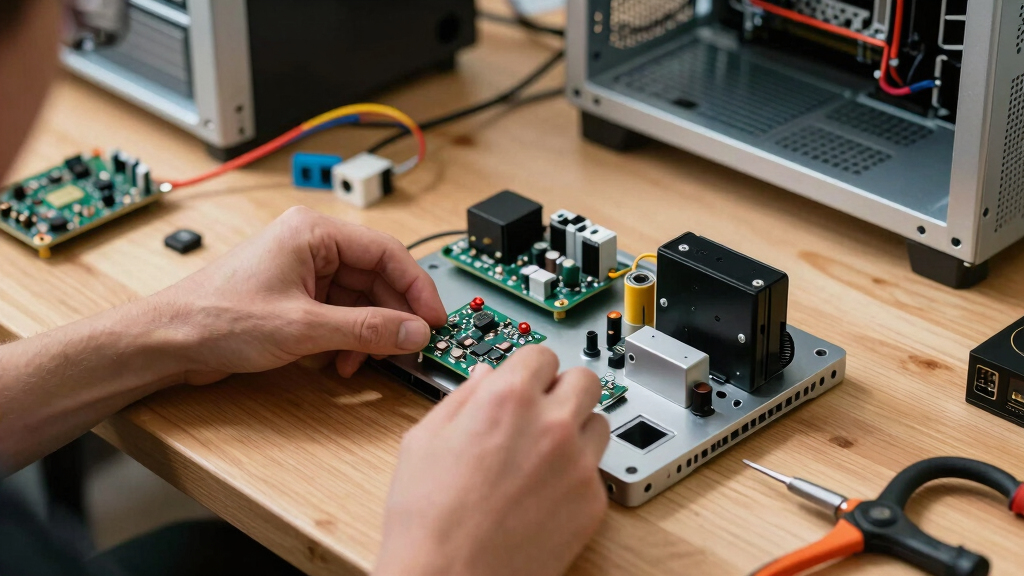
How We Picked
I ranked these mini PCs by balancing real workload capability, memory and storage, display support, networking, port selection, upgrade potential, and enclosure design. Processor names alone did not decide the order: I gave more weight to whether each configuration forms a useful whole. A fast CPU paired with limited connectivity or modest graphics may suit office work, but it is less versatile than a balanced system such as the BOSGAME P3. I also separated models with distinct strengths, including quiet operation, Oculink expansion, low-cost simplicity, and premium AI hardware.
Value affected every placement rather than serving as a category reserved for the cheapest machines. I favored models that provide enough RAM and storage from the start, since immediate upgrades weaken an apparent bargain. Newer wireless standards, USB4, multi-gigabit Ethernet, and accessible components earned extra credit when they supported a clear buyer need. I ranked the GEEKOM A9 Max below the overall pick because its higher-end hardware serves a narrower audience, while entry-level systems fell lower when their processors imposed a clear longevity tradeoff.
| mini PC | Operating System |
|---|---|
| BOSGAME P3 Mini PC | — |
| ACEMAGIC M5 Mini PC | Windows 11 Pro |
| GEEKOM A6 Mini PC | Windows 11 Pro |
| BOSGAME P6 Mini PC | Windows 11 Pro; Linux compatible |
| KAMRUI AK1PLUS Mini PC | — |
| GMKtec M7 Ultra | — |
| GMKtec M6 Ultra | — |
| GEEKOM AX8 Max | Windows 11 Pro |
| GEEKOM A9 Max | Windows 11 Pro |
| KAMRUI E3B | — |
| GMKtec M2 Pro S | — |
| GMKtec M6 Ultra | Windows 11 Pro |
| GEEKOM IT13 | Windows 11 Pro |
| BOSGAME P4 Ultra | Windows 11 Pro |
| GEEKOM A5 2026 Edition | — |
Factors to Consider When Choosing Best Mini PCs
Choosing among the best mini PCs starts with matching the hardware to the work, not buying the fastest specification on the page. I would set a budget only after deciding which applications, displays, peripherals, and network connections the machine must handle. The sections below explain where extra spending produces a visible benefit and where a simpler configuration is enough.
Match the Processor to the Workload
I would choose a modern Ryzen 7 or Core i5 H-series processor for heavy multitasking, development, or creative work, while a U-series chip is usually sufficient for browsers, office software, and media playback. Core count matters most during sustained jobs such as encoding, compiling, and rendering; it changes far less during email or document editing. A low-cost Celeron system can handle a kiosk, digital signage, or a basic family computer, but it offers less room for demanding software later. Small cases can also limit sustained speed because heat causes a processor to reduce its clock rate. For that reason, a newer chip inside a well-cooled chassis can outperform a nominally faster processor during long tasks. I would pay for processor headroom when the mini PC will replace a primary desktop, but not when it will run one lightweight job.
Separate Gaming Claims From Graphics Capability
The word gaming in a product name does not mean a mini PC performs like a desktop with a dedicated graphics card. I would compare the integrated graphics generation, memory speed, cooling design, and supported external-GPU connections before buying. Faster Radeon integrated graphics can make esports titles and older games enjoyable at sensible settings, while basic Intel or older Radeon graphics are better suited to media and casual play. Shared system memory also means a 16GB machine has less RAM available to games than the specification suggests. Oculink offers a faster path to an external GPU than many USB-based links, though the dock, graphics card, and exposed cable reduce the appeal of a tidy small computer. Buyers focused on modern games should treat Oculink or USB4 expansion as a path for growth, not as a substitute for strong built-in graphics.
Buy Enough Memory and Storage Without Overpaying
For a primary Windows computer, I view 16GB of RAM and a 512GB SSD as a practical starting point. Moving to 32GB helps virtual machines, large creative projects, software development, and workloads that keep many memory-heavy applications open. Storage fills faster than expected once games, local media, and project files enter the mix, so a 1TB configuration often delivers better long-term value than a small price saving at checkout. I would also check whether the RAM is socketed or soldered and whether the chassis accepts a second drive. Soldered memory can support a thinner design and high bandwidth, but it locks the buyer into the original capacity. Accessible memory and drive slots matter more when the machine is expected to remain useful for several years.
Count Ports, Displays, and Network Links
I would map every monitor and peripheral before comparing processor benchmarks. Triple- or quad-display claims may rely on a mixture of HDMI, DisplayPort over USB-C, and USB4, so the physical connectors must match the planned setup. Resolution support also tells only part of the story: driving an 8K desktop is different from editing or gaming smoothly at that resolution. Dual 2.5GbE ports can turn a mini PC into a home server, router, or network appliance, while a single standard Ethernet port is adequate for many desks. Wi-Fi 6E and Wi-Fi 7 are most useful when the router supports the same standard and the local network is busy. I would prioritize USB4 and multi-gigabit Ethernet over an abstract speed increase when docks, fast storage, networking, or several displays are central to the setup.
Account for Cooling, Noise, and Maintenance
A small computer places a capable processor and fan close to the user, making cooling behavior part of everyday usability. A system that stays quiet during office work may become clearly audible during rendering, gaming, or software builds. Larger vents and dual-fan layouts can improve sustained performance, though they may collect dust faster and produce a different noise character. I would leave space around the intake and exhaust rather than hiding the unit in a sealed cabinet. Tool-free or simple internal access makes cleaning and drive upgrades less troublesome, while a densely packed enclosure may require more care. Buyers placing the computer in a bedroom, studio, or shared office should give low-noise operation more weight than a small benchmark lead.
Know When Premium Hardware Pays Off
Premium mini PCs earn their price when newer hardware shortens paid workloads or supports a connection the buyer will use regularly. A current Ryzen AI processor can help with local AI features, media production, and demanding multitasking, but it adds little to a basic web-and-office routine. Wi-Fi 7, HDMI 2.1, and newer Bluetooth support also carry value only when paired with compatible equipment. Business buyers may place more weight on Windows 11 Pro, multi-display support, and predictable build quality than on gaming performance. At the other end, choosing the cheapest processor can lead to an earlier replacement if workloads grow. My preferred middle ground is a modern processor, 16GB or 32GB of RAM, and 1TB of storage before spending on specialist extras.
Frequently Asked Questions
Is 16GB of RAM enough for a mini PC in 2026?
16GB is enough for office applications, streaming, web browsing, light photo work, and moderate multitasking. I would choose 32GB for virtual machines, large code projects, 4K video editing, or heavier integrated-graphics gaming because the graphics processor shares system memory. Upgradeable RAM makes a 16GB configuration less risky, provided the chassis is easy to open and compatible modules are available. Soldered memory requires a firmer decision at purchase because it cannot be expanded later. For a primary machine expected to last several years, 32GB provides more breathing room without being mandatory for everyone.
Can these mini PCs replace a full-size desktop?
A capable Ryzen 7, Ryzen 9, or Core i5 mini PC can replace a desktop for office work, programming, media, and many creative tasks. The largest compromise is graphics performance, since most models rely on integrated graphics and cannot accept an internal desktop GPU. Expansion is also limited to a few memory and storage slots, plus external devices. I would choose a full-size desktop for high-end gaming, frequent hardware upgrades, or long rendering jobs that benefit from larger cooling systems. For buyers who value a clean desk and modest power use, a well-equipped mini PC can serve as the main computer.
Should I choose USB4 or Oculink for an external GPU?
I would favor Oculink for maximum external-GPU bandwidth and USB4 for broader accessory compatibility. Oculink is designed around a direct PCIe connection, but its cables and docks are less universal, and hot-plug behavior may be less convenient. USB4 works with many docks, storage devices, displays, and some GPU enclosures, though its overhead can reduce graphics performance. Neither setup is as tidy as a mini PC operating alone, and the added hardware can erase its size advantage. The GMKtec M7 Ultra is the clearest fit in this lineup when external graphics expansion is a planned purchase.
Does an 8K output specification mean the mini PC is good for 8K editing?
8K output support only confirms that the display connection can send an 8K signal under specified conditions. Smooth 8K editing also depends on the media engine, processor, memory capacity, storage speed, codec, effects, and timeline complexity. Proxy files can make editing practical on smaller systems, but final exports may still take considerable time. I would choose the GEEKOM A9 Max over an entry-level 8K-capable model for this workload because its newer processor and 32GB of RAM provide more working headroom. Buyers merely connecting a high-resolution display do not need the same creative-workload performance.
Is the 1TB GMKtec M6 Ultra worth buying over the 512GB version?
The two listed M6 Ultra configurations share the Ryzen 5 7640HS, 32GB of DDR5, and core connectivity, so storage capacity is the main purchasing difference. I would choose the 1TB version when the price gap is smaller than the cost and effort of adding equivalent storage. The 512GB model remains sensible for a buyer who already owns an external SSD, stores files on a NAS, or plans an immediate internal upgrade. Games and creative applications can consume 512GB quickly after Windows and recovery files take their share. For most primary-PC buyers, the 1TB configuration is the cleaner value.
Conclusion
For most buyers, I recommend the BOSGAME P3 as the best overall mini PC because it balances modern processing power, generous storage, dual Ethernet, and flexible display support. The KAMRUI E3B is my best-value pick for buyers who want a Ryzen 7 and 1TB SSD without paying for specialist connectivity, while the GEEKOM A5 is the friendliest starting point for home-office users who value upgradeable memory and a straightforward configuration. Premium buyers doing AI-assisted work, video production, or 3D tasks should choose the GEEKOM A9 Max; quiet-workspace buyers are better served by the GEEKOM AX8 Max. For networking and external-GPU plans, the GMKtec M7 Ultra has the clearest specialist advantage through dual NICs and Oculink, while the KAMRUI AK1PLUS fits kiosks and very light computing rather than demanding daily use. My final choice would follow the workload: balanced versatility favors the P3, price-conscious everyday use favors the E3B, and specialized jobs justify moving to the A9 Max, AX8 Max, or M7 Ultra.
Fall Picks
fall essentials
As an affiliate, we earn on qualifying purchases.