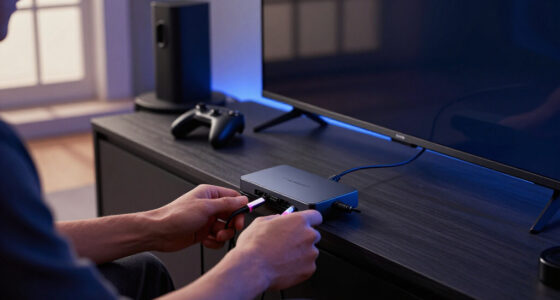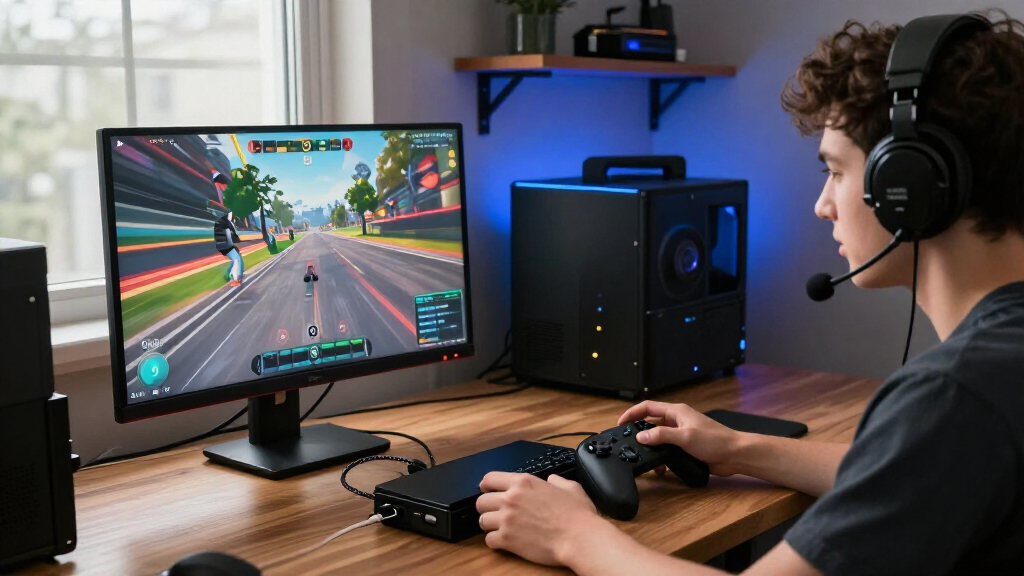

Gaming capture cards vary most in passthrough performance, captured video quality, and how much setup they demand. I’d start with the Elgato 4K X as the best overall choice for a modern HDMI 2.1 gaming setup, while the AVerMedia Live Gamer Ultra 2.1 is a strong alternative and the Fifine AmpliGame is a simpler pick for 1080p capture with 4K passthrough. The main tradeoff is paying for high-refresh, high-resolution passthrough you may not need versus choosing a basic USB card that can limit your recording options. Connection type, console compatibility, and the difference between input, passthrough, and capture resolution matter as much as the headline resolution. Read on for the full comparison and guidance on matching a card to your gaming and streaming setup.

Play games on Amazon Luna for your game nights, included with Prime
- A rotating selection of games, no download needed
- Play on TV, laptop or phone
- Fast, free delivery for your gear, too
Complete the kit



Key Takeaways
- HDMI 2.1 models lead for current-generation gaming: The Elgato 4K X and AVerMedia Live Gamer Ultra 2.1 stand apart from the 1080p-focused USB options when high-resolution, high-refresh passthrough matters.
- Passthrough and capture are different jobs: Many cards accept or pass through a 4K signal but record at 1080p, so buyers should check both figures before choosing.
- Basic USB cards share a clear tradeoff: They can suit straightforward 1080p streaming, but the product names alone do not establish advanced HDR, high-refresh, or HDMI 2.1 support.
- Connectivity affects setup flexibility: Options with USB-A and USB-C adapters, loop-out, microphone input, or power delivery address different desk and audio needs rather than improving capture quality by themselves.
- The shortlist favors fit over feature count: Premium cards make sense for demanding console or PC output, while compact, simpler models are better for budget-conscious setups that do not need advanced passthrough.
| AVerMedia Live Gamer Ultra 2.1 HDMI 2.1 USB Capture Card (GC553G2) |  | Best for High-Refresh HDMI 2.1 Setups | Model: GC553G2 | Connection: USB 3.2 Gen 2 Type-C, 10 Gbps | HDMI: HDMI 2.1 input and output | VIEW LATEST PRICE | See Our Full Breakdown |
| USB 3.0 HDMI Video Capture Card, 4K Input, 1080p at 60 FPS |  | Best for No-Fuss 1080p60 Capture | HDMI input: Up to 4K at 30 Hz | Capture output: Up to 1080p at 60 FPS or 2K at 30 FPS | Interfaces: HDMI, USB 3.0, and USB-C | VIEW LATEST PRICE | See Our Full Breakdown |
| UGREEN HDMI Video Capture Card, 4K Input, 2K 30Hz Output, 1080p 60FPS, USB 3.0 |  | Best for Flexible USB-A and USB-C Device Support | Hardware interface: HDMI, USB 3.0, and USB Type-C | HDMI input: Up to 4K at 30 Hz | Output resolution: Up to 2K at 30 Hz or 1080p at 60 FPS | VIEW LATEST PRICE | See Our Full Breakdown |
| HDMI Capture Card with 4K Input and 1080p 60fps Capture |  | Best for Commentary and Local Display Loop-Out | Video input: Up to 4K at 30 Hz | Capture resolution: 1080p at 60 FPS | HDMI loop-out: Up to 1080p at 60 Hz | VIEW LATEST PRICE | See Our Full Breakdown |
| 4K HDMI to USB 3.0 Video Capture Card with USB-C Adapter |  | Best Compact Pick for Multi-OS Recording | Hardware interface: HDMI, USB 3.0, and USB Type-C | Maximum HDMI input: 4K at 30 Hz | Recording resolution: Up to 2K at 30 Hz or 1080p at 60 Hz | VIEW LATEST PRICE | See Our Full Breakdown |
| Portta HDMI Video Capture Card, 1080p60 USB 3.0 Capture with 4K HDMI Input and Loop-Out |  | Best for 4K Pass-Through on a Simple Setup | Capture resolution: Up to 1080p at 60 fps | HDMI input and loop-out: Up to 4K at 60 Hz, YUV 4:2:0 | Connectivity: HDMI and USB 3.0 | VIEW LATEST PRICE | See Our Full Breakdown |
| Elgato 4K X HDMI 2.1 Capture Card |  | Best for High-Frame-Rate Gaming | Capture resolution: Up to 4K at 144 fps | Recording resolution: Up to 1080p at 240 fps | HDMI: HDMI 2.1 input and output | VIEW LATEST PRICE | See Our Full Breakdown |
| Hagibis USB 3.0 HDMI Video Capture Card with USB-A/USB-C and 100W PD |  | Best for Mobile and Tablet Setups | Input resolution: Up to 4K at 60 Hz | Maximum output resolution: 1920 × 1080 at 60 Hz | Recording frame rate: Up to 60 fps | VIEW LATEST PRICE | See Our Full Breakdown |
| HeavenBird USB 3.0 Video Capture Card with Microphone Input |  | Best for Simple Mic-Equipped Streaming | Interface: USB 3.0 | Maximum capture resolution: 1080p | Frame rate: Up to 60 fps | VIEW LATEST PRICE | See Our Full Breakdown |
| Newhope USB 3.0 HDMI Capture Card with 4K Pass-Through |  | Best for 4K Display Pass-Through on a Basic Budget Setup | Hardware interface: USB 3.0 | Capture resolution: Up to 2K at 30 fps or 1080p at 60 fps | Pass-through: 4K HDMI | VIEW LATEST PRICE | See Our Full Breakdown |
| Acer USB 3.0 HDMI Capture Card with 4K Loop-Out and 1080p 60Hz Capture |  | Best for Flexible Setup | Capture resolution: 1080p or 720p | HDMI input: Up to 4K | HDMI loop-out: Supported | VIEW LATEST PRICE | See Our Full Breakdown |
| 4K HDMI Capture Card with 1080p60 Capture and USB 3.0 |  | Best Value for 4K60 Pass-Through | Capture resolution: Up to 1080p at 60fps or 2K at 30Hz | HDMI input: Up to 4K at 60Hz; no 4K120 or 4K144 support | HDMI pass-through: Up to 4K at 60Hz | VIEW LATEST PRICE | See Our Full Breakdown |
| Elgato 4K S Capture Card with HDR10 and Near-Zero Latency |  | Best for High-Frame-Rate Capture | Capture resolution: Up to 4K at 60fps | High-frame-rate capture: 1440p at 120fps or 1080p at 240fps | HDR: HDR10 capture with tone mapping on Windows | VIEW LATEST PRICE | See Our Full Breakdown |
| 4K HDMI Capture Card with USB 3.0, 1080p 60fps Video Capture |  | Best Compact Pick | Capture resolution: 1080p at 60fps | HDMI support: 4K input with passthrough | Interface: USB 3.0 | VIEW LATEST PRICE | See Our Full Breakdown |
| Fifine AmpliGame 1080p 60fps Video Capture Card with 4K HDMI Pass-Through |  | Best for Headset-Based Commentary | Capture resolution: 1080p at 60fps | HDMI pass-through: 4K at 30fps | Hardware interface: HDMI, USB 3.0 Type-A | VIEW LATEST PRICE | See Our Full Breakdown |
| gaming capture card | Capture resolution |
|---|---|
| AVerMedia Live Gamer Ultra 2.1 | — |
| USB 3.0 HDMI Video Capture Car | — |
| UGREEN HDMI Video Capture Card | — |
| HDMI Capture Card with 4K Inpu | 1080p at 60 FPS |
| 4K HDMI to USB 3.0 Video Captu | — |
| Portta HDMI Video Capture Card | Up to 1080p at 60 fps |
| Elgato 4K X HDMI 2.1 Capture C | Up to 4K at 144 fps |
| Hagibis USB 3.0 HDMI Video Cap | — |
| HeavenBird USB 3.0 Video Captu | — |
| Newhope USB 3.0 HDMI Capture C | Up to 2K at 30 fps or 1080p at 60 fps |
| Acer USB 3.0 HDMI Capture Card | 1080p or 720p |
| 4K HDMI Capture Card with 1080 | Up to 1080p at 60fps or 2K at 30Hz |
| Elgato 4K S Capture Card with | Up to 4K at 60fps |
| 4K HDMI Capture Card with USB | 1080p at 60fps |
| Fifine AmpliGame 1080p 60fps V | 1080p at 60fps |
More Details on Our Top Picks
AVerMedia Live Gamer Ultra 2.1 HDMI 2.1 USB Capture Card (GC553G2)
For a gaming PC or current-generation console, the Live Gamer Ultra 2.1 is the standout here when preserving a high-refresh display matters as much as recording. Its HDMI 2.1 passthrough with HDR10 and VRR supports a more capable play-through setup than the 1080p60 loop-out on the HDMI Capture Card with 4K Input and 1080p 60fps Capture. Capture can reach 4K144 MJPEG on supported Windows PCs, with up to 4K60 on macOS, so the operating system and workflow shape what you can actually record. Dual 3.5 mm ports also give it a useful party-chat option that the simpler USB capture sticks lack. The tradeoff is cost in complexity rather than price: its highest capture modes are platform-limited, and 5.1-channel audio needs a compatible Windows workflow. Choose a basic 1080p60 card if you do not need HDMI 2.1 features.
Pros:- HDMI 2.1 passthrough supports HDR10 and VRR
- Capture up to 4K144 MJPEG on supported Windows PCs and up to 4K60 on macOS
- Dual 3.5 mm ports support party-chat and game-audio workflows
- Compatible with Windows, macOS, iPad, OBS Studio, and AVerMedia Streaming Center
Cons:- 4K144 MJPEG capture is limited to supported Windows PCs
- 5.1-channel audio requires a compatible Windows workflow
- Advanced features are unnecessary for buyers who only need basic 1080p60 capture
Best for: PC and console streamers who want HDMI 2.1 passthrough with HDR10 and VRR, plus high-resolution capture on a supported Windows system
Not ideal for: Casual streamers recording at 1080p who do not need HDMI 2.1 passthrough or the advanced audio connections
- Model:GC553G2
- Connection:USB 3.2 Gen 2 Type-C, 10 Gbps
- HDMI:HDMI 2.1 input and output
- Maximum capture:Up to 4K144 MJPEG on supported Windows PCs; up to 4K60 on macOS
- Passthrough:HDR10 and VRR
- Audio:Dual 3.5 mm four-pole ports; 5.1-channel support on compatible Windows workflows
- Compatible platforms:Windows, macOS, and iPad
- Weight:115 g
Our verdict“Pick the GC553G2 if your setup needs HDMI 2.1 passthrough and flexible high-resolution capture, but skip it for straightforward 1080p streaming.”
USB 3.0 HDMI Video Capture Card, 4K Input, 1080p at 60 FPS
This compact card is a practical starting point for recording or streaming console gameplay at 1080p60 without adding a power supply or installing a driver. It accepts HDMI input up to 4K at 30 Hz, but that does not mean it records 4K: capture tops out at 1080p60 or 2K30. Compared with the UGREEN HDMI Video Capture Card, it offers a similar straightforward, one-way HDMI-to-USB approach, while its listed OS support also includes Android. Setup is simple, but you still need capture software, and the card cannot send a signal directly to a TV or monitor. A direct USB 3.0 connection is recommended for stable results; USB-C is available, but should not be mistaken for a higher capture specification. Choose this over a more advanced card when dependable basic capture matters more than passthrough or high-refresh features.
Pros:- Captures up to 1080p at 60 FPS
- USB-powered setup needs no separate power supply
- Driver-free operation across Windows, macOS, Linux, and Android
- Aluminum alloy housing in a compact design
Cons:- Requires capture software and cannot directly output to a monitor or TV
- USB 3.0 is recommended for stable bandwidth and resolution
- Video decoding can introduce latency, with results dependent on the system and software
Best for: First-time console streamers who need a compact, bus-powered card for 1080p60 capture on a computer or supported Android device
Not ideal for: Players who need HDMI loop-out to keep gaming on a separate display, or creators seeking 4K recording and HDMI 2.1 passthrough
- HDMI input:Up to 4K at 30 Hz
- Capture output:Up to 1080p at 60 FPS or 2K at 30 FPS
- Interfaces:HDMI, USB 3.0, and USB-C
- Supported operating systems:Windows 10/11, macOS 10.15 or later, Linux, and Android
- Minimum computer requirements:Windows 10/11 64-bit or macOS 10.15 or later; Intel Core i3 or AMD Ryzen 3 equivalent; 4 GB RAM; USB 3.0 port
- Power and setup:USB-powered; plug and play; no additional drivers required
- Material:Aluminum alloy
- Signal direction:One-way HDMI to USB-C
Our verdict“Choose this card for simple 1080p60 streaming without a power brick, but look at the AVerMedia GC553G2 if you need passthrough or higher-end capture features.”
UGREEN HDMI Video Capture Card, 4K Input, 2K 30Hz Output, 1080p 60FPS, USB 3.0
The UGREEN card’s main distinction is its mix of USB-A and USB-C compatibility, which makes it a useful fit for players moving between a computer, phone, tablet, or console. It accepts 4K at 30 Hz but records at up to 1080p60 or 2K30, so its role is flexible device capture rather than premium-resolution gaming. Compared with the USB 3.0 HDMI Video Capture Card, it lists a wider range of compatible devices—including Meta Quest headsets and iPad use with iPadOS 17 or later—and specifies an aluminum casing and 50 g weight. Both are one-way HDMI-to-USB cards, so neither provides display loop-out. Console users should check HDCP settings, since some sources need HDCP disabled. That compatibility homework and the 2K30 ceiling make it less appealing than the AVerMedia for high-end setups, but a sensible pick for mixed-device capture.
Pros:- USB-A and USB-C connections broaden device compatibility
- Captures up to 1080p60 or 2K30 from HDMI input up to 4K30
- Lists support for computers, smartphones, tablets, consoles, and Meta Quest 2/3
- Lightweight aluminum alloy casing
Cons:- HDMI signal runs one way to USB, with no listed display loop-out
- Some console sources require HDCP to be disabled
- USB-C iPad use requires iPadOS 17 or later
Best for: Streamers who capture from consoles and want one lightweight card with USB-A and USB-C options for computers, phones, or compatible tablets
Not ideal for: Players who need HDMI passthrough, 4K recording, or a plug-and-play console connection without checking HDCP settings
- Hardware interface:HDMI, USB 3.0, and USB Type-C
- HDMI input:Up to 4K at 30 Hz
- Output resolution:Up to 2K at 30 Hz or 1080p at 60 FPS
- Data transfer speed:5 Gbps
- Operating systems:Windows 11/10/8.1/7, macOS, and Linux
- Compatible devices:Computers, smartphones, tablets, Nintendo Switch/Switch 2, Xbox Series X, PS4/PS5, and Meta Quest 2/3
- Tablet requirement:iPadOS 17 or later for USB-C iPad compatibility
- Weight:50 g
Our verdict“Choose UGREEN for flexible connections across several device types, but pick the AVerMedia GC553G2 if HDMI 2.1 passthrough and advanced capture matter more.”
HDMI Capture Card with 4K Input and 1080p 60fps Capture
Among the basic capture options here, this model is the clearest fit for streamers who want mic input and headphone monitoring on the card itself. It captures up to 1080p60 from a source with up to 4K30 input, and its HDMI loop-out lets gameplay continue to a display while the computer handles capture. That gives it a practical advantage over the one-way USB 3.0 HDMI Video Capture Card, which cannot directly feed a monitor or TV. The limit is that loop-out tops out at 1080p60, so it is not a match for the HDMI 2.1 passthrough on the AVerMedia GC553G2. It also needs a direct USB 3.0 connection; hubs and extension cables are not recommended. Pick it when commentary connections and a simple local display path matter more than high-resolution passthrough.
Pros:- Captures video and audio simultaneously at up to 1080p60
- 3.5 mm microphone input and headphone output support commentary and monitoring
- HDMI loop-out feeds a display at up to 1080p60
- Plug-and-play operation without external power
Cons:- HDMI loop-out is limited to 1080p at 60 Hz
- Requires a direct USB 3.0 connection; hubs and extension cables are not recommended
- Does not offer the HDMI 2.1 passthrough features available on the AVerMedia GC553G2
Best for: Console streamers who want a built-in microphone input, headphone output, and HDMI loop-out for a separate local display
Not ideal for: High-refresh or HDR-focused gamers who need HDMI 2.1 passthrough, or users whose computer setup depends on a USB hub
- Video input:Up to 4K at 30 Hz
- Capture resolution:1080p at 60 FPS
- HDMI loop-out:Up to 1080p at 60 Hz
- USB interface:USB 3.0
- Audio ports:3.5 mm microphone input and headphone output
- Compatibility:PC, PS5, PS4, Xbox, Switch, DVD players, cameras, camcorders, and webcams
- Operating systems:Windows, Linux, and Mac OS
- Power:No external power supply required
Our verdict“Pick this card for a straightforward 1080p60 commentary setup with display loop-out, but choose the AVerMedia if your monitor needs HDMI 2.1 features.”
4K HDMI to USB 3.0 Video Capture Card with USB-C Adapter
This aluminum capture card is a no-extra-power option for creators who want to record HDMI sources across Windows, macOS, Linux, or Android. It accepts up to 4K30 input and records at up to 1080p60 or 2K30, making it a reasonable match for standard console streams, cameras, and video calls rather than a high-refresh gaming chain. Compared with the USB 3.0 HDMI Video Capture Card, it lists broader desktop operating-system versions and software such as OBS, Zoom, and VLC; like that card, it needs software and sends video one way to USB rather than providing HDMI loop-out. The 2K30 ceiling is the key compromise, and tablet use depends on OTG support. Choose it when portability and broad OS support outweigh passthrough, dedicated audio ports, or HDMI 2.1 features such as those on the AVerMedia GC553G2.
Pros:- Works with Windows, macOS, Linux, and Android
- Records up to 1080p60 or 2K30 from HDMI input up to 4K30
- Aluminum construction and compact, adapter-based USB connection
- No driver or external power supply required
Cons:- Maximum stated recording mode is 2K at 30 Hz
- No HDMI loop-out is listed
- Tablet use requires OTG support to be enabled
Best for: Creators who capture console or camera HDMI on different computer operating systems and want a compact, bus-powered device
Not ideal for: Gamers who need display loop-out, HDMI 2.1 passthrough, or 4K recording, and tablet users without OTG support
- Hardware interface:HDMI, USB 3.0, and USB Type-C
- Maximum HDMI input:4K at 30 Hz
- Recording resolution:Up to 2K at 30 Hz or 1080p at 60 Hz
- Operating systems:Windows 7/8/10/11, macOS, Linux, and Android
- Compatible software:OBS, Zoom, VLC, and Twitch Studio
- Material:Aluminum alloy
- Power and setup:Plug and play; no external power required
- Tablet requirement:OTG support must be enabled
Our verdict“Choose this card for compact, multi-OS HDMI capture, but pick the HDMI Capture Card with 4K Input and 1080p 60fps Capture if you need loop-out and built-in audio ports.”
Portta HDMI Video Capture Card, 1080p60 USB 3.0 Capture with 4K HDMI Input and Loop-Out
The Portta HCC101-BK suits players who want to capture at 1080p60 without lowering a 4K display’s input resolution: its HDMI input and loop-out support up to 4K at 60 Hz. Compared with the HeavenBird USB 3.0 Video Capture Card, Portta spells out its 4K loop-out support and includes the HDMI and USB cables plus an adapter, making setup more straightforward. Its 3.5 mm audio output and mic input offer extra connection options, though microphone audio is not routed to headphones, speakers, or HDMI output. The tradeoff is a 1080p capture ceiling, no HDR or CEC, and a stated need for a capable quad-core processor and at least 8 GB of RAM. I’d choose it for a basic 4K-display gaming setup, not high-resolution recording.
Pros:- Captures gameplay at up to 1080p60 over USB 3.0.
- Supports up to 4K at 60 Hz input and loop-out.
- Plug-and-play compatibility with supported Windows, macOS, and Linux systems.
- Includes HDMI and USB cables, a USB-C adapter, and a two-year warranty.
Cons:- Capture resolution tops out at 1080p60.
- Does not support HDR or CEC.
- Microphone audio is not sent to headphones, speakers, or HDMI output.
Best for: Console players capturing at 1080p60 while keeping a 4K, 60 Hz display connected through the card.
Not ideal for: Creators seeking HDR capture, higher-than-1080p recording, or microphone audio routed directly to headphones or HDMI.
- Capture resolution:Up to 1080p at 60 fps
- HDMI input and loop-out:Up to 4K at 60 Hz, YUV 4:2:0
- Connectivity:HDMI and USB 3.0
- Audio connections:3.5 mm audio output and microphone input
- Compatibility:Windows 7/8/10/11 or later, macOS 10.8 or later, Linux kernel 2.6.38 or later
- Dimensions:4.02 × 2.72 × 0.49 inches
- Weight:68 g
- Warranty:2 years
Our verdict“Choose Portta if you want 4K60 display pass-through with straightforward 1080p60 capture, and skip it if HDR or higher-resolution recording matters.”
Elgato 4K X HDMI 2.1 Capture Card
The Elgato 4K X is the standout here for players who want capture options beyond standard 1080p60: it supports capture up to 4K at 144 fps and recording up to 1080p at 240 fps. Its HDMI 2.1 connection and VRR passthrough make it a better fit for high-refresh-rate gaming than the Portta HCC101-BK or the 1080p60-focused Newhope card. That extra headroom matters if you want to preserve a smoother gameplay signal while recording, rather than choosing a card built around 4K input and 1080p capture. The tradeoff is that full performance depends on a USB 3.2 Gen 2 port and a compatible computer; USB 3.2 Gen 1 reduces capture resolution. This is a capable choice, but excessive for players whose streams and recordings will stay at 1080p60.
Pros:- Captures up to 4K at 144 fps or records up to 1080p at 240 fps.
- HDMI 2.1 input and output support VRR passthrough.
- USB 3.2 Gen 2 connectivity supports low-latency operation.
- Works with compatible Windows, macOS, and iPadOS devices.
Cons:- Full capture capabilities require a compatible USB 3.2 Gen 2 port.
- USB 3.2 Gen 1 use reduces capture resolution.
- Requires a compatible computer and graphics hardware to access its higher-performance modes.
Best for: PC and console gamers with a USB 3.2 Gen 2 system who want high-frame-rate capture and VRR-compatible HDMI passthrough.
Not ideal for: 1080p60 streamers using older computers or lacking USB 3.2 Gen 2, since the card’s higher capture modes may be out of reach.
- Capture resolution:Up to 4K at 144 fps
- Recording resolution:Up to 1080p at 240 fps
- HDMI:HDMI 2.1 input and output
- Passthrough:VRR
- Connection:USB 3.2 Gen 2
- Compatible operating systems:Windows 10 (64-bit), macOS 11, iPadOS 17 or later
- Minimum processor:6th-generation Intel Core i5 or AMD Ryzen 5
- Dimensions:0.67 × 4.41 × 2.83 inches
Our verdict“Pick the 4K X for high-refresh-rate capture and VRR passthrough; choose a 1080p60 card instead if your setup does not need those capabilities.”
Hagibis USB 3.0 HDMI Video Capture Card with USB-A/USB-C and 100W PD
The Hagibis UHC07P stands apart from the Portta and Newhope cards by pairing USB-A and USB-C connections with up to 100W Power Delivery passthrough. That combination is useful when capturing gameplay or another HDMI source on a tablet or phone and keeping the device charged at the same time. It accepts up to 4K at 60 Hz, but capture tops out at 1080p60, just like those more conventional options; the higher input resolution is for signal compatibility, not 4K recording. Its compact, driver-free design also avoids an external power supply. The tradeoffs are HDMI-only input, an iPadOS 17-or-later requirement, and possible HDCP restrictions with some consoles. I’d pick it for flexible USB-C capture, not for anyone seeking higher-resolution output.
Pros:- USB-A and USB-C interfaces support a range of compatible host devices.
- Power Delivery passthrough supports charging up to 100W during use.
- Captures video and audio together at up to 1080p60.
- Compact, driver-free operation requires no external power supply.
Cons:- Maximum output is 1080p at 60 Hz despite accepting up to 4K input.
- Accepts HDMI sources only.
- Requires iPadOS 17 or later on iPad and may require HDCP to be disabled for some consoles.
Best for: Mobile or tablet users who need HDMI capture, USB-A/USB-C flexibility, and charging passthrough during a session.
Not ideal for: Creators needing 4K recording, non-HDMI source capture, or compatibility with older iPadOS versions.
- Input resolution:Up to 4K at 60 Hz
- Maximum output resolution:1920 × 1080 at 60 Hz
- Recording frame rate:Up to 60 fps
- Interfaces:USB-A and USB-C
- Power Delivery:Up to 100W
- Compatible devices:Laptop, tablet, mobile phone, Switch, Xbox, PS4, and PS5
- Supported operating systems:Windows 11/10/8.1/7, macOS, Linux
- iPadOS requirement:Version 17 or later
Our verdict“Choose Hagibis for a flexible, charge-through mobile capture setup, but not if you need 4K recording or broader input connections.”
HeavenBird USB 3.0 Video Capture Card with Microphone Input
The HeavenBird USB 3.0 Video Capture Card is a straightforward pick for console streamers who want 1080p60 capture and a built-in microphone connection without installing drivers. Its 3.5 mm mic input and audio output give it more direct audio connections than a basic capture adapter, while compatibility with Windows, Mac, and Linux widens its use across setups. Against the Portta HCC101-BK, HeavenBird does not specify 4K input or loop-out, so it is the less suitable choice for preserving a 4K display signal. The product title’s 4K wording also should not be read as a 4K capture promise: the listed maximum is 1080p. Mic and game audio may need simple OBS configuration to mix correctly, so this is better for users comfortable adjusting streaming software than for a fully automatic audio setup.
Pros:- Captures up to 1080p at 60 fps over USB 3.0.
- Plug-and-play connection works without additional driver installation.
- Includes 3.5 mm microphone input and audio output.
- Lists compatibility with Windows, Mac OS, Linux, and PlayStation.
Cons:- Maximum listed capture resolution is 1080p, not 4K.
- OBS settings may be needed to mix microphone and game audio.
- The product details do not specify 4K passthrough.
Best for: New or casual console streamers who want a driver-free 1080p60 card with a 3.5 mm microphone input and audio output.
Not ideal for: Players who need verified 4K passthrough, HDR, or automatic mixing of microphone and game audio.
- Interface:USB 3.0
- Maximum capture resolution:1080p
- Frame rate:Up to 60 fps
- Video format:MPEG-4
- Audio ports:3.5 mm microphone input and audio output
- Compatible devices:Camera, gaming console, and personal computer
- Compatible platforms:Windows, Mac OS, Linux, and PlayStation
- Warranty:2 years
Our verdict“Choose HeavenBird for simple 1080p60 streaming with mic connections, but pick Portta if 4K loop-out is part of your setup.”
Newhope USB 3.0 HDMI Capture Card with 4K Pass-Through
The Newhope USB 3.0 HDMI Capture Card pairs 4K HDMI pass-through with capture up to 1080p60, making it a practical match for players who want to keep gameplay on an external 4K display while recording a standard HD stream. Compared with the Hagibis UHC07P, Newhope emphasizes the external-display pass-through and includes an HDMI cable, USB cable, and adapter, but it does not list USB-A/USB-C flexibility or 100W charging passthrough. Its 3.5 mm TRS microphone input supports commentary, and plug-and-play use with OBS and other listed software keeps setup uncomplicated. The limits are a maximum of 2K at 30 fps or 1080p at 60 fps, plus a mic input specified for a standard TRS headset. Choose it for a conventional HDMI gaming setup, not high-frame-rate or 4K capture.
Pros:- Supports 4K HDMI pass-through while capturing at up to 1080p60.
- Offers a 3.5 mm TRS microphone input for commentary.
- Works with OBS, VLC, Zoom, and other third-party software without driver installation.
- Includes HDMI and USB cables plus a USB adapter.
Cons:- Capture is limited to 2K at 30 fps or 1080p at 60 fps.
- Microphone input is specified for a standard 3.5 mm TRS headset.
- Does not list USB-C or Power Delivery passthrough.
Best for: Console players who want 4K pass-through to an external display while sending a 1080p60 stream to OBS or similar software.
Not ideal for: High-refresh-rate creators, 4K recorders, or users with microphones that do not use a standard 3.5 mm TRS connection.
- Hardware interface:USB 3.0
- Capture resolution:Up to 2K at 30 fps or 1080p at 60 fps
- Pass-through:4K HDMI
- Audio input:3.5 mm TRS microphone
- Operating systems:Windows 7/8/8.1/10, macOS, Linux, iPadOS 17 or later
- Compatible software:OBS, VLC, Zoom, and other third-party software
- Compatible devices:PS4, PS5, Switch, Xbox, DSLR cameras, set-top boxes, PCs, and laptops
- Included items:Capture card, HDMI cable, USB cable, USB adapter, and instruction manual
Our verdict“Pick Newhope for a simple 4K-display and 1080p60 capture setup with headset commentary, but not for high-frame-rate or 4K recording.”
Acer USB 3.0 HDMI Capture Card with 4K Loop-Out and 1080p 60Hz Capture
The Acer suits streamers who want a simple capture path with room for different sources: it accepts 4K HDMI input, sends video to a display through HDMI loop-out, and captures up to 1080p at 60Hz. That makes it a practical choice for streaming current-generation consoles at a 1080p output while keeping a separate gameplay display. A 3.5 mm microphone input adds a direct route for commentary, and plug-and-play operation avoids extra power and driver setup.
Compared with the Elgato 4K S, the Acer is much more limited for high-resolution or high-frame-rate capture: its listed capture modes stop at 1080p and 720p. It also needs a USB 3.0 port to run at its intended interface speed. I’d choose it for straightforward 1080p streaming across several source types, not for creators who want advanced capture modes.
Pros:- Accepts up to 4K HDMI input and provides HDMI loop-out for a separate display.
- Captures up to 1080p at 60Hz for standard smooth streaming.
- Includes a 3.5 mm microphone input for commentary.
- Works with Windows, macOS, and Linux without external power or additional drivers.
Cons:- Capture is limited to the listed 1080p and 720p resolutions.
- USB 3.0 is required for the intended connection speed.
Best for: Console streamers who want 1080p60 capture, 4K HDMI loop-out, and a microphone input in a plug-and-play setup.
Not ideal for: Creators seeking 4K or high-refresh-rate capture, or users whose computer lacks a USB 3.0 port.
- Capture resolution:1080p or 720p
- HDMI input:Up to 4K
- HDMI loop-out:Supported
- Interface:USB 3.0 Type-A and Type-C
- Video formats:MJPEG, YUY2
- Audio input:3.5 mm microphone input
- Operating systems:Windows, macOS, Linux
- Setup:Plug and play; no external power or additional drivers
Our verdict“Choose the Acer for flexible, uncomplicated 1080p60 console streaming with loop-out, but pick the Elgato 4K S if higher-resolution or faster capture matters.”
4K HDMI Capture Card with 1080p60 Capture and USB 3.0
This capture card gives budget-minded streamers the feature that matters most for a common console setup: 4K60 HDMI pass-through while recording at up to 1080p60. Your display can retain a 4K signal even though the stream or recording stays at 1080p, avoiding the need to lower gameplay resolution just to capture it. It also supports 2K at 30Hz and has a 3.5 mm input for an external microphone.
Against the Acer USB 3.0 HDMI Capture Card, this model states its 4K60 pass-through limit clearly and adds a listed 2K capture mode, but it still cannot capture 4K. The microphone connection is limited to a 3.5 mm microphone headset and does not record party chat, which can complicate console audio setups. Its compact aluminum body is useful for a tidy desk, though the USB 3.0 connection remains a system requirement.
Pros:- Passes through HDMI video up to 4K at 60Hz while capturing up to 1080p60.
- Also lists 2K capture at 30Hz.
- Includes a 3.5 mm input for microphone-headset commentary.
- Aluminum alloy body and USB-A-to-USB-C adapter are included.
Cons:- Does not support 4K120 or 4K144 input and does not capture at 4K.
- The 3.5 mm input does not record party chat.
- Requires a USB 3.0 connection.
Best for: Console players who want to play on a 4K60 display while capturing a 1080p60 stream and adding microphone commentary.
Not ideal for: Players targeting 4K120 or 4K144 input, 4K recording, or captured party chat.
- Capture resolution:Up to 1080p at 60fps or 2K at 30Hz
- HDMI input:Up to 4K at 60Hz; no 4K120 or 4K144 support
- HDMI pass-through:Up to 4K at 60Hz
- Interface:USB 3.0 Type-A and Type-C
- Audio input:3.5 mm microphone headset; party chat not recorded
- Video formats:YUY2 over USB 3.0; MJPEG AV output
- Compatibility:Windows, macOS, Linux, Android
- Dimensions and weight:3 x 2 x 1 inches; 0.18 kg
Our verdict“Pick this model if 4K60 gameplay pass-through matters more than 4K recording, and skip it if your setup depends on high-refresh 4K or party-chat capture.”
Elgato 4K S Capture Card with HDR10 and Near-Zero Latency
The Elgato 4K S is the standout here for players who want their capture card to keep pace with high-refresh gameplay. It captures up to 4K60, or reaches 1440p120 and 1080p240 at lower resolutions, while VRR passthrough helps preserve variable-refresh gameplay on a compatible display. Those modes give it a wider performance range than the Acer and Fifine cards, whose listed capture tops out at 1080p60.
It also supports HDR10 capture with tone mapping on Windows and connects to compatible Macs and USB-C iPads, making it the most capable cross-device pick in this group. The tradeoff is platform and connection dependence: HDR capture is Windows-only, and the host needs USB 3.0 Type-C plus a compatible operating system. I’d pay attention to that compatibility before choosing it for an older computer or a non-Windows HDR workflow.
Pros:- Captures up to 4K60, with 1440p120 and 1080p240 modes.
- VRR passthrough supports variable-refresh gameplay.
- HDR10 capture with tone mapping is available on Windows.
- Works with compatible Windows, Mac, and USB-C iPad devices.
Cons:- HDR10 capture and tone mapping are limited to Windows.
- Requires a USB 3.0 Type-C port and compatible host hardware and operating system.
Best for: Competitive console or PC players and creators who need 4K60 capture, high-frame-rate modes, VRR passthrough, or compatible USB-C iPad use.
Not ideal for: Casual 1080p streamers who do not need advanced capture modes, or users without a compatible USB-C host; HDR workflows on macOS are also a mismatch.
- Capture resolution:Up to 4K at 60fps
- High-frame-rate capture:1440p at 120fps or 1080p at 240fps
- HDR:HDR10 capture with tone mapping on Windows
- Video passthrough:VRR
- Interface:USB 3.0 Type-C
- Audio input:3.5 mm analog
- Compatible platforms:Windows 11, macOS 13 or later, iPadOS with USB-C
- Dimensions and weight:0.67 × 4.41 × 2.83 inches; 0.09 kg
Our verdict“Choose the Elgato 4K S for high-frame-rate or 4K capture and VRR support, but avoid paying for its capabilities if 1080p60 is all your setup needs.”
4K HDMI Capture Card with USB 3.0, 1080p 60fps Video Capture
This is the simple, small-footprint option for a streamer who wants 1080p60 capture and 4K HDMI input with passthrough, without extra audio controls or platform claims beyond Windows and macOS. Its compact body and listed compatibility with OBS Studio, Streamlabs, and XSplit make it easy to fit into a basic console or camera setup. Compared with the Acer USB 3.0 HDMI Capture Card, it takes a leaner approach: both capture at 1080p60, but Acer adds a microphone input and Linux compatibility.
The tradeoff is a narrower feature set. This card uses YUY2 video, requires a USB 3.0 port, and lists no higher capture mode than 1080p60. That is enough for many standard streams, but not for creators aiming at 4K recording or high-refresh capture like the Elgato 4K S. I’d choose it when compactness and uncomplicated software compatibility matter more than audio flexibility.
Pros:- Compact, lightweight design fits a small streaming setup.
- Captures 1080p at 60fps and supports 4K HDMI input with passthrough.
- Works with OBS Studio, Streamlabs, and XSplit.
- Supports Windows and macOS plug-and-play use.
Cons:- Capture resolution is limited to 1080p60.
- Requires a USB 3.0 port.
- Does not list an onboard microphone input, unlike the Acer model.
Best for: Streamers with limited desk space who use Windows or macOS and need a straightforward 1080p60 card for a console, PC, or DSLR.
Not ideal for: Linux users, creators who need a microphone input on the capture card, or anyone planning to capture above 1080p60.
- Capture resolution:1080p at 60fps
- HDMI support:4K input with passthrough
- Interface:USB 3.0
- Video format:YUY2
- Operating systems:Windows, macOS
- Software compatibility:OBS Studio, Streamlabs, XSplit
- Compatible devices:PS5, PS4, Xbox, Nintendo Switch, PC, Mac, DSLR cameras
- Dimensions and weight:1 x 1 x 2.7 inches; 0.21 kg
Our verdict“Choose this compact card for basic 1080p60 capture on Windows or macOS, but select the Acer if you need a built-in microphone input or Linux support.”
Fifine AmpliGame 1080p 60fps Video Capture Card with 4K HDMI Pass-Through
The Fifine AmpliGame is geared toward a streamer who wants a straightforward 1080p60 capture card with headset connections close at hand. Its line-in and headset ports give it more direct audio options than the compact 1080p60 card in this roundup, while 4K30 HDMI pass-through lets a compatible display receive a 4K signal during capture. Plug-and-play setup and support for Windows, Mac, and common consoles keep the core setup approachable.
Its 4K pass-through is capped at 30fps, however, so it is less suitable for smooth 4K gameplay monitoring than the 4K60 pass-through card listed here. Capture also stops at 1080p60, well below the Elgato 4K S and its higher-resolution and high-frame-rate modes. The nine RGB modes add a visual accent rather than capture capability, and the product recommends the original USB cable for best performance. This makes most sense for a simple desk setup where headset access matters more than advanced video formats.
Pros:- Captures up to 1080p at 60fps.
- Provides 4K HDMI pass-through at 30fps for gameplay monitoring.
- Includes line-in and headset ports for audio connections.
- Supports Windows, Mac, PS4, PS5, PC, Switch, and Xbox.
Cons:- 4K pass-through is limited to 30fps, unlike the 4K60 pass-through option in this roundup.
- Capture is limited to 1080p60.
- The listing recommends using the original USB cable for best performance.
Best for: Beginning or casual streamers who use a headset for commentary and want 1080p60 capture with 4K30 display passthrough.
Not ideal for: Players who need 4K60 passthrough, 4K capture, high-refresh capture, or a setup without USB 3.0 and HDMI connections.
- Capture resolution:1080p at 60fps
- HDMI pass-through:4K at 30fps
- Hardware interface:HDMI, USB 3.0 Type-A
- Audio ports:Line-in and headset
- Compatibility:Windows, Mac, PS4, PS5, PC, Switch, Xbox
- Lighting:Nine RGB modes
- Dimensions and weight:4.24 × 2.8 × 1.21 inches; 3.36 oz
- System requirements:USB 3.0 port and HDMI input/output
Our verdict“Pick the Fifine for a headset-centered 1080p streaming setup, but choose a 4K60 pass-through model if you play on a 4K display at higher frame rates.”
How We Picked
I ranked these gaming capture cards by how clearly their stated features address common gaming setups: recording and streaming resolution, passthrough capabilities, connection options, and practical setup needs. I gave more weight to products with explicitly named HDMI 2.1 support, HDR, loop-out, or useful audio and port features when those capabilities solve a specific buyer problem. I treated claims such as “4K input” separately from recorded resolution, since accepting a signal does not mean a card captures it at that resolution.
The order reflects use-case coverage and specification clarity, not a claim that every product has been independently tested. The Elgato 4K X and AVerMedia Live Gamer Ultra 2.1 rank ahead for buyers who need newer high-bandwidth connections; the Elgato 4K S adds a more focused HDR option. Simpler 1080p60 cards rank lower because their stated capabilities suit narrower needs, and several generic listings provide fewer distinguishing details. I also weighed setup flexibility and likely learning curve, while treating unlisted compatibility or performance as unknown rather than assuming it.
Factors to Consider When Choosing Gaming Capture Cards
Before picking a card, decide what signal you need to keep playing and what video you need to record. Those are not always the same resolution or frame rate, and confusing them is one of the easiest ways to buy the wrong device. The following checks help narrow the field beyond a product’s headline specs.
Separate Input, Passthrough, and Capture Specs
Product listings may describe three different signals: what enters the card, what passes to your display, and what the card sends to your computer for recording. A card marked “4K input” may still capture at 1080p, while passthrough can preserve a higher-quality gaming image on your monitor. Match each number to your goal instead of treating “4K” as a complete description. If you want to record in 4K, look for an explicit capture specification, not only a 4K input or loop-out claim. For a 1080p stream, paying extra for 4K capture may bring little benefit unless you also want higher-resolution archives or future flexibility.
Match HDMI Bandwidth to Your Console or PC
Your capture card sits between a gaming source and a display, so its supported signal can affect the way you play even when the recording is lower resolution. Check your console or graphics card’s output mode, display refresh rate, HDR use, and HDMI generation before choosing. HDMI 2.1 models such as the Elgato 4K X and AVerMedia Live Gamer Ultra 2.1 are more relevant for buyers building around newer high-bandwidth signals than basic 1080p60 cards. Do not assume that a card preserves every combination of resolution, refresh rate, HDR, and variable refresh features just because one of those terms appears in its name. Confirm the exact mode you use against the manufacturer’s supported specifications.
Choose a Capture Target That Fits Your Stream
For live streaming, the platform, audience devices, and computer workload may matter more than the highest resolution a card can capture. A stable 1080p60 workflow can be a sensible fit when it matches your streaming plan, while recording gameplay for editing may make higher capture resolution more useful. A higher frame-rate source can also preserve smoother gameplay for your local display without guaranteeing that the capture feed records at the same rate. Check the card’s capture modes alongside your streaming software and computer capabilities. Avoid paying for specifications that neither your production workflow nor your audience can use.
Check Ports, Audio, and Desk Layout
Connection details can determine whether a card works cleanly with your existing setup. USB-A and USB-C support can help when moving between computers, but an adapter does not by itself guarantee a particular data rate or performance. HDMI loop-out can keep a display connected without routing gameplay through a software preview, while a dedicated microphone input may help with certain audio arrangements. Power delivery can be useful when a card is part of a compact USB-C setup, though it should not be confused with capture quality. Sketch the path from console to monitor, card, computer, headset, and microphone before buying, then check that the required ports and cables are present.
Plan for Software and Compatibility
A capture card’s value depends on whether your computer and recording software can use it reliably. Check supported operating systems, connection requirements, available capture software, and whether the device works with the streaming application you intend to use. Console features such as protected video playback can block capture in some situations, and settings may need adjustment for ordinary gameplay recording. A card that looks simple on paper can still require source, audio, and display settings to be configured correctly. If you are new to streaming, favor clear setup instructions and a straightforward signal path over a long list of features you may not use.
Decide When Premium Features Are Worth It
Paying more is most defensible when a feature removes a real limitation from your setup: HDMI 2.1 for a newer high-bandwidth source, HDR support for a compatible recording workflow, or a specific audio connection that simplifies your equipment. It is less compelling when the only reason is a larger resolution number without a matching display, computer, storage plan, or streaming need. Basic USB 3.0 cards can be a reasonable fit for simple 1080p60 capture, but sparse specifications leave more questions about supported modes and compatibility. Compare the exact capabilities you will use, then decide whether the premium model replaces a workaround or simply adds unused headroom. This approach makes the choice between a high-end card and an entry-level one about your actual signal path, not the longest feature list.
Frequently Asked Questions
Do I need an HDMI 2.1 capture card for a PS5 or Xbox Series console?
You need HDMI 2.1 only if your setup depends on signal modes that require its added bandwidth and you want the card to preserve them through passthrough. A basic card that captures at 1080p60 may still work for a stream, but it may not match the display experience you want while playing. Check the specific resolution, refresh rate, HDR, and other display features supported together by the console, card, and monitor. The Elgato 4K X and AVerMedia Live Gamer Ultra 2.1 are the clearest fits in this roundup for buyers prioritizing HDMI 2.1. If your target is simply 1080p60 streaming, a simpler card may be enough.
Does a capture card with 4K input record gameplay in 4K?
Not necessarily: “4K input” describes a signal the card can accept, not always the resolution it records. Some cards accept or pass through 4K while capturing at 1080p, which can still suit a 1080p stream. Look for a clearly stated capture resolution and frame rate, separate from passthrough or loop-out specifications. If the listing does not say what it captures, treat that as an unanswered question rather than assuming 4K recording. This distinction is especially important among the generic USB cards in this roundup.
Can I use a USB capture card with a gaming laptop that has only USB-C ports?
Possibly, but check the card’s connector and the laptop’s USB data capabilities before buying. A USB-C adapter changes the physical connection; it does not automatically give a USB 3.0 device the required bandwidth if the port or adapter is limited. The Hagibis model lists USB-A and USB-C connectivity, and the 4K HDMI-to-USB 3.0 option includes a USB-C adapter, which may simplify connecting to newer laptops. Confirm the manufacturer’s system requirements and use a suitable data-capable port rather than a charge-only connection. Also check that your laptop can run the capture software and encode the video you want.
Should I choose HDMI loop-out or rely on the capture preview?
Loop-out is generally the more suitable route when you want to play on a separate display while the computer handles recording or streaming. A software preview can be convenient for checking the incoming feed, but it may add delay and is not a substitute for a direct display path when responsive gameplay matters. A loop-out feature does not, by itself, guarantee support for every resolution, refresh rate, or HDR mode. The Portta, Newhope, and Acer listings call out loop-out or passthrough features, so compare their exact signal support before choosing among them. If you only need casual capture and do not mind viewing the software feed, a simpler setup may be adequate.
Which capture card makes the most sense for a beginner streaming at 1080p?
A beginner should prioritize a clear 1080p60 capture specification, compatible software, a straightforward connection path, and the ability to keep playing on a separate display. The Fifine AmpliGame is a practical candidate to compare because its listing pairs 1080p60 capture with 4K passthrough, while the simpler USB 3.0 cards may suit a basic setup when their supported modes are confirmed. Do not choose solely by a low-complexity product name: verify system compatibility, audio routing, and whether loop-out is included if you need it. A premium HDMI 2.1 card is usually unnecessary for a first 1080p stream unless your gaming display requirements call for it. Start with the card that matches your current signal path and leaves the fewest unanswered compatibility questions.
Conclusion
For most buyers with a modern gaming setup, I recommend the Elgato 4K X as the best overall, with the AVerMedia Live Gamer Ultra 2.1 as a strong alternative for HDMI 2.1-focused use. The best premium choice is also the Elgato 4K X for shoppers who will use its high-bandwidth capabilities; the Elgato 4K S is a more targeted option if HDR10 and its stated capture features better match your workflow. For best value, compare the basic USB 3.0 cards and choose only after confirming capture resolution, passthrough modes, and compatibility rather than assuming every 4K claim means 4K recording. For beginners, the Fifine AmpliGame’s stated 1080p60 capture and 4K passthrough offer a straightforward starting point to investigate. If your setup needs USB-C flexibility, microphone input, power delivery, or loop-out, choose the model whose listed connections address that specific need. The right card is the one that preserves the gaming signal you want while recording at a level your streaming or editing workflow can use.