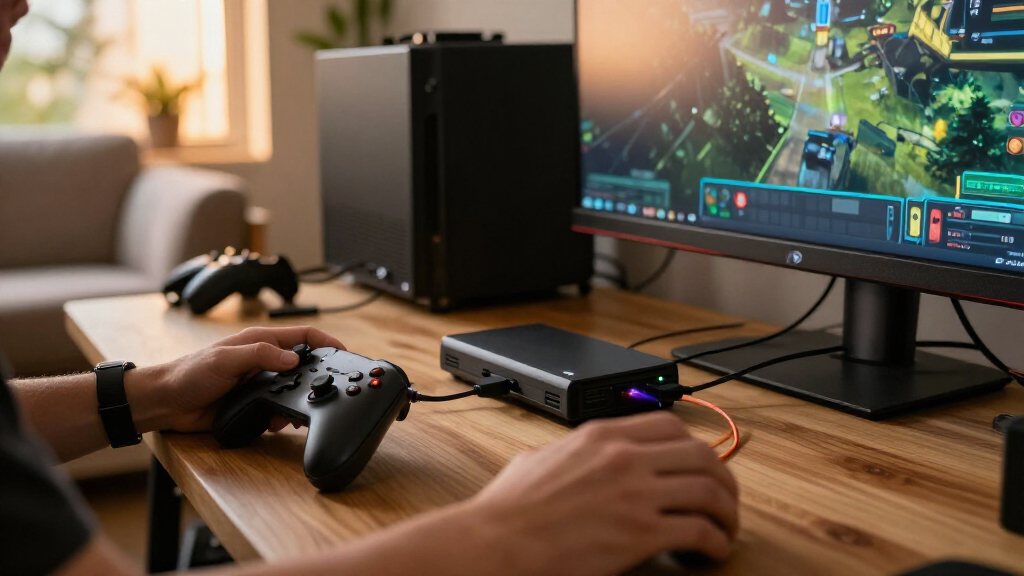

For most gaming capture cards for streaming, I’d start with the Elgato 4K S as the best overall pick, while the AVerMedia Live Streamer Ultra HD GC571 stands out for 4K60 pass-through and the Fifine AmpliGame offers a more straightforward 1080p streaming setup. The main tradeoff is between capture resolution and frame rate, pass-through quality for playing on your monitor, and useful extras such as audio inputs. A compact USB card can suit a simple console-to-laptop setup, while a more capable model may fit demanding gameplay and higher-resolution displays. Compatibility with your console, computer, streaming software, and ports matters as much as the headline resolution. Read on for the full breakdown of all 15 options and the features that separate them.

Play games on Amazon Luna for your game nights, included with Prime
- A rotating selection of games, no download needed
- Play on TV, laptop or phone
- Fast, free delivery for your gear, too
Complete the kit



Key Takeaways
- Elgato 4K S is the strongest all-around starting point in this lineup, while the AVerMedia GC571 and GC551G2 offer alternatives for shoppers prioritizing pass-through and capture capabilities.
- 4K pass-through does not mean 4K recording. Several USB models pass a 4K signal while capturing at 1080p, a distinction that matters when matching a card to your stream archive or production plan.
- 1080p60 is the common practical target across many listed options, including compact USB cards and models with audio inputs; higher display resolution alone does not promise higher capture resolution.
- Audio connections separate otherwise similar budget options. The 3.5mm ports on the 4K HDMI model and microphone input on HeavenBird may better suit setups that route audio through the capture device.
- Choose by connection and workflow, not just the product name. Cam Link 4K is oriented toward HDMI cameras, while the Guermok USB-C model and the Acer and AVerMedia options address different port, pass-through, and performance needs.
| Elgato 4K S Capture Card |  | Best Overall for High-Frame-Rate Console Streaming | Brand: Elgato | Model: 4K S | Hardware interface: USB 3.0 Type-C | VIEW LATEST PRICE | See Our Full Breakdown |
| Elgato Cam Link 4K HDMI Capture Card |  | Best for Camera-Based Streaming | Brand: Elgato | Model: CAM LINK 4K (20GAM9901) | Interface: USB 3.0 | VIEW LATEST PRICE | See Our Full Breakdown |
| 4K HDMI Capture Card, USB 3.0, 1080p at 60 FPS |  | Best Simple Starter Card | Interface: USB 3.0 | Capture resolution: 1080p at 60 FPS | HDMI input: Up to 4K | VIEW LATEST PRICE | See Our Full Breakdown |
| 4K HDMI Capture Card with 1080p 60fps Recording and 3.5mm Audio Ports |  | Best for Separate Mic and Headphone Connections | Input resolution: Up to 4K30 | Capture resolution: 1080p60 | HDMI loop-out: Up to 1080p60 | VIEW LATEST PRICE | See Our Full Breakdown |
| Fifine AmpliGame 1080p 60fps HDMI Video Capture Card with 4K Pass-Through |  | Best for Streamers Who Want Built-In Audio Connections | Capture resolution: 1080p at 60fps | HDMI passthrough: 4K at 30fps | Hardware interface: HDMI, USB 3.0 Type-A | VIEW LATEST PRICE | See Our Full Breakdown |
| USB 3.0 HDMI Capture Card with 4K Pass-Through |  | Best for Console Commentary | Interface: USB 3.0; USB-A and USB-C | Capture resolution: 1080p at 60 fps; 1440p at 30 fps | Pass-through: 4K at 60Hz | VIEW LATEST PRICE | See Our Full Breakdown |
| Guermok USB 3.0 HDMI Capture Card with 4K60 Pass-Through |  | Best for Flexible Audio Connections | Model: GM-34A | Connectivity: USB 3.0 | Capture resolution: Up to 1920×1080 at 60Hz or 2560×1440 at 30Hz | VIEW LATEST PRICE | See Our Full Breakdown |
| Capture Card, 4K HDMI Video Capture Card, Game Capture Card, 1080P 60FPS Video Capture Device, HDMI to USB 3.0 Capture Card for Streaming, Works with Camera/Xbox/PS4/PS5/PC/OBS |  | Best for High-Refresh HDMI Sources | Hardware interface: HDMI, USB 3.0 Type-A, USB 3.0 Type-C, 3.5mm audio | Listed input support: Up to 4K at 60Hz; 1080p120/144Hz supported | Video output: Up to 2K at 30Hz | VIEW LATEST PRICE | See Our Full Breakdown |
| Guermok 4K HDMI to USB-C Video Capture Card, 1080p 60fps |  | Best Compact Capture-Only Pick | Input resolution: Up to 4K at 30Hz | Capture resolution: Up to 1080p at 60fps or 2K at 30fps | Interfaces: HDMI, USB 3.0 Type-A, USB 3.0 Type-C, USB 2.0 | VIEW LATEST PRICE | See Our Full Breakdown |
| HeavenBird USB 3.0 Video Capture Card with Microphone Input |  | Best for Straightforward 1080p Streaming | Interface: USB 3.0 | Capture resolution: Up to 1080p | Frame rate: Up to 60 FPS | VIEW LATEST PRICE | See Our Full Breakdown |
| Newhope USB 3.0 HDMI Capture Card with 4K Pass-Through |  | Best for Straightforward 1080p Streaming | Interface: USB 3.0 | Capture resolution: Up to 2K at 30fps or 1080p at 60fps | Pass-through: 4K | VIEW LATEST PRICE | See Our Full Breakdown |
| Dobestyou 4K Capture Card – Black HDMI Video Capture Device with USB 3.0, 1080p 60fps, Plug & Play, Zero Latency for PS5, Xbox, Switch, OBS, PC, Mac |  | Best for Aluminum-Bodied Desktop Setups | Model: V316 | Interface: USB 3.0 | Supported input: 4K at 30/60Hz; 1080p at 120/144Hz | VIEW LATEST PRICE | See Our Full Breakdown |
| Acer USB 3.0 HDMI Capture Card – 4K HDMI Loop-Out, 1080p 60Hz for Streaming |  | Best for Multi-Device Compatibility | Connection options: HDMI, USB 3.0 Type-A, and USB 3.0 Type-C | Video capture: 1080p or 720p from 4K input | Operating systems: Linux, Windows, macOS, and Android | VIEW LATEST PRICE | See Our Full Breakdown |
| AVerMedia Live Streamer Ultra HD HDMI Capture Card (GC571) – 4K60 Pass-Through, Ultra-Low Latency |  | Best for High-Frame-Rate PC Capture | Hardware interface: PCIe x4 | Capture resolution: 1440p at 60fps or 2160p at 30fps | Pass-through: 4K at 60fps | VIEW LATEST PRICE | See Our Full Breakdown |
| AVerMedia GC551G2 Live Gamer Extreme 3 Plug-and-Play 4K Capture Card |  | Best for Cross-Platform 4K Capture | Hardware interface: USB | Required host port: USB 3.2 Gen-1 Type-C | Video capture resolution: Up to 4K at 30fps | VIEW LATEST PRICE | See Our Full Breakdown |
| gaming capture cards for streaming | Weight | Operating systems | Capture resolution |
|---|---|---|---|
| Elgato 4K S Capture Card | 0.09 kg | Windows 11, macOS 13+, iPadOS | — |
| Elgato Cam Link 4K HDMI Captur | 20.14 g | — | — |
| 4K HDMI Capture Card | 0.21 kg | — | 1080p at 60 FPS |
| 4K HDMI Capture Card with 1080 | — | Windows, Linux, macOS | 1080p60 |
| Fifine AmpliGame 1080p 60fps H | — | Windows, Mac OS | 1080p at 60fps |
| USB 3.0 HDMI Capture Card with | 0.15 kg | — | 1080p at 60 fps; 1440p at 30 fps |
| Guermok USB 3.0 HDMI Capture C | 66.1 g | — | Up to 1920×1080 at 60Hz or 2560×1440 at 30Hz |
| Capture Card | 0.18 kg | Linux, Windows 7/8/10, macOS | — |
| Guermok 4K HDMI to USB-C Video | — | — | Up to 1080p at 60fps or 2K at 30fps |
| HeavenBird USB 3.0 Video Captu | — | — | Up to 1080p |
| Newhope USB 3.0 HDMI Capture C | 0.2 kg | Windows 7/8/8.1/10, macOS, Linux, iPadOS 17 or later | Up to 2K at 30fps or 1080p at 60fps |
| Dobestyou 4K Capture Card | 0.2 kg | Windows and macOS | — |
| Acer USB 3.0 HDMI Capture Card | — | Linux, Windows, macOS, and Android | — |
| AVerMedia Live Streamer Ultra | 115 g | Windows 10/11 64-bit or later | 1440p at 60fps or 2160p at 30fps |
| AVerMedia GC551G2 Live Gamer E | 85 g | Windows 10/11, macOS 13/14, and iPadOS 17 or later | — |
More Details on Our Top Picks
Elgato 4K S Capture Card
I’d put the Elgato 4K S first for streamers who want to capture sharp footage without giving up a responsive gaming display. It records up to 4K60, while 1440p120 and 1080p240 capture modes suit players who value smoother motion. Compared with the 4K HDMI Capture Card, USB 3.0, 1080p at 60 FPS, it offers higher capture resolutions and VRR passthrough, making it a stronger match for current high-performance consoles and PCs. Its 3.5mm analog audio input also gives streamers a direct way to bring in chat or commentary. The tradeoff is that HDR10 capture is limited to Windows, and the card’s best performance depends on capable host hardware. I’d skip it if 1080p60 is all you need.
Pros:- Captures at up to 4K60, with 1440p120 and 1080p240 modes
- VRR passthrough and near-zero-latency play support responsive gaming
- 3.5mm analog audio input can capture chat or commentary
- Works with Windows, macOS, iPadOS, and major game consoles
Cons:- HDR10 capture is limited to Windows
- Optimal operation calls for compatible hardware such as an RTX 10-series GPU or Apple M1
- More capability than needed for streams capped at 1080p60
Best for: Console and PC streamers with a high-refresh display who want 4K60 capture, VRR passthrough, and flexible audio input.
Not ideal for: Casual streamers who only need 1080p60 capture or people using older computers that do not meet the hardware requirements.
- Brand:Elgato
- Model:4K S
- Hardware interface:USB 3.0 Type-C
- Capture resolutions:4K60, 1440p120, 1080p240
- Operating systems:Windows 11, macOS 13+, iPadOS
- AV output:HDMI
- Weight:0.09 kg
- Warranty:2-year manufacturer warranty
Our verdict“Choose the Elgato 4K S if high-resolution capture and high-refresh passthrough matter more than a simple 1080p setup.”
Elgato Cam Link 4K HDMI Capture Card
The Elgato Cam Link 4K serves a different streaming setup from the gaming-focused cards here: it brings an HDMI camera feed into a computer or USB-C iPad. That makes it a better fit than the Fifine AmpliGame 1080p 60fps HDMI Video Capture Card with 4K Pass-Through when the main goal is using a DSLR, mirrorless camera, camcorder, or action camera as a polished stream camera. With compatible equipment, it can capture 4K60, and its compact USB connection suits desk setups where a larger capture device would be awkward. It also works with tools such as OBS, Zoom, and Discord. The limitation is its focus: it is not presented as a console gameplay capture card with HDMI passthrough. The 4K60 mode also depends on compatible camera equipment and the latest model.
Pros:- Captures compatible camera feeds at up to 4K60
- Supports DSLR, mirrorless, camcorder, action camera, and iPhone sources
- Works with PC, Mac, and USB-C iPad
- Compact USB 3.0 design and low-latency capture
Cons:- 4K60 capture depends on compatible cameras and the latest Cam Link 4K model
- No HDMI passthrough is listed for monitoring gameplay
- Camera-focused function makes it less suited to console capture than the Elgato 4K S
Best for: Streamers and creators who want to bring an HDMI camera feed into OBS, video calls, or a USB-C iPad workflow.
Not ideal for: Console gamers seeking a dedicated gameplay capture card with HDMI passthrough and console-oriented features.
- Brand:Elgato
- Model:CAM LINK 4K (20GAM9901)
- Interface:USB 3.0
- Capture resolutions:1080p60, up to 4K60 with compatible equipment
- Compatible devices:PC, Mac, USB-C iPad
- Dimensions:3.19 × 1.22 × 0.47 inches
- Weight:20.14 g
- Included items:USB 3.0 extension cable, Quick Start Guide
Our verdict“Pick the Cam Link 4K when your stream depends on an external camera feed rather than captured console gameplay.”
4K HDMI Capture Card, USB 3.0, 1080p at 60 FPS
I’d choose this USB 3.0 capture card for a first streaming setup built around straightforward 1080p60 recording. It is described as plug-and-play on Windows and macOS, works with OBS Studio and Streamlabs, and accepts HDMI sources such as consoles and cameras. Its 4K HDMI passthrough lets a player monitor a 4K source while the stream capture stays at 1080p60—a practical split for beginners who want a simple broadcast without 4K recording. Compared with the Elgato 4K S, this model gives up higher-resolution capture, VRR passthrough, and the more advanced frame-rate options, but its stated feature set is easier to match to a basic setup. The main limits are the 1080p capture ceiling and the need for a direct USB 3.0 port.
Pros:- Captures gameplay at 1080p60
- 4K HDMI input and passthrough support 4K source monitoring
- Plug-and-play operation with Windows and macOS
- Compatible with OBS Studio, Streamlabs, and XSplit
Cons:- Capture resolution is limited to 1080p
- Requires a USB 3.0 port
- Does not list advanced options such as VRR passthrough or 1440p120 capture
Best for: New streamers using a Windows or Mac computer who want a basic 1080p60 capture workflow with 4K source passthrough.
Not ideal for: Streamers who need 4K recording, high-frame-rate capture modes, or a setup without a USB 3.0 port.
- Interface:USB 3.0
- Capture resolution:1080p at 60 FPS
- HDMI input:Up to 4K
- Output:HDMI, YUY2
- Compatibility:Windows, macOS, PS5, PS4, Nintendo Switch, Xbox, PC, cameras
- Software compatibility:OBS Studio, Streamlabs, XSplit
- System requirement:USB 3.0 port
- Weight:0.21 kg
Our verdict“Choose this card for an uncomplicated 1080p60 starter stream, but move to the Elgato 4K S if higher-resolution capture is a priority.”
4K HDMI Capture Card with 1080p 60fps Recording and 3.5mm Audio Ports
This capture card earns a place for streamers who want dedicated 3.5mm microphone and headphone ports alongside basic HDMI capture. It records at 1080p60 and offers HDMI loop-out up to 1080p60, so a player can keep a direct display connection while sending video to a streaming computer. Unlike the Fifine AmpliGame 1080p 60fps HDMI Video Capture Card with 4K Pass-Through, its listed input reaches 4K30 rather than 4K30 passthrough, and it explicitly supports Windows, Linux, and macOS. That broader OS list may suit a mixed or Linux-based setup. The compromises are clear: the loop-out does not preserve 4K or higher refresh rates, and the card requires a direct USB 3.0 connection with no hub or extension cable.
Pros:- Captures video at 1080p60
- Includes a 3.5mm microphone input and headphone output
- Supports Windows, Linux, and macOS
- Does not require external power or driver installation
Cons:- HDMI loop-out is limited to 1080p60
- Requires a direct USB 3.0 port and does not support a hub or extension cable
- HDMI input is limited to 4K30
Best for: Streamers who want a simple 1080p60 capture device with separate mic and headphone connections, including Linux users.
Not ideal for: Players who need 4K passthrough, refresh rates above 60Hz, or flexibility to connect through a USB hub or extension cable.
- Input resolution:Up to 4K30
- Capture resolution:1080p60
- HDMI loop-out:Up to 1080p60
- Interface:USB 3.0
- Audio ports:3.5mm microphone input and headphone output
- Compatible devices:PC, PS5, PS4, Xbox, Switch, DVD player, DSLR, camcorder, webcam
- Operating systems:Windows, Linux, macOS
- Power and drivers:No external power or driver required
- Warranty:One year
Our verdict“Choose this model if analog mic and headphone connections plus Linux support matter more than 4K passthrough.”
Fifine AmpliGame 1080p 60fps HDMI Video Capture Card with 4K Pass-Through
The Fifine AmpliGame is a practical pick for a console streamer who wants 1080p60 capture, 4K30 passthrough, and accessible audio connections in one device. Its line-in and headset ports give it a different appeal from the 4K HDMI Capture Card, USB 3.0, 1080p at 60 FPS, which lists HDMI video connections but no comparable audio ports. The plug-and-play setup and Windows and Mac support also make it approachable for a straightforward OBS workflow. RGB lighting adds a visible desk accent, though it does not improve capture quality. The core tradeoff is that capture remains capped at 1080p60 and passthrough at 4K30, so it is less suited to high-refresh or 4K-focused gaming than the Elgato 4K S. Troubleshooting may also be needed if no display appears.
Pros:- Captures gameplay at 1080p60
- 4K30 HDMI passthrough supports monitoring a 4K source
- Line-in and headset ports add audio connection options
- Plug-and-play support for Windows and Mac
Cons:- Capture is limited to 1080p60 and passthrough to 4K30
- Requires USB 3.0 and HDMI connections
- Display issues may require troubleshooting
Best for: Windows or Mac console streamers who want 1080p60 capture with line-in and headset connections for a compact setup.
Not ideal for: Players seeking 4K capture, 4K60 passthrough, high-refresh gameplay monitoring, or a setup that does not have USB 3.0 and HDMI connections.
- Capture resolution:1080p at 60fps
- HDMI passthrough:4K at 30fps
- Hardware interface:HDMI, USB 3.0 Type-A
- Operating systems:Windows, Mac OS
- Compatible devices:PS4, PS5, PC, Switch, Xbox
- Ports:HDMI output, line-in, headset
- Setup:USB plug-and-play
- Dimensions:4.24 × 2.8 × 1.21 inches
Our verdict“Pick the Fifine AmpliGame for a basic console stream that benefits from built-in audio connections, not for high-refresh capture.”
USB 3.0 HDMI Capture Card with 4K Pass-Through
This card suits streamers who want to keep a 4K 60Hz display signal while sending a lower-resolution feed to streaming software. It captures at up to 1080p60 or 1440p30, so its pass-through is for playing on a sharp external display, not recording 4K footage. The 3.5mm mic-in gives commentary a direct connection, a useful distinction from the Guermok GM-34A, which offers more audio ports for monitoring and routing.
The aluminum body and broad OS support make it a flexible choice for a mixed console-and-computer setup. There are limits: it does not capture console party chat, and the audio setup may require restarting OBS. Streamers who need more flexible audio connections should compare it with the Guermok GM-34A; those focused on straightforward mic commentary may prefer this simpler arrangement.
Pros:- 4K 60Hz pass-through lets gameplay appear on an external display while capture runs at a lower resolution.
- 3.5mm mic-in supports a direct commentary connection.
- Aluminum alloy casing is designed to dissipate heat.
- Compatible with Windows, macOS, Linux, Android, and iPadOS 17 or later.
Cons:- Capture tops out at 1080p60 or 1440p30, not 4K.
- Does not record console party chat audio.
- OBS may need a restart after audio setup.
Best for: Console streamers who play through a 4K display and want a dedicated 3.5mm microphone input for live commentary.
Not ideal for: Streamers who need to record console party chat or want multiple audio routing and monitoring connections.
- Interface:USB 3.0; USB-A and USB-C
- Capture resolution:1080p at 60 fps; 1440p at 30 fps
- Pass-through:4K at 60Hz
- Color format:YUY2
- Audio input:3.5mm microphone input
- Compatibility:Windows 7/8/10, macOS, Linux, Android, iPadOS 17 or later
- Weight:0.15 kg
Our verdict“Choose this for 4K display pass-through and direct mic commentary, but skip it if party-chat capture or flexible audio routing is part of your stream.”
Guermok USB 3.0 HDMI Capture Card with 4K60 Pass-Through
The GM-34A stands out for streamers building around separate audio connections: it has mic-in, audio-in, headphone monitoring, and speaker output. That gives it more connection options than the USB 3.0 HDMI Capture Card with 4K Pass-Through, which offers a simpler mic-in setup. Its capture ceiling is similar—1080p60 or 1440p30—while 4K60 pass-through keeps a compatible display in the gameplay chain.
It is driver-free with common streaming apps and weighs just 66.1 g, a practical combination for a portable setup. The tradeoff is that port variety does not guarantee headset compatibility: the mic input may not support TRRS headsets or USB microphones. Resolution and frame rate also depend on software and USB bandwidth. I would choose it over the Guermok USB-C capture card when audio monitoring matters, but not for a streamer seeking 4K capture.
Pros:- Multiple audio ports support more routing and monitoring options than a basic mic-in card.
- Passes through up to 4K60 in YUV420 mode.
- Captures up to 1080p60 or 1440p30.
- Driver-free support for common streaming software on Windows and macOS.
Cons:- Mic input may not work with TRRS headsets or USB microphones.
- Supported frame rates and resolutions depend on software and USB bandwidth.
- Capture resolution is below the 4K pass-through ceiling.
Best for: Streamers who want mic, line-in, headphone monitoring, and speaker connections on one compact capture card.
Not ideal for: Users relying on a TRRS headset or USB microphone, or creators who need 4K recording rather than 4K pass-through.
- Model:GM-34A
- Connectivity:USB 3.0
- Capture resolution:Up to 1920×1080 at 60Hz or 2560×1440 at 30Hz
- HDMI input:Up to 4K at 60Hz
- Pass-through:Up to 4K60 YUV420 or 4K30 RGB/YUV444
- Audio ports:Mic-in, audio-in, headphone monitoring, speaker output
- Software and operating systems:OBS Studio, Streamlabs, VLC, XSplit, Zoom, Teams; Windows and macOS
- Weight:66.1 g
Our verdict“Pick the GM-34A when audio connections and monitoring matter more than 4K capture or guaranteed headset compatibility.”
Capture Card, 4K HDMI Video Capture Card, Game Capture Card, 1080P 60FPS Video Capture Device, HDMI to USB 3.0 Capture Card for Streaming, Works with Camera/Xbox/PS4/PS5/PC/OBS
This model is a fit for streamers whose source can output high-refresh HDMI but whose broadcast workflow does not need high-refresh capture. The product data lists 1080p120/144Hz input support, while the capture output is limited to 2K30; that gap matters more than the headline input capability. By comparison, the USB 3.0 HDMI Capture Card with 4K Pass-Through specifies 4K60 pass-through and up to 1080p60 capture, making its display path easier to judge at a glance.
Plug-and-play operation, no external power, and a 3.5mm mic input suit a basic streaming setup across several operating systems. But the stated output ceiling is modest for a smooth gaming stream, and the mic input accepts standard TRS rather than every headset type. I would shortlist it for source compatibility, not for creators who want crisp 60fps capture at resolutions above 1080p.
Pros:- Lists support for high-refresh HDMI input up to 1080p120/144Hz.
- USB 3.0 plug-and-play setup requires no external power or driver installation.
- 3.5mm mic input allows direct commentary capture.
- Compatible with Windows, macOS, and Linux.
Cons:- Output is listed up to 2K30, which limits smooth high-frame-rate streaming.
- Does not support 4K120/144Hz input.
- Microphone input supports standard TRS microphones, not all headset types.
Best for: Streamers with high-refresh HDMI gaming sources who need a simple USB capture connection and can accept a lower-resolution, lower-frame-rate capture output.
Not ideal for: Creators seeking 4K capture, 1080p60 capture with clearly specified output performance, or compatibility with TRRS headset microphones.
- Hardware interface:HDMI, USB 3.0 Type-A, USB 3.0 Type-C, 3.5mm audio
- Listed input support:Up to 4K at 60Hz; 1080p120/144Hz supported
- Video output:Up to 2K at 30Hz
- AV output format:MJPEG
- Audio input:3.5mm microphone input
- Operating systems:Linux, Windows 7/8/10, macOS
- Power and setup:USB-powered; no external power or driver installation required
- Weight:0.18 kg
Our verdict“Consider it for high-refresh source compatibility in a simple setup, but choose another card if your priority is consistently smooth 60fps capture.”
Guermok 4K HDMI to USB-C Video Capture Card, 1080p 60fps
This Guermok is the more straightforward option for a portable, one-way capture setup: connect an HDMI source to a computer and capture through software such as OBS, with no external power required. It records up to 1080p60 or 2K30 from sources up to 4K30. Unlike the Guermok GM-34A, it does not offer 4K60 pass-through or a bank of audio connections; that simpler design makes more sense when the computer is the whole streaming station.
The supplied USB 3.0-to-USB-C adapter helps with compatible host connections, and support spans Windows, macOS, Linux, and Android. The tradeoff is functional rather than cosmetic: there is no direct display output, and some latency occurs during decoding. I would choose it for a compact capture-only workflow, but not for playing through the card on a separate monitor or TV.
Pros:- Captures up to 1080p60 or 2K30 from HDMI sources.
- Compact, plug-and-play operation requires no external power.
- Includes a USB 3.0-to-USB-C adapter.
- Supports Windows, macOS, Linux, and Android.
Cons:- One-way HDMI-to-USB design has no direct monitor or TV output.
- Video decoding introduces some latency.
- USB 3.0 is recommended for stable performance.
Best for: Mobile or desk-based creators who need a small, bus-powered HDMI-to-USB capture device for OBS and similar software.
Not ideal for: Console players who need HDMI pass-through to a TV or monitor, or streamers sensitive to latency in their gameplay display path.
- Input resolution:Up to 4K at 30Hz
- Capture resolution:Up to 1080p at 60fps or 2K at 30fps
- Interfaces:HDMI, USB 3.0 Type-A, USB 3.0 Type-C, USB 2.0
- Compatibility:Windows, macOS, Linux, Android; consoles and cameras
- Power:No external power required
- Package contents:Capture card, USB 3.0-to-USB-C adapter, user manual
- System requirements:Windows 10/11 64-bit or macOS 10.15 or later; Intel Core i3 or AMD Ryzen 3 equivalent; 4GB RAM; USB 3.0 port
Our verdict“Choose this compact Guermok for software-based capture without a display loop-out, and skip it if you need pass-through gameplay.”
HeavenBird USB 3.0 Video Capture Card with Microphone Input
HeavenBird keeps the job simple: it captures up to 1080p at 60fps over USB 3.0 and adds microphone input and audio output for a basic commentary setup. Compared with the USB 3.0 HDMI Capture Card with 4K Pass-Through, it does not list 4K pass-through or 1440p capture, so it is less suited to a setup built around a 4K gaming display. Its appeal is the narrower brief: capture a console or camera feed at 1080p without adding driver installation to setup.
The audio ports help, but the operating-system details are inconsistent: the description says Mac compatibility, while the listed OS entries omit Mac. The published maximum is also 1080p, with no higher-resolution capture path. I would choose it for a modest 1080p stream after confirming host compatibility, while creators wanting clearer pass-through details should compare the Guermok GM-34A.
Pros:- Captures up to 1080p at 60fps.
- Plug-and-play setup does not require additional drivers.
- Includes 3.5mm microphone input and audio output.
- Lists compatibility with gaming consoles, cameras, Windows, and Linux.
Cons:- Maximum listed capture resolution is 1080p, with no 4K pass-through specified.
- Mac support is mentioned in the description but absent from the listed operating systems.
- The product data does not give a more detailed latency or pass-through specification.
Best for: Newer streamers building a basic 1080p60 console or camera setup who want mic and audio-output ports without driver installation.
Not ideal for: 4K-display players, creators who need capture above 1080p, or Mac users who need explicitly confirmed OS support.
- Interface:USB 3.0
- Capture resolution:Up to 1080p
- Frame rate:Up to 60 FPS
- Audio ports:3.5mm microphone input and audio output
- Listed operating systems:Linux, Mac OS, Windows 7, Windows 8
- Compatible devices:Camera, gaming console, personal computer
- Dimensions:5.87 × 4.92 × 1.42 inches
- Warranty:2 years
Our verdict“Pick HeavenBird for a basic 1080p60 stream with simple audio connections, but verify Mac support and skip it if you need 4K pass-through.”
Newhope USB 3.0 HDMI Capture Card with 4K Pass-Through
I’d choose the Newhope for a simple streaming setup where 1080p at 60fps capture matters more than recording at 4K. Its 4K pass-through lets you play on a sharper external display while sending a lower-resolution feed to streaming software, and USB 3.0 plug-and-play operation keeps setup approachable. The 3.5 mm input also gives headset users a direct way to add commentary.
Compared with the Acer USB 3.0 HDMI Capture Card, Newhope specifies capture up to 2K at 30fps as well as 1080p60, while Acer lists 1080p and 720p capture from a 4K input. The tradeoff is that Newhope’s microphone connection is limited to a standard TRS headset, and neither its 4K pass-through nor 2K capture means 4K60 recording. I’d skip it if high-refresh or full-resolution capture is the priority.
Pros:- Captures 1080p at 60fps for smooth, familiar streaming output.
- 4K pass-through allows gameplay on a 4K display while capturing.
- USB 3.0 plug-and-play connection needs no external power.
- Supports Windows, macOS, Linux, and iPadOS 17 or later.
Cons:- Capture tops out at 2K30 or 1080p60, not 4K.
- The microphone input is limited to a standard 3.5 mm TRS headset.
Best for: Console streamers who want 1080p60 footage, 4K display pass-through, and a basic headset microphone connection without external power.
Not ideal for: Creators who need 4K60 recording, high-frame-rate capture, or flexible audio routing beyond a standard 3.5 mm TRS headset.
- Interface:USB 3.0
- Capture resolution:Up to 2K at 30fps or 1080p at 60fps
- Pass-through:4K
- Audio input:3.5 mm TRS microphone
- Operating systems:Windows 7/8/8.1/10, macOS, Linux, iPadOS 17 or later
- Compatible devices:Gaming consoles, DSLR cameras, set-top boxes, PCs, and laptops
- Weight:0.2 kg
- Included items:HDMI cable, USB cable, USB adapter, and instruction manual
Our verdict“Choose Newhope for a no-fuss 1080p60 console stream with 4K pass-through, but look elsewhere for 4K recording or advanced audio options.”
Dobestyou 4K Capture Card – Black HDMI Video Capture Device with USB 3.0, 1080p 60fps, Plug & Play, Zero Latency for PS5, Xbox, Switch, OBS, PC, Mac
The Dobestyou makes its case through a metal housing, USB 3.0 connection, and a built-in 3.5 mm headphone/microphone jack. That combination suits a desk-based streamer who wants fewer loose audio adapters and a sturdier-feeling device than basic capture dongles. It supports Windows and macOS, so it can fit into common OBS workflows on either platform.
Its high-resolution claims need careful reading: the listed input supports 4K at 30/60Hz and 1080p at 120/144Hz, but the stated output reaches only 2K at 30Hz. That output ceiling is a meaningful constraint for a smooth stream, especially beside the Newhope, which explicitly supports 1080p60 capture. The Dobestyou also does not support 4K120 or 4K144 input. I’d favor it for build and audio convenience, not for a clearly specified 4K60 recording workflow.
Pros:- Aluminum alloy shell offers a sturdier build than a basic plastic dongle.
- Built-in 3.5 mm headphone/microphone jack simplifies audio connections.
- USB 3.0 connection and Windows/macOS support suit common streaming setups.
- Supports 4K input at 30Hz or 60Hz and high-refresh 1080p input.
Cons:- Listed output is limited to 2K at 30Hz, restricting smooth high-resolution streaming.
- Does not support 4K120Hz or 4K144Hz input.
- The listed output specifications do not establish 4K60 capture.
Best for: Windows or macOS streamers who value a metal-bodied USB capture device and a built-in headset or microphone connection.
Not ideal for: Gamers who need a verified 1080p60 or 4K60 capture output, or who play at 4K120/144Hz.
- Model:V316
- Interface:USB 3.0
- Supported input:4K at 30/60Hz; 1080p at 120/144Hz
- Output:Up to 2K at 30Hz
- Audio connection:3.5 mm headphone/microphone jack
- Operating systems:Windows and macOS
- Build:Aluminum alloy shell
- Weight:0.2 kg
Our verdict“Pick the Dobestyou for its metal construction and integrated audio jack, but choose a better-documented 60fps capture option if stream smoothness comes first.”
Acer USB 3.0 HDMI Capture Card – 4K HDMI Loop-Out, 1080p 60Hz for Streaming
The Acer stands out for streamers who switch among consoles, cameras, and mobile devices: it accepts 4K HDMI input, outputs up to 1080p at 60Hz, and lists Windows, macOS, Linux, and Android compatibility. Its mic/line-in jack can simplify commentary, while USB-powered, driver-free setup avoids an external power supply and a separate installation step.
Against the Newhope, Acer’s advantage is its stated support for Android and a broad device range; Newhope, by comparison, specifies capture up to 2K30 as well as 1080p60. Acer’s streaming output is capped at 1080p, so 4K input should not be mistaken for 4K recording. It also requires a USB 3.0 port, which can rule out older systems, and it includes no dedicated software for advanced capture controls. I’d choose it for flexible source compatibility, not for fine-grained production features.
Pros:- Accepts 4K input while providing a smooth 1080p60 streaming output.
- Mic/line-in jack supports direct commentary connections.
- Works with Windows, macOS, Linux, and Android.
- USB-powered, driver-free setup is straightforward across compatible devices.
Cons:- Capture output is limited to 1080p rather than 4K.
- Requires a USB 3.0 port and may not work with USB 2.0 systems.
- No dedicated software is included for advanced capture settings.
Best for: Streamers who connect different consoles, PCs, cameras, or mobile devices and want a simple 1080p60 feed across several operating systems.
Not ideal for: Creators seeking 4K recording, advanced bundled capture controls, or compatibility with a computer that has only USB 2.0 ports.
- Connection options:HDMI, USB 3.0 Type-A, and USB 3.0 Type-C
- Video capture:1080p or 720p from 4K input
- Operating systems:Linux, Windows, macOS, and Android
- AV output formats:MJPEG and YUY2
- Microphone input:3.5 mm headset/microphone jack
- Power:USB 3.0 port; no external power required
- Dimensions:6.3 x 5.2 x 0.6 inches
- Supported devices:Nintendo Switch, PS5/PS4, Xbox Series X|S, PC, DSLR cameras, smartphones, and tablets
Our verdict“Choose Acer when broad device and operating-system support matters more than 4K recording or advanced capture controls.”
AVerMedia Live Streamer Ultra HD HDMI Capture Card (GC571) – 4K60 Pass-Through, Ultra-Low Latency
For a Windows gaming PC with an open PCIe slot, the GC571 brings together 4K60 pass-through, VRR support, and capture up to 1080p120. That high-frame-rate mode can preserve fast gameplay more smoothly than the 1080p60 output listed for the Acer or Newhope. VRR is also aimed at responsive play: the pass-through path supports variable refresh rather than forcing a fixed-rate experience.
The tradeoffs are substantial for anyone outside that PC setup. This is an internal PCIe x4 card, not a portable USB device, and its listed operating system support is limited to Windows 10/11 64-bit or later. It can capture at 1440p60 or 4K30, but not 4K60 recording, despite its 4K60 pass-through. I’d rank it above the simpler USB options for high-frame-rate Windows capture, but not for portability or cross-platform streaming.
Pros:- Captures up to 1080p120 for smoother high-action footage.
- 4K60 pass-through supports high-resolution gameplay viewing.
- VRR support helps preserve responsive, tear-free gameplay.
- Internal PCIe installation avoids a separate external capture box.
Cons:- Requires an available PCIe x4 slot and a compatible desktop motherboard.
- Official operating system support is limited to Windows 10/11 64-bit or later.
- 4K capture is limited to 30fps rather than 4K60.
Best for: Windows PC streamers with an available PCIe x4 slot who want VRR pass-through and smooth 1080p120 capture.
Not ideal for: Mac or Linux users, laptop streamers, and creators who need 4K60 recording or an external capture device.
- Hardware interface:PCIe x4
- Capture resolution:1440p at 60fps or 2160p at 30fps
- Pass-through:4K at 60fps
- High-frame-rate capture:1080p at 120fps
- Special features:VRR support
- Operating systems:Windows 10/11 64-bit or later
- Weight:115 g
- Dimensions:7.95 x 5.93 x 2.04 inches
Our verdict“Choose the GC571 for high-frame-rate capture and VRR on a Windows desktop, but skip it if you need portability, broad OS support, or 4K60 recording.”
AVerMedia GC551G2 Live Gamer Extreme 3 Plug-and-Play 4K Capture Card
The GC551G2 is the most flexible fit here for streamers who want 4K30 capture in an external, plug-and-play device. It supports Windows, macOS, and iPadOS 17 or later, giving it a wider platform range than the internal AVerMedia GC571, which is limited to Windows. The built-in 3.5 mm audio in/out also helps connect a microphone and headset without relying entirely on computer audio routing.
Its 4K60 HDR pass-through is useful for keeping a high-quality display signal while capturing, but pass-through and recording are separate: the listed capture ceiling is 4K30. The description also highlights VRR and ultra-low latency, while the listed pass-through detail gives 4K60 HDR; buyers should check the exact signal mode they plan to use. It requires a USB 3.2 Gen-1 Type-C host port, so it is less convenient for older computers than the USB 3.0 Newhope. I’d pick it for cross-platform 4K capture, not 4K60 recording.
Pros:- Captures up to 4K30 for higher-resolution footage than the 1080p-focused Newhope or Acer.
- 4K60 HDR pass-through keeps a high-resolution display signal available during capture.
- 3.5 mm audio in/out supports microphone and headset connections.
- Supports Windows, macOS, and iPadOS 17 or later.
Cons:- Capture is limited to 4K30, not 4K60.
- Requires a USB 3.2 Gen-1 Type-C port on the host computer.
- Listed pass-through detail specifies 4K60 HDR, while the description also mentions a 1080p240 pass-through limit.
Best for: Streamers who want an external 4K30 capture device with audio connections and support for Windows, macOS, and iPadOS.
Not ideal for: Creators who need 4K60 recording or whose computer lacks a USB 3.2 Gen-1 Type-C port.
- Hardware interface:USB
- Required host port:USB 3.2 Gen-1 Type-C
- Video capture resolution:Up to 4K at 30fps
- HDR pass-through:Up to 4K at 60fps
- Audio in/out:3.5 mm jack
- Operating systems:Windows 10/11, macOS 13/14, and iPadOS 17 or later
- Weight:85 g
- Dimensions:6.8 x 4.65 x 2.68 inches
Our verdict“Choose the GC551G2 for external 4K30 capture across Windows, Mac, and iPadOS, but not if your stream must record 4K60.”

How We Picked
I ranked these gaming capture cards for streaming by how clearly their stated features serve a real streaming setup: capture resolution and frame rate, pass-through support, connection type, audio options, and compatibility with common consoles, computers, cameras, and streaming software. I gave more weight to specifications that help a buyer avoid workflow limits, such as distinguishing 1080p60 capture from 4K pass-through, than to broad claims like plug-and-play or zero latency that need setup-specific context.
The order reflects versatility and clarity of fit, not a claim that every higher-ranked card is right for every stream. Products with more clearly differentiated performance or a defined use, such as camera capture, USB-C connectivity, or microphone input, rank ahead of generic listings when their role is easier to match to a buyer’s setup. Many compact models share a 1080p60 capture target, so I treat their connection and audio features as meaningful separators. Check the current manufacturer specifications and your computer’s supported ports before buying, since product names alone may not establish full compatibility.
Factors to Consider When Choosing Gaming Capture Cards For Streaming
Before picking a card, map the signal path from console or camera to display, computer, and stream. A capture device can only meet the needs of the weakest link in that chain, and its advertised pass-through specification may differ from what it records. These factors help distinguish a genuinely suitable card from one that merely sounds compatible.
Match Capture Resolution to What You Publish
Start with the resolution and frame rate your viewers will actually receive, not only the resolution your console can output. A card that captures 1080p at 60 frames per second can serve a smooth stream even when your monitor displays a 4K signal. If you need recorded footage at a higher resolution, confirm the capture specification itself rather than relying on “4K” in the product name. A higher capture target can also increase demands on your computer, storage, and editing workflow. Buying extra resolution without a use for it can add setup complexity without improving the stream people see.
Separate Pass-Through From Capture
Pass-through sends the console’s video onward to a display while the card captures a separate feed for your computer. This lets you play on a monitor or television without relying on the preview window in streaming software. Pass-through resolution and recording resolution are different specs, so check both before choosing a 4K60 pass-through model. Also verify the refresh rates, HDR support, and resolution combinations you need; support for one signal format does not imply support for every format. If you play on the captured computer preview, latency and software performance become more relevant than pass-through alone.
Check Ports Across the Entire Setup
A USB-A capture card is not automatically compatible with every laptop, and a USB-C connector does not by itself guarantee a particular data rate. Check the computer’s available ports, the card’s required USB speed, and whether the connection is direct or through a hub. Hubs, docks, and long cables can complicate bandwidth or stability, especially when other devices share the same connection. Match the source HDMI output and computer input before looking at small differences between models. For a camera-based setup, a card designed for HDMI camera capture, such as Cam Link 4K, may fit the workflow better than a console-focused model.
Plan Audio Before You Buy
Decide where game audio, microphone audio, and party chat will enter your stream. Some setups send game sound through HDMI and handle voice through a USB microphone or audio interface, while others benefit from a capture card with a dedicated microphone or 3.5mm connection. Extra audio ports can simplify routing, but they do not replace checking how your console, headset, and streaming software handle chat audio. A common mistake is to choose a card for video specs and discover that the desired headset connection creates an echo or omits party chat. Draw the signal path first, then check whether the card’s ports support it.
Treat “Plug and Play” as a Starting Point
Plug-and-play language can mean that a device works without a separate driver, but it does not guarantee that your streaming software will select the right video and audio sources automatically. Confirm support for your operating system and software, and check whether the card can appear as a standard video input. Console settings may also need adjustment for protected content, HDR, or audio output. Keep a port available for troubleshooting and verify the manufacturer’s setup instructions before a scheduled stream. If this is your first capture setup, a familiar software workflow may be more useful than a feature you will not use.
Spend More Only for a Workflow Benefit
A premium or more capable capture card makes sense when it addresses a specific limit, such as a higher capture target, a needed pass-through mode, or a cleaner fit with your existing equipment. It is less useful to pay for advanced video support if your stream, computer, and archive all stay at 1080p. Budget USB models can be sensible for a single-console setup, but their shared specifications make build, port fit, and audio routing worth checking closely. Leave room in the budget for a suitable cable, a reliable USB connection, and any audio hardware your setup needs. The best value is the card that removes a real bottleneck, not the one with the most prominent resolution claim.
Frequently Asked Questions
Does 4K pass-through mean the card records my stream in 4K?
No. Pass-through describes the signal sent onward to your display, while capture resolution describes what the computer receives for recording or streaming. Several cards in this roundup pair 4K pass-through with 1080p60 capture. Read both specifications and confirm the frame rate and any HDR support you need. If your goal is 4K recordings, choose based on the stated capture capability, not the pass-through label.
Can I use one of these capture cards for a camera instead of a console?
Some HDMI capture cards can take a camera feed, but camera compatibility depends on the camera’s HDMI output, the card’s input behavior, and your computer’s software. The Elgato Cam Link 4K is the most explicitly camera-oriented option in this list. Before buying, check whether the camera can provide a clean HDMI signal and whether it can stay powered for your stream length. Also confirm that the card and camera support the resolution and frame rate you plan to use together.
Should I choose a USB-C capture card if my laptop has USB-C?
Not on connector shape alone. USB-C describes the plug, but the port’s data capabilities and the capture card’s requirements determine whether the connection suits your workflow. The Guermok USB-C model may fit a setup that benefits from that connector, but check its supported capture mode and your laptop’s port specifications. A suitable adapter may work in some setups, yet it adds another point to verify. Avoid assuming a USB-C port automatically delivers the bandwidth every capture format needs.
Do I need a capture card with a microphone or 3.5mm audio input?
Only if those ports solve an audio-routing need in your setup. If your microphone connects directly to your computer and game audio comes through HDMI, a separate input on the capture card may add little. Models such as the HeavenBird and the 4K HDMI option with 3.5mm ports may suit buyers who want audio connections on the capture device. Check how your console handles headset and party chat audio before deciding. Mapping each audio source first helps prevent missing chat or duplicate sound.
Will a capture card improve stream quality if my computer or internet connection is the bottleneck?
A capture card handles the video signal; it does not replace the computer’s encoding capacity or the upload bandwidth needed for a stable broadcast. If the computer struggles to encode or the connection cannot sustain your stream settings, a more advanced card may not fix those limits. First identify whether the issue is capture, encoding, or network upload. Choose the card around the console-to-computer signal path, then set stream resolution and bitrate to match the rest of your system. This avoids paying for capture capability your setup cannot use.
Conclusion
I’d choose the Elgato 4K S as the best overall starting point for a flexible gaming stream, while the AVerMedia GC571 or GC551G2 make more sense for buyers focused on their stated 4K pass-through and capture features. For best value, compare the straightforward 1080p60 USB options—especially the Fifine AmpliGame—against the ports and audio connections your setup needs rather than paying for unused resolution. Beginners should favor a clearly compatible USB model with a simple software path and familiar connections; the Fifine AmpliGame is a practical place to start if 1080p60 capture meets the goal. For camera capture, look first at Elgato Cam Link 4K; for USB-C or dedicated audio-routing needs, compare the Guermok USB-C card, HeavenBird, and the 3.5mm-input option. Match the capture spec, pass-through behavior, and ports to your actual equipment before making the final choice.