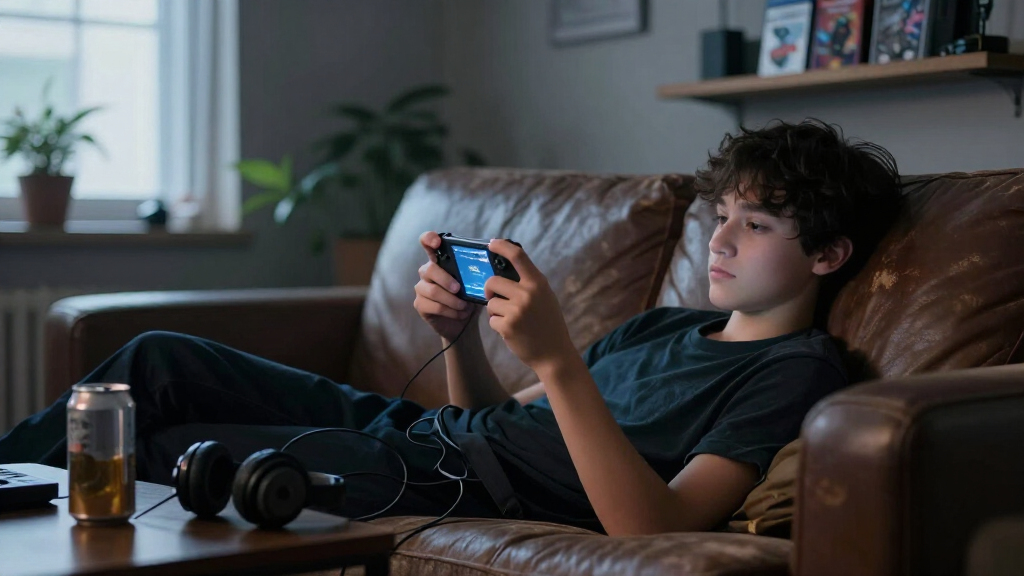

Gaming handheld consoles have split into three distinct camps: retro emulators loaded with thousands of classic games, cloud gaming devices that stream from your existing libraries, and full Windows machines that run modern PC titles anywhere. After comparing 15 options across these categories, the MSI Claw A8 stands out as the best overall pick thanks to its 8-inch 120Hz display, Ryzen Z2 Extreme chip, and 1TB of storage — enough power for AAA gaming without compromise. The ASUS ROG Xbox Ally challenges it closely with a more console-like experience and Xbox integration, while the RG35XX Pro wins on value for retro fans who want hundreds of classics in a pocketable shell. The main tradeoff you’ll face is portability versus power: smaller retro devices cost little and fit in a jacket pocket, while premium Windows handhelds deliver desktop-class gaming at the expense of size, battery drain, and price. Read on for the full breakdown of all 15 consoles and which one fits your gaming habits.

Play games on Amazon Luna for your game nights, included with Prime
- A rotating selection of games, no download needed
- Play on TV, laptop or phone
- Fast, free delivery for your gear, too
Complete the kit



Key Takeaways
- The MSI Claw A8 earned the top spot because it pairs the largest display in the lineup (8 inches, 120Hz) with the strongest specs (Ryzen Z2 Extreme, 24GB RAM, 1TB SSD), while the ROG Xbox Ally trades a bit of raw power for better software polish and console-style simplicity.
- The retro category is crowded with near-identical devices; the RG35XX Pro and RG56PRO separated themselves through build quality and screen fidelity, while the Boltz console’s 20,503 preloaded games proved that game quantity without curation is a drawback, not a feature.
- The abxylute One Pro is the strongest argument for cloud gaming — a 7-inch 1080p screen at a fraction of the cost of Windows handhelds — but it’s only worth buying if you already pay for game streaming services and have reliable internet.
- Budget devices under the $50-style tier, like the My Arcade Atari Pocket Player and P30S for kids, are best treated as novelties or gifts; anyone who games more than occasionally will outgrow them within weeks.
- Battery life remains the category’s biggest weakness: powerful Windows handhelds drain in 2-3 hours under load, while small retro consoles last 6+ hours — so your choice of device should match where you actually play.
| My Arcade Atari Pocket Player with 100 Games |  | Best for Atari Fans | Games: 100 | Display: 2.75-inch full-color vertical screen | Power: 4 AA batteries or USB-C cable; neither included | VIEW LATEST PRICE | See Our Full Breakdown |
| Mini Handheld Retro Game Console with 3.0-Inch IPS Screen, 400 Preloaded Games, and Rechargeable Battery |  | Best for Simple Rechargeable Play | Screen: 3.0-inch IPS | Preloaded games: 400 classic games | Battery capacity: 1020 mAh | VIEW LATEST PRICE | See Our Full Breakdown |
| abxylute One Pro Handheld Cloud Gaming Console, 7-inch 1080p Touchscreen, 64GB |  | Best for Cloud and Remote Play | Platform: Android | Storage: 64 GB; microSD compatible | Display: 7-inch 1080p touchscreen | VIEW LATEST PRICE | See Our Full Breakdown |
| RG56PRO Retro Handheld Game Console with EVA Hard Case, Black, 128GB |  | Best for a Large Preloaded Retro Library | Storage: 128GB TF card | Preloaded games: 31,000+ | Processor: Rockchip RK3562 quad-core, up to 2.0GHz | VIEW LATEST PRICE | See Our Full Breakdown |
| MSI Claw A8 Gaming Handheld, AMD Ryzen Z2 Extreme, 8-inch FHD+ 120Hz Display, 24GB LPDDR5x, 1TB SSD, White |  | Best Premium Windows Handheld | Processor: AMD Ryzen Z2 Extreme | Display: 8-inch FHD+, 1920 × 1200, 120Hz | Memory: 24GB LPDDR5x | VIEW LATEST PRICE | See Our Full Breakdown |
| RG35XX Pro Handheld Retro Gaming Console, Transparent Teal |  | Best Pocket Retro Pick | Processor: H700 quad-core ARM Cortex-A53, 1.5 GHz | Graphics: Dual-core G31 MP2 | Display: 3.5-inch IPS, 640 × 480 | VIEW LATEST PRICE | See Our Full Breakdown |
| ASUS ROG Xbox Ally Gaming Handheld with 7-Inch 120Hz Touchscreen, Ryzen Z2 A, 16GB RAM, 512GB SSD, and DKZ Hub |  | Best Windows Handheld | Processor: AMD Ryzen Z2 A | Graphics: AMD RDNA 2 | Display: 7-inch IPS touchscreen, 120Hz, 1080p | VIEW LATEST PRICE | See Our Full Breakdown |
| Retro Handheld Game Console with 3.5-Inch IPS Screen |  | Best for Family Game Nights | Processor: Quad-core ARM Cortex-A53 | GPU: Quad-core PowerVR SGX544MP | RAM: 1 GB LPDDR4 | VIEW LATEST PRICE | See Our Full Breakdown |
| Lenovo Legion Go S 2025 Mobile Gaming Console, Ryzen Z2 Go, 8-Inch 120Hz Display, 16GB RAM, 512GB Storage, Glacier White |  | Best Big-Screen Comfort | Processor: AMD Ryzen Z2 Go | Graphics: AMD Radeon | Display: 8-inch PureSight IPS, 120Hz, 500 nits, 100% sRGB | VIEW LATEST PRICE | See Our Full Breakdown |
| X36 Ultra Retro Handheld Game Console with WiFi, Android 10, 4.2-Inch IPS Screen |  | Best Hybrid Entertainment Value | Display: 4.2-inch OCA full-laminated IPS, 720 × 720 | Processor: Qualcomm Gen1 quad-core CPU | GPU: Mali 450 | VIEW LATEST PRICE | See Our Full Breakdown |
| RG43H Pro Retro Handheld Game Console with 4.3-Inch IPS Screen |  | Best for TV Play | Processor: Rockchip RK3562 quad-core | Display: 4.3-inch IPS, 1024 × 768 | Storage: 64 GB, expandable to 512 GB | VIEW LATEST PRICE | See Our Full Breakdown |
| Boltz Retro Handheld Game Console with 20,503 Built-In Games and 3.75-Inch IPS Display |  | Best Massive Library | Built-in games: 20,503 | Processor: RK3326 quad-core Cortex-A35 | Operating system: Linux | VIEW LATEST PRICE | See Our Full Breakdown |
| MANGMI AIR X Android Handheld Game Console, 5.5-inch FHD IPS, 4GB RAM, 64GB Storage, Black |  | Best for Cloud Streaming | Processor: Qualcomm Snapdragon 662 octa-core, up to 2.1 GHz | Operating system: Android 14 | Display: 5.5-inch FHD IPS touchscreen, 1920 × 1080, 400 nits | VIEW LATEST PRICE | See Our Full Breakdown |
| P30S Handheld Game Console for Kids – 220 Preloaded Retro Games, 3.0″ LCD Screen, Rechargeable, Portable Mini Arcade (Blue) | 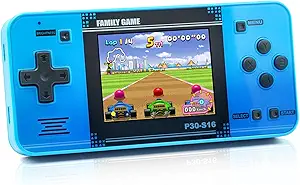 | Best for Young Kids | Model: P30S | Preloaded games: 220 | Screen: 3.0-inch LCD | VIEW LATEST PRICE | See Our Full Breakdown |
| DREAMHAX X7 Plus Handheld Game Console with 4.3-Inch Screen |  | Best for Two-Player Family Nights | Screen: 4.3-inch color TFT LCD, 16:9 | Built-in games: 10,000 | Connectivity: HDMI output, USB | VIEW LATEST PRICE | See Our Full Breakdown |
| gaming handheld console | Display | Processor | Battery | Storage |
|---|---|---|---|---|
| My Arcade Atari Pocket Player | 2.75-inch full-color vertical screen | — | — | — |
| Mini Handheld Retro Game Conso | — | — | — | — |
| abxylute One Pro Handheld Clou | 7-inch 1080p touchscreen | — | — | 64 GB; microSD compatible |
| RG56PRO Retro Handheld Game Co | 5.5-inch IPS, 1280 × 720, laminated, anti-glare | Rockchip RK3562 quad-core, up to 2.0GHz | 5000mAh; up to 8 hours | 128GB TF card |
| MSI Claw A8 Gaming Handheld | 8-inch FHD+, 1920 × 1200, 120Hz | AMD Ryzen Z2 Extreme | — | 1TB NVMe SSD |
| RG35XX Pro Handheld Retro Gami | 3.5-inch IPS, 640 × 480 | H700 quad-core ARM Cortex-A53, 1.5 GHz | 3200 mAh, up to 8 hours claimed | 64 GB SD card |
| ASUS ROG Xbox Ally Gaming Hand | 7-inch IPS touchscreen, 120Hz, 1080p | AMD Ryzen Z2 A | 60Wh with fast charging | 512GB SSD |
| Retro Handheld Game Console wi | 3.5-inch IPS, 640 × 480 | Quad-core ARM Cortex-A53 | 3200 mAh lithium-polymer | 64 GB TF card |
| Lenovo Legion Go S 2025 Mobile | 8-inch PureSight IPS, 120Hz, 500 nits, 100% sRGB | AMD Ryzen Z2 Go | 55.5Wh | 512GB |
| X36 Ultra Retro Handheld Game | 4.2-inch OCA full-laminated IPS, 720 × 720 | Qualcomm Gen1 quad-core CPU | 3500mAh lithium, up to 8 hours | — |
| RG43H Pro Retro Handheld Game | 4.3-inch IPS, 1024 × 768 | Rockchip RK3562 quad-core | 4000 mAh | 64 GB, expandable to 512 GB |
| Boltz Retro Handheld Game Cons | 3.75-inch IPS, 720 × 720 | RK3326 quad-core Cortex-A35 | 3500 mAh, up to 5 hours | — |
| MANGMI AIR X Android Handheld | 5.5-inch FHD IPS touchscreen, 1920 × 1080, 400 nits | Qualcomm Snapdragon 662 octa-core, up to 2.1 GHz | 5000mAh, up to 8 hours, 15W USB-C charging | 64GB, expandable via microSD |
| P30S Handheld Game Console for | — | — | 860mAh rechargeable lithium-ion | — |
| DREAMHAX X7 Plus Handheld Game | — | — | — | — |
More Details on Our Top Picks
My Arcade Atari Pocket Player with 100 Games
Atari’s familiar game library gives this compact player a clearer purpose than generic retro handhelds: it comes with 100 classic and bonus games, so there’s no game setup to sort out. Its 2.75-inch vertical screen suits short sessions with older titles, while brightness and volume controls help adapt play to different settings. Compared with the Mini Handheld Retro Game Console’s wider 3-inch IPS screen and rechargeable battery, the Atari is smaller and its named library is easier to identify, but power takes more planning. It runs on four AA batteries or USB-C, and neither the batteries nor cable are included. I’d choose it for a simple, self-contained Atari collection; players seeking a broader screen or rechargeable convenience should look at the Mini Handheld instead.
Pros:- Includes 100 classic and bonus Atari games
- Compact dimensions suit portable play
- Built-in speaker, volume control, and headphone jack
- Brightness adjustment for different lighting
Cons:- Four AA batteries and USB-C cable are not included
- Manufacturer recommends standard non-rechargeable batteries
- Small vertical display is less suited to players wanting a larger viewing area
Best for: Atari fans who want a pocketable collection of classic games without choosing or loading titles.
Not ideal for: Players who want a larger screen, a rechargeable battery, or a supplied charging cable.
- Games:100
- Display:2.75-inch full-color vertical screen
- Power:4 AA batteries or USB-C cable; neither included
- Audio:Built-in speaker with volume control; 3.5 mm headphone jack
- Controls:Brightness adjustment
- Dimensions:1.14 W × 2.8 H × 5.80 D inches
Our verdict“Choose this for a compact, ready-to-play Atari collection; pick the Mini Handheld instead if screen size and rechargeable power matter more.”
Mini Handheld Retro Game Console with 3.0-Inch IPS Screen, 400 Preloaded Games, and Rechargeable Battery
The Mini Handheld keeps the experience straightforward: its 400 preloaded games are ready to play, and the 3-inch IPS screen offers a little more viewing area than the Atari Pocket Player’s 2.75-inch vertical display. Its rechargeable battery also avoids the Atari’s need for separately supplied AA batteries or a USB-C cable. That makes this a practical pick for travel or casual play at home, especially for someone who wants a variety of games without managing a game library. The tradeoff is that no individual game titles are listed, so buyers have less information about what the collection contains. Battery life is stated at up to five hours, which is more limited than the over-eight-hour claim for the abxylute One Pro. I’d favor this for simple offline sessions, not longer trips without charging access.
Pros:- 400 preloaded games require no setup
- 3-inch IPS display is larger than the Atari Pocket Player screen
- Rechargeable 1020 mAh battery
- Compact, lightweight design with simple controls
Cons:- Specific game titles are not listed
- Up to five hours of battery life may require recharging during longer outings
- Does not offer the cloud and remote-play options of the abxylute One Pro
Best for: Casual players and families looking for a compact, rechargeable handheld with a ready-made game collection.
Not ideal for: Buyers who want named game titles, longer stated battery life, or cloud and remote-play features.
- Screen:3.0-inch IPS
- Preloaded games:400 classic games
- Battery capacity:1020 mAh
- Battery life:Up to 5 hours
- Design:Compact, lightweight handheld
- Color:Gray
Our verdict“Pick this for easy, rechargeable retro play in a compact format, provided the unspecified game list suits you.”
abxylute One Pro Handheld Cloud Gaming Console, 7-inch 1080p Touchscreen, 64GB
The abxylute One Pro stands apart from the preloaded-game handhelds here by focusing on cloud gaming, remote play, and Android games. Its 7-inch 1080p touchscreen gives streamed games more room than the RG56PRO’s 5.5-inch display, and the stated battery life of over eight hours supports longer sessions away from an outlet. Android also opens up more uses than a fixed retro library, while HDMI output supports video on a larger display. That flexibility depends on a reliable Wi-Fi connection: remote play requires broadband Wi-Fi of at least 5 Mbps, and some services need separate subscriptions. With 64GB of storage, it also has less built-in space than the MSI Claw A8’s 1TB SSD. I’d choose this for streaming and Android versatility, not for buyers seeking a standalone collection of games.
Pros:- Supports cloud gaming and remote play across multiple services
- 7-inch 1080p touchscreen offers more viewing area than the RG56PRO
- Runs Android games and supports retro emulation
- Stated battery life is over 8 hours
Cons:- Some gaming services require separate subscriptions
- Remote play depends on broadband Wi-Fi of at least 5 Mbps
- 64GB storage is far smaller than the MSI Claw A8’s 1TB SSD
Best for: Players with reliable Wi-Fi who want one handheld for cloud gaming, remote play, Android games, and retro emulation.
Not ideal for: Players who need offline-first gaming, abundant built-in storage, or access to subscription services without extra fees.
- Platform:Android
- Storage:64 GB; microSD compatible
- Display:7-inch 1080p touchscreen
- Video output:Up to 4K
- Connectivity:Wi-Fi, HDMI, USB
- Weight:430 g
- Battery life:Over 8 hours
Our verdict“Choose the abxylute One Pro if dependable Wi-Fi and streaming access matter more than standalone play or large built-in storage.”
RG56PRO Retro Handheld Game Console with EVA Hard Case, Black, 128GB
The RG56PRO is the retro-focused pick for buyers who want a large stated game collection in a single package: its 128GB TF card lists more than 31,000 games, and the included EVA case makes carrying it less exposed to knocks. A 5.5-inch 720p IPS display is roomier than the Atari Pocket Player’s small vertical screen, while hall-effect shoulder buttons and dual joysticks give it more control options for supported games. HDMI output and Wi-Fi add ways to connect, but two-player Wi-Fi works only with compatible games and devices. Its claimed battery life is up to eight hours, with actual runtime varying by settings and features. Compared with the abxylute One Pro, this leans toward preloaded retro play over cloud services; buyers should also follow the specified 5V/2A charging requirement.
Pros:- 128GB TF card lists more than 31,000 preloaded games
- 5.5-inch 720p IPS display is larger than the Atari Pocket Player screen
- Hall-effect shoulder controls and dual 3D joysticks
- EVA hard case and HDMI output are included
Cons:- Actual battery runtime varies with settings and features
- Requires a 5V/2A power source; higher-voltage chargers are unsafe
- Two-player Wi-Fi is limited to compatible games and devices
Best for: Retro players who want a large preloaded library, fuller controls, and a case for carrying the handheld.
Not ideal for: Buyers seeking cloud-service versatility, predictable battery runtime, or charging convenience with higher-voltage adapters.
- Storage:128GB TF card
- Preloaded games:31,000+
- Processor:Rockchip RK3562 quad-core, up to 2.0GHz
- Operating system:Open-source Linux
- Display:5.5-inch IPS, 1280 × 720, laminated, anti-glare
- Controls:Hall-effect L1/L2/R1/R2; dual 3D joysticks
- Battery:5000mAh; up to 8 hours
- Connectivity:Wi-Fi and HDMI output
Our verdict“Choose the RG56PRO for a large retro library and versatile controls if its charging requirement and variable runtime fit your routine.”
MSI Claw A8 Gaming Handheld, AMD Ryzen Z2 Extreme, 8-inch FHD+ 120Hz Display, 24GB LPDDR5x, 1TB SSD, White
The MSI Claw A8 is the most PC-like option in this group, pairing Windows 11 Home with an AMD Ryzen Z2 Extreme processor, 24GB of memory, and a 1TB SSD. That combination gives buyers more room for a substantial installed game library than the abxylute One Pro’s 64GB, though the abxylute is the lighter, more cloud-oriented choice at 430g. The MSI’s 8-inch 1920 × 1200, 120Hz display is the largest and highest-refresh screen among these five, which can make supported games look smoother and provides more viewing space. Thunderbolt 4 and an SD card reader add connection and storage options. The tradeoff is that the supplied product data gives no battery runtime, so buyers cannot gauge how long demanding play may last away from power. I’d pick it for Windows gaming and screen quality over a compact retro handheld.
Pros:- Windows 11 Home supports a PC-style handheld gaming setup
- 8-inch 1920 × 1200 display with 120Hz refresh rate
- 24GB LPDDR5x memory and 1TB NVMe SSD
- Thunderbolt 4 and SD card reader provide expansion and connection options
Cons:- Battery runtime is not specified in the provided product data
- Larger 8-inch format is less compact than the RG56PRO
- Windows handheld complexity may be more than needed for simple retro play
Best for: PC gaming players who want a Windows handheld with a large high-refresh display, substantial memory, and 1TB of storage.
Not ideal for: Travelers who need a stated battery runtime or buyers who prefer a smaller, lighter retro-focused device.
- Processor:AMD Ryzen Z2 Extreme
- Display:8-inch FHD+, 1920 × 1200, 120Hz
- Memory:24GB LPDDR5x
- Storage:1TB NVMe SSD
- Platform:Windows 11 Home
- Connectivity:Bluetooth, Wi-Fi, Thunderbolt 4
- Card reader:SD card reader
- Model:BZ2EM-070US
Our verdict“Choose the MSI Claw A8 for a large-screen Windows gaming handheld with ample storage, if unspecified battery life is acceptable.”
RG35XX Pro Handheld Retro Gaming Console, Transparent Teal
This option stands out for cramming dual joysticks into a genuinely pocketable retro handheld, something the similarly sized Retro Handheld with 3.5-Inch IPS Screen doesn’t offer. The H700 quad-core chip handles 30+ simulators comfortably, and the 640 × 480 IPS panel is sharp for a screen this small — text in RPGs stays readable, which matters more than raw specs suggest. Compared with the pricier X36 Ultra, the RG35XX Pro trades Android app support for a lighter, more focused Linux experience that boots straight into games. The tradeoff: update support is unclear, so buyers should expect a what-you-buy-is-what-you-get device rather than a platform that improves over time.
Pros:- Dual joysticks give precise control for 3D-era retro titles
- Supports more than 30 simulators across a wide library
- HDMI output and wireless connectivity for TV play
- Up to 8 hours of claimed battery life in a compact body
Cons:- Software update support date is unknown, so long-term improvements are uncertain
- 3.5-inch screen limits visibility for text-heavy or wide-screen games
Best for: Retro enthusiasts who want a shirt-pocket console with dual sticks for PS1-era and arcade libraries
Not ideal for: Anyone wanting a device that will receive firmware updates or modern streaming apps — this is emulation-only hardware
- Processor:H700 quad-core ARM Cortex-A53, 1.5 GHz
- Graphics:Dual-core G31 MP2
- Display:3.5-inch IPS, 640 × 480
- Storage:64 GB SD card
- Battery:3200 mAh, up to 8 hours claimed
- Connectivity:Wi-Fi, 2.4G wireless, HDMI, USB Type-C
- Supported simulators:More than 30
Our verdict“A compact, joystick-equipped emulation machine for buyers who value portability and control over app versatility.”
ASUS ROG Xbox Ally Gaming Handheld with 7-Inch 120Hz Touchscreen, Ryzen Z2 A, 16GB RAM, 512GB SSD, and DKZ Hub
Compared with the Lenovo Legion Go S, the ROG Xbox Ally is the more versatile pick because it opens the door to Xbox, Steam, Epic, and every PC game store rather than tying you to one ecosystem. The 120Hz FreeSync Premium display means fast-paced games look smooth without tearing, and the 60Wh battery with 0-to-50% charging in roughly 30 minutes reduces downtime between sessions. The contoured grips make it better suited to long play than the smaller RG35XX Pro, which targets a different use case entirely. The tradeoffs are real: Windows 11 on a handheld involves desktop-style friction, the listed weight conflicts between 1.47 and 2 lbs, and update support timing is unspecified.
Pros:- Runs Windows 11 with access to Xbox, Steam, Epic, and other PC game stores
- 120Hz touchscreen with FreeSync Premium for smooth, tear-free gameplay
- 60Wh battery with fast charging, claiming 0% to 50% in 30 minutes
- Contoured grips designed for extended play sessions
Cons:- Listed weight is inconsistent between the description and item details
- Software update support date is unknown
- Windows 11 adds interface complexity compared with console-style handhelds
Best for: PC gamers who already own libraries across Steam, Xbox, and Epic and want one device for all of them
Not ideal for: Buyers who want instant-on simplicity — Windows boot times and updates clash with pick-up-and-play habits
- Processor:AMD Ryzen Z2 A
- Graphics:AMD RDNA 2
- Display:7-inch IPS touchscreen, 120Hz, 1080p
- Memory:16GB LPDDR5X, 6400MHz
- Storage:512GB SSD
- Battery:60Wh with fast charging
- Connectivity:Wi-Fi 6E, Bluetooth 5.4
Our verdict“The pick for buyers who want their full PC game library in handheld form and can tolerate Windows on a small screen.”
Retro Handheld Game Console with 3.5-Inch IPS Screen
Where the RG35XX Pro is built for solo retro enthusiasts, this console earns its spot with multiplayer controller connections — plug in 2.4G wireless or wired gamepads, output to a TV over HDMI, and the couch multiplayer problem is solved. The 64 GB card arrives preloaded with thousands of classics, so there’s nothing to set up before handing it to kids or guests. The quad-core Cortex-A53 and 1 GB of RAM keep it firmly in 8/16-bit and some PS1 territory, well below the X36 Ultra’s Android flexibility. Buyers should temper expectations around endurance: the listing claims 5 hours in specs but 6–7 in the description, and the preloaded game count is also inconsistent.
Pros:- Connects multiple 2.4G wireless or wired gamepads for couch multiplayer
- 64 GB card preloaded with thousands of classic games
- HDMI and TV output turns it into a living-room console
- USB Type-C fast charging supported
Cons:- Battery-life claims conflict: 5 hours in specs versus 6–7 in the description
- Preloaded game count is inconsistent across the listing
- 1 GB RAM and older GPU limit demanding emulation
Best for: Families and casual groups who want preloaded classics with TV output and multiple controllers
Not ideal for: Performance-focused retro fans — 1 GB of RAM limits newer emulation compared with the RG35XX Pro
- Processor:Quad-core ARM Cortex-A53
- GPU:Quad-core PowerVR SGX544MP
- RAM:1 GB LPDDR4
- Display:3.5-inch IPS, 640 × 480
- Storage:64 GB TF card
- Battery:3200 mAh lithium-polymer
- Connectivity:5G Wi-Fi, Bluetooth, HDMI, TV output
Our verdict“A social retro machine for shared TV play rather than a solo enthusiast’s emulation rig.”
Lenovo Legion Go S 2025 Mobile Gaming Console, Ryzen Z2 Go, 8-Inch 120Hz Display, 16GB RAM, 512GB Storage, Glacier White
The Legion Go S makes the most sense for buyers who find 7-inch handhelds cramped — its 8-inch PureSight IPS panel at 500 nits and 100% sRGB is brighter and more color-accurate than the ROG Xbox Ally’s screen, and the extra real estate genuinely helps in detailed games. The Legion ColdFront cooling and ergonomic TrueStrike grips with anti-slip texture are designed for sustained sessions, where smaller devices like the RG35XX Pro force hand cramps. Included three-month PC Game Pass and EA Play memberships soften the software-buying burden. The main caution: Lenovo describes battery life as long-lasting but never specifies a runtime, and a 120Hz 8-inch screen with a 55.5Wh battery invites skepticism about all-day play.
Pros:- 8-inch 120Hz touchscreen with 500-nit brightness and 100% sRGB color accuracy
- 16GB memory and 512GB storage for modern game libraries
- Ergonomic TrueStrike controllers and Legion ColdFront cooling for long sessions
- Includes three months of PC Game Pass and EA Play
Cons:- Battery life is described as long-lasting with no runtime specified
- Larger size reduces portability compared with 7-inch rivals
Best for: PC gamers who prioritize a large, vivid screen and comfortable long-session ergonomics over maximum portability
Not ideal for: Commuters and travelers — the 8-inch footprint is the least pocketable option in this lineup
- Processor:AMD Ryzen Z2 Go
- Graphics:AMD Radeon
- Display:8-inch PureSight IPS, 120Hz, 500 nits, 100% sRGB
- Memory:16GB
- Storage:512GB
- Battery:55.5Wh
- Extras:3 months PC Game Pass and EA Play; 1 year Legion Ultimate Support
Our verdict“The choice when screen size and sustained comfort matter more than pocketability, provided unverified battery claims don’t bother you.”
X36 Ultra Retro Handheld Game Console with WiFi, Android 10, 4.2-Inch IPS Screen
Unlike the pure-emulation RG35XX Pro, the X36 Ultra runs full Android 10 with WiFi, so it doubles as a YouTube and TikTok device — a genuine differentiator for buyers who want one gadget for games and media. The 4.2-inch OCA laminated 720 × 720 screen is larger and more glare-resistant than most 3.5-inch rivals, and at 210g with up to 8 hours of battery, it’s still pocket-friendly. The catch is the hardware ceiling: 1GB of RAM and 8GB of internal storage mean smooth retro play but sluggish modern apps, and you’ll need a TF card quickly. Compared with the Retro Handheld with 3.5-Inch IPS Screen, it offers more versatility but less listing reliability — battery and storage details conflict across the page.
Pros:- Full Android 10 with WiFi enables YouTube, TikTok, and apps beyond retro gaming
- Sharp 4.2-inch OCA laminated IPS screen reduces reflection and eye fatigue
- Lightweight 210g design with up to 8 hours of battery life
- Expandable storage up to 256GB via TF card
Cons:- 1GB RAM and 8GB internal storage limit performance for demanding apps
- Preloaded games are unlicensed ROMs of varying quality
- Conflicting spec information in the listing on battery and storage
Best for: Budget buyers who want retro gaming plus YouTube and TikTok streaming in one lightweight device
Not ideal for: Anyone hoping to run demanding Android games — 1GB RAM and 8GB storage cap performance hard
- Display:4.2-inch OCA full-laminated IPS, 720 × 720
- Processor:Qualcomm Gen1 quad-core CPU
- GPU:Mali 450
- Operating system:Android 10 (dual system)
- Memory / Storage:1GB RAM, 8GB EMMC, TF expandable to 256GB
- Battery:3500mAh lithium, up to 8 hours
- Weight:210g
Our verdict“A media-and-retro hybrid for casual users, as long as you accept modest hardware and inconsistent listing details.”
RG43H Pro Retro Handheld Game Console with 4.3-Inch IPS Screen
The RG43H Pro stands out as the pick in this lineup for buyers who want a pocket-sized retro machine that can also become a living-room console. Its HDMI output means the same device that plays PS1-era games on the train can drive a TV at home, which the smaller P30S and the DREAMHAX X7 Plus can only partially match — the X7 Plus also offers HDMI, but with a weaker feature set overall. The sharp 4.3-inch IPS panel at 1024 × 768 beats the Boltz Retro’s lower-resolution square screen for 4:3 emulation, and dual joysticks plus a vibration motor give it more versatile controls than flat retro sticks like the RG35XX Pro. Storage expands to 512 GB, so library size is never the limit. The main tradeoff: battery runtime is unspecified, and the advertised game counts come from the seller rather than independent verification, so manage expectations on library quality.
Pros:- Dual system support with EmuELEC and RGBOX for broad retro compatibility
- Expandable storage up to 512 GB for large ROM libraries
- HDMI output turns it into a TV console at home
- Dual 3D joysticks and vibration motor for more modern-era emulation
Cons:- Battery runtime is not specified by the manufacturer
- Advertised built-in game counts are not independently verified
Best for: Retro enthusiasts who want one compact device for both portable play and HDMI output to a TV
Not ideal for: Buyers who want guaranteed battery runtime specs or a curated, verified game library
- Processor:Rockchip RK3562 quad-core
- Display:4.3-inch IPS, 1024 × 768
- Storage:64 GB, expandable to 512 GB
- Battery:4000 mAh
- Connectivity:2.4 GHz Wi-Fi, HDMI output, Type-C OTG
- Controls:Dual 3D joysticks, shoulder buttons, vibration motor
- Dimensions:7.2 × 3.2 × 0.81 inches
Our verdict“This pick makes the most sense for retro players who want the flexibility of a pocket console that doubles as a TV gaming box.”
Boltz Retro Handheld Game Console with 20,503 Built-In Games and 3.75-Inch IPS Display
If sheer game count is the deciding factor, the Boltz Retro leads this batch with 20,503 built-in games — double the DREAMHAX X7 Plus’s 10,000 and roughly a hundred times the P30S’s kid-focused 220. The square 720×720 IPS display is an odd but clever choice: it suits vertically oriented arcade classics better than the widescreen panels on Android handhelds like the MANGMI AIR X. Running Linux on an RK3326, it handles 8-bit through 16-bit era emulation comfortably, and the five-hour battery with USB-C charging keeps sessions practical. The honest tradeoff is curation: with no published list of titles or supported systems, you’re buying quantity sight unseen, and some duplicates and filler are near-certain at this count. Compared with the RG43H Pro, you lose HDMI output, which keeps this strictly a handheld-first device.
Pros:- Enormous 20,503-game preloaded library with zero setup
- Unusual 720×720 square IPS panel suits arcade-style classics
- Up to five hours of gameplay with USB-C recharging
- Dual analog joysticks plus a d-pad and shoulder triggers
Cons:- No published list of game titles or emulated systems
- Battery tops out at five hours, less than Android rivals
- No HDMI output for TV play
Best for: Casual retro fans who value instant variety out of the box over a curated, verified library
Not ideal for: Players hunting for specific classic titles — no game list or supported systems are published
- Built-in games:20,503
- Processor:RK3326 quad-core Cortex-A35
- Operating system:Linux
- Display:3.75-inch IPS, 720 × 720
- Battery:3500 mAh, up to 5 hours
- Charging:USB-C
- Controls:Dual analog joysticks, d-pad, shoulder triggers, action buttons
Our verdict“Choose this if you want maximum built-in variety for the price and don’t care which specific classics are included.”
MANGMI AIR X Android Handheld Game Console, 5.5-inch FHD IPS, 4GB RAM, 64GB Storage, Black
The MANGMI AIR X is the most forward-looking device in this batch. Unlike the Linux-based Boltz Retro or the closed DREAMHAX X7 Plus, it runs Android 14, which opens the door to cloud gaming services, Android-native titles, and streaming apps — a completely different use case than pure retro emulation. The 1080p touchscreen at 400 nits is the sharpest display here by a wide margin, and Hall-effect sticks and triggers eliminate stick drift in a way none of the retro rivals can claim. Its 5000mAh battery is rated for up to eight hours, beating the Boltz’s five. The catch sits in the silicon: a Snapdragon 662 is entry-level by modern standards, so demanding Android games and local emulation beyond lighter systems will strain it, and 64GB of storage fills fast without a microSD card. It’s a streaming-first device, not a powerhouse like the MSI Claw A8 or Legion Go S elsewhere in this guide.
Pros:- 1080p IPS touchscreen with 400-nit brightness and full sRGB coverage
- Hall-effect joysticks and triggers resist drift long-term
- Android 14 supports cloud streaming, Android games, and TV casting
- 5000mAh battery rated for up to 8 hours
Cons:- Snapdragon 662 limits demanding native and emulated titles
- 64GB internal storage requires microSD expansion for real libraries
Best for: Cloud-streaming gamers who want a lightweight Android device for Game Pass-style services plus light retro play
Not ideal for: Players wanting to locally run demanding Android games or heavy emulation — the Snapdragon 662 will bottleneck
- Processor:Qualcomm Snapdragon 662 octa-core, up to 2.1 GHz
- Operating system:Android 14
- Display:5.5-inch FHD IPS touchscreen, 1920 × 1080, 400 nits
- Memory:4GB RAM
- Storage:64GB, expandable via microSD
- Battery:5000mAh, up to 8 hours, 15W USB-C charging
- Controls:RGB Hall-effect joysticks, linear Hall triggers
Our verdict“This model is better suited to streamers who need a cheap, drift-resistant Android client than to players expecting local gaming muscle.”
P30S Handheld Game Console for Kids – 220 Preloaded Retro Games, 3.0″ LCD Screen, Rechargeable, Portable Mini Arcade (Blue)
Where every other device here targets hobbyists, the P30S is unapologetically built for children. Its arcade-style shell is sized for small hands, and with 220 preloaded games there’s nothing to download, configure, or buy afterward — a real advantage over enthusiast handhelds like the RG43H Pro, which expect you to manage ROM libraries and system settings. Compared with the Mini Handheld Retro Console’s 400 games elsewhere in this guide, the smaller library here is actually a feature for the audience: fewer menus, less overwhelm, and age-appropriate genres across sports, adventure, and puzzles. The rechargeable 860mAh battery spares parents from a constant AA-battery budget. Tradeoffs are real, though: the 3.0-inch screen is cramped by any adult standard, the fixed game list means no modern titles ever, and short battery sessions may frustrate older kids ready for something like the Boltz Retro instead.
Pros:- 220 games preloaded with no downloads, accounts, or extra purchases
- Compact, ergonomic design scaled for children’s hands
- Rechargeable battery avoids disposable battery costs
- Simple puzzle and action games build coordination without complexity
Cons:- 3.0-inch screen is small even by budget handheld standards
- Locked to retro classics — no modern or expandable game library
Best for: Parents buying a first gaming device for young children who want zero setup and no ongoing costs
Not ideal for: Anyone over roughly ten years old — the small screen and fixed retro catalog will feel limiting fast
- Model:P30S
- Preloaded games:220
- Screen:3.0-inch LCD
- Battery:860mAh rechargeable lithium-ion
- Design:Mini arcade style, child-sized ergonomic shell
- Color:Blue
Our verdict“If the buyer is a six-to-ten-year-old and the goal is a no-fuss first console, this is the right pick in this lineup.”
DREAMHAX X7 Plus Handheld Game Console with 4.3-Inch Screen
The DREAMHAX X7 Plus earns its spot for a feature none of the other retro picks here offer well: two-player gaming over HDMI. Connect it to a TV, hand a second controller to a family member, and the 10,000 built-in classics become a couch multiplayer box — something the strictly solo Boltz Retro can’t do and the RG43H Pro doesn’t emphasize. The bundled media extras (music and video playback, camera, voice recorder, e-book reader) make it feel like a mini entertainment device rather than a pure emulator, which suits households that share one gadget around. The compromises are worth knowing before buying: it must be charged at 5V 1A only, so a modern fast charger could damage it, and the interface buries some games off the main screen, requiring menu digging that less patient family members may not tolerate.
Pros:- 10,000 built-in classic games with save and load support
- HDMI output with two-player support for couch multiplayer
- Extra functions include music, video, camera, recorder, and e-book reader
- 4.3-inch color TFT screen is usable for standalone play
Cons:- Charging restricted to 5V 1A — incompatible with standard fast chargers
- Not all games appear on the main screen, requiring menu searching
Best for: Families who want a cheap TV-connected console for two-player retro nights plus basic media playback
Not ideal for: Owners of fast USB chargers or anyone who expects every game surfaced in a clean menu — the 5V 1A limit and buried game lists will annoy
- Screen:4.3-inch color TFT LCD, 16:9
- Built-in games:10,000
- Connectivity:HDMI output, USB
- Players:Two-player support
- Features:Save/load, music and video player, camera, recorder, photo viewer, e-book reader
- Charging requirement:5V 1A maximum
Our verdict“This pick makes the most sense for families who want shared two-player retro gaming on the TV without buying a second console.”
How We Picked
I evaluated each handheld across five buyer-relevant criteria: performance headroom (can it run the games you actually want, at playable framerates), display quality (resolution, refresh rate, panel type, and size relative to the device’s purpose), build and ergonomics (how it feels during long sessions and how well it survives travel), ease of use (setup friction, software stability, and whether menus and game libraries are pleasant to navigate), and value for the intended buyer rather than absolute cheapness. A $40 retro console can represent better value than a premium Windows handheld if it perfectly matches how its owner plays.
Ranking logic followed purpose first, then execution. Windows handhelds competed against each other on power, battery, and software polish — which is why the Claw A8 leads and the Legion Go S sits mid-pack despite strong hardware. Retro consoles were judged on screen quality, game curation, and community support, which separated the RG35XX Pro from the anonymous 3-inch consoles with bloated game counts. Cloud-only devices were held to a different standard entirely: if you don’t have fast internet and subscriptions, they were penalized regardless of hardware quality.
Factors to Consider When Choosing Gaming Handheld Consoles
Before choosing a handheld, it helps to understand what actually separates a satisfying purchase from a drawer-bound regret. These are the factors that shaped this ranking — and the ones most buyers underestimate.Know Which Type of Handheld You Actually Need
The single most common mistake is buying the wrong category entirely. Retro handhelds play classic 8-bit through PS1-era games and cost a fraction of everything else — ideal for nostalgia, travel, and kids. Cloud gaming devices like the abxylute One Pro don’t run games locally at all; they stream from services, so they’re lightweight and cheap but only as good as your internet connection. Windows handhelds like the Claw A8, ROG Xbox Ally, and Legion Go S are full gaming PCs that run anything, but they bring PC problems: updates, settings tinkering, and short battery life. If you already own a large Steam library, a Windows handheld makes sense. If you mostly want to replay childhood classics, paying for Windows power is wasted money.
Screen Size and Panel Type Matter More Than Specs Suggest
Screen quality is the spec you experience every single second of use, yet buyers fixate on processors instead. A 3-inch LCD with poor viewing angles makes even great games feel cheap, which is why the IPS screens on the RG35XX Pro and RG56PRO elevate them above same-price rivals. For Windows handhelds, the jump from 7 to 8 inches sounds small but meaningfully changes immersion and text readability — and 120Hz refresh makes menus and supported games feel dramatically smoother than 60Hz. Match the screen to the games too: retro pixel art actually looks sharper on smaller 4:3-style displays than stretched across a wide 8-inch panel. This mismatch is why some buyers are disappointed when classics look blurry on hardware that’s technically superior.
Battery Life: The Spec That Decides Where You Can Play
Battery is where premium and budget handhelds diverge hardest, and where marketing numbers mislead most. Windows handhelds advertising 8-plus hours achieve that only in light indie games; demanding AAA titles can drain a Claw A8 or Legion Go S in under three hours, which barely covers a medium-haul flight. Retro consoles flip this entirely — their modest chips sip power, delivering six or more hours of uninterrupted play. Cloud devices fall in between, since streaming video is lighter than rendering games but constant Wi-Fi eats power. Be honest about your play context: if you game mostly at home on the couch, battery barely matters and a wall-charged Windows handheld is fine. If you commute or travel constantly, prioritize efficiency over raw performance.
Game Count Is a Marketing Trap
When a retro console advertises 10,000 or 20,000 built-in games, treat that number with suspicion — a lesson this roundup reinforced repeatedly. These libraries are typically padded with hundreds of duplicates, homebrew filler, and broken ROMs, and the devices with the biggest counts (like the Boltz and its 20,503 games) often hide a handful of genuine classics behind hours of menu-scrolling. Better curation beats bigger libraries: the My Arcade Atari Pocket Player’s 100 official games may sound modest, but every title is licensed, functional, and recognizable. Before buying any preloaded console, ask whether you’d actually play what’s included, and whether the device supports adding your own legally obtained games — community-supported handhelds like the RG35XX Pro allow this, while closed consoles like the Atari unit do not.
Storage and Expandability on Windows Handhelds
Modern AAA games routinely demand 100GB or more, which makes storage capacity a real constraint rather than a spec-sheet footnote. The MSI Claw A8’s 1TB SSD can hold roughly eight to ten large games; the 512GB drives in the ROG Xbox Ally and Legion Go S hold half that, forcing frequent uninstall-reinstall cycles if you rotate libraries. MicroSD expansion helps on models that support it, but SD cards are slower, which means longer load times and occasional stutter in open-world games. A practical rule: if you play two or three games at a time, 512GB is workable; if you like keeping your whole library installed, pay up front for storage rather than managing it forever. Windows handhelds also reserve space for the OS, so real usable capacity is always 15-20% lower than advertised.
Who Should Buy for Kids Versus Themselves
Buying for a child changes every calculation. Kids are rougher on hardware, more likely to lose cartridges and cables, and less discerning about screen quality — which makes durable, inexpensive, closed-system consoles like the P30S or My Arcade Pocket Player smarter purchases than a fragile premium handheld you’ll worry about. Closed systems have a hidden benefit for parents: no internet browser, no app store, no accidental purchases, and a fixed game library you can vet in advance. Devices running Android or full Windows, like the X36 Ultra or any of the PC handhelds, require supervision and account management that many parents don’t anticipate. Match the gift to the recipient: a retro handheld for a curious eight-year-old, and the Windows machines in this list for teenagers and adults with their own libraries.
Frequently Asked Questions
Is a Windows gaming handheld worth it if I already own a gaming PC?
It depends on whether you actually play away from your desk. A Windows handheld like the MSI Claw A8 or ROG Xbox Ally duplicates your PC library with no repurchasing, and features like Steam’s remote play let you stream from your desktop when home — but if 90% of your gaming happens on the couch in the same house, a cheaper cloud device like the abxylute One Pro may deliver a similar experience. The real value of Windows handhelds emerges for commuters, frequent travelers, and anyone who games in shared spaces where a PC isn’t practical. Also weigh the maintenance cost: Windows updates, driver quirks, and per-game settings tweaks are part of the ownership experience. If that sounds like a chore rather than tinkering, a console-style device will serve you better.
Are retro handhelds with thousands of preloaded games legal or safe to buy?
The devices themselves are generally legal to purchase; the gray area is the preloaded game files, which are usually unlicensed copies. Officially licensed consoles like the My Arcade Atari Pocket Player sidestep this entirely since Atari authorized the included titles. Community-oriented handhelds like the RG35XX Pro and RG56PRO ship with the expectation that you’ll add your own games, which lets you stick to legal routes such as ripping cartridges you own or buying re-released classics on legitimate storefronts. Practically, the bigger risk with bulk-loaded consoles isn’t legality but quality — unlicensed libraries frequently contain corrupted files, duplicates, and broken saves. If a clean, curated experience matters to you, choose either an officially licensed device or a blank community handheld over one stuffed with 20,000 mystery ROMs.
Can a cloud gaming handheld replace a traditional console?
For many players, yes — but only under specific conditions that buyers too often overlook. Cloud devices like the abxylute One Pro require consistently fast, stable internet; on fiber connections the experience approaches local play, while on congested Wi-Fi or cellular you’ll hit compression artifacts and input lag that ruin fast-paced games. You’ll also need ongoing subscriptions to services like GeForce Now or Xbox Cloud Gaming, which adds recurring cost that a one-time console purchase avoids. Offline play is impossible, which rules out cloud handhelds for flights, subways, and travel in general. If your gaming happens at home with reliable internet and you prefer subscriptions over hardware investment, cloud gaming is genuinely compelling — otherwise, a local device covers far more scenarios.
What’s the real difference between a $50 retro handheld and a $250 one?
The gap shows up in four places: screen, controls, software, and support. Cheap consoles typically use dim TN panels with washed-out colors, mushy rubber membranes for buttons, and a frozen interface you can’t modify — fine for casual sessions, frustrating for anything sustained. Mid-range retro handhelds like the RG35XX Pro and RG56PRO use IPS screens with accurate color, clicky hall-style or well-tuned buttons, and open Linux-based software with active communities producing updates, emulators, and interface improvements. That community support matters years later: a supported handheld keeps improving after purchase, while a cheap console is frozen as-is forever. If retro gaming is a weekend novelty, the budget tier works; if it’s a regular hobby, the step up pays for itself in daily enjoyment.
Which handheld is best for playing with kids in the household?
For younger children, the P30S and My Arcade Atari Pocket Player are the safest choices: they’re inexpensive enough that breakage isn’t a disaster, they have no internet access or app stores to supervise, and their fixed game libraries mean you always know what’s on the screen. The tradeoff is that kids over roughly ten years old tend to outgrow these quickly and start asking for Minecraft or Roblox, which these devices can’t touch. For that age group, the X36 Ultra or MANGMI AIR X running Android open the door to mainstream mobile games, with parental controls available through Google’s family features. Avoid giving a premium Windows handheld to a child — beyond the cost risk, the accounts, storefronts, and open OS require adult management that most families aren’t prepared for.
Conclusion
The right handheld comes down to matching the machine to how you actually play. For best overall, the MSI Claw A8 wins with the lineup’s best combination of display, power, and storage — a genuine laptop replacement for PC gamers. The ASUS ROG Xbox Ally is the best premium alternative for console-first players who want a polished, controller-friendly experience rather than a handheld PC, while the Lenovo Legion Go S suits buyers who want that big-screen feel at a more restrained spec level.
On value, the RG35XX Pro is the standout — a well-built, community-supported retro handheld that punches far above its price, with the RG56PRO as the step-up for players who want a larger screen and included hard case. For beginners and gift-buyers, the My Arcade Atari Pocket Player offers licensed, recognizable games with zero setup, and the P30S is the safest pick for young kids. Cloud-first gamers with strong internet and existing subscriptions should look hard at the abxylute One Pro, and Android-curious buyers wanting mobile games plus retro emulation will find the X36 Ultra or MANGMI AIR X fit that niche. Whatever you choose, buy for your real gaming habits, not the spec sheet — that single principle separates the handhelds that get used daily from the ones that gather dust.
Fall Picks
fall essentials
As an affiliate, we earn on qualifying purchases.