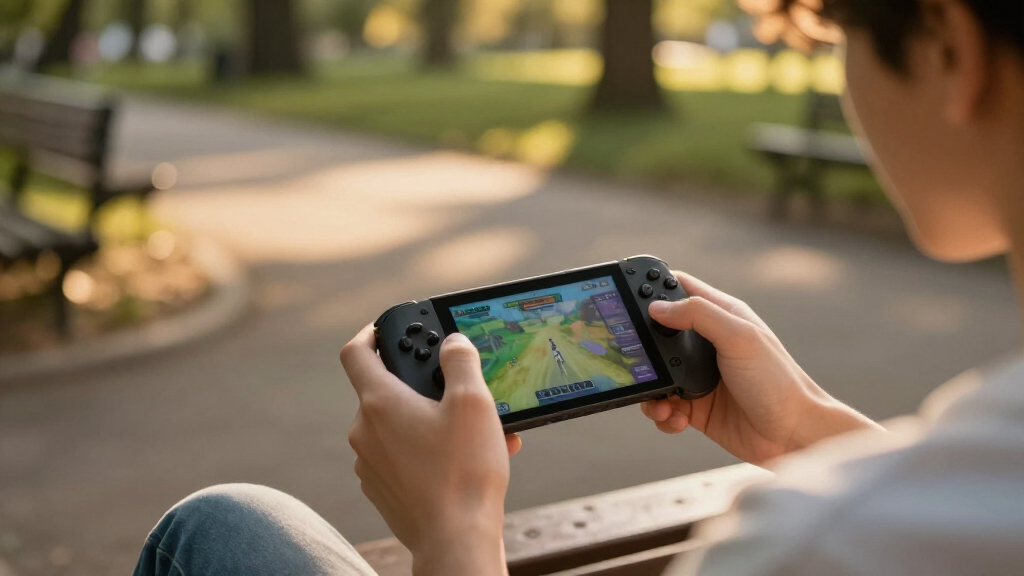
Gaming handheld consoles range from simple retro players to full Windows gaming PCs, so the right choice depends on the games you want to play and how much setup you can tolerate. I’d pick the ASUS ROG Xbox Ally as the best overall option in this lineup for its 120Hz display and access to PC games, while the Lenovo Legion Go S stands out for a larger screen and the MSI Claw A8 for its higher-end hardware. The main tradeoffs are portability, game compatibility, operating-system complexity, and whether you want a ready-to-play retro library or a device for current PC games. Smaller retro models are simpler and easier to carry, but they cannot match the flexibility of the Windows handhelds. Read on for the full comparison and a guide to choosing by game library, screen size, and setup needs.

Get games and gaming gear delivered free — and shop member deals
- Fast, free delivery on millions of items
- Access to Prime Big Deal Days deals on October 6–7
- Prime Video, Amazon Music and more included
Complete the kit



Key Takeaways
- The ASUS ROG Xbox Ally is the most balanced PC-gaming pick here, pairing a 120Hz screen and Windows game access with a more manageable size than the 8-inch options.
- The MSI Claw A8 is the premium hardware choice, with an 8-inch 120Hz display, Ryzen Z2 Extreme processor, 24GB of memory, and 1TB storage; its larger format is less suited to compact carry.
- The Lenovo Legion Go S favors screen space over portability, offering an 8-inch display but less memory and storage than the MSI Claw A8.
- Retro-focused models prioritize simple, portable play, but their listed screens, game libraries, and connectivity vary widely; built-in game counts alone do not establish which games are included or how well they run.
- The OnePro Cloud is the lineup’s remote-play-oriented pick, while the MANGMI AIR X offers Android-based versatility; neither should be chosen as a substitute for a dedicated Windows handheld without checking game and service compatibility.
| RG56PRO Retro Handheld Game Console with EVA Hard Case (Black, 128GB) |  | Best for a Large Retro Library | Display: 5.5-inch IPS LCD, 1280 × 720, anti-glare | Processor: Rockchip RK3562 quad-core with active cooling | Operating system: Linux, open-source | VIEW LATEST PRICE | See Our Full Breakdown |
| KUAINIAO SF3000 Retro Handheld Game Console, 64GB |  | Best for Multimedia Extras | Display: 4.5-inch IPS LCD, 854 × 480 | Processor: Dual-core, 1.2GHz | Memory: 2GB DDR3 | VIEW LATEST PRICE | See Our Full Breakdown |
| RF40H Handheld Retro Gaming Console, 4.0-Inch IPS Display, 64GB Storage, Wi-Fi, Black |  | Best Compact Linux Pick | Display: 4.0-inch IPS, 720 × 720 | Processor: Quad-core | Operating system: Linux, open-source | VIEW LATEST PRICE | See Our Full Breakdown |
| ASUS ROG Xbox Ally 7-Inch 1080p 120Hz Gaming Handheld, AMD Ryzen Z2 A, 16GB RAM, 512GB SSD, White |  | Best for PC and Xbox Games | Processor: AMD Ryzen Z2 A | Display: 7-inch touchscreen, 1080p, 120Hz with FreeSync Premium | Memory: 16GB LPDDR5, 6400MHz | VIEW LATEST PRICE | See Our Full Breakdown |
| R36MAX 2 Retro Handheld Game Console 4.5″ IPS HD Display |  | Best for Ergonomic Retro Play | Operating system: Open-source Linux | Display: 4.5-inch IPS OCA, 1024 × 768 | Processor and graphics: RK3326 quad-core Cortex-A35, up to 1.5GHz; Mali-G31MP2 GPU | VIEW LATEST PRICE | See Our Full Breakdown |
| WELLST·G P30S Handheld Game Console for Kids, 220 Retro Games, 3-Inch LCD Screen, Rechargeable Battery, Blue |  | Best for Young Beginners | Games: 220 preloaded games | Screen: 3-inch LCD | Controls: Button control | VIEW LATEST PRICE | See Our Full Breakdown |
| Retro Handheld Game Console with 3.5-Inch IPS Screen |  | Best for Retro Features on a Budget of Complexity | Platform: Linux | Screen: 3.5-inch IPS, 640 × 480 | Storage: 64 GB TF card | VIEW LATEST PRICE | See Our Full Breakdown |
| OnePro Cloud Handheld Portable Remote Play Gaming Console – 7″ 1080p Touchscreen, 64GB |  | Best for Cloud and Remote Play | Platform: Android | Display: 7-inch touchscreen, 1080p | Chipset: MediaTek Genio 510 | VIEW LATEST PRICE | See Our Full Breakdown |
| My Arcade Atari Pocket Player Console with 100 Games, 2.8″ Screen |  | Best for Atari Collectors | Games: 100 total: 80 original Atari games and 20 bonus games | Screen: 2.75-inch full-color LCD | Players: 1 | VIEW LATEST PRICE | See Our Full Breakdown |
| MANGMI AIR X Android Handheld Game Console, 5.5-Inch FHD IPS, 4GB RAM, 64GB Storage, Black |  | Best for Android Gaming Versatility | Operating system: Android 14 | Processor: Qualcomm Snapdragon 662 octa-core, up to 2.1 GHz | Display: 5.5-inch FHD IPS touchscreen, 1920 × 1080 | VIEW LATEST PRICE | See Our Full Breakdown |
| ASUS ROG Xbox Ally Handheld Gaming Console |  | Best for PC Game Store Access | Processor: AMD Ryzen Z2 A | Graphics: AMD RDNA 2 | Display: 7-inch 1080p IPS touchscreen, 120Hz, 500 nits | VIEW LATEST PRICE | See Our Full Breakdown |
| RG43H Pro Retro Handheld Game Console, 64GB |  | Best for Retro Features and TV Play | Processor: Rockchip RK3562 quad-core | Display: 4.3-inch IPS, 1024 × 768 | Storage: 64GB, expandable up to 512GB | VIEW LATEST PRICE | See Our Full Breakdown |
| Boltz Retro Handheld Game Console |  | Best for a Large Preloaded Retro Library | Processor: RK3326 quad-core Cortex-A35 | Operating system: Linux | Built-in games: 20,503 stated | VIEW LATEST PRICE | See Our Full Breakdown |
| MSI Claw A8 Gaming Handheld |  | Best Premium Windows Handheld | Processor: AMD Ryzen Z2 Extreme | Display: 8-inch FHD+ (1920 × 1200), 120Hz | Memory: 24GB LPDDR5x | VIEW LATEST PRICE | See Our Full Breakdown |
| Lenovo Legion Go S Handheld Gaming Console |  | Best Large-Screen Balance | Platform: Windows | Processor: AMD Ryzen Z2 Go | Graphics: AMD Radeon | VIEW LATEST PRICE | See Our Full Breakdown |
| gaming handheld console | Display | Processor | Storage | Battery |
|---|---|---|---|---|
| RG56PRO Retro Handheld Game Co | 5.5-inch IPS LCD, 1280 × 720, anti-glare | Rockchip RK3562 quad-core with active cooling | 128GB TF card, preloaded | 5000mAh; stated 6–8 hours |
| KUAINIAO SF3000 Retro Handheld | 4.5-inch IPS LCD, 854 × 480 | Dual-core, 1.2GHz | 64GB | 3000mAh lithium-ion; listed runtime figures vary |
| RF40H Handheld Retro Gaming Co | 4.0-inch IPS, 720 × 720 | Quad-core | 64GB | 4000mAh; stated 6–8 hours |
| ASUS ROG Xbox Ally 7-Inch 1080 | 7-inch touchscreen, 1080p, 120Hz with FreeSync Premium | AMD Ryzen Z2 A | 512GB SSD | 60Wh |
| R36MAX 2 Retro Handheld Game C | 4.5-inch IPS OCA, 1024 × 768 | — | — | 4000mAh; up to 6 hours |
| WELLST·G P30S Handheld Game Co | — | — | 2 GB | 860 mAh lithium-ion, included |
| Retro Handheld Game Console wi | — | Quad-core ARM Cortex-A53 | 64 GB TF card | 3,200 mAh; listed average life 5 hours |
| OnePro Cloud Handheld Portable | 7-inch touchscreen, 1080p | — | — | — |
| My Arcade Atari Pocket Player | — | — | — | — |
| MANGMI AIR X Android Handheld | 5.5-inch FHD IPS touchscreen, 1920 × 1080 | Qualcomm Snapdragon 662 octa-core, up to 2.1 GHz | 64 GB, microSD expandable | 5000 mAh; up to 8 hours |
| ASUS ROG Xbox Ally Handheld Ga | 7-inch 1080p IPS touchscreen, 120Hz, 500 nits | AMD Ryzen Z2 A | 512GB SSD | 60Wh |
| RG43H Pro Retro Handheld Game | 4.3-inch IPS, 1024 × 768 | Rockchip RK3562 quad-core | 64GB, expandable up to 512GB | 4000mAh |
| Boltz Retro Handheld Game Cons | 3.75-inch IPS, 720 × 720 | RK3326 quad-core Cortex-A35 | — | 3500mAh rechargeable, up to five hours stated |
| MSI Claw A8 Gaming Handheld | 8-inch FHD+ (1920 × 1200), 120Hz | AMD Ryzen Z2 Extreme | 1TB NVMe SSD | — |
| Lenovo Legion Go S Handheld Ga | 8-inch PureSight IPS, 1920 × 1200, 120Hz, VRR, 500 nits | AMD Ryzen Z2 Go | 512GB | — |
More Details on Our Top Picks
RG56PRO Retro Handheld Game Console with EVA Hard Case (Black, 128GB)
The RG56PRO is the strongest fit here for buyers who want a broad retro collection ready to play: its 128GB card holds over 31,000 preloaded games, and the 5.5-inch 720p IPS screen gives older titles more room than the KUAINIAO SF3000’s 4.5-inch display. Its RK3562 quad-core processor and active cooling are aimed at smoother emulation, while Wi-Fi two-player support and HDMI output extend play beyond solo sessions on the handheld. Hall-effect controls, lighting, and vibration add features absent from the more compact RF40H. The tradeoff is a larger, more feature-heavy package, and the stated 6–8-hour battery life varies with use; demanding games, brightness, and wireless features can shorten sessions. Linux may also ask for more setup than a mainstream console interface.
Pros:- 5.5-inch 720p IPS screen is larger than the KUAINIAO SF3000’s 4.5-inch display.
- 128GB preloaded storage with over 31,000 listed titles.
- Wi-Fi two-player support and HDMI output offer play beyond the built-in screen.
- Hall-effect controls, active cooling, and vibration add hardware features.
Cons:- Battery life is listed as 6–8 hours and can fall with intensive play and wireless or lighting features.
- Linux may require more adjustment than a familiar mainstream gaming interface.
- The extensive preloaded library may make finding and organizing games less straightforward.
Best for: Retro-game fans who want a large preloaded collection, a bigger screen, and the option to play with another person over Wi-Fi or on a TV.
Not ideal for: Buyers who prioritize long sessions, a simple mainstream interface, or a small, minimal handheld over a feature-rich retro device.
- Display:5.5-inch IPS LCD, 1280 × 720, anti-glare
- Processor:Rockchip RK3562 quad-core with active cooling
- Operating system:Linux, open-source
- Storage:128GB TF card, preloaded
- Controls:Buttons, joystick, Hall-effect L1/L2/R1/R2
- Connectivity:Wi-Fi two-player support, HDMI output, USB-C
- Battery:5000mAh; stated 6–8 hours
- Weight:7.2 ounces
Our verdict“Choose the RG56PRO if you want the roundup’s broadest listed retro library and useful TV and multiplayer options, and can accept variable battery life.”
KUAINIAO SF3000 Retro Handheld Game Console, 64GB
The KUAINIAO SF3000 makes sense for buyers who want a retro handheld that also handles basic media playback. Alongside 14+ emulators and over 20,000 listed games, it plays videos, music, photos, and e-books, and its foldable stand helps when using it as a small viewing device. Mini HDMI and USB OTG provide ways to connect it to a TV or external accessories. Compared with the RG56PRO, the SF3000 has a smaller 4.5-inch, lower-resolution screen and less storage, so it is less compelling for a large, screen-focused game collection. Its 3000mAh battery is listed for 5–7 hours, but the supplied product information also gives a different battery figure, making runtime less clear. The single-player listing is another limit for buyers seeking multiplayer.
Pros:- Lists support for more than 14 emulators and over 20,000 games.
- Video, music, photo, and e-book playback add uses beyond gaming.
- Mini HDMI and USB OTG support TV output and external connections.
- Includes a foldable stand for hands-free viewing.
Cons:- The 4.5-inch 854 × 480 screen is smaller and lower resolution than the RG56PRO’s display.
- Battery life information conflicts, with 5–7-hour and 6-hour figures provided.
- Only one player is listed, with no stated Wi-Fi multiplayer support.
Best for: Buyers seeking an entry-level retro handheld that can also play personal media and connect to a TV or USB accessories.
Not ideal for: Players who want clearly specified battery performance, Wi-Fi multiplayer, a higher-resolution screen, or the largest game collection in this group.
- Display:4.5-inch IPS LCD, 854 × 480
- Processor:Dual-core, 1.2GHz
- Memory:2GB DDR3
- Storage:64GB
- Emulators and games:14+ emulators; 20,000+ games listed
- Connectivity:Mini HDMI, USB OTG
- Battery:3000mAh lithium-ion; listed runtime figures vary
- Weight:7.04 ounces
Our verdict“Pick the SF3000 if media playback and simple TV connections matter alongside retro games, but choose another model for clearer runtime information or multiplayer.”
RF40H Handheld Retro Gaming Console, 4.0-Inch IPS Display, 64GB Storage, Wi-Fi, Black
The RF40H is the compact, customization-friendly choice among these retro devices. Its 4.0-inch square IPS screen and 5.67-inch overall length make it a more focused portable option than the RG56PRO, whose larger display and extra hardware suit players who want a roomier setup. The RF40H runs open-source Linux, supports over 20 emulators, and includes Wi-Fi, stereo speakers, and a headphone jack, so it covers the basics without the SF3000’s emphasis on media playback extras. A 4,000mAh battery is rated for 6–8 hours, and the kit includes an organizer bag and screen film. The smaller screen is a real compromise for text-heavy games or players who prefer broad visuals. Its library details are limited, so buyers may need to organize or customize their collection.
Pros:- Compact 4.0-inch IPS format is more portable than the RG56PRO’s larger 5.5-inch design.
- Open-source Linux supports customization and more than 20 emulators.
- Wi-Fi, stereo speakers, and a 3.5mm headphone jack cover common play options.
- Includes a TF card, organizer bag, screen film, and USB-C cable.
Cons:- The 4.0-inch screen offers less viewing area than the KUAINIAO SF3000 or RG56PRO.
- The game library is not clearly detailed, so collection management may take extra effort.
- Linux customization may be less suitable for buyers who want a ready-to-use mainstream interface.
Best for: Portable retro players comfortable with Linux who want Wi-Fi, a headphone jack, and included carrying and screen-protection accessories.
Not ideal for: Players who prefer a large screen, a clearly specified preloaded library, or a handheld that needs little collection setup.
- Display:4.0-inch IPS, 720 × 720
- Processor:Quad-core
- Operating system:Linux, open-source
- Emulator support:Over 20 emulators
- Storage:64GB
- Connectivity and audio:Wi-Fi, stereo speakers, 3.5mm headphone jack
- Battery:4000mAh; stated 6–8 hours
- Dimensions:5.67 × 3.4 × 0.86 inches
Our verdict“Choose the RF40H for a compact, customizable Linux retro handheld with useful included accessories, not for a large screen or a clearly defined game library.”
ASUS ROG Xbox Ally 7-Inch 1080p 120Hz Gaming Handheld, AMD Ryzen Z2 A, 16GB RAM, 512GB SSD, White
The ROG Xbox Ally is the clear choice here for players who want a handheld PC library rather than a dedicated retro collection. Its Windows 11 support brings games from Xbox, Steam, Epic, and other PC platforms into one portable device, a much wider software approach than the Linux-based RG56PRO or RF40H. The 7-inch 1080p touchscreen with a 120Hz refresh rate and FreeSync Premium is also the largest and fastest display in this five-product set, making it better suited to modern games with detailed interfaces. The cost of that flexibility is size and storage management: at 1.47 pounds, it is heavier than the listed retro handhelds, and its 512GB SSD may fill quickly with larger PC games. Buyers should also distinguish native play from cloud gaming, which needs a subscription and supported connection.
Pros:- Windows 11 supports games from Xbox, Steam, Epic, and other PC platforms.
- 7-inch 1080p touchscreen with 120Hz refresh rate and FreeSync Premium.
- 16GB LPDDR5 memory and a 512GB SSD provide a PC-style hardware setup.
- Fast charging is stated to reach 50% in 30 minutes.
Cons:- At 1.47 pounds, it is heavier than the retro handhelds in this group.
- 512GB of storage may be restrictive for players with a large PC game library.
- Cloud gaming requires a subscription and a supported connection.
Best for: PC and Xbox players who want access to multiple storefronts, a large high-refresh-rate screen, and Windows flexibility in a handheld.
Not ideal for: Retro-only buyers seeking a lightweight, simple device with a large preloaded classic-game collection or minimal setup.
- Processor:AMD Ryzen Z2 A
- Display:7-inch touchscreen, 1080p, 120Hz with FreeSync Premium
- Memory:16GB LPDDR5, 6400MHz
- Storage:512GB SSD
- Operating system:Windows 11
- Battery:60Wh
- Ports:Dual USB Type-C
- Weight:1.47 pounds
Our verdict“Choose the ROG Xbox Ally if you want a Windows handheld for modern games across PC and Xbox platforms and accept its heavier build and storage limits.”
R36MAX 2 Retro Handheld Game Console 4.5″ IPS HD Display
The R36MAX 2 puts comfort and screen sharpness ahead of the RG56PRO’s larger preloaded library. Its 4.5-inch 1024 × 768 IPS display has higher stated resolution than the RG56PRO’s 5.5-inch 720p panel, while the detachable grip and Hall-sensor joysticks are intended to make longer sessions easier on the hands. It runs open-source Linux on an RK3326 quad-core processor, supports over 30 emulator formats, and lists more than 20,000 preloaded classic titles. Wi-Fi adds multiplayer capability, though the supplied details do not specify the same two-player support as the RG56PRO. Battery life is stated at up to 6 hours, shorter than the RF40H’s 6–8-hour rating. The Linux interface may also feel less polished to players used to Windows or console-style software.
Pros:- 4.5-inch 1024 × 768 IPS display has higher stated resolution than the RG56PRO’s 720p screen.
- Detachable grip and Hall-sensor joysticks are designed for more comfortable control.
- Supports over 30 emulator formats and lists more than 20,000 classic games.
- Wi-Fi enables online multiplayer.
Cons:- Battery life is stated as up to 6 hours, below the RF40H’s 6–8-hour rating.
- Open-source Linux may feel less polished than Windows or mainstream console interfaces.
- Its listed game collection is smaller than the RG56PRO’s over 31,000 titles.
Best for: Retro players who value a sharper 4.5-inch screen, a detachable ergonomic grip, and Hall-sensor joysticks for extended handheld sessions.
Not ideal for: Buyers who need longer stated battery life, a mainstream interface, or a larger listed game collection than the RG56PRO offers.
- Operating system:Open-source Linux
- Display:4.5-inch IPS OCA, 1024 × 768
- Processor and graphics:RK3326 quad-core Cortex-A35, up to 1.5GHz; Mali-G31MP2 GPU
- Emulator support:30+ formats
- Preloaded games:20,000+ classic titles
- Controls:Detachable ergonomic grip, Hall-sensor joysticks
- Connectivity:Wi-Fi for online multiplayer; USB-C charging
- Battery:4000mAh; up to 6 hours
Our verdict“Pick the R36MAX 2 if ergonomic controls and a sharper retro screen matter more to you than maximum library size or longer stated runtime.”
WELLST·G P30S Handheld Game Console for Kids, 220 Retro Games, 3-Inch LCD Screen, Rechargeable Battery, Blue
The WELLST·G P30S is a straightforward starter handheld for children who want games ready to play without setting up a broader gaming system. Its 220 preloaded games span several genres, and the rechargeable battery avoids the disposable-battery routine required by the My Arcade Atari Pocket Player. That makes the P30S the simpler pick for regular play, while the Atari option offers a more defined collection of classic titles and USB-C power as an alternative to AA batteries.
The tradeoff is a small 3-inch screen and single-player-only design; it feels more like a personal toy than a shared family console. Its stated battery life of up to six hours suits trips, though the basic screen and controls are less suited to older players seeking a more capable retro library. I’d choose it for a child’s first handheld, not as an upgrade for an experienced gamer.
Pros:- 220 preloaded games across entertainment, sports, and adventure genres
- Rechargeable battery rated for up to six hours of play
- Compact 6.4-ounce body is easy for children to carry
- Simple button controls keep the experience direct
Cons:- The 3-inch LCD gives games less viewing area than the 3.5-inch Aivuidbs handheld
- Single-player controls rule out local multiplayer
- Limited to its included games rather than a broad expandable game library
Best for: Parents looking for a lightweight, self-contained first handheld for a child who wants varied games and rechargeable power.
Not ideal for: Older players who want a larger display, multiplayer sessions, or a configurable retro system.
- Games:220 preloaded games
- Screen:3-inch LCD
- Controls:Button control
- Players:1
- Battery:860 mAh lithium-ion, included
- Stated battery life:Up to 6 hours
- Storage:2 GB
- Weight:6.4 ounces
Our verdict“Choose the P30S as a lightweight, rechargeable first handheld for a child, but skip it if screen size or multiplayer matters.”
Retro Handheld Game Console with 3.5-Inch IPS Screen
The Aivuidbs handheld puts more connection options into a small retro-focused device than the WELLST·G P30S: it has a 3.5-inch IPS display, Wi-Fi, Bluetooth, HDMI output, and support for multiplayer controller connections. A 64 GB TF card and support for additional game formats also give it a broader library approach than the P30S’s fixed set of 220 games. Those extras make this the more flexible pick for someone who wants to play on the go and sometimes connect to a TV.
Its appeal comes with real caveats. The listing conflicts on both preloaded game count and battery runtime, and 1 GB of RAM is modest for a device expected to handle varied formats. Its Linux platform and connectivity features also bring more setup complexity than the simple My Arcade Atari Pocket Player. I’d favor it for feature variety, not for buyers who need clear, consistent specifications or a plug-and-play experience.
Pros:- 3.5-inch 640 × 480 IPS screen offers more viewing area than the WELLST·G P30S
- 64 GB TF card storage with support for additional game formats
- Wi-Fi, Bluetooth, HDMI output, and multiplayer controller connections
- Compact 6.4-ounce handheld design
Cons:- The stated game count differs between the title and product description
- Advertised six-to-seven-hour runtime conflicts with a listed five-hour average
- 1 GB of RAM may constrain performance across supported formats
Best for: Retro gaming fans who want a portable system with expandable game storage, wireless connections, and the option to play on a TV.
Not ideal for: Buyers who prefer a simple fixed game collection, need dependable battery-runtime information, or want a clearly specified library.
- Platform:Linux
- Screen:3.5-inch IPS, 640 × 480
- Storage:64 GB TF card
- Preloaded games:Conflicting listing: 4,353 in title; 5,570 in description
- Processor:Quad-core ARM Cortex-A53
- Memory:1 GB LPDDR4 RAM
- Connectivity:5G Wi-Fi, Bluetooth, HDMI output
- Battery:3,200 mAh; listed average life 5 hours
Our verdict“Pick this Aivuidbs model for its screen, storage, and connection options, but avoid it if specification consistency matters most.”
OnePro Cloud Handheld Portable Remote Play Gaming Console – 7″ 1080p Touchscreen, 64GB
The OnePro Cloud Handheld is built around streaming games, not a large catalog installed directly on the device. Its 7-inch 1080p touchscreen gives streamed games a roomier view than the 5.5-inch display on the MANGMI AIR X, and its stated compatibility spans Xbox Cloud Gaming, GeForce NOW, PlayStation Plus Premium, Amazon Luna, and local-streaming apps. That makes it a stronger fit for players with an existing service library who want a dedicated screen and game controls.
The tradeoff is dependence on a solid Wi-Fi connection and, for many services, an active subscription. Unlike the MANGMI, which has a listed Snapdragon processor and active cooling, the OnePro’s appeal centers on streaming rather than detailed local hardware specifications. Its 64 GB internal storage may also call for microSD expansion. I’d choose it for streaming at home or on reliable networks, not as a standalone console for offline play.
Pros:- Large 7-inch 1080p touchscreen suits streamed games and remote play
- Supports several cloud gaming services and local-streaming apps
- Up to 4K output via HDMI
- Listed battery life exceeds eight hours and weight is 430 g
Cons:- Smooth play depends on stable Wi-Fi, with 5 Mbps listed as a minimum
- Many supported cloud services require active subscriptions
- 64 GB internal storage may require microSD expansion for larger libraries
Best for: Players with cloud-gaming subscriptions or a PC/console at home who want a large-screen handheld for streaming.
Not ideal for: Travelers who often play without reliable Wi-Fi, or buyers who want a substantial offline game library on the device.
- Platform:Android
- Display:7-inch touchscreen, 1080p
- Chipset:MediaTek Genio 510
- Internal storage:64 GB, microSD expandable
- Wireless:Wi-Fi 2T2R MU-MIMO
- Connections:HDMI, USB, Wi-Fi
- Battery life:8+ hours
- Weight:430 g
Our verdict“Choose the OnePro if streaming is your main way to play and you have reliable Wi-Fi; choose the MANGMI AIR X if local Android hardware matters more.”
My Arcade Atari Pocket Player Console with 100 Games, 2.8″ Screen
The My Arcade Atari Pocket Player is the most focused choice here: a pocket-sized handheld centered on 100 Atari and bonus retro games, rather than the broad format support of the Aivuidbs console or the streaming services on the OnePro Cloud Handheld. Its 2.75-inch color LCD, built-in speaker, headphone jack, and brightness and volume controls keep play self-contained. For a collector or Atari fan, that defined library is a clearer draw than a general-purpose device with a much larger but less specific collection.
Power is the main practical compromise. It runs on four AA batteries that are not included, though USB-C power is also supported. That gives it a fallback the WELLST·G P30S does not need, since the P30S has a rechargeable battery built in, but it also means buyers should plan for their preferred power source. Its small screen and single-player design make it a niche portable arcade device, not a flexible family handheld.
Pros:- Includes 100 games, with 80 original Atari titles and 20 bonus games
- Compact 250 g design with a 2.75-inch full-color LCD
- Built-in speaker, 3.5 mm headphone jack, and volume and brightness controls
- Can use USB-C power or four AA batteries
Cons:- Four AA batteries are required for battery-powered use and are not included
- Small display offers less viewing area than the 3.5-inch Aivuidbs handheld
- Single-player design limits shared play
Best for: Atari fans and collectors who want a compact handheld with a fixed, recognizable selection of classic games.
Not ideal for: Players seeking a large screen, multiplayer features, or a rechargeable battery included with the console.
- Games:100 total: 80 original Atari games and 20 bonus games
- Screen:2.75-inch full-color LCD
- Players:1
- Controls:Button control
- Power:Four AA batteries or USB-C
- Audio:Built-in speaker and 3.5 mm headphone jack
- Weight:250 g
- Dimensions:5.8 × 1.5 × 2.8 inches
Our verdict“Choose the Atari Pocket Player for a compact, Atari-focused collection, but pick the WELLST·G P30S if included rechargeable power is your priority.”
MANGMI AIR X Android Handheld Game Console, 5.5-Inch FHD IPS, 4GB RAM, 64GB Storage, Black
The MANGMI AIR X bridges local Android play and streaming in a more hardware-defined package than the OnePro Cloud Handheld. Its Snapdragon 662, Android 14, 4 GB of RAM, and 5.5-inch 1080p touchscreen make it a better match for buyers who want installed Android games as well as cloud play. The OnePro has the larger 7-inch screen and a stronger streaming-first pitch; the MANGMI is more compact and lists active cooling, which supports its role as a general-purpose Android handheld.
Hall-effect joysticks and triggers are a useful differentiator for players who want precise controls without relying on conventional contact-based stick mechanisms. Still, the 64 GB built-in storage is a tight starting point for a growing game library, so microSD expansion may be part of the plan. The Snapdragon 662 and 4 GB RAM also set expectations: this is not a substitute for the more powerful PC-oriented ASUS ROG Xbox Ally. I’d choose it for Android and streaming flexibility, not demanding PC games.
Pros:- 5.5-inch 1080p IPS touchscreen with listed 400-nit brightness
- Hall-effect joysticks and linear Hall triggers
- Android 14 supports local gaming, cloud streaming, and screen mirroring
- 5000 mAh battery rated for up to eight hours, with active cooling
Cons:- Snapdragon 662 and 4 GB RAM are modest beside PC-oriented handhelds such as the ASUS ROG Xbox Ally
- 64 GB built-in storage may fill quickly and relies on microSD for expansion
- Actual battery runtime varies with use
Best for: Android gamers who want a dedicated handheld for local mobile games, cloud streaming, and screen mirroring in a smaller format than a 7-inch streaming device.
Not ideal for: Players seeking high-end PC handheld performance or buyers who need ample built-in storage without expansion.
- Operating system:Android 14
- Processor:Qualcomm Snapdragon 662 octa-core, up to 2.1 GHz
- Display:5.5-inch FHD IPS touchscreen, 1920 × 1080
- Brightness and color:400 nits; 100% sRGB
- Memory:4 GB RAM
- Storage:64 GB, microSD expandable
- Controls:RGB Hall joysticks and linear Hall triggers
- Battery:5000 mAh; up to 8 hours
Our verdict“Choose the MANGMI AIR X for a compact Android handheld with local-play and streaming flexibility, but not for demanding PC games.”
ASUS ROG Xbox Ally Handheld Gaming Console
The ROG Xbox Ally suits players who want one handheld for libraries spread across Xbox, Steam, Epic Games, and other PC stores. Its Windows 11 setup offers broader store access than the retro-focused RG43H Pro, while the 7-inch 1080p screen at 120Hz gives fast-moving games a smoother presentation. The Ryzen Z2 A and 16GB of memory make this a PC gaming option, but they are less ambitious on paper than the MSI Claw A8’s Ryzen Z2 Extreme and 24GB. A 60Wh battery and fast charging can help between sessions, though no playtime figure is provided. The listed weight is inconsistent, and the product data does not clarify software update support, so buyers should verify those details before choosing it for frequent travel.
Pros:- Windows 11 supports multiple PC game stores, including Xbox, Steam, and Epic Games.
- The 7-inch 1080p touchscreen runs at 120Hz and supports FreeSync Premium.
- A 60Wh battery and stated 30-minute charge to 50% support shorter charging breaks.
- Contoured grips are designed for extended handheld play.
Cons:- The listed weight conflicts between 1.47 and 2 pounds.
- Battery runtime is not specified, making unplugged playtime hard to judge.
- Software update support duration is unknown.
Best for: Players who want a Windows handheld with access to Xbox, Steam, Epic Games, and other PC game libraries on a 7-inch high-refresh display.
Not ideal for: Buyers prioritizing a clearly documented weight, known battery runtime, or the higher-end processor and larger storage listed for the MSI Claw A8.
- Processor:AMD Ryzen Z2 A
- Graphics:AMD RDNA 2
- Display:7-inch 1080p IPS touchscreen, 120Hz, 500 nits
- Memory:16GB LPDDR5X 6400MHz
- Storage:512GB SSD
- Operating system:Windows 11 Home
- Battery:60Wh
- Connectivity:Wi-Fi 6E, Bluetooth 5.4, microSD support
Our verdict“Choose the ROG Xbox Ally if access to several PC game stores matters more than a fully specified weight or battery runtime.”
RG43H Pro Retro Handheld Game Console, 64GB
The RG43H Pro is a retro-first alternative to Windows handhelds such as the Lenovo Legion Go S: its draw is a dedicated game-console setup, not access to modern PC storefronts. The 4.3-inch IPS panel has a sharp 1024 × 768 resolution for its size, and HDMI output lets players move a session to a TV. Dual 3D joysticks, shoulder buttons, and vibration add control options that are useful across different game styles. Its 64GB storage expands to 512GB, but the stated library of 5,000 preloaded games is a product claim rather than an independently verified measure. The 4000mAh battery has no stated runtime, so this is harder to recommend for long trips than a device with a known playtime estimate.
Pros:- 4.3-inch IPS display offers 1024 × 768 resolution.
- HDMI output supports play on an external TV.
- Storage can expand from 64GB up to 512GB.
- Dual joysticks, shoulder buttons, action keys, and vibration provide varied controls.
Cons:- Battery capacity is listed, but actual playtime is not.
- The stated 5,000 preloaded games are not independently verified.
- Its EmuELEC and RGBOX focus does not match the broad PC-store access of the ROG Xbox Ally.
Best for: Retro-game fans who want a compact dedicated handheld with TV output, expandable storage, and physical controls for varied game types.
Not ideal for: Players seeking modern Windows PC games, a verified game library, or a handheld with a published battery runtime.
- Processor:Rockchip RK3562 quad-core
- Display:4.3-inch IPS, 1024 × 768
- Storage:64GB, expandable up to 512GB
- Battery:4000mAh
- Systems:EmuELEC and RGBOX
- Connectivity:2.4GHz Wi-Fi, HDMI, USB Type-C with OTG, 3.5mm headphone jack
- Controls:Dual 3D joysticks, shoulder buttons, action keys, vibration motor
- Dimensions:7.2 × 3.2 × 0.81 inches
Our verdict“Pick the RG43H Pro for a feature-rich retro handheld with TV output, but not as a substitute for a modern Windows gaming device.”
Boltz Retro Handheld Game Console
The Boltz Retro Handheld centers its pitch on a large built-in retro library and simple portability, rather than the app-store flexibility of Windows devices like the ROG Xbox Ally. Its Linux system, RK3326 quad-core processor, and dual analog sticks give it a more console-like setup for retro play, while the 3.75-inch 720 × 720 IPS display keeps the device compact. The stated 20,503 games may appeal to buyers who want many options ready to hand, but that library count is a product claim, not a verified compatibility guarantee. Its 3500mAh battery is rated for up to five hours, a concrete estimate missing from the RG43H Pro’s listing, yet that runtime still limits marathon sessions. The small screen also gives less room for games and text than the larger Windows handhelds.
Pros:- The 3.75-inch IPS display has a 720 × 720 resolution.
- Dual analog sticks, a D-pad, and shoulder triggers support multiple control styles.
- Linux and an RK3326 quad-core processor form a dedicated retro-gaming setup.
- The 3500mAh battery is stated to provide up to five hours of play.
Cons:- The five-hour maximum is limited for extended sessions.
- The 3.75-inch screen may feel cramped compared with the RG43H Pro’s 4.3-inch display.
- The 20,503-game figure is a product claim, not an independently verified library count.
Best for: Retro players who want a compact Linux handheld with dual analog controls and a large claimed preloaded library.
Not ideal for: Buyers who need a larger screen, verified game-by-game compatibility, or access to modern PC storefronts.
- Processor:RK3326 quad-core Cortex-A35
- Operating system:Linux
- Built-in games:20,503 stated
- Display:3.75-inch IPS, 720 × 720
- Battery:3500mAh rechargeable, up to five hours stated
- Controls:Dual analog joysticks, D-pad, shoulder triggers, responsive buttons
- Audio:Built-in speakers, 3.5mm headphone jack
Our verdict“Choose the Boltz for compact retro play and a broad claimed onboard library, provided its small screen and limited stated runtime suit your sessions.”
MSI Claw A8 Gaming Handheld
The MSI Claw A8 is the premium-leaning Windows option here, pairing a Ryzen Z2 Extreme with 24GB of memory and a 1TB NVMe SSD. That gives it more listed memory and storage than the ROG Xbox Ally, which has 16GB and a 512GB SSD, making the Claw a better fit for buyers who want more room for PC game installs. Its 8-inch 1920 × 1200 screen also provides more display area than the Ally’s 7-inch panel while retaining a 120Hz refresh rate. Those advantages come with a substantial handheld footprint: the listed weight is 1.7 pounds. The supplied details do not give a battery capacity or runtime, so portable play sessions are harder to plan than with the Ally’s stated 60Wh battery.
Pros:- Ryzen Z2 Extreme processor is the most performance-focused chip listed in this lineup.
- The 8-inch 1920 × 1200 display supports 120Hz.
- 24GB of LPDDR5x memory and a 1TB NVMe SSD exceed the ROG Xbox Ally’s listed capacity.
- Thunderbolt 4 and an SD card reader add connectivity and storage options.
Cons:- At 1.7 pounds, it is heavier than the ROG Xbox Ally’s lower stated weight, though that product’s listing is inconsistent.
- Battery capacity and runtime are not specified.
- Its larger body may be less convenient for compact travel than smaller retro handhelds.
Best for: Windows handheld buyers who prioritize a larger high-resolution screen, 1TB of storage, and more memory for a PC game library.
Not ideal for: Travel-focused players who need a documented battery runtime or prefer a lighter, smaller handheld.
- Processor:AMD Ryzen Z2 Extreme
- Display:8-inch FHD+ (1920 × 1200), 120Hz
- Memory:24GB LPDDR5x
- Storage:1TB NVMe SSD
- Operating system:Windows 11 Home
- Connectivity:Wi-Fi, Bluetooth, Thunderbolt 4
- Card reader:SD card reader
- Weight:1.7 pounds
Our verdict“Choose the Claw A8 if screen size, memory, and storage take priority over known battery performance and a lighter carry.”
Lenovo Legion Go S Handheld Gaming Console
The Lenovo Legion Go S occupies a useful middle ground for Windows handheld buyers: it has an 8-inch 1920 × 1200 touchscreen like the MSI Claw A8, but pairs that size with 16GB of memory and 512GB of storage rather than the Claw’s 24GB and 1TB. Its 120Hz display with VRR can help keep motion looking smooth when frame rates vary, while 500-nit brightness and 100% sRGB color coverage support a vivid picture. Ergonomic controllers and a 55.5Wh battery make it a more travel-minded choice than a retro device such as the RG43H Pro, though no runtime is stated. Rapid charging is specified, but buyers who keep many large PC games installed may find its storage less generous than the Claw A8’s.
Pros:- The 8-inch 1920 × 1200 touchscreen runs at 120Hz with VRR.
- 500-nit brightness and 100% sRGB color coverage support a bright, colorful display.
- A 55.5Wh battery and stated 30-minute charge to 50% support rapid charging breaks.
- Ergonomic controllers and HDMI, USB, Bluetooth, and Wi-Fi connectivity suit handheld and connected play.
Cons:- Battery runtime is not specified despite the listed 55.5Wh capacity.
- Its 512GB storage is half the MSI Claw A8’s listed 1TB.
- The listing does not state software update support duration.
Best for: Windows handheld players who want a large, bright, high-refresh display and ergonomic controls without needing the MSI Claw A8’s 1TB storage.
Not ideal for: Players who need a published battery runtime or want the largest listed memory and storage capacity for a large PC game library.
- Platform:Windows
- Processor:AMD Ryzen Z2 Go
- Graphics:AMD Radeon
- Display:8-inch PureSight IPS, 1920 × 1200, 120Hz, VRR, 500 nits
- Color accuracy:100% sRGB
- Memory:16GB
- Storage:512GB
- Battery and charging:55.5Wh; 65W adapter; 50% charge in 30 minutes
Our verdict“Pick the Legion Go S for a large, high-refresh Windows screen and ergonomic controls, but choose the Claw A8 if storage capacity is your priority.”

How We Picked
I ranked these gaming handheld consoles by how well their stated features serve distinct buyers: current PC gaming, remote play, Android gaming, or straightforward retro play. I weighed the processor and memory information provided, screen size and refresh rate, storage, operating system or stated platform, portability, and any included accessories or built-in game claims. A strong specification mattered most when it translated into a clear use case rather than a long feature list.
The order gives priority to versatility and clarity of purpose. The ASUS ROG Xbox Ally leads as the most balanced PC-oriented choice, while the MSI Claw A8 ranks as a premium alternative for buyers who want more screen, memory, and storage. The Legion Go S follows as another large-screen PC option. Retro devices are grouped by their simpler, more focused role, and I avoid treating advertised game counts as proof of game quality or licensing. Where specifications are not supplied, I do not assume performance, battery life, or compatibility.
| gaming handheld console | Operating system |
|---|---|
| RG56PRO Retro Handheld Game Co | Linux, open-source |
| KUAINIAO SF3000 Retro Handheld | — |
| RF40H Handheld Retro Gaming Co | Linux, open-source |
| ASUS ROG Xbox Ally 7-Inch 1080 | Windows 11 |
| R36MAX 2 Retro Handheld Game C | Open-source Linux |
| WELLST·G P30S Handheld Game Co | — |
| Retro Handheld Game Console wi | — |
| OnePro Cloud Handheld Portable | — |
| My Arcade Atari Pocket Player | — |
| MANGMI AIR X Android Handheld | Android 14 |
| ASUS ROG Xbox Ally Handheld Ga | Windows 11 Home |
| RG43H Pro Retro Handheld Game | — |
| Boltz Retro Handheld Game Cons | Linux |
| MSI Claw A8 Gaming Handheld | Windows 11 Home |
| Lenovo Legion Go S Handheld Ga | — |
Factors to Consider When Choosing Gaming Handheld Consoles
Before choosing among these handhelds, I’d start with the kind of games and play routine you actually have. A large screen and PC library may be useful at home, while a compact retro device can make more sense for short sessions away from a charger. These broader checks can help prevent a mismatch that a spec list alone won’t reveal.
Match the operating system to your game library
A handheld’s platform determines more than which games are available; it shapes setup, updates, controls, and account sign-ins. Windows models can reach a broad PC library, but they may feel closer to a small computer than a console, with launcher and settings work between sessions. Android devices can suit mobile games and compatible streaming apps, but app support and controller behavior vary. Remote-play models depend on another device or a service, so they are not an automatic replacement for a console that runs games locally. Before buying, check support for the particular storefronts, games, and multiplayer features you rely on. A familiar library is often more valuable than a processor upgrade you cannot use.
Choose screen size for how you hold and carry it
An 8-inch display can make interface text and detailed scenes easier to see, but the larger body takes up more bag space and may be tiring during long handheld sessions. A smaller screen trims bulk and can suit older games designed around compact displays, though modern game interfaces may feel cramped. Screen resolution is only part of the experience: brightness, viewing angles, text scaling, and control placement matter in daily use. If possible, compare the device dimensions and weight, not just the screen measurement. Buyers who mostly play at a desk or on a couch may favor a larger panel, while commuters may value a smaller device more. Do not assume a higher refresh rate matters equally for every game; many retro titles cannot make much use of it.
Treat performance claims as a whole-device question
A fast processor can help with demanding PC games, but performance also depends on cooling, power limits, software support, and the resolution you choose. More memory and storage provide room for larger games and multitasking, yet they do not guarantee smooth play on their own. For retro emulation, compatibility and configuration often matter more than raw specifications, and a device’s advertised game count does not tell you which systems it handles well. Look for clear details about supported platforms and game installation before relying on broad claims. If your library is mostly lightweight or older games, paying for high-end PC hardware may bring little practical benefit. If you want current PC releases, confirm that the handheld can run the specific titles you care about at settings you can accept.
Check battery, charging, and maintenance needs
Battery life can change sharply with game demands, display brightness, wireless use, and performance settings, so a single estimate may not reflect your routine. Large-screen PC handhelds can use more power than simple retro devices, making access to charging more relevant for travel. Check charging standards, whether the charger is included, and whether you can use a suitable power bank if that matters to you. Windows and Android devices also need software updates, storage management, and occasional troubleshooting, while simpler consoles may require less setup but offer fewer ways to fix or customize things. For retro handhelds, verify how save files, game additions, and system updates work before purchase. A protective case and screen protection can also matter when the device will spend time in a bag.
Separate included content from usable content
Built-in game totals sound persuasive, but the number does not reveal whether the titles are recognizable, playable, or legally included. Ask for a clear game list and details about language, save support, and the ability to add or remove games. Storage capacity matters if you plan to expand a library, but a card slot or advertised capacity does not confirm that every card format is supported. Dedicated licensed collections, such as the Atari Pocket Player, offer a more defined selection than broad, unspecified retro libraries, though their smaller screens and fixed content limit flexibility. A device with fewer clearly described games may be a safer fit than one advertised with a very large count and little detail. Check the return and support terms before relying on vague content claims.
Pay for the capability you will actually use
Higher-end PC hardware makes sense if you want demanding games, a large display, and the flexibility of a full computer library. It is harder to justify if you mainly want a pocketable player for classic titles or a device for occasional remote sessions. A simpler retro console can reduce setup and offer a focused experience, but it may not support later game purchases or newer releases. Value should account for included storage, required accessories, software support, and the time you are willing to spend configuring the device. Beginners often benefit more from clear controls and a straightforward setup than from the longest specification sheet. Pick the least complex device that covers your real use, then pay more only for a feature that changes how you play.
Frequently Asked Questions
Should I choose a Windows handheld or a retro console?
I’d choose a Windows handheld if your priority is access to PC games and you are comfortable with updates, settings, and launcher setup. A retro console is a better fit for quick sessions with a fixed or retro-focused library and less software management. Windows devices offer broader flexibility, but they are larger and more involved than many simple players. Retro devices can be easier to pick up, though game selection and compatibility may be less clear than their marketing suggests. Decide based on the games you want to play, not on the assumption that one type can do everything equally well.
Is an advertised built-in game count enough to judge a retro handheld?
No; a large number does not tell you which games are included, whether they are duplicates, or how reliably they run. I’d look for a detailed title list, language information, save support, and a clear explanation of how games can be added or removed. Also check whether the device supports the systems you care about instead of relying on a total game count. If those details are missing, treat the library as uncertain rather than as a confirmed benefit. A smaller, clearly defined collection may be a better match for buyers who want familiar games without extra setup.
Is a 120Hz display worth prioritizing on a gaming handheld?
It can matter for games that support higher frame rates, where motion may look smoother and controls can feel more responsive. It is less relevant for many retro games and does not by itself make a demanding title run well. The screen’s size, brightness, and readability may affect more of your sessions than its refresh rate. Higher-end displays can also draw more power, so check battery expectations for the games and settings you plan to use. I’d treat 120Hz as a useful feature for PC gaming, not as a requirement for every handheld buyer.
Can a cloud or remote-play handheld work without an internet connection?
Remote-play devices generally depend on a connection to stream games from another device or service, so they are a poor match for places with unreliable internet. Some may offer local apps or other functions, but that does not mean they can run a full PC or console library offline. Before buying, check which services and host devices are supported, whether your account is required, and what connection quality the service recommends. Also consider whether you want to play away from home, where Wi-Fi may be unavailable or restricted. If offline play is a priority, choose a handheld that runs the games locally or has confirmed offline support.
How much storage should I choose for a handheld?
The right amount depends on the size of your games and whether the device supports storage expansion. PC games can take substantial space, so a 512GB drive may fill faster than a retro-focused library, while the MSI Claw A8’s listed 1TB gives more room before you need to manage installations. Retro devices may need less space for a modest collection, but advertised capacity and card compatibility should be checked separately. Keep room for system files, updates, and saved content rather than planning to fill every available gigabyte. If you expect to install many large games, verify expansion options and how straightforward it is to move or remove titles.
Conclusion
For the broadest balance of PC gaming access and a manageable handheld format, I’d choose the ASUS ROG Xbox Ally as the best overall pick. Buyers seeking the most capable premium setup should look at the MSI Claw A8, while the Lenovo Legion Go S makes sense if an 8-inch screen is the priority. For a beginner, I’d favor a simpler retro device such as the My Arcade Atari Pocket Player when a defined, licensed collection matters, or the WELLST·G P30S for a child-oriented, straightforward option. The RG56PRO is the best value-style retro pick in this lineup for shoppers drawn to its included case and stated 128GB storage, though I’d verify its game library and compatibility first. Choose the OnePro Cloud for remote play when your connection and supported services fit, or the MANGMI AIR X for an Android-based handheld; neither is the right substitute if you need a full Windows PC game library. The best choice is the one whose games, setup demands, and size fit how you actually plan to play.
Halloween Picks
halloween
As an affiliate, we earn on qualifying purchases.