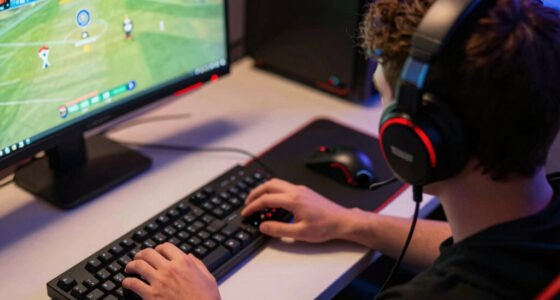
For most PC players, I’d start with the Samsung 27-inch Odyssey G5 QHD (G51F): its higher resolution offers a sharper all-around picture than the many Full HD options here. The Dell SE2726HG and SANSUI 32-inch 240Hz stand out for players who put fast refresh rates ahead of extra detail. The main tradeoff is clear: QHD can make games look crisper, while Full HD at high refresh rates is a better match for competitive play and less powerful PCs. Screen size, flat versus curved panels, and everyday features such as USB-C also shape the choice. Read on for my full breakdown of all 15 gaming monitors for PC and how I’d match each one to a player.

Get games and gaming gear delivered free — and shop member deals
- Fast, free delivery on millions of items
- Access to Prime Big Deal Days deals on October 6–7
- Prime Video, Amazon Music and more included
Complete the kit



Key Takeaways
QHD is the standout detail upgrade: The Samsung Odyssey G5 G51F and 32-inch G55C are the two QHD options, while most of this lineup focuses on Full HD.
High refresh rates dominate the competitive picks: The SANSUI 32-inch and 27-inch curved models and both Dell SE gaming monitors reach 240Hz, but they remain Full HD.
Screen size changes how Full HD feels: A 24-inch 1080p display is a more compact fit; at 32 inches, the SANSUI 240Hz model gives a larger view but fewer pixels than the QHD Samsung.
Curved screens are a recurring tradeoff: SANSUI and Sceptre offer several curved choices, while the lineup also includes flat Dell, Acer, and Samsung options for players who prefer a conventional desktop display.
Not every gaming monitor here is a high-refresh specialist: The Acer 120Hz IPS and SANSUI 27-inch USB-C model balance gaming with general PC use, while the Sceptre 22-inch 144Hz option keeps the footprint compact.
| Samsung 27-Inch Essential S3 Curved FHD Monitor |  | Best for Everyday Gaming and Mixed Use | Screen size: 27 inches | Resolution: 1920 × 1080 (FHD) | Refresh rate: 100Hz | VIEW LATEST PRICE | See Our Full Breakdown |
| SANSUI 32-Inch Curved 240Hz FHD Gaming Monitor |  | Best for Big-Screen Competitive Play | Screen size: 32 inches | Resolution: 1920 × 1080 (FHD) | Refresh rate: 240Hz | VIEW LATEST PRICE | See Our Full Breakdown |
| Sceptre 22-Inch FHD 144Hz Gaming Monitor with Built-In Speakers |  | Best Compact Starter Gaming Monitor | Screen size: 22 inches | Resolution: 1920 × 1080 (FHD) | Refresh rate: Up to 144Hz | VIEW LATEST PRICE | See Our Full Breakdown |
| SANSUI 27-Inch Curved FHD 240Hz Gaming Monitor |  | Best 27-Inch FHD High-Refresh Pick | Screen size: 27 inches | Resolution: 1920 × 1080 (FHD) | Refresh rate: 240Hz | VIEW LATEST PRICE | See Our Full Breakdown |
| Samsung 27-inch Odyssey G5 QHD Gaming Monitor (G51F) |  | Best for QHD Image Detail | Screen size: 27 inches | Resolution: 2560 × 1440 (QHD) | Panel type: VA LCD | VIEW LATEST PRICE | See Our Full Breakdown |
| Dell SE2726HG 27-inch FHD 240Hz Gaming Monitor |  | Best for High-Refresh 1080p | Screen size: 27 inches | Resolution: 1920 × 1080 (FHD) | Refresh rate: 240 Hz | VIEW LATEST PRICE | See Our Full Breakdown |
| Acer KB272 G0bi 27-inch Full HD IPS Monitor, 120Hz |  | Best for Everyday Gaming on a Simple Setup | Screen size: 27 inches | Resolution: 1920 × 1080 (Full HD) | Panel type: IPS LCD | VIEW LATEST PRICE | See Our Full Breakdown |
| Sceptre 27-Inch Curved Full HD Gaming Monitor, 180Hz, 1ms, 1500R, Built-In Speakers (C275B-FW180T) |  | Best Curved 1080p All-Rounder | Screen size: 27 inches | Resolution: 1920 × 1080 (Full HD) | Refresh rate: 180 Hz | VIEW LATEST PRICE | See Our Full Breakdown |
| Samsung 32-Inch Odyssey G55C QHD 1000R Curved Gaming Monitor |  | Best for Immersive QHD Gaming | Screen size: 32 inches | Resolution: 2560 × 1440 (QHD) | Refresh rate: 165 Hz | VIEW LATEST PRICE | See Our Full Breakdown |
| SANSUI 24-inch Curved 160Hz Gaming Monitor (1500R) |  | Best Compact Curved Pick | Screen size: 24 inches | Resolution: 1920 × 1080 (FHD) | Panel type: VA | VIEW LATEST PRICE | See Our Full Breakdown |
| Dell SE2426HG 24-Inch FHD 240Hz Gaming Monitor |  | Best for Competitive 1080p Gaming | Screen size: 23.8 inches | Resolution: 1920 x 1080 (FHD) | Refresh rate: 240 Hz | VIEW LATEST PRICE | See Our Full Breakdown |
| Samsung 27″ Odyssey G3 (G30D) Series FHD Gaming Monitor |  | Best for an Adjustable Gaming Setup | Screen size: 27 inches | Resolution: 1920 x 1080 (FHD) | Refresh rate: 180 Hz | VIEW LATEST PRICE | See Our Full Breakdown |
| SANSUI 27-Inch Curved 120Hz USB-C Monitor |  | Best for Mixed Gaming and USB-C Use | Screen size: 27 inches | Display type: Curved | Refresh rate: 120 Hz | VIEW LATEST PRICE | See Our Full Breakdown |
| Sceptre E275W-FW100T 27-Inch Full HD 100Hz Gaming Monitor |  | Best for Entry-Level PC Gaming | Screen size: 27 inches | Resolution: 1920 x 1080 (Full HD) | Refresh rate: Up to 100 Hz | VIEW LATEST PRICE | See Our Full Breakdown |
| Sceptre C248W-1920RN 24-Inch Curved 1080p Gaming Monitor |  | Best Compact Curved Starter Monitor | Screen size: 24 inches | Resolution: 1920 x 1080 (Full HD) | Display technology: VA LED | VIEW LATEST PRICE | See Our Full Breakdown |
| gaming monitors for PC | Screen size | Refresh rate | Resolution | Response time |
|---|---|---|---|---|
| Samsung 27-Inch Essential S3 C | 27 inches | 100Hz | 1920 × 1080 (FHD) | 4 milliseconds |
| SANSUI 32-Inch Curved 240Hz FH | 32 inches | 240Hz | 1920 × 1080 (FHD) | 1ms MPRT |
| Sceptre 22-Inch FHD 144Hz Gami | 22 inches | Up to 144Hz | 1920 × 1080 (FHD) | 1ms |
| SANSUI 27-Inch Curved FHD 240H | 27 inches | 240Hz | 1920 × 1080 (FHD) | 1ms |
| Samsung 27-inch Odyssey G5 QHD | 27 inches | 180Hz | 2560 × 1440 (QHD) | 1ms MPRT |
| Dell SE2726HG 27-inch FHD 240H | 27 inches | 240 Hz | 1920 × 1080 (FHD) | — |
| Acer KB272 G0bi 27-inch Full H | 27 inches | Up to 120 Hz | 1920 × 1080 (Full HD) | 1 ms VRB |
| Sceptre 27-Inch Curved Full HD | 27 inches | 180 Hz | 1920 × 1080 (Full HD) | — |
| Samsung 32-Inch Odyssey G55C Q | 32 inches | 165 Hz | 2560 × 1440 (QHD) | 1 ms MPRT |
| SANSUI 24-inch Curved 160Hz Ga | 24 inches | 160 Hz | 1920 × 1080 (FHD) | — |
| Dell SE2426HG 24-Inch FHD 240H | 23.8 inches | 240 Hz | 1920 x 1080 (FHD) | 0.5 ms |
| Samsung 27" Odyssey G3 | 27 inches | 180 Hz | 1920 x 1080 (FHD) | 1 ms (MPRT) |
| SANSUI 27-Inch Curved 120Hz US | 27 inches | 120 Hz | — | 1 ms (MPRT) |
| Sceptre E275W-FW100T 27-Inch F | 27 inches | Up to 100 Hz | 1920 x 1080 (Full HD) | 1 ms |
| Sceptre C248W-1920RN 24-Inch C | 24 inches | 75 Hz | 1920 x 1080 (Full HD) | 1 ms |
More Details on Our Top Picks
Samsung 27-Inch Essential S3 Curved FHD Monitor
I’d choose the Samsung Essential S3 for a PC setup that splits time between casual gaming, video, and everyday tasks rather than chasing the highest frame rates. Its 27-inch curved screen and 100Hz refresh rate offer a more fluid, enveloping experience than a basic 60Hz display, while the 3,000:1 contrast ratio helps dark scenes retain depth. Compared with the SANSUI 27-Inch Curved FHD 240Hz, though, this Samsung is a slower option for competitive play, and its 1080p resolution is less crisp at this screen size than the Odyssey G5’s QHD image. The eye-comfort features are useful for long sessions, but reaching 100Hz requires changing the default 60Hz setting. I’d skip it if high-refresh competitive gaming or sharper detail is your priority.
Pros:- 100Hz refresh rate is smoother than a standard 60Hz display for everyday play.
- 1800R curve adds an enveloping feel for games and video.
- Blue-light filter and flicker-free features support longer viewing sessions.
- 3,000:1 contrast ratio helps dark scenes look deeper.
Cons:- FHD resolution looks less detailed than the QHD Samsung Odyssey G5 at 27 inches.
- Refresh rate defaults to 60Hz and must be changed in settings to reach 100Hz.
- Its 100Hz ceiling trails the 240Hz SANSUI models for fast competitive games.
Best for: PC players who want a curved 27-inch screen for casual games, streaming, and everyday work, and who do not need competitive-level refresh rates.
Not ideal for: Competitive players seeking 240Hz responsiveness or buyers who want sharper-than-FHD detail on a 27-inch monitor.
- Screen size:27 inches
- Resolution:1920 × 1080 (FHD)
- Refresh rate:100Hz
- Curvature:1800R
- Response time:4 milliseconds
- Contrast ratio:3,000:1
- Ports:1 HDMI, 2 component outputs
- Eye comfort:Blue-light filter, flicker-free
Our verdict“Choose the Essential S3 for comfortable, casual gaming and mixed PC use, but pick a faster or higher-resolution model if gaming performance is your main goal.”
SANSUI 32-Inch Curved 240Hz FHD Gaming Monitor
The SANSUI 32-Inch Curved 240Hz is the speed-first choice here for players who want a large, curved view and a very high refresh ceiling. Its 240Hz refresh rate, 1ms MPRT response time, and FreeSync support suit fast games where smooth motion matters; DisplayPort 1.4 is included for a PC connection. The tradeoff is resolution: spreading FHD across 32 inches produces a less-detailed image than the 27-inch Samsung Odyssey G5 QHD, so this is a better fit for players who value screen size and frame rate over fine image clarity. Its 1500R curve helps draw the broad screen into view, but the monitor has no built-in speakers. I’d also check that your PC can drive games at high frame rates before choosing it for its 240Hz advantage.
Pros:- 240Hz refresh rate and 1ms MPRT response time support fast, fluid gameplay.
- FreeSync can help reduce tearing when frame rates vary.
- 32-inch 1500R curved screen creates a broad, immersive view.
- DisplayPort 1.4 cable and metal stand are included.
Cons:- FHD resolution is relatively low for a 32-inch screen compared with the Odyssey G5’s QHD panel.
- No built-in speakers.
- The 240Hz benefit depends on a PC capable of producing high frame rates.
Best for: Competitive PC gamers with a capable graphics card who want a large curved display and prioritize high refresh over pixel density.
Not ideal for: Players who want sharp text and detailed visuals at 32 inches, or anyone relying on monitor speakers.
- Screen size:32 inches
- Resolution:1920 × 1080 (FHD)
- Refresh rate:240Hz
- Response time:1ms MPRT
- Curvature:1500R
- Adaptive sync:FreeSync
- Connectivity:HDMI, DisplayPort 1.4, 3.5mm headphone jack
- Stand adjustment:Tilt from -5° to 15°
Our verdict“Pick this SANSUI if a large curved screen and 240Hz speed matter more to you than the finer image detail of a QHD monitor.”
Sceptre 22-Inch FHD 144Hz Gaming Monitor with Built-In Speakers
For a smaller desk or a first gaming PC setup, I’d look at the Sceptre 22-inch FHD 144Hz. Its compact footprint keeps the screen close without dominating a desk, and 144Hz with FreeSync gives it a stronger gaming focus than the Samsung Essential S3’s 100Hz ceiling. The built-in speakers also save space and avoid an immediate need for separate audio gear, though they are best treated as a convenience rather than a substitute for dedicated speakers or a headset. Compared with the SANSUI 27-Inch Curved FHD 240Hz, this Sceptre is smaller and slower, but it takes up less room and includes speakers. One HDMI port limits connection flexibility, and the 22-inch size may feel cramped for players who want a more expansive view.
Pros:- Up to 144Hz refresh rate and 1ms response time support responsive gaming.
- FreeSync can reduce tearing during fluctuating frame rates.
- Built-in speakers provide convenient basic audio without extra desk gear.
- Matte finish and Blue-Light Shift add practical comfort features.
Cons:- The 22-inch screen may feel small for games played from a typical desktop distance.
- Only one HDMI port is listed.
- Its refresh rate is below the 240Hz SANSUI models for competitive play.
Best for: New PC gamers or students with limited desk space who want a compact FHD display, high refresh support, and basic built-in audio.
Not ideal for: Players who want a large, immersive screen, need multiple HDMI connections, or expect built-in speakers to deliver dedicated audio quality.
- Screen size:22 inches
- Resolution:1920 × 1080 (FHD)
- Refresh rate:Up to 144Hz
- Response time:1ms
- Adaptive sync:FreeSync
- Ports:1 HDMI, DisplayPort
- Screen finish:Matte
- Audio and comfort features:Built-in speakers, Blue-Light Shift
Our verdict“Choose the compact Sceptre for a space-conscious starter setup with built-in audio, not for a large-screen or highest-refresh gaming experience.”
SANSUI 27-Inch Curved FHD 240Hz Gaming Monitor
The SANSUI 27-Inch Curved FHD 240Hz makes the most sense for PC players who want a high refresh rate without moving to a 32-inch display. Its 240Hz refresh rate, 1ms response time, and FreeSync support put it well ahead of the Samsung Essential S3 for fast-paced games, while the 1500R curve and matte anti-glare finish suit an immersive desktop setup. Compared with the larger SANSUI 32-Inch Curved 240Hz, this model’s 27-inch screen keeps the same FHD resolution on a smaller panel, which is a more balanced pairing for many desks. The tradeoff remains image detail: the Samsung Odyssey G5 offers QHD resolution, though at a lower 180Hz refresh rate. This SANSUI also lacks built-in speakers, and HDR support does not change its 1080p limit.
Pros:- 240Hz refresh rate and 1ms response time are suited to fast competitive games.
- FreeSync helps limit tearing when frame rates fluctuate.
- 27-inch 1500R curved screen pairs FHD resolution with a manageable desktop size.
- Matte anti-glare finish and wide color gamut support varied gaming and media use.
Cons:- FHD resolution offers less detail than the Samsung Odyssey G5’s QHD screen.
- No built-in speakers.
- The 240Hz refresh advantage is most useful with a PC that can sustain high frame rates.
Best for: Competitive PC gamers seeking 240Hz performance on a 27-inch curved FHD screen, especially those who use a headset or external speakers.
Not ideal for: Players focused on QHD detail, built-in audio, or a larger 32-inch display.
- Screen size:27 inches
- Resolution:1920 × 1080 (FHD)
- Refresh rate:240Hz
- Response time:1ms
- Curvature:1500R
- Contrast ratio:4000:1
- Adaptive sync:FreeSync
- Connectivity:1 HDMI, DisplayPort 1.4, 3.5mm audio jack
Our verdict“Choose this SANSUI for a 27-inch curved FHD setup built around high-refresh competitive play, and choose the Odyssey G5 if resolution matters more than peak refresh.”
Samsung 27-inch Odyssey G5 QHD Gaming Monitor (G51F)
I’d put the Samsung Odyssey G5 QHD first for players who want a sharper 27-inch image without giving up a high refresh rate. Its 2560 × 1440 resolution displays more detail than the FHD SANSUI 27-inch model, which benefits game environments, small interface text, and general desktop use. At 180Hz, it is still fast enough for responsive PC gaming, although it does not match the SANSUI’s 240Hz ceiling for players chasing maximum motion smoothness. The VA panel’s 3,000:1 contrast ratio, HDR10 support, and matte finish round out a versatile setup, while the height-, pivot-, and tilt-adjustable stand makes it easier to position than a basic tilt-only stand. Buyers should have a graphics card suited to QHD gaming, and the listed specs don’t state built-in speakers.
Pros:- QHD resolution gives sharper detail than the FHD monitors in this batch.
- 180Hz refresh rate supports smooth gameplay while retaining higher resolution.
- AMD FreeSync can reduce tearing and stutter when frame rates vary.
- Height, pivot, and tilt adjustments allow more flexible screen positioning.
Cons:- Its 180Hz ceiling is lower than the 240Hz SANSUI gaming monitors.
- QHD gaming places a greater performance demand on the PC than FHD.
- Built-in speakers are not listed in the supplied specifications.
Best for: PC gamers who want a detailed 27-inch QHD image for a mix of immersive games, desktop use, and high-refresh play.
Not ideal for: Competitive players who prioritize 240Hz above resolution, or owners of a PC that struggles to run games at QHD.
- Screen size:27 inches
- Resolution:2560 × 1440 (QHD)
- Panel type:VA LCD
- Refresh rate:180Hz
- Response time:1ms MPRT
- Adaptive sync:AMD FreeSync
- HDR:HDR10
- Stand adjustments:Tilt, pivot, and height
Our verdict“Choose the Odyssey G5 if you want a sharper QHD picture with high-refresh gaming, and favor a 240Hz FHD model if competitive speed takes priority.”
Dell SE2726HG 27-inch FHD 240Hz Gaming Monitor
The Dell SE2726HG is a strong match for PC players who value fast motion over extra pixel detail. Its 240Hz refresh rate gives compatible games room to display more frames than the Acer KB272 G0bi’s 120Hz panel, which can make fast aiming and camera movement look smoother. The IPS panel and 99% sRGB coverage also suit everyday use beyond gaming, while FreeSync Premium and HDMI VRR help reduce tearing with compatible hardware. The tradeoff is its 27-inch Full HD resolution: text and fine game details will look less crisp than on the Samsung Odyssey G55C’s QHD screen. Dell also lists conflicting response-time figures—0.5 ms in the description and 5 ms in performance details—so I would not choose it based on the faster figure alone. Tilt is the only listed stand adjustment.
Pros:- 240Hz refresh rate supports fluid motion when the PC can supply high frame rates
- IPS panel with 99% sRGB coverage suits gaming and everyday viewing
- AMD FreeSync Premium and HDMI VRR support smoother gameplay with compatible devices
- TÜV Rheinland 3-star eye comfort certification
Cons:- Full HD resolution looks less detailed at 27 inches than the Samsung Odyssey G55C’s QHD panel
- Response time is listed as both 0.5 ms and 5 ms, making the specification unclear
- Stand offers tilt adjustment only
Best for: PC players with a system that can deliver high frame rates who want a 27-inch IPS screen for competitive games and general desktop use.
Not ideal for: Buyers who prioritize sharp text and detailed single-player visuals at 27 inches, or who need height-adjustable ergonomics.
- Screen size:27 inches
- Resolution:1920 × 1080 (FHD)
- Refresh rate:240 Hz
- Panel type:IPS
- Color gamut:99% sRGB
- Adaptive sync:AMD FreeSync Premium, HDMI VRR
- Ports:2 × HDMI, DisplayPort 1.4
- Adjustments:Tilt
Our verdict“Choose the Dell for 240Hz IPS gaming at 1080p, but pick the Samsung Odyssey G55C if sharper 27-inch detail matters more than maximum refresh rate.”
Acer KB272 G0bi 27-inch Full HD IPS Monitor, 120Hz
The Acer KB272 G0bi takes a more restrained approach than the Dell SE2726HG: its 120Hz refresh rate is a step up from standard 60Hz displays, but it does not target the very high frame rates supported by Dell’s 240Hz model. That makes the Acer a sensible fit for casual PC gaming, general desktop tasks, and video when a fast competitive display is not the priority. Its IPS panel and stated 99% color gamut support broad, consistent color, and Adaptive-Sync can help smooth frame-rate changes. The compromises are the 27-inch Full HD resolution, which is less crisp than the Samsung Odyssey G55C’s QHD image, and basic connectivity: HDMI and VGA only, with no DisplayPort listed. Its 250-nit brightness is also modest for brightly lit rooms.
Pros:- 120Hz refresh rate offers smoother motion than a standard 60Hz screen
- IPS panel and stated 99% color gamut support colorful everyday viewing
- Adaptive-Sync support can help reduce distracting tearing
- Includes a stand, power cord, and HDMI cable
Cons:- Full HD resolution is less sharp at 27 inches than the Samsung Odyssey G55C’s QHD resolution
- HDMI and VGA are the only listed video connections
- 250-nit brightness may be limiting in bright rooms
Best for: Casual PC gamers and home users who want an IPS screen with smoother-than-standard motion and straightforward HDMI or VGA connections.
Not ideal for: Competitive players seeking very high refresh rates, or buyers who need QHD detail, DisplayPort, or stronger brightness for a sunny room.
- Screen size:27 inches
- Resolution:1920 × 1080 (Full HD)
- Panel type:IPS LCD
- Refresh rate:Up to 120 Hz
- Response time:1 ms VRB
- Brightness:250 nits
- Adaptive sync:FreeSync Compatible
- Connectivity:HDMI, VGA
Our verdict“Pick the Acer for casual gaming and everyday use with a modest refresh-rate upgrade, not for high-frame-rate competition or sharper QHD visuals.”
Sceptre 27-Inch Curved Full HD Gaming Monitor, 180Hz, 1ms, 1500R, Built-In Speakers (C275B-FW180T)
The Sceptre C275B-FW180T pairs a pronounced 1500R curve with a 180Hz refresh rate, giving it a more enveloping feel than the flat Dell SE2726HG while still supporting fast PC gameplay. Its 100% sRGB gamut, Adaptive-Sync, and four video inputs—two HDMI and two DisplayPort—make it flexible for a gaming PC plus other connected devices. Built-in speakers are handy when a headset or external audio setup is not available, though they are not a substitute for dedicated speakers. Like the Dell, this is a 27-inch Full HD screen, so the curve does not solve the limited fine detail compared with the Samsung Odyssey G55C’s QHD panel. The listed 1 ms figure is blur reduction, rather than a stated general response-time measurement.
Pros:- 180Hz refresh rate supports responsive motion in compatible PC games
- 1500R curve creates a more wrapped viewing feel than the flat Dell SE2726HG
- Two HDMI ports and two DisplayPort inputs allow several connected devices
- Built-in speakers and Blue-Light Shift add convenience
Cons:- Full HD resolution offers less fine detail than the Samsung Odyssey G55C’s QHD screen
- The 1 ms specification is for blur reduction, not a general response-time figure
- Built-in speakers may not satisfy buyers seeking full, room-filling sound
Best for: PC gamers who want a curved 27-inch screen, a high refresh rate, and room to connect multiple devices without adding separate speakers.
Not ideal for: Buyers who want sharper-than-Full-HD detail at 27 inches, a flat panel, or strong built-in audio for music and films.
- Screen size:27 inches
- Resolution:1920 × 1080 (Full HD)
- Refresh rate:180 Hz
- Curvature:1500R
- Color gamut:100% sRGB
- Adaptive sync:Adaptive-Sync
- Connectivity:2 × HDMI, 2 × DisplayPort, audio out
- Additional features:Built-in speakers, Blue-Light Shift, VESA mountable
Our verdict“Choose the Sceptre for a curved, well-connected 180Hz 1080p setup; choose the Samsung Odyssey G55C if resolution and screen detail take priority.”
Samsung 32-Inch Odyssey G55C QHD 1000R Curved Gaming Monitor
The Samsung Odyssey G55C is the detail-first choice in this group: its QHD resolution gives a 32-inch screen more room for sharp game environments and desktop space than the Full HD Dell SE2726HG or Sceptre C275B-FW180T. A 165Hz refresh rate and FreeSync support keep it suited to smooth PC gaming, while the tight 1000R curve draws the large panel around the viewer. Its 2500:1 contrast ratio also gives dark scenes more depth than a typical 1000:1 IPS display. The tradeoffs are a glossy finish that can reflect room lights and only one listed HDMI port. It is also a larger, more demanding screen than the 24-inch SANSUI, so buyers should match their desk space and graphics hardware to its size and resolution.
Pros:- QHD resolution provides more detail than the Full HD Dell SE2726HG and Sceptre C275B-FW180T
- 165Hz refresh rate and AMD FreeSync support smooth gameplay
- 1000R curve and 32-inch screen create an enveloping gaming view
- 2500:1 contrast ratio, HDR10, and eye-comfort features add viewing options
Cons:- Glossy finish can reflect windows and room lighting
- Only one HDMI port is listed
- Large QHD display takes more desk space and graphics power than the 24-inch SANSUI
Best for: PC gamers who want a large, curved QHD screen for immersive single-player games, detailed visuals, and multitasking.
Not ideal for: Players with limited desk space, a PC better suited to 1080p, or a bright room where a glossy screen may reflect light.
- Screen size:32 inches
- Resolution:2560 × 1440 (QHD)
- Refresh rate:165 Hz
- Curvature:1000R
- Response time:1 ms MPRT
- Contrast ratio:2500:1
- Adaptive sync:AMD Radeon FreeSync
- HDR:HDR10
Our verdict“Pick the Odyssey G55C if you have the space and PC hardware for immersive 32-inch QHD gaming, but avoid it if glare or desk size is a concern.”
SANSUI 24-inch Curved 160Hz Gaming Monitor (1500R)
The SANSUI 24-inch curved monitor is the compact option for a PC setup where desk space matters more than a large viewing area. Its 160Hz refresh rate and FreeSync support offer a meaningful gaming focus, while the VA panel’s 3000:1 contrast ratio can give darker scenes more depth than the IPS Acer KB272 G0bi. The 1500R curve adds a wrapped-in feel at this smaller size, and DisplayPort 1.4 gives PC owners a connection alongside HDMI 2.0. Its Full HD resolution is a comfortable fit for 24 inches, though the Samsung Odyssey G55C provides much more detail for buyers with room for a 32-inch QHD display. The SANSUI has no built-in speakers and only one HDMI input, so a multi-device setup may need a switch or another connection.
Pros:- 160Hz refresh rate and FreeSync support smooth gameplay
- 24-inch Full HD format suits compact desks and keeps pixel detail comfortable
- VA panel with 3000:1 contrast ratio and 110% sRGB color coverage
- Includes HDMI 2.0, DisplayPort 1.4, tilt adjustment, and VESA mounting
Cons:- Only one HDMI port limits convenient connection of multiple HDMI devices
- No built-in speakers
- Smaller Full HD image lacks the detail and workspace of the Samsung Odyssey G55C’s 32-inch QHD panel
Best for: PC gamers with a compact desk who want a curved 24-inch Full HD screen, high refresh rate, and a VA panel with strong stated contrast.
Not ideal for: Buyers seeking a large, high-resolution display, multiple HDMI connections, or audio without external speakers or a headset.
- Screen size:24 inches
- Resolution:1920 × 1080 (FHD)
- Panel type:VA
- Refresh rate:160 Hz
- Curvature:1500R
- Contrast ratio:3000:1
- Color gamut:110% sRGB
- Ports:1 × HDMI 2.0, 1 × DisplayPort 1.4, 3.5 mm audio jack
Our verdict“Choose the SANSUI for compact, curved 160Hz PC gaming, but choose the Samsung Odyssey G55C if you want a larger and sharper view.”
Dell SE2426HG 24-Inch FHD 240Hz Gaming Monitor
The Dell SE2426HG is the speed-focused choice here: its 240Hz Fast IPS panel and 0.5ms response time are aimed at players who value quick motion and responsiveness over added resolution. At 23.8 inches, Full HD is also a more natural fit than it is on the 27-inch Samsung Odyssey G3, where pixels can look more apparent at typical desk distance. FreeSync Premium and HDMI VRR help limit tearing when frame rates vary, while 99% sRGB coverage supports lively color beyond gaming. The tradeoff is a basic tilt-only stand, unlike the Samsung’s height, swivel, and pivot adjustments. It also needs a PC capable of producing high frame rates to make full use of 240Hz, and its 1080p image has less detail than QHD alternatives in the roundup.
Pros:- 240Hz refresh rate and 0.5ms response time suit fast-paced PC games
- FreeSync Premium and HDMI VRR help reduce tearing as frame rates fluctuate
- Fast IPS panel with 99% sRGB coverage and 178-degree viewing angles
- TÜV Rheinland 3-star eye comfort certification
Cons:- Full HD offers less fine detail than the roundup’s QHD monitors
- Stand adjusts only for tilt
- A PC needs to deliver high frame rates to take full advantage of 240Hz
Best for: Competitive PC players who want a compact 24-inch screen, high refresh rate, and responsive 1080p gameplay.
Not ideal for: Buyers who prioritize sharper QHD detail, or anyone who needs a stand with height and swivel adjustment.
- Screen size:23.8 inches
- Resolution:1920 x 1080 (FHD)
- Refresh rate:240 Hz
- Panel type:Fast IPS
- Response time:0.5 ms
- Adaptive sync:AMD FreeSync Premium; HDMI VRR
- Color coverage:99% sRGB
- Ports:2 HDMI; DisplayPort 1.4
Our verdict“Choose the Dell for competitive 1080p gaming at a compact size, but pick the Samsung Odyssey G3 if stand flexibility matters more than refresh rate.”
Samsung 27″ Odyssey G3 (G30D) Series FHD Gaming Monitor
The Samsung Odyssey G3 puts desk ergonomics ahead of headline refresh rate. Its height-adjustable, swivel, tilt, and pivot stand makes it easier to set a comfortable position for long PC sessions, a practical advantage over the tilt-only Dell SE2426HG. The 180Hz refresh rate still gives fast games noticeably more headroom than a standard 60Hz screen, and AMD FreeSync can help smooth uneven frame delivery. Its 27-inch size gives games a larger presence than the Dell’s 23.8-inch panel, but Full HD is spread across more area, so fine text and image detail can look less crisp. The 250 cd/m² brightness may also be limiting in a bright room. I’d pick this for a flexible everyday setup, not for buyers chasing maximum sharpness or the Dell’s 240Hz pace.
Pros:- 180Hz refresh rate supports smoother motion than conventional 60Hz displays
- Stand offers height, swivel, tilt, and pivot adjustments
- AMD FreeSync helps reduce tearing and stuttering
- Eye Saver Mode and Flicker-Free technology support longer sessions
Cons:- Full HD looks less sharp on a 27-inch screen than on a smaller 1080p monitor
- 250 cd/m² brightness may struggle in bright environments
- Refresh rate is lower than the Dell SE2426HG’s 240Hz
Best for: PC gamers who want a larger 27-inch screen and a highly adjustable stand for a shared desk or extended sessions.
Not ideal for: Players who sit close and want crisp high-resolution detail, or those gaming in a very bright room.
- Screen size:27 inches
- Resolution:1920 x 1080 (FHD)
- Refresh rate:180 Hz
- Response time:1 ms (MPRT)
- Panel type:LED
- Contrast ratio:3000:1
- Brightness:250 cd/m²
- Stand adjustments:Height, swivel, tilt, and pivot
- Connectivity:DisplayPort; HDMI
Our verdict“Pick the Odyssey G3 if adjustable positioning and a roomy 27-inch screen matter more than sharper resolution or 240Hz speed.”
SANSUI 27-Inch Curved 120Hz USB-C Monitor
The SANSUI 27-inch curved monitor is the most versatile everyday pick in this group, pairing a 120Hz refresh rate with USB-C, built-in speakers, and eye-comfort features. That refresh rate is a step below the Samsung Odyssey G3’s 180Hz, so the Samsung is the stronger fit for fast competitive play; SANSUI makes more sense when a PC, compatible USB-C device, and general desktop use share the screen. Its 4000:1 contrast ratio and 110% sRGB gamut give the listed specs a richer-color, higher-contrast emphasis than the Dell SE2426HG’s IPS panel, though the display type and resolution are not specified in the supplied data. The single HDMI port limits easy connection of multiple HDMI devices, and the 2W speakers are best treated as a convenience rather than a gaming audio system.
Pros:- 120Hz refresh rate and Adaptive Sync support smoother gameplay
- USB-C adds a useful connection option for compatible devices
- 4000:1 contrast ratio and listed 110% sRGB color gamut
- Anti-glare, anti-flicker, and low-blue-light features
Cons:- 120Hz is slower than the Samsung Odyssey G3’s 180Hz and Dell SE2426HG’s 240Hz
- Only one HDMI port is listed
- Built-in 2W speakers are suited to basic audio rather than immersive gaming
Best for: PC users who split time between casual gaming and everyday work and want USB-C connectivity and built-in audio.
Not ideal for: Competitive players seeking the highest refresh rate, or users who need several HDMI-connected devices at once.
- Screen size:27 inches
- Display type:Curved
- Refresh rate:120 Hz
- Response time:1 ms (MPRT)
- Adaptive sync:Yes
- Color gamut:110% sRGB
- Contrast ratio:4000:1
- Ports:1 USB Type-C; 1 HDMI 1.4
- Speakers:2 x 2W built-in
Our verdict“Choose this SANSUI for a mixed-use desk that benefits from USB-C and convenience features, not for maximum competitive speed.”
Sceptre E275W-FW100T 27-Inch Full HD 100Hz Gaming Monitor
The Sceptre E275W-FW100T is a straightforward step-up option for a PC that does not need an especially high refresh rate. Its 100Hz panel and AMD FreeSync offer a smoother, more tear-resistant experience than basic 60Hz displays, while two HDMI ports and DisplayPort make it easy to keep a PC and another source connected. Compared with the SANSUI 27-inch curved monitor, Sceptre lists a slightly lower 100Hz ceiling but gives buyers three video inputs and VESA mounting. The 27-inch Full HD panel is spacious, though it won’t look as detailed as QHD options and may appear less crisp up close. Built-in speakers and blue-light reduction add convenience, but the speakers are not a substitute for dedicated gaming audio.
Pros:- Up to 100Hz refresh rate with 1ms response time
- AMD FreeSync helps reduce screen tearing
- Two HDMI ports and one DisplayPort accommodate multiple sources
- VESA mounting and built-in speakers add setup flexibility
Cons:- 100Hz is below the SANSUI’s 120Hz and the Samsung Odyssey G3’s 180Hz
- Full HD resolution can look coarse on a 27-inch screen
- Built-in speakers may not provide satisfying gaming audio
Best for: First-time PC gamers or casual players who want a larger Full HD screen, basic adaptive sync, and several video inputs.
Not ideal for: Competitive gamers seeking high refresh rates, or buyers who want sharp detail across a 27-inch display.
- Screen size:27 inches
- Resolution:1920 x 1080 (Full HD)
- Refresh rate:Up to 100 Hz
- Response time:1 ms
- Contrast ratio:2000:1
- Color gamut:100% sRGB
- Adaptive sync:AMD FreeSync
- Ports:2 x HDMI; 1 x DisplayPort
- Mounting:VESA wall mountable
Our verdict“Choose the Sceptre for casual 1080p gaming and flexible connections, but move to a faster monitor if competitive play is your priority.”
Sceptre C248W-1920RN 24-Inch Curved 1080p Gaming Monitor
The Sceptre C248W-1920RN is the modest-speed choice for a small PC setup where a curved screen and basic gaming features matter more than fast motion. Its 24-inch 1080p VA panel keeps Full HD at a compact size, while the 1800R curve and 3000:1 contrast ratio are suited to immersive, darker-looking scenes. FreeSync can help reduce tearing, but the 75Hz refresh rate sits well below the SANSUI 27-inch model’s 120Hz and the Dell SE2426HG’s 240Hz, making this a poor match for competitive play. HDMI and VGA offer some connection flexibility, and the built-in speakers cover basic audio. The listed brightness varies between 220 and 250 cd/m², so it is not the pick for a sunlit room.
Pros:- Compact 24-inch curved Full HD screen
- VA panel lists a 3000:1 contrast ratio
- FreeSync support helps reduce tearing
- Includes two HDMI ports, VGA, built-in speakers, and VESA compatibility
Cons:- 75Hz refresh rate is far below the Dell SE2426HG and Samsung Odyssey G3
- Brightness is inconsistently listed as 220 or 250 cd/m²
- Full HD provides less detail than higher-resolution monitors
Best for: PC gamers with limited desk space who want a compact curved display for casual games and everyday use.
Not ideal for: Competitive players who need high refresh rates, or users who want strong brightness and multiple modern connection options.
- Screen size:24 inches
- Resolution:1920 x 1080 (Full HD)
- Display technology:VA LED
- Screen curvature:1800R
- Refresh rate:75 Hz
- Response time:1 ms
- Contrast ratio:3000:1
- Adaptive sync:FreeSync
- Ports:2 HDMI; VGA; PC audio in
Our verdict“Pick this Sceptre for a compact curved starter setup and casual gaming, but choose a higher-refresh model for competitive PC play.”

How We Picked
I compared the 15 monitors around the choices that shape a PC gaming setup: resolution, refresh rate, screen size, panel shape, and practical versatility. A high refresh rate can make motion feel smoother, but it does not automatically make a screen the best pick for every player; resolution and size affect image detail, while PC hardware needs to produce enough frames to take advantage of fast refresh. I also considered whether a monitor’s stated features suit a clear use case, such as competitive play, immersive single-player games, compact desks, or mixed work and gaming.
The ranking favors well-rounded fit over a single headline specification. That puts the Samsung QHD G51F ahead as an all-around option, while the high-refresh Full HD models earn their place for players who value speed more than resolution. The larger QHD G55C, smaller Sceptre and SANSUI screens, and general-purpose Acer and USB-C models serve narrower needs. Where a product gives up pixels, refresh rate, or versatility compared with another option in this lineup, that tradeoff limits its rank rather than disappearing behind its feature list.
Factors to Consider When Choosing Gaming Monitors For PC
Before choosing a model, I’d match the monitor to the games you play, the PC you own, and the space on your desk. These factors help separate a genuine upgrade from a specification that sounds appealing but does little for your setup.
Choose Resolution With Your PC’s Gaming Performance in Mind
QHD places more pixels on screen than Full HD, which can make text, fine details, and distant objects look sharper. That extra workload also asks more of your graphics card, particularly in demanding games. If your PC already struggles to reach your target frame rate, a high-refresh Full HD monitor may serve you better than moving to QHD. Avoid choosing resolution by screen size alone: a large 1080p panel can look less crisp at a typical desk distance than a smaller one. Think about the games you play and whether your priority is detail, speed, or a balance of both.
Match Refresh Rate to the Games and Frame Rates You Play
A higher refresh rate can make motion and fast camera movement appear smoother, especially in competitive games. Its benefit depends on your PC producing enough frames to make use of it, so a 240Hz screen may be underused by a system that runs games at much lower frame rates. Players focused on slower-paced or visually rich games may prefer to put more weight on resolution and image area. Check the monitor’s supported connection and your graphics card’s outputs as part of the match; the headline refresh figure is only useful when the full setup can support it. A common mistake is paying attention to the highest number while overlooking whether the rest of the system can keep up.
Pick a Screen Size That Fits Your Desk and Viewing Distance
A 24-inch monitor usually takes up less room and keeps the full screen easy to follow from a close seating position. A 27-inch model gives more room for games and general PC work, while a 32-inch screen can feel more enveloping but may dominate a shallow desk. Larger Full HD displays also spread the same resolution over more screen area, so nearby viewing can make pixel structure easier to notice. Measure the available width and depth, then think about how far you sit from the panel. Choosing the largest size available is a poor shortcut if it forces an awkward viewing distance.
Decide Whether a Curved Screen Suits Your Setup
Curved models can bring the sides of a wide display closer to the viewer, which some players like for a more wrapped-in feel. The effect depends on screen size, curve strength, and how directly you sit in front of the panel; it is not a guaranteed improvement for every game or workspace. A flat monitor may be easier to share, position alongside another display, or use for tasks where straight lines matter. Curved monitors in this lineup range from compact 24-inch options to much larger 32-inch screens, so the shape should be judged alongside size. Don’t choose curvature as a substitute for checking the resolution and refresh rate you actually need.
Look Beyond Gaming Specs for Everyday PC Use
If the monitor will also serve for school, work, or browsing, think about connection needs and daily comfort as well as gaming performance. USB-C can simplify a compatible setup by carrying display and other signals over a single cable, but buyers should confirm that the specific connection supports the features their laptop requires. Built-in speakers can handle basic audio, though they may not replace dedicated speakers or a headset for focused play. Check the available ports against the devices you plan to connect, including a console or second PC if relevant. A monitor with a slightly lower refresh rate can be the better choice if it fits your whole desk routine more cleanly.
Spend More for a Meaningful Upgrade, Not a Bigger Spec Sheet
Paying more makes sense when the upgrade fixes a real limit in your current setup, such as wanting QHD detail, a larger screen, or a faster refresh rate your PC can drive. If you mostly play less demanding games or your system cannot reach high frame rates, those extra refresh-rate steps may have limited day-to-day value. Likewise, a larger curved display is a weak upgrade if desk space or viewing distance does not suit it. Compare the whole experience you are buying—resolution, size, refresh rate, connections, and fit—rather than treating one specification as a quality score. The strongest value is the monitor whose strengths match your use, not simply the one with the most prominent number.
Frequently Asked Questions
Should I choose QHD or a 240Hz Full HD monitor for PC gaming?
I’d choose QHD if clearer detail across games and everyday desktop use matters more than chasing the highest refresh rate. In this lineup, the Samsung Odyssey G5 G51F and 32-inch G55C provide QHD, while the 240Hz options are Full HD. A high-refresh Full HD model makes more sense for competitive play if your PC can produce high frame rates and you prefer smoother motion. Your graphics card matters: QHD can be harder to run at a given frame rate. Match the monitor to the games you play and the performance your PC can sustain, rather than choosing by resolution alone.
Is a 32-inch Full HD gaming monitor a good fit for a PC desk?
It can work if you want a large screen, sit far enough back, and value screen area or high refresh more than fine detail. The SANSUI 32-inch 240Hz model offers that combination, but its Full HD resolution is spread across a larger panel than on a 24-inch monitor. If you sit close, text and small game details may look less crisp than on a QHD screen of similar size. Measure the desk and consider your viewing distance before committing to a 32-inch display. For a sharper large-screen image, the Samsung 32-inch Odyssey G55C is the QHD alternative in this roundup.
Will a 240Hz monitor help if my PC cannot reach 240 frames per second?
A 240Hz monitor can still show changes more often than a lower-refresh screen, but you may not gain the full benefit if your PC cannot deliver similarly high frame rates in your games. Performance varies by title and settings, so compare the frame rates your system can reach in the games you actually play. The Dell SE2726HG, Dell SE2426HG, and two SANSUI 240Hz models all prioritize fast refresh while staying at Full HD. If your frame rates are usually modest, a QHD option or a less demanding refresh target may be a better use of your budget. Check graphics-card connections and supported display modes before buying.
For a small desk, should I pick a 22-inch or 24-inch gaming monitor?
I’d start with desk depth and how close you sit, then decide whether you prefer a smaller footprint or a more spacious view. The Sceptre 22-inch FHD 144Hz model is the most compact gaming-oriented option here, while the 24-inch SANSUI and Dell models offer different curved or high-refresh approaches at a slightly larger size. A compact panel can be easier to take in at close range, but it also leaves less screen area for games and multitasking. Check the monitor’s stand dimensions, not just the diagonal measurement, since the base also takes up desk space. If you play competitive games, compare refresh rate alongside size rather than assuming the smaller screen is automatically faster.
Does USB-C matter on a gaming monitor if I mainly use a desktop PC?
For a desktop-only setup, USB-C may not add much if your graphics card already connects cleanly through another supported input. It becomes more useful when the monitor also serves a compatible laptop, because one cable may reduce desk clutter. The SANSUI 27-inch curved USB-C model is the lineup’s clearest option for that mixed-use situation, but you should verify the connection’s supported functions against your laptop’s needs. USB-C by itself does not guarantee every feature, such as laptop charging or a particular display mode. If gaming performance is your main concern, compare its refresh rate and resolution with dedicated gaming picks before making connectivity the deciding factor.
Conclusion
For most PC players, I’d choose the Samsung Odyssey G5 QHD G51F as the best overall because it brings sharper QHD detail to a lineup dominated by Full HD. My best value direction is the Sceptre 27-inch 180Hz curved model for buyers who want a larger, high-refresh Full HD screen without prioritizing QHD. For a best premium fit, consider the Samsung 32-inch Odyssey G55C if a large curved QHD display suits your desk and play style. Beginners who want a straightforward general-purpose monitor can start with the Acer KB272 G0bi, while competitive players should compare the 240Hz Dell and SANSUI models against their PC’s actual frame rates. For specific needs, pick the Sceptre 22-inch for a compact gaming setup or the SANSUI USB-C model for a desk shared with a compatible laptop. I’d make the final choice by matching resolution and refresh rate to your PC, then checking that the screen size fits your desk.
Halloween Picks
halloween
As an affiliate, we earn on qualifying purchases.