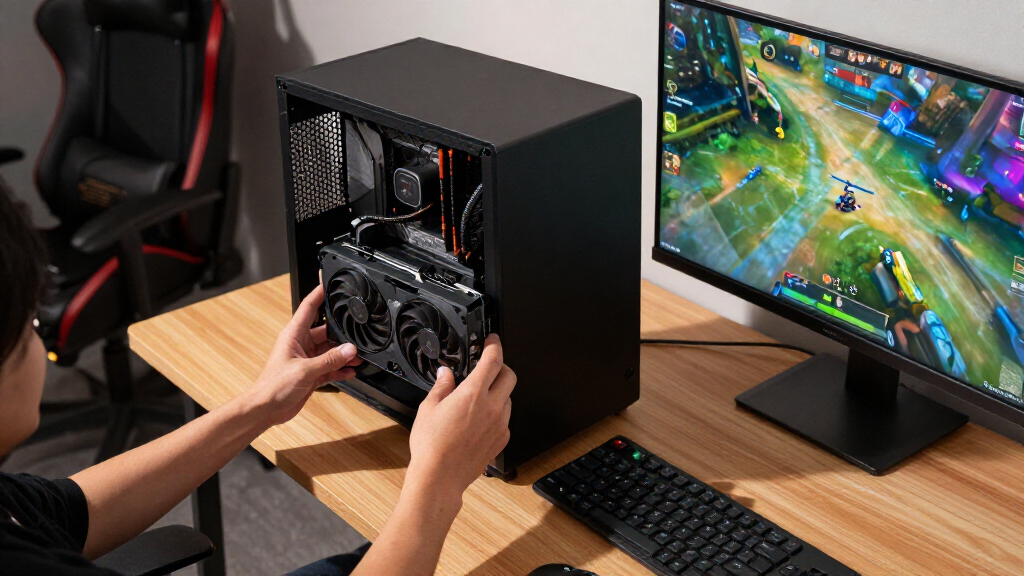
The best Nvidia GeForce graphics cards balance the performance you need with a sensible fit for your monitor, case, and workload. I’d make the ASUS TUF Gaming RTX 5070 Ti OC my best overall pick for its 16GB of memory and high-end positioning, while the ASUS Prime RTX 5070 is a more restrained choice and the PNY RTX 5060 Ti 16GB stands out for buyers who want ample memory without moving to a higher tier. The lineup spans older cards that may suit particular workloads, compact models, and newer GPUs, so generation alone does not settle the choice. Memory capacity, card dimensions, power needs, and renewed status all affect whether a model is a good match. Continue reading for the full breakdown and advice on which tradeoffs matter most.

Play games on Amazon Luna for your game nights, included with Prime
- A rotating selection of games, no download needed
- Play on TV, laptop or phone
- Fast, free delivery for your gear, too
Complete the kit



Key Takeaways
- RTX 5070 Ti cards lead this selection: the ASUS TUF OC is the overall pick, while GIGABYTE’s SFF model offers a more compact alternative with the same 16GB memory capacity.
- 16GB models are the most flexible mid-to-upper-tier choices here: the RTX 5060 Ti cards offer more memory than the 8GB RTX 5060 and RTX 4060 options.
- Board design affects fit as much as GPU tier: the GIGABYTE SFF RTX 5070 Ti, dual-fan RTX 5060 Ti, and triple-fan RTX 4070 Super suit different case and cooling constraints.
- Older high-tier cards are not automatic bargains: the RTX 3090, RTX 3080, and RTX 3070 Ti require careful checks of power, age, condition, and memory needs.
- Renewed status changes the buying decision: the renewed RTX 4060, RTX 3080, and RTX 3090 listings deserve extra scrutiny of return terms and condition compared with new alternatives.
| GIGABYTE NVIDIA GeForce RTX 5070 Ti SFF 16G Graphics Card, 16GB 256-bit GDDR7, PCIe 5.0, WINDFORCE Cooling System, GV-N507TWF3-16GD, HDMI, DisplayPort | 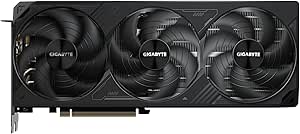 | Best Compact High-End Pick | GPU: NVIDIA GeForce RTX 5070 Ti | Memory: 16GB GDDR7 | Memory interface: 256-bit | VIEW LATEST PRICE | See Our Full Breakdown |
| GIGABYTE GeForce RTX 3060 Gaming OC 12G Rev. 2.0 Graphics Card |  | Best for Older Games and Multimonitor Setups | GPU: NVIDIA GeForce RTX 3060 | Memory: 12GB GDDR6 | Memory interface: 192-bit | VIEW LATEST PRICE | See Our Full Breakdown |
| NVIDIA GeForce RTX 3070 Ti Founders Edition 8GB GDDR6X Graphics Card |  | Best Founders Edition Pick | GPU: NVIDIA GeForce RTX 3070 Ti | Memory: 8GB GDDR6X | GPU clock speed: 1770 MHz | VIEW LATEST PRICE | See Our Full Breakdown |
| MSI GeForce RTX 3050 Ventus 2X 6G OC Graphics Card |  | Best Entry-Level Compact Pick | GPU: NVIDIA GeForce RTX 3050 | Architecture: Ampere | Memory: 6GB GDDR6 | VIEW LATEST PRICE | See Our Full Breakdown |
| ZOTAC GeForce RTX 4060 Twin Edge 8GB GDDR6 Graphics Card (Renewed) |  | Best Renewed Midrange Option | GPU: NVIDIA GeForce RTX 4060 | Memory: 8GB GDDR6 | GPU clock speed: 2460 MHz | VIEW LATEST PRICE | See Our Full Breakdown |
| NVIDIA GeForce RTX 3090 Founders Edition Graphics Card |  | Best for High-Memory Workloads | GPU: NVIDIA GeForce RTX 3090 | Architecture: Ampere | Video memory: 24 GB GDDR6X | VIEW LATEST PRICE | See Our Full Breakdown |
| NVIDIA GeForce RTX 4080 16GB GDDR6X Graphics Card |  | Best Premium Gaming Pick | GPU: NVIDIA GeForce RTX 4080 | Memory: 16 GB GDDR6X | CUDA cores: 9,728 | VIEW LATEST PRICE | See Our Full Breakdown |
| ASUS TUF Gaming GeForce RTX 3080 V2 OC Edition Graphics Card, 10GB GDDR6X (Renewed) |  | Best Renewed Ampere Option | GPU: NVIDIA GeForce RTX 3080 | GPU clock speed: 1785 MHz | Memory: 10 GB GDDR6X | VIEW LATEST PRICE | See Our Full Breakdown |
| ASUS Prime GeForce RTX 5070 OC Edition 12GB GDDR7 Graphics Card |  | Best Compact-Design RTX 5070 | Graphics processor: NVIDIA GeForce RTX 5070 | Memory: 12 GB GDDR7 | Boost clock: 2587 MHz (OC mode); 2557 MHz (Default mode) | VIEW LATEST PRICE | See Our Full Breakdown |
| PNY NVIDIA GeForce RTX 5060 Ti 16GB OC Dual-Fan Graphics Card |  | Best Compact 16GB Pick | GPU: NVIDIA GeForce RTX 5060 Ti | Architecture: NVIDIA Blackwell | Memory: 16 GB GDDR7 | VIEW LATEST PRICE | See Our Full Breakdown |
| ASUS TUF Gaming GeForce RTX 5060 OC Edition 8GB GDDR7 Graphics Card |  | Best for Durable Midrange Builds | GPU: NVIDIA GeForce RTX 5060 | Memory: 8GB GDDR7 | Architecture: NVIDIA Blackwell | VIEW LATEST PRICE | See Our Full Breakdown |
| PNY GeForce RTX 4070 Super 12GB XLR8 Gaming Verto Epic-X RGB OC Triple Fan Graphics Card |  | Best for High-Resolution Ada Gaming | GPU: NVIDIA GeForce RTX 4070 SUPER | Memory: 12GB GDDR6X | Memory bus: 192-bit | VIEW LATEST PRICE | See Our Full Breakdown |
| NVIDIA GeForce RTX 3090 Founders Edition Graphics Card (Renewed) | | Best for Large-Memory Workloads on a Renewed Card | Model: NVIDIA GeForce RTX 3090 Founders Edition | Condition: Renewed | Graphics memory: 24GB | VIEW LATEST PRICE | See Our Full Breakdown |
| ASUS Dual GeForce RTX 5060 Ti 16GB GDDR7 OC Edition Graphics Card |  | Best Compact Blackwell Pick | GPU: NVIDIA GeForce RTX 5060 Ti | Memory: 16GB GDDR7 | Architecture: NVIDIA Blackwell | VIEW LATEST PRICE | See Our Full Breakdown |
| ASUS TUF Gaming GeForce RTX 5070 Ti OC 16GB GDDR7 Graphics Card |  | Best Premium Blackwell Gaming Pick | GPU: NVIDIA GeForce RTX 5070 Ti | Memory: 16GB GDDR7 | Boost clock: 2610 MHz OC mode; 2588 MHz default mode | VIEW LATEST PRICE | See Our Full Breakdown |
| Nvidia GeForce graphics card | GPU | Memory | Interface | Cooling |
|---|---|---|---|---|
| GIGABYTE NVIDIA GeForce RTX 50 | NVIDIA GeForce RTX 5070 Ti | 16GB GDDR7 | PCIe 5.0 x16 | Three-fan WINDFORCE |
| GIGABYTE GeForce RTX 3060 Gami | NVIDIA GeForce RTX 3060 | 12GB GDDR6 | PCI Express x16 | Three-fan WINDFORCE 3X |
| NVIDIA GeForce RTX 3070 Ti Fou | NVIDIA GeForce RTX 3070 Ti | 8GB GDDR6X | PCI Express 4.0 | — |
| MSI GeForce RTX 3050 Ventus 2X | NVIDIA GeForce RTX 3050 | 6GB GDDR6 | — | Two fans |
| ZOTAC GeForce RTX 4060 Twin Ed | NVIDIA GeForce RTX 4060 | 8GB GDDR6 | PCI Express x16 | — |
| NVIDIA GeForce RTX 3090 Founde | NVIDIA GeForce RTX 3090 | — | — | — |
| NVIDIA GeForce RTX 4080 16GB G | NVIDIA GeForce RTX 4080 | 16 GB GDDR6X | PCI Express; supports PCIe 4.0 and PCIe 3.0 systems | — |
| ASUS TUF Gaming GeForce RTX 30 | NVIDIA GeForce RTX 3080 | 10 GB GDDR6X | PCI Express 4.0 | — |
| ASUS Prime GeForce RTX 5070 OC | — | 12 GB GDDR7 | — | Three Axial-tech fans |
| PNY NVIDIA GeForce RTX 5060 Ti | NVIDIA GeForce RTX 5060 Ti | 16 GB GDDR7 | PCI Express 5.0 x8 | — |
| ASUS TUF Gaming GeForce RTX 50 | NVIDIA GeForce RTX 5060 | 8GB GDDR7 | — | Three Axial-tech fans with large fin array |
| PNY GeForce RTX 4070 Super 12G | NVIDIA GeForce RTX 4070 SUPER | 12GB GDDR6X | PCI Express 4.0 x16 | Three fans |
| NVIDIA GeForce RTX 3090 Founde | — | — | PCI Express x16 | Two fans |
| ASUS Dual GeForce RTX 5060 Ti | NVIDIA GeForce RTX 5060 Ti | 16GB GDDR7 | PCI-Express x16; PCIe 5.0 | Two Axial-tech fans with 0dB technology |
| ASUS TUF Gaming GeForce RTX 50 | NVIDIA GeForce RTX 5070 Ti | 16GB GDDR7 | PCIe 5.0 x16 | Three Axial-tech fans with phase-change GPU thermal pad |
More Details on Our Top Picks
GIGABYTE NVIDIA GeForce RTX 5070 Ti SFF 16G Graphics Card, 16GB 256-bit GDDR7, PCIe 5.0, WINDFORCE Cooling System, GV-N507TWF3-16GD, HDMI, DisplayPort
The RTX 5070 Ti SFF is the standout here for builders who want a high-end GeForce card without giving up a compact case. Its 16GB of GDDR7 and 256-bit memory interface give it a more generous memory setup than the RTX 4060 Twin Edge and RTX 3070 Ti Founders Edition, while Blackwell features such as DLSS 4 suit newer games and creative workloads. The triple-fan cooler is an unusual advantage in a compact-oriented card, but its nearly 12-inch length means “SFF” does not mean it fits every small case. Fan noise may also matter in a quiet room, and buyers still need to check case clearance and power delivery. I’d choose it over the older RTX 3070 Ti when modern features and memory capacity take priority.
Pros:- 16GB of GDDR7 on a 256-bit interface provides more memory capacity and bandwidth than the 8GB RTX 3070 Ti listed here.
- Compact-oriented SFF design brings high-end performance to builds that cannot accommodate many larger cards.
- Triple-fan WINDFORCE cooling is designed to manage heat under load.
- PCIe 5.0 support and DLSS 4 provide newer platform and rendering features.
Cons:- At 11.97 inches long, it may not fit many genuinely compact cases.
- Triple-fan cooling may be audible in noise-sensitive rooms.
- Requires a compatible chassis and adequate power delivery.
Best for: Small-form-factor PC builders with enough room for a nearly 12-inch card who want a current-generation GPU for demanding games and creative work.
Not ideal for: Owners of very small cases with limited card clearance, or buyers seeking a quiet build who cannot tolerate potential triple-fan noise.
- GPU:NVIDIA GeForce RTX 5070 Ti
- Memory:16GB GDDR7
- Memory interface:256-bit
- GPU clock speed:2452 MHz
- Interface:PCIe 5.0 x16
- Cooling:Three-fan WINDFORCE
- Video outputs:HDMI, DisplayPort
- Dimensions:11.97 × 4.96 inches
Our verdict“Choose this RTX 5070 Ti if you want modern high-end features in a compact-oriented card and have verified your case can fit it.”
GIGABYTE GeForce RTX 3060 Gaming OC 12G Rev. 2.0 Graphics Card
The RTX 3060 Gaming OC makes more sense for buyers who value a roomy memory buffer and flexible display connections over newer-generation features. Its 12GB of GDDR6 exceeds the RTX 3050 Ventus 2X’s 6GB and the RTX 4060 Twin Edge’s 8GB, which can help with workloads that use substantial video memory. Four outputs—two HDMI 2.1 and two DisplayPort 1.4—also make connecting several screens straightforward. Compared with the RTX 5070 Ti SFF, though, this is an older, less ambitious choice, without the newer Blackwell and DLSS 4 feature set described for that card. The three-fan cooler and 11.1-inch length call for case space, so this is not a natural fit for a compact build. I’d shortlist it for a desktop upgrade focused on everyday gaming and displays.
Pros:- 12GB of GDDR6 offers more memory capacity than the RTX 3050 Ventus 2X and RTX 4060 Twin Edge in this selection.
- Four outputs support flexible monitor arrangements: two HDMI 2.1 and two DisplayPort 1.4.
- WINDFORCE 3X cooling uses alternate-spinning fans.
- Metal back plate and RGB Fusion 2.0 add physical support and configurable lighting.
Cons:- Older-generation RTX 3060 hardware lacks the newer Blackwell and DLSS 4 features noted for the RTX 5070 Ti.
- Its 11.1-inch length and three-fan layout may restrict case compatibility.
- Requires a desktop with a PCI-Express x16 slot.
Best for: Desktop gamers and creators who want 12GB of VRAM and multiple display connections for a modest multi-monitor setup.
Not ideal for: Small-case builders or buyers seeking the latest GeForce architecture and features for demanding new games.
- GPU:NVIDIA GeForce RTX 3060
- Memory:12GB GDDR6
- Memory interface:192-bit
- Core clock:1837 MHz
- Cooling:Three-fan WINDFORCE 3X
- Video outputs:2 × HDMI 2.1, 2 × DisplayPort 1.4
- Interface:PCI Express x16
- Dimensions:11.1 × 4.6 inches
Our verdict“Pick the RTX 3060 Gaming OC if 12GB of VRAM and four display outputs matter more to you than having the newest GeForce features.”
NVIDIA GeForce RTX 3070 Ti Founders Edition 8GB GDDR6X Graphics Card
The RTX 3070 Ti Founders Edition is the choice for buyers who specifically want an NVIDIA-built card and a previous-generation GPU with GDDR6X memory. Its 8GB capacity is more limited than the 12GB on the RTX 3060 Gaming OC and the 16GB on the RTX 5070 Ti SFF, making those models stronger candidates for memory-heavy workloads. The listed PCIe 4.0 interface is a practical fit for many desktop systems, but the product data gives only HDMI as its video-output interface, so check your display connections before buying. This is also a large card at 14.17 inches and needs two PCIe 8-pin power connectors. Compared with the compact-oriented 5070 Ti, it is a much less convenient fit for small builds and lacks the newer features called out for that card.
Pros:- NVIDIA Founders Edition design for buyers seeking a card made under NVIDIA’s own branding.
- GDDR6X memory is specified rather than the GDDR6 used by the RTX 3060 and RTX 4060 models here.
- PCI Express 4.0 interface suits compatible desktop platforms.
- Listed maximum resolution reaches 7680 × 4320.
Cons:- 8GB of memory is less than the RTX 3060 Gaming OC’s 12GB and the RTX 5070 Ti SFF’s 16GB.
- The 14.17-inch card requires substantial case clearance.
- Requires two PCIe 8-pin power connectors, and the listed video-output interface is HDMI only.
Best for: Desktop builders who specifically prefer an NVIDIA Founders Edition card and have compatible power connectors, case clearance, and HDMI displays.
Not ideal for: Small-case owners, buyers who need several listed display-output types, or users whose games and creative applications benefit from more than 8GB of VRAM.
- GPU:NVIDIA GeForce RTX 3070 Ti
- Memory:8GB GDDR6X
- GPU clock speed:1770 MHz
- Memory clock speed:1920 MHz
- Interface:PCI Express 4.0
- Video output interface:HDMI
- Power connectors:Two PCIe 8-pin connectors
- Dimensions:14.17 × 6.69 inches
Our verdict“Choose the RTX 3070 Ti Founders Edition only if you specifically want this NVIDIA card and your case, power supply, and HDMI setup are ready for it.”
MSI GeForce RTX 3050 Ventus 2X 6G OC Graphics Card
The RTX 3050 Ventus 2X 6G OC is the most approachable option in this group for a basic desktop gaming build, especially where a shorter, two-fan card is preferable to the larger RTX 3060 Gaming OC. Its 7.4-inch length is a clear advantage for case fit, and it retains dedicated ray-tracing and Tensor cores along with one DisplayPort and two HDMI outputs. The tradeoff is its 6GB of GDDR6 on a narrow 96-bit interface. That is substantially less memory than the RTX 3060’s 12GB or the RTX 5070 Ti’s 16GB, so it is a poor match for buyers targeting demanding games or memory-intensive creative work. I’d treat its 8K output specification as display support, not a promise of high-detail gaming at that resolution.
Pros:- Compact 7.4-inch length suits more cases than the 11.1-inch RTX 3060 Gaming OC.
- Dedicated ray-tracing and AI Tensor cores support GeForce features.
- Two HDMI 2.1a outputs and one DisplayPort 1.4a offer useful connection flexibility.
- Two-fan cooling keeps the card design simpler than the three-fan options in this group.
Cons:- 6GB of GDDR6 is less capacity than every other card in this batch.
- The 96-bit memory interface is narrower than the 192-bit RTX 3060 and 256-bit RTX 5070 Ti interfaces.
- Its entry-level hardware is not a strong fit for demanding, high-detail gaming.
Best for: First-time desktop builders with limited case space who want a basic GeForce card for lighter gaming, everyday graphics, and a mix of HDMI and DisplayPort monitors.
Not ideal for: Gamers targeting demanding modern titles or high-detail settings, and creators whose applications need more than 6GB of video memory.
- GPU:NVIDIA GeForce RTX 3050
- Architecture:Ampere
- Memory:6GB GDDR6
- Memory interface:96-bit
- Boost clock:1492 MHz
- Cooling:Two fans
- Video outputs:1 × DisplayPort 1.4a, 2 × HDMI 2.1a
- Dimensions:7.4 × 4.3 inches
Our verdict“Choose the RTX 3050 Ventus 2X for a space-conscious, entry-level desktop build, but skip it if your games or creative work need a larger memory pool.”
ZOTAC GeForce RTX 4060 Twin Edge 8GB GDDR6 Graphics Card (Renewed)
The renewed ZOTAC RTX 4060 Twin Edge is a middle-ground pick for buyers who want a newer-generation GPU than the RTX 3060 or RTX 3050, but do not need the RTX 5070 Ti SFF’s 16GB memory capacity. Its listed 2460 MHz GPU clock and 8GB of GDDR6 provide a more recent alternative to the older cards, while the desktop PCI Express x16 connection fits standard desktop systems. The condition is the defining compromise: this is a renewed product with a 90-day limited warranty, not a new card with a longer coverage period specified here. Display connectivity is also unclear; only DisplayPort is listed, so I would confirm the actual ports before planning a multi-monitor setup. Compared with the RTX 3060 Gaming OC, it has less memory and less explicit output flexibility.
Pros:- RTX 4060 GPU provides a newer-generation alternative to the RTX 3060 and RTX 3050 in this batch.
- 8GB of GDDR6 offers more memory than the RTX 3050 Ventus 2X’s 6GB.
- Listed 2460 MHz GPU clock speed.
- Includes a 90-day limited warranty.
Cons:- Renewed condition may not suit buyers who want a new graphics card.
- The 90-day limited warranty is short compared with buyers seeking longer stated coverage.
- Only DisplayPort is listed, leaving HDMI support and multi-monitor connectivity unclear.
Best for: Desktop buyers open to a renewed graphics card who want an RTX 4060 and are comfortable checking its condition and available display ports before purchase.
Not ideal for: Buyers who require a new card, longer stated warranty coverage, 12GB or more of VRAM, or confirmed HDMI connectivity.
- GPU:NVIDIA GeForce RTX 4060
- Memory:8GB GDDR6
- GPU clock speed:2460 MHz
- Interface:PCI Express x16
- Listed video output:DisplayPort
- Condition:Renewed
- Warranty:90-day limited warranty
- Weight:1 kg
Our verdict“Consider this renewed RTX 4060 if you want a newer-generation card and accept the short warranty and need to verify its display ports.”
NVIDIA GeForce RTX 3090 Founders Edition Graphics Card
The RTX 3090 Founders Edition is the memory-capacity pick here: its 24 GB of GDDR6X gives demanding creative projects and other memory-heavy workloads more room than the 16 GB RTX 4080 or PNY RTX 5060 Ti. Ampere’s ray-tracing and Tensor Cores also support those features in compatible games and applications. Its three DisplayPort outputs plus HDMI 2.1 offer useful flexibility for multi-display setups, and the card lists support for displays up to 7680 × 4320. The tradeoff is its large, three-fan design, which calls for a roomy case and adequate airflow. Buyers focused mainly on newer-generation features or a smaller build may prefer the RTX 5070 or compact PNY card; this older flagship makes the strongest case when memory capacity is the priority.
Pros:- 24 GB of GDDR6X provides more memory capacity than the 16 GB options in this batch.
- RT and Tensor Cores support ray tracing and AI-related workloads.
- Three DisplayPort 1.4a outputs and one HDMI 2.1 output support flexible display setups.
- Lists maximum display resolution support of 7680 × 4320.
Cons:- The 12.3 × 5.4-inch card and three-fan cooler require substantial case room and airflow.
- Ampere is an older architecture than the Blackwell RTX 5060 Ti and RTX 5070 options.
- Requires a compatible desktop PCI Express slot.
Best for: Creative professionals and power users who need 24 GB of graphics memory for large projects or other memory-intensive workloads.
Not ideal for: Small-case builders and buyers who want a newer-generation card; its 12.3-inch, three-fan design needs space and airflow.
- GPU:NVIDIA GeForce RTX 3090
- Architecture:Ampere
- Video memory:24 GB GDDR6X
- Memory interface:384-bit
- Outputs:3 × DisplayPort 1.4a, 1 × HDMI 2.1
- Maximum display resolution:7680 × 4320
- Cooling fans:3
- Dimensions:12.3 × 5.4 in
- Warranty:3 years
Our verdict“Choose the RTX 3090 Founders Edition when 24 GB of graphics memory matters more than a smaller card or a newer architecture.”
NVIDIA GeForce RTX 4080 16GB GDDR6X Graphics Card
The RTX 4080 is the premium choice in this group for buyers who want a substantial step up from older Ampere cards without choosing the 24 GB RTX 3090 primarily for its memory capacity. Its 9,728 CUDA cores, 2.51 GHz boost clock, and dedicated ray-tracing cores make it a strong fit for demanding gaming and graphics workloads, while 16 GB of GDDR6X offers more memory than the RTX 3080 V2’s 10 GB. The listed maximum resolution is 3840 × 2160, so this card suits 4K displays better than a buyer seeking a stated 8K output specification. Its nearly 12-inch length can rule it out of compact cases, and the two-fan cooler is a different design from the three-fan RTX 3090 and ASUS RTX 3080. Check case clearance before choosing it.
Pros:- 16 GB of GDDR6X exceeds the RTX 3080 V2’s 10 GB capacity.
- 9,728 CUDA cores and a 2.51 GHz boost clock suit demanding graphics workloads.
- Dedicated ray-tracing cores support compatible games and applications.
- Supports PCI Express 4.0 and earlier PCI Express 3.0 systems.
Cons:- The 11.97-inch length may not fit smaller PC cases.
- Two-fan cooling differs from the three-fan designs of the RTX 3090 and ASUS RTX 3080.
- The listed maximum resolution is 3840 × 2160, below the RTX 3090’s stated 7680 × 4320 support.
Best for: Enthusiast PC gamers building around a 4K display who want 16 GB of GDDR6X and dedicated ray-tracing hardware.
Not ideal for: Small-case builders or buyers whose main need is maximum memory capacity; the RTX 3090 has 24 GB and the RTX 4080 is nearly 12 inches long.
- GPU:NVIDIA GeForce RTX 4080
- Memory:16 GB GDDR6X
- CUDA cores:9,728
- Boost clock:2.51 GHz
- Interface:PCI Express; supports PCIe 4.0 and PCIe 3.0 systems
- Video outputs:DisplayPort, HDMI
- Maximum resolution:3840 × 2160
- Cooling fans:2
- Dimensions:11.97 × 4.84 in
Our verdict“Pick the RTX 4080 for a premium 4K-focused build with 16 GB of memory, provided your case can accommodate its long card.”
ASUS TUF Gaming GeForce RTX 3080 V2 OC Edition Graphics Card, 10GB GDDR6X (Renewed)
The renewed ASUS TUF RTX 3080 V2 OC offers an Ampere alternative for buyers who want a triple-fan card but do not need the RTX 3090’s 24 GB of memory. It has 10 GB of GDDR6X, a listed 1785 MHz GPU clock, and a maximum display resolution of 7680 × 4320. The three-fan cooling layout contrasts with the two-fan RTX 4080, though its 11.81-inch length and 1.4 kg weight still call for a sturdy, roomy case. Its biggest distinction is condition: this is a renewed product, not a new card, and its 90-day limited warranty is much shorter than the RTX 3090’s three-year coverage. Choose it only if that condition and warranty fit your comfort level; the newer PNY RTX 5060 Ti has a compact dual-slot design and 16 GB of GDDR7.
Pros:- 10 GB of GDDR6X memory and a listed 1785 MHz GPU clock.
- Triple-fan cooling design.
- DisplayPort and HDMI outputs support common monitor connections.
- Professionally inspected and tested under the renewed listing.
Cons:- Renewed condition may not suit buyers who prefer a new graphics card.
- The 90-day limited warranty is much shorter than the RTX 3090 Founders Edition’s three-year warranty.
- At 11.81 × 5 inches and 1.4 kg, it needs case clearance and mounting support.
Best for: Desktop builders seeking a renewed RTX 3080 with triple-fan cooling who are comfortable with a pre-owned or refurbished card and a short warranty.
Not ideal for: Buyers who want a new card, longer warranty coverage, or more than 10 GB of graphics memory.
- GPU:NVIDIA GeForce RTX 3080
- GPU clock speed:1785 MHz
- Memory:10 GB GDDR6X
- Interface:PCI Express 4.0
- Maximum display resolution:7680 × 4320
- Cooling fans:3
- Dimensions:11.81 × 5 in
- Condition:Renewed
- Warranty:90-day limited warranty
Our verdict“Consider this renewed RTX 3080 if you specifically want a triple-fan Ampere card and accept its 90-day warranty and 10 GB memory limit.”
ASUS Prime GeForce RTX 5070 OC Edition 12GB GDDR7 Graphics Card
The ASUS Prime RTX 5070 OC stands out for pairing a current Blackwell-generation GPU with a 2.5-slot design and three Axial-tech fans. That layout gives small-form-factor builders a more plausible fit than the nearly 12-inch RTX 4080, though this card is still 12 inches long, so case dimensions need checking. Its 12 GB of GDDR7 sits between the 10 GB renewed RTX 3080 and the 16 GB RTX 4080 or PNY RTX 5060 Ti; buyers should weigh that capacity against their game and application needs. Dual BIOS offers Quiet and Performance profiles, while 0dB technology can reduce fan noise during light gaming. The card lists a 3840 × 2160 maximum resolution. It is a considered pick for space-conscious builds, not a tiny-case guarantee.
Pros:- 2.5-slot width is designed with small-form-factor builds in mind.
- Three Axial-tech fans and a phase-change GPU thermal pad support heat transfer.
- Dual BIOS provides Quiet and Performance profiles, with 0dB operation during light gaming.
- 12 GB of GDDR7 and a listed 2587 MHz boost clock in OC mode.
Cons:- The 12-inch length can still exceed clearance in compact cases.
- 12 GB of memory is less than the 16 GB offered by the RTX 4080 and PNY RTX 5060 Ti.
- Requires a desktop with a PCI-Express x16 interface.
Best for: Small-form-factor PC builders who want an RTX 5070 with a 2.5-slot layout, three fans, and selectable Quiet or Performance BIOS profiles.
Not ideal for: Owners of very short or narrow cases, or buyers whose workloads need more than 12 GB of graphics memory.
- Graphics processor:NVIDIA GeForce RTX 5070
- Memory:12 GB GDDR7
- Boost clock:2587 MHz (OC mode); 2557 MHz (Default mode)
- AI performance:1005 AI TOPS
- PCIe version:PCIe 5.0
- Cooling:Three Axial-tech fans
- Slot width:2.5 slots
- Dimensions:12 × 5 in
- Warranty:3 years
Our verdict“Choose the ASUS Prime RTX 5070 OC for a space-conscious build that can fit its 12-inch length and does not require 16 GB of memory.”
PNY NVIDIA GeForce RTX 5060 Ti 16GB OC Dual-Fan Graphics Card
The PNY RTX 5060 Ti 16GB is the memory-forward compact pick: its 16 GB of GDDR7 matches the RTX 4080’s listed capacity in a much shorter, dual-slot card measuring 9.65 inches. That combination suits smaller cases and memory-heavy creative or AI workloads better than the 12 GB ASUS Prime RTX 5070, though memory capacity alone does not establish overall gaming performance. The factory overclock reaches a listed 2692 MHz boost, and VelocityX software provides clock and fan tuning. A single 8-pin power connector keeps the power connection straightforward, but the recommended system power is 600 W. Its PCI Express 5.0 x8 interface is narrower than the x16 interface listed for the ASUS RTX 5070, a specification buyers should check against their system needs. The compact cooler also has less fan capacity than three-fan cards.
Pros:- 16 GB of GDDR7 offers more memory capacity than the ASUS Prime RTX 5070’s 12 GB.
- Compact dual-slot design measures 9.65 × 4.72 inches.
- Single 8-pin power connector and a vented metal backplate.
- VelocityX software supports clock and fan tuning, monitoring, and profile saving.
Cons:- Uses a PCI Express 5.0 x8 interface rather than the ASUS RTX 5070’s listed x16 interface.
- Recommended system power is 600 W.
- Dual-fan cooling has fewer fans than the three-fan ASUS RTX 5070 and RTX 3090 designs.
Best for: Small-case builders and creators who want a compact Blackwell card with 16 GB of GDDR7 and software controls for tuning.
Not ideal for: Buyers prioritizing a wider PCIe interface, three-fan cooling, or a graphics card with a lower stated system-power recommendation than 600 W.
- GPU:NVIDIA GeForce RTX 5060 Ti
- Architecture:NVIDIA Blackwell
- Memory:16 GB GDDR7
- Memory bandwidth:448 GB/s
- Memory interface:128-bit
- Boost clock:2692 MHz
- Interface:PCI Express 5.0 x8
- Power connector:Single 8-pin
- Dimensions:9.65 × 4.72 in
Our verdict“Pick the PNY RTX 5060 Ti if compact dimensions and 16 GB of GDDR7 matter more to your build than a PCIe x16 interface or triple-fan cooling.”
ASUS TUF Gaming GeForce RTX 5060 OC Edition 8GB GDDR7 Graphics Card
The ASUS TUF RTX 5060 OC pairs Blackwell features, including DLSS 4, with a reinforced cooling and protection design. Its three Axial-tech fans and large fin array are suited to sustained gaming loads, while the PCB coating and GPU Guard add physical safeguards. Compared with the ASUS Dual RTX 5060 Ti 16GB, this card has less memory and a more demanding 3.1-slot footprint, so it is a weaker fit for tight cases or memory-heavy workloads. Its advantage is a straightforward RTX 5060 option with a factory overclock and extensive cooling hardware. The main compromise is the 8GB memory capacity, which gives less headroom for high-resolution textures and future games than the 16GB alternatives.
Pros:- Three Axial-tech fans and a large fin array are designed to move heat away under load.
- PCB coating and GPU Guard add protection against environmental damage and board stress.
- DLSS 4 and NVIDIA Blackwell architecture provide access to newer NVIDIA gaming features.
- GPU Tweak III offers performance, thermal, and system-monitoring controls.
Cons:- The 3.1-slot design needs considerable expansion-slot clearance.
- 8GB of graphics memory offers less room for demanding textures than the 16GB RTX 5060 Ti options.
- The listed OC-mode clock is only one part of performance; it does not remove the RTX 5060’s class limits.
Best for: PC builders who want a Blackwell RTX 5060 with substantial cooling and protective features, and whose cases have room for a 3.1-slot card.
Not ideal for: Small-case builders and players who prioritize memory headroom for high-resolution textures; the 3.1-slot body and 8GB of GDDR7 are limiting factors.
- GPU:NVIDIA GeForce RTX 5060
- Memory:8GB GDDR7
- Architecture:NVIDIA Blackwell
- AI performance:Up to 785 AI TOPS
- Boost clock:2677 MHz OC mode; 2640 MHz default mode
- Cooling:Three Axial-tech fans with large fin array
- Slot design:3.1-slot
- Software:ASUS GPU Tweak III
Our verdict“Choose this TUF RTX 5060 if durable cooling and Blackwell features matter more than a compact fit or 16GB of memory.”
PNY GeForce RTX 4070 Super 12GB XLR8 Gaming Verto Epic-X RGB OC Triple Fan Graphics Card
The PNY RTX 4070 SUPER XLR8 is the strongest fit here for buyers who want an Ada-generation card with 12GB of GDDR6X, DLSS 3, and ray tracing. Its 192-bit memory bus and listed bandwidth support make it better suited to high-resolution play than the 8GB ASUS TUF RTX 5060, although that newer card brings Blackwell and DLSS 4 features. The PNY’s triple-fan cooler and ARGB lighting add visual customization, but the card still needs a roomy case and a capable power supply; “SFF-ready” should not be read as a guarantee of fit in very compact systems. This makes more sense for a gaming and content-creation PC built around its stronger memory capacity than for buyers seeking the newest architecture or a small, low-demand build.
Pros:- 12GB of GDDR6X provides more memory capacity than the 8GB RTX 5060 cards listed here.
- DLSS 3 and ray tracing support suit buyers building around NVIDIA’s Ada features.
- Triple-fan cooling is designed to manage heat during extended workloads.
- DisplayPort, HDMI, and Epic-X ARGB lighting offer flexible connectivity and visual customization.
Cons:- The card may not fit very compact cases despite its SFF-ready marketing.
- High power draw calls for a robust power supply and compatible power connections.
- No adapters or extra cables are included.
Best for: Gamers and creators with a well-ventilated desktop who want an Ada RTX card with 12GB of memory for high-resolution workloads.
Not ideal for: Owners of very compact cases or buyers specifically seeking Blackwell and DLSS 4; the RTX 5060 models in this roundup use the newer architecture.
- GPU:NVIDIA GeForce RTX 4070 SUPER
- Memory:12GB GDDR6X
- Memory bus:192-bit
- Memory bandwidth:Up to 504GB/s
- Boost clock:2505 MHz
- CUDA cores:7168
- Interface:PCI Express 4.0 x16
- Cooling:Three fans
- Video outputs:DisplayPort and HDMI
Our verdict“Pick the PNY RTX 4070 SUPER for 12GB Ada gaming and high-resolution use if your case and power supply can accommodate it.”
NVIDIA GeForce RTX 3090 Founders Edition Graphics Card (Renewed)
The renewed RTX 3090 Founders Edition stands apart from newer midrange cards through its 24GB of graphics memory, which can suit memory-hungry creative workloads and large assets. That capacity is greater than the 16GB in the ASUS TUF RTX 5070 Ti, but the 3090 is a previous-generation, renewed product rather than a new Blackwell card. Buyers should weigh the extra memory against an older platform, a used-product condition, and a 90-day limited warranty. Its two-fan design and PCIe x16 interface are listed, but the product data does not specify power requirements, so system compatibility deserves particular care. This is a specialized choice for users who value capacity above newer-generation features and want to accept the added uncertainty of a renewed card.
Pros:- 24GB of graphics memory offers more capacity than the newer 16GB cards in this batch.
- Supports a stated maximum display resolution of 7680 × 4320.
- Includes DisplayPort and HDMI outputs.
- The renewed card is described as professionally inspected and tested.
Cons:- Renewed condition means it is pre-owned or refurbished rather than new.
- The 90-day limited warranty is short compared with the three-year warranty listed for the ASUS RTX 5070 Ti.
- As an older-generation card, it lacks the Blackwell architecture and DLSS 4 features of newer options.
Best for: Creators or technically confident PC owners whose applications benefit from 24GB of graphics memory and who are comfortable buying a professionally inspected renewed GPU.
Not ideal for: Buyers who want a new card, a longer stated warranty, or current Blackwell features; the ASUS TUF RTX 5070 Ti is a newer-generation alternative.
- Model:NVIDIA GeForce RTX 3090 Founders Edition
- Condition:Renewed
- Graphics memory:24GB
- GPU clock speed:1.8 GHz
- Memory clock speed:19.5 GHz
- Interface:PCI Express x16
- Cooling:Two fans
- Maximum display resolution:7680 × 4320
- Warranty:90-day limited warranty
Our verdict“Choose this renewed RTX 3090 when 24GB of memory is the priority and you accept older hardware and a limited warranty.”
ASUS Dual GeForce RTX 5060 Ti 16GB GDDR7 OC Edition Graphics Card
The ASUS Dual RTX 5060 Ti combines a relatively compact 2.5-slot design with 16GB of GDDR7, giving small-build owners more memory headroom than the 8GB ASUS TUF RTX 5060. Its two Axial-tech fans, 0dB mode, and Quiet or Performance BIOS profiles let buyers favor low-noise operation or a more performance-focused setup. The tradeoff is that “compact” does not mean truly slim: it still takes more than two expansion slots, and its two-fan cooler differs from the three-fan arrangement on the TUF RTX 5060. Blackwell and DLSS 4 make it a newer-feature choice than the Ada-based PNY RTX 4070 SUPER, while the 16GB capacity is especially appealing for buyers who want additional room for textures and other GPU workloads without moving to a larger card class.
Pros:- 16GB of GDDR7 gives it twice the listed memory capacity of the ASUS TUF RTX 5060.
- The 2.5-slot design is more space-conscious than the 3.1-slot TUF RTX 5060.
- 0dB technology supports quieter operation during light use.
- Dual BIOS offers Quiet and Performance profiles.
Cons:- At 2.5 slots, it still occupies more than two expansion slots.
- Two fans provide a different cooling setup from the three-fan alternatives in the roundup.
- Requires a compatible desktop PCI-Express x16 interface.
Best for: Small-form-factor builders who can spare 2.5 slots and want a Blackwell GPU with 16GB of memory and quieter light-load behavior.
Not ideal for: Owners of ultra-thin or tightly packed cases, or buyers who need a card that occupies only two slots; this model still needs extra clearance.
- GPU:NVIDIA GeForce RTX 5060 Ti
- Memory:16GB GDDR7
- Architecture:NVIDIA Blackwell
- AI performance:767 AI TOPS
- Boost clock:2632 MHz OC mode; 2602 MHz default mode
- Interface:PCI-Express x16; PCIe 5.0
- Cooling:Two Axial-tech fans with 0dB technology
- Slot design:2.5-slot
- Video outputs:3 × DisplayPort 2.1b; HDMI 2.1b
Our verdict“Choose the ASUS Dual RTX 5060 Ti if you want Blackwell features and 16GB of memory in a card shorter on slot space than the TUF RTX 5060.”
ASUS TUF Gaming GeForce RTX 5070 Ti OC 16GB GDDR7 Graphics Card
The ASUS TUF RTX 5070 Ti OC is the premium Blackwell choice in this group, pairing 16GB of GDDR7 with a factory overclock and a cooling design aimed at sustained heavy loads. Its three Axial-tech fans and phase-change GPU thermal pad distinguish it from the compact, two-fan ASUS Dual RTX 5060 Ti; that extra cooling hardware comes with a much larger 3.125-slot footprint. The card also asks for an 850W power supply and a compatible 16-pin connector, so it suits an upgraded desktop rather than a casual drop-in build. Compared with the renewed RTX 3090, it has newer Blackwell architecture and a three-year warranty, but half the memory capacity. Pick it for a newer high-tier gaming build, not for a compact case or a low-power system.
Pros:- Blackwell architecture and a factory overclock place it above the RTX 5060-class picks in this lineup.
- 16GB of GDDR7 provides more memory than the 12GB PNY RTX 4070 SUPER.
- Three Axial-tech fans and a phase-change GPU thermal pad are designed for heavy-load cooling.
- Protective PCB coating and GPU Tweak III add safeguards and tuning controls.
Cons:- Requires a minimum 850W power supply and a compatible 16-pin connector.
- The 3.125-slot card needs substantial expansion-card clearance.
- Its 16GB capacity is below the renewed RTX 3090’s 24GB for memory-heavy workloads.
Best for: Enthusiast gamers building a spacious, well-powered desktop who want a factory-overclocked Blackwell card with 16GB of GDDR7.
Not ideal for: Small-case owners and builders with modest power supplies; its 3.125-slot body and 850W supply recommendation impose substantial system requirements.
- GPU:NVIDIA GeForce RTX 5070 Ti
- Memory:16GB GDDR7
- Boost clock:2610 MHz OC mode; 2588 MHz default mode
- Interface:PCIe 5.0 x16
- Cooling:Three Axial-tech fans with phase-change GPU thermal pad
- Slot width:3.125 slots
- Video outputs:3 × DisplayPort 2.1a; 2 × HDMI 2.1b
- Minimum power supply:850W
- Warranty:3 years
Our verdict“Choose the TUF RTX 5070 Ti for a high-tier Blackwell gaming build if your case and power supply can handle its size and requirements.”
How We Picked
I compared these 15 GeForce cards by the factors that affect day-to-day ownership: GPU tier and generation, memory capacity, board size and cooling design, and how readily each model can fit a different kind of system. I gave weight to practical distinctions such as 8GB versus 16GB, dual-fan versus larger cooling layouts, and the additional uncertainty attached to renewed products. I did not treat a model name or a newer generation as a guarantee of the right choice; the best fit depends on the resolution, workload, case, and power supply.
The order favors broad usefulness first, then narrower strengths. The RTX 5070 Ti models rank highly for their 16GB configurations and upper-tier positioning, with the ASUS TUF OC leading for buyers who can accommodate a larger card and the GIGABYTE SFF option serving space-constrained builds. The RTX 5070 and 16GB RTX 5060 Ti models follow as more targeted alternatives. Older or renewed cards remain relevant for buyers with specific needs, but their age, memory configuration, or condition makes them less universal recommendations.
Factors to Consider When Choosing Best Nvidia GeForce Graphics Cards
Use this guide to match a GPU to the system you have, rather than choosing by model number alone. The main tradeoffs in this lineup involve memory, physical fit, generation, and the extra uncertainty of renewed hardware.
Match the GPU Tier to Your Monitor and Workload
Start with the resolution and refresh rate you actually use, then account for whether your main task is gaming, rendering, or a mix. A high-tier GPU may be wasted on a modest display, while a demanding high-resolution setup can expose the limits of a lower-tier card. For creative applications, check the software’s GPU and memory requirements rather than assuming gaming performance tells the whole story. Think about the games or programs you expect to run over the card’s lifespan, not just what you use today. A sensible match leaves room for your workload without forcing you to pay for capability your system cannot show.
Choose Memory Capacity for the Work You Do
Memory capacity matters when games use large textures, creative projects grow, or several demanding tasks run together. This selection ranges from 6GB and 8GB cards to 12GB and 16GB options, so the differences are tangible even within related product tiers. More memory does not automatically make a GPU faster, and it cannot compensate for a substantially lower GPU tier in every workload. Check the requirements of the applications and games you care about, especially if you plan to keep the card for several years. Buyers who are unsure may prefer a 16GB option for added headroom, while modest workloads can make a lower-capacity model a better fit.
Check Case Clearance Before Choosing a Card
Graphics cards can differ in length, thickness, and cooling layout even when they use the same GPU family. Measure the available space in your case and check whether other components will block the card’s width or airflow. A compact or SFF-ready design can solve a fit problem, but smaller coolers may face different thermal and noise constraints than larger designs. Larger multi-fan cards need room around them to move air; installing one in a cramped case can undermine the reason to choose it. Confirm the specific board dimensions from the manufacturer before ordering, since the GPU name alone does not tell you whether it will fit.
Budget for Power, Cooling, and the Rest of the System
A graphics card is only one part of a balanced build. Check the card maker’s power-supply guidance, available power connectors, and your PSU’s capacity and condition before upgrading. Higher-tier older cards can put different demands on a system than a newer, lower-tier model, so do not estimate power needs from the generation number alone. Case airflow also affects sustained operation, particularly with larger cards and heat-producing components nearby. If a GPU upgrade also requires a new power supply or case, include those parts in your decision rather than comparing cards in isolation.
Treat Renewed Cards as a Condition-Sensitive Choice
Renewed listings can widen the pool of older or otherwise appealing GPUs, but the model name does not describe the unit’s condition. Read the seller’s condition description, return window, and warranty details before deciding. Ask whether the card includes the accessories you need and check that the exact product variant matches your case and power setup. For older high-tier models, also account for wear, previous use, and the possibility that troubleshooting may take more effort than with a new card. A renewed option makes sense when its terms and condition are clear; otherwise, a new model with a straightforward support path may be the safer choice.
Compare the Whole Card, Not Just the GPU Name
Board partners can change the dimensions, cooling, fan count, and factory settings of cards built around the same GPU. Those differences affect installation, noise, temperatures, and the space left for other parts. A compact dual-fan model may suit a smaller build, while a larger cooler can be a better match for a roomy case and sustained workloads. Do not assume that an OC label creates a major real-world difference; cooling, fit, and the underlying GPU tier often matter more to the buying decision. Compare the exact model number and manufacturer specifications before settling on a version.
Frequently Asked Questions
Should I choose an RTX 5070 Ti or an RTX 5070 for my next build?
Choose based on the demands of your display, applications, and budget rather than the model number alone. The RTX 5070 Ti cards in this roundup have 16GB of memory, while the ASUS Prime RTX 5070 has 12GB, giving the Ti models more memory headroom. That difference may matter for demanding games or creative projects, but it does not mean every buyer needs the higher tier. Check your case and power supply before choosing the larger, more demanding card. If your workload is moderate, the RTX 5070 may be the more balanced fit.
Is an RTX 5060 Ti with 16GB a better choice than an RTX 5060 with 8GB?
The 16GB RTX 5060 Ti options offer more memory headroom, which can help with memory-heavy games and creative tasks. The RTX 5060 8GB may still suit a less demanding setup, particularly if your workload does not use large assets or high-resolution textures. Capacity is only one part of performance, so compare the GPU tier and your application’s requirements as well. Also check the specific card’s dimensions and cooling design: the PNY dual-fan and ASUS Dual models may fit different builds. Pick the 16GB card for workloads that can use the capacity, not simply because the number is larger.
Is a renewed RTX 3090 worth choosing over a newer GeForce card?
It can suit a buyer with a workload that benefits from its 24GB of memory, but the renewed listing brings condition and support questions that a new card may avoid. Verify the return terms, warranty coverage, and exact condition before making the choice. Check your power supply and case too, since an older high-tier card may be a poor fit for a system built around a lower-power GPU. Compare your software’s needs against newer options rather than assuming the older flagship wins every task. If you do not need the extra memory or have limited tolerance for used-hardware uncertainty, a newer card may be a simpler purchase.
How can I tell whether a graphics card will fit my PC case?
Look up the exact card’s length, height, and thickness, then compare those measurements with your case’s graphics-card clearance. Check nearby drive cages, radiator placement, and motherboard components that could obstruct a long or wide cooler. Remember that a thick card can cover expansion slots even if its length is within the stated limit. SFF-oriented models can help with tighter builds, but you still need to verify the manufacturer’s measurements. Leave room for power cables and airflow rather than treating the case’s maximum clearance as a perfect fit.
Should I replace my power supply when upgrading to a higher-tier GeForce card?
Not automatically, but you should check the card manufacturer’s recommended PSU capacity, connector requirements, and your current unit’s specifications. A PSU that is old, low quality, or short on the required connectors may not be a sound match even if its advertised wattage looks adequate. Account for the CPU and other components, since the GPU is not the only part drawing power. Also check whether the case can provide enough airflow for the new card. If your current PSU falls short, include a suitable replacement in the overall upgrade plan.
Conclusion
For most buyers seeking a powerful, flexible card from this lineup, I recommend the ASUS TUF Gaming RTX 5070 Ti OC as the best overall pick, provided your case and power supply can accommodate it. The PNY RTX 5060 Ti 16GB is my best value-oriented choice for buyers who want generous memory without moving up to the RTX 5070 Ti tier, while the ASUS Prime RTX 5070 suits builders who want a newer 12GB option. Beginners should focus on case fit, PSU compatibility, and a clear new-card support path before choosing by performance tier. For a compact system, the GIGABYTE SFF RTX 5070 Ti is the standout; for memory-heavy work, compare the 16GB RTX 5060 Ti and RTX 5070 Ti models against the renewed RTX 3090 only if its condition and power demands work for you. The best card is the one that fits your workload and system without making you pay in space, power, or uncertainty you do not need.
Evergreen bestsellers Picks
Ninja Foodi Smart XL 6-in-1 Indoor Grill and Air Fryer, Black/Silver (DG551)

Bose QuietComfort Ultra Earbuds (2nd Gen), Wireless Noise-Cancelling Earbuds, Black

Bose QuietComfort Ultra Headphones (2nd Gen), Wireless Noise Cancelling Over-Ear Headphones, Driftwood Sand
As an affiliate, we earn on qualifying purchases.