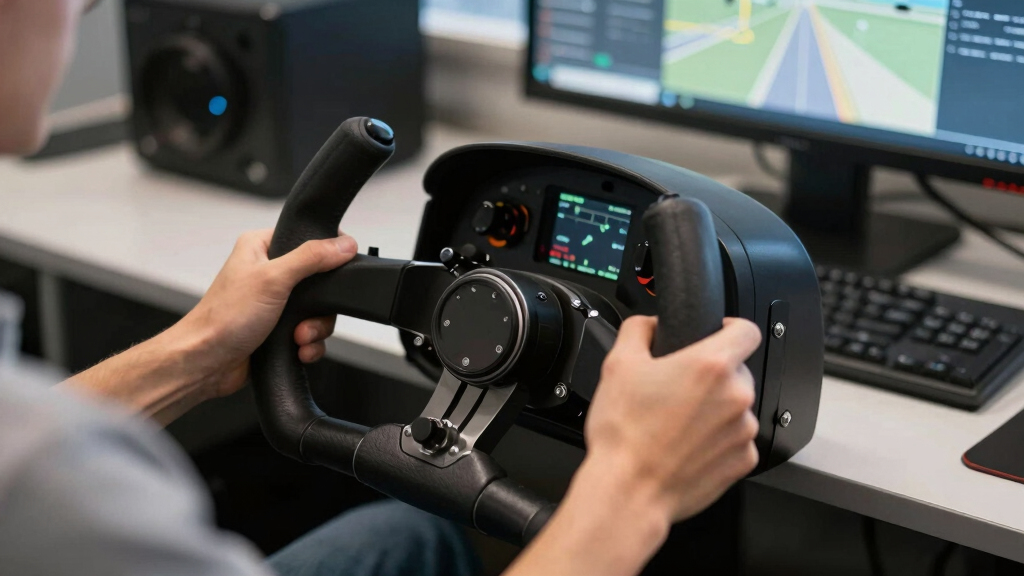

For PC flight simulators, I would rank the Thrustmaster TCA Yoke Boeing Edition first for buyers who want a true airliner-style yoke, while the Logitech G PRO Flight Yoke System makes more sense for most home cockpit builders because it includes a throttle quadrant and a huge control map. The Thrustmaster TCA Sidestick Airbus Edition is not a yoke, but it earns a place here because many Microsoft Flight Simulator and X-Plane pilots are choosing between yokes and sidesticks when building a PC setup.

Play games on Amazon Luna for your game nights, included with Prime
- A rotating selection of games, no download needed
- Play on TV, laptop or phone
- Fast, free delivery for your gear, too
The main tradeoff is authentic motion versus total kit value. A premium yoke feels more like a Boeing cockpit, a Logitech bundle gives more hardware in one box, and a compact joystick saves desk space. I ranked these picks by how well they serve PC flight sim buyers, how complete the control setup is, how much learning curve they add, and whether the hardware fits the aircraft people actually want to fly.
Complete the kit



Key Takeaways
- The Thrustmaster TCA Yoke Boeing Edition is the strongest true yoke pick for Boeing-style airliner flying, but it needs extra hardware for full rudder and throttle control.
- The Logitech G PRO Flight Yoke System is the better all-in-one starting point because it includes a throttle quadrant and broad control mapping.
- The two Logitech listings overlap heavily, so the best choice comes down to bundle details, price, and whether the integrated USB hub or LCD-style feature set matters to your setup.
- The Thrustmaster TCA Sidestick Airbus Edition is the best non-yoke alternative for Airbus flying and compact desks.
- The Thrustmaster T16000M FCS is the lowest-friction precision option, but buyers wanting authentic civilian yoke handling should skip it.


| flight yokes for PC flight simulator | Compatibility |
|---|---|
| Thrustmaster TCA Yoke Boeing E | PC, Xbox |
| Logitech G PRO Flight Yoke Sys | Windows 11/10/8.1/7 |
| Logitech G PRO Flight Yoke Sys | Windows 10 or later, Windows 8.1, Windows 7, XP/XP64, Vista |
| Thrustmaster TCA Sidestick Air | PC |
| Thrustmaster T16000M FCS | — |
More Details on Our Top Picks
Thrustmaster TCA Yoke Boeing Edition Flight Sim Controller – Xbox & PC | 787 Dreamliner Replica
The Thrustmaster TCA Yoke Boeing Edition earns the top spot because it is the most convincing true yoke in this lineup for PC sim pilots who care about airliner handling. Its pendular motion sets it apart from the Logitech yokes, which use a more traditional sliding shaft. That difference matters because pitch input feels closer to the way many Boeing-style controls move, giving this model a more specialized, aircraft-matched feel.
Compared with the Logitech G PRO Flight Yoke System, this Thrustmaster pick is less complete out of the box. The Logitech includes a throttle quadrant, while this Boeing yoke may push buyers toward separate throttles and rudder pedals. Still, I place it above the Logitech for buyers who already plan to build a more serious cockpit and want the yoke itself to be the centerpiece rather than just one bundled part.
The drawbacks are real: it is more expensive for casual pilots, takes up meaningful desk space, and its Boeing identity may feel mismatched if most of your time is spent in Airbus aircraft or fighter sims. For those buyers, the TCA Sidestick Airbus Edition or T16000M FCS will make more sense. But for PC simmers focused on airliners and heavier aircraft, this is the most purpose-built yoke here.
Pros:- Pendular motion gives a more aircraft-like pitch feel than standard sliding yokes
- All-metal build suits a permanent or semi-permanent sim setup
- Official Boeing styling fits airliner-focused PC cockpits
- PC and Xbox support adds flexibility beyond a Windows-only desk
Cons:- Rudder pedals are still needed for complete aircraft control
- Higher total cost once throttle and pedal upgrades are added
- Less appealing for Airbus, combat, or space sim players
Best for: PC sim pilots who mainly fly Boeing airliners, business jets, or larger aircraft and want a realistic yoke as the center of a modular setup.
Not ideal for: Casual players who want a full yoke-and-throttle bundle in one purchase or anyone with a small desk.
- Scale:1:1 replica
- Travel:8.3 inches
- Build:All-metal
- Action Buttons:18
- Additional Axes:2
- Compatibility:PC, Xbox
- Mechanism:Pendular motion
- Spring Tension:Adjustable
Our verdict“This is the yoke I would put first for Boeing-focused PC simmers who care more about authentic control feel than bundle value.”
Logitech G PRO Flight Yoke System, Professional Simulation Yoke and Throttle Quadrant, 75 Programmable Controls, USB, PC
The Logitech G PRO Flight Yoke System is the most practical recommendation for many PC pilots because it includes both a yoke and throttle quadrant. That makes it easier to build a complete flight desk without immediately buying separate engine controls. Compared with the Thrustmaster Boeing yoke, it is less specialized and less authentic in motion, but the included throttle gives it a major value advantage.
The strength here is control coverage. With 75 programmable controls, modes, buttons, and configurable knobs, this setup can handle trim, flaps, landing gear, views, autopilot shortcuts, and engine controls across common PC sims. That level of mapping is more useful for a general aviation pilot than the TCA Sidestick’s Airbus layout, especially if you fly Cessnas, turboprops, and older aircraft with yokes.
The compromise is that the Logitech can feel busy for casual flyers. The extra programming options require setup time, and the motion is not as premium as the Thrustmaster Boeing yoke. Still, if I were choosing a first true yoke setup for Microsoft Flight Simulator or X-Plane, this would be the safest pick for hardware-per-dollar.
Pros:- Includes a separate throttle quadrant for better value
- 75 programmable controls support detailed sim mappings
- Stainless steel shaft gives sturdier feel than entry-level plastic-only controls
- Desk clamps make it easier to mount without a full cockpit frame
Cons:- Full functionality may require software setup
- Large control count can overwhelm casual users
- Yoke motion is less distinctive than the Thrustmaster Boeing pendular design
Best for: Beginners and intermediate PC sim pilots who want a true yoke plus throttle quadrant without building a cockpit piece by piece.
Not ideal for: Buyers who want the most realistic Boeing-style yoke motion or a minimal plug-and-play controller.
- Modes:3
- Programmable Controls:75
- Control Buttons:14
- Control Knobs:Configurable
- Connectivity:USB
- Compatibility:Windows 11/10/8.1/7
- Included Cables:USB 5.9 ft, PS/2 4.92 ft
- Mounting:2 desk clamps
- Material:Steel shaft
Our verdict“This is the yoke bundle I would recommend to the widest range of PC flight sim buyers.”
Logitech G PRO Flight Yoke System, Professional Simulation Yoke and Throttle Quadrant, 3 Modes, 75 Programmable Controls, Configurable Throttle Knobs, Steel Shaft, USB, PC – Black
This Logitech G PRO Flight Yoke System is close to the other Logitech listing, but I would frame it as the better pick for a buyer who wants an expandable home cockpit rather than only a starter bundle. The separate three-axis throttle, mode switch, POV hat, and integrated USB hub make it friendly to a desk that may later add radio panels, switch panels, pedals, or extra controls.
Against the Thrustmaster TCA Yoke Boeing Edition, this Logitech yoke loses the premium replica feel. Against the TCA Sidestick Airbus Edition, it takes much more space. Its advantage is that it behaves like a general-purpose sim control station: one setup can cover piston aircraft, twin engines, basic jets, and training scenarios better than a sidestick can.
The buying decision between the two Logitech entries should come down to price and bundle details. If this version costs more, the premium only makes sense if the USB hub, throttle configuration, and older Windows compatibility matter to your rig. If not, the B07QXMTNPB Logitech option offers much the same core yoke appeal.
Pros:- Separate three-axis throttle supports multi-engine mappings
- Integrated USB hub helps with accessory-heavy setups
- 75 programmable controls give room for complex profiles
- Two-position clamp works for many desk arrangements
Cons:- Very similar to the other Logitech yoke, so price matters
- Setup time can be high for new sim pilots
- Premium price is harder to justify if you will not use the extra controls
Best for: PC pilots building a more permanent desk setup with room for panels, pedals, and added Logitech-style accessories.
Not ideal for: Buyers who only need a compact controller or who want the most authentic single-aircraft replica.
- POV Hat:Yes
- Button Controls:14
- Mode Switch:3-position
- Throttle:Separate three-axis lever
- USB Port:Integrated 1-USB 2.0 Port Hub
- Compatibility:Windows 10 or later, Windows 8.1, Windows 7, XP/XP64, Vista
- Material:Stainless steel yoke shaft
- Clamp:2-position clamp
Our verdict“This is the Logitech yoke I would choose for an expandable home cockpit when its accessory-friendly features are priced fairly.”
Thrustmaster TCA Sidestick Airbus Edition Flight Sim Joystick – PC
The Thrustmaster TCA Sidestick Airbus Edition belongs in this guide as a deliberate yoke alternative, not a substitute for one. If your hangar is full of A320 routes, a traditional yoke is the wrong match; this Airbus-style sidestick better fits the aircraft you are trying to simulate. Compared with both Logitech yokes, it also takes up far less room and is easier to store between sessions.
The integrated throttle, rudder control, thrust reverser, and magnetic sensor design make it a tidy setup for PC flyers who want one controller rather than a wide yoke-and-quadrant arrangement. It is also more aircraft-specific than the T16000M FCS because its layout is built around Airbus cues, including swappable head modules and remappable buttons.
The limitation is obvious: it is not a yoke. If you fly Cessnas, Boeings, or older general aviation aircraft, the Logitech or Thrustmaster Boeing yokes will feel more appropriate. This pick makes the most sense for pilots who already know they prefer Airbus-style control logic or who need compact hardware without giving up PC sim precision.
Pros:- Airbus A320-inspired shape fits modern Airbus sim flying
- Built-in throttle and rudder reduce the need for extra hardware
- Magnetic sensor design supports precise, drift-resistant input
- Compact footprint works better on small desks than a yoke
Cons:- Not a true yoke, so it feels wrong for many aircraft types
- Multiple controls can still confuse new players
- Primarily PC-focused, with limited console appeal
Best for: PC simmers who mainly fly Airbus aircraft or want a compact sidestick with built-in throttle and rudder control.
Not ideal for: Anyone seeking a traditional yoke feel for general aviation, Boeing airliners, or flight training layouts.
- Compatibility:PC
- Sensor Technology:Magnetic sensor
- Number of Action Buttons:17
- Joystick Head Modules:4
- Remappable Buttons:12
- Built-in Throttle:Yes
- Thrust Reverser:Yes
- Rudder Control:Yes
- Setup:Plug and play
Our verdict“This is the clear pick when Airbus realism and compact desk fit matter more than traditional yoke handling.”
Thrustmaster T16000M FCS – Precision Combat Flight Sim Joystick for PC
The Thrustmaster T16000M FCS is the least yoke-like product here, so I would only choose it for a specific reason: you want precise PC flight control at a lower cost and do not need a yoke-shaped cockpit. Its H.E.A.R.T magnetic sensors are the main draw, giving it a precision argument that budget yokes often struggle to match.
Compared with the TCA Sidestick Airbus Edition, the T16000M is less aircraft-specific but more flexible. It can suit combat sims, space sims, helicopters, and casual civilian flying better than a Boeing-style yoke can. Against the Logitech yokes, though, it loses the realism battle for general aviation and airliner aircraft that use yokes in the real cockpit.
The ambidextrous design, twist rudder, 8-way hat switch, and 16 programmable buttons make it useful for a wide range of PC sim profiles. The tradeoff is that buyers chasing a flight-school-style yoke setup should not buy this as a substitute. It is a smart precision controller, but it is not the right shape for every aircraft.
Pros:- H.E.A.R.T magnetic sensors support precise input
- Ambidextrous design works for left- or right-handed setups
- Twist rudder gives basic yaw control without pedals
- Programmable buttons and axes suit varied sim profiles
Cons:- Joystick shape does not replicate yoke-based aircraft
- T.A.R.G.E.T software can add setup complexity
- No included throttle quadrant or pedals
Best for: Budget-minded PC pilots who fly mixed sim genres and want precise control without committing to a full yoke setup.
Not ideal for: Buyers who want realistic yoke handling for Cessnas, Boeings, or home cockpit training.
- Sensor Technology:H.E.A.R.T magnetic sensors
- Number of Buttons:16
- Hat Switch:8-way
- Axes:4, including twist rudder
- Design:Ambidextrous, customizable components
- Software Compatibility:T.A.R.G.E.T programming software
Our verdict“This is the value pick for precision, but I would not choose it as a true yoke replacement.”
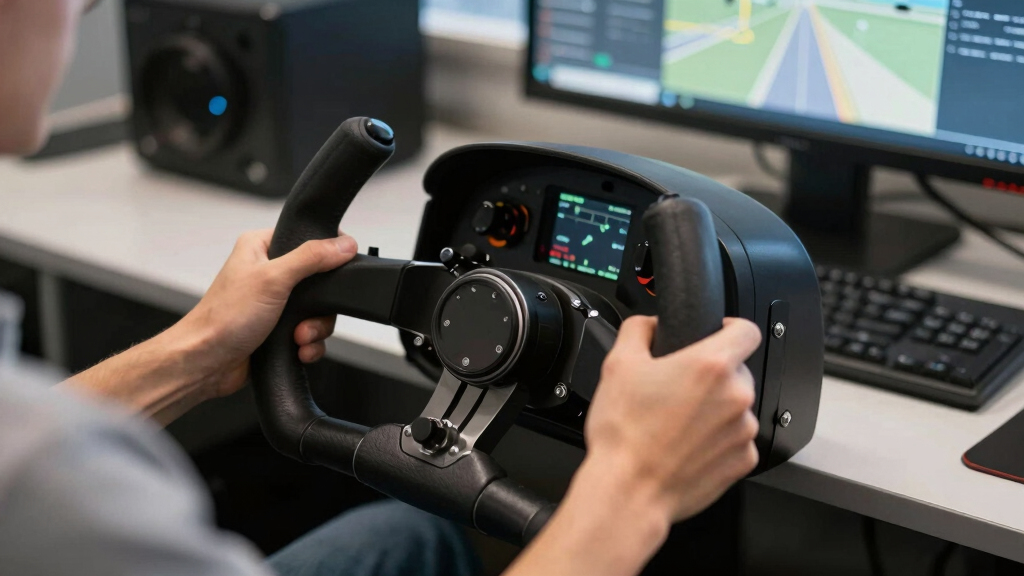
How We Picked
I ranked these products through the lens of PC flight simulator use, not general controller shopping. That means a true yoke gets extra weight when it improves pitch and roll realism for Cessnas, Boeings, and general aviation aircraft. I also gave credit for included throttle control, because a yoke without a throttle can become more expensive than it first appears.
I also looked at control density, desk fit, aircraft match, setup burden, and upgrade path. A product with many buttons can be useful in Microsoft Flight Simulator, X-Plane, and Prepar3D, but only if the layout helps rather than overwhelms. That is why the Logitech yokes rank high for practical value, while the Thrustmaster Boeing yoke ranks higher for buyers chasing a more authentic yoke motion.
Because two products here are joysticks rather than yokes, I treated them as yoke alternatives. They are included only where they solve a real buyer problem: Airbus-style flying, limited desk space, or lower-cost precision control. They do not replace a yoke for aircraft that use one, and I call that out clearly in the rankings.
| flight yokes for PC flight simulator | Compatibility |
|---|---|
| Thrustmaster TCA Yoke Boeing E | PC, Xbox |
| Logitech G PRO Flight Yoke Sys | Windows 11/10/8.1/7 |
| Logitech G PRO Flight Yoke Sys | Windows 10 or later, Windows 8.1, Windows 7, XP/XP64, Vista |
| Thrustmaster TCA Sidestick Air | PC |
| Thrustmaster T16000M FCS | — |
Factors to Consider When Choosing Best Flight Yokes For PC Flight Simulators
Choosing a PC flight yoke is really a choice about aircraft type, desk space, and how much hardware you want to manage. I would start with the planes you fly most, then work backward from there.Match The Controller To The Aircraft
If you mostly fly Cessnas, turboprops, business jets, and Boeing airliners, a true yoke makes the most sense. That points toward the Thrustmaster TCA Yoke Boeing Edition or one of the Logitech G PRO Flight Yoke Systems. If you mostly fly Airbus aircraft, a sidestick is more faithful to that cockpit style, which is why the TCA Sidestick earns a serious place even though it is not a yoke.
Decide Between Realism And Bundle Value
The Thrustmaster Boeing yoke is the realism-first choice because its pendular motion and all-metal build make the yoke itself feel like the main event. The Logitech systems are value-first choices because they include a throttle quadrant and give you many controls immediately. I would pay more for the Boeing yoke if the control feel matters most, but I would choose Logitech if the goal is a complete desk setup at a saner total cost.
Check Your Desk Before Buying
True yokes need depth, clamp clearance, and a comfortable seated position. The Logitech yokes also add a separate throttle quadrant, while the Thrustmaster Boeing yoke may lead to even more add-ons. If your desk is shallow or shared with work gear, the TCA Sidestick or T16000M FCS will be easier to live with.
Plan For Rudder And Throttle Control
A yoke handles pitch and roll, but yaw and engine control still matter. The Logitech bundles include throttle hardware, which makes them easier starter systems. The Thrustmaster Boeing yoke gives a stronger yoke experience, but I would budget for rudder pedals and a separate throttle if you want fuller control. Joystick alternatives use twist rudder or built-in controls, which saves money but reduces cockpit realism.
Think About Setup Time
More buttons are useful only if you are willing to map them. The Logitech systems have 75 programmable controls, which is excellent for serious sim profiles but less friendly for a quick weekend flight. The T16000M also benefits from profile work in T.A.R.G.E.T software. For the simplest path, I would favor a controller whose default layout already matches your main aircraft.
Frequently Asked Questions
Is a yoke better than a joystick for Microsoft Flight Simulator?
A yoke is better for aircraft that use yokes, such as many Cessnas, turboprops, and Boeing-style airliners. A joystick or sidestick is better for Airbus aircraft, fighters, helicopters, and space sims. I would not call one control type better across all PC flight sims; the right choice depends on the aircraft you fly most and the cockpit feel you want to recreate.
Which flight yoke is best for beginners?
The Logitech G PRO Flight Yoke System is the best beginner yoke in this lineup because it includes a throttle quadrant and works as a complete starting point. The Thrustmaster Boeing yoke feels more specialized, but it can become pricey once pedals and throttle hardware are added. For a first PC yoke, I would rather start with a bundle that teaches the basics without requiring several extra purchases.
Do I need rudder pedals with a flight yoke?
You can fly without pedals, but rudder pedals make takeoffs, landings, taxiing, and crosswind control feel more complete. Some setups can map yaw to buttons, levers, or other axes, but that is a workaround. If you are buying the Thrustmaster Boeing yoke or a Logitech yoke for long-term PC sim use, I would treat pedals as the next upgrade after the core yoke and throttle.
Why are joysticks included in a flight yoke guide?
I included the Thrustmaster TCA Sidestick Airbus Edition and Thrustmaster T16000M FCS because many PC sim buyers are deciding between a yoke and a smaller control alternative. They are not true yokes, and they should not be judged as if they were. Their role is to serve buyers who fly Airbus aircraft, need a compact desk setup, or want precision control without building a full yoke station.
Which pick is best for a home cockpit setup?
For a modular home cockpit, I would lean toward the Thrustmaster TCA Yoke Boeing Edition if Boeing realism is the priority, or the Logitech G PRO Flight Yoke System if expandability and included throttle controls matter more. The Boeing yoke gives the stronger centerpiece feel, while Logitech gives a broader control station from day one.
Conclusion
If I were buying for Boeing-style realism, I would choose the Thrustmaster TCA Yoke Boeing Edition. If I wanted the best first yoke bundle for PC flight sims, I would choose the Logitech G PRO Flight Yoke System with throttle quadrant. For an expandable desk cockpit, the alternate Logitech G PRO listing is worth watching when its price is right.
For smaller desks or Airbus routes, I would skip the yoke category and choose the Thrustmaster TCA Sidestick Airbus Edition. For the lowest-cost precision route across mixed sim genres, the Thrustmaster T16000M FCS is the sensible alternative, as long as you accept that it will never feel like a true flight yoke.
Fall Picks
fall essentials
As an affiliate, we earn on qualifying purchases.