
The best gaming accessories improve an action I repeat during every session rather than adding features I rarely use. I rank the Logitech G502 X Plus as the best overall because precise wireless mouse control benefits more games than any specialized add-on here. The Razer Tartarus V2 is the stronger premium choice for dense commands and macros, while the Redragon K585 DITI offers a simpler, more affordable route into one-handed control. The main tradeoffs are broad usefulness versus specialization, wired reliability versus wireless freedom, and immediate familiarity versus a steeper learning curve. Continue reading for the full breakdown and the right pick for each type of player.

Play games on Amazon Luna for your game nights, included with Prime
- A rotating selection of games, no download needed
- Play on TV, laptop or phone
- Fast, free delivery for your gear, too
Complete the kit



Key Takeaways
- I found the Logitech G502 X Plus offered the broadest gaming benefit because mouse speed, comfort, and control carry across more genres than streaming or macro accessories.
- I placed the Razer Tartarus V2 above the other specialized controls because its 32 programmable keys provide the deepest command layer, though that depth brings more setup and learning.
- I chose the Redragon K585 DITI as the value pick because it focuses spending on mechanical left-hand controls rather than wireless hardware or a larger macro system.
- I separated the FIFINE microphone set from the VSDINSIDE controller deck because they solve different creator problems: clearer communication versus faster scene, app, and shortcut management.
- I found the KontrolFreek Precision Rings to be the easiest beginner upgrade for controller aiming, but added stick resistance will not suit players who prioritize very fast camera turns.
| VSDINSIDE Macro Keypad Stream Controller Deck |  | Best for Streamers | Total controls: 18 | LCD keys: 15 | Physical buttons: 3 | VIEW LATEST PRICE | See Our Full Breakdown |
| FIFINE AM8T XLR/USB Gaming Microphone Set |  | Best Gaming Microphone Kit | Connection types: USB and XLR | Polar pattern: Cardioid | Sensitivity: -50dB | VIEW LATEST PRICE | See Our Full Breakdown |
| Redragon K585 DITI One-Handed Mechanical Gaming Keyboard |  | Best Compact Mechanical Keypad | Key count: 42 | Programmable macro keys: 7 | Switch type: Redragon Blue mechanical switches | VIEW LATEST PRICE | See Our Full Breakdown |
| Razer Tartarus V2 Gaming Keypad |  | Best for MMO and Macro Control | Key count: 32 | Programmable keys: Yes | Macro support: Fully customizable | VIEW LATEST PRICE | See Our Full Breakdown |
| KontrolFreek Precision Rings |  | Best Budget Aim Upgrade | Product type: Thumbstick resistance rings | Quantity: 6 rings | Resistance levels: Soft, medium, and hard | VIEW LATEST PRICE | See Our Full Breakdown |
| Logitech G502 X Plus Wireless Gaming Mouse |  | Best Premium Gaming Mouse | Switches: LIGHTFORCE hybrid optical-mechanical | Programmable Controls: 13 | Battery Life: Up to 130 hours | VIEW LATEST PRICE | See Our Full Breakdown |
| gaming accessorie | Connectivity | Lighting |
|---|---|---|
| VSDINSIDE Macro Keypad Stream | USB-C | Adjustable RGB light ring |
| FIFINE AM8T XLR/USB Gaming Mic | — | Customizable RGB |
| Redragon K585 DITI One-Handed | Wired | — |
| Razer Tartarus V2 Gaming Keypa | Wired | Razer Chroma RGB |
| KontrolFreek Precision Rings | — | — |
| Logitech G502 X Plus Wireless | LIGHTSPEED wireless and USB-C | Customizable LIGHTSYNC RGB |
More Details on Our Top Picks
VSDINSIDE Macro Keypad Stream Controller Deck
I rank the VSDINSIDE Macro Keypad as the strongest streaming companion here because its 15 LCD keys and three physical buttons make commands easy to identify during a live session. It can combine several shortcuts into one press, which helps a creator manage scenes, audio, apps, and reminders without breaking focus. Compared with the Redragon K585 DITI, this deck favors visual workflow control over mechanical movement keys, so it is less useful as a one-handed gaming keyboard but much better for production tasks. Built-in clock, weather, calendar, and reminder plugins also give it broader desk utility. I would skip it for Linux systems, and its USB-C-only connection limits placement. Custom RGB tones also require a firmware update, adding friction before the lighting is fully personalized.
Pros:- LCD labels make assigned commands easier to recognize during live sessions
- Multi-shortcut macros can condense complex workflows into single presses
- Built-in productivity plugins extend its usefulness beyond streaming
- Adjustable RGB light ring provides clear visual feedback
Cons:- No native Linux support
- Custom RGB tones require a firmware upgrade
- Wired USB-C connectivity restricts placement and portability
Best for: Windows or Mac streamers who need visually labeled shortcuts for scene changes, audio controls, apps, and productivity tools
Not ideal for: Linux users or players seeking mechanical movement keys for direct in-game control
- Total controls:18
- LCD keys:15
- Physical buttons:3
- Connectivity:USB-C
- Windows compatibility:Windows 11 or later
- Mac compatibility:macOS 11.0 or later
- Lighting:Adjustable RGB light ring
- Built-in plugins:Reminder, clock, weather, and calendar
Our verdict“I recommend this deck to streamers who value visible, multi-step controls more than mechanical gameplay inputs.”
FIFINE AM8T XLR/USB Gaming Microphone Set
The FIFINE AM8T microphone set earns its place by providing a complete voice setup with room to grow. USB connectivity suits a straightforward gaming PC setup, while XLR support lets a creator add an audio interface later without replacing the microphone. That upgrade path makes it more adaptable than the VSDINSIDE Macro Keypad, which expands command control but does nothing for voice quality. Its cardioid pickup pattern focuses on speech in front of the mic, and the included boom arm helps maintain a consistent speaking position while freeing desk space. I also favor the accessible mute and gain controls for live adjustments. Buyers must supply their own XLR cable, however, and the clamp only fits desks up to two inches thick. The -50dB sensitivity may also demand careful gain setup, especially through XLR.
Pros:- USB and XLR connections support beginner and upgraded audio setups
- Included boom arm provides flexible positioning while saving desk space
- On-mic mute and gain controls suit live gaming and streaming
- Customizable RGB lighting complements illuminated gaming stations
Cons:- XLR cable must be purchased separately
- Desk clamp cannot accommodate surfaces thicker than two inches
- Gain configuration can be less approachable for audio newcomers
Best for: PC gamers and new streamers who want an all-in-one USB microphone kit with a future path to an XLR audio interface
Not ideal for: Players with desks thicker than two inches or buyers expecting a complete XLR setup without extra purchases
- Connection types:USB and XLR
- Polar pattern:Cardioid
- Sensitivity:-50dB
- Lighting:Customizable RGB
- Monitoring:Headphone jack
- On-mic controls:Mute button and gain control
- Included mounting hardware:Boom arm and C-clamp
- Maximum desk thickness:2 inches
Our verdict“I recommend the AM8T to gamers who want a ready-to-stream USB kit without giving up a later move to XLR.”
Redragon K585 DITI One-Handed Mechanical Gaming Keyboard
I place the Redragon K585 DITI ahead of bulkier control decks for players who want true mechanical inputs in a smaller footprint. Its 42-key one-handed layout retains core gaming controls while seven macro keys handle repeated commands, making it a practical match for action games and compact desks. Compared with the Razer Tartarus V2, the Redragon offers clicky Blue switches and hot-swappable sockets, giving switch tinkerers more freedom; the Razer counters with more extensive programming and an eight-way thumbpad. The magnetic wrist rest adds support and can be removed for travel, while USB pass-through keeps another wired device within reach. I would not choose it for shared rooms because the Blue switches are loud. The reduced layout can also become restrictive when a game relies heavily on typing, function keys, or numerous bindings.
Pros:- Mechanical Blue switches provide clear tactile and audible actuation
- Hot-swappable sockets support easier switch customization
- Seven macro keys expand control without taking full-keyboard space
- Detachable magnetic wrist rest supports compact transport and positioning
Cons:- Blue switches can be disruptive in shared or quiet spaces
- Reduced key set is limiting for typing-heavy games and general computing
- Wired design adds another cable to compact desks
Best for: Mechanical-keyboard fans with limited desk space who play games centered on left-hand movement and a modest set of macros
Not ideal for: Quiet-room players or games that require frequent typing and access to a full keyboard layout
- Key count:42
- Programmable macro keys:7
- Switch type:Redragon Blue mechanical switches
- Switch sockets:Hot-swappable
- Connectivity:Wired
- Backlight modes:5
- RGB color range:16.8 million colors
- Wrist rest:Detachable magnetic
- USB pass-through:Yes
Our verdict“I recommend the K585 DITI to players who want mechanical feel and modding flexibility in a focused one-handed layout.”
Razer Tartarus V2 Gaming Keypad
The Razer Tartarus V2 is my pick for games that demand many commands within immediate reach. Its 32 programmable keys provide more binding flexibility than the Redragon K585 DITI, while the eight-way thumbpad can separate movement or menu navigation from the main key cluster. That makes the Tartarus better suited to MMOs, strategy titles, and creative shortcuts; the Redragon remains the better choice for players who insist on fully mechanical switches and hot-swappable hardware. Razer’s mecha-membrane design delivers tactile feedback without the same sharp click, though it may feel less crisp and durable to mechanical-keyboard fans. Chroma RGB offers extensive color customization, but it contributes little to control once bindings are learned. I also count the wired-only design as a drawback for portable setups, and the unusual layout brings a learning period.
Pros:- Thirty-two programmable keys accommodate command-heavy games
- Eight-way thumbpad adds dedicated directional or navigation control
- Mecha-membrane switches provide tactile response with less click noise
- Chroma RGB supports extensive lighting personalization
Cons:- Mecha-membrane switches may feel less precise and durable than mechanical alternatives
- Specialized layout requires time to learn and configure
- Wired connection limits portability and cable management options
Best for: MMO, strategy, and simulation players who need dense macro access plus thumb-operated directional control
Not ideal for: Mechanical-switch purists or traveling players who want a familiar layout and cable-free hardware
- Key count:32
- Programmable keys:Yes
- Macro support:Fully customizable
- Switch type:Mecha-membrane
- Thumb control:8-way directional thumbpad
- Lighting:Razer Chroma RGB
- RGB color range:16.8 million colors
- Connectivity:Wired
Our verdict“I recommend the Tartarus V2 to command-heavy players who value binding capacity and thumb control over mechanical-switch purity.”
KontrolFreek Precision Rings
I rank KontrolFreek Precision Rings as the easiest low-cost way to alter controller aiming without replacing the controller itself. The six-ring set includes soft, medium, and hard resistance, letting players increase thumbstick tension gradually for steadier fine movements or aim training. Compared with the Logitech G502 X Plus, these rings serve console-style controller users rather than mouse players, and they cost far less than a new input device. They also have a narrower purpose: unlike the Razer Tartarus V2, they add no buttons, macros, or lighting. Resistance can help reduce overcorrection, but it may initially slow rapid turns and target changes while muscle memory adapts. Fit can also vary with thumbstick wear and controller design. I see them as a focused tuning accessory, not a substitute for worn sticks, stick-drift repair, or a full controller upgrade.
Pros:- Three resistance levels support gradual aim training and personalization
- Six included rings allow experimentation across multiple thumbsticks
- Broad compatibility covers major console controllers and Scuf models
- Moisture-wicking flexible material suits extended play sessions
Cons:- Added resistance can slow turning until the player adapts
- Fit and feel may vary with controller shape and thumbstick wear
- Does not address stick drift or add controls and remapping features
Best for: Controller players who want inexpensive aim-resistance training across PlayStation, Xbox, Switch Pro, or Scuf hardware
Not ideal for: Players with stick drift, worn thumbsticks, or a need for extra buttons and broader controller upgrades
- Product type:Thumbstick resistance rings
- Quantity:6 rings
- Resistance levels:Soft, medium, and hard
- PlayStation compatibility:PS4 and PS5
- Xbox compatibility:Xbox One and Xbox Series X|S
- Other controller compatibility:Switch Pro and Scuf
- Material:Flexible, moisture-wicking material
Our verdict“I recommend these rings to controller players seeking a cheap, adjustable aiming aid rather than a full hardware replacement.”
Logitech G502 X Plus Wireless Gaming Mouse
I rank the Logitech G502 X Plus as the premium mouse pick because its HERO 25K sensor, responsive LIGHTFORCE switches, and 13 programmable controls serve competitive play without sacrificing versatility. Unlike the Razer Tartarus V2, which supplements a mouse with dedicated macros, this model places commands directly under one hand and requires less desk space. Its reversible DPI-shift button also suits different grips, while the dual-mode wheel makes long menus and weapon selection easier to manage. The up-to-130-hour battery is a major advantage for frequent players, and PowerPlay support can remove charging interruptions. I would rank it below simpler accessories on affordability: the mouse carries a premium price, and continuous wireless charging requires another expensive purchase. It is also more elaborate than players who need only basic aiming controls will appreciate. Still, precision and deep customization give it the strongest case among premium input upgrades.
Pros:- HERO 25K sensor supports precise, consistent tracking
- 13 programmable controls reduce reliance on keyboard commands
- Up to 130 hours of battery life suits long gaming schedules
- Reversible DPI-shift button accommodates different hand positions
Cons:- Premium pricing makes it a costly upgrade over simpler wireless mice
- Continuous PowerPlay charging requires a separately sold charging pad
Best for: PC gamers who want precise wireless tracking, numerous mouse-based commands, and extensive control customization
Not ideal for: Budget-focused or minimalist players who will not use 13 programmable controls or pay extra for the optional PowerPlay charging system
- Switches:LIGHTFORCE hybrid optical-mechanical
- Programmable Controls:13
- Battery Life:Up to 130 hours
- Connectivity:LIGHTSPEED wireless and USB-C
- Sensor:HERO 25K
- Lighting:Customizable LIGHTSYNC RGB
- Charging Compatibility:Logitech PowerPlay
Our verdict“I recommend this to serious PC players who will use its precision and extensive controls enough to justify the premium cost.”
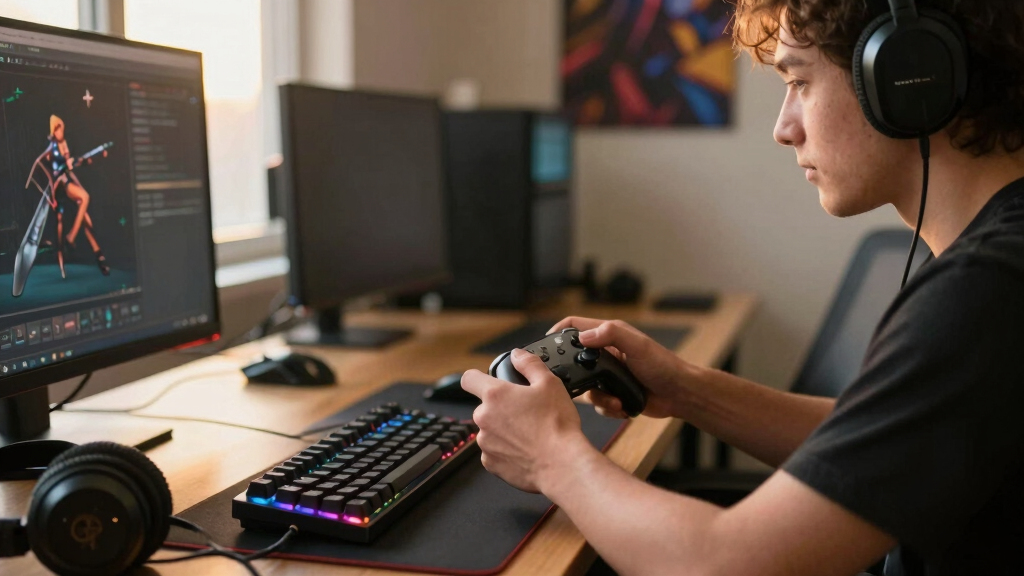
How We Picked
I compared these products by examining their effect on repeated gaming actions, ease of setup, stated control options, platform fit, and the amount of desk space or maintenance they demand. Since this lineup spans mice, keypads, audio gear, streaming controls, and controller add-ons, I did not rank products by feature count alone. I gave more weight to benefits that apply across many games and treated specialized functions as valuable when they solve a clear problem. Build design, connection method, customization depth, and function for the likely price tier also shaped each role.
The ranking puts the Logitech G502 X Plus first for its broad day-to-day impact, followed by the Razer Tartarus V2 for advanced command control. The Redragon K585 DITI ranks as the more accessible one-handed alternative, while the remaining products address streaming, voice communication, or controller precision. I also accounted for drawbacks such as software setup, charging, cable management, adaptation time, and limited use outside a particular play style. This approach makes the order reflect buyer usefulness rather than category prestige.
| gaming accessorie | Connectivity | Lighting |
|---|---|---|
| VSDINSIDE Macro Keypad Stream | USB-C | Adjustable RGB light ring |
| FIFINE AM8T XLR/USB Gaming Mic | — | Customizable RGB |
| Redragon K585 DITI One-Handed | Wired | — |
| Razer Tartarus V2 Gaming Keypa | Wired | Razer Chroma RGB |
| KontrolFreek Precision Rings | — | — |
| Logitech G502 X Plus Wireless | LIGHTSPEED wireless and USB-C | Customizable LIGHTSYNC RGB |
Factors to Consider When Choosing Best Gaming Accessories
I recommend choosing a gaming accessory by identifying the repeated action that currently slows, distracts, or tires you. A product that fixes a frequent input problem usually delivers more value than one with a long feature list. I also weigh platform compatibility, available desk space, and the time required to learn new controls. The sections below explain how I separate a meaningful upgrade from an accessory that may sit unused.
Start With Your Biggest Gameplay Bottleneck
I start by asking whether the main limitation is aiming, command access, communication, or stream management. A high-frequency improvement, such as better pointer control, affects more sessions than a shortcut used once per match. Players who communicate constantly may gain more from cleaner microphone positioning than from extra macro keys. Controller players should focus on stick control before buying desktop input gear they cannot use from the sofa. A common mistake is building a collection of overlapping controls while leaving the original problem untouched. I favor the accessory that removes the most repeated source of friction first.
Check Platform, Software, and Game Support
I verify the full compatibility chain rather than relying only on the plug shape. Hardware may connect to a system while its macro editor, lighting controls, or profile software remains limited to another platform. Some competitive games also restrict automated command sequences, so programmable inputs should be configured as permitted single actions. Console buyers need to check controller model fit, while PC buyers should review operating-system support and available ports. I also look for onboard profile storage when settings need to travel between machines, although not every accessory provides it. This check prevents paying for customization features that the intended setup cannot use.
Balance Control Depth Against Learning Time
More buttons create more possibilities, but they also demand memory and deliberate mapping. I prefer a small, consistent command layout for players who switch games often because it is easier to reuse across genres. MMO, strategy, simulation, and production-heavy setups can justify a deeper macro layer when commands remain stable for many hours. A one-handed keypad also changes hand position, so familiar keyboard habits may initially feel slower. I suggest mapping only the highest-value actions at the start and adding commands after the first layout becomes automatic. Paying for dozens of inputs makes sense only when the buyer has a clear plan for them.
Account for Cables, Charging, and Desk Space
I treat connection and footprint as daily usability choices rather than cosmetic details. Wired gear offers simple power and dependable connectivity, but a boom arm, keypad, mouse cable, and stream controller can quickly crowd one desk. Wireless hardware reduces movement resistance and clutter, though charging becomes another recurring task. Compact desks benefit from accessories that replace an existing device or mount away from the main work surface. Sofa setups place even more value on wireless reach and minimal cabling. Before buying, I map where the accessory, its cable, and any required receiver will actually sit.
Know When Paying More Makes Sense
I pay more when an accessory handles constant physical contact, supports several game genres, or replaces multiple weaker devices. A premium price is harder to justify for a single-game feature or lighting that does not improve control. Software-dependent products also carry a longevity question because future operating-system support matters alongside physical durability. Replaceable low-cost add-ons can be sensible experiments, while expensive controls should offer lasting ergonomic or workflow gains. I compare the price with the number of sessions in which the feature will matter, not with the raw number of buttons. That produces a more useful measure of cost per meaningful use.
Frequently Asked Questions
Which Gaming Accessory Should I Buy First?
I would start with the device tied to the action performed most often. For most PC players, that makes a capable gaming mouse the first upgrade because aiming, movement, and menu control appear across many genres. A frequent team communicator may get more value from a proper microphone setup, while a controller player with inconsistent fine aim may prefer precision rings. Macro controls should come later unless limited key access is already disrupting play. The right first purchase fixes a current problem rather than creating a new workflow to learn.
Is a One-Handed Gaming Keypad Better Than a Full Keyboard?
I see a one-handed keypad as a focused companion, not a universal keyboard replacement. Its compact key area can make movement and nearby commands easier to reach, especially when a full keyboard pushes the mouse too far sideways. The tradeoff is reduced typing ability and a layout that may require new muscle memory. Players who alternate between gaming, chat, and general computer work may still need a full keyboard within reach. I recommend a keypad when dedicated left-hand control matters more than all-purpose input.
Should I Choose a Stream Controller or a Gaming Keypad?
I choose based on whether the commands happen inside the game or around it. A gaming keypad is designed for movement, abilities, and rapid in-game inputs, while a stream controller is better suited to scenes, audio controls, application shortcuts, and production tasks. A controller deck can trigger game-related shortcuts, but its placement and button style may not suit continuous movement. Streamers who already like their keyboard should favor workflow controls before duplicating movement keys. Players who do not broadcast or manage several apps will usually gain more from the gaming keypad.
Is a Wireless Gaming Mouse Worth the Higher Price?
I find wireless worthwhile when cable drag, desk clutter, or movement freedom is a recurring annoyance. A well-suited wireless mouse provides a cleaner range of motion, which can matter during broad aiming sweeps and low-sensitivity play. The buyer accepts charging, battery monitoring, and a higher purchase price in exchange. Wired models remain sensible for fixed desks and strict budgets because they remove power management from the routine. The Logitech G502 X Plus makes the most sense when its broad control benefits outweigh that added cost and upkeep.
Do Controller Precision Rings Really Improve Aim?
I view precision rings as a tuning aid rather than an automatic accuracy fix. Added stick resistance can make small aiming adjustments easier to control, particularly for players who tend to overcorrect. That same resistance may slow rapid turns or feel tiring until the player adapts. Game sensitivity settings may also need adjustment so the ring and software response work together. The KontrolFreek Precision Rings suit buyers who want an inexpensive physical change without replacing a familiar controller, but players who already dislike heavy sticks should skip them.
Conclusion
I recommend the Logitech G502 X Plus as the best overall pick because it improves a core input used across the widest mix of PC games. The Redragon K585 DITI is my best value choice for players who want focused mechanical controls without paying for a more elaborate command system. For advanced customization, the Razer Tartarus V2 is the best premium control option, provided the buyer will use its 32 programmable keys and accept the learning curve.
Beginners seeking a small controller adjustment should choose the KontrolFreek Precision Rings, while streamers who need faster production commands are better matched with the VSDINSIDE Macro Keypad. The FIFINE XLR/USB Gaming Microphone Set is my pick for team communication, streaming commentary, and buyers who want a boom arm included. I would choose the product that fixes the most frequent problem in the current setup, since specialized accessories earn their place only when their specific function is used regularly.
Halloween Picks
halloween
As an affiliate, we earn on qualifying purchases.