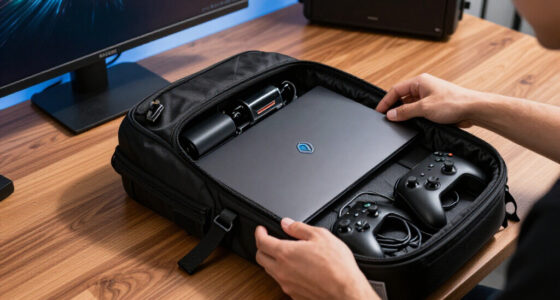
The best 1TB microSD cards for Steam Deck OLED are the ones that match the handheld’s UHS-I slot rather than chasing headline speeds the Deck cannot use. My best overall pick is the Lexar 1TB Play because it combines strong UHS-I ratings, A2 app class, and a gaming-focused price profile without the premium attached to microSD Express. The SanDisk Extreme is the value-minded alternative when it is priced well, while the Lexar Play PRO is the premium choice only if you also want faster transfers in compatible gear. The main tradeoff is simple: pay for balanced random access and sustained writes for the Deck, or pay more for future-facing speed that mostly helps outside the handheld. Keep reading for the full breakdown of which card fits your library size, budget, and upgrade plans.

Play games on Amazon Luna for your game nights, included with Prime
- A rotating selection of games, no download needed
- Play on TV, laptop or phone
- Fast, free delivery for your gear, too
Key Takeaways
- Lexar 1TB Play is the cleanest Steam Deck OLED match because it pairs strong UHS-I speeds, A2 app class, and gaming-focused value without paying for Express performance the Deck cannot use.
- SanDisk Extreme remains the safer value pick when prices drop, but the older 160MB/s listing is less compelling than newer UHS-I rivals unless it is cheaper.
- Lexar Play PRO microSD Express has the biggest headline speed, yet Steam Deck OLED buyers pay for unused speed because the handheld treats it like a UHS-I card.
- Samsung PRO Plus Sonic and Lexar Professional Silver Plus make more sense for frequent PC transfers than for pure in-game load-time gains.
- SanDisk Nintendo Switch 1TB is the easiest comfort pick for handheld players, but its gaming license matters less on Steam Deck OLED than speed class, warranty, and sale price.
| Lexar 1TB Play Micro SD Card |  | Best Speed-Focused UHS-I Pick | Capacity: 1TB | Card Type: microSDXC | Bus Type: UHS-I | VIEW LATEST PRICE | See Our Full Breakdown |
| SanDisk 1TB Extreme microSDXC UHS-I Memory Card with Adapter |  | Best Overall | Capacity: 1TB | Card Type: microSDXC | Bus Type: UHS-I | VIEW LATEST PRICE | See Our Full Breakdown |
| Lexar 1TB Play PRO microSD Express Card |  | Best Premium Future-Proof Pick | Capacity: 1TB | Card Type: microSD Express | Speed Class: C10, U3, V30 | VIEW LATEST PRICE | See Our Full Breakdown |
| SanDisk 1TB Extreme microSDXC UHS-I Memory Card |  | Best Durable Value Alternative | Capacity: 1TB | Card Type: microSDXC | Bus Type: UHS-I | VIEW LATEST PRICE | See Our Full Breakdown |
| SanDisk 1TB microSDXC Card Licensed for Nintendo Switch |  | Best for Switch Owners Adding a Steam Deck | Capacity: 1TB | Card Type: microSDXC | Compatible Devices: Nintendo Switch | VIEW LATEST PRICE | See Our Full Breakdown |
| Samsung PRO Plus Sonic The Hedgehog 1TB microSDXC Card with Adapter |  | Best Durable Theme Pick | Capacity: 1TB | Read Speed: Up to 180MB/s | Write Speed: Up to 130MB/s | VIEW LATEST PRICE | See Our Full Breakdown |
| Lexar 1TB Professional Silver Plus microSDXC Card |  | Best High-Speed UHS-I Pick | Capacity: 1TB | Read Speed: Up to 205MB/s | Write Speed: Up to 150MB/s | VIEW LATEST PRICE | See Our Full Breakdown |
More Details on Our Top Picks
Lexar 1TB Play Micro SD Card
Lexar 1TB Play earns its place because it pushes high advertised UHS-I speeds while still matching what I want for a Steam Deck OLED library drive: 1TB capacity, A2 app performance, and V30/U3 ratings. Compared with the SanDisk 1TB Extreme 190MB/s, it claims higher peak read and write speeds, which helps most when moving games from a fast PC reader rather than inside the Deck itself. The tradeoff is that the Steam Deck OLED cannot use every bit of that headline speed, and Lexar notes that the best results depend on the right reader or adapter. I would rank it highly for buyers who move files often, but less so for anyone who wants the safest, most familiar brand choice.
Pros:- Very high advertised UHS-I read and write speeds
- A2 rating helps with game and app responsiveness
- 1TB capacity suits a large Steam Deck OLED library
- V30 and U3 ratings add flexibility for media devices
Cons:- Steam Deck OLED will not take full advantage of the highest claimed speeds
- Best transfer results may require a compatible reader or adapter
- Less established as the safe mainstream pick than SanDisk Extreme
Best for: Steam Deck OLED owners who often transfer large game files from a PC and want a fast UHS-I card with strong app-performance ratings.
Not ideal for: Buyers who only download games directly on the Deck, since the highest advertised transfer speeds need the right external reader setup.
- Capacity:1TB
- Card Type:microSDXC
- Bus Type:UHS-I
- Speed Class:C10, U3, V30
- Application Rating:A2
- Read Speed:Up to 205MB/s
- Write Speed:Up to 140MB/s
- Warranty:5 years
Bottom line: This is the pick I would choose for speed-minded Steam Deck OLED users who also move games through a capable card reader.
SanDisk 1TB Extreme microSDXC UHS-I Memory Card with Adapter
SanDisk 1TB Extreme is my best overall pick because it balances speed, availability, and broad device support better than the rest of this group. Its 190MB/s read, 130MB/s write, A2, U3, and V30 ratings make sense for Steam Deck OLED use without leaning on extreme specs the Deck cannot fully exploit. Compared with the Lexar 1TB Play PRO microSD Express, this card is less flashy, but it is the more sensible match for the Deck’s UHS-I slot. Compared with the older SanDisk Extreme 160MB/s, it offers stronger peak transfer numbers. The drawbacks are familiar: real speeds depend on hardware, and buyers need a compatible reader to see the best transfer rates outside the Deck.
Pros:- Strong balance of speed, capacity, and Steam Deck OLED suitability
- A2 rating is well matched to game and app loading
- Includes an adapter for easier PC file transfers
- Faster advertised speeds than the older SanDisk Extreme 160MB/s version
Cons:- Needs compatible hardware to reach peak transfer speeds
- Not as future-facing as microSD Express options
- Usually costs more than slower 1TB cards
Best for: Steam Deck OLED owners who want the safest all-around 1TB card for game storage, PC transfers, and occasional use in other devices.
Not ideal for: Shoppers chasing the highest possible benchmark numbers, since microSD Express cards advertise much faster speeds even if the Deck limits them.
- Capacity:1TB
- Card Type:microSDXC
- Bus Type:UHS-I
- Read Speed:Up to 190MB/s
- Write Speed:Up to 130MB/s
- UHS Speed Class:U3
- Video Speed Class:V30
- Application Rating:A2
- Included Accessory:Adapter
Bottom line: This is the card I would point most Steam Deck OLED buyers toward first.
Lexar 1TB Play PRO microSD Express Card
Lexar 1TB Play PRO is the premium outlier in this roundup: its 900MB/s read and 600MB/s write ratings tower over cards like the SanDisk 1TB Extreme and standard Lexar 1TB Play. For a Steam Deck OLED buyer, that is both the appeal and the catch. The Deck’s microSD slot is UHS-I, so this card’s microSD Express headroom is mostly unused there. It makes more sense if the same card will also move between newer handhelds, a Nintendo Switch 2, or a fast external reader. I would not rank it as the smartest value for Steam Deck-only storage, but it has a clear role for buyers who want one expensive card that can age into faster hardware.
Pros:- Far higher advertised speeds than any UHS-I card in this batch
- 1TB capacity works well for large game libraries
- Backward compatible with UHS-I and UHS-II devices
- Limited lifetime warranty and recovery tool add long-term appeal
Cons:- Premium price is hard to justify for Steam Deck OLED alone
- Deck users will not see the full microSD Express speed benefit
- Performance depends heavily on device support
Best for: Steam Deck OLED owners who also use newer gaming handhelds or fast readers and want a 1TB card with much more speed headroom.
Not ideal for: Steam Deck-only buyers on a budget, since the OLED model cannot fully use the microSD Express performance ceiling.
- Capacity:1TB
- Card Type:microSD Express
- Speed Class:C10, U3, V30
- Read Speed:Up to 900MB/s
- Write Speed:Up to 600MB/s
- Compatibility:Nintendo Switch 2, ASUS ROG Ally, Steam Deck
- Backward Compatibility:UHS-I and UHS-II devices
- Warranty:Limited lifetime
Bottom line: This is the splurge pick for buyers who want Steam Deck storage now and faster-device flexibility later.
SanDisk 1TB Extreme microSDXC UHS-I Memory Card
This older SanDisk 1TB Extreme is the value-leaning version of the newer SanDisk Extreme 190MB/s. It keeps the Steam Deck OLED-friendly pieces that matter most, including 1TB capacity, A2, U3, and V30 ratings, but its 160MB/s read and 90MB/s write figures are lower. For game storage, that gap may matter less than it looks once the card is inside the Deck, but it can be felt when copying a large library from a PC. Its durability claims make it more appealing if the same card will rotate through cameras, drones, or travel gear. I would pick it over the Nintendo-licensed SanDisk card for broader specs, but below the newer Extreme for pure speed.
Pros:- A2, U3, and V30 ratings fit Steam Deck OLED game storage well
- Durability ratings make it useful beyond the Deck
- Often a better buy than newer high-speed cards when discounted
- 1TB capacity gives room for many large PC games
Cons:- Slower advertised write speed than the newer SanDisk Extreme
- Peak speeds still depend on compatible hardware
- Some software features require separate download and setup
Best for: Steam Deck OLED owners who want a dependable 1TB UHS-I card and may also use it in cameras, drones, or travel devices.
Not ideal for: Buyers who regularly transfer huge game folders from a PC and want the fastest SanDisk option in this roundup.
- Capacity:1TB
- Card Type:microSDXC
- Bus Type:UHS-I
- Read Speed:Up to 160MB/s
- Write Speed:Up to 90MB/s
- Speed Class:U3, V30, Class 10
- Application Rating:A2
- Durability:Temperature proof, water proof, shock proof, X-ray proof
Bottom line: This is the SanDisk pick I would buy when durability and price matter more than the newest speed rating.
SanDisk 1TB microSDXC Card Licensed for Nintendo Switch
SanDisk 1TB Licensed for Nintendo Switch is the easiest card to understand, but not the strongest Steam Deck OLED pick on raw specs. Its 100MB/s read and 90MB/s write ratings trail the SanDisk 1TB Extreme and Lexar Play cards, so it is less attractive for frequent PC-to-card transfers. Still, the 1TB capacity is right for a big Deck library, and the official Switch branding may appeal to buyers who already own Nintendo hardware and want a simple crossover storage purchase. I would choose it for simplicity, not speed. The main tradeoff is paying for licensed positioning while giving up stronger A2, V30, and higher-read-speed specs found elsewhere in this lineup.
Pros:- Official Nintendo Switch licensing gives it familiar console appeal
- 1TB capacity is enough for a sizable Steam Deck OLED library
- 90MB/s write speed is competitive with the older SanDisk Extreme
- Very compact and lightweight
Cons:- 100MB/s read speed is lower than the other gaming-focused picks here
- No listed A2 or V30 rating in the provided specs
- Branding is Switch-centered rather than Steam Deck-focused
Best for: Nintendo Switch owners buying a Steam Deck OLED who want one familiar 1TB microSDXC option for a large game collection.
Not ideal for: Performance-focused Deck buyers, since faster A2-rated cards in this roundup are better suited to Steam Deck storage.
- Capacity:1TB
- Card Type:microSDXC
- Compatible Devices:Nintendo Switch
- Read Speed:100MB/s
- Write Speed:90MB/s
- Media Speed:90MB/s
- Speed Class:Class 10
- Weight:4.54 g
- Dimensions:0.17 x 0.23 x 0.04 in
Bottom line: This is the simple crossover card for Switch owners, but I would pick a SanDisk Extreme or Lexar Play for a Deck-first setup.
Samsung PRO Plus Sonic The Hedgehog 1TB microSDXC Card with Adapter
I rank the Samsung PRO Plus Sonic The Hedgehog 1TB as the personality pick that still makes practical sense for a Steam Deck OLED library. Its 180MB/s read speed is lower than the Lexar Professional Silver Plus and Lexar Play cards on paper, but the difference matters less for game storage than write consistency, app rating, and reliability. The A2 rating gives it a clearer gaming angle than the Lexar Professional Silver Plus, while the Sonic branding adds a fun touch without turning this into a novelty-only card.
The tradeoff is value: buyers paying mainly for raw headline speed may prefer Lexar, and real-world performance still depends on the Deck and reader used. I like this most for players who want a sturdy, fast 1TB card with a little character.
Pros:- A2, U3, and V30 ratings suit Steam Deck OLED game storage and large file handling
- Strong 180MB/s read and 130MB/s write ratings for a UHS-I card
- Broad durability claims, including waterproofing, temperature resistance, x-ray resistance, magnetic resistance, and drop protection
- Includes a full-size SD adapter and a 10-year limited warranty
Cons:- Lexar Professional Silver Plus lists higher maximum read and write speeds
- The themed design may add appeal without adding Steam Deck performance
- Quoted speeds require compatible hardware and may not match everyday Deck use
Best for: I would point this at Steam Deck OLED owners who want a durable 1TB game library card with A2 app performance and a themed design.
Not ideal for: I would skip it for buyers who only care about the highest quoted transfer speeds or the lowest cost per gigabyte.
- Capacity:1TB
- Read Speed:Up to 180MB/s
- Write Speed:Up to 130MB/s
- Interface:UHS-I
- Speed Ratings:C10, U3, V30, A2
- Waterproof Rating:Withstands 72 hours in seawater
- Drop Resistance:Up to 16.4 feet / 5 meters
- Warranty:10-year limited warranty
Bottom line: I would choose this when durability, A2 gaming credentials, and a playful design matter more than chasing the highest speed claim.
Lexar 1TB Professional Silver Plus microSDXC Card
The Lexar 1TB Professional Silver Plus earns its slot as the speed-focused UHS-I choice because it lists 205MB/s reads and 150MB/s writes, edging past the Samsung PRO Plus Sonic card and the standard Lexar Play card in stated write performance. For Steam Deck OLED owners who often move large games between storage or reload a library after upgrades, that faster transfer ceiling is the main reason I would rank it above slower UHS-I options.
It is less clearly tuned for handheld gaming than the Samsung because the provided data does not list an A2 app rating. It also lacks the wild 900MB/s headline of the Lexar Play PRO microSD Express card, but that card is the stranger fit for a UHS-I-focused buying decision. I see this as the practical speed pick, with some gaming caveats.
Pros:- Highest listed UHS-I read speed in this batch at up to 205MB/s
- 150MB/s write rating helps with large game transfers and media loads
- V30, U3, and C10 ratings support 4K video and steady high-bandwidth recording
- Durability claims cover water, drops, temperature, x-rays, shock, magnets, and vibration
Cons:- No A2 app performance rating is listed in the supplied specs
- Full speed depends on compatible readers and host devices
- Adapter warranty coverage is limited compared with the card-focused durability pitch
Best for: I would buy this for Steam Deck OLED owners who frequently transfer large games and want strong UHS-I speed without moving into microSD Express pricing.
Not ideal for: I would skip it for buyers who want an explicitly A2-rated gaming card or who need Switch 2 compatibility from the same purchase.
- Capacity:1TB
- Read Speed:Up to 205MB/s
- Write Speed:Up to 150MB/s
- Interface:UHS-I
- Speed Class:C10, U3, V30
- Water Resistance:IPX7 waterproof
- Durability:Wearproof, drop-proof, temperature-proof, x-ray-proof, shockproof, magnetic-proof, vibration-resistant
Bottom line: I would choose this when fast UHS-I transfers matter most and an A2 gaming label is less of a priority.
How We Picked
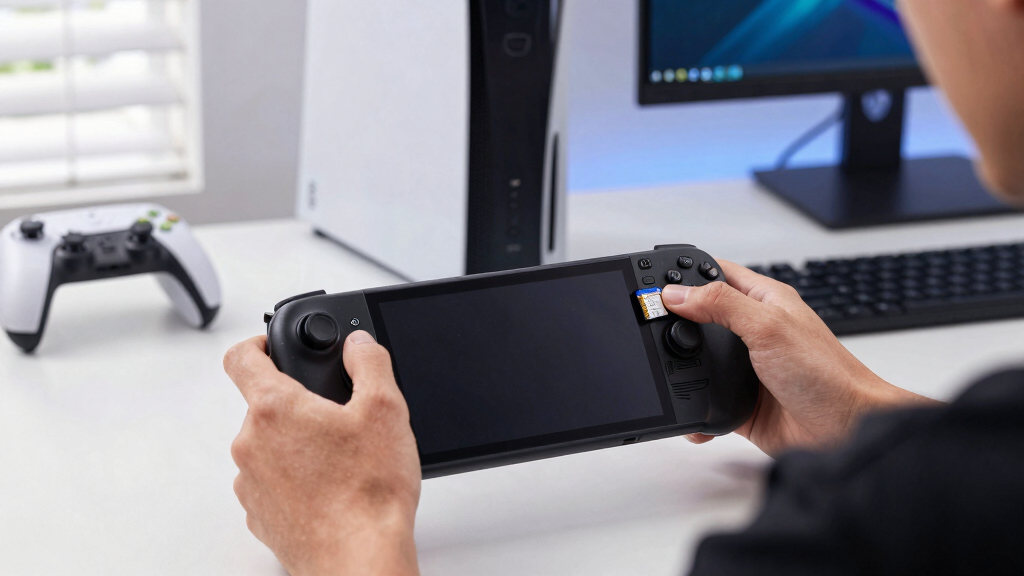
I ranked these cards for the Steam Deck OLED first and as general 1TB microSD cards second. The main filters were UHS-I behavior, A2 or similar random-access claims, V30/U3 write class, published read/write ceilings, warranty reputation, included adapter, and price sanity. I gave less weight to huge sequential numbers that need a special reader, because the handheld cannot turn a microSD Express card into 900MB/s storage. That is why the Lexar 1TB Play sits above the Lexar Play PRO for most buyers: it matches the slot better, while the PRO earns its place as a premium cross-device option.
I also separated near-duplicate listings by likely buyer outcome instead of brand alone. A newer SanDisk Extreme makes more sense as a value pick than an older 160MB/s listing at the same price, while the SanDisk Nintendo Switch card is ranked as a comfort pick rather than a speed leader. Cards like the Samsung PRO Plus Sonic and Lexar Professional Silver Plus earned attention for strong UHS-I transfer profiles, but they need the right price to beat the more Deck-focused options. The final order favors useful performance, clean compatibility, credible sourcing, and value over raw marketing numbers.
Factors to Consider When Choosing Best 1TB MicroSD Cards For Steam Deck OLED
Choosing a 1TB card for Steam Deck OLED is mostly about avoiding wasted money. I care less about the biggest number on the package and more about how the card handles Steam downloads, shader updates, library moves, and portable wear. The sections below explain the tradeoffs that matter after the shortlist is already narrowed.
Speed Ratings Versus Steam Deck OLED Limits
Steam Deck OLED uses a UHS-I microSD slot, so the fastest card on paper is not always the fastest choice in the handheld. A card advertising 900MB/s microSD Express speed needs compatible hardware to reach that level, while the Deck will run it through its slower fallback mode. For game loading, the gap between strong UHS-I cards is often narrower than the packaging suggests. The buyer outcome is simple: pay for consistent UHS-I performance before paying for a future spec. The Lexar Play PRO can still make sense if the same card will also live in a high-speed reader, but the Lexar Play or SanDisk Extreme is the cleaner Deck-only buy. I would treat claimed speeds above normal UHS-I territory as a bonus, not the reason to buy.
Random Access Matters More Than Peak Transfers
A2 app performance matters because Steam libraries involve many small files, not only giant sequential copies. It can help with library browsing, patching, and game data reads, although the Deck still sets the ceiling. V30 and U3 ratings are useful because they signal stronger sustained writes during downloads and installs. A card with a huge read number but weaker random performance can feel less polished when Steam is unpacking updates. This is why I put cards like the Lexar Play, SanDisk Extreme, and Samsung PRO Plus ahead of slower gaming-branded comfort picks. For a Steam Deck OLED, the sweet spot is balanced random access, sustained write class, and fair pricing.
Price Gaps And Older Listings
1TB microSD pricing moves a lot, and small listing differences can hide older stock. The two SanDisk Extreme entries in this lineup are a good example: the 160MB/s version is still usable, but it should cost less than newer or faster UHS-I cards. If an older listing is priced like a current high-end model, I would skip it. The same logic applies to licensed cards, where artwork and branding can lift the price without changing how Steam games load. A good deal is not only the lowest sticker price; it is the lowest price for a card that still has A2, U3, V30, and a trustworthy seller. I would rather buy a plain-looking faster card than pay extra for a label that the Steam Deck does not benefit from.
Brand Trust, Warranty, And Counterfeit Risk
A 1TB card is large enough to become a real game library, so reliability matters more than it does with a small throwaway card. I would buy from a known retailer and avoid suspicious marketplace listings, especially on popular models like SanDisk Extreme and Samsung PRO Plus. Counterfeit cards may show the right capacity at first and fail later when the Deck writes beyond the real flash. Warranty support also matters because high-capacity flash is expensive enough to replace painfully. The product role here is not about glamour: trusted sourcing can be a better upgrade than chasing another 20MB/s on a spec sheet. For travel-heavy use, I would also favor cards with strong environmental claims and a brand history in removable storage.
When To Pay More
Paying more makes sense when the premium buys something the Steam Deck OLED can use or something your workflow uses outside the Deck. The Lexar Play PRO is the clearest split: it is overbuilt for the handheld alone, yet useful if you also move huge files through a microSD Express reader. The Lexar Professional Silver Plus can also justify a higher price for people who shuttle games, videos, or captures between PC and Deck. For a pure install-and-play library, I would cap the budget around a strong UHS-I A2 card instead. Premium should mean better sustained writes, warranty confidence, or cross-device speed, not just a bigger number printed on the package. If the card will rarely leave the Steam Deck, value usually beats spec-chasing.
Frequently Asked Questions
Will A 1TB MicroSD Card Make Steam Deck OLED Games Load Slower Than Internal Storage?
Yes, many games will load slower from microSD than from the internal SSD, but the gap varies by game. For indie games, emulation libraries, older titles, and many large single-player games, a good UHS-I A2 card can feel perfectly practical. The bigger difference appears with games that stream lots of assets or unpack large updates often. I would keep the most demanding games on the SSD and use the 1TB card as a large secondary library. That is why the best Steam Deck OLED pick is not the absolute fastest card sold, but the card with the best mix of price, random access, and sustained writes.
Is MicroSD Express Worth Paying For On Steam Deck OLED?
For the Steam Deck OLED alone, microSD Express is usually overkill. The handheld’s slot does not use the full Express speed, so a card like the Lexar Play PRO behaves more like a fast UHS-I card in the Deck. It becomes more attractive if you also own a compatible reader or plan to reuse the card in future hardware. I would buy it as a premium cross-device card, not as the practical value pick for a Deck library. Most players get better value from the Lexar Play, SanDisk Extreme, or Samsung PRO Plus.
Should I Choose The SanDisk Nintendo Switch Card For Steam Deck OLED?
The SanDisk Nintendo Switch 1TB card is compatible with Steam Deck OLED, but the license does not give it a Steam-specific advantage. Its appeal is simplicity: it is a familiar gaming card from a major brand, which can be reassuring for first-time handheld storage buyers. Compared with the Lexar Play or SanDisk Extreme, though, it can be harder to justify if the price is higher or the speed rating is lower. I would pick it only when it is on sale or when brand familiarity matters more than chasing the best spec-per-dollar. For most Deck buyers, a non-licensed A2/U3/V30 card is the sharper purchase.
Are The Two SanDisk Extreme 1TB Listings Meaningfully Different?
They can be, especially if one listing is the older 160MB/s SanDisk Extreme version and another reflects a newer speed rating or updated packaging. Both can work well in Steam Deck OLED, but the older card should be judged against its price, not against the SanDisk name alone. If the 160MB/s card is cheaper, it can be a smart value buy. If it costs the same as faster UHS-I alternatives, I would move toward the newer SanDisk Extreme, Lexar Play, or Samsung PRO Plus. Check the exact model number, speed claim, seller, and return policy before treating two similar listings as identical.
What Is The Best 1TB MicroSD Card For A Buyer Who Just Wants The Easiest Choice?
For the easiest choice, I would start with the Lexar 1TB Play because it lines up cleanly with what Steam Deck OLED can use: strong UHS-I speed, A2 class, V30/U3 ratings, and gaming-friendly positioning. The SanDisk Extreme is the safer alternative when it is cheaper or easier to find from a trusted seller. Beginners should avoid paying extra for specs the Deck cannot use, especially microSD Express speed unless they have another device for it. They should also avoid mystery sellers because fake 1TB cards are a real risk. The right beginner pick is boring in the best way: enough speed, enough brand trust, and a price that leaves more budget for games.
Conclusion
My best overall pick for Steam Deck OLED is the Lexar 1TB Play, because it spends its spec budget on the UHS-I, A2, V30, and U3 traits the handheld can actually use. For best value, I would choose the SanDisk Extreme when its price undercuts the Lexar, with the older 160MB/s version only making sense as a discount buy.
The Lexar Play PRO is my best premium choice for buyers who also use Express-compatible gear, while the SanDisk Nintendo Switch 1TB is best for beginners who want a familiar gaming label. The Samsung PRO Plus Sonic is best for buyers who want a fast themed card with a full-size adapter, and the Lexar Professional Silver Plus is best for PC-to-Deck transfers. If I were buying one card only for the Steam Deck OLED, I would start with the Lexar Play, check SanDisk Extreme pricing, and only pay more when the card will serve another device too.
Fall Picks
fall essentials
As an affiliate, we earn on qualifying purchases.