
The ASUS ROG Strix 32” 4K OLED Gaming Monitor is my best overall pick for PC gamers who want the strongest mix of HDMI 2.1 bandwidth, sharp 4K detail, OLED contrast, and fast response. The Acer Nitro 27″ 4K UHD IPS stands out as the better value route into 4K HDMI 2.1 gaming, while the LG 27GX704A-B OLED makes more sense for players who favor motion clarity over screen size. The main tradeoff in this lineup is simple: 4K OLED costs more, QHD high-refresh models feel faster for competitive play, and budget IPS picks give up contrast for price. Although many buyers search for the best HDMI 2.1 TVs for PC gaming, these desk-friendly HDMI 2.1 displays are better suited to close-range PC use than living-room TVs. Keep reading for the full breakdown by buyer type, performance priority, and value.
Key Takeaways
- The ASUS ROG Strix 32” 4K OLED earns the top spot because it best matches what PC gamers expect from HDMI 2.1: 4K clarity, very fast pixel response, and premium contrast in one display.
- The Acer Nitro 27″ 4K UHD IPS is the value pick because it keeps 4K and HDMI 2.1 in play without forcing buyers into OLED pricing, though its contrast is less convincing.
- The LG 27GX704A-B is the stronger OLED choice for players who want a smaller, faster-feeling QHD screen, while the ASUS ROG Strix is better for cinematic 4K gaming.
- The QHD 240Hz and 300Hz models make more sense for esports-style PC gaming than for console-style 4K play, especially for buyers with GPUs that can push very high frame rates.
- The ASUS TUF VG27AQ3A ranks lower because it is approachable and practical, but it does not separate itself from faster or sharper HDMI 2.1 options in this group.


| HDMI 2.1 TVs for PC gaming | Resolution | Refresh Rate | Response Time | HDR |
|---|---|---|---|---|
| ASUS TUF Gaming 27” QHD HDR Mo | 2560 x 1440 QHD | 180Hz | 1ms | HDR-10 |
| LG 27GX704A-B 27-inch Ultragea | 2650 x 1440 QHD | 240Hz | 0.03ms | VESA DisplayHDR True Black 400 |
| LG 27G640A-B 27-inch Ultragear | 2560 x 1440 QHD | 300Hz | 1ms GtG | VESA DisplayHDR 400 |
| ASUS ROG Strix 32” 4K OLED Gam | 3840 x 2160 4K | 240Hz, with FHD 480Hz mode | 0.03ms | VESA DisplayHDR 400 True Black |
| Acer Nitro 27" 4K UHD IPS Gami | 3840 x 2160 UHD | 160Hz at 4K, 320Hz at 1080p DFR | Up to 0.5ms | HDR10 |
| LG 27GR83Q-B 27-inch Ultragear | 2560 x 1440 QHD | 240Hz | 1ms GtG | DisplayHDR 400 |
| Acer Nitro XV272U 27-inch WQHD | 2560 x 1440 WQHD | 300Hz | 0.5ms GTG | DisplayHDR 400 |
More Details on Our Top Picks
ASUS TUF Gaming 27” QHD HDR Monitor (VG27AQ3A)
ASUS TUF VG27AQ3A earns a spot as the sensible lower-cost QHD choice for PC players who care more about 180Hz motion than 4K sharpness. Compared with the LG 27GX704A-B OLED, it lacks OLED contrast and the faster 240Hz ceiling, but its Fast IPS panel and ELMB Sync make it a cleaner fit for competitive play than many basic 60Hz or 120Hz screens. I would rank it below the HDMI 2.1-focused options because the supplied data does not confirm HDMI 2.1 connectivity, which matters for this roundup. The tradeoff is clear: strong QHD speed and adaptive-sync support, but weaker future-proofing for buyers who want a display that fully matches the HDMI 2.1 PC gaming brief.
Pros:- 180Hz refresh rate gives PC games smoother motion than standard 144Hz displays
- 1ms response time and ELMB Sync help reduce blur and ghosting
- FreeSync Premium and G-SYNC compatibility support tear-free gaming
- QHD resolution is easier to drive than 4K on midrange graphics cards
Cons:- HDMI 2.1 support is not listed in the supplied product data
- HDR-10 support is less convincing than OLED or stronger HDR implementations
- Not aimed at professional color workflows
Best for: PC gamers with midrange GPUs who want fast QHD play without paying for OLED or 4K.
Not ideal for: Buyers who specifically need confirmed HDMI 2.1 ports for high-bandwidth console and PC hookups.
- Size:27 inches
- Resolution:2560 x 1440 QHD
- Refresh Rate:180Hz
- Response Time:1ms
- Panel Technology:Fast IPS
- HDR:HDR-10
- Adaptive Sync:FreeSync Premium, G-SYNC Compatible
- Color Coverage:130% sRGB
Our verdict“This is the value-minded QHD speed pick, but I would skip it if HDMI 2.1 is a must-have.”
LG 27GX704A-B 27-inch Ultragear QHD OLED Gaming Monitor
The LG 27GX704A-B is the pick I would steer toward for PC gamers who want OLED contrast without jumping to a 32-inch 4K screen. Against the ASUS TUF VG27AQ3A, it brings deeper blacks, faster pixel response, 240Hz refresh, and confirmed HDMI 2.1, so it feels better matched to high-end GPUs and modern gaming setups. Compared with the larger ASUS ROG Strix XG32UCWMG, it gives up 4K detail and dual-mode 480Hz play, but the 27-inch QHD format is easier to drive at high frame rates. The main compromises are OLED care, price, and reflections from the glossy finish. For players who split time between competitive shooters and cinematic PC games, this is the more balanced OLED choice.
Pros:- OLED panel delivers deep blacks and excellent contrast for dark scenes
- 240Hz refresh rate and 0.03ms response time suit fast PC gaming
- HDMI 2.1 and DisplayPort 1.4 give flexible high-bandwidth connections
- G-SYNC and FreeSync Premium Pro support help smooth out variable frame rates
Cons:- OLED burn-in risk makes static desktop use less carefree
- Glossy finish can reflect lamps or windows in bright rooms
- QHD is less detailed than the 4K ASUS ROG Strix and Acer Nitro options
Best for: PC gamers who want OLED black levels and high refresh QHD performance from a 27-inch screen.
Not ideal for: Users who leave static desktop elements on-screen for long work sessions and do not want OLED maintenance habits.
- Display Size:27 inches
- Resolution:2650 x 1440 QHD
- Refresh Rate:240Hz
- Response Time:0.03ms
- Brightness:275 nits standard, 1300 nits peak
- Contrast Ratio:1.5M:1
- HDR:VESA DisplayHDR True Black 400
- Connectivity:HDMI 2.1, DisplayPort 1.4, USB 3.2
- Color Coverage:98.5% DCI-P3
Our verdict“This is my OLED QHD choice for players who want premium contrast without the GPU burden of 4K.”
LG 27G640A-B 27-inch Ultragear QHD IPS Gaming Monitor, 300Hz, 1ms, G-Sync & FreeSync Premium, HDR400, HDMI 2.1, USB-C, Adjustable Stand
LG 27G640A-B ranks highly for players who value frame rate above OLED contrast or 4K pixel density. Its 300Hz QHD IPS panel outruns the LG 27GX704A-B OLED on refresh rate and matches the broader HDMI 2.1 PC gaming brief better than the ASUS TUF VG27AQ3A thanks to listed dual HDMI 2.1 ports. I would choose it over the Acer Nitro VG270K for esports-style play because QHD is easier to push at very high FPS than 4K. The tradeoff is image drama: HDR400 and IPS contrast will not match OLED black levels, and the best results require a GPU that can feed those high refresh rates. It is fast first, cinematic second.
Pros:- 300Hz refresh rate gives it the highest speed ceiling in this batch
- QHD resolution is a strong match for high-frame-rate PC gaming
- Two HDMI 2.1 ports, DisplayPort 1.4, and USB-C improve setup flexibility
- Adjustable stand supports tilt, height, swivel, and pivot
Cons:- HDR400 cannot match OLED HDR depth or contrast
- A powerful GPU is needed to make full use of 300Hz
- USB-C power delivery is limited to 15W
Best for: Competitive PC players with strong GPUs who want very high refresh rates at QHD.
Not ideal for: Solo RPG or cinematic-game players who would rather have OLED contrast or 4K sharpness than 300Hz speed.
- Display Size:27 inches
- Resolution:2560 x 1440 QHD
- Panel Type:IPS
- Refresh Rate:300Hz
- Response Time:1ms GtG
- HDR:VESA DisplayHDR 400
- Color Gamut:95% DCI-P3
- Connectivity:USB-C 15W, 2 x HDMI 2.1, DisplayPort 1.4
- Stand Adjustments:Tilt, height, swivel, pivot
Our verdict“This is the speed-first pick for competitive PC gamers who want HDMI 2.1 without moving to 4K.”
ASUS ROG Strix 32” 4K OLED Gaming Monitor (XG32UCWMG)
The ASUS ROG Strix XG32UCWMG is the most ambitious display here, and I would rank it as the premium pick for PC gamers who want one screen for sharp 4K play and extreme-speed sessions. Compared with the LG 27GX704A-B, it adds a larger 32-inch canvas, 4K at 240Hz, and an FHD 480Hz mode, which makes it more versatile for players who switch between cinematic games and competitive shooters. It also feels more future-ready than the Acer Nitro VG270K because OLED contrast and 0.03ms response make motion and dark scenes cleaner. The price, desk footprint, glossy finish, and OLED burn-in management are real barriers. This is the luxury choice, not the practical default.
Pros:- 4K OLED panel combines sharp detail with deep black levels
- Dual-mode design supports 4K 240Hz and FHD 480Hz play
- 0.03ms response time is excellent for fast motion
- Neo Proximity Sensor adds a burn-in prevention feature for OLED care
Cons:- Premium pricing puts it beyond many PC gaming budgets
- 32-inch size needs more desk depth than 27-inch alternatives
- OLED burn-in remains a concern with static desktop elements
Best for: High-end PC gamers with flagship GPUs who want 4K OLED quality plus a faster FHD mode for competitive games.
Not ideal for: Small-desk setups or budget buyers who do not need a 32-inch OLED screen with premium gaming modes.
- Display Size:32 inches
- Resolution:3840 x 2160 4K
- Display Technology:OLED
- Refresh Rate:240Hz, with FHD 480Hz mode
- Response Time:0.03ms
- HDR:VESA DisplayHDR 400 True Black
- Adaptive Sync:G-SYNC Compatible
- Connectivity:DisplayPort 1.4 DSC, HDMI 2.1, USB-C 15W
- Weight:16.1 lbs
Our verdict“This is my premium pick for buyers who want the strongest mix of 4K OLED image quality and elite gaming speed.”
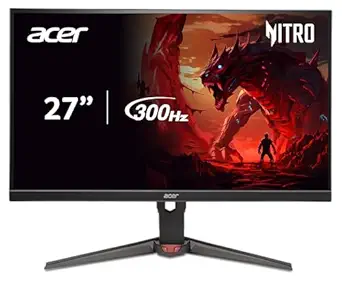
Acer Nitro 27″ 4K UHD IPS Gaming Monitor with AMD FreeSync Premium, 160Hz Refresh Rate, 0.5ms Response
Acer Nitro VG270K makes the list as the 4K option for buyers who want sharper PC visuals without paying OLED money. Next to the ASUS ROG Strix XG32UCWMG, it gives up OLED contrast, 240Hz 4K speed, and richer ergonomics, but its 4K 160Hz IPS panel still hits the sweet spot for detailed gaming on powerful PCs. Compared with the LG 27G640A-B, it is less esports-focused, yet better suited to strategy games, open-world titles, and productivity between play sessions. The dual HDMI 2.1 ports help it fit the HDMI 2.1 brief, while the tilt-only stand and modest HDR10 support keep it from feeling premium. I see it as the practical 4K pick.
Pros:- 4K UHD resolution gives sharper detail than the QHD models
- 160Hz at 4K balances smoothness with high pixel density
- 0.5ms response time suits fast games
- Two HDMI 2.1 ports support modern PC and console connections
Cons:- Stand adjustment is limited to tilt
- HDR10 support depends heavily on content and settings
- 160Hz is slower than the 240Hz and 300Hz QHD alternatives
Best for: PC gamers who want 4K sharpness and HDMI 2.1 support at 27 inches without paying for OLED.
Not ideal for: Players who need height, swivel, and pivot adjustment built into the stand for long desk sessions.
- Screen Size:27 inches
- Resolution:3840 x 2160 UHD
- Refresh Rate:160Hz at 4K, 320Hz at 1080p DFR
- Response Time:Up to 0.5ms
- Panel Type:IPS
- HDR:HDR10
- Color Gamut:DCI-P3 90%
- Ports:1 x DisplayPort 1.4, 2 x HDMI 2.1
- VESA Mount:100 x 100mm
Our verdict“This is the value 4K choice for buyers who want detail and HDMI 2.1 more than OLED contrast or esports-level refresh rates.”
LG 27GR83Q-B 27-inch Ultragear QHD Gaming Monitor
I would rank the LG 27GR83Q-B as the Best Balanced QHD Desk Pick in this HDMI 2.1 gaming lineup because it pairs 240Hz motion with 1440p sharpness without pushing into the larger, costlier territory of the ASUS ROG Strix 32-inch 4K OLED Gaming Monitor. Compared with the Acer Nitro XV272U, it gives up some raw refresh-rate headroom, but its 95% DCI-P3 coverage, G-Sync, FreeSync Premium, and fully adjustable stand make it a steadier match for mixed PC gaming, console input, and everyday desk use. The tradeoff is clear: HDR400 is modest, and buyers wanting a couch-distance HDMI 2.1 TV experience should skip it. This pick makes the most sense for competitive players who want speed, color, and ergonomics in one compact setup.
Pros:- 240Hz QHD panel gives strong motion clarity without dropping to 1080p
- HDMI 2.1 and DisplayPort 1.4 suit PC and console hookups
- G-Sync and FreeSync Premium help reduce tearing across GPU brands
- Tilt, height, and pivot adjustments make desk placement easier
Cons:- HDR400 is modest compared with OLED options in the lineup
- 240Hz is slower than the 300Hz Acer Nitro XV272U and LG 27G640A-B
- 27-inch size lacks the TV-like scale some HDMI 2.1 buyers want
Best for: I would point this toward desk-based PC gamers who run high frame rates at 1440p and also want HDMI 2.1 for a console or capture setup.
Not ideal for: I would skip it for living-room players who want a large TV-style screen or OLED-level HDR contrast.
- Display Size:27 inches
- Resolution:2560 x 1440 QHD
- Refresh Rate:240Hz
- Response Time:1ms GtG
- HDR:DisplayHDR 400
- Color Gamut:95% DCI-P3
- Connectivity:HDMI 2.1, DisplayPort 1.4
- Adaptive Sync:G-Sync, FreeSync Premium
- Stand Adjustments:Tilt, height, pivot
Our verdict“I would choose this when balanced QHD speed and desk comfort matter more than OLED contrast or a large 4K screen.”
Acer Nitro XV272U 27-inch WQHD IPS Gaming Monitor
I would give the Acer Nitro XV272U the Best Ultra-High-Refresh QHD Pick role for PC gamers who care more about frame-rate headroom than screen size. Its 300Hz panel and 0.5ms GTG response give it a speed advantage over the LG 27GR83Q-B, while the two HDMI 2.1 ports fit a PC-plus-console desk setup cleanly. Compared with the Acer Nitro 27-inch 4K UHD 160Hz monitor, this model trades pixel density for faster motion, which suits shooters, racing games, and esports play. The catch is that HDR400 will not match the black levels of the LG 27GX704A-B OLED, and 27 inches can feel cramped if the same display must handle big spreadsheets or sofa-distance gaming.
Pros:- 300Hz refresh rate gives more frame-rate ceiling than the LG 27GR83Q-B
- 0.5ms GTG response is built for fast aim and rapid camera movement
- Two HDMI 2.1 ports plus DisplayPort 1.4 give flexible PC and console input
- 99% sRGB coverage supports clean color for gaming and everyday creative work
Cons:- WQHD resolution is less sharp than the 4K Acer Nitro and ASUS ROG Strix models
- HDR400 cannot deliver the contrast buyers may expect from OLED
- 27-inch screen may feel small for productivity-heavy multitasking
Best for: I would point this toward esports-focused PC gamers who want 300Hz motion at 1440p with HDMI 2.1 for a second high-bandwidth source.
Not ideal for: I would skip it for buyers who prefer 4K detail, OLED contrast, or a bigger display for couch-distance play.
- Display Size:27 inches
- Resolution:2560 x 1440 WQHD
- Panel Type:IPS
- Refresh Rate:300Hz
- Response Time:0.5ms GTG
- Color Coverage:99% sRGB
- HDR:DisplayHDR 400
- Inputs:1 x DisplayPort 1.4, 2 x HDMI 2.1
- Mounting:ErgoStand, VESA support
Our verdict“I would pick this for speed-first PC gaming where 300Hz matters more than 4K resolution.”
How We Picked
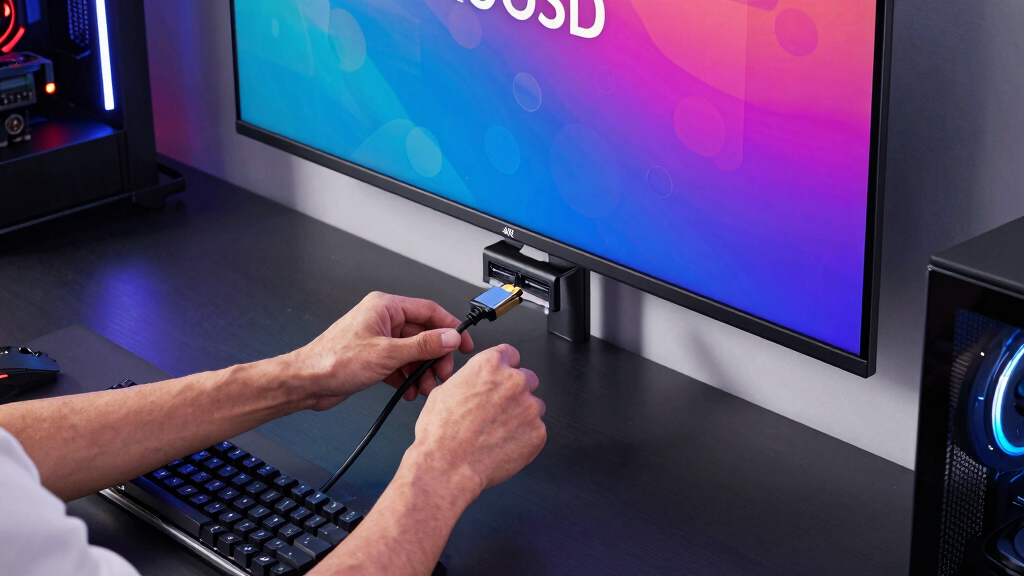
I ranked these displays by how well they serve the specific job of PC gaming over HDMI 2.1, not by spec-sheet size alone. The strongest picks combine usable refresh rate, low response times, adaptive sync support, sharpness, port flexibility, and panel quality in a way that fits real PC setups. OLED models ranked higher when they offered clear motion and contrast advantages, but I weighed burn-in risk, price, and brightness limits against those strengths.
The order also reflects buyer fit. A 4K OLED display is not automatically best for every PC gamer if a cheaper QHD 300Hz panel better matches competitive play. I gave extra weight to models that make their tradeoffs easy to understand: premium immersion, budget 4K, high-refresh QHD, or beginner-friendly setup. Products moved down when they overlapped with stronger options without offering a clear reason to pick them.
| HDMI 2.1 TVs for PC gaming | HDR | Connectivity |
|---|---|---|
| ASUS TUF Gaming 27” QHD HDR Mo | HDR-10 | — |
| LG 27GX704A-B 27-inch Ultragea | VESA DisplayHDR True Black 400 | HDMI 2.1, DisplayPort 1.4, USB 3.2 |
| LG 27G640A-B 27-inch Ultragear | VESA DisplayHDR 400 | USB-C 15W, 2 x HDMI 2.1, DisplayPort 1.4 |
| ASUS ROG Strix 32” 4K OLED Gam | VESA DisplayHDR 400 True Black | DisplayPort 1.4 DSC, HDMI 2.1, USB-C 15W |
| Acer Nitro 27" 4K UHD IPS Gami | HDR10 | — |
| LG 27GR83Q-B 27-inch Ultragear | DisplayHDR 400 | HDMI 2.1, DisplayPort 1.4 |
| Acer Nitro XV272U 27-inch WQHD | DisplayHDR 400 | — |
Factors to Consider When Choosing Best HDMI 2.1 TVs For PC Gaming
Choosing among HDMI 2.1 gaming displays is less about chasing the biggest number and more about matching the panel to your PC, desk, games, and upgrade plans.4K Versus QHD
4K gives PC games cleaner fine detail, better text sharpness, and a more console-like big-screen feel, which is why the ASUS ROG Strix 32” 4K OLED leads this list. The catch is GPU demand: many PCs will need upscaling or reduced settings to keep frame rates high at 4K. QHD is easier to drive, so models like the LG 27GR83Q-B and Acer 300Hz Nitro can feel smoother with midrange graphics cards. A common mistake is buying 4K for competitive shooters when speed matters more than pixel density. For mixed single-player and desktop use, 4K is worth paying for. For ranked play, QHD often gives a cleaner performance balance.
OLED Versus IPS
OLED panels win on pixel response, black levels, and perceived contrast, which helps dark games look cleaner and motion feel more immediate. That is why the LG 27GX704A-B and ASUS ROG Strix OLED sit above most IPS options for image quality. IPS still has a strong case: it is usually cheaper, bright enough for everyday rooms, and free from OLED burn-in anxiety. The tradeoff is weaker black depth, so dark scenes can look flatter. Buyers who leave static HUDs, browser windows, or productivity apps open all day may prefer IPS for peace of mind. Buyers who mostly game and want the richest image should keep OLED high on the list.
Refresh Rate Fit
A higher refresh rate only pays off when your PC can feed it enough frames. The 300Hz LG 27G640A-B and Acer Nitro WQHD 300Hz are aimed at players who lower settings for speed in shooters, racing games, or esports titles. The Acer Nitro 4K 160Hz is slower on paper, but it can be the better buy for cinematic games where resolution matters more than ultra-high frame rates. Do not pay extra for 300Hz if most of your games run near 90 to 140 fps. Adaptive sync support helps smooth dips, but it does not turn a weak GPU into a high-frame-rate machine. Match refresh rate to the games you actually play most.
Desk Size And Viewing Distance
Screen size changes how HDMI 2.1 feels on a PC desk. A 32-inch 4K display gives games a larger, sharper presentation, but it needs enough viewing distance to avoid feeling oversized. A 27-inch QHD model is easier to place, easier to scan in competitive games, and often more comfortable for smaller desks. This is why the LG 27GX704A-B can be the smarter OLED choice for players who sit close, even though the ASUS ROG Strix is the stronger premium display. Buyers replacing a TV should lean larger and sharper. Buyers replacing a standard monitor may be happier staying at 27 inches.
Ports And PC Convenience
HDMI 2.1 matters most when you need high refresh rates at high resolution, but the rest of the port layout still shapes daily use. DisplayPort may remain the easier PC connection on some systems, while HDMI 2.1 is handy for laptops, capture setups, and mixed PC-console desks. USB-C on a model like the LG 27G640A-B can reduce cable clutter if your laptop supports video output through that port. Adjustable stands also matter more than they sound, because poor height or tilt control can make a fast display uncomfortable. I would not choose a monitor only for one connector if the stand, panel, or refresh fit is wrong. The best pick is the one that fits your whole setup, not just your cable drawer.
Frequently Asked Questions
Should I Buy A TV Or One Of These HDMI 2.1 Monitors For PC Gaming?
If your PC is on a desk, I would pick one of these HDMI 2.1 monitors over a TV in most cases. Monitors usually have more suitable pixel density, closer viewing comfort, and PC-friendly stands. TVs can be great for couch gaming, but they may feel too large for mouse-and-keyboard play and can make desktop text less comfortable. The ASUS ROG Strix 32” 4K OLED is the closest fit here for buyers who want a TV-like image without moving to a living-room screen. For compact desks, a 27-inch QHD model is usually the cleaner choice.
Is 4K Worth It For PC Gaming Over HDMI 2.1?
4K is worth it if you play visually rich games, use the display for desktop work, or own a GPU strong enough to push higher settings. The ASUS ROG Strix 32” 4K OLED makes the best case because it pairs resolution with OLED contrast and fast response. The Acer Nitro 27″ 4K UHD IPS is the more budget-minded way to get 4K sharpness. If you mainly play competitive shooters, QHD at 240Hz or 300Hz may feel better than 4K at lower frame rates. Resolution should follow your game library, not just the spec label.
Which Pick Makes The Most Sense For Competitive PC Gaming?
For competitive play, I would lean toward the Acer Nitro 27″ WQHD 300Hz or the LG 27G640A-B 300Hz, depending on price and port needs. Their QHD resolution is easier to drive at high frame rates than 4K, which matters when input feel matters more than scenery. The LG 27GR83Q-B is also a strong middle ground at 240Hz if you want speed without chasing the highest number here. The OLED picks still have excellent response, but their price makes less sense if your main goal is ranked performance. Spend more on OLED only if image quality matters nearly as much as speed.
Is OLED A Bad Idea For PC Gaming Because Of Burn-In?
OLED is not a bad idea, but it asks for better habits than IPS. Static taskbars, HUDs, and desktop windows can raise burn-in risk over time, especially for users who work on the same screen all day. That makes the LG 27GX704A-B and ASUS ROG Strix OLED best for buyers who mainly game, watch video, and use built-in panel care features. IPS picks like the Acer Nitro models are safer for heavy productivity use and long static sessions. The decision is less about fear and more about how the display will spend its hours.
Which Model Should I Pick If I Want The Safest First HDMI 2.1 Gaming Display?
The LG 27GR83Q-B is the safest first pick for many PC gamers because it balances QHD sharpness, 240Hz speed, adaptive sync, and an adjustable stand without pushing into premium OLED pricing. It is not the flashiest model in the lineup, but it avoids the biggest beginner mistakes: overspending on 4K without enough GPU power or buying extreme refresh rates without games that benefit. The ASUS TUF VG27AQ3A can also work for simpler setups, though it has less separation from the stronger picks. If your budget allows, the LG gives more room to grow. Beginners should favor balance before chasing the most expensive panel.
Conclusion
My best overall pick is the ASUS ROG Strix 32” 4K OLED Gaming Monitor because it gives PC gamers the strongest blend of HDMI 2.1 capability, 4K detail, OLED contrast, and fast response. The Acer Nitro 27″ 4K UHD IPS is the best value for buyers who want 4K gaming without OLED pricing, while the LG 27GX704A-B is the best compact OLED for close-range desks. For beginners, I would choose the LG 27GR83Q-B because its QHD 240Hz balance is easier to live with than more extreme options. Competitive players should look at the Acer Nitro WQHD 300Hz or LG 27G640A-B, while budget-focused buyers who just need a practical HDMI 2.1 gaming screen can keep the ASUS TUF VG27AQ3A on the shortlist.