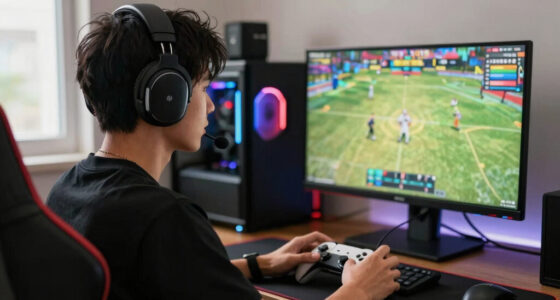
The best Windows handheld gaming PC for most buyers in this lineup is the ASUS ROG Ally X, because it balances strong handheld performance, 24GB of RAM, 1TB of storage, and a mature Windows gaming layout better than the rest. The Lenovo Legion Go 2 stands out as the premium pick thanks to its larger 8.8-inch OLED display, while the ASUS ROG Xbox Ally is the easier choice for players who want a more console-like Windows handheld. The main tradeoffs are screen size versus portability, AMD versus Intel hardware, battery headroom versus weight, and whether Windows flexibility is worth the setup friction. I ranked these models by how well they solve real handheld problems: game compatibility, comfort, performance per dollar, storage, display quality, and ease of ownership. Keep reading for the full breakdown of which Windows handheld gaming PC fits each kind of buyer.

Play games on Amazon Luna for your game nights, included with Prime
- A rotating selection of games, no download needed
- Play on TV, laptop or phone
- Fast, free delivery for your gear, too
Key Takeaways
- ASUS ROG Ally X is the strongest all-around pick because its 24GB RAM, 1TB SSD, and familiar 7-inch 120Hz format hit the best balance of power, storage, and portability.
- Lenovo Legion Go 2 is the premium choice for players who value screen quality most, but its larger 8.8-inch OLED display makes it less pocketable than the ASUS options.
- MSI Claw A8 looks much more competitive than the original MSI Claw, mainly because the AMD Ryzen Z2 Extreme setup better matches what Windows handheld buyers expect in 2026.
- Lenovo Legion Go still makes sense for big-screen value hunters, but the newer Legion Go 2 and ROG Ally X are cleaner choices if budget allows.
- ASUS ROG Xbox Ally is the beginner-friendly pick, while the AOKZOE A1 X is better for buyers who want a more enthusiast-style handheld and accept a less mainstream ownership path.
| ASUS ROG Xbox Ally Gaming Handheld |  | Best for Xbox-Style Comfort | Display: 7-inch 120Hz IPS touchscreen | Processor: AMD Ryzen Z2 A | Graphics: AMD RDNA 2 | VIEW LATEST PRICE | See Our Full Breakdown |
| AOKZOE A1 X Gaming Handheld PC |  | Best for Power Users | Processor: AMD Ryzen AI 9 HX 370, 12 cores and 24 threads | Graphics: Radeon 890M iGPU | Memory: 32GB LPDDR5x-7500MHz | VIEW LATEST PRICE | See Our Full Breakdown |
| Lenovo Legion Go 8.8-inch Handheld Gaming PC |  | Best Big-Screen Pick | Display: 8.8-inch WQXGA touchscreen, 144Hz | Processor: AMD Ryzen Z1 Extreme | RAM: 16GB | VIEW LATEST PRICE | See Our Full Breakdown |
| Lenovo Legion Go 2 Mobile Gaming Console |  | Best Premium OLED Pick | Processor: AMD Ryzen Z2 | Display: 8.8-inch WQXGA OLED, 144Hz, VRR, DCI-P3 | Memory: 16GB LPDDR5X | VIEW LATEST PRICE | See Our Full Breakdown |
| ASUS ROG Ally X Japan Version |  | Best Compact Performance Pick | Processor: AMD Ryzen AI Z2 Extreme, 8-core, 16-thread, up to 5.0GHz | Graphics: AMD Radeon | RAM: 24GB LPDDR5X | VIEW LATEST PRICE | See Our Full Breakdown |
| MSI Claw PC Gaming Handheld |  | Best Intel-Powered Pick | Processor: Intel Core Ultra 7-258V | Display: 8-inch FHD | Refresh Rate: 120Hz | VIEW LATEST PRICE | See Our Full Breakdown |
| MSI Claw A8 PC Gaming Handheld |  | Best Large-Screen AMD Alternative | Platform: Windows | Processor: AMD Ryzen Z2 Extreme | Display: 8-inch FHD+ | VIEW LATEST PRICE | See Our Full Breakdown |
| ASUS ROG Xbox Ally 7-inch FHD Gaming Handheld Console with GSF 3-in-1 Kit |  | Best Docking Bundle | Screen Size: 7 inches | Display Type: FHD LED touchscreen | Refresh Rate: 120Hz | VIEW LATEST PRICE | See Our Full Breakdown |
More Details on Our Top Picks
ASUS ROG Xbox Ally Gaming Handheld
I rank the ASUS ROG Xbox Ally as the most approachable pick for players who want a Windows handheld that feels closer to an Xbox controller than a tiny laptop. Compared with the Lenovo Legion Go, its 7-inch screen is less expansive, but the smaller body and Xbox-inspired grip make it better suited to long couch sessions and Game Pass-style play. The 120Hz IPS display keeps lighter games feeling fluid, while Windows 11 leaves room for Steam, Xbox, and other launchers. The catch is storage: 512GB fills fast once modern PC games enter the mix. It also lacks the raw premium feel of the AOKZOE A1 X, so I see it as the comfort-first choice rather than the spec-sheet winner.
Pros:- Xbox-inspired ergonomics make it more comfortable than many slab-style handheld PCs
- 120Hz touchscreen gives fast-paced games a smoother feel
- Windows 11 supports Xbox, Steam, and other PC gaming services
- 60Whr battery with fast charging suits portable play
Cons:- 512GB storage can feel tight for modern game libraries
- Ryzen Z2 A and RDNA 2 graphics trail the stronger chips in the AOKZOE A1 X and ROG Ally X
- Battery life will vary sharply in demanding Windows games
Best for: I would point this at Game Pass and Steam players who want a familiar controller feel in a smaller Windows handheld.
Not ideal for: I would skip it for players who install many large AAA games at once, since the 512GB SSD is the main limiter.
- Display:7-inch 120Hz IPS touchscreen
- Processor:AMD Ryzen Z2 A
- Graphics:AMD RDNA 2
- RAM:16GB LPDDR5
- Storage:512GB SSD
- Battery:60Whrs with fast charging to 50% in 30 minutes
- Connectivity:WiFi 6E, Bluetooth 5.4
- Operating System:Windows 11 Home
Bottom line: This is the Windows handheld I would choose for Xbox-style comfort over maximum performance.
AOKZOE A1 X Gaming Handheld PC
The AOKZOE A1 X earns its spot by pushing closer to mini-PC territory than most handhelds here. Its Ryzen AI 9 HX 370, 32GB of fast memory, and Radeon 890M graphics give it more headroom than the ASUS ROG Xbox Ally, especially for heavier games, multitasking, and external-display setups. Compared with the Lenovo Legion Go 2, it trades the OLED screen and detachable controls for broader connectivity, including dual USB4 and Oculink. That makes it more appealing for tinkerers than casual players. The 8-inch VRR display is sharp and color-rich, but the larger body may be less bag-friendly than the ROG Ally X. I would also treat the software recovery note as a real buyer concern if simple setup matters.
Pros:- Ryzen AI 9 HX 370 and Radeon 890M give it strong performance headroom
- 32GB LPDDR5x memory helps with multitasking and demanding Windows workloads
- 8-inch 1920×1200 VRR display balances sharpness, brightness, and smooth motion
- Dual USB4 plus Oculink give it more expansion potential than most rivals
Cons:- Larger size may reduce everyday portability
- Software recovery may be less beginner-friendly
- No OLED panel, unlike the Lenovo Legion Go 2
Best for: I would point this at PC gaming enthusiasts who want high performance, lots of memory, and external device flexibility.
Not ideal for: I would skip it for first-time handheld buyers who want the simplest setup and the lightest travel device.
- Processor:AMD Ryzen AI 9 HX 370, 12 cores and 24 threads
- Graphics:Radeon 890M iGPU
- Memory:32GB LPDDR5x-7500MHz
- Storage:1TB PCIe 4.0 SSD
- Display:8-inch 1920×1200, 500 nits, 100% sRGB, VRR
- Battery:72.7Wh
- Charging:100W GaN fast charge
- Connectivity:Dual USB4 ports, Oculink port
- Controls:Capacitive joysticks with RGB and Hall triggers
Bottom line: This is the pick I would choose for handheld PC buyers who care about power and ports more than simplicity.
Lenovo Legion Go 8.8-inch Handheld Gaming PC
I place the Lenovo Legion Go here for players who want a larger Windows handheld screen without jumping to the newer Legion Go 2. The 8.8-inch WQXGA 144Hz display is the main reason to choose it over the ASUS ROG Xbox Ally, since strategy games, RPG menus, and Windows desktop controls all benefit from the extra space. Its Ryzen Z1 Extreme is still a strong handheld chip, though the AOKZOE A1 X and ROG Ally X bring more ambitious newer hardware. The 512GB SSD is acceptable but not generous, and the product data leaves battery life unclear. I would treat this as the screen-first Windows choice, not the most balanced option for travel or endurance.
Pros:- Large 8.8-inch WQXGA panel makes games and Windows menus easier to read
- 144Hz refresh rate suits fast movement and lighter competitive games
- Ryzen Z1 Extreme remains capable for a broad PC game library
- Two USB4 40Gbps ports add useful accessory flexibility
Cons:- 512GB storage is modest for a Windows gaming handheld
- Battery life is not specified in the supplied data
- Larger display can make it less pocketable than 7-inch options
Best for: I would point this at players who want a roomier screen for RPGs, strategy games, and Windows desktop use.
Not ideal for: I would skip it for commuters who value battery clarity and compact carry size above display space.
- Display:8.8-inch WQXGA touchscreen, 144Hz
- Processor:AMD Ryzen Z1 Extreme
- RAM:16GB
- Storage:512GB SSD
- Weight:Under 2 pounds
- Connectivity:Two USB4 40Gbps ports
- Brightness:500 nits
- Security:Firmware TPM 2.0
Bottom line: This is the Windows handheld I would choose when screen size matters more than compactness.
Lenovo Legion Go 2 Mobile Gaming Console
The Lenovo Legion Go 2 is my premium display pick because it adds the ingredient the original Legion Go lacks: an 8.8-inch OLED panel with 144Hz, VRR, and wide DCI-P3 color. Compared with the ASUS ROG Xbox Ally, it should feel more cinematic and spacious, especially in games with dark scenes or dense interfaces. It also has a 74Whr battery and detachable Legion Truestrike controllers, which make it more flexible than fixed-control rivals. Against the AOKZOE A1 X, though, it has less RAM and fewer expansion details. The big tradeoff is portability and price: this is the richer handheld, not the leanest one. I would buy it for the screen and modular play style first.
Pros:- 8.8-inch OLED display adds richer contrast than IPS-based rivals
- 144Hz and VRR help motion look smoother across varied frame rates
- 74Whr battery is large for this category
- Detachable Legion Truestrike controllers support more play styles
Cons:- Likely to cost more than simpler Windows handhelds
- Large body may feel bulky for frequent commuting
- 16GB memory trails the AOKZOE A1 X and ROG Ally X
Best for: I would point this at players who want a premium handheld screen and flexible controller setup for home and travel use.
Not ideal for: I would skip it for budget-focused buyers or anyone who wants the smallest Windows handheld possible.
- Processor:AMD Ryzen Z2
- Display:8.8-inch WQXGA OLED, 144Hz, VRR, DCI-P3
- Memory:16GB LPDDR5X
- Storage:1TB PCIe SSD
- Battery:74Whr
- Connectivity:Wi-Fi 6E, Bluetooth 5.3
- Speakers:Dual 2W with Nahimic Audio and Spatial Audio
- Controls:Detachable Legion Truestrike controllers
Bottom line: This is the Windows handheld I would pick for buyers who want the best screen experience in this group.
ASUS ROG Ally X Japan Version
I see the ASUS ROG Ally X Japan Version as the compact power option: it keeps the 7-inch handheld shape of the ASUS ROG Xbox Ally but raises the ceiling with a Ryzen AI Z2 Extreme, 24GB of LPDDR5X memory, and a 1TB PCIe 4.0 SSD. Compared with the Lenovo Legion Go 2, it gives up the larger OLED display and detachable controllers, but it should be easier to carry and still has enough storage for a serious Windows library. The 120Hz FHD touchscreen is a practical match for handheld play, where 1080p often makes more sense than chasing higher resolutions. The catch is the Japan Version status: language setup, plug adapter use, and warranty support may matter before purchase.
Pros:- Ryzen AI Z2 Extreme gives it stronger performance potential than the standard ROG Xbox Ally
- 24GB LPDDR5X memory is generous for a compact Windows handheld
- 1TB PCIe 4.0 SSD gives more breathing room for large games
- 7-inch 120Hz FHD touchscreen keeps the device portable and sharp
Cons:- Japan Version may involve language setup before use
- Regional warranty or support may be less straightforward
- Smaller IPS screen cannot match the Legion Go 2 OLED for immersion
Best for: I would point this at experienced Windows handheld buyers who want strong specs in a smaller 7-inch design.
Not ideal for: I would skip it for buyers who want domestic warranty simplicity or a large OLED screen.
- Processor:AMD Ryzen AI Z2 Extreme, 8-core, 16-thread, up to 5.0GHz
- Graphics:AMD Radeon
- RAM:24GB LPDDR5X
- Storage:1TB PCIe 4.0 NVMe SSD
- Display:7-inch FHD 1920×1080 IPS touchscreen, 120Hz
- Operating System:Windows 11
- Version:Japan Version
- Setup Notes:Includes plug adapter for US, system language can be switched to English
Bottom line: This is the compact Windows handheld I would choose for high specs, provided the import tradeoffs are acceptable.
MSI Claw PC Gaming Handheld
I would slot the MSI Claw as the Intel choice in this Windows handheld group because its Core Ultra 7-258V, 32GB of RAM, and Thunderbolt 4 make it feel more like a tiny gaming PC than a console-shaped side device. Compared with the ASUS ROG Xbox Ally, it gives buyers a larger 8-inch screen, more memory, and stronger productivity flexibility for docks, monitors, and fast accessories. The tradeoff is value: this is likely overkill if the goal is mostly cloud gaming or older PC titles. It also sits in a crowded premium lane beside the MSI Claw A8, which will appeal more to buyers who prefer AMD handheld gaming hardware. I rank this lower than the strongest all-around picks, but higher for buyers who want Intel, memory headroom, and a sharper desktop-style setup.
Pros:- Intel Core Ultra 7-258V gives it strong gaming and productivity potential
- 32GB RAM leaves more room for multitasking than many 16GB rivals
- 8-inch 120Hz FHD display offers smoother play and more screen space than 7-inch models
- Thunderbolt 4 support makes it better suited to docks and fast peripherals
Cons:- Likely priced above simpler Windows handhelds with similar gaming goals
- Windows 11 Home lacks some business-oriented Pro features
- Battery life will depend heavily on game load and performance settings
Best for: PC-first players who want an Intel handheld that can double as a docked Windows mini PC.
Not ideal for: Budget-focused buyers or users who only need a simple handheld for lighter games and streaming.
- Processor:Intel Core Ultra 7-258V
- Display:8-inch FHD
- Refresh Rate:120Hz
- RAM:32GB LPDDR5
- Storage:1TB NVMe SSD
- MicroSD Card Reader:Yes
- Connectivity:Thunderbolt 4
- Operating System:Windows 11 Home
Bottom line: Choose the MSI Claw if Intel hardware, extra RAM, and docking flexibility matter more than lowest price.
MSI Claw A8 PC Gaming Handheld
The MSI Claw A8 makes the most sense for buyers who like the Claw shape but want an AMD-centered handheld instead of the Intel chip in the standard MSI Claw. Its Ryzen Z2 Extreme, 24GB LPDDR5x memory, and 1920 x 1200 8-inch display put it closer to the ASUS ROG Ally X style of premium Windows handheld than to entry models. I like its role as the higher-performance MSI pick for people who want a roomy screen without moving all the way to the Lenovo Legion Go’s larger 8.8-inch format. The compromise is that it still carries Windows handheld friction: price, battery swings, and software overhead are part of the deal. Compared with the ASUS ROG Xbox Ally bundle, this is less about accessories and more about raw handheld hardware.
Pros:- Ryzen Z2 Extreme positions it as a performance-minded AMD handheld
- 24GB LPDDR5x RAM gives more headroom than many 16GB competitors
- 8-inch 1920 x 1200 120Hz display balances size and sharpness well
- 1TB NVMe SSD is generous enough for several large PC games
Cons:- Premium pricing may narrow its appeal against value-focused handhelds
- Windows 11 Home keeps some Pro management features off the table
- Battery life can change sharply across demanding games and power profiles
Best for: AMD-focused players who want a premium 8-inch Windows handheld with more memory than basic 16GB models.
Not ideal for: Buyers who want the cheapest route into handheld PC gaming or a lighter accessory-led bundle for TV play.
- Platform:Windows
- Processor:AMD Ryzen Z2 Extreme
- Display:8-inch FHD+
- Resolution:1920 x 1200
- Refresh Rate:120Hz
- Memory:24GB LPDDR5x
- Storage:1TB NVMe SSD
- Connectivity:Bluetooth, Wi-Fi
- Color:White
Bottom line: Pick the MSI Claw A8 if you want a premium AMD handheld with a bigger screen and more memory than mainstream models.
ASUS ROG Xbox Ally 7-inch FHD Gaming Handheld Console with GSF 3-in-1 Kit
The ASUS ROG Xbox Ally with GSF 3-in-1 Kit earns its place by solving a different buyer problem: it is the pick for someone who wants handheld play plus an easier path to a TV or desk setup. Compared with the MSI Claw A8, it has less memory and storage, and the Ryzen Z2 A is less ambitious than the Z2 Extreme. What it offers instead is a clearer out-of-box setup, helped by the included controller, docking station, and USB drive. The 7-inch 120Hz touchscreen keeps it compact next to the Lenovo Legion Go models, but its 1.48-pound weight is not especially light for its size. I would choose this over the plain ASUS ROG Xbox Ally only if the bundled accessories matter; otherwise, the core handheld specs look familiar.
Pros:- GSF 3-in-1 Kit adds a controller, docking station, and USB drive for flexible play
- 7-inch 120Hz FHD touchscreen keeps games smooth in a compact format
- MicroSD support helps offset the smaller 512GB SSD
- USB-C, Wi-Fi, and Bluetooth make it easy to pair with common accessories
Cons:- 16GB RAM and 512GB storage trail premium rivals like the MSI Claw A8
- Ryzen Z2 A is less performance-focused than Z2 Extreme handhelds
- Battery life is not specified, making travel endurance harder to judge
Best for: Players who want a Windows handheld that can quickly move between couch, desk, and travel use with accessories included.
Not ideal for: Spec hunters who want the strongest processor, 1TB storage, or more than 16GB of memory from the handheld itself.
- Screen Size:7 inches
- Display Type:FHD LED touchscreen
- Refresh Rate:120Hz
- Brightness:500 nits
- Processor:AMD Ryzen Z2 A
- Memory:16GB LPDDR5 6400 MHz
- Storage:512GB SSD
- MicroSD Slot:Yes
- Weight:1.48 pounds
Bottom line: Buy this ASUS ROG Xbox Ally bundle if accessories and docked flexibility matter more than peak handheld specs.
How We Picked
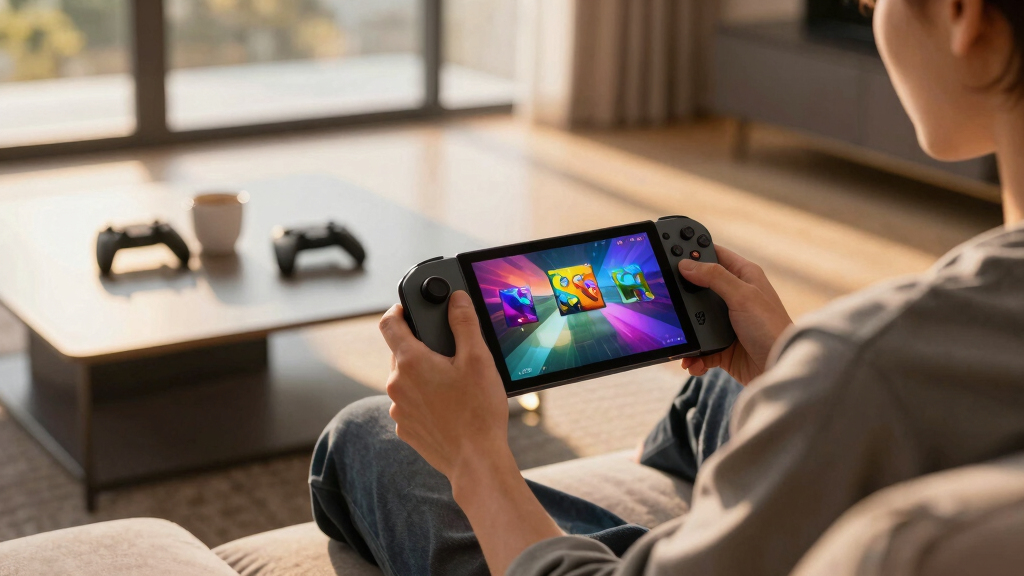
I ranked these Windows handheld gaming PCs by how well they work as portable gaming machines first, not as spec sheets. Performance mattered, but I gave equal weight to display quality, controller layout, battery expectations, cooling design, storage, RAM, software polish, and how easy each model is to live with after the first week. A handheld can have a fast chip and still fall down if it is awkward to hold, too noisy, too limited on storage, or too dependent on tweaking every game.
The order favors devices that give the broadest group of buyers a strong result with the fewest compromises. That is why the ASUS ROG Ally X lands above larger or flashier models: it has the most balanced mix of power, memory, storage, and mature handheld design. The Lenovo Legion Go 2 ranks as the premium screen-first option, while the ASUS ROG Xbox Ally earns a beginner role because its Xbox-forward approach reduces some of the usual Windows handheld friction. Older or more niche models can still make sense, but they need a clearer price advantage or a specific use case to beat the newer AMD-based choices.
Factors to Consider When Choosing Best Windows Handheld Gaming PCs
Choosing among the best Windows handheld gaming PCs is less about finding the fastest chip in isolation and more about matching the machine to the way I expect it to be used. Windows gives these devices wide game launcher support, mods, cloud saves, and desktop flexibility, but it also brings setup work that console-style handhelds avoid. The right choice depends on how much tuning a buyer will tolerate, how large a screen they want to carry, and whether performance or comfort matters more during longer sessions.
Performance Is About Power Limits, Not Just The Chip
A Ryzen Z2 Extreme handheld will usually have more gaming headroom than a lower-power chip, but the real result depends on thermal design, wattage modes, memory, and resolution. A device like the ROG Ally X makes sense because its 24GB RAM gives modern games more breathing room than 16GB models, especially when shared graphics memory is part of the equation. The MSI Claw A8 also looks stronger than the original Claw because its AMD platform better fits the performance profile buyers expect from this category. I would avoid buying on processor name alone, since a higher-resolution screen can eat the same performance gain that a better chip provides. The sweet spot is a handheld that can run demanding games at realistic settings without needing maximum fan noise every session.
Screen Size Changes The Whole Handheld
The difference between a 7-inch display and an 8.8-inch display is not just visual size. Larger screens like the ones on the Lenovo Legion Go and Legion Go 2 make strategy games, RPG menus, and desktop Windows text easier to read, which matters more than many buyers expect. The tradeoff is that bigger handhelds are harder to hold for long sessions and less convenient for travel. Smaller options like the ROG Ally X and ROG Xbox Ally feel more portable and focused, even if they give up some cinematic impact. I would choose the larger screen for couch and desk play, while the 7-inch models make more sense for bags, flights, and quick sessions.
Windows Flexibility Comes With Setup Work
Windows is the reason these handhelds can run Steam, Xbox, Epic, Battle.net, emulators, mods, and many older PC games from one device. That flexibility is the whole appeal of a Windows handheld gaming PC, but it also means pop-ups, driver updates, launcher conflicts, and occasional controller mapping work. The ASUS ROG Xbox Ally is a better beginner pick because its Xbox-style positioning should make the front-end feel less like a tiny laptop. More enthusiast options, including the AOKZOE A1 X, can reward buyers who like tweaking settings and managing Windows directly. I would steer casual buyers toward the most polished software experience rather than the most exotic hardware.
Storage And Memory Affect Longevity
Modern PC games are large enough that 512GB storage can feel tight quickly, especially after Windows, launchers, shader caches, and a few 100GB-plus games are installed. That is why 1TB models like the ROG Ally X, Legion Go 2, and MSI Claw A8 are easier to recommend for buyers who want fewer upgrades. RAM matters too because these handhelds share memory between the system and graphics, so 24GB RAM gives more flexibility than 16GB in heavier games. A 512GB model can still be a good deal if the price is low and the buyer is comfortable using microSD or swapping SSDs. I would pay more upfront for 1TB if the handheld will be the main PC gaming device.
Value Depends On The Discount, Not The Launch Price
The best value pick in this category can change when older models drop in price. The Lenovo Legion Go is a good example: it may lose to the Legion Go 2 on screen tech and newer hardware, but it can be a smart buy if the price gap is wide enough. The original MSI Claw has a harder case unless it is heavily discounted, because the newer Claw A8 better aligns with current AMD-based handheld expectations. Bundles also deserve scrutiny; the ROG Xbox Ally with GSF 3-in-1 Kit may be appealing if the accessories are actually useful, but a kit should not distract from the handheld’s core specs. I would compare the final cart price, storage, RAM, and warranty before treating any bundle as a bargain.
Frequently Asked Questions
Which Windows Handheld Gaming PC Is Best For Most People?
For most buyers, I would start with the ASUS ROG Ally X. It has the strongest balance of portable size, 120Hz display, 24GB RAM, 1TB storage, and Windows gaming maturity. The Lenovo Legion Go 2 has the more premium screen, but its larger body makes it a more specific choice. The ASUS ROG Xbox Ally may be easier for beginners, but the Ally X is the better all-rounder for players who want power without going oversized.
Should I Buy A 7-Inch Or 8.8-Inch Windows Handheld?
I would choose a 7-inch handheld if portability, lighter weight, and longer handheld sessions matter most. The ROG Ally X and ROG Xbox Ally fit that role better than the larger Lenovo models. An 8.8-inch handheld makes more sense for players who spend time in RPG menus, strategy games, desktop launchers, or games with small text. The larger screen feels more luxurious, but it also makes the device less travel-friendly.
Is The Lenovo Legion Go 2 Worth Paying More For?
The Lenovo Legion Go 2 is worth paying more for if the display is the main reason for buying. Its 8.8-inch OLED screen, 1TB storage, and newer Ryzen Z2 hardware make it the premium media-and-gaming option in this group. I would not pick it only for portability, since the ROG Ally X is easier to carry and likely better for quick sessions. The Legion Go 2 fits buyers who want a big, rich screen and are comfortable with a larger handheld.
Is The MSI Claw A8 A Better Buy Than The Original MSI Claw?
Yes, the MSI Claw A8 is the stronger choice for most buyers in this lineup. Its AMD Ryzen Z2 Extreme, 24GB RAM, and 1TB SSD make it more competitive with the leading Windows handhelds than the original MSI Claw. The older Claw can still be tempting if it is priced far below the newer models, but I would treat it as a discount pick rather than a front-runner. If prices are close, the Claw A8 is the cleaner buy.
Are Windows Handheld Gaming PCs Good For Beginners?
They can be, but I would steer beginners toward the more polished options. The ASUS ROG Xbox Ally makes the most sense for buyers who want a Windows handheld that feels closer to an Xbox-style gaming device. Windows still means updates, launcher setup, and occasional settings work, so it is not as frictionless as a pure console handheld. Buyers who enjoy PC gaming flexibility will get more out of these devices than those who want every game to work perfectly with no adjustment.
Conclusion
If I were choosing one Windows handheld for most people, I would pick the ASUS ROG Ally X because it has the best mix of power, memory, storage, portability, and mature design. For premium buyers, the Lenovo Legion Go 2 is the screen-first choice, especially for players who want a larger OLED display. For value hunters, the Lenovo Legion Go makes sense when discounted, while the MSI Claw A8 is the better MSI pick over the original Claw. For beginners, I would choose the ASUS ROG Xbox Ally; for tinkerers who want something less mainstream, the AOKZOE A1 X is the more enthusiast-minded option. The right pick depends on whether the buyer values balance, screen size, price, simplicity, or customization most.
Fall Picks
fall essentials
As an affiliate, we earn on qualifying purchases.