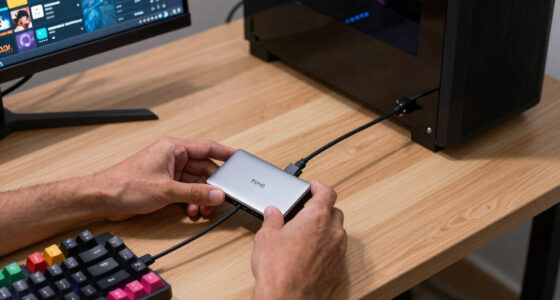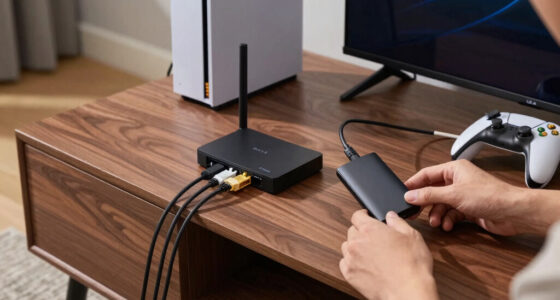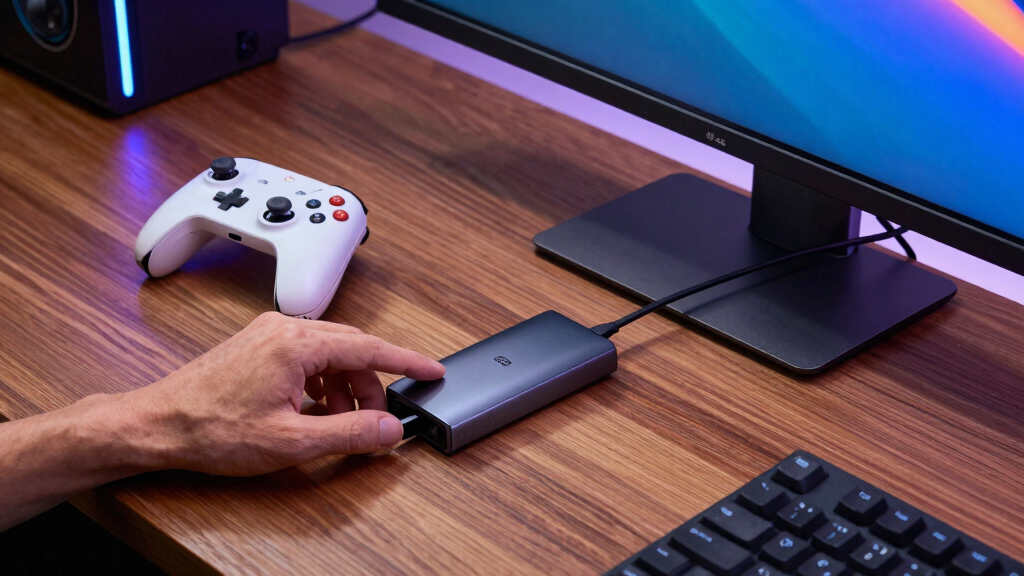

The best Thunderbolt docks for handheld gaming PCs need to do more than add ports; they have to turn a portable gaming machine into a stable desk or TV setup without wasting money on bandwidth the handheld cannot use. My best overall pick is the Razer Thunderbolt 4 Dock Chroma, because it offers the cleanest balance of 40Gbps Thunderbolt bandwidth, desktop-friendly expansion, and monitor support for modern handhelds with USB4 or Thunderbolt-class ports. The Razer Thunderbolt 5 Dock Chroma is the premium pick for buyers building around newer TB5 hardware, while the UGREEN Steam Deck Dock 6-in-1 is the value choice for players who mainly need HDMI, Ethernet, and charging. The main tradeoffs are certified Thunderbolt versus USB-C docking, high-refresh multi-monitor support versus simple 4K output, and desk-grade expandability versus travel-friendly size. Keep reading for the full breakdown of which dock fits each kind of handheld setup.

Play games on Amazon Luna for your game nights, included with Prime
- A rotating selection of games, no download needed
- Play on TV, laptop or phone
- Fast, free delivery for your gear, too
Key Takeaways
- The Razer Thunderbolt 4 Dock Chroma is my best overall pick because it lands in the sweet spot between real Thunderbolt bandwidth, useful desktop ports, and broad handheld compatibility.
- Thunderbolt 5 docks are premium-first choices; the Razer Thunderbolt 5 Dock Chroma and Anker Prime TB5 Dock make the most sense only if the handheld or connected laptop can use the extra display and data headroom.
- The Razer USB 4 Dock is the most practical non-TB5 desktop option for buyers who want HDMI, DisplayPort, Ethernet, SD, audio, and many USB ports without relying on extra adapters.
- UGREEN and JSAUX are value and beginner picks, not true Thunderbolt replacements; they fit Steam Deck-style TV play better than high-bandwidth multi-monitor setups.
- The GODLIY eGPU dock is the specialist choice because it can change graphics performance, but it also adds GPU cost, desk clutter, power planning, and compatibility risk.
| Razer Thunderbolt 4 Dock Chroma with 10 Ports and Dual 4K/8K Support |  | Best Overall Thunderbolt 4 Dock | Connection standard: Thunderbolt 4 | Ports: 10 | Data transfer rate: 40 Gbps | VIEW LATEST PRICE | See Our Full Breakdown |
| Razer USB 4 Dock 14-Port Docking Station |  | Best High-Port USB4 Pick | Connection standard: USB4 | Ports: 14 | Display outputs: HDMI and DisplayPort | VIEW LATEST PRICE | See Our Full Breakdown |
| UGREEN Steam Deck Dock 6-in-1 with HDMI 2.1, 100W PD Charging & Gigabit Ethernet |  | Best Value Handheld Dock | Connection: USB Type-C | Total ports: 6 | Display output: HDMI 2.1 | VIEW LATEST PRICE | See Our Full Breakdown |
| GODLIY eGPU Enclosure Dock Thunderbolt 3/4 USB4 40Gbps PD 85W Charging |  | Best for eGPU Upgrades | Dock type: External GPU enclosure dock | Host connection: Thunderbolt 3, Thunderbolt 4, or USB4 | Bandwidth: 40 Gbps | VIEW LATEST PRICE | See Our Full Breakdown |
| Razer Thunderbolt 5 Dock Chroma with M.2 SSD Slot |  | Best Premium Future-Ready Dock | Connection standard: Thunderbolt 5 | Ports: 11 | Transfer speed: Up to 120 Gbps | VIEW LATEST PRICE | See Our Full Breakdown |
| Anker Prime TB5 Docking Station |  | Best Future-Proof Thunderbolt 5 Pick | Dock standard: Thunderbolt 5 | Max transfer speed: Up to 120Gbps | Charging power: 140W max | VIEW LATEST PRICE | See Our Full Breakdown |
| JSAUX 4-in-1 USB C Dock for Handheld Gaming |  | Best Budget Handheld Dock | Dock type: USB-C handheld gaming dock | Total ports: 4 | Video output: HDMI 2.0 | VIEW LATEST PRICE | See Our Full Breakdown |
| Razer Handheld Dock Chroma |  | Best Portable Handheld Dock With Ethernet | Dock type: USB-C handheld dock | Total ports: 6 | Video output: HDMI 2.0 | VIEW LATEST PRICE | See Our Full Breakdown |
More Details on Our Top Picks
Razer Thunderbolt 4 Dock Chroma with 10 Ports and Dual 4K/8K Support
Razer Thunderbolt 4 Dock Chroma earns my overall pick because it balances 40 Gbps Thunderbolt 4 bandwidth, broad Mac and PC support, and enough ports for a handheld gaming PC desk setup without becoming as specialized as the GODLIY eGPU Enclosure Dock. Compared with the Razer USB 4 Dock, it has fewer total ports, but the clearer Thunderbolt 4 certification makes it the steadier choice for buyers who want predictable display, storage, and peripheral behavior from a single cable. The dual 4K or single 8K output is useful if a Steam Deck, ROG Ally, or Legion Go also doubles as a workstation. The tradeoff is price: this is more dock than casual handheld players need, and the RGB lighting adds gaming flair without improving performance.
Pros:- Thunderbolt 4 certification gives steadier compatibility than many generic USB-C hubs
- Dual 4K or single 8K display support suits desktop gaming and productivity setups
- 10-port layout covers core desk peripherals without needing extra adapters
- Backward compatibility helps owners of older Thunderbolt 3 laptops or handhelds
Cons:- Premium pricing is hard to justify for single-monitor handheld play
- RGB lighting may be wasted in a living-room or minimalist desk setup
- Less portable than handheld-first docks such as the UGREEN Steam Deck Dock
Best for: Handheld PC owners building a fixed desk setup with fast storage, wired networking, charging, and high-resolution monitor support from one Thunderbolt connection
Not ideal for: Budget-focused Steam Deck users who only need HDMI, Ethernet, and charging, since the UGREEN Steam Deck Dock covers that simpler job for less complexity
- Connection standard:Thunderbolt 4
- Ports:10
- Data transfer rate:40 Gbps
- Display support:Dual 4K or single 8K
- Charging:Pass-through charging
- Device support:Mac and PC with Thunderbolt 3 or Thunderbolt 4 ports
- Interfaces:Ethernet, Thunderbolt 4, USB 3.0
- Color:Classic Black with RGB lighting
Bottom line: This is the dock I would choose for a clean, high-bandwidth Thunderbolt 4 desk setup around a handheld gaming PC.
Razer USB 4 Dock 14-Port Docking Station
Razer USB 4 Dock is the better pick when port count matters more than chasing the newest Thunderbolt badge. Its 14-port design gives handheld gaming PC owners room for monitors, storage, audio, Ethernet, SD cards, and several USB accessories, which makes it more flexible than the 10-port Razer Thunderbolt 4 Dock Chroma. I would favor it for a desk that changes often: one day a handheld, another day a laptop or phone. The dual-monitor support up to 4K 120 Hz is a practical match for high-refresh external gaming. Still, it is USB4 rather than Thunderbolt 5, so the Razer Thunderbolt 5 Dock Chroma is the stronger choice for extreme display bandwidth and built-in storage expansion. This model is roomy and sensible, but not the most future-facing option here.
Pros:- 14 ports reduce cable swapping across gaming, storage, audio, and display gear
- Dual-monitor output up to 4K 120 Hz fits high-refresh desktop play
- 100 W laptop charging with a 180 W adapter supports heavier mobile setups
- All-metal casing is compact and better suited to travel than many full desktop docks
Cons:- USB4 compatibility can be more dependent on the host device than certified Thunderbolt docks
- No built-in M.2 storage slot like the Razer Thunderbolt 5 Dock Chroma
- More ports than many handheld-only players will actually use
Best for: Players who want one flexible USB4 dock for a handheld gaming PC, laptop, phone, monitors, SD cards, speakers, and wired accessories
Not ideal for: Buyers planning a Thunderbolt 5 workstation with triple high-refresh displays or internal dock storage, where the Razer Thunderbolt 5 Dock Chroma is a better fit
- Connection standard:USB4
- Ports:14
- Display outputs:HDMI and DisplayPort
- Monitor support:Dual monitors up to 4K 120 Hz
- Charging:100 W laptop charging
- Power adapter:180 W included adapter
- Other ports:USB-C, USB-A, Ethernet, SD, 3.5 mm audio
- Compatibility:Windows and Mac
- Chassis:Durable lightweight all-metal casing
Bottom line: This is my pick for handheld PC owners who want a generous, travel-friendly USB4 hub that can also serve a laptop desk.
UGREEN Steam Deck Dock 6-in-1 with HDMI 2.1, 100W PD Charging & Gigabit Ethernet
UGREEN Steam Deck Dock 6-in-1 is the most handheld-focused option in this batch, even though it is not a Thunderbolt dock. That distinction matters: compared with the Razer Thunderbolt 4 Dock Chroma, it gives up 40 Gbps Thunderbolt expansion and broad desktop flexibility, but it aims directly at the core handheld use case: charging, Ethernet, USB peripherals, and 4K 120 Hz HDMI 2.1 with VRR. For Steam Deck, ROG Ally, and similar devices, that can be the smarter spend than a larger desk dock. It also beats the JSAUX 4-in-1 USB C Dock on display headroom because JSAUX tops out at 4K 60 Hz. The limits are clear, though: the 6-port layout leaves less room for creators, and it cannot replace a true Thunderbolt workstation dock.
Pros:- HDMI 2.1 with 4K 120 Hz and VRR is well matched to modern gaming displays
- 100 W PD 3.0 charging gives enough headroom for demanding handhelds
- Gigabit Ethernet helps reduce wireless lag during docked play
- Compact aluminum design suits a TV stand, desk, or travel bag
Cons:- Not a Thunderbolt dock, so expansion bandwidth is much lower than Razer’s Thunderbolt models
- Only one display output limits multi-monitor desk setups
- No built-in battery support for handhelds away from wall power
Best for: Steam Deck, ROG Ally, and Legion Go owners who want a compact TV or monitor dock with high-refresh HDMI, charging, USB accessories, and wired internet
Not ideal for: Users who need Thunderbolt storage chains, multiple high-resolution monitors, or a full desktop hub with card readers and audio
- Connection:USB Type-C
- Total ports:6
- Display output:HDMI 2.1
- Video support:4K at 120 Hz with VRR
- Charging:100 W PD 3.0, up to 85 W for devices
- USB ports:2x USB-A 3.0, 1x USB-C 3.0
- Networking:Gigabit Ethernet
- Dimensions:4.41 x 1.46 x 6.69 inches
- Weight:300 g / 10.58 oz
Bottom line: This is the sensible value pick when a handheld gaming PC needs a fast HDMI 2.1 dock more than a full Thunderbolt command center.
GODLIY eGPU Enclosure Dock Thunderbolt 3/4 USB4 40Gbps PD 85W Charging
GODLIY eGPU Enclosure Dock plays a different role from the Razer and UGREEN docks: it is for turning a Thunderbolt 3, Thunderbolt 4, or USB4 handheld into a more serious desktop gaming machine with an external graphics card. Compared with the Razer Thunderbolt 5 Dock Chroma, it is less polished as an all-in-one hub, but the NVIDIA and AMD GPU support gives it a performance path ordinary docks cannot match. The 40 Gbps link and 85 W PD charging keep the host connected and powered, while the extra USB-A and daisy-chain ports add some hub utility. The tradeoffs are big: buyers must supply an ATX power supply and graphics card, setup is more technical, and GPU performance will still depend on handheld compatibility and external display routing.
Pros:- Supports external NVIDIA and AMD PCIe graphics cards for a real performance upgrade path
- Thunderbolt 3, Thunderbolt 4, and USB4 compatibility covers many handheld PCs and laptops
- 85 W power delivery can charge many connected hosts while docked
- Daisy-chain and USB-A ports add basic hub functions beyond graphics
Cons:- Requires a separate ATX power supply and graphics card, raising total cost
- Setup is more technical than a normal Thunderbolt dock
- Not every handheld gaming PC exposes full eGPU-friendly Thunderbolt or USB4 behavior
Best for: Tinkerers with a Thunderbolt or USB4 handheld who want to build an external GPU station for docked gaming and creative workloads
Not ideal for: Casual players who want a simple plug-in dock for HDMI, Ethernet, and charging, since the UGREEN Steam Deck Dock is far easier to live with
- Dock type:External GPU enclosure dock
- Host connection:Thunderbolt 3, Thunderbolt 4, or USB4
- Bandwidth:40 Gbps
- Power delivery:85 W PD charging
- Controller:JHL7440
- GPU support:NVIDIA RTX 50 Series and AMD RX 7000 Series listed
- Expansion:PCIe graphics card dock
- Additional ports:USB-A and daisy-chain port
- Included hardware:ATX power supply and graphics card not included
Bottom line: This is the specialist pick for buyers ready to trade simplicity for external GPU power.
Razer Thunderbolt 5 Dock Chroma with M.2 SSD Slot
Razer Thunderbolt 5 Dock Chroma sits at the top of the lineup for buyers who want more than a place to plug in a handheld. Compared with the Razer Thunderbolt 4 Dock Chroma, it raises the ceiling with up to 120 Gbps transfer speeds, broader high-refresh display options, and a built-in M.2 SSD slot up to 8 TB. That storage bay matters for handheld gaming PCs because large game libraries can live at the desk instead of crowding internal storage. It is also a cleaner choice than the GODLIY eGPU Enclosure Dock for people who want premium docking without building around a separate graphics card. The downsides are cost, host requirements, and cooling complexity: many handhelds will not use every Thunderbolt 5 feature, so some buyers may pay for headroom they cannot tap yet.
Pros:- Thunderbolt 5 bandwidth gives the most headroom in this group
- Built-in M.2 SSD slot can add up to 8 TB of fast dock-side storage
- High-refresh display support reaches triple 4K 144 Hz on supported systems
- 140 W power delivery is stronger than the 85 W and 100 W options in this batch
Cons:- Expensive for handhelds that lack Thunderbolt 5 support
- Active cooling adds moving parts and potential noise
- Many gaming handhelds will not use the full display and bandwidth feature set
Best for: Early adopters with Thunderbolt 5 or high-end Thunderbolt 4 handhelds and laptops who want fast external storage, multi-display output, and heavy desk expansion
Not ideal for: Owners of USB-C-only handhelds or single-monitor TV setups, where most of the Thunderbolt 5 bandwidth and display support will sit unused
- Connection standard:Thunderbolt 5
- Ports:11
- Transfer speed:Up to 120 Gbps
- Charging:140 W power delivery
- Storage expansion:M.2 NVMe SSD slot, up to 8 TB
- Display support:Triple 4K at 144 Hz, 8K at 60 Hz, 4K at 240 Hz, or 1440p at 500 Hz
- Ports included:Thunderbolt 5, Gigabit Ethernet, 3.5 mm audio, UHS-II SD, USB-A 3.2 Gen 2
- Cooling:Active cooling
- Color:Black
Bottom line: This is the premium pick for a future-facing handheld desk setup built around storage speed, display bandwidth, and one-cable expansion.
Anker Prime TB5 Docking Station
I would rank Anker Prime TB5 Docking Station as the high-bandwidth pick for handheld gamers who also use the same desk for a laptop, capture drives, or creator gear. Its 120Gbps Thunderbolt 5 ceiling and 140W charging put it closer to the Razer Thunderbolt 5 Dock Chroma than to handheld-first docks like the JSAUX 4-in-1, and that matters if a handheld sits beside a serious PC setup. The tradeoff is focus: a Steam Deck or ROG Ally will not make full use of dual 8K display support, and the active fan adds another moving part. I also weigh the USB-A hub limitation and MacBook DisplayPort caveats against the raw headroom. This is the dock I would choose for future-ready bandwidth, not simple TV play.
Pros:- Up to 120Gbps transfer speed gives it more headroom than older Thunderbolt 4 and USB-C handheld docks
- 140W max charging is strong enough for power-hungry laptops alongside a handheld setup
- Dual 8K@60Hz display support suits advanced desk setups and creator workflows
- Active cooling helps under sustained heavy data, display, and charging loads
Cons:- Overbuilt for handheld-only TV play
- External USB-A hubs are not supported because of protocol limits
- DisplayPort compatibility is limited on MacBooks with M1, M2, and M3 chips
Best for: I would buy this for a handheld owner who also docks a Thunderbolt 5 laptop, moves huge files, and wants one desk hub for high-resolution displays.
Not ideal for: I would skip it for Steam Deck or ROG Ally players who only need HDMI, charging, and a controller port, since much of its bandwidth would sit unused.
- Dock standard:Thunderbolt 5
- Max transfer speed:Up to 120Gbps
- Charging power:140W max
- Display support:Dual 8K@60Hz on Thunderbolt 5 laptops
- Total ports:14
- Main ports:2 Thunderbolt 5, 2 USB-C, 3 USB-A, HDMI, DisplayPort
- Card readers:SD and TF readers
- Cooling:Active cooling with fan
- Included cable:3.3 ft Thunderbolt cable
Bottom line: I would choose this when a handheld gaming PC is only one part of a larger Thunderbolt 5 desk setup.
JSAUX 4-in-1 USB C Dock for Handheld Gaming
The JSAUX 4-in-1 USB C Dock earns a spot as the budget baseline because it answers the core handheld question: can I charge, plug in controls, and play on a larger screen without paying for Thunderbolt bandwidth? Compared with the Anker Prime TB5 Docking Station, it is far less ambitious, but its 4K@60Hz or 2K@120Hz HDMI output and 100W Power Delivery are better matched to Steam Deck, ROG Ally, Legion Go, and MSI Claw living-room use. I like the widened, raised base for gripped handhelds, which makes it more purpose-built than a generic laptop dock. The compromise is speed and growth room: the USB 2.0 ports are fine for controllers, keyboards, and mice, but poor for fast storage, capture gear, or a desktop-style setup.
Pros:- Widened and raised base fits many larger handhelds and grip shapes
- 4K@60Hz and 2K@120Hz HDMI output cover common big-screen gaming needs
- 100W Power Delivery supports high-power handheld modes with a suitable charger
- Compact 4-port layout avoids desk clutter
Cons:- Not a Thunderbolt or USB4 dock, so bandwidth is limited
- USB 2.0 ports are weak for fast storage and capture accessories
- No Ethernet, SD reader, or second display output
Best for: I would buy this for handheld players who mainly want a low-bulk TV dock for Steam Deck, ROG Ally, Legion Go, MSI Claw, or OneXplayer.
Not ideal for: I would skip it for users who need Thunderbolt or USB4 speeds, Ethernet, card readers, fast external SSDs, or more than one display.
- Dock type:USB-C handheld gaming dock
- Total ports:4
- Video output:HDMI 2.0
- Max display output:4K@60Hz or 2K@120Hz
- Power delivery:Up to 100W input
- USB ports:2 USB 2.0 Type-A
- Compatible devices:ROG Xbox Ally, ROG Xbox Ally X, Steam Deck LCD/OLED, ROG Ally/Ally X, Legion Go series, MSI Claw, OneXplayer
- Dimensions:2.04 x 4.72 x 3.54 in
- Compatibility note:Not compatible with Nintendo Switch 2
Bottom line: I would choose this as the low-cost dock for turning a handheld into a simple TV gaming setup.
Razer Handheld Dock Chroma
I see Razer Handheld Dock Chroma as the polished handheld dock for players who want a cleaner desk or travel kit than the JSAUX 4-in-1, while still avoiding the size and cost class of the Razer USB 4 Dock or Anker Prime TB5. The big difference is utility: three USB-A ports, 1Gb Ethernet, and an adjustable stand make it better for wired controllers, party play, and low-latency downloads. It is still not a Thunderbolt dock, so I would not buy it for external SSD speed, eGPU plans, or multi-monitor workstation use. The Chroma lighting and aluminum body add personality and sturdiness, but also weight. For pure handheld docking, the 100W passthrough and wired network port are the real reasons it belongs here.
Pros:- Three USB-A ports give more peripheral flexibility than the JSAUX 4-in-1
- 1Gb Ethernet is useful for large downloads and steadier cloud or remote play
- Adjustable 45/75-degree hinge works as a display stand for handhelds, phones, and tablets
- 100W passthrough charging keeps supported devices powered during play
Cons:- Not a Thunderbolt dock, so it lacks high-speed dock bandwidth
- HDMI 2.0 is less flexible than the display setups on USB4 and Thunderbolt docks
- 500g weight and RGB lighting may feel excessive for minimalist travel kits
Best for: I would buy this for handheld gamers who move between desk and TV setups and want Ethernet, extra USB-A ports, and a built-in stand in one portable unit.
Not ideal for: I would skip it for buyers chasing true Thunderbolt bandwidth, multiple displays, or the lightest possible travel dock.
- Dock type:USB-C handheld dock
- Total ports:6
- Video output:HDMI 2.0
- USB-A ports:3
- Ethernet:1GbE
- Power delivery:100W passthrough charging
- Stand design:Adjustable 45/75-degree hinge, collapsible body
- Build and weight:Aluminum chassis, 500g
- Warranty:2-year manufacturer warranty
Bottom line: I would pick this over the JSAUX when Ethernet and extra USB-A ports matter more than Thunderbolt-class speed.
How We Picked
I ranked these docks by how well their listed features serve handheld gaming PC use, not by port count alone. I weighted connection standard, display support, power delivery, Ethernet, USB-A access for controllers, desk footprint, and upgrade path, because those are the differences that change day-to-day play. A dock that looks strong for a workstation can still rank lower here if most handhelds cannot use its headline bandwidth or if the layout creates cable mess around a small screen.
The Razer Thunderbolt 4 Dock Chroma sits at the top because it offers the broadest match for serious handheld desks without pushing every buyer into TB5 pricing. The Razer Thunderbolt 5 Dock Chroma and Anker Prime TB5 Dock rank as premium picks for users with newer hardware and high-refresh displays, while the Razer USB 4 Dock scores well for practical port variety. The UGREEN Steam Deck Dock 6-in-1, JSAUX 4-in-1 Dock, and Razer Handheld Dock Chroma earn spots for simpler living-room and travel setups, and the GODLIY eGPU Dock is included as the power-user outlier rather than a mainstream recommendation.
Factors to Consider When Choosing Best Thunderbolt Docks For Handheld Gaming PCs
My buying advice starts with the handheld, not the dock. A Steam Deck, ROG Ally X, Legion Go, MSI Claw, or similar device may share a USB-C shape, but the port behind it can limit displays, data speed, charging, and eGPU support. The best choice is the one that matches the machine, monitor, and play style you already have.
Match the Dock to the Handheld Port
I would check the handheld’s actual USB-C spec before paying for a dock labeled Thunderbolt 4 or Thunderbolt 5. Some handhelds support USB4 with 40Gbps-class behavior, while others are closer to standard USB-C docking even if the connector looks the same. That difference controls whether a premium dock can run multiple high-resolution displays, fast storage, and extra peripherals at the same time. A buyer using a Steam Deck for single-monitor TV play may get more practical value from the UGREEN Steam Deck Dock than from a TB5 station. A ROG Ally X or newer handheld with USB4 is a better match for the Razer Thunderbolt 4 Dock Chroma or Razer USB 4 Dock. The common mistake is buying the fastest dock first and only later finding that the handheld cannot use much of it.
Display Needs Should Drive the Upgrade
For handheld gaming, the monitor setup matters more than the raw number of ports. If the goal is a single 4K TV or monitor, a dock like the UGREEN 6-in-1, JSAUX 4-in-1, or Razer Handheld Dock Chroma can be enough. If the setup includes dual displays, high refresh rates, or a monitor plus capture hardware, the Razer USB 4 Dock and Thunderbolt models become more appealing. Thunderbolt 5 only starts to make sense when the display plan is ambitious, such as multiple 4K high-refresh panels or a wider desk setup shared with a laptop. I would not pay TB5 pricing just for a 1080p or 1440p single-screen docked handheld. That money often improves the setup more when spent on a better monitor, controller, or storage.
Power Delivery Is About Headroom, Not Just Watts
Power delivery is easy to misread because the dock’s maximum wattage is not always the wattage the handheld will accept. A 100W passthrough dock is already enough for many handheld gaming PCs, especially when the system itself charges below that ceiling. Higher numbers, such as the 140W PD on the Razer Thunderbolt 5 Dock Chroma, matter more when the same dock also feeds a laptop or a busier desktop setup. The dock, charger, cable, and handheld all have to agree before higher charging speeds appear. I would budget for a quality USB-C charger and cable rather than assuming the dock alone solves power. Heat and cable strain also matter, because handhelds often sit closer to the dock than laptops do.
eGPU Docks Are a Separate Decision
The GODLIY eGPU Enclosure Dock is not a normal dock with a graphics bonus; it is closer to building a small desktop around the handheld. It can make sense for buyers who want one portable PC to become a stronger at-home gaming machine. The tradeoff is that the graphics card, power supply planning, desk space, driver behavior, and game support all become part of the purchase. Compared with the Razer Thunderbolt 4 Dock Chroma or Anker Prime TB5 Dock, this route asks for more setup work before the payoff appears. I would choose it only when external GPU support is confirmed for the handheld and the buyer is comfortable with PC hardware tinkering. For casual couch play, it is more machine than most people need.
Choose Desk Stability or Travel Simplicity
A full Thunderbolt dock is best when the handheld lives at a desk with a monitor, keyboard, mouse, Ethernet, storage, and speakers. In that setting, port placement, cable routing, and always-connected accessories are worth paying for. A compact dock is better when the handheld moves between rooms, hotel TVs, or a carry case. The JSAUX 4-in-1 Dock favors that simpler role, while the Razer Thunderbolt 4 Dock Chroma and Razer USB 4 Dock make more sense as semi-permanent hubs. I would avoid buying a large desktop dock for travel unless it replaces a laptop dock too. Size, cable length, and power brick clutter can matter as much as bandwidth once the dock leaves the desk.
Frequently Asked Questions
Do I Need a True Thunderbolt Dock for a Handheld Gaming PC, or Is USB4 Enough?
For many handheld gaming PCs, USB4 is enough if the goal is one monitor, Ethernet, controllers, and charging. A true Thunderbolt dock becomes more appealing when the setup includes fast external storage, multiple displays, or a shared desk with a laptop. I would pick the Razer Thunderbolt 4 Dock Chroma when I want a cleaner long-term desktop hub with stronger certification and headroom. The Razer USB 4 Dock is the better fit when built-in HDMI, DisplayPort, SD, audio, and many everyday ports matter more than the Thunderbolt badge. The key is matching the dock to the handheld’s port, not just the name printed on the box.
Will a Thunderbolt 5 Dock Make Games Run Faster on a Handheld?
A Thunderbolt 5 dock will not raise frame rates by itself. It mainly adds bandwidth for displays, storage, and attached devices, and the handheld has to support that connection level before the benefit appears. The Razer Thunderbolt 5 Dock Chroma and Anker Prime TB5 Dock make more sense for high-refresh monitor setups or desks shared with newer laptops. If the handheld only uses the dock for HDMI, Ethernet, and charging, a less expensive dock can feel just as effective in play. I would treat TB5 as a platform upgrade, not a shortcut to better handheld graphics.
Is an eGPU Dock Worth It for a ROG Ally X, Legion Go, or Similar Handheld?
An eGPU dock can be worth it when the handheld supports external graphics well and the buyer wants a more powerful at-home setup without buying a separate desktop PC. The GODLIY eGPU Enclosure Dock is the clear specialist in this lineup because it is built around adding a desktop GPU. The downside is cost creep: the enclosure is only part of the bill, since the graphics card, power needs, cables, and desk space all add up. I would also check game behavior and driver support before treating it as a guaranteed upgrade. For most buyers, a standard dock plus a good monitor is the simpler path.
How Much Power Delivery Should I Look For in a Handheld Gaming Dock?
I would look for at least 100W power delivery or passthrough for a flexible handheld dock, even if the handheld charges below that number. That gives enough room for charging while accessories, Ethernet, and video output are active. Higher ratings, such as 140W PD, are useful when the dock also powers a laptop or a more demanding desk setup. The handheld, charger, and cable still set the real charging behavior, so the dock’s wattage is only one part of the chain. For simple TV play, 100W is usually the practical target.
Should I Pick a Compact Dock or a Full Desktop Dock?
I would choose a compact dock if the handheld often moves between a desk, TV, bag, or travel setup. The JSAUX 4-in-1 Dock and Razer Handheld Dock Chroma fit that style because they focus on the basics without turning the setup into a workstation. A full desktop dock is better when the handheld stays connected to a monitor, keyboard, mouse, Ethernet, speakers, and storage most of the time. The Razer Thunderbolt 4 Dock Chroma and Razer USB 4 Dock are stronger for that role because they reduce adapter clutter. If the dock will stay plugged in all week, desk stability should beat portability.
Conclusion
My best overall recommendation is the Razer Thunderbolt 4 Dock Chroma, because it gives the broadest balance of bandwidth, ports, monitor support, and long-term usefulness for serious handheld desks. The UGREEN Steam Deck Dock 6-in-1 is my best value pick for buyers who mainly need HDMI, Ethernet, and charging without paying for Thunderbolt features they may not use. For beginners, I would steer toward the Razer Handheld Dock Chroma or the JSAUX 4-in-1 Dock, depending on whether Ethernet and a more polished hub matter. The Razer Thunderbolt 5 Dock Chroma is my best premium choice, while the Anker Prime TB5 Dock suits buyers who want a high-end multi-port TB5 workstation hub. For specific needs, choose the Razer USB 4 Dock for broad port variety and the GODLIY eGPU Dock only if external graphics support is the whole reason for upgrading.
Fall Picks
fall essentials
As an affiliate, we earn on qualifying purchases.