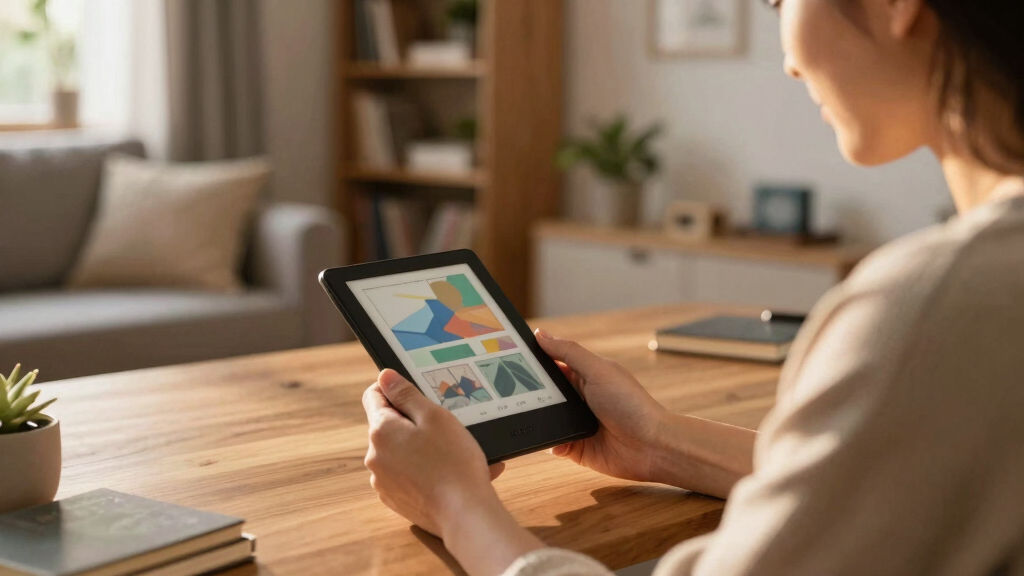

The best open-source e-readers combine comfortable E Ink screens with enough software freedom to install reading apps, manage files, and customize the experience. I rank the Bigme B6 B/W as the best overall pick because its Android 14 platform, 4GB of RAM, and 64GB of storage offer the strongest balance of flexibility and reading-focused hardware. The Neo 2 stands out for value, while the XTEINK X4 is the better developer-oriented pocket reader. Buyers must choose between Android app access, compact dimensions, color support, battery simplicity, and the more restricted software found on polished Kobo models. Continue reading for the full breakdown of which option best matches each buyer type.
Listen free for 30 days with Audible
Thousands of audiobooks and originals — cancel anytime.
Start your free trialAs an affiliate, we earn on qualifying purchases.
Complete the kit



Key Takeaways
- Bigme B6 B/W leads the ranking because its Android 14 software and 4GB/64GB configuration provide more room for apps and files than the 2GB/32GB Bigme B6 Color.
- Neo 2 offers the strongest value proposition for buyers who want third-party apps and 4GB/64GB hardware without paying extra for a color panel.
- Neo C is the more capable color option for app-heavy use, while Kobo Libra Colour favors a polished reading experience over broad software freedom.
- XTEINK X4 is easier to recommend than X3 for most pocket-reader buyers because its 4.3-inch display gives text more space while retaining a highly portable design.
- Kobo Clara BW is the beginner-friendly choice, but its simpler ecosystem places it below Android and developer-edition models when software openness drives the decision.
| XTEINK X4 E-Book Reader (Developer Edition) |  | Best Pocket Developer Edition | Display: 4.3-inch E-Ink | Storage: 16GB | Battery life: Up to 14 days | VIEW LATEST PRICE | See Our Full Breakdown |
| Bigme B6 Color Ebook Reader |  | Best Color App Flexibility | Display technology: Color electronic ink | Screen size: 6 inches | Storage: 32GB | VIEW LATEST PRICE | See Our Full Breakdown |
| Kobo Clara BW eReader |  | Best for Beginners | Display: 6-inch E Ink Carta 1300 HD | Storage: 16GB | Battery life: Weeks | VIEW LATEST PRICE | See Our Full Breakdown |
| Neo 2 64GB+4GB eBook Reader |  | Best Overall for Open Formats | Display: 6-inch black-and-white E Ink touchscreen | Resolution: 300 ppi | Storage: 64GB | VIEW LATEST PRICE | See Our Full Breakdown |
| Kobo Libra Colour eReader |  | Best Premium Color Reader | Screen size: 7 inches | Display technology: E Ink Kaleido 3 | Color capability: Full-color electronic paper | VIEW LATEST PRICE | See Our Full Breakdown |
| XTEINK X3 eBook Reader (Developer Edition) |  | Best Pocket Developer Pick | Display size: 3.7 inches | Storage: 16GB | Expandable storage: Up to 256GB | VIEW LATEST PRICE | See Our Full Breakdown |
| M3 Portable E-Book Reader |  | Best for Offline Simplicity | Display size: 3.7 inches | Display type: Ink touchscreen | Backlight levels: 10 | VIEW LATEST PRICE | See Our Full Breakdown |
| Veidoo 6 Inch E-Book Reader |  | Best Entry-Level Android Pick | Display: 6-inch electronic ink | Resolution: 758 x 1024 | Storage: 32GB | VIEW LATEST PRICE | See Our Full Breakdown |
| Neo C 64GB+4GB Colour eBook Reader |  | Best for Open-App Color Reading | Display: 6-inch Color E Ink Kaleido 3 | Color range: 4,096 colors | Processor: Quad-core 2.0GHz | VIEW LATEST PRICE | See Our Full Breakdown |
| Bigme B6 e-Reader with B/W Display |  | Best Overall | Display: 6-inch black-and-white E-Ink | Resolution: 300 PPI | Operating system: Android 14 | VIEW LATEST PRICE | See Our Full Breakdown |
| open-source e-reader | Storage | Display | Connectivity |
|---|---|---|---|
| XTEINK X4 E-Book Reader | 16GB | 4.3-inch E-Ink | — |
| Bigme B6 Color Ebook Reader | 32GB | — | — |
| Kobo Clara BW eReader | 16GB | 6-inch E Ink Carta 1300 HD | — |
| Neo 2 64GB+4GB eBook Reader | 64GB | 6-inch black-and-white E Ink touchscreen | USB, Wi-Fi, and Bluetooth |
| Kobo Libra Colour eReader | — | — | — |
| XTEINK X3 eBook Reader | 16GB | — | — |
| M3 Portable E-Book Reader | — | — | No Wi-Fi |
| Veidoo 6 Inch E-Book Reader | 32GB | 6-inch electronic ink | Wi-Fi, USB |
| Neo C 64GB+4GB Colour eBook Re | 64GB | 6-inch Color E Ink Kaleido 3 | Bluetooth, Wi-Fi, USB |
| Bigme B6 e-Reader with B/W Dis | 64GB | 6-inch black-and-white E-Ink | 2.4GHz and 5GHz Wi-Fi, Bluetooth |
More Details on Our Top Picks
XTEINK X4 E-Book Reader (Developer Edition)
I place the XTEINK X4 above the smaller XTEINK X3 for buyers who want a pocket reader without shrinking all the way to 3.7 inches. Its 2.72-ounce body and physical page buttons make one-handed reading and everyday carrying unusually easy, while the Developer Edition positioning fits this roundup better than a locked-down mainstream device. The 16GB capacity is ample for a text-focused library, and the quoted 14-day battery life supports travel without frequent charging. Compared with the Kobo Clara BW, however, the X4 sacrifices screen space, waterproofing, and nighttime illumination for portability. Its lack of a built-in light is a serious limitation after dark, and the compact E-Ink panel demands more page turns. I rank it as a specialist choice rather than an all-purpose reader.
Pros:- Developer Edition positioning suits buyers interested in a less conventional reading platform
- Extremely portable 2.72-ounce design
- Physical buttons support dependable one-handed page turning
- Up to 14 days of quoted battery life
Cons:- Small display requires more frequent page turns and is cramped for PDFs
- No built-in light for dim rooms or nighttime reading
- E-Ink screen requires careful handling
Best for: Developers, minimalists, and commuters seeking an exceptionally small E-Ink reader with physical controls
Not ideal for: Night readers and people with limited vision, because the 4.3-inch screen has no built-in lighting
- Display:4.3-inch E-Ink
- Storage:16GB
- Battery life:Up to 14 days
- Weight:2.72 oz
- Thickness:0.23 inch
- Page controls:Physical page-turn buttons
- Design:Magnetic-ready with premium glass etching
- Color:Mist Gray
Our verdict“Choose the XTEINK X4 when pocketability and developer appeal matter more than screen size or nighttime convenience.”
Bigme B6 Color Ebook Reader
The Bigme B6 Color earns its place by pairing color E-Paper with Android 14, giving readers broader app choice than the more controlled Kobo Libra Colour. That combination makes sense for people who split their time among ebook services, illustrated articles, and documents rather than keeping one library. Its 32GB storage and six-inch footprint also strike a practical balance between capacity and portability. I rank the Libra Colour higher for a larger, more reading-focused color experience, while the Neo C offers stronger listed memory and storage. The B6 has only 2GB of RAM, so buyers should not expect full-tablet responsiveness from demanding Android apps. Color E-Paper also refreshes more slowly than LCD, and the supplied data gives no stated battery estimate. This is the flexible color pick, not the performance pick.
Pros:- Android 14 broadens access to reading apps and customization
- Color E-Paper adds useful visual information to magazines and illustrated books
- 32GB storage accommodates a sizable mixed-format library
- Six-inch screen keeps the device portable
Cons:- 2GB RAM limits headroom for heavier Android apps and multitasking
- Color E-Paper has slower refresh behavior than conventional tablets
- Battery-life expectations are not specified
Best for: App-based readers who want portable color E-Paper for ebooks, magazines, and mixed digital libraries
Not ideal for: Buyers expecting smooth tablet-class animation, fast multitasking, or a clearly documented battery runtime
- Display technology:Color electronic ink
- Screen size:6 inches
- Storage:32GB
- Memory:2GB RAM
- Operating system:Android 14
- Device type:E-reader and e-paper tablet
- Color:Black
Our verdict“Pick the Bigme B6 Color for portable access to multiple reading apps when flexibility outweighs speed and battery certainty.”
Kobo Clara BW eReader
I rank the Kobo Clara BW as the easiest starting point for readers who value a polished reading device more than unrestricted app installation. Its 300-class Carta 1300 screen, ComfortLight PRO, and dark mode create a friendlier day-to-night experience than the unlit XTEINK X4. IPX8 water resistance also makes it safer around baths and pools, a protection missing from the Neo 2 specifications. Kobo’s approach is more controlled than the Neo 2’s Android platform, so it sits lower on pure software freedom; buyers seeking third-party app access should choose the Neo instead. The Clara’s black-and-white, six-inch panel is also less suitable for illustrated books than the Kobo Libra Colour. Still, its weeks-long battery claim and straightforward feature set reduce setup demands, making it my beginner pick within an openness-minded lineup.
Pros:- ComfortLight PRO adjusts brightness and color temperature for evening reading
- IPX8 construction protects against immersion in up to two meters of water for 60 minutes
- Carta 1300 HD display provides crisp, glare-free text
- Weeks-long quoted battery life reduces charging frequency
Cons:- More controlled software environment than Android-based alternatives
- Six-inch display can feel cramped for PDFs and large-format documents
- Black-and-white screen loses information in color-dependent material
Best for: First-time e-reader buyers who want waterproofing, comfortable lighting, and minimal setup for mainly text-based books
Not ideal for: Tinkerers who prioritize third-party Android apps or readers who need color for comics and illustrations
- Display:6-inch E Ink Carta 1300 HD
- Storage:16GB
- Battery life:Weeks
- Waterproof rating:IPX8
- Immersion resistance:Up to 60 minutes in 2 meters of water
- Front light:ComfortLight PRO
- Reading features:Dark Mode and audiobook support
- Color:Black
Our verdict“The Kobo Clara BW is the sensible entry point for text readers who favor comfort and waterproofing over extensive software freedom.”
Neo 2 64GB+4GB eBook Reader
The Neo 2 takes my top spot because its third-party app support, broad file compatibility, and Android foundation offer the clearest buyer benefits under an open-source-focused brief. Unlike the Kobo Clara BW, it does not center the experience on one reading storefront, and its listed support spans EPUB, MOBI, AZW3, office files, fonts, and several audio formats. The 64GB storage and 4GB RAM also provide much more working room than the 2GB/32GB Bigme B6 Color. Its 300-ppi monochrome screen favors sharp text over color media, while the adjustable front light handles dim environments better than the XTEINK X4. The costs of that freedom are more setup work, greater dependence on Android knowledge, and no stated waterproof protection. I see the Neo 2 as the strongest all-rounder, provided buyers accept a less guided experience.
Pros:- Third-party app support expands reading-service and software choices
- Broad compatibility covers ebooks, documents, fonts, images, and audio
- 64GB storage and 4GB RAM exceed several compact rivals
- 300-ppi display and adjustable front light support clear reading across varied lighting
Cons:- Android flexibility brings more setup and maintenance than Kobo’s simpler interface
- Monochrome screen is a poor match for color-dependent books
- No listed waterproof or rugged protection
Best for: Technically confident readers managing mixed file libraries and third-party reading apps outside a single-store ecosystem
Not ideal for: Buyers wanting color content, waterproof hardware, or a highly guided setup with little configuration
- Display:6-inch black-and-white E Ink touchscreen
- Resolution:300 ppi
- Storage:64GB
- Memory:4GB RAM
- Connectivity:USB, Wi-Fi, and Bluetooth
- Lighting:Adjustable front light
- App support:Android third-party apps
- Media features:Audiobook and multiple audio-format support
- Return coverage:30-day return guarantee
Our verdict“The Neo 2 is my best overall pick for readers who want broad format and app freedom in a compact monochrome device.”
Kobo Libra Colour eReader
The Kobo Libra Colour is my premium choice for readers whose libraries include comics, graphic novels, and illustrated ebooks. Its seven-inch Kaleido 3 panel gives artwork more room than the six-inch Bigme B6 Color, while glare resistance preserves E-Ink’s outdoor advantage over a conventional tablet. Waterproof construction and audiobook support add everyday versatility, and dark mode helps readers tailor the page presentation. The tradeoff is openness: compared with the Android-based Bigme B6 Color or Neo C, Kobo provides a more focused device rather than the same degree of stated third-party app flexibility. Color E-Ink also carries a likely price premium and remains less compelling for buyers who read only monochrome novels; the Kobo Clara BW is a leaner match for that group. I rank this as the best premium visual-reading option, not the lineup’s most adaptable software platform.
Pros:- Seven-inch Kaleido 3 display gives color artwork more space than six-inch rivals
- Glare-free panel remains readable in bright outdoor conditions
- Waterproof design suits poolside and bath reading
- Dark mode and audiobook support broaden reading options
Cons:- Less stated third-party app freedom than Android-based color readers
- Color capability can add cost without helping text-only libraries
- Seven-inch body is less pocketable than the Bigme B6 Color
Best for: Comic, graphic-novel, and illustrated-ebook readers who want a larger waterproof color E-Ink screen
Not ideal for: Budget-focused novel readers or app tinkerers who would benefit more from the Clara BW or an Android-based model
- Screen size:7 inches
- Display technology:E Ink Kaleido 3
- Color capability:Full-color electronic paper
- Screen finish:Glare-free
- Water protection:Waterproof
- Display mode:Dark Mode
- Audio support:Audiobooks
Our verdict“Choose the Kobo Libra Colour when a spacious, waterproof display for visual books matters more than app-level openness or low cost.”
XTEINK X3 eBook Reader (Developer Edition)
I rank the XTEINK X3 as the pocket option for technically curious readers because its developer-edition positioning fits this roundup better than a locked-down miniature reader. At 58g and 5.1mm thick, it disappears into a small pocket, while physical controls and gyroscope-based page turning support one-handed reading. Compared with the larger XTEINK X4, the X3 favors minimum size over screen comfort; compared with the touch-enabled M3, it offers more tactile control but no touchscreen. The main compromises are substantial: a 3.7-inch display feels cramped with PDFs, and the quoted 10-hour battery life trails conventional e-readers by a wide margin. Magnetic pogo-pin charging also makes replacing a lost cable less convenient.
Pros:- Developer Edition positioning suits experimentation better than a conventional closed reader
- 58g body is exceptionally easy to carry
- Physical buttons and gyroscope support one-handed reading
- Storage expands to 256GB for a large sideloaded library
Cons:- Up to 10 hours of battery life is short for an E-Ink reader
- 3.7-inch display is restrictive for PDFs and detailed layouts
- No touchscreen, and magnetic pogo-pin charging requires a compatible accessory
Best for: Developers, tinkerers, and commuters who want an exceptionally small reader with physical controls and expandable local storage
Not ideal for: PDF readers, touchscreen users, and travelers who need multiweek battery life
- Display size:3.7 inches
- Storage:16GB
- Expandable storage:Up to 256GB
- Battery life:Up to 10 hours
- Weight:58g
- Thickness:5.1mm
- Charging:Magnetic pogo-pin
- Color:Mist Gray
Our verdict“I would choose the XTEINK X3 for pocketable tinkering, but not as a primary reader for PDFs or long trips.”
M3 Portable E-Book Reader
The M3 Portable E-Book Reader earns a narrow place here for buyers who equate openness with sideloaded files rather than app installation or firmware modification. Its touch interface, broad audio support, and 10-level reading light make it more approachable after dark than the unlit XTEINK X3. It also handles EPUB and TXT files without tying the reader to an online bookstore. Still, I rank it below the Android-based Veidoo because the listing identifies no source-code access, third-party apps, or Wi-Fi; its open-source credentials are the weakest in this group. The 3.7-inch screen also limits comfortable reading to reflowable books, and the basic interface may frustrate buyers wanting library apps or deeper customization. This is an offline file reader, not an open computing platform.
Pros:- Touchscreen is more approachable than the button-only XTEINK X3
- Ten lighting levels support reading across changing light conditions
- Supports EPUB, TXT, and several common audio formats
- Offline design avoids dependence on a store account
Cons:- No stated source-code access or third-party app support
- No Wi-Fi for library services or direct downloads
- 3.7-inch screen is poorly suited to PDFs and graphic-heavy books
Best for: Minimalist readers who sideload EPUB files, listen through headphones, and want a tiny touchscreen device without online distractions
Not ideal for: Open-source enthusiasts who want modifiable software, third-party reading apps, Wi-Fi downloads, or comfortable PDF viewing
- Display size:3.7 inches
- Display type:Ink touchscreen
- Backlight levels:10
- E-book formats:TXT, EPUB
- Audio formats:MP3, WAV, AAC, FLAC
- Connectivity:No Wi-Fi
- Additional functions:Offline clock and weather
- Settings:Customizable
Our verdict“I would pick the M3 for simple offline EPUB reading, while open-platform buyers should move to an Android model.”
Veidoo 6 Inch E-Book Reader
I see the Veidoo 6 Inch E-Book Reader as the bridge between basic sideloading devices and more capable Android readers. Its Wi-Fi connection and Android foundation create more software flexibility than the M3, while the adjustable brightness and color temperature make long evening sessions easier on the eyes. A bundled cover and two-week battery estimate add practical value. Against the Bigme B6, however, Veidoo’s 1GB of RAM is a serious constraint: apps may load slowly, and multitasking is unlikely to feel fluid. Its 758-by-1024 panel is also less crisp than Bigme’s 300-PPI display. I would treat this as a focused book reader with modest app potential, not a compact tablet. The lack of stated water resistance makes it a risky bath or poolside choice.
Pros:- Android and Wi-Fi offer more flexibility than offline-only pocket readers
- SMARTlight adjusts brightness and color temperature
- 32GB storage provides ample room for books and audiobooks
- Protective cover adds automatic sleep and wake functions
Cons:- 1GB RAM can restrict app performance and multitasking
- 758-by-1024 resolution is less detailed than the Bigme B6 display
- No stated water-resistance rating
Best for: Budget-minded EPUB and MOBI readers who want a six-inch Android device, adjustable warm lighting, Wi-Fi, and an included cover
Not ideal for: Heavy app users, fast multitaskers, and readers who need waterproofing or a sharper 300-PPI screen
- Display:6-inch electronic ink
- Resolution:758 x 1024
- Storage:32GB
- RAM:1GB
- Battery life:Approximately 2 weeks
- Connectivity:Wi-Fi, USB
- Supported formats:EPUB, MOBI, PDF
- Weight:Approximately 153g
- Included accessory:Auto sleep/wake cover
Our verdict“I recommend the Veidoo as an affordable route into Android E-Ink, provided app speed and waterproofing are not priorities.”
Neo C 64GB+4GB Colour eBook Reader
The Neo C takes the color slot because Android, third-party app support, and a long format list give buyers more control over content sources than a store-centered reader such as the Kobo Libra Colour. Its Kaleido 3 display can show illustrations, charts, and comic panels in 4,096 colors, while 4GB of RAM and a 2.0GHz quad-core processor make it more capable than the 1GB Veidoo. I still would not confuse app flexibility with fully open firmware: the supplied data does not promise source access or an unlockable bootloader. Color E-Ink also refreshes more slowly and appears more muted than an LCD. At six inches, detailed comics and office documents may require frequent zooming. The 64GB storage is generous, but buyers focused only on crisp novels will get a cleaner fit from the monochrome Bigme B6.
Pros:- Kaleido 3 panel displays 4,096 colors without LCD-style glare
- Android supports third-party reading and content apps
- 4GB RAM and 64GB storage provide useful headroom
- Extensive format support covers books, audio, images, fonts, and office files
Cons:- Color E-Ink refreshes more slowly and looks less saturated than LCD
- Six-inch screen is cramped for comics and fixed-layout documents
- Android app access does not establish fully open firmware or hardware
Best for: Android users who sideload books, install third-party reading apps, and want color for manga, diagrams, or illustrated EPUB files
Not ideal for: Readers expecting tablet-like color, rapid animation, fully open firmware, or a large canvas for comics and office documents
- Display:6-inch Color E Ink Kaleido 3
- Color range:4,096 colors
- Processor:Quad-core 2.0GHz
- RAM:4GB
- Storage:64GB
- Operating system:Android
- Connectivity:Bluetooth, Wi-Fi, USB
- Document support:EPUB, PDF, MOBI, AZW3, DOCX, XLSX, PPTX and more
Our verdict“I would buy the Neo C for flexible color reading, while text-first buyers will get greater clarity from a monochrome 300-PPI model.”
Bigme B6 e-Reader with B/W Display
I put the Bigme B6 first because it offers the strongest balance of text quality, app freedom, performance, and storage expansion in this batch. Its 300-PPI monochrome screen should render novels more sharply than the lower-resolution Veidoo, while Android 14 and third-party app support provide access to multiple reading ecosystems. The octa-core processor and 4GB of RAM also give it more headroom than entry-level Android alternatives. Compared with the Neo C, it sacrifices color but gains a cleaner focus on black-and-white text; comic readers may prefer Neo C despite its slower color refresh. The B6 is not documented as fully open hardware or firmware, so I rank it for open-source app compatibility, not unrestricted system modification. Multimedia use can shorten battery life, and no microSD card is included.
Pros:- 300-PPI E-Ink panel delivers crisp black-and-white text
- Android 14 supports third-party reading and audiobook apps
- Octa-core processor and 4GB RAM provide stronger app performance
- Storage expands from 64GB to as much as 1TB
Cons:- No color display for illustrated books or comics
- Intensive app and multimedia use may reduce battery endurance
- Open-source app compatibility does not mean the firmware itself is fully open
Best for: Text-focused readers who want sharp E-Ink, Android reading apps, large expandable storage, and faster hardware than entry-level models
Not ideal for: Color-comic readers, buyers seeking verified open firmware, and anyone expecting a microSD card in the box
- Display:6-inch black-and-white E-Ink
- Resolution:300 PPI
- Operating system:Android 14
- Processor:Octa-core 2.3GHz
- RAM:4GB
- Storage:64GB
- Expandable storage:Up to 1TB microSD
- Front light:36 adjustable levels
- Connectivity:2.4GHz and 5GHz Wi-Fi, Bluetooth
Our verdict“I rate the Bigme B6 highest for readers who want crisp text and broad Android flexibility without paying for a color screen.”
How We Picked
I evaluated these readers through a practical definition of openness: third-party app access, file-format flexibility, developer positioning, storage freedom, and the likelihood that buyers can customize the software without depending entirely on one bookstore. Software openness received the greatest weight, followed by display quality and reading comfort, responsiveness, portability, battery demands, storage, lighting, and buyer value. I treated Android as a useful starting point rather than proof that every part of a device is open source. Models with vague operating-system details or limited app support ranked lower, even when their basic reading hardware appeared appealing.
The ranking favors devices that pair software freedom with hardware suited to daily reading. That places the Bigme B6 B/W and Neo 2 near the top, while the color models trade contrast and battery efficiency for comics, diagrams, and visual organization. XTEINK’s developer editions gain credit for experimentation, though their very small screens narrow their audience. Kobo earns points for refined reading features and approachable controls, but its more controlled ecosystem weakens its fit with the open-source theme. Veidoo and M3 sit lower because their listings reveal less about long-term software maintenance and development access.
Factors to Consider When Choosing Best Open-source E-readers
Choosing among these readers starts with defining how much control I actually need from the software. The best choice for installing apps is not automatically the best choice for distraction-free novels, pocket portability, or color documents. These six factors separate meaningful flexibility from an open-source label that may offer little practical benefit.
Define What Open Source Means for Your Use
Android does not make an entire reader open source; manufacturers may still lock the bootloader, withhold device-specific code, or restrict firmware recovery. I would check whether the device permits APK installation, alternate reading software, USB file transfer, and access to firmware packages. A developer edition may expose useful tools while retaining closed display drivers or hardware components. Buyers planning to modify system software should also verify whether recovery images and community instructions exist. For everyone else, app freedom and format support will matter more than low-level access. A clear return policy is helpful when a listing uses open-source language without explaining what buyers can change.
Choose Black-and-White or Color E Ink
Black-and-white E Ink remains the stronger choice for novels because it usually delivers cleaner text, better apparent contrast, and lower power demands. Color E Ink adds value for comics, maps, textbooks, charts, and highlighted documents, but its colors are muted compared with an LCD or OLED screen. The color-filter layer can also make the background appear darker, which may increase reliance on the front light. I would not pay the color premium solely for book covers or occasional illustrations. Six-inch color screens can feel cramped when displaying full PDF pages, regardless of their software flexibility. Choose color for content that depends on it, not because it sounds like an across-the-board display upgrade.
Match Memory and Storage to Your Apps
RAM matters on Android readers because third-party library, note, cloud, and browser apps can make a low-memory device feel sluggish. Two gigabytes may handle a single reading app, while 4GB gives heavier software and app switching more breathing room. Storage capacity matters less for ordinary EPUB novels but grows relevant for audiobooks, manga, scanned PDFs, and offline libraries. I would also check whether the advertised storage figure includes space already occupied by the operating system. A larger capacity does not compensate for weak processor performance or poorly maintained firmware. For buyers building a long-lived app-based library, 4GB of RAM and 64GB of storage form the more flexible baseline in this lineup.
Pick a Screen Size That Fits the Content
Three- and four-inch readers favor portability, but they display fewer words per page and require more frequent page turns. They make sense for short reading sessions, commuting, or a device that must fit in a small pocket. Six-inch models provide a better middle ground for novels without adding much bulk. A seven-inch screen gives comics and larger type more space, though it is less convenient for one-handed carrying. PDFs are demanding at every size represented here, especially when the original page layout cannot reflow. I would choose at least six inches for mixed-format reading and reserve the XTEINK or M3 pocket models for buyers who prize size above page density.
Account for Maintenance and App Longevity
Software freedom creates maintenance work that a closed, bookstore-led reader often hides. Android apps can change their minimum operating-system requirements, while smaller manufacturers may provide firmware updates for a limited period. Before buying, I would look for update history, recovery instructions, active user communities, and a practical way to reinstall software. Google Play access should not be assumed merely because a listing says Android; some readers rely on manual APK installation or alternate stores. Kobo’s controlled approach can be easier for a buyer who wants dependable book delivery, even though it offers less room for experimentation. Long-term support may be worth more than raw specifications when the reader is expected to last for years.
Know When Paying More Makes Sense
A higher price is justified by a better screen, stronger support, or a feature used every day, not simply by extra storage. Waterproofing can merit the cost for poolside, bath, or travel reading, while physical page controls may help readers who dislike repeated screen taps. Color earns its premium for illustrated material but adds little to a library made up almost entirely of prose. Buyers interested in experimentation may get more lasting value from memory and software access than from a premium enclosure. I would compare the final price after adding a cover, since some bundles include one and others do not. Pay for the bottleneck in the intended workflow: software flexibility, visual content, durability, or compact size.
Frequently Asked Questions
Are Android E-Readers Fully Open Source?
No. Android contains open-source foundations, but an e-reader can still use proprietary drivers, locked boot software, closed reading applications, and restricted firmware. I would treat Android as evidence of potential app flexibility, then verify APK installation, file access, recovery options, and update support separately. Buyers who only want KOReader or another reading app may not need deeper system access. Those planning firmware modifications should choose a device with published technical resources and an active developer community.
Should I Choose the Bigme B6 B/W or Neo 2?
I would choose the Bigme B6 B/W for the clearest all-round package, led by its stated Android 14 platform and 4GB/64GB configuration. The Neo 2 matches that memory and storage capacity while explicitly promoting third-party app support, making it appealing when its selling price is lower. The decision should also account for update history, app-store access, lighting controls, and warranty coverage in the buyer’s country. Neither model should be assumed to provide an unlocked bootloader without separate confirmation. Bigme is my safer overall recommendation, while Neo 2 is the value-led alternative.
Is a Color E-Reader Worth Buying for Regular Books?
For mostly prose reading, I would buy a black-and-white model with stronger text contrast and put the savings toward better storage, lighting, or support. Color becomes worthwhile when comics, diagrams, maps, or study highlights appear often enough to shape the reading experience. Kaleido-style panels produce subdued colors and may look darker than monochrome screens, so they do not replace a conventional tablet for vivid media. Screen size also matters: a six-inch color display may still require zooming on complex pages. In this lineup, Neo C favors app and storage flexibility, while Kobo Libra Colour favors an easier, more polished reading setup.
Do Kobo Readers Belong in an Open-Source Roundup?
Kobo devices belong here as a comparison point, but they are not the strongest choices for unrestricted software control. Their appeal comes from focused reading features, broad format handling, and community interest in alternate reading tools rather than a fully open hardware and firmware stack. I would pick Kobo Clara BW for simplicity or Kobo Libra Colour for a larger color reading experience. Buyers who want several Android apps running on the same device should choose Bigme or Neo instead. Kobo suits readers who want modest customization without managing an Android device.
Is the XTEINK X4 Better Than the Smaller X3?
For most buyers attracted to a developer-edition pocket reader, XTEINK X4 is the better balance. Its 4.3-inch screen provides more room for text and menus than the X3’s 3.7-inch panel while remaining much smaller than a standard six-inch reader. X3 makes more sense when minimum pocket size is the primary goal and frequent page turns are acceptable. Both remain specialist choices compared with Bigme B6 or Neo 2 because compact screens restrict long sessions and complex documents. I would choose X4 for experimentation and X3 for extreme portability.
Conclusion
I recommend the Bigme B6 B/W as the best overall open-source-oriented e-reader because Android 14, 4GB of RAM, and 64GB of storage create the most balanced platform for apps and everyday reading. The Neo 2 is my best-value pick when it costs less, since it retains third-party app support and the same headline memory capacity. Beginners should choose Kobo Clara BW for a simpler reading experience, while premium buyers who value a larger color screen over broad software access should pick Kobo Libra Colour. XTEINK X4 is the better match for developers and pocket-reader enthusiasts, with XTEINK X3 reserved for buyers who want the smallest device possible. For color plus stronger app flexibility, I favor Neo C over the lower-memory Bigme B6 Color, while Veidoo may suit buyers who specifically want Android, a speaker, and an included cover. M3 makes the most sense for basic compact reading, but it offers a weaker case for software openness than the higher-ranked options.
College move-in / dorm season Picks
dorm essentials
As an affiliate, we earn on qualifying purchases.