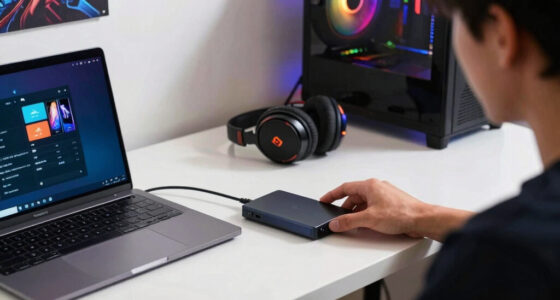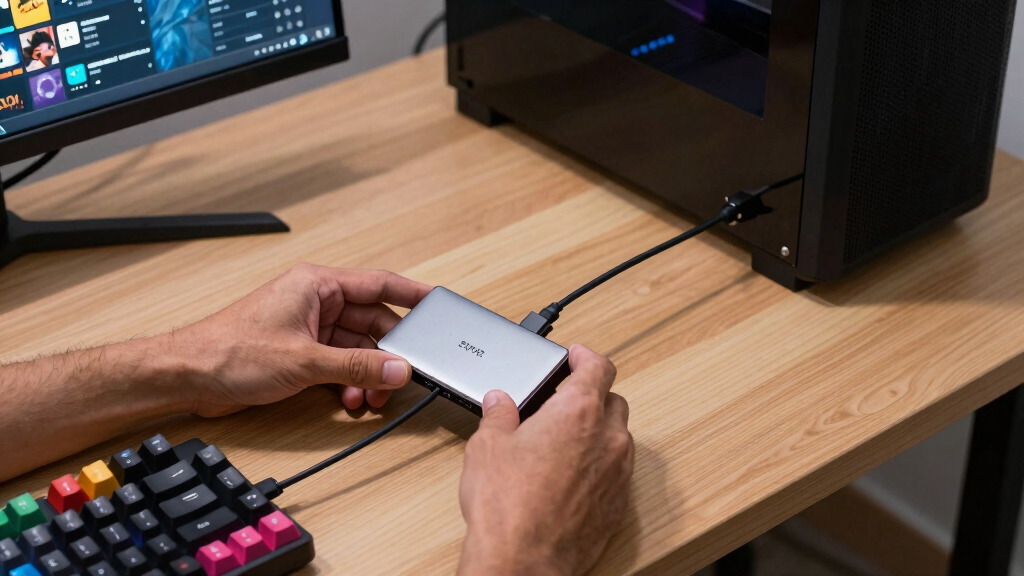

The best 2TB external SSD for Steam libraries is the Samsung T7 Shield 2TB because it balances fast USB 3.2 Gen 2 speeds, rugged build quality, broad device support, and sensible pricing better than the rest of this lineup. The Samsung T9 2TB is the stronger premium pick if your PC supports USB 3.2 Gen 2×2, while the SanDisk 2TB Portable SSD makes more sense for buyers who want a simple, lower-cost Steam drive without paying for rugged extras. The main tradeoff is speed versus compatibility: the fastest drives only show their full value on the right ports, while 1,050MB/s-class models are often plenty for launching and moving Steam games. Rugged designs also matter if you travel with a gaming laptop or handheld, but they can cost more than a desk-bound library drive needs to. Keep reading for the full breakdown of which 2TB SSD fits each type of Steam setup.

Play games on Amazon Luna for your game nights, included with Prime
- A rotating selection of games, no download needed
- Play on TV, laptop or phone
- Fast, free delivery for your gear, too
Key Takeaways
- The Samsung T7 Shield 2TB is the best overall fit because it gives Steam users the right mix of 1,050MB/s-class speed, durability, compatibility, and price discipline.
- The fastest listed drives, especially the Corsair EX400U Survivor and Samsung T9, only make sense if the buyer has USB4 or USB 3.2 Gen 2×2 hardware that can use their extra bandwidth.
- The SanDisk 2TB Portable SSD is the value pick because Steam game loading does not always reward paying more for headline transfer speeds.
- Rugged models separate themselves for travel and handheld gaming, but desktop-only buyers can skip some of that protection and spend less.
- Two Lexar ES3 listings are similar enough that color, price, and bundled cable details matter more than any meaningful Steam-library performance gap.
| Lexar 2TB ES3 External SSD, Silver |  | Best Overall for Mixed USB Setups | Capacity: 2 TB | Interface: USB-C / USB-A | Max Read Speed: 1050 MB/s | VIEW LATEST PRICE | See Our Full Breakdown |
| Lexar ES3 2TB External SSD, Blue |  | Best Pocketable Steam Shuttle | Capacity: 2 TB | Interface: USB 3.2 Gen 2 / USB-C | Max Read Speed: 1050 MB/s | VIEW LATEST PRICE | See Our Full Breakdown |
| SanDisk 2TB Extreme PRO Portable SSD | 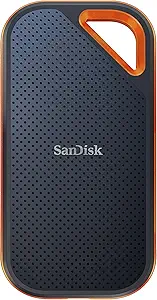 | Best High-Speed Rugged Pick | Capacity: 2 TB | Interface: USB-C / USB 3.2 Gen 2×2 | Max Read Speed: 2000 MB/s | VIEW LATEST PRICE | See Our Full Breakdown |
| Corsair EX400U Survivor 2TB USB4 External SSD |  | Best USB4 Speed Pick | Capacity: 2 TB | Interface: USB4 / USB Type-C | Max Read Speed: 4000 MB/s | VIEW LATEST PRICE | See Our Full Breakdown |
| SanDisk 2TB Portable SSD with USB-C and USB 3.2 Gen 2 |  | Best Simple Budget Pick | Capacity: 2 TB | Interface: USB 3.2 Gen 2 / USB-C | Max Read Speed: Up to 800 MB/s | VIEW LATEST PRICE | See Our Full Breakdown |
| Samsung T7 Shield 2TB Portable SSD |  | Best Rugged Steam Library Drive | Capacity: 2TB | Interface: USB 3.2 Gen 2 | Read Speed: Up to 1,050 MB/s | VIEW LATEST PRICE | See Our Full Breakdown |
| SanDisk Extreme Portable SSD (Old Model) – 2TB |  | Best Clip-On Travel Pick | Capacity: 2TB | Interface: USB-C, USB 3.2 Gen 2 | Read Speed: Up to 1,050 MB/s | VIEW LATEST PRICE | See Our Full Breakdown |
| Samsung T7 Portable SSD 2TB |  | Best Mainstream Value | Model: Samsung T7 Portable SSD | Capacity: 2TB | Interface: USB 3.2 Gen 2 | VIEW LATEST PRICE | See Our Full Breakdown |
| Samsung T9 Portable SSD 2TB |  | Best Premium Speed Pick | Capacity: 2TB | Interface: USB 3.2 Gen 2×2 | Read Speed: Up to 2,000 MB/s | VIEW LATEST PRICE | See Our Full Breakdown |
More Details on Our Top Picks
Lexar 2TB ES3 External SSD, Silver
I rank the Lexar ES3 Silver as the safest starter pick for a 2TB Steam library because it balances 1050MB/s read and 1000MB/s write speeds with a cable that covers both USB-C and USB-A PCs. Compared with the SanDisk 2TB Portable SSD, it gives faster transfers for moving a large Steam folder, and compared with the Corsair EX400U Survivor, it does not ask for a USB4 port to make sense. The tradeoff is convenience: there is no built-in cable, so the included 2-in-1 lead becomes part of the kit. It also lacks the heavier weather sealing of the SanDisk Extreme PRO. For most desktop and laptop gamers, this is the most balanced speed, compatibility, and durability mix.
Pros:- Fast enough for large Steam library moves at up to 1050MB/s read and 1000MB/s write
- USB-C and USB-A cable works across old and new gaming PCs
- 2-meter drop resistance gives better carry confidence
- Graphite sheet heat dissipation helps during longer file transfers
Cons:- No built-in cable, so the included lead is easy to misplace
- No listed IP water or dust rating
- Slower than Gen 2×2 and USB4 picks for bulk game transfers
Best for: PC gamers I would point here if they split a Steam library between older USB-A desktops and newer USB-C laptops.
Not ideal for: Travel-heavy players who want a tethered cable or stronger water and dust sealing than this model lists.
- Capacity:2 TB
- Interface:USB-C / USB-A
- Max Read Speed:1050 MB/s
- Max Write Speed:1000 MB/s
- Drop Resistance:2 meters
- Thermal Design:Built-in graphite sheets
- Color:Silver
- Compatibility:PC, Mac, iPhone 15/16, tablets
Bottom line: I would choose the Lexar ES3 Silver as the best all-around 2TB Steam library drive for mixed USB-C and USB-A setups.
Lexar ES3 2TB External SSD, Blue
I treat the Lexar ES3 Blue as the pocket carry pick for Steam users who want one drive for a laptop, console, and phone-side file work. It matches the Lexar ES3 Silver on 1050MB/s reads and 1000MB/s writes, but its 42g weight and 10.5mm thickness make it easier to keep in a bag. Compared with the Samsung T7 Portable SSD, the added AES software gives this one more appeal if the same drive also holds personal files. The catch is port fit: the listing centers on a Type-C cable, so older USB-A desktops may need an adapter, while MagSafe is absent. I also would not pay extra for it over the Silver ES3 unless the slimmer blue body or encryption matters.
Pros:- Very light 42g build suits daily carry
- Matches the Silver ES3 with up to 1050MB/s reads and 1000MB/s writes
- Lexar DataShield 256-bit AES software adds file privacy
- Broad support for USB-C phones, Macs, PCs, PS5, and Xbox consoles
Cons:- Type-C cable focus is less handy for older USB-A PCs
- Performance drops on systems without USB 3.2 Gen 2
- No MagSafe support on this version
Best for: Laptop gamers I would point here when a Steam library travels with a USB-C notebook, PS5, or Xbox Series X|S.
Not ideal for: Owners of older USB-A-only gaming towers who do not want to carry an adapter.
- Capacity:2 TB
- Interface:USB 3.2 Gen 2 / USB-C
- Max Read Speed:1050 MB/s
- Max Write Speed:1000 MB/s
- Weight:42 g
- Thickness:10.5 mm
- Dimensions:3.96 x 1.97 x 0.41 inches
- Security:Lexar DataShield 256-bit AES software
- Warranty:3-year limited warranty
Bottom line: I would pick the Lexar ES3 Blue when portability and encryption matter more than USB-A convenience.
SanDisk 2TB Extreme PRO Portable SSD
The SanDisk Extreme PRO Portable SSD earns my rugged performance slot because it pairs up to 2000MB/s read/write speeds with an aluminum heat-spreader body, IP65 protection, and 3-meter drop resistance. For a Steam library, that matters most when copying huge installs or moving games between PCs; actual launch gains over a Lexar ES3 or Samsung T7 may be smaller once the game is already on the drive. Compared with the Corsair EX400U Survivor, it is slower on paper but has stronger water and dust protection and broader appeal for USB-C systems that lack USB4. The main drawback is the USB 3.2 Gen 2×2 requirement: without that host port, this can behave closer to cheaper 10Gbps drives. I would buy it for rugged speed, not bargain storage.
Pros:- Up to 2000MB/s read and write speeds for faster library moves
- IP65 water and dust resistance is stronger than many portable SSDs
- 3-meter drop protection suits travel and desk-to-bag use
- 256-bit AES hardware encryption helps protect mixed personal and game files
Cons:- Needs USB 3.2 Gen 2×2 to reach its rated speed
- Likely overbuilt if the drive mostly stays plugged into one PC
- Costs more than simpler 10Gbps Steam storage picks
Best for: Gamers I would point here if they move a 2TB Steam library between home PCs and travel with the drive in rougher bags.
Not ideal for: Desktop users with only USB 3.2 Gen 2 ports who mainly launch games rather than copy large installs.
- Capacity:2 TB
- Interface:USB-C / USB 3.2 Gen 2×2
- Max Read Speed:2000 MB/s
- Max Write Speed:2000 MB/s
- Protection Rating:IP65 water and dust resistance
- Drop Protection:3 meters
- Encryption:256-bit AES hardware encryption
- Weight:0.17 lb
- Warranty:5-year limited manufacturer warranty
Bottom line: I would choose the SanDisk Extreme PRO for a fast Steam library drive that also needs serious travel toughness.
Corsair EX400U Survivor 2TB USB4 External SSD
I rank the Corsair EX400U Survivor as the speed-first pick because its USB4 bandwidth and up to 4000MB/s read, 3600MB/s write ratings put it well beyond the SanDisk Extreme PRO and Samsung T9 for bulk Steam library moves. That extra pace helps most when cloning a library, backing up game captures, or reinstalling several large titles at once. For plain game loading, many buyers will hit PC, game, or port limits before the drive rating becomes the deciding factor. Compared with the Lexar ES3 Silver, it is much faster but less universally sensible, since full performance asks for USB4 or Thunderbolt 4. The IP55 shell is rugged, yet it is not as weather rated as SanDisk Extreme PRO. I would call this a power-user drive, not the default pick.
Pros:- Up to 4000MB/s read speed and 3600MB/s write speed for huge transfers
- USB4 bandwidth suits newer gaming laptops and creator PCs
- IP55 rugged housing adds protection for travel
- Single USB-C cable handles power and data with plug-and-play setup
Cons:- Maximum speed requires USB4 or Thunderbolt 4 hardware
- IP55 rating trails the SanDisk Extreme PRO’s IP65 protection
- Transfer speed is more useful for copying libraries than for normal game loading
Best for: Gamers I would point here if they own a USB4 or Thunderbolt 4 gaming laptop and often move hundreds of gigabytes at once.
Not ideal for: Players on USB 3.2-only PCs who would pay for speed their ports cannot fully use.
- Capacity:2 TB
- Interface:USB4 / USB Type-C
- Max Read Speed:4000 MB/s
- Max Write Speed:3600 MB/s
- Backward Compatibility:USB Type-C 3.2
- Rugged Rating:IP55
- Dimensions:3.23 x 1.57 x 0.67 inches
- Weight:0.08 kg
- Warranty:5-year manufacturer warranty
Bottom line: I would buy the Corsair EX400U Survivor only if my gaming setup can feed its USB4 speed.
SanDisk 2TB Portable SSD with USB-C and USB 3.2 Gen 2
The SanDisk 2TB Portable SSD is my simple library-expansion pick: it gives Steam users 2TB of SSD space without paying for the faster controller tiers found in the SanDisk Extreme PRO or Corsair EX400U Survivor. Its up to 800MB/s read speed is a big step up from an external hard drive for launching and patching games, but it trails the Lexar ES3 and Samsung T7 when copying very large folders. I like it most as a dock bag or dorm-room drive, helped by the 2-meter drop protection and rubber hook. The tradeoff is headroom: the listing does not state a matching write speed, and there is no quoted warranty length in the data here. I would choose it when price and simplicity beat transfer bragging rights.
Pros:- 2TB capacity gives roomy Steam library storage
- Up to 800MB/s read speed is far faster than an external hard drive
- 2-meter drop protection helps with portable use
- Light 1.44-ounce body and rubber hook are easy to carry
Cons:- Slower than Lexar ES3, Samsung T7, SanDisk Extreme PRO, and Corsair EX400U
- Write speed is not listed in the supplied product data
- No explicit warranty duration is listed in the supplied data
Best for: Budget-focused Steam users I would point here when they mainly need extra installed-game space for one PC or laptop.
Not ideal for: Frequent library movers who copy huge Steam folders between machines every week and want faster write data.
- Capacity:2 TB
- Interface:USB 3.2 Gen 2 / USB-C
- Max Read Speed:Up to 800 MB/s
- Drop Protection:2 meters
- Weight:1.44 oz
- Carry Feature:Durable rubber hook
Bottom line: I would pick the SanDisk Portable SSD for low-fuss 2TB Steam storage when speed is useful but not the main purchase reason.
Samsung T7 Shield 2TB Portable SSD
I rank the Samsung T7 Shield as the best rugged choice because it pairs 1,050MB/s reads with stronger physical protection than the standard Samsung T7. For a Steam library, that means fast enough load and transfer speeds for most USB 3.2 Gen 2 setups, plus extra confidence if the drive travels between a desktop, laptop, and console. Compared with the Samsung T9, it is slower on paper, but the IP65 rating and 9.8-foot drop resistance make it the more practical pick for players who move their library often. The tradeoff is cost and convenience: it is pricier than plainer 2TB SSDs, and the listed data says a cable may need to be purchased separately, which weakens its value if this is meant to be a grab-and-play Steam drive.
Pros:- Fast 1,050MB/s read and 1,000MB/s write ratings suit large Steam installs and library moves
- IP65 water and dust resistance is stronger protection than the standard Samsung T7
- 9.8-foot drop resistance makes it better for travel than basic portable SSDs
- Broad compatibility covers PC, Mac, Android, and gaming consoles
Cons:- Slower than USB 3.2 Gen 2×2 drives such as the Samsung T9
- Higher price than standard non-rugged SSDs with similar Gen 2 speeds
- Cable may need to be purchased separately based on the supplied product data
Best for: PC and handheld gaming users who carry a 2TB Steam library between desks, bags, and consoles and want extra physical protection.
Not ideal for: Buyers chasing the fastest possible USB speeds for a fixed desktop setup, since the Samsung T9 offers higher peak throughput.
- Capacity:2TB
- Interface:USB 3.2 Gen 2
- Read Speed:Up to 1,050 MB/s
- Write Speed:Up to 1,000 MB/s
- IP Rating:IP65 water and dust resistant
- Drop Resistance:Up to 9.8 ft / 3 m
- Compatibility:PC, Mac, Android, gaming consoles
Bottom line: I would choose the Samsung T7 Shield for a Steam library that moves around often and needs durability more than peak benchmark speed.
SanDisk Extreme Portable SSD (Old Model) – 2TB
The SanDisk Extreme Portable SSD earns its place for Steam users who want a durable drive that is easy to attach to a bag or case. Its carabiner loop gives it a portability advantage over the Samsung T7, while its IP65 rating puts it closer to the Samsung T7 Shield for outdoor protection. Speed is also in the same practical class as those Gen 2 drives, with up to 1,050MB/s read and 1,000MB/s write performance. I would not rank it above the newer Extreme PRO or Samsung T9 for speed-focused desktop libraries, since both can reach higher peak numbers on compatible ports. The bigger concern is that this is the old model, so buyers who care about the latest firmware path or long-term support may prefer a newer SanDisk or Samsung option.
Pros:- Strong Gen 2 speed ratings are well matched to moving large Steam game folders
- IP65 resistance helps protect the drive from dust and splashes during travel
- Built-in carabiner loop is more travel-friendly than the Samsung T7 design
- 256-bit AES encryption adds a useful privacy layer for shared machines
Cons:- Old-model status may mean fewer newer firmware features than updated SanDisk drives
- Premium pricing can be hard to justify beside newer or faster alternatives
- Does not match the peak speed of Gen 2×2 models such as the Samsung T9
Best for: Laptop gamers and Steam Deck owners who want a tough 2TB drive that can be clipped to a case or travel pouch.
Not ideal for: Desktop users with USB 3.2 Gen 2×2 ports who want maximum transfer speed from a newer high-performance drive.
- Capacity:2TB
- Interface:USB-C, USB 3.2 Gen 2
- Read Speed:Up to 1,050 MB/s
- Write Speed:Up to 1,000 MB/s
- Durability Rating:IP65 water and dust resistance
- Security:256-bit AES encryption
- Portability Feature:Integrated carabiner loop
- File Management:SanDisk Memory Zone app support
Bottom line: I would pick the SanDisk Extreme old model when physical carry convenience matters more than owning the newest 2TB SSD platform.
Samsung T7 Portable SSD 2TB
I see the Samsung T7 as the sensible mainstream pick for a 2TB Steam library because it keeps the speed that matters for most players without paying extra for rugged armor. Its USB 3.2 Gen 2 performance lines up closely with the Samsung T7 Shield and SanDisk Extreme, so game transfers should feel much closer to those drives than to a traditional hard drive. The advantage over the T7 Shield is simplicity: the aluminum body is compact, the product data lists both USB-C to C and C to A cables, and compatibility is broad. The tradeoff is protection. Its 6-foot shock resistance is useful, but it lacks the IP65 water and dust rating found on the T7 Shield and SanDisk Extreme. It also needs a Gen 2 host port to reach its advertised speed.
Pros:- 1,050MB/s read and 1,000MB/s write ratings are strong for Steam installs and backups
- Included USB-C to C and USB-C to A cables make it easier to connect across older and newer machines
- Compact aluminum unibody is lighter and cleaner than ruggedized alternatives
- Works across PCs, Macs, Android devices, and gaming consoles
Cons:- No IP water or dust rating, unlike the Samsung T7 Shield and SanDisk Extreme
- Advertised speed depends on a USB 3.2 Gen 2 host device
- Still costs more than a portable hard drive if capacity per dollar is the main goal
Best for: Home PC gamers who want a fast, compact 2TB Steam library drive and do not need outdoor-grade protection.
Not ideal for: Players who throw drives into travel bags often, since the Samsung T7 Shield gives better dust, splash, and drop protection.
- Model:Samsung T7 Portable SSD
- Capacity:2TB
- Interface:USB 3.2 Gen 2
- Read Speed:Up to 1,050 MB/s
- Write Speed:Up to 1,000 MB/s
- Shock Resistance:Up to 6 ft / 1.8 m
- Color:Gray
- Included Cables:USB Type-C to C and USB Type-C to A
Bottom line: I would buy the Samsung T7 for a mostly desk-based Steam library where speed, cable flexibility, and size matter more than rugged casing.
Samsung T9 Portable SSD 2TB
The Samsung T9 sits at the performance end of this batch, and I would rank it highest for buyers with hardware that can use USB 3.2 Gen 2×2. Its up to 2,000MB/s read speed gives it a clear transfer-speed lead over the Samsung T7, Samsung T7 Shield, and SanDisk Extreme, which matters when moving a large Steam library between drives or restoring many games at once. It also has Dynamic Thermal Guard, so the design is built for steadier performance during longer transfers rather than brief headline bursts. The catch is platform fit. Many PCs and consoles will not expose the full Gen 2×2 speed, and the high price makes less sense if the drive will mostly sit on a standard Gen 2 port. It is premium, but only the right setup gets the full payoff.
Pros:- Up to 2,000MB/s read speed is much faster than the Samsung T7 and T7 Shield on compatible ports
- Dynamic Thermal Guard helps maintain steadier performance during big library transfers
- Magician Software adds firmware updates, encryption, and drive health tools
- Broad compatibility includes desktops, cameras, gaming consoles, and iPhone 15 Pro
Cons:- Needs USB 3.2 Gen 2×2 support to show its main speed advantage
- High price for 2TB capacity compared with Gen 2 SSDs
- Best performance depends on using the included SSD cable
Best for: Performance-focused PC gamers with USB 3.2 Gen 2×2 ports who frequently move or clone large Steam libraries.
Not ideal for: Console users or older laptop owners limited to slower USB ports, since much of the Samsung T9 speed advantage may go unused.
- Capacity:2TB
- Interface:USB 3.2 Gen 2×2
- Read Speed:Up to 2,000 MB/s
- Thermal Management:Dynamic Thermal Guard, maintains under 140°F
- Software:Samsung Magician Software
- Software Features:Firmware updates, encryption, drive optimization
- Compatibility:Desktops, cameras, gaming consoles, iPhone 15 Pro
- Color:Black
Bottom line: I would choose the Samsung T9 only when the host device can use its Gen 2×2 speed and large Steam transfers are a regular chore.
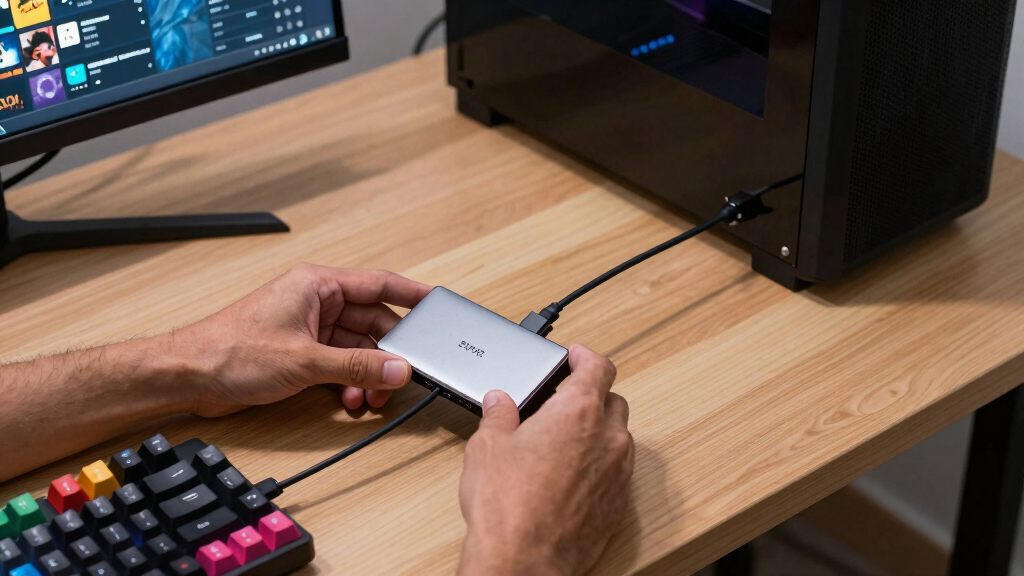
How We Picked
I ranked these drives around Steam-library usefulness, not raw spec-sheet bragging. The biggest factors were realistic interface value, broad PC and handheld compatibility, sustained transfer headroom for large game installs, heat control, ruggedness, warranty reputation, and price per terabyte. Drives with fast but less common connections scored well only when their extra speed would help the right buyer; a USB 3.2 Gen 2×2 or USB4 model loses some appeal when plugged into a standard 10Gbps port.
The order favors SSDs that make game storage easier for more people. That is why the Samsung T7 Shield rises above faster niche options, why the SanDisk Portable SSD works as the budget-friendly pick, and why the Corsair EX400U Survivor sits as a premium specialist rather than the default recommendation. I also separated near-duplicates by buyer role, since two drives can share similar speeds but differ in rugged design, firmware history, size, or how much extra money they ask for the same Steam outcome.
Factors to Consider When Choosing Best 2TB External SSDs For Steam Libraries
A 2TB external SSD for Steam is less about chasing the biggest number on the box and more about matching the drive to your ports, library size, and play style. I would start with where the drive will live: attached to a desktop, tossed into a laptop bag, shared with a handheld, or used mainly as a transfer drive between PCs.
Match The Drive To Your USB Port
Many buyers pay extra for 2,000MB/s or 4,000MB/s claims and then plug the drive into a port that cannot reach those speeds. A standard USB 3.2 Gen 2 port caps most real-world gains near the 1,050MB/s class, which is why the Samsung T7 Shield, Samsung T7, and Lexar ES3 options remain practical Steam choices. The Samsung T9 needs USB 3.2 Gen 2×2 to stretch its legs, and the Corsair EX400U Survivor needs newer USB4 hardware to justify its price. For game launching, the difference between a good 10Gbps SSD and a faster specialty drive may feel smaller than the difference in file-copy benchmarks. I would only pay for the faster interface if you often move huge games between drives or use a modern desktop with the right port.
Think About Game Transfers Versus Game Loading
Steam users often mix up install transfer speed with in-game loading speed. Faster SSDs can shorten the wait when copying a 150GB game folder, backing up a library, or moving titles between internal and external storage. Once a game is installed, though, load times depend on the game engine, CPU, shader compilation, and random access behavior, not just peak sequential speed. That is why a balanced drive like the T7 Shield can be a smarter buy than a higher-priced speed model for many players. If your pain point is moving giant games every weekend, spend more on the T9 or EX400U; if your goal is keeping more games installed, a reliable 1,050MB/s drive is usually enough.
Do Not Overbuy Ruggedness For A Desk Drive
Rugged features are useful when a drive travels with a gaming laptop, Steam Deck-style handheld, or shared setup, but they are less valuable if the SSD stays behind a monitor. The Samsung T7 Shield earns its high rank because its protection does not feel wildly out of step with its price. The SanDisk Extreme PRO and older SanDisk Extreme also bring stronger outdoor-friendly designs, though firmware history and pricing make the choice less automatic. A plain SanDisk Portable SSD can be the better buy for a home desktop library because the money goes toward storage rather than armor. I would treat drop and dust resistance as a real benefit only when the drive will leave the desk often.
Plan Around 2TB Capacity Limits
A 2TB drive sounds roomy until modern Steam installs start stacking up. A few large RPGs, shooters, and sim titles can consume hundreds of gigabytes each, so a 2TB external SSD is best viewed as a curated active library, not a forever archive. This matters because paying more for speed may leave less budget for a second drive later. If you rotate games often, a faster SSD has more appeal because installs and moves happen frequently. If you mainly keep a stable set of favorites installed, a less expensive 2TB model makes more sense than stretching for maximum bandwidth. I would leave spare space rather than filling the drive to the last gigabyte, since SSDs tend to behave better with some free capacity.
Check Platform And File System Needs Early
A Steam library drive may need to work across Windows PCs, macOS systems, Linux handhelds, or consoles used for other media and backups. Before buying, I would decide whether the drive will stay tied to one machine or move between devices. Windows-focused Steam users can keep setup simple with NTFS, while cross-platform users may prefer exFAT even though it has tradeoffs around resilience and permissions. Console compatibility also varies, especially when a drive is used for storing versus playing games. The Lexar ES3 listings call out broad device support, while Samsung and SanDisk options benefit from wide accessory and support ecosystems. The best drive on paper can become annoying if the format or cable setup fights your actual devices.
Watch The Cable And Port Details
External SSD performance depends on the included cable, the host port, and whether adapters are involved. A USB-C drive plugged through an older USB-A adapter may still work, but speed can drop if the adapter or cable is not rated for the right standard. This is where beginner-friendly options like the Samsung T7 and SanDisk Portable SSD feel easier than more specialized performance drives. The faster Samsung T9 and Corsair EX400U reward buyers who already know their machine’s port specs. I would rather buy a slightly slower drive with the correct cable and broad support than a faster model that spends most of its life bottlenecked. For Steam, consistency beats a peak number you rarely reach.
Frequently Asked Questions
Is A 2TB External SSD Fast Enough To Run Steam Games?
Yes, a good 2TB external SSD is fast enough for a Steam library, especially when connected over USB 3.2 Gen 2 or better. Game loading usually does not scale perfectly with the highest advertised sequential speed, so a 1,050MB/s-class drive can still feel responsive. The bigger gains come from avoiding hard drives, cutting install transfer time, and keeping more games ready without filling the internal drive. For most buyers, the Samsung T7 Shield speed class is the practical target. I would only chase faster models if large game transfers are a frequent annoyance.
Should I Buy USB 3.2 Gen 2×2 Or USB4 For A Steam Library?
USB 3.2 Gen 2×2 and USB4 can be worth paying for, but only when your PC supports them and your workflow benefits from fast transfers. The Samsung T9 and Corsair EX400U Survivor are more attractive for players who move huge game folders, record gameplay footage, or share one drive across high-end machines. If your laptop or motherboard only has regular 10Gbps USB-C, those drives will run below their advertised peak. In that case, a T7 Shield, T7, or Lexar ES3 can deliver similar gaming usefulness for less. I would check the exact port spec before spending premium-drive money.
Which Drive Is Best For A Steam Deck Or Handheld Gaming PC?
For handheld use, I would prioritize compact size, low fuss, and ruggedness over maximum benchmark speed. The Samsung T7 Shield is the strongest all-around fit because it is durable enough for travel and still broadly compatible. The smaller, simpler SanDisk Portable SSD can also work well if price matters more than protection. A very fast drive like the Corsair EX400U Survivor may be overkill for handheld use unless you also use it with a USB4 laptop or desktop. Cable length and strain relief matter here, since a dangling drive can be more annoying than a slower one.
Is The Older SanDisk Extreme Portable SSD Still Worth Buying?
The older SanDisk Extreme Portable SSD can still be a good Steam-library drive if the price is clearly lower than newer rugged rivals. Its 1,050MB/s-class speed is enough for most game loading and transfers, and the rugged design suits travel. The reason I would not rank it above the Samsung T7 Shield is that newer options have a cleaner value story and stronger current positioning. The SanDisk Extreme PRO is faster on the right port, but it costs more and is less necessary for basic Steam storage. I would buy the old Extreme only when the discount is meaningful.
Which 2TB External SSD Is Best If I Just Want The Easiest Steam Setup?
The easiest setup pick is the Samsung T7 Portable SSD 2TB because it is widely supported, compact, fast enough, and less specialized than the rugged or ultra-fast models. It lacks the tougher shell of the T7 Shield, so it is better for a desk or laptop bag with light travel than rough daily carry. The SanDisk Portable SSD is also simple, but the Samsung option has a stronger reputation for broad accessory support and mainstream familiarity. Beginners should focus on a known 10Gbps drive, the right cable, and a clean Steam library setup. I would skip USB4 or Gen 2×2 models unless the port benefits are clear.
Conclusion
If I had to pick one drive for most Steam users, I would choose the Samsung T7 Shield 2TB because it gives the best blend of speed, durability, compatibility, and price. The SanDisk 2TB Portable SSD is my best value choice for desktop players who mainly need extra library space, while the Samsung T7 Portable SSD is the best beginner-friendly option for a simple plug-and-play setup. For premium speed, the Corsair EX400U Survivor 2TB makes the most sense for USB4 PCs, while the Samsung T9 2TB is the better high-speed pick for USB 3.2 Gen 2×2 systems. For travel-heavy gaming, I would stay with the T7 Shield or consider the SanDisk Extreme PRO if the price is right. The Lexar ES3 models are solid secondary choices when they undercut Samsung and SanDisk, but they need a price advantage to move higher in this lineup.
Fall Picks
fall essentials
As an affiliate, we earn on qualifying purchases.