
The best barebones mini PCs for gaming are the ones that give me a clear graphics path, enough cooling headroom, and sane upgrade costs after RAM, storage, and OS are added. My best overall pick is the GMKtec K12 Gaming Mini PC Barebone because it combines a modern Ryzen 7-class chip, OCuLink external GPU support, USB4, triple M.2 storage, and strong display flexibility without forcing a full workstation build. The MINISFORUM AI X1 Pro is the premium choice for buyers who want the strongest integrated-graphics ceiling in this group, while the MINISFORUM MS-A1 makes more sense for tinkerers who want an AM5 socket and a longer upgrade runway. The big tradeoff is simple: compact Ryzen mobile systems are easier to finish, while socketed or eGPU-ready barebones can scale higher but cost more once the missing parts are added. Keep reading for the full breakdown of which model fits each kind of gaming setup.

Play games on Amazon Luna for your game nights, included with Prime
- A rotating selection of games, no download needed
- Play on TV, laptop or phone
- Fast, free delivery for your gear, too
Key Takeaways
- OCuLink separated the gaming-first picks from the general-purpose barebones; the GMKtec K12, Reatan Mini PC Gaming OCuLink AI, and Reatan X7 AI have a clearer path to external GPU performance.
- The GMKtec K12 is the best overall balance because it pairs gaming-focused ports with three M.2 slots, dual 2.5G networking, and a Ryzen 7-class processor already included.
- The MINISFORUM AI X1 Pro is the premium pick for buyers who care most about modern integrated graphics and AI-era silicon, but it makes less sense if an external GPU is already planned.
- The MINISFORUM MS-A1 models are better for builders than beginners because the AM5 socket adds flexibility, yet the missing CPU, RAM, SSD, and OS raise the real checkout price.
- The Ryzen 5 3500U barebone is the budget outlier; it can handle light or retro gaming, but it sits far behind the newer Ryzen 7 and Ryzen AI options for modern play.
| QAZIPO Barebone Mini PC Ryzen 5 3500U |  | Best Budget Barebones Pick | Processor: AMD Ryzen 5 3500U, 4 cores/8 threads, up to 3.7GHz | Graphics: AMD Radeon Vega 8 integrated graphics | Memory Support: 2x DDR4 SO-DIMM slots, 2400MHz, up to 32GB | VIEW LATEST PRICE | See Our Full Breakdown |
| MINISFORUM MS-A1 Mini Workstation Barebone |  | Best Upgrade Platform | Processor Support: Socket AM5, supports up to AMD Ryzen 7 8700G | Included CPU: None | Memory Support: 2x DDR5 SO-DIMM slots, up to 96GB | VIEW LATEST PRICE | See Our Full Breakdown |
| Reatan X7 Mini PC Gaming OCuLink Ryzen 7 255 | 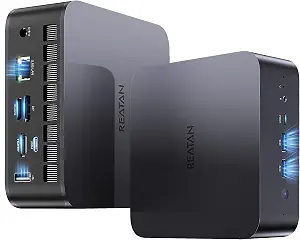 | Best Compact eGPU Starter | Processor: AMD Ryzen 7 255, 8 cores/16 threads, up to 4.9GHz | Graphics: AMD Radeon 780M integrated graphics | Memory Support: DDR5 5600MHz, up to 96GB | VIEW LATEST PRICE | See Our Full Breakdown |
| GMKtec K12 Gaming Mini PC Barebone |  | Best Overall for Gaming | Processor: AMD Ryzen 7 H 255, 8 cores/16 threads, up to 4.9GHz | Graphics: AMD Radeon 780M, 12 CUs, up to 2600MHz | Memory Support: 2x DDR5 SO-DIMM slots, 5600MT/s, up to 128GB | VIEW LATEST PRICE | See Our Full Breakdown |
| MINISFORUM UM870 Slim Mini PC |  | Best Slim Performance Pick | Processor: AMD Ryzen 7 8745H, 8 cores/16 threads, up to 5.0GHz | Graphics: AMD Radeon 780M, RDNA3, 12 CUs, up to 2.7GHz | Memory Support: Dual DDR5 SO-DIMM | VIEW LATEST PRICE | See Our Full Breakdown |
| MINISFORUM AI X1-255 Mini PC Barebone with AMD Ryzen 7 255 Processor |  | Best Balanced Barebone Pick | Processor: AMD Ryzen 7 255, 8 cores/16 threads, up to 4.9 GHz | Graphics: AMD Radeon 780M | Memory Support: DDR5 up to 64 GB at 5600 MT/s | VIEW LATEST PRICE | See Our Full Breakdown |
| MINISFORUM Mini PC AI X1 Pro Barebone with AMD Ryzen AI 9 HX370 |  | Best Premium Performance Pick | Processor: AMD Ryzen AI 9 HX370, 12 cores/24 threads, up to 5.1 GHz | Graphics: AMD Radeon 890M | Memory Support: Up to 128GB DDR5 at 5600MHz | VIEW LATEST PRICE | See Our Full Breakdown |
| MINISFORUM MS-A1 Workstation Barebone Version | | Best DIY Upgrade Platform | CPU Support: AMD AM5 socket processor support | Included Components: Barebone chassis without CPU, GPU, RAM, SSD, or OS | Memory Support: Two DDR5-5200 slots | VIEW LATEST PRICE | See Our Full Breakdown |
| Reatan X7 AI AMD Ryzen 7 255 Oculink Gaming Mini PC |  | Best eGPU-Ready Pick | Processor: AMD Ryzen 7 255, Zen 4, 8 cores/16 threads, up to 4.9GHz | Graphics: AMD Radeon 780M, RDNA 3 | Memory Support: Up to 96GB DDR5 via 2 SODIMM slots | VIEW LATEST PRICE | See Our Full Breakdown |
More Details on Our Top Picks
QAZIPO Barebone Mini PC Ryzen 5 3500U
I would place the QAZIPO Barebone Mini PC below the Ryzen 7 780M machines for pure gaming, but it earns a spot because its Ryzen 5 3500U and Radeon Vega 8 make sense for buyers who mainly want retro games, indie titles, cloud gaming, and a low-cost build. Compared with the GMKtec K12, it has far less graphics headroom and older DDR4 support, so it is not the right base for modern AAA ambitions. Its advantage is simplicity: dual RAM slots, dual M.2 storage, triple 4K output, and VESA mounting give it more flexibility than many entry barebones boxes. The tradeoff is clear: this is a cheap gaming-adjacent mini PC, not a compact performance rig.
Pros:- Low-cost barebones route with room for DDR4 RAM and dual M.2 storage
- Triple 4K display support is useful for desk setups and media rooms
- Very compact 5 x 5 x 1.69-inch chassis with VESA mounting
- Flexible OS support for Windows 11, Linux, and Ubuntu
Cons:- Radeon Vega 8 is limited for current 3D games
- DDR4 2400MHz support trails newer DDR5 gaming mini PCs
- No RAM, SSD, or OS included, so the real build cost depends on parts
Best for: Budget buyers building a small emulation, indie gaming, or cloud gaming PC with spare DDR4 parts.
Not ideal for: Players who want smooth modern AAA gaming locally, since Radeon Vega 8 is well behind Radeon 780M options.
- Processor:AMD Ryzen 5 3500U, 4 cores/8 threads, up to 3.7GHz
- Graphics:AMD Radeon Vega 8 integrated graphics
- Memory Support:2x DDR4 SO-DIMM slots, 2400MHz, up to 32GB
- Storage Support:2x M.2 2280 PCIe 3.0 SSD slots, up to 4TB
- Display Output:USB-C, HDMI 2.0, and DisplayPort 1.4; triple 4K at 60Hz
- Ports:3x USB 3.2, full-function USB-C, HDMI, DisplayPort, gigabit Ethernet
- Wireless:Dual-band Wi-Fi and Bluetooth
- Size:5 x 5 x 1.69 inches
Bottom line: This is the pick I would choose for the cheapest useful barebones gaming build, mainly for light games and streaming.
MINISFORUM MS-A1 Mini Workstation Barebone
The MINISFORUM MS-A1 ranks as my upgrade-platform pick because it starts with a bare AM5 socket rather than a fixed mobile chip. That makes it more flexible than the MINISFORUM UM870 Slim if the buyer wants to choose a desktop APU now and swap later. It also gives builders four M.2 slots, dual 2.5G Ethernet, and OCuLink, so it can grow from compact living-room PC into storage-heavy workstation or eGPU gaming setup. The catch is that it asks more from the buyer: there is no CPU included, and final gaming performance depends heavily on the selected AM5 processor. Compared with the GMKtec K12, it is less ready out of the box, but its socketed design gives it the longer runway.
Pros:- Socket AM5 design gives more CPU choice than fixed-chip mini PCs
- Four M.2 SSD slots support large game libraries and fast scratch storage
- OCuLink and dual 2.5G Ethernet add serious expansion value
- DDR5 support up to 96GB leaves room for demanding multitasking
Cons:- No CPU included, so setup cost and compatibility planning are higher
- Gaming performance varies based on the processor installed
- Larger than the smallest mini PCs in this group
Best for: DIY builders who want a mini PC platform they can tune around an AM5 APU, fast storage, and possible eGPU use.
Not ideal for: First-time barebones buyers who want fewer parts decisions, since CPU, RAM, SSD, and OS are all separate.
- Processor Support:Socket AM5, supports up to AMD Ryzen 7 8700G
- Included CPU:None
- Memory Support:2x DDR5 SO-DIMM slots, up to 96GB
- Storage Support:4x M.2 2280 SSD slots, up to 16TB total
- Expansion:OCuLink port
- Networking:2x 2.5G RJ45 Ethernet, Wi-Fi 6E, Bluetooth 5.2
- Display Output:HDMI 2.1, DisplayPort 1.4, USB-C
- Size:187 x 189 x 48 mm
Bottom line: I would pick the MS-A1 for a builder who wants the most flexible long-term barebones foundation.
Reatan X7 Mini PC Gaming OCuLink Ryzen 7 255
The Reatan X7 is the model I would point to when compact size and external GPU potential matter equally. Its Ryzen 7 255 with Radeon 780M is far stronger for 1080p play than the QAZIPO’s Vega 8 setup, and the included M.2-to-OCuLink adapter makes it easier to plan an eGPU path than many barebones boxes. Compared with the GMKtec K12, it is smaller and adds Wi-Fi 7 and Bluetooth 5.4, but it gives up one M.2 slot and does not advertise the same 128GB memory ceiling. That makes it a cleaner choice for a tiny gaming desk build, while the K12 is better for buyers who want more internal expansion.
Pros:- Ryzen 7 255 and Radeon 780M are well matched for 1080p integrated-graphics gaming
- Included OCuLink adapter gives a clear route to external GPU upgrades
- Very compact metal chassis with selectable performance modes
- Wi-Fi 7 and Bluetooth 5.4 are strong wireless specs for a mini PC
Cons:- Barebones package still needs RAM, storage, and an OS
- Two M.2 slots limit internal expansion compared with GMKtec K12 and MINISFORUM MS-A1
- External GPU use adds cost, cables, and a separate enclosure or dock
Best for: Small-desk gamers who want Radeon 780M now and a practical external GPU path later.
Not ideal for: Builders who need maximum internal SSD capacity, since this has two M.2 slots rather than the K12’s three or MS-A1’s four.
- Processor:AMD Ryzen 7 255, 8 cores/16 threads, up to 4.9GHz
- Graphics:AMD Radeon 780M integrated graphics
- Memory Support:DDR5 5600MHz, up to 96GB
- Storage Support:2x M.2 PCIe 4.0 NVMe SSD slots, up to 4TB each
- Expansion:M.2-to-OCuLink adapter included
- Display Output:HDMI 2.1, DisplayPort 2.0, and 2x USB4; up to four displays
- Networking:2.5G Ethernet, Wi-Fi 7, Bluetooth 5.4
- Size:5.12 x 5.04 x 1.77 inches
Bottom line: The Reatan X7 is my compact pick for buyers who want a small Radeon 780M mini PC with a real eGPU upgrade path.
GMKtec K12 Gaming Mini PC Barebone
I rank the GMKtec K12 first for gaming because it combines the pieces that matter most in a barebones mini PC: a fixed Ryzen 7 H 255, Radeon 780M graphics, DDR5-5600 support, three PCIe 4.0 M.2 slots, and a direct OCuLink port. Compared with the MINISFORUM UM870 Slim, it is the more gamer-focused chassis because it offers more storage expansion, dual 2.5G LAN, RGB, and a stronger eGPU story. Against the Reatan X7, it trades a slightly bulkier body for a higher RAM ceiling and more internal drive space. The drawback is that it still needs RAM, SSD, and OS, and the extra ports only matter if the buyer will use them.
Pros:- Radeon 780M and Ryzen 7 H 255 make it one of the stronger integrated-gaming options here
- OCuLink port supports a cleaner external GPU path than USB-only designs
- Three PCIe 4.0 M.2 slots allow a large internal game library
- Dual 2.5G LAN, Wi-Fi 6E, and quad-display support suit advanced setups
Cons:- No RAM, SSD, or OS included
- Larger chassis than the Reatan X7 and QAZIPO compact models
- RGB and advanced networking may be wasted on simple living-room builds
Best for: Gamers building a compact main PC who want strong integrated graphics now and external GPU room later.
Not ideal for: Buyers who want the smallest possible mini PC or a simple plug-and-play box, since this is barebones and expansion-heavy.
- Processor:AMD Ryzen 7 H 255, 8 cores/16 threads, up to 4.9GHz
- Graphics:AMD Radeon 780M, 12 CUs, up to 2600MHz
- Memory Support:2x DDR5 SO-DIMM slots, 5600MT/s, up to 128GB
- Storage Support:3x M.2 2280 PCIe 4.0 slots, up to 24TB total
- Expansion:OCuLink port with PCIe Gen4 x4 bandwidth
- Display Output:HDMI 2.1, DisplayPort 1.4, USB4, USB-C; quad-display support
- Networking:Dual 2.5GbE LAN, Wi-Fi 6E, Bluetooth 5.2
- Cooling:Dual fans, heatpipes, 360-degree airflow, quiet mode rated at 35dB
Bottom line: This is the barebones mini PC I would rank highest for a gaming-first build with room to grow.
MINISFORUM UM870 Slim Mini PC
The MINISFORUM UM870 Slim sits in the middle of my ranking: more powerful and gaming-ready than the QAZIPO, but less expandable than the GMKtec K12 or MS-A1. Its Ryzen 7 8745H and Radeon 780M give it the same broad 1080p integrated-gaming appeal as the newer Ryzen 7 255 models, while HDMI 2.1, USB4, Wi-Fi 6E, and 2.5G LAN keep the setup modern. I would choose it over the MS-A1 if I wanted a fixed mobile processor and fewer platform decisions. I would skip it for a serious eGPU-focused build, though, because the K12 and Reatan X7 make that path clearer with OCuLink. Its slimness is the selling point, but also the limit.
Pros:- Ryzen 7 8745H and Radeon 780M provide strong integrated graphics for a slim mini PC
- USB4 and HDMI 2.1 support high-resolution display setups
- DDR5 and PCIe 4.0 storage support keep the platform fast
- Wi-Fi 6E, Bluetooth 5.3, and 2.5G LAN cover modern networking needs
Cons:- Barebones kit requires RAM, SSD, and OS purchases
- No OCuLink listed, so external GPU plans are less direct than on the K12 or Reatan X7
- Two M.2 slots trail the larger expansion layouts on GMKtec K12 and MS-A1
Best for: Buyers who want a slim barebones mini PC for 1080p gaming, media, and desk use without choosing a separate CPU.
Not ideal for: eGPU-first gamers or storage-heavy builders, since OCuLink and larger internal expansion are stronger on other picks.
- Processor:AMD Ryzen 7 8745H, 8 cores/16 threads, up to 5.0GHz
- Graphics:AMD Radeon 780M, RDNA3, 12 CUs, up to 2.7GHz
- Memory Support:Dual DDR5 SO-DIMM
- Storage Support:2x M.2 2280 PCIe 4.0 SSD slots, up to 4TB
- Display Output:HDMI 2.1, USB4, DisplayPort 1.4; up to 8K at 60Hz
- Ports:HDMI 2.1, USB4, DP 1.4, 2x USB 3.2 Gen 2 Type-A
- Networking:Wi-Fi 6E, Bluetooth 5.3, 2.5G LAN
- Cooling:Active cooling with phase change material
Bottom line: I would choose the UM870 Slim when compact shape matters more than maximum expansion.
MINISFORUM AI X1-255 Mini PC Barebone with AMD Ryzen 7 255 Processor
I would rank the MINISFORUM AI X1-255 as the most balanced choice here because it gives gaming buyers a strong Ryzen 7 255 and Radeon 780M base without pushing into the higher cost and heat profile of the MINISFORUM AI X1 Pro. Compared with the Reatan X7, it feels more like a tidy, quiet living-room build than an eGPU-first project. The dual PCIe 4.0 M.2 slots and DDR5 support matter because they let buyers build a fast Steam library machine without external storage clutter. The tradeoff is expansion ceiling: there is no same level of OCuLink flexibility as the Reatan X7, and the barebone format still means RAM, SSD, and OS costs sit outside the listed price.
Pros:- Ryzen 7 255 and Radeon 780M make sense for compact 1080p gaming and emulation
- Dual PCIe 4.0 M.2 slots give it more internal storage headroom than many small gaming boxes
- USB4, HDMI, DisplayPort, Wi-Fi 7, and 2.5G LAN cover modern desk and TV setups
- Cooling design targets steady performance without turning the system into a loud desktop replacement
Cons:- RAM, SSD, and operating system must be purchased and installed separately
- Less appealing than the Reatan X7 for buyers who want external GPU expansion
- Radeon 780M is still integrated graphics, so demanding AAA games require settings compromises
Best for: Buyers who want a quiet, compact 1080p gaming mini PC build with fast internal storage and modern wireless networking.
Not ideal for: Players planning a serious external GPU setup, since the Reatan X7 is the stronger fit for OCuLink-focused builds.
- Processor:AMD Ryzen 7 255, 8 cores/16 threads, up to 4.9 GHz
- Graphics:AMD Radeon 780M
- Memory Support:DDR5 up to 64 GB at 5600 MT/s
- Storage:Dual M.2 PCIe 4.0 SSD slots, up to 4 TB each
- Ports:HDMI, DisplayPort, 2x USB4 40Gbps, 2.5G LAN
- Connectivity:Wi-Fi 7 and Bluetooth 5.4
- Cooling:Large fan and heat pipe, rated at 45dB
- Weight:1.25 kg / 2.76 lbs
Bottom line: This is the pick I would steer toward for a clean, capable barebone gaming build without paying for the most extreme platform in the group.
MINISFORUM Mini PC AI X1 Pro Barebone with AMD Ryzen AI 9 HX370
The MINISFORUM AI X1 Pro sits above the AI X1-255 because its Ryzen AI 9 HX370 and Radeon 890M give it the strongest integrated-gaming foundation in this batch. That matters for buyers who want a barebone mini PC that can handle lighter gaming, multitasking, streaming, and AI-assisted workloads from one box. Compared with the MS-A1 Workstation, it is less open-ended but much easier to spec because the CPU and graphics platform are already chosen. Compared with the Reatan X7, it offers more memory and display ambition, including four 4K outputs. The drawback is thermal and budget pressure: a 12-core chip in a small chassis asks more from cooling, and buyers still need to add DDR5 memory, SSD storage, and an OS.
Pros:- Ryzen AI 9 HX370 and Radeon 890M offer the strongest processor and integrated graphics pairing in this group
- Supports up to 128GB DDR5 for heavy multitasking and creator workflows
- Four-display support is better suited to streaming, dashboards, and work-gaming hybrid desks
- Dual USB4 plus OCuLink expansion gives it more future-facing connectivity than simpler barebones
Cons:- Costs can climb quickly after adding RAM, SSDs, and an operating system
- Heat management is a bigger concern than on lower-power Ryzen 7 255 models
- Premium platform may be more machine than buyers need for casual 1080p gaming
Best for: Power users who want the strongest integrated-graphics barebone option here for gaming, creator apps, and AI-heavy multitasking.
Not ideal for: Budget builders who mainly play esports games, since the AI X1-255 or Reatan X7 can cover that use for less complex builds.
- Processor:AMD Ryzen AI 9 HX370, 12 cores/24 threads, up to 5.1 GHz
- Graphics:AMD Radeon 890M
- Memory Support:Up to 128GB DDR5 at 5600MHz
- Storage:Up to 12TB via PCIe 4.0 SSDs
- Ports:2x USB4, HDMI 2.1, DisplayPort 2.0, 2.5Gbps Ethernet
- Display Support:Up to four 4K displays
- Cooling:Dual fans for CPU and SSD
- Noise Level:45dB under full load
- Power Adapter:135W
Bottom line: This is the premium choice I would pick when integrated graphics strength, AI features, and multi-display flexibility matter more than keeping the build simple.
MINISFORUM MS-A1 Workstation Barebone Version
The MINISFORUM MS-A1 Workstation earns its place for a different reason: it is the most flexible foundation rather than the most complete mini PC. Unlike the AI X1-255, this model ships without a CPU, so buyers can choose an AMD AM5 processor that fits their budget, heat target, and gaming goals. That makes it more demanding but also more adaptable than the AI X1 Pro, especially for builders who want storage-heavy game libraries, RAID options, or network-heavy home lab use beside gaming. The four M.2 SSD slots and dual 2.5G LAN are rare advantages in this size class. The catch is obvious but meaningful: this is not the easy path. CPU choice, thermals, memory, storage, OS setup, and possible graphics choices all land on the buyer.
Pros:- AM5 socket support gives buyers more control over CPU choice than fixed-processor mini PCs
- Four M.2 NVMe slots make it the strongest storage platform in this batch
- Dual 2.5G LAN is useful for fast local transfers, software routing, and NAS-adjacent setups
- Triple display outputs support gaming plus productivity screens without relying on a full desktop tower
Cons:- Ships without CPU, GPU, RAM, SSD, or OS, so total build cost is highly variable
- Requires more compatibility research than fixed Ryzen 7 or Ryzen AI barebones
- Gaming performance depends heavily on the chosen AM5 CPU and graphics configuration
Best for: DIY builders who want an AM5-based mini workstation that can double as a compact gaming PC, storage box, and high-speed network node.
Not ideal for: First-time barebone buyers who want a quick gaming setup, since this requires CPU selection and more planning than the AI X1-255.
- CPU Support:AMD AM5 socket processor support
- Included Components:Barebone chassis without CPU, GPU, RAM, SSD, or OS
- Memory Support:Two DDR5-5200 slots
- Storage:Four M.2 NVMe SSD slots, including M.2 2280 PCIe 4.0
- RAID Support:RAID0 and RAID1 support on compatible SSD slot
- Networking:2x 2.5G RJ45 LAN, dual-band Wi-Fi, Bluetooth 5.2
- Display Outputs:HDMI 4K@60Hz, DisplayPort 4K@144Hz, USB-C Alt DP 4K@144Hz
- Cooling:Dual-fan, four-heat-pipe cooling with noise as low as 37dB
Bottom line: This is the barebone I would choose for a hands-on builder who wants control and upgrade room more than a ready-defined gaming platform.
Reatan X7 AI AMD Ryzen 7 255 Oculink Gaming Mini PC
The Reatan X7 AI is the model I would shortlist for buyers who see integrated Radeon 780M gaming as the starting point, not the finish line. Like the MINISFORUM AI X1-255, it uses the Ryzen 7 255, so baseline 1080p and emulator performance should land in the same broad class. The reason to choose the Reatan is OCuLink eGPU support, which gives a clearer path toward desktop-class graphics than the more self-contained AI X1-255. It also supports up to 96GB DDR5, making it roomier for memory-heavy game launchers, mods, and creative apps. The compromise is build neatness: using OCuLink sacrifices one M.2 slot, hot-swapping is not part of the deal, and full functionality depends on meeting the power supply requirement.
Pros:- OCuLink gives it the clearest external GPU path among the Ryzen 7 255 options listed here
- Ryzen 7 255 and Radeon 780M are a solid base for compact 1080p gaming before adding an eGPU
- Up to 96GB DDR5 support gives it more memory headroom than the AI X1-255
- HDMI 2.1, DisplayPort 2.1, dual USB4, Wi-Fi 7, and 2.5G LAN make it easy to fit into modern gaming desks
Cons:- RAM, SSD, and OS are not included
- OCuLink requires giving up one M.2 slot and does not support hot-swapping
- A minimum 65W PD power supply is required for full functionality
Best for: Tinkerers who want a compact Ryzen 7 gaming box now and a realistic external GPU upgrade path later.
Not ideal for: Buyers who want the cleanest internal-storage setup, since OCuLink use takes away one M.2 slot and adds external GPU clutter.
- Processor:AMD Ryzen 7 255, Zen 4, 8 cores/16 threads, up to 4.9GHz
- Graphics:AMD Radeon 780M, RDNA 3
- Memory Support:Up to 96GB DDR5 via 2 SODIMM slots
- Storage:Dual M.2 2280 PCIe slots, up to 4TB total
- Expansion:OCuLink external GPU support
- Ports:HDMI 2.1, DisplayPort 2.1, 2x USB4 40Gbps, 5x USB-A
- Networking:Wi-Fi 7, Bluetooth 5.4, 2.5G LAN
- Cooling:Air-cooled with dedicated memory and SSD fans
- Warranty:1 year
Bottom line: This is the one I would pick for a small gaming setup that may grow into an external-GPU rig over time.
How We Picked
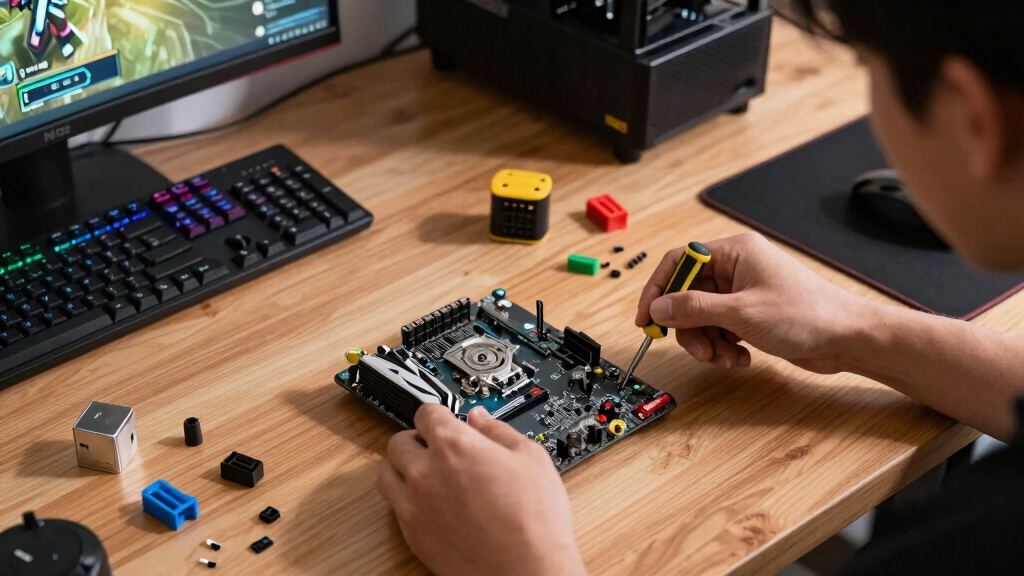
I ranked these barebones mini PCs by the traits that matter most for gaming in a tiny chassis: processor generation, integrated graphics potential, OCuLink or USB4 eGPU support, cooling headroom, RAM and SSD upgrade room, port layout, network speed, and the real cost after adding missing parts. A barebone with a flashy CPU but no strong graphics path ranked lower than one with slightly less glamour and a better route to sustained gaming performance.
The top spots went to systems that make the fewest compromises for a gaming buyer. The GMKtec K12 ranks first because it has the best mix of included CPU, expansion, and eGPU readiness. The MINISFORUM AI X1 Pro earns the premium slot for its newer Ryzen AI platform, while the MS-A1 variants rank well for builders who want AM5 flexibility but drop lower for buyers who want a faster, simpler setup.
Factors to Consider When Choosing Best Barebones Mini PCs For Gaming
A barebones mini PC is only a bargain if the unfinished parts match the gaming setup I actually plan to build. I would not judge these boxes by CPU name alone; the smarter move is to match graphics strategy, upgrade path, cooling, ports, and total build cost before buying.Start With The Graphics Path
For gaming, the first split is between integrated graphics and an external GPU path. A model like the MINISFORUM AI X1 Pro makes sense if I want the best self-contained performance from a small box, especially for esports, indie games, and lighter AAA settings. If I want desktop-class GPU power later, an OCuLink-equipped model such as the GMKtec K12 or Reatan X7 AI is the smarter base. USB4 can help with external graphics too, but OCuLink usually has the cleaner bandwidth story for gaming. The common mistake is buying a fast CPU mini PC and assuming the graphics will keep up. In this category, the GPU route decides the ceiling more than the processor badge does.
Add Up The Full Barebone Cost
Barebone pricing can hide the real bill because many models ship with no RAM, no SSD, and no OS. The MS-A1 versions go even further because some listings also leave out the CPU, which can turn a cheap-looking workstation shell into a much pricier build. I would price the full kit before ranking value: memory, storage, Windows or Linux setup time, and any eGPU dock or graphics card. A cheaper Ryzen 5 3500U box may still be a poor buy if it needs upgrades but cannot deliver the gaming result I want. On the other hand, paying more for the GMKtec K12 can be easier to justify because the processor and gaming-oriented ports are already part of the package. Value here means usable gaming performance per finished build, not the lowest barebone sticker price.
Match Cooling To The Games You Play
Mini PCs can post strong specs and still lose ground if the chassis cannot hold clocks during longer sessions. For short esports matches, a compact Ryzen 7 barebone may feel quick, but open-world games and shader-heavy titles expose power limits and fan behavior. Workstation-style models such as the MINISFORUM MS-A1 may appeal to buyers who care about sustained loads, yet they also take more planning around CPU choice and thermals. Slim systems are cleaner on a desk, but they may have less room to move heat away from the APU and SSDs. I would treat cooling as a performance feature, not just a comfort issue. If quiet play matters, the best pick is often the one with more thermal margin rather than the smallest case.
Choose Upgrade Room Based On How Long You Keep Hardware
The right upgrade path depends on whether I want a quick gaming box or a longer project. The GMKtec K12 offers practical flexibility with three M.2 slots, which helps if I keep a large game library installed. The MINISFORUM MS-A1 goes further with AM5 CPU support, but that kind of flexibility suits buyers who are comfortable choosing processors, memory, storage, and possibly graphics hardware. A fixed mobile Ryzen platform is simpler and often more compact, while a socketed platform can stay useful longer if parts are chosen well. The trap is paying for upgrade options I will never use. For most buyers, extra SSD room and easy RAM access matter more than theoretical CPU swaps.
Pick Ports For The Setup, Not The Spec Sheet
A gaming mini PC needs the right ports for the way it will sit on a desk or under a TV. HDMI 2.1, DisplayPort, and USB4 matter if I plan to run high-refresh displays, docks, capture gear, or fast external storage. Dual 2.5G Ethernet is useful for home lab users and streamers, but it should not outweigh graphics support for a pure gaming buyer. Built-in Wi-Fi 7 on the newer Reatan models is appealing for clean setups, though wired Ethernet is still the safer choice for competitive play. Triple or quad display support sounds generous, yet many gaming setups only need one excellent monitor connection. I would rather have fewer ports that match my gear than a crowded rear panel with the wrong mix.
Frequently Asked Questions
Should I buy an OCuLink barebone mini PC for gaming?
Yes, if I want the option to add a desktop GPU later, OCuLink is one of the strongest reasons to choose a gaming-focused barebone mini PC. It gives models like the GMKtec K12, Reatan Mini PC Gaming OCuLink AI, and Reatan X7 AI a higher performance ceiling than integrated graphics alone. The tradeoff is extra desk space, more cables, and the added cost of an eGPU dock and graphics card. If I only play esports or lighter games, a strong integrated graphics model may be cleaner. If AAA gaming is the goal, OCuLink changes the buying math in a good way.
Is the MINISFORUM MS-A1 better than a Ryzen mobile barebone?
The MINISFORUM MS-A1 is better for builders who want socketed AM5 flexibility, multiple SSDs, and a workstation-style upgrade path. It is less friendly for buyers who want a fast gaming setup with fewer decisions because some versions ship without the CPU, RAM, SSD, or OS. A Ryzen mobile barebone like the GMKtec K12 is easier to finish because the processor is already chosen and the gaming ports are built around that platform. The MS-A1 can age better if I pick parts carefully. For a first barebone gaming PC, I would usually choose the simpler Ryzen mobile route.
How much RAM and storage should I add to a barebones mini PC for gaming?
For most gaming builds, I would start with 32GB of dual-channel RAM and at least a 1TB NVMe SSD. Dual-channel memory matters because integrated graphics borrow system memory, so a single stick can hold back frame rates. If the mini PC has multiple M.2 slots, using one drive for the OS and another for a game library can make upgrades cleaner later. A 512GB SSD fills quickly once modern games, launchers, and updates are installed. I would only drop to 16GB if the budget is tight and the games are lighter.
Can a barebones mini PC replace a full gaming desktop?
A barebones mini PC can replace a desktop if I play at realistic settings and choose the right graphics path. A premium integrated model like the MINISFORUM AI X1 Pro can suit compact 1080p gaming, esports, and media-center use. For higher settings or heavier AAA games, an OCuLink setup gets closer to desktop behavior because it can use a stronger external GPU. The limits are cooling, upgrade space, and total cost once external hardware is added. A full tower still wins for maximum GPU choice, but these mini PCs win on size and desk simplicity.
Which barebones mini PC is least risky for a first-time builder?
The least risky choice is a barebone with the CPU already included, standard DDR5 memory support, easy M.2 access, and clear display outputs. In this lineup, the GMKtec K12 is the safest gaming-first starting point because it avoids the CPU-selection work of the MS-A1 while keeping strong expansion and OCuLink support. The MINISFORUM UM870 Slim is also approachable if compactness matters more than external GPU planning. I would avoid no-CPU workstation barebones as a first build unless I already know which AM5 chip and cooler behavior I want. Simpler parts lists reduce setup mistakes and make troubleshooting easier.
Conclusion
My best overall pick is the GMKtec K12 Gaming Mini PC Barebone because it gives gaming buyers the clearest balance of included Ryzen performance, OCuLink, USB4, storage expansion, and strong display support. My best value pick is the Reatan X7 AI Ryzen 7 255 if the price lands below the GMKtec while keeping the same external-GPU-friendly direction. The MINISFORUM AI X1 Pro is the best premium choice for buyers who want the strongest modern integrated platform and are willing to pay more for it. For beginners, I would lean toward the MINISFORUM UM870 Slim or GMKtec K12 over the MS-A1 because both reduce part-selection friction. For builders and workstation-minded gamers, the MINISFORUM MS-A1 is the one to shortlist, while the Ryzen 5 3500U barebone only makes sense for light gaming, retro libraries, or a very tight budget.
Fall Picks
fall essentials
As an affiliate, we earn on qualifying purchases.