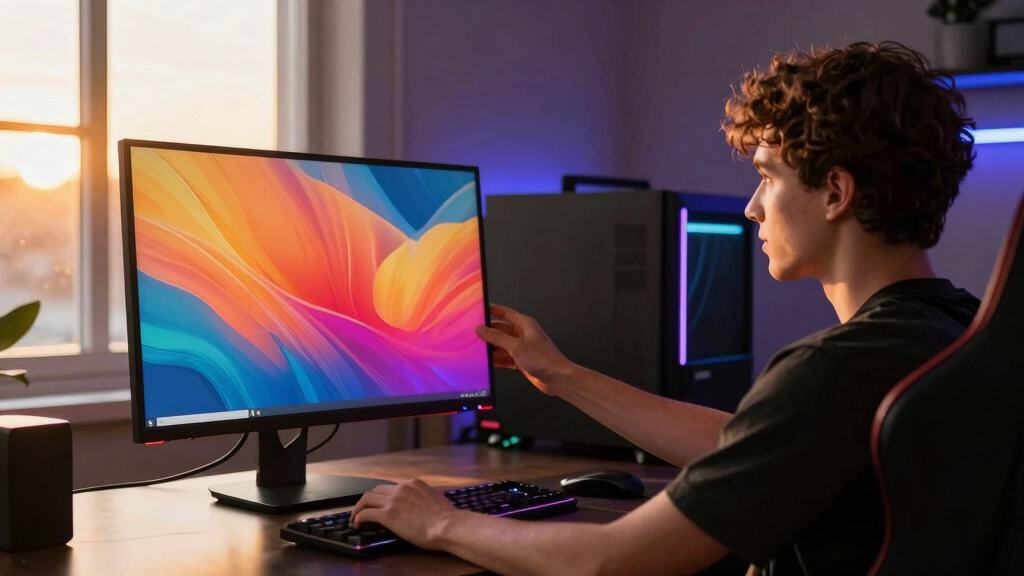

I rank the MSI MPG 321URX first because it gives PC gamers the cleanest mix of 4K sharpness, 240Hz speed, OLED contrast, and broad connectivity. The ASUS ROG Swift PG32UCDP is the performance pick for players who split time between cinematic 4K and ultra-fast esports, while the ASUS ROG Swift PG32UCDM is the premium QD-OLED choice for buyers who care about color accuracy and HDR punch.
The main tradeoff in this category is not whether OLED looks good; all four do. The real decision is between 4K refresh rate, dual-mode flexibility, panel finish, brightness behavior, desk setup, and price. I am judging these as PC gaming monitors first, so a great pick has to handle fast input, GPU-heavy 4K play, HDR games, and long sessions without making the buyer pay for features that do not fit their use.
Key Takeaways
- The MSI MPG 321URX is my Best Overall pick because it balances 4K 240Hz gaming, QD-OLED color, USB-C, HDMI, DisplayPort, and a more rounded feature set than the other options.
- The ASUS ROG Swift PG32UCDP is the best high-performance choice if switching between 4K 240Hz and FHD 480Hz matters more than QD-OLED color volume.
- The ASUS ROG Swift PG32UCDM is the premium image-quality pick, with QD-OLED color, strong HDR specs, and heat-management features aimed at long-term use.
- The LG 32GX850A-B makes the most sense for buyers who want OLED quality with ergonomic comfort and dual-mode play, but its 4K 165Hz mode is less ambitious than the 240Hz options.
- Every monitor here carries OLED tradeoffs: burn-in risk, price, room-light sensitivity, and the need for a strong GPU to make 4K gaming feel worthwhile.
| MSI MPG 321URX QD-OLED 32-Inch 4K UHD Gaming Monitor |  | Best Overall | Display Size: 32 inches | Resolution: 3840 x 2160 | Panel Type: QD-OLED | VIEW LATEST PRICE | See Our Full Breakdown |
| ASUS ROG Swift 32” 4K OLED Gaming Monitor (PG32UCDP) – WOLED, Dual Mode, 4K 240Hz / FHD 480Hz, G-SYNC Compatible |  | Best for Competitive Flexibility | Display Size: 32 inches | Resolution: 3840 x 2160 | Panel Type: WOLED | VIEW LATEST PRICE | See Our Full Breakdown |
| ASUS ROG Swift 32” 4K OLED Gaming Monitor (PG32UCDM) – UHD (3840 x 2160), QD-OLED, 240Hz, 0.03ms, G-SYNC Compatible |  | Best Premium QD-OLED | Display Size: 32 inches | Resolution: 3840 x 2160 | Panel Type: QD-OLED | VIEW LATEST PRICE | See Our Full Breakdown |
| LG 32GX850A-B 32″ UltraGear 4K UHD OLED Gaming Monitor with 165Hz/330Hz Dual-Mode, G-SYNC, FreeSync Premium Pro |  | Best Ergonomic Dual-Mode Pick | Display Size: 32 inches | Resolution: 3840 x 2160 | Panel Type: OLED | VIEW LATEST PRICE | See Our Full Breakdown |
More Details on Our Top Picks
MSI MPG 321URX QD-OLED 32-Inch 4K UHD Gaming Monitor
The MSI MPG 321URX takes my top spot because it gets the most important PC gaming balance right: 4K UHD resolution, 240Hz refresh, a 0.03ms response time, QD-OLED contrast, and a port selection that fits more than one kind of setup. Compared with the LG 32GX850A-B, the MSI has the stronger 4K refresh ceiling, which matters if the goal is high-end PC play rather than switching down to lower resolutions often.
Against the two ASUS models, the MSI feels like the more practical all-rounder. The ASUS PG32UCDP is faster in its FHD 480Hz mode, and the ASUS PG32UCDM has a stronger premium image-quality pitch, but the MSI gives me the most convincing mix of QD-OLED color, gaming speed, and everyday connectivity. USB-C is a real advantage if the same desk also hosts a laptop or a cleaner cable setup.
The tradeoff is that the MSI MPG 321URX is still a premium OLED monitor, and buyers should treat power use, panel care, and price as part of the ownership cost. It is also not the pick for someone who wants the absolute fastest esports fallback mode; that is the PG32UCDP. For a buyer building around a strong GPU and wanting one monitor to carry single-player games, shooters, HDR content, and desktop use, this is the one I would rank first.
Pros:- Excellent 4K 240Hz balance for high-end PC gaming
- QD-OLED panel gives rich color and deep contrast
- USB-C, HDMI, DisplayPort, and USB ports suit mixed desk setups
- 0.03ms response time keeps motion very clean
Cons:- Premium price can be hard to justify without a powerful GPU
- OLED power use and burn-in care are part of ownership
- Not as fast as the PG32UCDP when dropping to FHD esports modes
Best for: PC gamers who want the best all-around 32-inch 4K OLED monitor with 240Hz speed, QD-OLED color, and flexible connectivity.
Not ideal for: Buyers focused mainly on budget, ultra-bright rooms, or 480Hz esports play at lower resolution.
- Display Size:32 inches
- Resolution:3840 x 2160
- Panel Type:QD-OLED
- Refresh Rate:240Hz
- Response Time:0.03ms
- Color Gamut:99% DCI-P3
- HDR:VESA DisplayHDR True Black 400
- Ports:2 HDMI, 1 DisplayPort, 1 USB Type-C, 3 USB 3.0
- Brightness:250 nits
Bottom line: The MSI MPG 321URX is my top pick because it offers the most complete 4K OLED gaming package for most high-end PC setups.
ASUS ROG Swift 32” 4K OLED Gaming Monitor (PG32UCDP) – WOLED, Dual Mode, 4K 240Hz / FHD 480Hz, G-SYNC Compatible
The ASUS ROG Swift PG32UCDP earns second place because it gives PC gamers two very different personalities in one screen: 4K at 240Hz for visual richness and FHD at 480Hz for speed-first play. Compared with the MSI MPG 321URX, it is less about being the neatest all-rounder and more about letting one monitor cover both cinematic PC gaming and serious competitive sessions.
The big reason to choose this over the LG 32GX850A-B is refresh headroom. LG’s 4K 165Hz and FHD 330Hz split is useful, but ASUS stretches both modes further, which gives it a cleaner fit for players who care about frame rate as much as OLED contrast. Compared with the ASUS PG32UCDM, this model trades QD-OLED’s color-volume appeal for WOLED dual-mode speed and a matte finish that may be easier to live with in brighter rooms.
The weak spots are clear. The PG32UCDP is expensive, and the FHD mode will not look as crisp on a 32-inch panel as native 4K. Port details are also less clearly presented than on the MSI, which matters when planning a PC, console, and laptop setup. Still, if the choice is between one premium monitor for both high-fidelity 4K and maximum-frame-rate play, this ASUS has the most convincing split identity.
Pros:- Dual mode offers 4K 240Hz and FHD 480Hz
- Very fast 0.03ms response time for low blur
- Matte WOLED panel may suit brighter gaming rooms
- G-SYNC compatibility helps smooth PC gameplay
Cons:- FHD mode sacrifices sharpness on a 32-inch screen
- Premium pricing narrows its audience
- Port information is less complete than the MSI listing
Best for: Players who want one OLED monitor for both 4K 240Hz games and lower-resolution 480Hz competitive play.
Not ideal for: Buyers who rarely play esports or who want the richer QD-OLED color profile of the MSI or PG32UCDM.
- Display Size:32 inches
- Resolution:3840 x 2160
- Panel Type:WOLED
- Refresh Rate:240Hz at 4K / 480Hz at FHD
- Response Time:0.03ms
- Display Finish:Matte
- HDR:VESA DisplayHDR 400
- Compatibility:G-SYNC Compatible
- Additional Features:Custom heatsink, AI gaming features, blue light filter
Bottom line: The ASUS PG32UCDP is the pick I would make for a high-end PC gamer who wants OLED image quality without giving up a true speed mode.
ASUS ROG Swift 32” 4K OLED Gaming Monitor (PG32UCDM) – UHD (3840 x 2160), QD-OLED, 240Hz, 0.03ms, G-SYNC Compatible
The ASUS ROG Swift PG32UCDM is the premium QD-OLED pick in this group, and I rank it third only because the MSI reaches a similar core target with a more rounded value story. On paper, this ASUS has a very strong mix of 4K 240Hz, 99% DCI-P3, DisplayHDR 400 True Black, and a 1,500,000:1 contrast ratio, making it a better fit for buyers who care about image quality as much as input speed.
Compared with the PG32UCDP, this is the ASUS model for players who prefer native 4K fidelity over a 480Hz lower-resolution mode. Compared with the LG 32GX850A-B, it has a faster 4K refresh rate and a more premium color-and-HDR positioning. The custom heatsink and graphene film also give it a clearer long-session story than many OLED screens, even though no cooling system erases OLED care from the equation.
The reason it does not take my top spot is value tension. The PG32UCDM looks built for buyers who want a polished ROG feature set, color accuracy, and longevity measures, but many PC gamers will see the MSI MPG 321URX as the more sensible purchase if pricing is lower. It is also overkill for anyone who only wants a 4K OLED for casual play. This pick makes the most sense when the monitor is both a gaming centerpiece and a color-sensitive display.
Pros:- QD-OLED panel delivers wide color and deep contrast
- 4K 240Hz refresh rate fits high-end PC gaming
- Custom heatsink and graphene film help manage heat
- Delta E < 2 color accuracy suits gaming and creative work
Cons:- High price limits its value appeal
- Burn-in risk still exists with OLED use
- Feature set may be more than casual gamers need
Best for: Premium buyers who want 4K 240Hz QD-OLED gaming with strong color accuracy and heat-management features.
Not ideal for: Value-focused buyers or players who want a 480Hz dual-mode option for esports.
- Display Size:32 inches
- Resolution:3840 x 2160
- Panel Type:QD-OLED
- Refresh Rate:240Hz
- Response Time:0.03ms
- Color Gamut:99% DCI-P3
- HDR:DisplayHDR 400 True Black
- Brightness:Up to 1000 cd/m² peak
- Additional Features:G-SYNC Compatible, custom heatsink, graphene film
Bottom line: The ASUS PG32UCDM is the premium QD-OLED choice for buyers who want a fast gaming display that also takes color accuracy seriously.
LG 32GX850A-B 32″ UltraGear 4K UHD OLED Gaming Monitor with 165Hz/330Hz Dual-Mode, G-SYNC, FreeSync Premium Pro
The LG 32GX850A-B lands fourth because it is still a strong OLED gaming monitor, but its 4K 165Hz mode is less aggressive than the 240Hz options above it. That does not make it weak; it makes it more specific. Compared with the MSI MPG 321URX, LG gives up 4K refresh headroom but counters with an ergonomic stand, glossy image pop, and a 330Hz FHD mode for players who sometimes favor speed.
Against the ASUS PG32UCDP, the LG is the milder dual-mode choice. ASUS reaches 480Hz at FHD, while LG stops at 330Hz, so competitive players chasing the fastest mode should move up the list. Where LG fights back is comfort: tilt, height, swivel, and pivot adjustments make it easier to fit into a real desk setup than many gaming displays that assume the stand is an afterthought.
The glossy finish is the most polarizing part. In a controlled room, the LG 32GX850A-B should make OLED blacks and colors feel especially rich, but reflections can become annoying in bright spaces. I would pick this for a buyer who wants OLED contrast, good adaptive-sync support, and a friendlier stand, while accepting that 4K 165Hz is not as future-facing as 4K 240Hz for a high-end GPU.
Pros:- OLED panel provides deep blacks and vivid color
- Dual-mode 4K 165Hz and FHD 330Hz adds flexibility
- Supports both G-SYNC and FreeSync Premium Pro
- Ergonomic stand includes tilt, height, swivel, and pivot
Cons:- 4K refresh rate trails the 240Hz models
- Glossy finish can show reflections in bright rooms
- Needs a strong graphics card to make its modes worthwhile
Best for: Gamers who want a comfortable 32-inch OLED setup with dual-mode play and strong adaptive-sync support.
Not ideal for: Buyers who want the fastest 4K refresh rate, the fastest FHD mode, or a less reflective screen.
- Display Size:32 inches
- Resolution:3840 x 2160
- Panel Type:OLED
- Refresh Rate:165Hz at 4K / 330Hz at FHD
- Response Time:0.03ms GtG
- Color Gamut:98.5% DCI-P3
- HDR:VESA DisplayHDR True Black 400
- Sync Support:NVIDIA G-SYNC, AMD FreeSync Premium Pro
- Stand Adjustments:Tilt, height, swivel, pivot
Bottom line: The LG 32GX850A-B is the practical dual-mode OLED pick for buyers who value comfort and adaptive sync more than class-leading 4K refresh speed.
How We Picked
I ranked these monitors by how well they fit the phrase best 4K OLED monitors rather than by raw spec-sheet flash alone. A monitor scored higher when it combined 4K clarity, fast refresh at that resolution, OLED response times, useful PC connectivity, HDR support, and a clear reason to choose it over the other models in this exact lineup.
I gave extra weight to 240Hz at 4K because that is the sweet spot for high-end PC gaming in this group. Dual-mode designs also matter, but I treated them as a bonus unless the 4K mode stayed competitive. I also weighed QD-OLED versus WOLED, finish type, ergonomics, cooling, color coverage, and whether the monitor feels tuned for a real desk setup rather than a spec race.
OLED drawbacks affected the rankings too. I looked for signs of burn-in mitigation, heat control, practical brightness claims, and connectivity that fits modern GPUs and consoles. A monitor with spectacular speed but weak setup information or a narrower use case moved lower than one with a more complete PC gaming package.
Factors to Consider When Choosing Best 4K OLED Monitors For PC Gaming
My short version: buy around the way you actually play. A 4K OLED monitor can be gorgeous, but the right choice depends on your GPU, your room lighting, your taste for competitive play, and how much panel care you are willing to accept.4K 240Hz Is The Main Target
For a high-end PC gaming build, 4K 240Hz is the best marker in this comparison because it preserves sharpness while giving fast shooters and action games real fluidity. That is why the MSI MPG 321URX, ASUS PG32UCDP, and ASUS PG32UCDM rank ahead of the LG for pure 4K gaming ambition.
The catch is GPU demand. A monitor can support 240Hz at 4K, but the PC still has to feed it. If your system is closer to midrange, the LG 32GX850A-B may feel less wasteful because its 4K 165Hz mode is easier to match in many games, especially with settings tuned for visual quality.
Dual Mode Changes The Buyer
A dual-mode monitor is best when you play both cinematic single-player games and competitive shooters. The ASUS PG32UCDP is the strongest example here because it offers 4K 240Hz and FHD 480Hz, while the LG offers 4K 165Hz and FHD 330Hz.
I would not pay extra for dual mode just because it sounds advanced. On a 32-inch screen, FHD is visibly softer than 4K. If you mostly play RPGs, racing games, strategy titles, or visually rich shooters, the MSI MPG 321URX or ASUS PG32UCDM makes more sense than buying a faster low-resolution mode you rarely use.
QD-OLED Versus WOLED
In this lineup, QD-OLED appears on the MSI and ASUS PG32UCDM, while the PG32UCDP uses WOLED. QD-OLED is attractive if you want rich color and strong color volume in HDR scenes. That is part of why the MSI ranks so well as a one-monitor answer for PC gaming.
WOLED still has its own appeal, especially when paired with features like a matte finish and a fast dual-mode design. The PG32UCDP is not trying to beat the PG32UCDM as a pure QD-OLED showcase; it is built for the player who wants 4K quality and a higher-speed fallback in the same panel.
Room Lighting Matters
OLED contrast looks best when room lighting is controlled. The LG 32GX850A-B has a glossy finish, which can make colors and blacks appear punchy but can also reflect lamps, windows, and bright walls. The ASUS PG32UCDP uses a matte finish, making it a better fit for rooms where reflections are harder to manage.
Brightness specs can be tricky because OLED brightness changes by scene size and mode. I would focus less on one peak number and more on whether the monitor matches your room. For a dim gaming setup, QD-OLED contrast is a major draw; for a sunlit desk, reflection handling may matter more than a small spec advantage.
OLED Care Is Part Of The Purchase
Every monitor here carries some burn-in risk because static desktop elements, HUDs, and taskbars are part of PC life. The ASUS PG32UCDM makes the strongest case for heat control with its custom heatsink and graphene film, while the MSI and ASUS models also lean on modern OLED care features.
I would still use sensible habits: hide the taskbar, vary content, use sleep settings, and avoid leaving static windows on screen for hours. OLED rewards that care with near-instant response, rich blacks, and excellent HDR contrast, but it is not the lowest-maintenance display type for a work-all-day desktop.
Frequently Asked Questions
Which 4K OLED monitor is best for most PC gamers?
My pick for most PC gamers is the MSI MPG 321URX. It offers the strongest overall mix of 4K 240Hz performance, QD-OLED color, 0.03ms response, HDR True Black 400, and useful ports including USB-C. The ASUS PG32UCDP is better for players who need FHD 480Hz, but the MSI is the more balanced everyday gaming display.
Is 4K 240Hz worth it for PC gaming?
4K 240Hz is worth it if your PC has a high-end GPU and you play games that benefit from both sharp detail and fast motion. It gives single-player games more clarity and shooters more fluidity, but it can be wasted on a weaker system. If your PC cannot often pass 165fps at 4K, the LG 32GX850A-B may be a more realistic match.
Should I choose QD-OLED or WOLED for gaming?
I would choose QD-OLED if color richness, HDR pop, and a premium image are the top priorities, which points toward the MSI MPG 321URX or ASUS PG32UCDM. I would choose WOLED in this group if dual-mode speed and a matte finish matter more, which makes the ASUS PG32UCDP the better fit.
Do OLED gaming monitors have burn-in problems?
OLED burn-in is a real risk, but it is also something modern monitors try to reduce through panel care tools, heat management, and pixel-refresh features. I would not treat any OLED monitor as risk-free, especially for desktop use with static HUDs and taskbars. The ASUS PG32UCDM has the strongest stated cooling story here, but careful use still matters.
Which monitor is best for competitive gaming?
The ASUS ROG Swift PG32UCDP is my competitive pick because it can run at FHD 480Hz when speed matters more than sharpness, then switch back to 4K 240Hz for richer games. The MSI and PG32UCDM are excellent 4K 240Hz monitors, but they do not match the PG32UCDP’s faster low-resolution mode.
Conclusion
If I were buying one monitor for a powerful gaming PC, I would choose the MSI MPG 321URX because it has the cleanest balance of 4K 240Hz speed, QD-OLED image quality, and practical connectivity. For competitive players who also want lush 4K gaming, I would move to the ASUS PG32UCDP for its FHD 480Hz mode.
For buyers who want the most premium QD-OLED presentation, strong color accuracy, and extra heat-management attention, the ASUS PG32UCDM is the one I would shortlist. For a more comfort-focused dual-mode setup, the LG 32GX850A-B is easier to place on a desk, though I would only choose it over the others if ergonomics and adaptive sync matter more than 4K 240Hz.