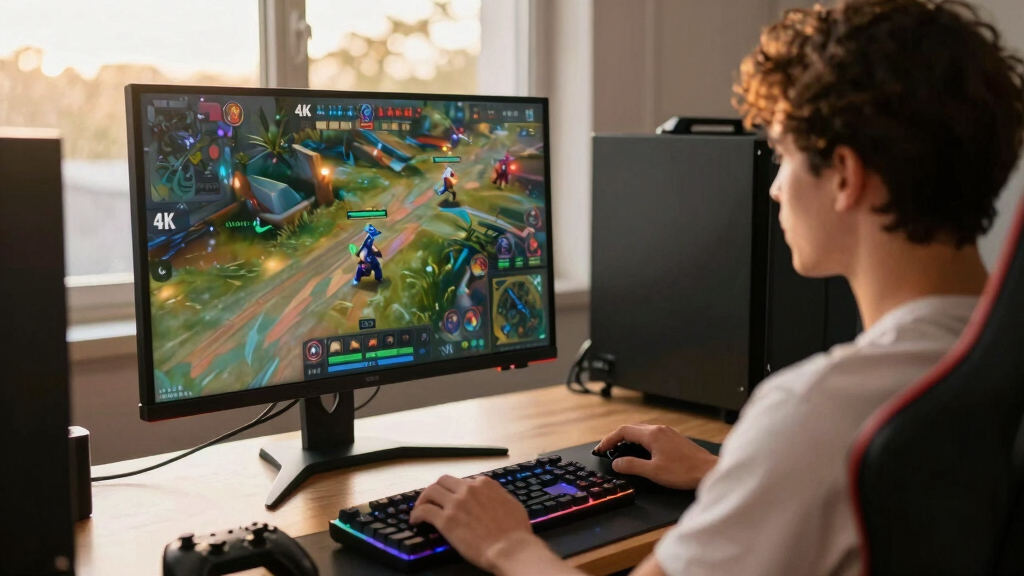

The LG 27G810A-B is my best overall choice among these 4K gaming monitors because its 4K/180Hz mode, 360Hz dual mode, and HDMI 2.1 cover cinematic games, competitive play, PCs, and consoles. The ASUS ROG Swift PG32UCDMR is the premium alternative for buyers who put OLED contrast and image quality ahead of price, while the 160Hz Acer Nitro offers a more value-focused route into fast 4K gaming. The main choice is between OLED picture quality, the affordability and durability of IPS, and larger curved screens that trade desk space for immersion. Buyers also need enough GPU power and bandwidth to benefit from high refresh rates at 4K. Five products in this comparison are QHD or FHD rather than 4K, so I treat them as category mismatches instead of interchangeable alternatives. Continue reading for the full breakdown of which models fit different budgets, systems, and gaming styles.

Play games on Amazon Luna for your game nights, included with Prime
- A rotating selection of games, no download needed
- Play on TV, laptop or phone
- Fast, free delivery for your gear, too
Complete the kit



Key Takeaways
- The LG 27G810A-B has the broadest gaming range: its 180Hz 4K mode suits detailed games, while the 360Hz mode gives competitive players a speed-focused alternative.
- The ASUS ROG Swift PG32UCDMR earns the premium position through OLED: its contrast and pixel-level light control separate it from the IPS and conventional LCD options, though price and burn-in care limit its appeal.
- The 160Hz Acer Nitro is the value sweet spot: it preserves the fast refresh rate and 4K IPS foundation that matter for gaming without charging for OLED or an oversized curved panel.
- Five listed products are not 4K monitors: the Samsung G55C, LG 32GS60QC-B, SANSUI 240Hz, and Samsung G51F use QHD or FHD resolutions, making them poor matches for a 4K-specific search.
- Refresh rate alone did not decide the order: HDMI capability, adaptive sync, screen size, panel type, ergonomics, and the likelihood of driving each mode with real hardware shaped my rankings.




| 4K gaming monitor | Resolution | Refresh Rate | Response Time | Display Size |
|---|---|---|---|---|
| ASUS ROG Swift 32” 4K OLED Gam | 3840 x 2160 (4K) | 240Hz | 0.03ms GTG | 32 inches |
| Acer Nitro 27" 4K UHD Gaming I | 3840 x 2160 UHD | Up to 72Hz at 4K; 144Hz at 1080p | Up to 0.5ms | — |
| Samsung 32" Odyssey G55C Serie | 2560 x 1440 (QHD) | 165Hz | 1ms MPRT | 32 inches |
| LG 32GS60QC-B Ultragear 32-inc | 2560 x 1440 (QHD) | 180Hz | 1ms | 32 inches |
| SANSUI 27 Inch Curved 240Hz Ga | 1920 x 1080 (FHD) | 240Hz | 1ms | — |
| LG 27G810A-B UltraGear 27-inch | 3840 x 2160 (4K UHD) | 180Hz at 4K; 360Hz in FHD mode | 1ms GtG | — |
| Samsung 37-inch Odyssey G7 | 3840 x 2160 (4K UHD) | 165Hz | 1ms | 37 inches |
| CRUA 27-inch 144Hz 4K UHD IPS | 3840 x 2160 (4K UHD) | 144Hz | — | 27 inches |
| ASUS TUF Gaming VG27UQ1A 27-in | 3840 x 2160 (4K UHD) | 160Hz | 1ms | 27 inches |
| CRUA 32-inch Curved 4K UHD 160 | 3840 x 2160 (4K UHD) | 144Hz to 160Hz | — | 32 inches |
| Acer Nitro VG270K 27-inch 4K U | 3840 x 2160 UHD | 160Hz at 4K; 320Hz at FHD | 0.5ms to 1ms | 27 inches |
| Dell 27 Plus 4K Monitor S2725Q | 3840 x 2160 | 120Hz | 0.03ms | 27 inches |
| ASUS ROG Strix XG27UCG 27-inch | 3840 x 2160 UHD | 160Hz at 4K; 320Hz at FHD | 1ms GTG | 27 inches |
| Samsung Odyssey G5 G51F 27-inc | 2560 x 1440 QHD | 180Hz | 1ms | — |
More Details on Our Top Picks
ASUS ROG Swift 32” 4K OLED Gaming Monitor (PG32UCDMR)
I rank the ASUS ROG Swift PG32UCDMR first because it combines true 4K detail with 240Hz speed, something none of the other four models matches. Its QD-OLED panel delivers deeper blacks and stronger HDR impact than the IPS-based Acer Nitro VG270K, while DisplayPort 2.1 provides more headroom for high-bandwidth PC gaming. The USB-C port with 90W charging also makes this the most versatile desk centerpiece here. That capability comes with a steep cost: driving 4K at 240Hz requires a powerful GPU, and OLED still carries a burn-in risk despite the care features. Compared with the QHD LG 32GS60QC-B, this ASUS supplies far sharper imagery and richer contrast, but the LG is a more practical match for modest hardware. I see this as the premium all-purpose gaming choice, not the sensible budget pick.
Pros:- QD-OLED panel produces deep blacks, vivid color, and strong HDR contrast
- 240Hz refresh rate and 0.03ms response suit fast competitive games
- DisplayPort 2.1 and HDMI 2.1 support modern high-bandwidth gaming systems
- USB-C supplies up to 90W for a cleaner laptop setup
Cons:- Premium pricing puts it beyond many gaming budgets
- Sustained 4K gaming near 240fps demands exceptionally powerful hardware
- OLED care reduces but does not eliminate burn-in risk
Best for: Enthusiast PC gamers with a flagship GPU who want 4K, 240Hz motion, OLED contrast, and one-cable laptop connectivity
Not ideal for: Budget-focused players or users displaying static desktop elements for long hours, due to the premium price and residual OLED burn-in risk
- Display Size:32 inches
- Resolution:3840 x 2160 (4K)
- Panel Type:QD-OLED
- Refresh Rate:240Hz
- Response Time:0.03ms GTG
- HDR:VESA DisplayHDR 400 True Black
- Color Coverage:99% DCI-P3, 10-bit
- Connectivity:DisplayPort 2.1, HDMI 2.1, USB-C with 90W power delivery
- Warranty:3 years
Our verdict“I recommend this to well-equipped enthusiasts seeking the strongest blend of 4K sharpness, speed, contrast, and connectivity in this group.”
Acer Nitro 27″ 4K UHD Gaming IPS Monitor with FreeSync, 72Hz Refresh Rate, 0.5ms Response
Among these five products, the Acer Nitro VG270K is the approachable route to genuine 4K gaming. Its 27-inch IPS panel packs pixels more tightly than the 32-inch ASUS ROG Swift, producing crisp text and detailed single-player scenery without occupying as much desk space. The compromise is substantial: 4K tops out at 72Hz, far below the ASUS monitor’s 240Hz and even the QHD Samsung Odyssey G55C’s 165Hz. Dynamic Frequency and Resolution can reach 144Hz only after dropping to 1080p, so it does not provide high-refresh 4K performance. I would choose it for slower adventures, strategy games, and mixed media rather than competitive shooters. FreeSync and the claimed 0.5ms response help with motion, while 95% DCI-P3 coverage broadens its creative appeal. Basic tilt adjustment, HDMI 2.0, and absent speakers make the supporting feature set fairly lean.
Pros:- Native 4K resolution delivers sharp imagery on a compact 27-inch panel
- IPS technology and 95% DCI-P3 coverage support vivid, wide-angle viewing
- FreeSync helps reduce tearing during variable-frame-rate play
- Can run up to 144Hz when resolution is reduced to 1080p
Cons:- Native 4K refresh rate is limited to 72Hz
- HDMI 2.0 lacks the bandwidth offered by newer HDMI 2.1 connections
- Tilt-only stand and no built-in speakers limit setup flexibility
Best for: PC or console players who favor detailed single-player games and want a compact 27-inch 4K screen without chasing triple-digit 4K frame rates
Not ideal for: Competitive gamers seeking 120Hz or faster at native 4K, since the panel reaches only 72Hz at that resolution
- Screen Size:27 inches
- Resolution:3840 x 2160 UHD
- Panel Type:IPS
- Refresh Rate:Up to 72Hz at 4K; 144Hz at 1080p
- Response Time:Up to 0.5ms
- Color Gamut:95% DCI-P3
- HDR:HDR10
- Ports:1 x DisplayPort 1.4, 2 x HDMI 2.0
- Mounting and Tilt:100 x 100mm VESA; -5° to 25° tilt
Our verdict“I would pick this for affordable 4K clarity in slower games, but speed-focused buyers should choose a higher-refresh model.”
Samsung 32″ Odyssey G55C Series QHD Curved Gaming Monitor, 1ms, 165Hz, HDR10, FreeSync
The Samsung Odyssey G55C earns a place only as a curved QHD alternative; its 2560 x 1440 panel is not 4K. That distinction matters because the Acer Nitro VG270K renders finer textures and sharper text, while the Samsung asks much less of a graphics card and can refresh at 165Hz rather than 72Hz. Its tight 1000R curve is aimed at players who sit centrally and want scenery to wrap around their field of view. Compared with the LG 32GS60QC-B, however, Samsung gives up 15Hz and provides fewer stated gaming overlays. I would favor it for racing games, action titles, and midrange PCs that cannot sustain native 4K. FreeSync and a 1ms MPRT rating support fluid play, but HDR10 without a stated brightness figure should not be mistaken for premium HDR. The QHD resolution and fixed viewing sweet spot weaken its fit for productivity-heavy setups.
Pros:- 165Hz refresh rate offers smooth play with less GPU demand than 4K
- 1000R curvature creates an enveloping view for a centered player
- FreeSync helps control tearing and stutter
- 1ms MPRT rating suits fast-moving action
Cons:- QHD resolution does not meet the roundup’s 4K standard
- Strong 1000R curve is less suitable for shared viewing and layout work
- HDR10 support lacks a stated brightness or HDR certification
Best for: Midrange-PC owners who prefer an enveloping 32-inch curve and smoother frame rates over native 4K detail
Not ideal for: Buyers committed to 4K clarity or people who frequently share the screen from off-center positions
- Display Size:32 inches
- Resolution:2560 x 1440 (QHD)
- Refresh Rate:165Hz
- Response Time:1ms MPRT
- Curvature:1000R
- HDR:HDR10
- Adaptive Sync:AMD Radeon FreeSync
- Eye Care:Supported
Our verdict“I would choose this only when curved-screen immersion and attainable high frame rates matter more than true 4K resolution.”
LG 32GS60QC-B Ultragear 32-inch Curved Gaming Monitor QHD 2560×1440 180Hz 1ms AMD FreeSync HDR10
I place the LG UltraGear 32GS60QC-B ahead of the Samsung Odyssey G55C for buyers prioritizing speed, since LG raises the refresh ceiling from 165Hz to 180Hz and adds tools such as Black Stabilizer and an FPS counter. Both use a strongly curved 32-inch QHD format, so neither supplies the pixel density promised by a 4K roundup. Compared with the Acer Nitro VG270K, the LG trades visible fine detail for smoother, easier-to-drive gameplay; that is a sensible exchange for a midrange graphics card, but not for someone buying specifically for native 4K. The 1000R curve supports focused solo play, while 99% sRGB coverage is adequate for everyday content. I am less keen on its tilt-only adjustment and limited versatility for color-critical work. HDR10 is present, yet the missing brightness specification makes HDR impact difficult to judge.
Pros:- 180Hz refresh rate is faster than the Samsung Odyssey G55C
- 1ms response and FreeSync support responsive, tear-controlled gaming
- 1000R curve fills more of a centered player’s view
- Black Stabilizer and FPS Counter provide useful gaming feedback
Cons:- QHD panel falls short of native 4K sharpness
- Tilt-only stand offers limited ergonomic control
- HDR10 support has no stated peak brightness or formal HDR tier
Best for: Action and shooter fans with midrange PCs who want a large curved screen, 180Hz motion, and useful in-game display tools
Not ideal for: 4K purists, color-critical creators, or buyers needing height and swivel adjustment
- Display Size:32 inches
- Resolution:2560 x 1440 (QHD)
- Refresh Rate:180Hz
- Response Time:1ms
- Curvature:1000R
- Color Gamut:99% sRGB
- HDR:HDR10
- Connectivity:2 x HDMI, 1 x DisplayPort
- Adjustment:Tilt adjustable
Our verdict“I recommend this as the faster curved QHD fallback for midrange systems, not as a substitute for buyers set on 4K detail.”
SANSUI 27 Inch Curved 240Hz Gaming Monitor FHD 1080P, 1500R Curve, HDR, FreeSync, 1ms Response, 130% sRGB, Metal Stand, HDMI & DP Ports
The SANSUI 27-inch curved monitor sits furthest from the roundup brief because its 1920 x 1080 resolution contains one-quarter as many pixels as 4K. I include it as the speed-first detour: its 240Hz refresh rate matches the ASUS ROG Swift PG32UCDMR on paper while placing far less strain on a GPU. That makes it better suited to esports players chasing frame rate than to buyers seeking crisp 4K scenery. Compared with the Acer Nitro VG270K, SANSUI sacrifices a large amount of sharpness but gains much faster motion and a gentler 1500R curve. The 4000:1 contrast specification should help dark scenes, and FreeSync can reduce tearing. Still, 1080p stretched across 27 inches can make text and fine edges look coarse. There are no USB ports or speakers, and the 300-nit brightness limits HDR ambition.
Pros:- 240Hz refresh rate supports fluid competitive gaming
- 1080p resolution is easier for modest graphics cards to drive at high frame rates
- 4000:1 contrast ratio can produce stronger dark-scene separation
- FreeSync, DisplayPort 1.4, and VESA mounting broaden setup options
Cons:- 1080p resolution is far below 4K and looks relatively coarse at 27 inches
- 300-nit brightness restricts the impact of HDR content
- No USB ports or built-in speakers
Best for: Competitive PC players with modest GPUs who prioritize 240Hz responsiveness over image resolution
Not ideal for: Anyone shopping specifically for 4K sharpness, desktop text clarity, strong HDR, or USB connectivity
- Screen Size:27 inches
- Resolution:1920 x 1080 (FHD)
- Refresh Rate:240Hz
- Response Time:1ms
- Curvature:1500R
- Brightness:300 nits
- Contrast and Color:4000:1 contrast; 130% sRGB
- Ports:HDMI, DisplayPort 1.4, audio jack
- Mounting and Tilt:VESA compatible; -5° to 15° tilt
Our verdict“I would buy this for affordable 240Hz esports play, but I would remove it from the shortlist if 4K resolution is a firm requirement.”
LG 27G810A-B UltraGear 27-inch 4K Dual-Mode Gaming Monitor
I rank the LG 27G810A-B highly for players who split their time between cinematic 4K games and fast competitive titles. Its defining advantage is dual-mode operation: 4K at 180Hz keeps detailed games sharp, while 1080p at 360Hz favors speed when resolution matters less. The ASUS TUF VG27UQ1A reaches 160Hz at 4K but cannot match that 360Hz option, making the LG more flexible for mixed libraries. HDMI 2.1 also fits modern consoles and high-end PCs, while the fully adjustable stand is more accommodating than the CRUA 32-inch model’s sparsely documented ergonomics. The compromise is that DisplayHDR 400 offers limited HDR impact, and exploiting either high-refresh mode requires strong hardware. Its 27-inch screen may also feel restrained beside the larger Samsung Odyssey G7.
Pros:- Dual-mode design supports 4K at 180Hz or 1080p at 360Hz
- G-SYNC and FreeSync Premium support reduce tearing across GPU brands
- HDMI 2.1 accommodates high-refresh 4K sources
- Height, tilt, swivel, and pivot adjustments provide broad ergonomic control
Cons:- DisplayHDR 400 cannot deliver the HDR depth of the Samsung Odyssey G7’s HDR600 implementation
- High-refresh 4K gaming demands an expensive graphics card
- A 27-inch panel provides less immersion than the 32-inch and 37-inch alternatives
Best for: Competitive PC players who want sharp 4K visuals for single-player games and a 360Hz 1080p mode for esports
Not ideal for: Buyers seeking a large cinematic screen or strong HDR contrast, since the 27-inch IPS panel carries only DisplayHDR 400
- Screen Size:27 inches
- Resolution:3840 x 2160 (4K UHD)
- Refresh Rate:180Hz at 4K; 360Hz in FHD mode
- Response Time:1ms GtG
- Color Coverage:95% DCI-P3
- HDR:DisplayHDR 400
- Adaptive Sync:G-SYNC compatible and FreeSync Premium
- Connectivity:HDMI 2.1
- Stand Adjustments:Height, tilt, swivel, and pivot
Our verdict“I recommend this LG to competitive players who value the choice between detailed 4K gaming and maximum 1080p speed.”
Samsung 37-inch Odyssey G7 (G75F) 4K Curved Gaming Monitor
The Samsung 37-inch Odyssey G7 earns its place through scale: its curved 4K panel gives cockpit games, open worlds, and driving simulators more visual presence than any 27-inch option here. Compared with the CRUA 32-inch curved monitor, the Samsung supplies a larger canvas, DisplayHDR 600, and FreeSync Premium Pro, making it the stronger choice for HDR gaming with an AMD graphics card. The VA panel’s 3000:1 contrast also produces deeper dark scenes than the 1000:1 IPS panels used by the ASUS TUF VG27UQ1A and CRUA 27-inch. I place it below more versatile desktop picks because 37 inches demands substantial space, while the 165Hz ceiling trails the LG 27G810A-B’s 180Hz 4K mode. Its unspecified port selection is another concern for buyers connecting several systems.
Pros:- Expansive 37-inch curved screen creates greater immersion than smaller alternatives
- DisplayHDR 600 provides a more capable HDR tier than HDR400 models
- 3000:1 VA contrast improves black depth in dark games
- 165Hz refresh rate and FreeSync Premium Pro support smooth 4K play
Cons:- Large footprint and 24.7-pound weight make placement demanding
- 165Hz is slower than the LG 27G810A-B’s 180Hz 4K mode
- Available product data does not identify the connectivity selection
Best for: Simulation, racing, and open-world players with a deep desk who want a large curved 4K image and stronger HDR
Not ideal for: Small-desk users, multi-system owners needing confirmed port details, or esports players prioritizing the highest refresh rate
- Display Size:37 inches
- Resolution:3840 x 2160 (4K UHD)
- Refresh Rate:165Hz
- Response Time:1ms
- Panel Type:VA
- Contrast Ratio:3000:1
- Brightness:350 cd/m²
- HDR:DisplayHDR 600
- Weight:24.7 pounds
Our verdict“I would choose the Odyssey G7 for a spacious, immersive setup where screen size and HDR carry more weight than compactness.”
CRUA 27-inch 144Hz 4K UHD IPS Gaming Monitor
I see the CRUA 27-inch 4K monitor as the practical crossover pick for someone gaming after creative or office work. Its 120% sRGB claim, IPS panel, and 4K pixel density favor colorful, detailed images, while 144Hz with FreeSync provides a meaningful step beyond ordinary 60Hz productivity displays. Unlike the faster LG 27G810A-B, this model includes built-in speakers and offers documented HDMI 2.1 plus DisplayPort 1.4 connections. It also matches the LG’s broad stand movement and adds 75mm VESA mounting. I would still choose the LG or ASUS TUF VG27UQ1A for speed-focused play: both refresh faster and list 1ms response performance, which CRUA does not specify here. The 1000:1 contrast ratio also gives dark scenes less depth than either curved VA option.
Pros:- IPS panel and 120% sRGB coverage suit gaming and color-rich creative work
- 144Hz refresh rate provides smoother motion than basic 4K displays
- HDMI 2.1 and DisplayPort 1.4 support flexible PC and console connections
- Full stand adjustment, VESA mounting, and speakers add workspace versatility
Cons:- Refresh rate trails the LG and ASUS 27-inch alternatives
- No response-time figure is provided in the supplied product data
- 1000:1 contrast produces shallower blacks than the Samsung and CRUA VA models
Best for: Hybrid PC users who edit visual content, handle daily work, and want smooth 4K gaming from the same adjustable 27-inch display
Not ideal for: Competitive players needing a stated 1ms response time or dark-room gamers who prefer the deeper contrast of a VA panel
- Display Size:27 inches
- Resolution:3840 x 2160 (4K UHD)
- Refresh Rate:144Hz
- Panel Type:IPS
- Color Coverage:120% sRGB
- Brightness:350 cd/m²
- Contrast Ratio:1000:1
- Connectivity:HDMI 2.1 and DisplayPort 1.4
- Mount Support:75 x 75mm VESA
Our verdict“I favor this CRUA for buyers who need one adjustable 4K screen to cover creative work, everyday tasks, and 144Hz gaming.”
ASUS TUF Gaming VG27UQ1A 27-inch 4K HDR Monitor
The ASUS TUF Gaming VG27UQ1A is my balanced 27-inch choice because it pairs 4K clarity with a 160Hz Fast IPS panel, 1ms response time, and adaptive sync for either major GPU brand. It lacks the LG 27G810A-B’s 180Hz and 360Hz dual-mode flexibility, but its three-year warranty gives cautious buyers a clearer ownership proposition. Compared with the CRUA 27-inch, ASUS states both 95% DCI-P3 coverage and 1ms performance, so its gaming credentials are less ambiguous even though CRUA reaches 120% sRGB and includes speakers. The weak point is connectivity: the supplied data lists just one HDMI input, making this awkward for a PC-plus-console desk. Its 1000:1 contrast also cannot match the darker blacks of the Samsung Odyssey G7 or CRUA 32-inch VA panels.
Pros:- 160Hz Fast IPS panel balances motion clarity with wide viewing angles
- 1ms response time suits fast shooters and action games
- G-SYNC compatibility and FreeSync Premium cover both major GPU ecosystems
- Three-year warranty offers stronger long-term reassurance
Cons:- Single listed HDMI input limits multi-device setups
- Slower and less versatile than the LG 27G810A-B’s dual-mode system
- 1000:1 contrast cannot produce VA-like black depth
Best for: PC gamers seeking a fast, color-capable 27-inch 4K display with support for NVIDIA and AMD adaptive sync
Not ideal for: Players connecting several consoles and a PC, or dark-room users who want the richer black levels of a VA display
- Display Size:27 inches
- Resolution:3840 x 2160 (4K UHD)
- Refresh Rate:160Hz
- Response Time:1ms
- Panel Type:Fast IPS
- Color Coverage:95% DCI-P3
- Contrast Ratio:1000:1
- Adaptive Sync:G-SYNC compatible and FreeSync Premium
- Warranty:3 years
Our verdict“I recommend the ASUS to PC-focused buyers who want a dependable mix of 4K detail, 160Hz speed, broad sync support, and a three-year warranty.”
CRUA 32-inch Curved 4K UHD 160Hz Gaming Monitor
The CRUA 32-inch curved monitor makes the most sense for buyers who want 4K immersion without moving up to the Samsung Odyssey G7’s enormous 37-inch format. Its 1500R VA panel combines a 3000:1 contrast ratio with refresh rates up to 160Hz, giving dark games richer blacks and smoother motion than a standard 60Hz 4K screen. HDMI 2.1, DisplayPort 1.4, FreeSync, speakers, and RGB lighting create a well-rounded gaming package. Against the Samsung, CRUA loses HDR600 and five hertz, but occupies less desk space and retains the same stated contrast ratio. It is also more cinematic than either 27-inch CRUA or ASUS option. My main reservation is the unclear stand adjustability; buyers may need a VESA arm to position it comfortably. No HDR rating is supplied either.
Pros:- 32-inch 1500R curve offers immersion without the Samsung model’s 37-inch footprint
- 3000:1 VA contrast creates deeper dark scenes than the IPS alternatives
- Refresh rate reaches 160Hz with AMD FreeSync support
- HDMI 2.1, DisplayPort 1.4, speakers, and RGB lighting provide a broad feature set
Cons:- Stand adjustment and height control are not detailed
- No HDR certification or brightness figure is supplied
- VA technology may provide less consistent off-angle color than the IPS models
Best for: Desk-based RPG, racing, and adventure players who want a moderately large curved 4K screen with high contrast and HDMI 2.1
Not ideal for: Buyers needing confirmed height adjustment, certified HDR performance, or NVIDIA G-SYNC support
- Display Size:32 inches
- Resolution:3840 x 2160 (4K UHD)
- Refresh Rate:144Hz to 160Hz
- Curvature:1500R
- Panel Type:VA
- Color Coverage:120% sRGB
- Contrast Ratio:3000:1
- Connectivity:HDMI 2.1 and DisplayPort 1.4
- Mount Support:75 x 75mm VESA
Our verdict“I would pick this CRUA for immersive 4K gaming when a 32-inch curve, strong contrast, and broad connectivity matter more than certified HDR or extensive ergonomics.”
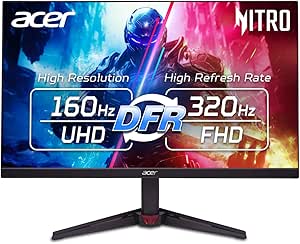
Acer Nitro VG270K 27-inch 4K UHD Gaming Monitor
I rank the Acer Nitro VG270K as the value-focused choice because it combines 4K at 160Hz with a 320Hz FHD mode, HDMI 2.1, and FreeSync Premium. That flexibility lets a buyer favor sharp detail in cinematic games or extra speed in competitive titles. The ASUS ROG Strix XG27UCG offers the same refresh-rate split, but its wider color gamut, ELMB Sync, and G-SYNC compatibility make it better suited to buyers willing to pay for refinement. Acer counters with a fast IPS panel and straightforward console connectivity. The compromises are 90% DCI-P3 coverage, basic HDR10, and a stand limited to tilt. I would place it below the ASUS for motion handling and color work, yet above slower 120Hz options for buyers seeking performance per dollar.
Pros:- Runs at 160Hz in 4K and 320Hz in FHD
- HDMI 2.1 supports high-bandwidth console and PC connections
- FreeSync Premium helps reduce tearing during frame-rate changes
- Zero-frame design works well in narrow-bezel multi-monitor layouts
Cons:- HDR10 support lacks the brightness and contrast hardware associated with impactful HDR
- 90% DCI-P3 coverage trails the ASUS ROG Strix XG27UCG
- Tilt-only stand offers little ergonomic flexibility
Best for: PC and current-generation console gamers who want 4K at 160Hz plus a 320Hz mode without paying for higher-end motion and color features
Not ideal for: Buyers who need strong HDR, broad ergonomic adjustment, or creator-grade color coverage
- Display size:27 inches
- Resolution:3840 x 2160 UHD
- Panel type:IPS
- Refresh rate:160Hz at 4K; 320Hz at FHD
- Response time:0.5ms to 1ms
- Color gamut:90% DCI-P3
- Adaptive sync:AMD FreeSync Premium
- Ports:1 x DisplayPort 1.4; 2 x HDMI 2.1
Our verdict“I recommend this Acer to performance-minded buyers who want dual-mode speed and 4K clarity at a more restrained price.”
Dell 27 Plus 4K Monitor S2725QS
The Dell S2725QS earns its place as my hybrid-office pick, pairing a crisp 27-inch 4K canvas with 99% sRGB coverage, reduced blue-light output, and integrated speakers. Its 120Hz refresh rate makes everyday movement and casual gaming smoother than a standard 60Hz display, while FreeSync Premium limits visible tearing. Compared with the Acer Nitro VG270K, however, Dell gives up 40Hz at 4K and has no 320Hz FHD mode, so competitive players receive less headroom. Dell instead favors an understated ash-white design and all-day usability. The listed HDR-ready capability does not promise the richer contrast of a true HDR gaming display, and speaker quality is unspecified. I rank it behind the faster gaming-first models, but it is the more balanced desk companion for productivity, media, and moderate play.
Pros:- 120Hz refresh rate is smoother than common 60Hz productivity monitors
- 99% sRGB coverage suits mainstream content and office work
- FreeSync Premium supports tear-reduced variable-refresh gaming
- Integrated speakers reduce desktop clutter
Cons:- Slower at 4K than the 160Hz Acer and ASUS models
- HDR-ready labeling gives no indication of meaningful HDR brightness or local dimming
- Provided data does not establish the quality of the integrated speakers
Best for: Remote workers and casual PC gamers who share one 27-inch 4K screen between office tasks, media, and 120Hz gaming
Not ideal for: Competitive players seeking 160Hz or faster 4K performance, dual-mode operation, or clearly specified HDR capability
- Display size:27 inches
- Resolution:3840 x 2160
- Panel type:IPS
- Refresh rate:120Hz
- Response time:0.03ms
- Color coverage:99% sRGB
- Contrast ratio:1500:1
- Adaptive sync:AMD FreeSync Premium
Our verdict“I would choose the Dell for a polished multipurpose desk, not for extracting the highest frame rates from a gaming PC.”
ASUS ROG Strix XG27UCG 27-inch 4K HDR USB-C Gaming Monitor
I put the ASUS ROG Strix XG27UCG first among these four for serious PC gaming. Its 4K 160Hz and FHD 320Hz dual mode serves both detailed single-player games and reaction-driven esports, while ELMB Sync targets motion blur alongside adaptive sync. Compared with the Acer Nitro VG270K, ASUS supplies wider 95% DCI-P3 coverage, G-SYNC compatibility, and more advanced motion control; those differences make it the stronger choice for mixed NVIDIA gaming and creative work. The Acer remains the more value-minded route when those extras carry little weight. ASUS still involves compromises: dropping to FHD sacrifices the sharpness that defines a 4K monitor, a 1ms response claim does not remove every form of display latency, and the feature set may command a higher price. Its three-year warranty adds reassurance for a performance-focused purchase.
Pros:- Dual mode supports 160Hz at 4K and 320Hz at FHD
- ELMB Sync addresses motion blur during fast gameplay
- G-SYNC compatibility broadens its appeal for NVIDIA GPU owners
- 95% DCI-P3 coverage is stronger than the Acer Nitro VG270K specification
Cons:- Using 320Hz requires reducing resolution from 4K to FHD
- Higher-end gaming features may carry a steep price
- Best adaptive-sync results depend on compatible graphics hardware
Best for: Competitive PC gamers with powerful NVIDIA or AMD hardware who alternate between sharp 4K games and high-frame-rate esports
Not ideal for: Budget buyers or players who will remain at 4K and gain little from the 320Hz FHD mode
- Display size:27 inches
- Resolution:3840 x 2160 UHD
- Panel technology:Fast IPS
- Refresh rate:160Hz at 4K; 320Hz at FHD
- Response time:1ms GTG
- Color gamut:95% DCI-P3
- Sync technology:G-SYNC Compatible with ELMB Sync
- Warranty:3 years
Our verdict“I recommend the ASUS to demanding PC players who will actively use both sides of its dual-mode design.”
Samsung Odyssey G5 G51F 27-inch Gaming Monitor
The Samsung Odyssey G5 G51F sits fourth because its 2560 x 1440 panel is not a 4K display. I include it only as a performance alternative for buyers whose graphics cards cannot sustain high frame rates at 3840 x 2160. Its 180Hz refresh rate surpasses the Dell S2725QS, and QHD places a lighter rendering load on a GPU, making fast play more attainable. Samsung also supplies a height-, tilt-, and pivot-adjustable stand, an ergonomic advantage over the tilt-only Acer Nitro VG270K. Yet neither 180Hz speed nor HDR10 changes the central mismatch: buyers seeking fine 4K detail should choose the Acer or ASUS instead. FreeSync can smooth uneven output, but the supplied data does not mention G-SYNC compatibility or speakers. I view this as a deliberate resolution trade rather than a direct 4K recommendation.
Pros:- 180Hz refresh rate supports fluid competitive gameplay
- QHD resolution is easier for midrange GPUs to drive than 4K
- Height, tilt, and pivot adjustments improve desk ergonomics
- AMD FreeSync helps reduce tearing
Cons:- QHD resolution does not meet the roundup’s 4K requirement
- HDR10 support alone does not establish strong HDR brightness or contrast
- No built-in speakers or G-SYNC compatibility are specified
Best for: Frame-rate-focused gamers using midrange AMD graphics hardware who prefer 180Hz QHD performance over native 4K detail
Not ideal for: Anyone specifically buying a 4K monitor for high-resolution gaming, console output, or dense desktop detail
- Screen size:27 inches
- Resolution:2560 x 1440 QHD
- Refresh rate:180Hz
- Response time:1ms
- Adaptive sync:AMD FreeSync
- HDR:HDR10
- Stand adjustments:Height, tilt, and pivot
Our verdict“I would pick this Samsung only when smoother QHD performance matters more than the 4K resolution promised by the roundup.”
How We Picked
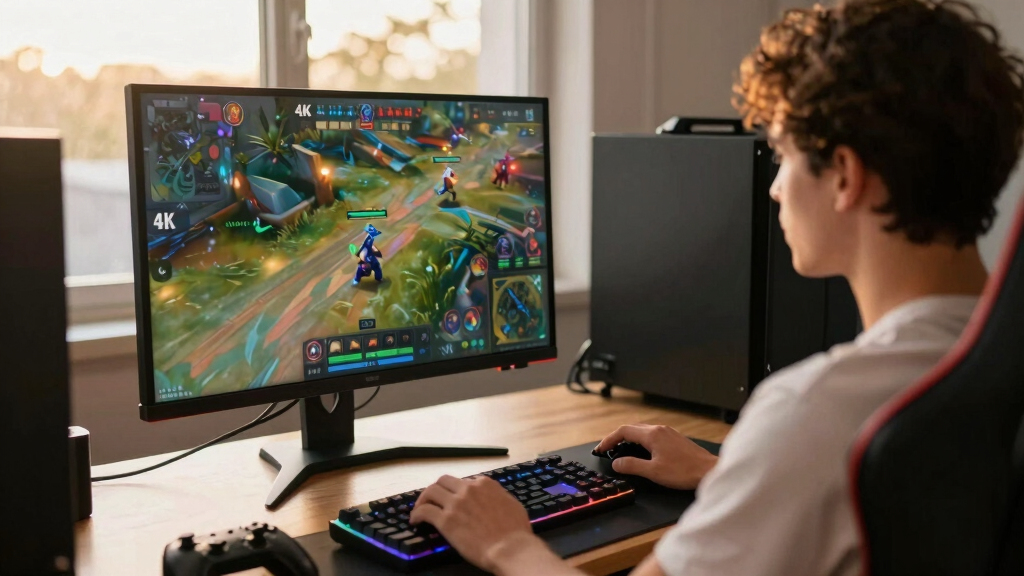
I ranked these monitors by how well they serve the specific goal of playing games at 4K. Native resolution came first, which pushed the QHD and FHD models below genuine 3840 x 2160 options regardless of their refresh rates. I then compared refresh rate, response-time claims, adaptive sync, HDMI 2.1 support, and whether each display could accommodate both PC and console hardware. Panel behavior also influenced placement: OLED brings stronger contrast, IPS favors broad usability, and curved LCD screens prioritize immersion.
My final order weighs performance against price, versatility, build practicality, and ownership tradeoffs. A fast specification earned more credit when the monitor had the ports and variable-refresh support needed to use it. I favored models that offer a clear benefit over nearby picks, such as dual-mode operation, a larger 4K canvas, or a lower-cost 160Hz IPS panel. OLED maintenance, limited HDR capability, demanding GPU requirements, stand adjustability, and screen size all counted against a model where relevant. This approach places the most adaptable recommendation first, followed by choices that make sense for narrower buyer profiles.
| 4K gaming monitor | Panel Type | HDR |
|---|---|---|
| ASUS ROG Swift 32” 4K OLED Gam | QD-OLED | VESA DisplayHDR 400 True Black |
| Acer Nitro 27" 4K UHD Gaming I | IPS | HDR10 |
| Samsung 32" Odyssey G55C Serie | — | HDR10 |
| LG 32GS60QC-B Ultragear 32-inc | — | HDR10 |
| SANSUI 27 Inch Curved 240Hz Ga | — | — |
| LG 27G810A-B UltraGear 27-inch | — | DisplayHDR 400 |
| Samsung 37-inch Odyssey G7 | VA | DisplayHDR 600 |
| CRUA 27-inch 144Hz 4K UHD IPS | IPS | — |
| ASUS TUF Gaming VG27UQ1A 27-in | Fast IPS | — |
| CRUA 32-inch Curved 4K UHD 160 | VA | — |
| Acer Nitro VG270K 27-inch 4K U | IPS | — |
| Dell 27 Plus 4K Monitor S2725Q | IPS | — |
| ASUS ROG Strix XG27UCG 27-inch | — | — |
| Samsung Odyssey G5 G51F 27-inc | — | HDR10 |
Factors to Consider When Choosing 4K Gaming Monitors
Choosing among 4K gaming monitors starts with more than finding the highest refresh-rate number. I would match the display to the games you play, the hardware you own, and the distance from your screen. The sections below explain where extra spending changes the experience and where an attractive specification can lead buyers toward the wrong product.
Confirm That the Monitor Is Actually 4K
A native 4K monitor has a resolution of 3840 x 2160, giving it more than twice the pixel count of QHD. Product titles can foreground refresh rate, curvature, or gaming branding while placing the true resolution deeper in the specification list. That matters in this roundup because several included Samsung, LG, and SANSUI models are QHD or FHD rather than 4K. A QHD display may deliver higher frame rates from a modest graphics card, but it cannot reproduce the same fine detail or desktop workspace. Upscaling a lower-resolution panel does not turn it into a native 4K screen. I would verify the pixel dimensions before comparing any other feature, especially when marketplace listings group several resolutions on one page.
Match Refresh Rate to Your Games and Hardware
A 120Hz display already makes movement feel much smoother than a basic 60Hz panel, while 144Hz to 180Hz is a strong range for mixed gaming. Rates above that are most useful for competitive games that a system can render at very high frame rates. Running modern titles at 4K and 160Hz or 180Hz demands a powerful GPU, so paying for speed that the computer rarely reaches can waste money. Dual-mode monitors address this conflict by offering high-detail and high-speed modes, though the faster mode may use a lower resolution. Variable refresh technology remains valuable below the maximum rate because it reduces tearing when frame output fluctuates. I would favor a stable adaptive-sync range over a headline refresh rate that only benefits one or two games.
Choose OLED or IPS Based on the Games You Play
OLED panels can produce true blacks, strong perceived contrast, and very fast pixel changes, which suit dark games and HDR scenes. They also tend to cost more and carry some risk of image retention when static interface elements remain on-screen for long periods. IPS displays cannot match OLED black levels, yet they are often the easier choice for mixed gaming, work, and long sessions with fixed desktop elements. An IPS model with local dimming may improve HDR, but a basic HDR label alone says little about contrast or highlight control. Curved LCD screens can make a large display feel more enveloping, though curve preference is highly personal and flat panels remain easier to share or use for design work. I would spend extra on OLED for image quality, not simply because it occupies the premium tier.
Check Ports, Bandwidth, and Console Compatibility
High-refresh 4K gaming requires enough connection bandwidth, making HDMI 2.1 and modern DisplayPort support more meaningful than a long port list. Current consoles pair especially well with HDMI 2.1 displays that accept 4K at 120Hz and support variable refresh. PC buyers should check whether the stated maximum rate depends on Display Stream Compression or a particular input. USB-C can reduce cable clutter for a laptop, but charging wattage and video capabilities vary between monitors. Built-in speakers are convenient for basic use, yet they rarely replace a headset or dedicated audio system. I would map every source device to an input before buying, since an otherwise strong panel becomes frustrating when its best mode works through only one connector.
Balance Screen Size, Pixel Density, and Desk Fit
At 27 inches, 4K produces very sharp text and fine game detail, though desktop scaling is usually needed. A 32-inch screen makes the resolution easier to appreciate from a typical desk distance and provides a larger view without losing much perceived sharpness. Displays around 37 inches move closer to a cockpit-style experience, but they require more depth and can make HUD elements harder to scan at close range. A large curved model also limits placement more than a smaller flat screen. Stand height, tilt, swivel, and VESA compatibility affect daily comfort long after the excitement of a high refresh rate fades. Buyers with shallow desks should measure viewing distance and stand footprint rather than relying on diagonal size alone. I see 27 inches as the flexible choice, 32 inches as the immersion sweet spot, and 37 inches as a specialist format.
Know When Paying More Changes the Experience
The most useful price jumps buy a clear improvement such as OLED contrast, dual-mode flexibility, stronger HDR hardware, or a larger 4K panel. Paying more for cosmetic lighting or an extreme refresh rate offers less value when the GPU cannot exploit it. Budget displays can still be sensible, but buyers should check stand adjustment, dead-pixel policies, warranty coverage, and independent panel measurements where available. Entry-level HDR support often accepts an HDR signal without producing the brightness range or dark-scene control associated with strong HDR presentation. Premium models also deserve closer scrutiny because OLED care and large-screen placement add ownership demands. I would set the performance target first, then pay above it only for a feature that changes how the monitor will be used.
Frequently Asked Questions
Is 4K at 144Hz or Higher Worth It If My GPU Cannot Reach the Maximum Frame Rate?
It can still be worthwhile because variable refresh keeps lower, fluctuating frame rates smoother than they would appear on a fixed-refresh display. A monitor may also outlast the current graphics card, leaving room for a future upgrade. Still, buyers who usually play demanding games below 80 frames per second may see a smaller benefit from 180Hz than from better contrast or HDR performance. Lowering selected graphics settings or using modern upscaling can raise frame rates without giving up the panel’s 4K output. I would not pay a large premium for refresh headroom unless competitive games or a planned GPU upgrade can use it.
Should I Buy a 27-Inch or 32-Inch 4K Gaming Monitor?
A 27-inch 4K monitor delivers higher pixel density and fits more easily on a compact desk. A 32-inch model makes small interface elements more readable and creates a more immersive view at a slightly greater distance. The larger size can be better for cinematic games, while 27 inches lets competitive players scan the whole screen with less eye movement. Windows or macOS scaling reduces the workspace advantage of very high pixel density, so sharpness should not be confused with usable desktop space. I would choose 27 inches for versatility and 32 inches for visual impact, provided the desk has enough depth.
Is OLED Worth the Extra Cost for 4K Gaming?
OLED is worth paying for when deep blacks, fast pixel response, and HDR contrast are the main priorities. Dark games, space scenes, and high-contrast environments gain more from OLED than bright competitive titles with simple visuals. The tradeoff is a higher purchase price plus some image-retention risk from static HUDs and desktop elements. Screen-care features help, but buyers still need to accept more ownership attention than an IPS panel requires. I would choose the ASUS ROG Swift PG32UCDMR for premium image quality and an IPS alternative for frequent productivity use or tighter budgets.
Do PlayStation 5 and Xbox Series Consoles Need a 160Hz or 180Hz Monitor?
No, because current console gaming generally targets up to 120Hz output rather than 160Hz or 180Hz. For console use, HDMI 2.1 support, 4K/120Hz acceptance, low latency, and variable refresh compatibility carry more weight than a higher PC-focused ceiling. A 160Hz or 180Hz model still makes sense if the same monitor will connect to a gaming PC. Buyers should also verify whether HDR and adaptive sync work together through the chosen HDMI input. I would treat refresh rates above 120Hz as PC headroom, not a required console feature.
Are the QHD and FHD Models in This Lineup Good Alternatives to 4K?
They can be good gaming monitors, but they are not substitutes for native 4K when image detail is the main goal. QHD reduces GPU load and can be a smarter match for competitive play or midrange hardware, while FHD makes very high frame rates easier to reach. On a 32-inch screen, the lower pixel density of QHD is also more visible from a desk than it is at 27 inches. The Samsung G55C, LG 32GS60QC-B, SANSUI 240Hz, and Samsung G51F should be judged as resolution-for-speed alternatives rather than 4K picks. I would buy one only after deliberately choosing frame rate over 4K sharpness.
Conclusion
For most buyers, I recommend the LG 27G810A-B as the best overall because its 4K/180Hz mode, 360Hz dual mode, adaptive sync, and HDMI 2.1 make it the most flexible option. The 160Hz Acer Nitro is my best-value pick for shoppers who want fast 4K IPS gaming without OLED pricing, while the ASUS ROG Swift PG32UCDMR is the premium choice for richer blacks and stronger perceived contrast. Beginners who want a simpler monitor for work, media, and moderate gaming should start with the Dell S2725QS and its more approachable 4K/120Hz specification. The Samsung 37-inch Odyssey G7 fits buyers seeking a large curved 4K display, whereas the ASUS TUF VG27UQ1A suits compact desks that still need 160Hz performance. I would skip the QHD and FHD entries when native 4K is the purchase goal, no matter how appealing their refresh rates appear.
Halloween Picks
halloween
As an affiliate, we earn on qualifying purchases.