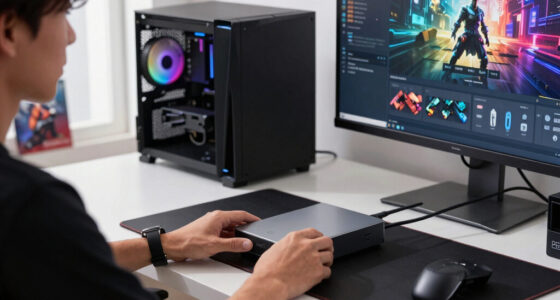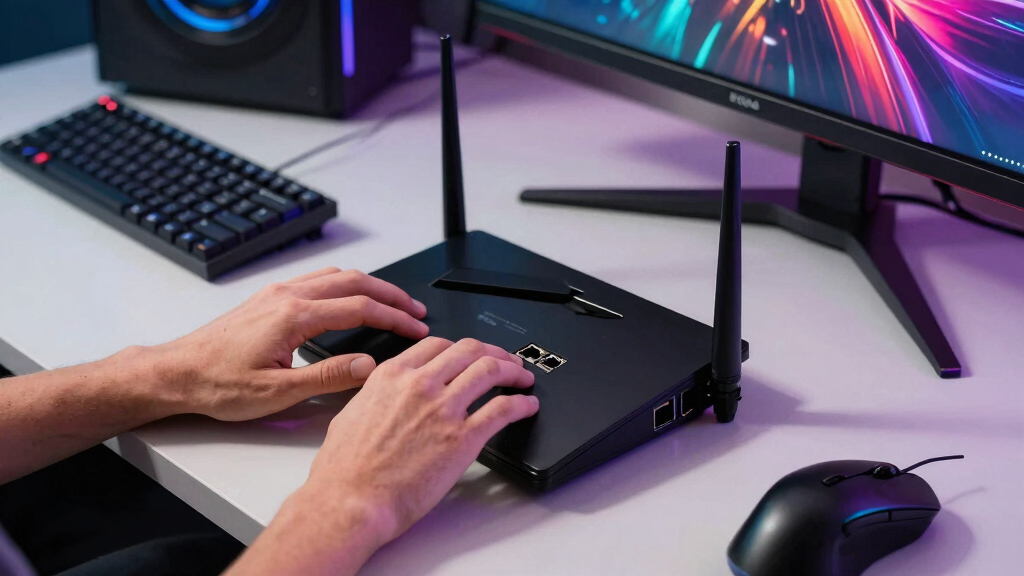

For most gamers, I rank the TP-Link Archer BE550 first because its 2.5Gb Ethernet support extends across the WAN port and all four LAN ports. That layout can carry multi-gig internet to a gaming PC while leaving fast connections available for a NAS, console, or switch. The BE400 is my value pick, pairing Wi-Fi 7 with two usable 2.5Gb ports, while the Archer AX55 Pro is the more economical route to multi-gig wired gaming.

Play games on Amazon Luna for your game nights, included with Prime
- A rotating selection of games, no download needed
- Play on TV, laptop or phone
- Fast, free delivery for your gear, too
The main tradeoff is that a router can advertise a 2.5Gb port without delivering 2.5Gb wired throughput from internet connection to gaming device. The Archer GXE75 has a fast WAN port but only gigabit LAN, and the supplied Archer AXE75 specifications do not confirm any 2.5Gb port at all. I also separate wireless headline speed from gaming value: stable Ethernet, practical port allocation, congestion management, and coverage usually matter more than the largest number printed on the box.
Complete the kit



Key Takeaways
- The Archer BE550 ranks first because it has one 2.5Gb WAN port and four 2.5Gb LAN ports, the strongest multi-gig layout in this group.
- The BE400 and Archer AX55 Pro each provide a workable 2.5Gb path from modem to one wired gaming device.
- The GXE75 adds gaming controls and a 6 GHz band, but its gigabit LAN ports limit wired clients to 1Gbps.
- Wi-Fi 7 is most useful here for newer compatible devices, Multi-Link Operation, and busy networks rather than as an automatic latency cure.
- The supplied Archer AXE75 specifications do not establish 2.5Gb Ethernet, so I treat it as a wireless-first fallback rather than a full match for the roundup title.
| TP-Link Tri-Band WiFi 7 Router (Archer BE550) |  | Best Overall | Wi-Fi standard: Wi-Fi 7 | Rated speed: Up to 5,760Mbps | Bands: Tri-band | VIEW LATEST PRICE | See Our Full Breakdown |
| TP-Link BE6500 Dual-Band WiFi 7 Router (BE400) |  | Best Value Wi-Fi 7 Router | Wi-Fi technology: Wi-Fi 7 | Maximum bandwidth: 6.5Gbps | Bands: Dual-band | VIEW LATEST PRICE | See Our Full Breakdown |
| TP-Link AX3000 WiFi 6 Router (Archer AX55 Pro) |  | Best Budget Multi-Gig Pick | Wi-Fi standard: Wi-Fi 6 (802.11ax) | Rated speed: 2,402Mbps at 5 GHz; 574Mbps at 2.4 GHz | Bands: Dual-band | VIEW LATEST PRICE | See Our Full Breakdown |
| TP-Link Tri-Band AXE5400 Wi-Fi 6E Gaming Router Archer GXE75 |  | Best for Wireless Gaming Controls | Wi-Fi standard: Wi-Fi 6E | Rated speed: Up to 5.4Gbps | Bands: Tri-band | VIEW LATEST PRICE | See Our Full Breakdown |
| TP-Link AXE5400 Tri-Band WiFi 6E Router (Archer AXE75) |  | Best Wireless-First Alternative | Wi-Fi standard: Wi-Fi 6E | Total rated speed: 5,400Mbps | Bands: Tri-band: 6 GHz, 5 GHz, and 2.4 GHz | VIEW LATEST PRICE | See Our Full Breakdown |
| routers with 2.5Gb Ethernet for gaming | Bands | Ports | Wi-Fi standard | Rated speed |
|---|---|---|---|---|
| TP-Link Tri-Band WiFi 7 Router | Tri-band | 1× 2.5Gb WAN, 4× 2.5Gb LAN | Wi-Fi 7 | Up to 5,760Mbps |
| TP-Link BE6500 Dual-Band WiFi | Dual-band | 1× 2.5Gb WAN/LAN, 1× 2.5Gb LAN, 3× 1Gb LAN | — | — |
| TP-Link AX3000 WiFi 6 Router | Dual-band | 1× 2.5Gb WAN/LAN, 1× 2.5Gb LAN, 3× 1Gb LAN | Wi-Fi 6 (802.11ax) | 2,402Mbps at 5 GHz; 574Mbps at 2.4 GHz |
| TP-Link Tri-Band AXE5400 Wi-Fi | Tri-band | 1× 2.5Gb WAN, 4× 1Gb LAN | Wi-Fi 6E | Up to 5.4Gbps |
| TP-Link AXE5400 Tri-Band WiFi | Tri-band: 6 GHz, 5 GHz, and 2.4 GHz | Supplied data lists 1.5Gbps WAN; 2.5Gb Ethernet not confirmed | Wi-Fi 6E | — |
More Details on Our Top Picks
TP-Link Tri-Band WiFi 7 Router (Archer BE550)
The Archer BE550 takes first place because it is the only model here with a complete bank of multi-gig ports: one 2.5Gb WAN and four 2.5Gb LAN. I can recommend it for a gaming PC, 2.5Gb switch, and network storage without forcing the buyer to choose which single device receives the fast connection. Compared with the BE400 and AX55 Pro, which each leave room for only one 2.5Gb LAN client, it offers far more flexibility for an expanding wired network.
Its tri-band Wi-Fi 7 design also adds a 6 GHz band, separating compatible gaming devices from crowded legacy clients. That is a better wireless arrangement than the dual-band BE400, although the stated 5,760Mbps ceiling does not make every device faster. Six internal antennas and a listed 2,000-square-foot range suit a clean, discreet installation, while EasyMesh provides an expansion route for larger homes.
I would not buy it solely for Wi-Fi 7 if every gaming device is gigabit Ethernet or older Wi-Fi hardware. It costs more than the AX55 Pro, needs a separate modem, and its advanced settings may require some learning. Even with those drawbacks, five 2.5Gb ports give it the clearest advantage for the specific job in this guide.
Pros:- One 2.5Gb WAN and four 2.5Gb LAN ports
- Tri-band Wi-Fi 7 with a dedicated 6 GHz band
- EasyMesh support for later coverage expansion
- WPA3, VPN support, and HomeShield controls
Cons:- Costs more than the dual-band and Wi-Fi 6 alternatives
- Wi-Fi 7 benefits require compatible client hardware
- Advanced controls may feel dense to a casual buyer
Best for: Gamers building a multi-device 2.5Gb network with a fast internet plan, gaming PC, NAS, or multi-gig switch.
Not ideal for: Buyers with sub-gigabit internet and only gigabit or older Wi-Fi clients.
- Wi-Fi standard:Wi-Fi 7
- Rated speed:Up to 5,760Mbps
- Bands:Tri-band
- Ports:1× 2.5Gb WAN, 4× 2.5Gb LAN
- Antennas:6 internal antennas
- Coverage:Up to 2,000 sq. ft.
- Mesh:EasyMesh
- Security:WPA3 and HomeShield
- VPN support:Yes
Our verdict“I rank the Archer BE550 first for buyers who want multi-gig gaming without an immediate need for an extra 2.5Gb switch.”
TP-Link BE6500 Dual-Band WiFi 7 Router (BE400)
If I wanted Wi-Fi 7 and one properly connected multi-gig gaming station without paying for five 2.5Gb ports, I would choose the TP-Link BE400. Its configurable 2.5Gb WAN/LAN port and separate 2.5Gb LAN port create the fast path missing from the GXE75. A 2.5Gb internet connection can reach one compatible PC above gigabit speed, while three additional gigabit LAN ports handle consoles and lower-bandwidth equipment.
The compromise appears on the wireless side. This is a dual-band router, so it lacks the 6 GHz radio found in the BE550, GXE75, and AXE75. Its Wi-Fi 7 features, including Multi-Link Operation, can still help compatible clients use network resources efficiently, and the claimed 2,400-square-foot coverage exceeds the BE550’s listed figure. Yet buyers seeking a clean 6 GHz channel should move up to the BE550.
Support for 90 devices makes the BE400 appealing in a busy smart home, but device capacity is not the same as gaming performance under every workload. I place it below the BE550 because port expansion is limited, not because it lacks speed. For one 2.5Gb gaming PC, it is the sharper value; for several multi-gig devices, its lower initial price may be offset by a switch.
Pros:- Two 2.5Gb ports support a multi-gig internet-to-device path
- Wi-Fi 7 with Multi-Link Operation support
- Listed coverage of up to 2,400 square feet
- EasyMesh and support for up to 90 devices
Cons:- No 6 GHz band despite its Wi-Fi 7 platform
- Only one 2.5Gb LAN port when the other multi-gig port serves as WAN
- Some Wi-Fi 7 functions depend on new client hardware
Best for: A Wi-Fi 7 buyer who needs one 2.5Gb wired gaming connection and broad dual-band coverage.
Not ideal for: Gamers who want a 6 GHz band or several multi-gig wired clients connected directly.
- Wi-Fi technology:Wi-Fi 7
- Maximum bandwidth:6.5Gbps
- Bands:Dual-band
- Ports:1× 2.5Gb WAN/LAN, 1× 2.5Gb LAN, 3× 1Gb LAN
- Coverage:Up to 2,400 sq. ft.
- Device support:Up to 90 devices
- Antennas:6 high-performance antennas
- Multi-Link Operation:Supported
- Mesh:EasyMesh compatible
Our verdict“I see the BE400 as the best-value Wi-Fi 7 choice when one multi-gig gaming device is enough.”
TP-Link AX3000 WiFi 6 Router (Archer AX55 Pro)
The Archer AX55 Pro is my budget-oriented recommendation because it preserves the part that matters for wired speed: one 2.5Gb WAN/LAN connection plus a second 2.5Gb LAN port. Used in the right configuration, those ports carry multi-gig internet to one gaming PC. That makes this model more suitable for wired gaming than the ostensibly more gaming-focused GXE75, whose LAN side stops at gigabit.
Savings come from its dual-band Wi-Fi 6 platform. The 2,402Mbps 5 GHz and 574Mbps 2.4 GHz ratings trail the newer BE400, and there is no 6 GHz band for compatible devices. OFDMA, MU-MIMO, and beamforming still make it a credible household router, especially when the primary gaming machine uses Ethernet. EasyMesh support also offers a route around weak rooms without replacing the router.
I would skip the AX55 Pro if the goal is a broad Wi-Fi 7 upgrade or several direct 2.5Gb connections. Like the BE400, it provides only one fast LAN connection when the other 2.5Gb port is assigned to WAN. Buyers who anticipate a NAS and multiple gaming PCs will find the BE550 easier to grow with. For a single wired system, however, this model avoids paying for wireless capabilities that may sit unused.
Pros:- Two 2.5Gb ports can form a multi-gig WAN-to-LAN path
- Lower-cost Wi-Fi 6 platform suits wired-first gaming
- OFDMA, MU-MIMO, and beamforming support busy networks
- VPN, WPA3, and EasyMesh support
Cons:- No Wi-Fi 7 or 6 GHz band
- Only one multi-gig LAN connection when configured for 2.5Gb WAN
- A separate modem is required for most internet services
Best for: Budget-conscious PC gamers who need one 2.5Gb wired link and are satisfied with Wi-Fi 6.
Not ideal for: Homes upgrading several wireless devices to Wi-Fi 7 or connecting multiple 2.5Gb clients directly.
- Wi-Fi standard:Wi-Fi 6 (802.11ax)
- Rated speed:2,402Mbps at 5 GHz; 574Mbps at 2.4 GHz
- Bands:Dual-band
- Ports:1× 2.5Gb WAN/LAN, 1× 2.5Gb LAN, 3× 1Gb LAN
- Antennas:4 high-performance antennas
- Wireless features:OFDMA, MU-MIMO, beamforming
- Security:WPA3 and HomeShield
- Mesh:EasyMesh
- VPN support:Yes
Our verdict“I recommend the AX55 Pro when affordable 2.5Gb wired gaming matters more than owning the newest wireless standard.”
TP-Link Tri-Band AXE5400 Wi-Fi 6E Gaming Router Archer GXE75
The Archer GXE75 earns its place through gaming-specific software rather than the strongest Ethernet layout. Dedicated acceleration, device prioritization, and real-time network insights give a player more direct control over competing traffic than the general-purpose AXE75. Its tri-band Wi-Fi 6E radios also create a 6 GHz option for a compatible gaming laptop or handheld, which can avoid congestion from older 5 GHz devices.
There is a major catch behind the 2.5Gb label: the router has a 2.5Gb WAN port but four 1Gb LAN ports. It can accept a multi-gig internet plan, yet no directly connected gaming PC can receive more than gigabit Ethernet. Both the cheaper AX55 Pro and the second-ranked BE400 provide a 2.5Gb LAN port, while the BE550 provides four. I rank the GXE75 below all three for buyers whose main goal is multi-gig wired gaming.
This model makes more sense when gaming happens over 6 GHz Wi-Fi and the buyer values traffic controls and RGB styling. Wireless conditions, client capability, and distance still govern the result; a 6 GHz signal has less reach through walls than lower-frequency bands. HomeShield also mixes included and paid capabilities, so I would check which desired controls require a subscription before buying.
Pros:- Tri-band Wi-Fi 6E includes a less congested 6 GHz band
- Dedicated gaming acceleration and network insights
- Straightforward Tether app setup
- USB 3.0 and customizable RGB lighting
Cons:- All four LAN ports are limited to 1Gbps
- 6 GHz range can fall quickly through walls
- Some HomeShield capabilities may require payment
Best for: Wireless-first gamers with Wi-Fi 6E devices who value dedicated traffic controls and network visibility.
Not ideal for: Anyone expecting a 2.5Gb Ethernet connection from the router to a gaming PC or NAS.
- Wi-Fi standard:Wi-Fi 6E
- Rated speed:Up to 5.4Gbps
- Bands:Tri-band
- Ports:1× 2.5Gb WAN, 4× 1Gb LAN
- USB:USB 3.0
- Gaming features:Acceleration and real-time network insights
- Lighting:RGB
- Security:HomeShield
- Setup:Tether app
Our verdict“I would choose the GXE75 for wireless gaming controls, but not for a wired device that must exceed 1Gbps.”
TP-Link AXE5400 Tri-Band WiFi 6E Router (Archer AXE75)
The Archer AXE75 offers a balanced tri-band Wi-Fi 6E setup, with matching 2,402Mbps ratings on its 5 GHz and 6 GHz bands. That division can be useful when I want newer gaming devices separated from a busy 5 GHz network. Its 512MB of memory, VPN server and client support, WPA3, and OneMesh compatibility also make it a capable general home router.
It ranks fifth because the supplied port specification lists a 1.5Gbps WAN port and does not identify any 2.5Gb Ethernet connection. That unusual specification needs verification on the exact regional listing, but on the information provided, I cannot treat this model as a true match for a 2.5Gb Ethernet buying guide. The GXE75 at least confirms a 2.5Gb WAN port, while the AX55 Pro, BE400, and BE550 provide documented 2.5Gb LAN connectivity.
If a steep discount makes the AXE75 attractive and wireless 6 GHz access matters more than multi-gig cabling, it can still fit a particular buyer. It lacks the GXE75’s gaming-centered controls and the BE550’s Wi-Fi 7 platform, however. I would verify the exact port panel before purchase and choose one of the first three models whenever 2.5Gb Ethernet is a firm requirement.
Pros:- Tri-band Wi-Fi 6E separates compatible clients onto 6 GHz
- Matching 2,402Mbps ratings on the 5 GHz and 6 GHz bands
- VPN server and client support
- OneMesh, WPA3, and HomeShield support
Cons:- Supplied specifications do not confirm a 2.5Gb Ethernet port
- No dedicated gaming controls like the GXE75
- Older wireless platform than the BE400 and BE550
Best for: A wireless-first Wi-Fi 6E buyer who finds it heavily discounted and does not require confirmed 2.5Gb LAN connectivity.
Not ideal for: Anyone shopping specifically for a verified 2.5Gb Ethernet path to a gaming device.
- Wi-Fi standard:Wi-Fi 6E
- Total rated speed:5,400Mbps
- Bands:Tri-band: 6 GHz, 5 GHz, and 2.4 GHz
- 6 GHz speed:Up to 2,402Mbps
- 5 GHz speed:Up to 2,402Mbps
- 2.4 GHz speed:Up to 574Mbps
- Processor:1.0GHz dual-core CPU
- Memory:512MB
- Ports:Supplied data lists 1.5Gbps WAN; 2.5Gb Ethernet not confirmed
Our verdict“I treat the AXE75 as a discounted Wi-Fi 6E fallback, not a primary recommendation for verified 2.5Gb Ethernet gaming.”
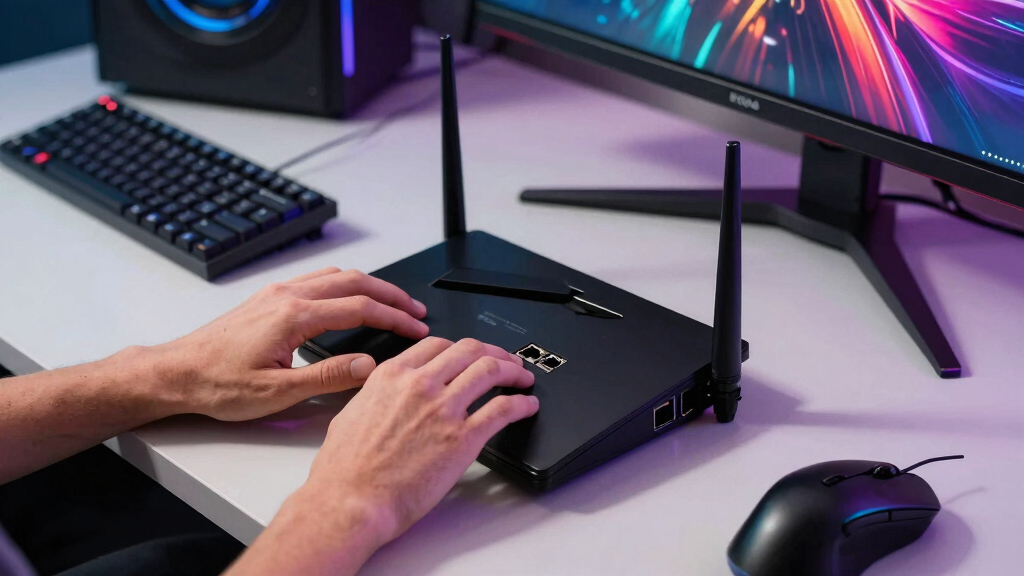
How We Picked
I ranked these routers around the needs of a gaming setup with multi-gig internet or local traffic. Port arrangement received the most weight. A single 2.5Gb WAN port accepts a fast internet plan, but it cannot feed one wired device above 1Gbps when every LAN port is gigabit. I gave higher positions to models with a 2.5Gb WAN-to-LAN path, then looked at wireless generation, band selection, congestion handling, security, mesh expansion, and setup.
I treated advertised Wi-Fi totals as class ratings rather than speeds a single gaming device will receive. I also did not assume lower ping simply because a router supports Wi-Fi 7 or 6 GHz. Those features can reduce local contention under the right conditions, while game-server distance and ISP routing remain outside the router’s control. My order reflects buyer outcomes and limitations, using the supplied specifications rather than implying hands-on testing. Where the supplied data conflicts with the roundup requirement, I flag that gap instead of hiding it.
| routers with 2.5Gb Ethernet for gaming | Wi-Fi standard | Bands | Mesh | Security |
|---|---|---|---|---|
| TP-Link Tri-Band WiFi 7 Router | Wi-Fi 7 | Tri-band | EasyMesh | WPA3 and HomeShield |
| TP-Link BE6500 Dual-Band WiFi | — | Dual-band | EasyMesh compatible | — |
| TP-Link AX3000 WiFi 6 Router | Wi-Fi 6 (802.11ax) | Dual-band | EasyMesh | WPA3 and HomeShield |
| TP-Link Tri-Band AXE5400 Wi-Fi | Wi-Fi 6E | Tri-band | — | HomeShield |
| TP-Link AXE5400 Tri-Band WiFi | Wi-Fi 6E | Tri-band: 6 GHz, 5 GHz, and 2.4 GHz | — | — |
Factors to Consider When Choosing Best Routers With 2.5Gb Ethernet For Gaming
I use the following checks to separate a meaningful gaming upgrade from a large wireless speed claim.Count the 2.5Gb Ports and Check Their Roles
A router needs both a fast incoming connection and a fast outgoing connection if I expect one wired gaming device to exceed 1Gbps. A single 2.5Gb WAN port paired with gigabit LAN accepts multi-gig service but caps every wired client at 1Gbps. The BE550 avoids that bottleneck with five 2.5Gb ports. The BE400 and AX55 Pro can serve one 2.5Gb LAN client when their other multi-gig port handles WAN.
Separate Download Speed From Latency
A 2.5Gb connection can cut download and update times, but it does not automatically lower game-server ping. I look for stable routing, low local congestion, and traffic-priority controls when several people share the network. The GXE75 emphasizes those controls, while Ethernet remains the most predictable connection for a fixed gaming PC. ISP routing and server location can still dominate the final latency figure.
Choose Wi-Fi 7 or Wi-Fi 6E for the Right Reason
Wi-Fi 6E and tri-band Wi-Fi 7 add a 6 GHz band, which can give compatible devices a quieter channel at close range. Wi-Fi 7 can also add Multi-Link Operation, though support must exist on the client as well as the router. I would not pay extra when every gaming device uses Ethernet or older Wi-Fi. The AX55 Pro covers that wired-first case, while the BE550 suits a wider hardware upgrade.
Plan for Coverage and Expansion
6 GHz signals offer wide channels but generally lose strength faster through walls. I place the router centrally, keep it in the open, and treat square-footage claims as rough guidance rather than a promise. For a long or multi-story home, EasyMesh or OneMesh expansion can matter more than peak speed. A wired backhaul between mesh units is preferable when the property permits it because it preserves wireless capacity for client devices.
Match the Supporting Hardware
A true multi-gig path also requires a compatible modem or fiber terminal, suitable Ethernet cabling, and a 2.5Gb network adapter in the PC or console. Most current consoles have gigabit Ethernet, so a 2.5Gb router mainly benefits a capable PC, NAS transfers, and total household bandwidth. Cat5e often supports 2.5Gb Ethernet at normal home distances, though damaged or poorly terminated cable can cause fallback speeds.
Frequently Asked Questions
Does a 2.5Gb gaming router reduce ping?
Not by itself. I expect 2.5Gb Ethernet to improve large downloads, local transfers, and capacity when several users are active. Ping depends more heavily on ISP routing, game-server distance, congestion, and buffer management. A stable wired connection plus sensible device prioritization may reduce local spikes, but upgrading from gigabit to 2.5Gb does not guarantee a lower baseline latency.
How many 2.5Gb ports does a gaming router need?
For multi-gig internet reaching one gaming PC, I want at least two usable 2.5Gb ports: one for WAN and one for LAN. More ports become valuable when a NAS, switch, or second computer also needs multi-gig access. That is why the BE550 ranks above the BE400 and AX55 Pro, while the GXE75’s single fast WAN port is less useful for wired clients.
Is Wi-Fi 7 better than Ethernet for gaming?
I still favor Ethernet for a fixed gaming system because a cable avoids radio interference and changing signal conditions. Wi-Fi 7 can be very fast and responsive with compatible hardware, particularly near the router, but walls and nearby networks introduce variables. It is most appealing for laptops, handhelds, and rooms where running cable is impractical.
Do consoles benefit from a 2.5Gb router?
Most consoles cannot connect above gigabit Ethernet, so I would not buy a 2.5Gb router solely to raise one console’s wired link speed. The router can still help when a multi-gig internet plan is shared among a console, PCs, streaming devices, and downloads. Its faster uplink prevents the household’s combined traffic from being confined to a single gigabit connection.
Is a 6 GHz band good for gaming?
A 6 GHz band can be excellent at short range because it is usually less crowded and offers wide channels, but both the router and gaming device must support Wi-Fi 6E or compatible Wi-Fi 7. Its wall penetration is weaker than 5 GHz or 2.4 GHz. I use it for nearby compatible devices and choose Ethernet or a well-placed mesh node for distant rooms.
Conclusion
For a serious multi-gig setup, I would buy the Archer BE550. Its four 2.5Gb LAN ports remove the allocation problem found on every other model here, making it the best fit for a gaming PC, NAS, and future expansion. I would choose the BE400 for better value with Wi-Fi 7 and one fast wired client, or the AX55 Pro when low-cost 2.5Gb Ethernet matters more than the newest wireless features.
Wireless-first players who want a 6 GHz band and gaming-centered controls may prefer the GXE75, provided they accept gigabit LAN. I would reserve the AXE75 for a strong discount and verify its ports before ordering, since the supplied data does not confirm 2.5Gb Ethernet. My ranking ultimately follows the wired path: the more completely a router carries 2.5Gb traffic from modem to gaming hardware, the higher it places.
Halloween Picks
halloween
As an affiliate, we earn on qualifying purchases.